Our take: Use SOPMaker to draft industry-specific standard operating procedures in about a minute and review every AI edit as a tracked change before exporting to Word.
Main limitation: Credits reset each period without rollover, and the Free plan runs on the lighter Gemini Flash model with only 20 credits.
By the AI Tool Atlas editors.
Based on the vendor's official documentation; we have not tested this product hands-on. What “documented overview” means
Who SOPMaker fits
Use SOPMaker to draft industry-specific standard operating procedures in about a minute and review every AI edit as a tracked change before exporting to Word. Based on the vendor's documentation, not on a hands-on test.
Best for: Operations managers in restaurants, manufacturing and healthcare
Also a good fit for
Small businesses formalizing procedures
Teams needing Word-format SOPs
Consider another tool if free plan uses a lighter AI model (Gemini Flash) and 20 credits only
Or if
Credits reset each period and do not roll over
Compliance citations reserved for paid plans
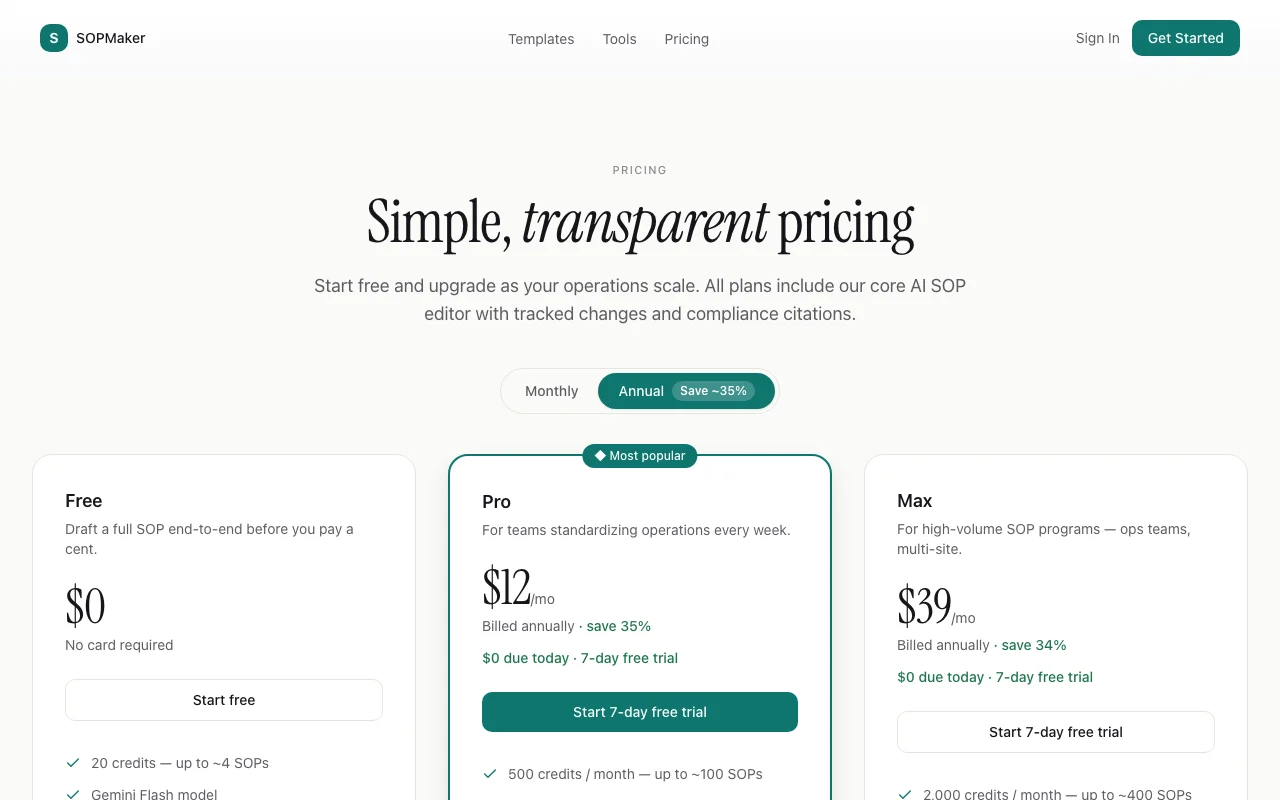
SOPMaker pricing and usage limits
Prices checked Oct 1, 2026 on the official US pricing page. Official pricing ↗ Prices and limits change often.
Vendor pricing page re-checked automatically 12 days ago: no changes detected.
The official SOPMaker pricing page as we saw it. sopmaker.ai, captured Oct 1, 2026
Annual billing saves about 34%; monthly price not seen; 7-day free trial
For: Multi-site ops teams with high SOP volume
Limits
2,000 credits per month (about 400 SOPs)
Includes
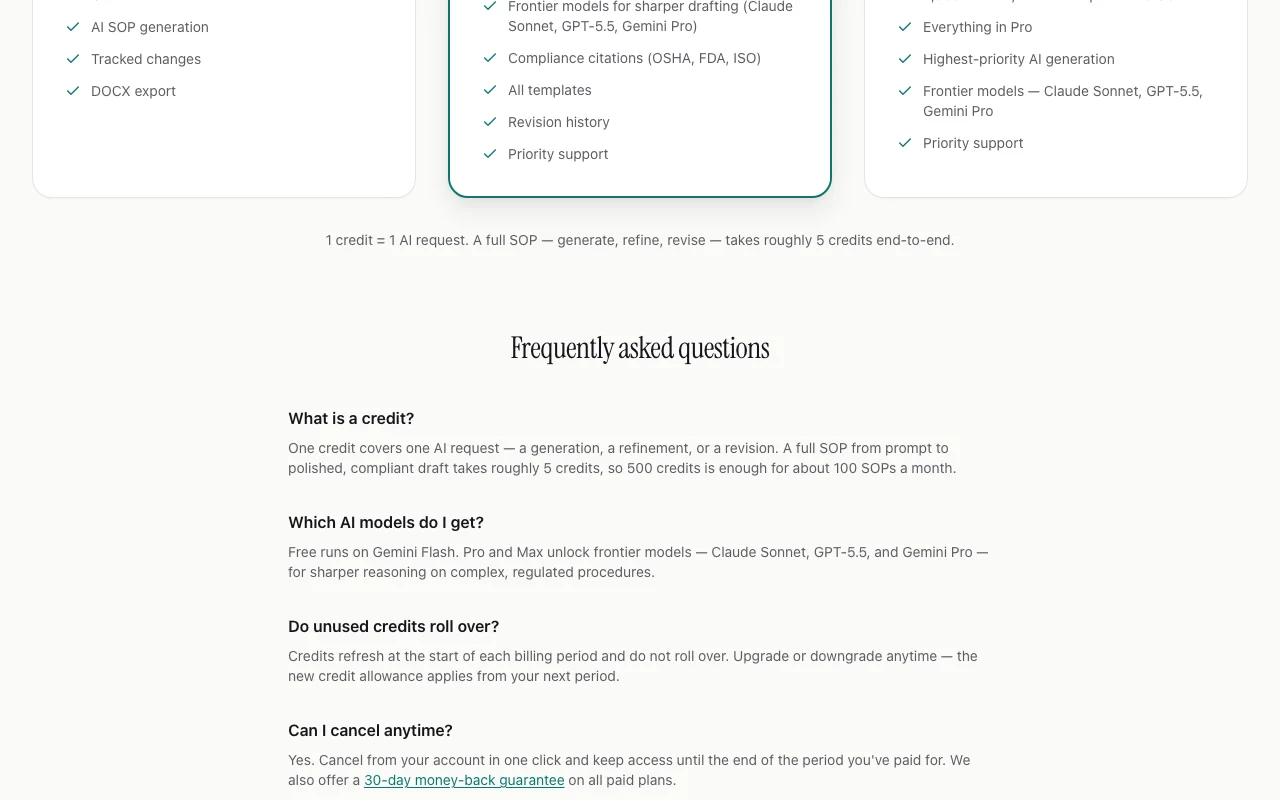
Everything in Pro
Highest-priority AI generation
1 more
Priority support
Usage caps, credits and extra costs
No add-on costs stated; 1 credit equals 1 AI request and a full SOP takes roughly 5 credits.
Prices exclude taxes, calculated at checkout.
What is SOPMaker, and how does it work?
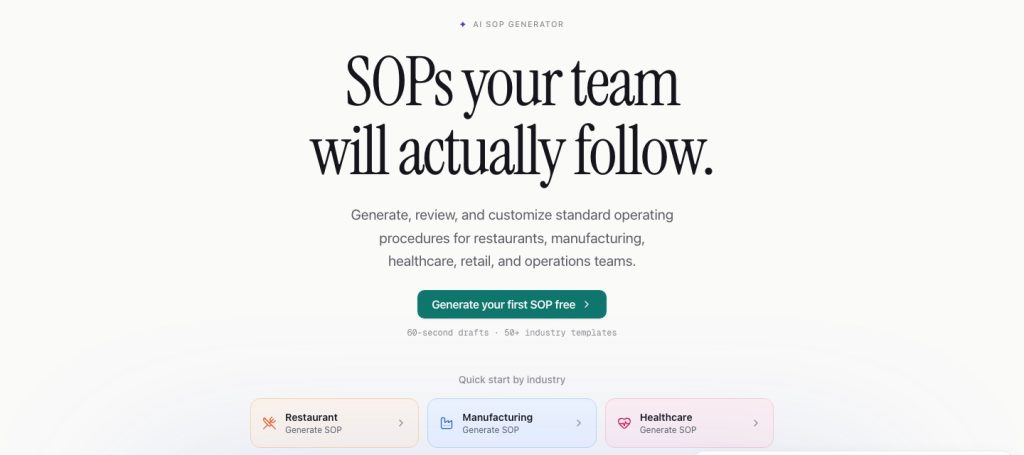
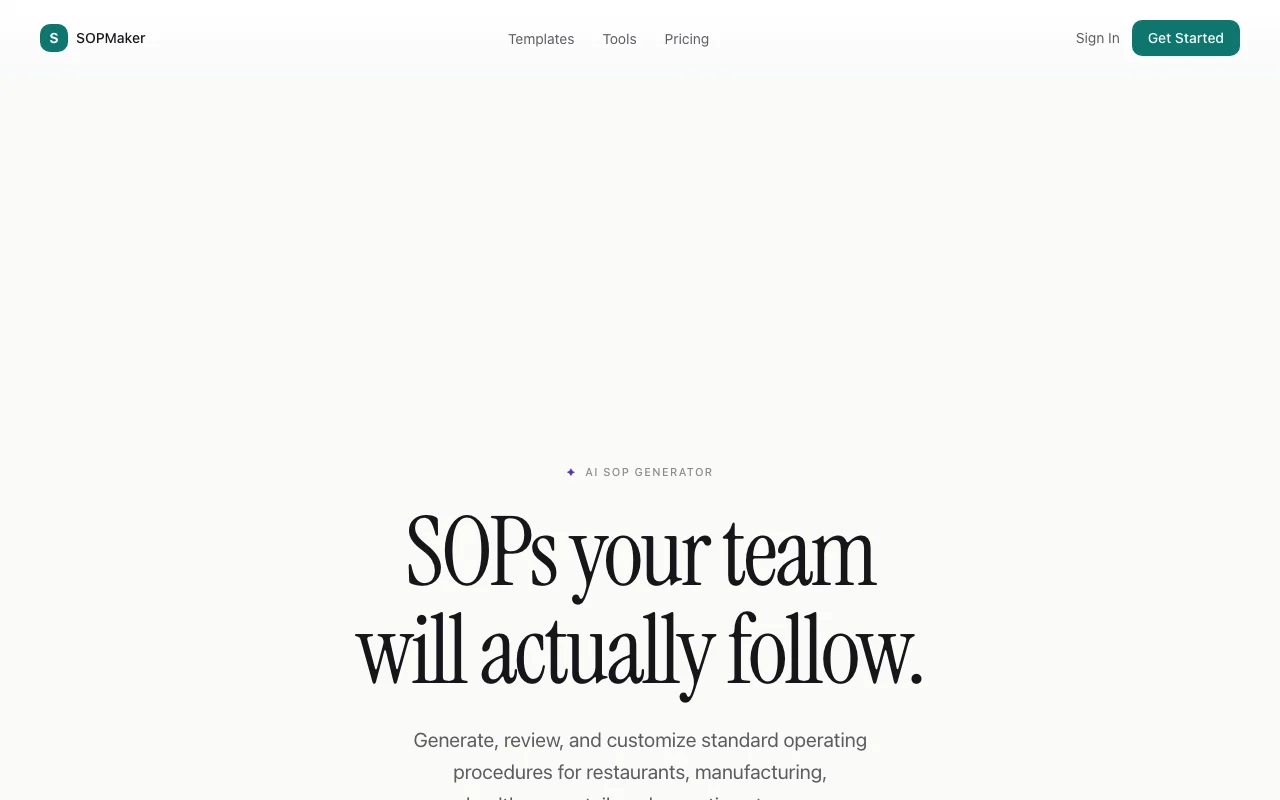
SOPMaker is a web app that drafts standard operating procedures from a prompt. You pick an industry (restaurant, manufacturing, healthcare, cleaning, HVAC and others), describe the process, and the AI produces a structured SOP with roles, steps and safety notes, optionally with compliance references such as OSHA, FDA, ISO and HACCP.
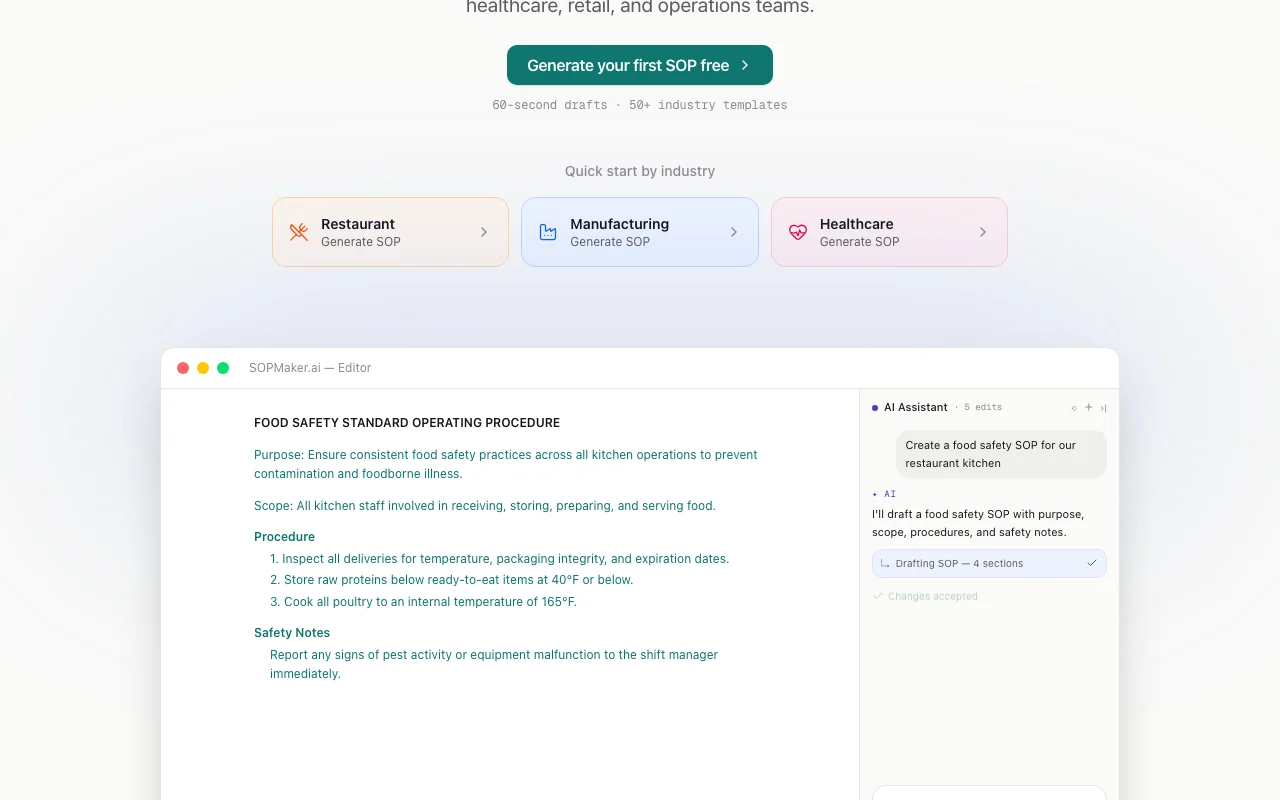
Every AI edit appears as a tracked revision that you accept or reject in the editor, and finished documents export to DOCX. A free plan includes 20 credits; Pro and Max plans add monthly credit allowances and access to higher-end AI models.
SOPMaker's official site: how the product presents itself. sopmaker.ai, captured Oct 1, 2026
What you provide and what you get back
What you give SOPMaker and what comes back, from its documentation
You provide
Industry selection
Text description of the process
Existing SOP text for AI edits
You get back
Structured SOP with roles, steps and safety notes
Tracked-change revisions
DOCX file
Where you can use it
Platforms
Web
Account
Required
Export
DOCX
Languages
English and Spanish
Industries
Restaurant, manufacturing, healthcare, cleaning, HVAC, retail and more; 50+ templates
Draft time
Under 60 seconds claimed for first draft
What people use SOPMaker for
Scenarios are worked out by our editors from the documentation; the actual result depends on your input and plan.
Documenting kitchen and food safety procedures
Who
Restaurant managers and kitchen leads
You provide
Restaurant industry plus a description of opening and closing food safety checks
Expected result
A step-by-step food safety SOP with roles and HACCP/FDA references on paid plans
Feature overview on the official site. sopmaker.ai, captured Oct 1, 2026
AI SOP generation from a text prompt
Turns an industry choice and a process description into a full SOP with roles, steps and safety notes Cuts days of manual documentation to a first draft in about 60 seconds
Offers vetted starting SOPs for restaurants, manufacturing, healthcare, cleaning, retail and more Gives a field-appropriate structure before you prompt
Access: Free for some, all templates on ProLimit: Full template library requires Prosource (opens in a new tab)
Tracked-changes review of AI edits
Shows every AI edit as a tracked revision to accept or reject Keeps a reviewer in control of regulated wording
Free plan with 20 credits and no card required You can test a complete SOP workflow before spending moneydocumentedsource (opens in a new tab)
7-day free trial on paid plans You can try Pro or Max risk-free for a weekdocumentedsource (opens in a new tab)
30-day money-back guarantee stated on pricing page You can request a refund if the paid plan does not fitdocumentedsource (opens in a new tab)
Tracked changes make AI edits reviewable You can audit AI changes instead of trusting a silent rewritedocumentedsource (opens in a new tab)
Limitations to check before paying
Free plan uses a lighter AI model (Gemini Flash) and 20 credits only Long or complex procedures may not finish within 20 credits and need a paid plandocumentedsource (opens in a new tab)
Credits reset each period and do not roll over Heavy users must watch the monthly credit cap since unused credits vanishdocumentedsource (opens in a new tab)
Compliance citations reserved for paid plans Regulated SOPs on Free lack citations to check againstdocumentedsource (opens in a new tab)
Web only; no desktop or mobile app You cannot use it as a mobile or desktop appdocumentedsource (opens in a new tab)
How to use SOPMaker for drafting a food safety SOP
Set up SOPMaker
Open sopmaker.ai and sign up with email or Google
Pick an industry such as Restaurant on the start screen
Choose a template or start a blank SOP in the editor
Example: drafting a food safety SOP
Describe the process, for example daily fridge temperature logging
Generate the draft and read the roles, steps and safety notes
Ask the AI assistant to add a step, then accept or reject the tracked change
Export the SOP as DOCX
Review and export the result
Verify each step against your real procedure and local regulations
Confirm no tracked change is left unresolved before exporting
Example prompt suggested by our editors (not a recorded output of the product)
Write an SOP for closing a restaurant kitchen: cleaning schedule, food storage temperatures, responsible roles, and a sign-off checklist.
SOPMaker integrations and API
Plan comparison on the official pricing page. sopmaker.ai, captured Oct 1, 2026
Native integrations and export formats
Export: DOCX
API access and separate billing
SOPMaker has no public API in its official documentation. No API documented; docs page returned 404
Privacy, data use and commercial rights
Summarized from the vendor's current policies; this is not legal advice and a vendor's badge is not an independent audit.
How your inputs and outputs are handled
Prompts and relevant SOP context are sent to third-party AI providers via OpenRouter.
States SOP content is not used to train AI models and providers are chosen for committing not to train on customer data.
Account data and SOPs kept while the account is active; deleted within 30 days after account deletion; billing records kept as required (typically 7 years).
One credit equals one AI request (generate, refine or revise); a full SOP takes roughly 5 credits, so Free's 20 credits cover about 4 SOPs. source (opens in a new tab)
Which AI models does SOPMaker use on each plan?
Free runs on Gemini Flash; Pro and Max unlock Claude Sonnet, GPT-5.5 and Gemini Pro. source (opens in a new tab)
Not verified: Monthly price for Max; API availability; Commercial-use terms for generated text.
How we documented and maintain this page
Every fact about SOPMaker above comes from the 4 official pages listed here, last compared on Oct 1, 2026; we have not run SOPMaker ourselves, so it has no editorial score. How we check and re-check pages.
Article updated Oct 10, 2026; prices checked Oct 1, 2026. Outbound links to vendors are plain links; we do not earn commissions. How we review · Report an error
 (open full size in a new tab)
 (open full size in a new tab)
 (open full size in a new tab)
 (open full size in a new tab)
 (open full size in a new tab)