Starter web
$29 source (opens in a new tab)
Monthly
For: Individual ML engineers
Limits
- 29K credits per month
- Lite mode only
Includes
- Bring your own compute (VPC)
- Community support

CodingDocumented overviewLast checked Oct 1, 2026
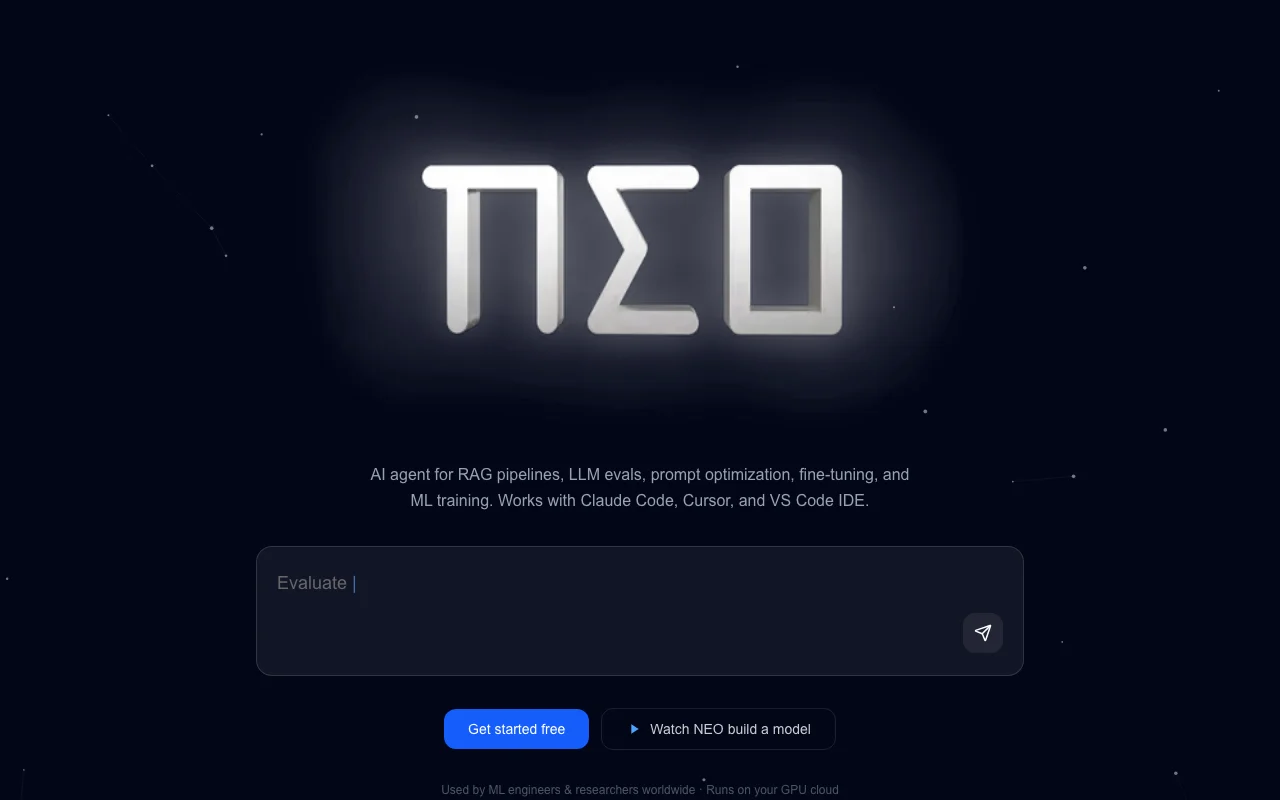
Autonomous AI engineering agent for ML tasks such as RAG pipelines, evals, prompt optimization and fine-tuning, usable from VS Code or Cursor.
 (open full size in a new tab)
 (open full size in a new tab)
 (open full size in a new tab)
 (open full size in a new tab)
 (open full size in a new tab)
 (open full size in a new tab)
Our take: NEO suits ML engineers who want an agent to run RAG, eval, prompt-optimization and fine-tuning work from VS Code, Cursor or Claude Code, paid by monthly credits.
Main limitation: Usage limited by monthly credits (29K to 250K)
NEO suits ML engineers who want an agent to run RAG, eval, prompt-optimization and fine-tuning work from VS Code, Cursor or Claude Code, paid by monthly credits. Based on the vendor's documentation, not on a hands-on test.
Also a good fit for
Or if
Headlines from US outlets, selected automatically — not endorsements. Updated Oct 2, 2026
 Cursor’s 25-year-old CEO is a former Google intern who just cemented a $60 billion deal with SpaceX (opens in a new tab)
 Indian tech tycoon bets $30M of his own money to build AI alternative to Microsoft Office (opens in a new tab)
Prices checked Oct 1, 2026 on the official US pricing page. Official pricing ↗ Prices and limits change often.
Pricing page: start with a free trial (terms not detailed)
$29 source (opens in a new tab)
Monthly
For: Individual ML engineers
Limits
Includes
$69 source (opens in a new tab)
Monthly
Shown with $89 crossed out
For: Regular users of Lite mode
Limits
Includes
$199 source (opens in a new tab)
Monthly
For: Heavy ML workloads
Limits
Includes
Custom pricing source (opens in a new tab)
Custom
For: Organizations
Limits
Includes
Compute for bring-your-own VPC is yours; credits run out monthly
Not stated
NEO is described as an AI engineering agent that takes a task prompt and researches approaches, writes code, runs experiments, debugs failures, benchmarks models and produces reports. It is offered as an IDE extension (VS Code, Cursor), over MCP with Claude Code, or in the cloud. Pricing is credit-based with Starter, Value, Pro and Enterprise tiers. Lower tiers run Lite mode only; Pro mode needs the Pro or Enterprise plan.
You provide
You get back
Scenarios are worked out by our editors from the documentation; the actual result depends on your input and plan.
Delegates ML engineering tasks to the agent inside your editor Work stays in your IDE
Exposes NEO to Claude Code over MCP Use NEO from your existing agent
Runs the agent in the cloud without local setup Fastest start
Runs jobs on your own GPU cloud Data and compute stay in your account
Build a RAG pipeline over my docs folder and evaluate retrieval quality with a small test set.
NEO has no public API in its official documentation. No public API documented
"Better suited" is based on documented features and pricing, not on a head-to-head test.
| Alternative | When to choose it | Pricing | Limitation | |
|---|---|---|---|---|
| Cursor | — | — | Compare | |
| GitHub Copilot | — | — | Compare | |
| Replit | — | — | Compare | |
| Devin Desktop (formerly Windsurf) | — | — | Compare |
No user reviews yet.
Used NEO? Be the first to share your experience.
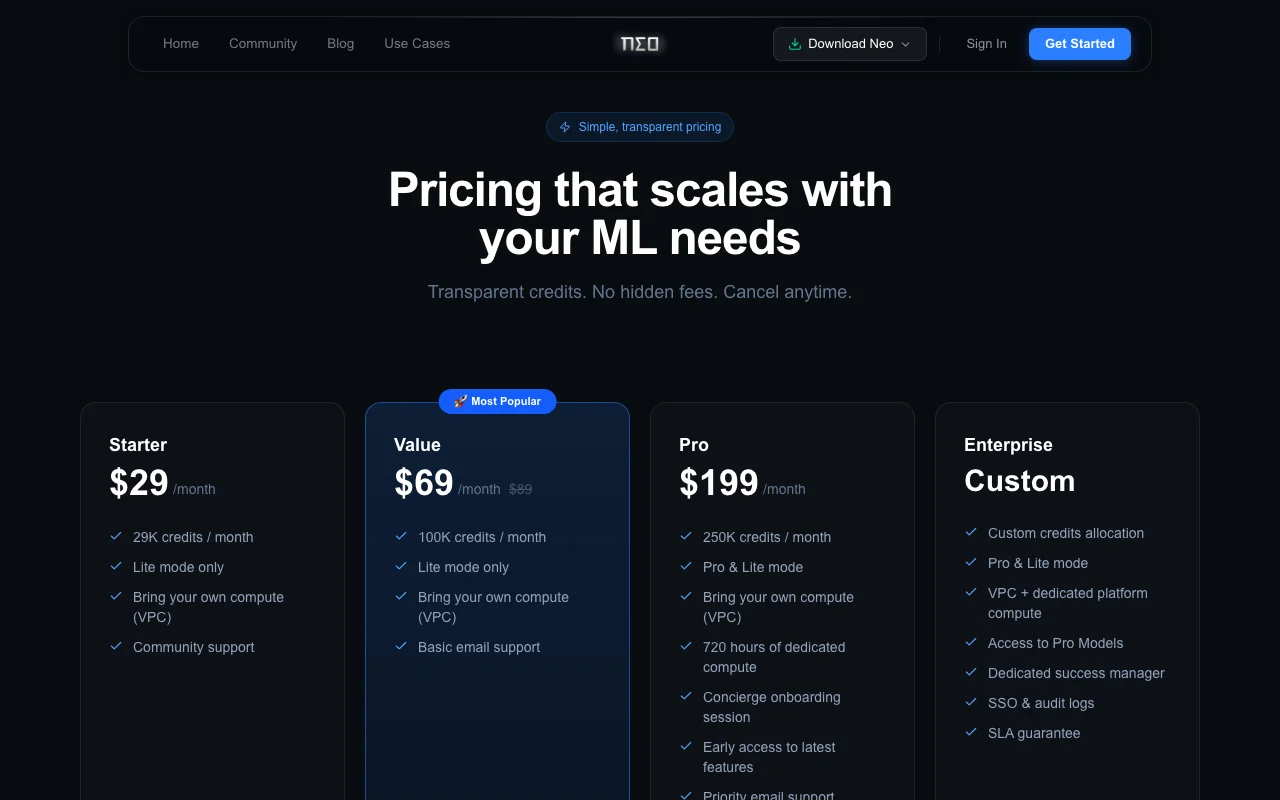
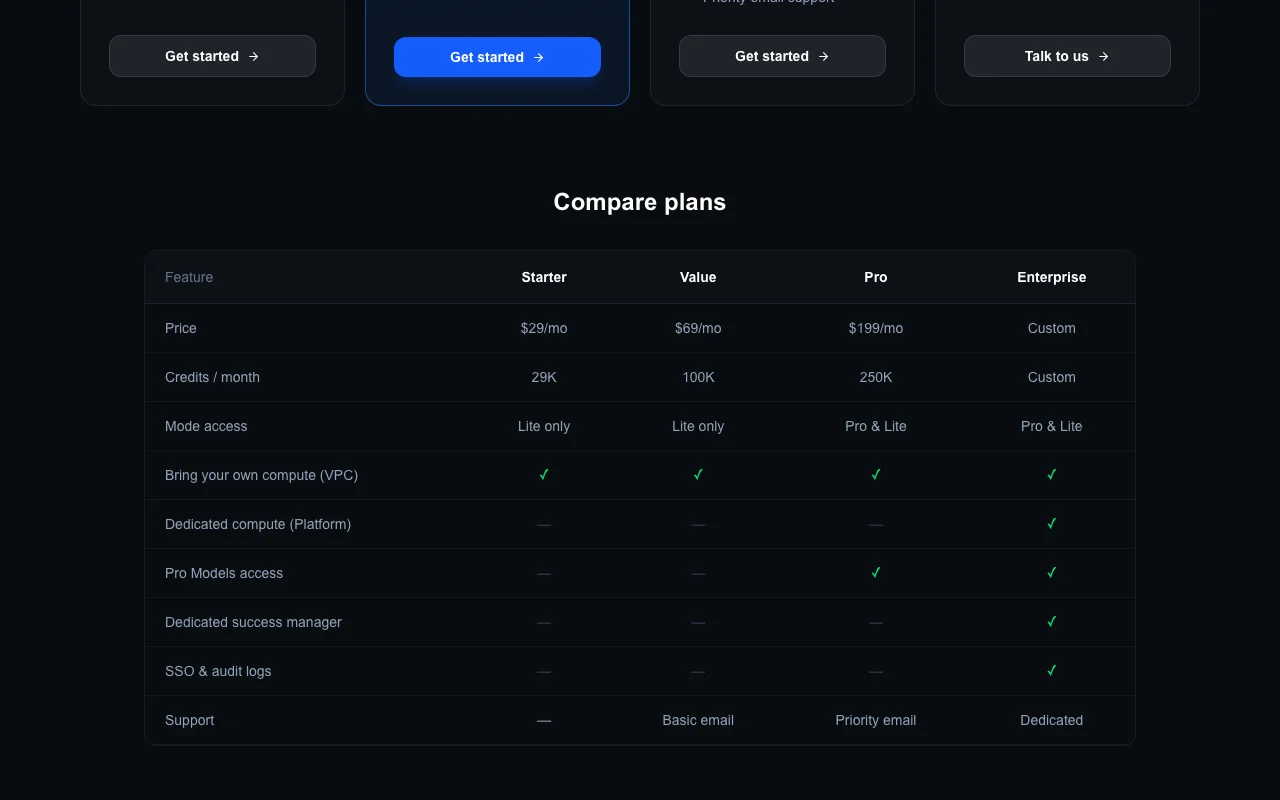
Starter $29, Value $69 and Pro $199 per month, with custom Enterprise pricing. source (opens in a new tab)
29K, 100K and 250K credits per month on Starter, Value and Pro. source (opens in a new tab)
Only Pro and Enterprise; Starter and Value are Lite mode only. source (opens in a new tab)
As an IDE extension for VS Code and Cursor, over MCP with Claude Code, or in the cloud. source (opens in a new tab)
Yes, bring-your-own-compute (VPC) is on all plans listed. source (opens in a new tab)
Not verified: Trial length; Data retention and training policy; Credits cost per task; Page not available: https://heyneo.com/privacy; Page not available: https://heyneo.com/docs.
Every fact about NEO above comes from the 2 official pages listed here, last compared on Oct 1, 2026; we have not run NEO ourselves, so it has no editorial score. How we check and re-check pages.
Article updated Oct 10, 2026; prices checked Oct 1, 2026. Outbound links to vendors are plain links; we do not earn commissions. How we review · Report an error
compare>