Image generationDocumented overviewLast checked Oct 1, 2026

FigEditor: Pricing, Features & Best Use Cases

AI generator for editable scientific figures, graphical abstracts and posters, with SVG and PNG export.
Is FigEditor right for you?

Choose FigEditor if you create scientific figures, graphical abstracts or posters and want to edit parts of them and export editable SVG, with plans from $9.90/month. Based on the vendor's documentation, not on a hands-on test.

Best for: Researchers

Also a good fit for

  • Students
  • Academic presenters

Consider another tool if credit-based usage

Or if

  • Commercial license is yearly plans only
  • Account required to use the studio

FigEditor pricing and usage limits

Prices checked Oct 1, 2026 on the official US pricing page. Official pricing ↗ Prices and limits change often.

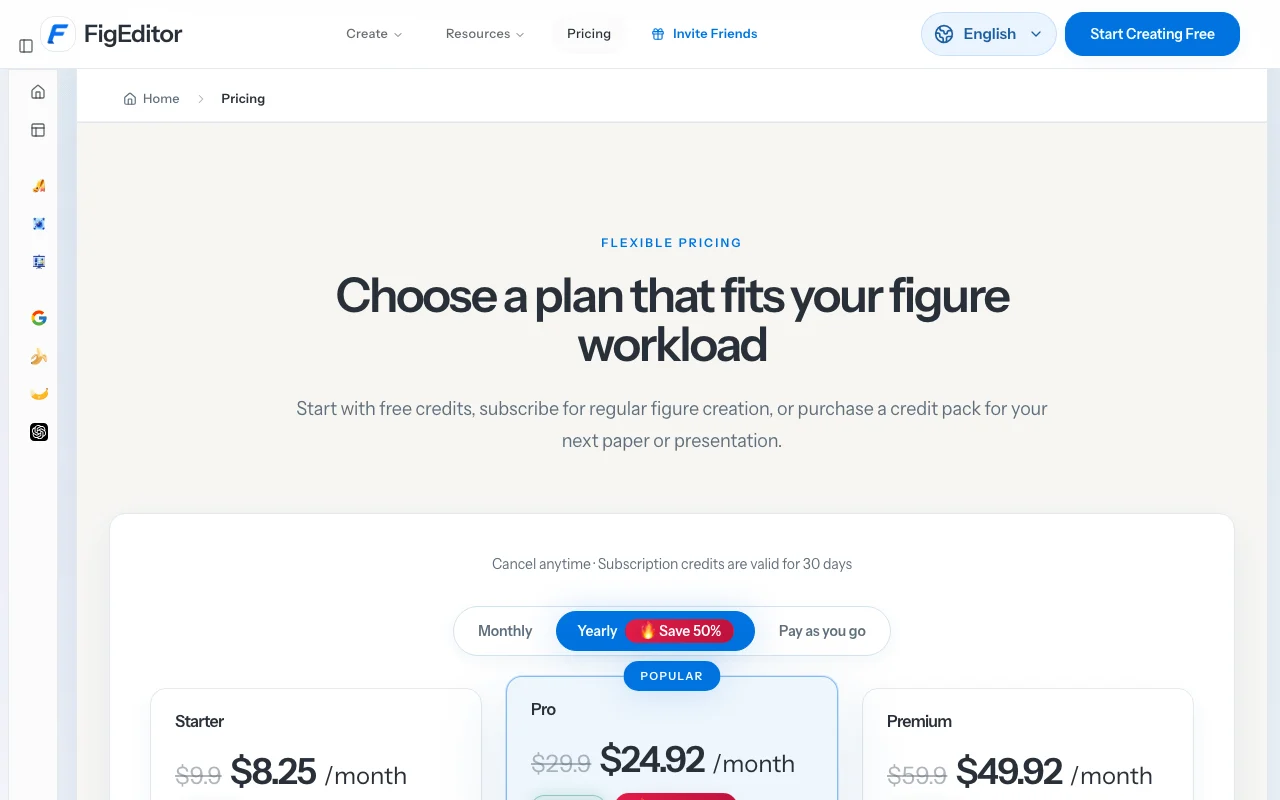
FigEditor pricing page with plans and prices — screenshot of the image generation AI tool, Oct 1, 2026
The official FigEditor pricing page as we saw it. figeditor.ai, captured Oct 1, 2026

Free access and trial conditions

Start with free credits; amount not stated in fetched text.

Paid plans: what changes as you upgrade

Starter web

$9.9/mo per user source (opens in a new tab)

Month, annual commitment

Monthly toggle $9.9; yearly $99

For: Individual researchers

Limits

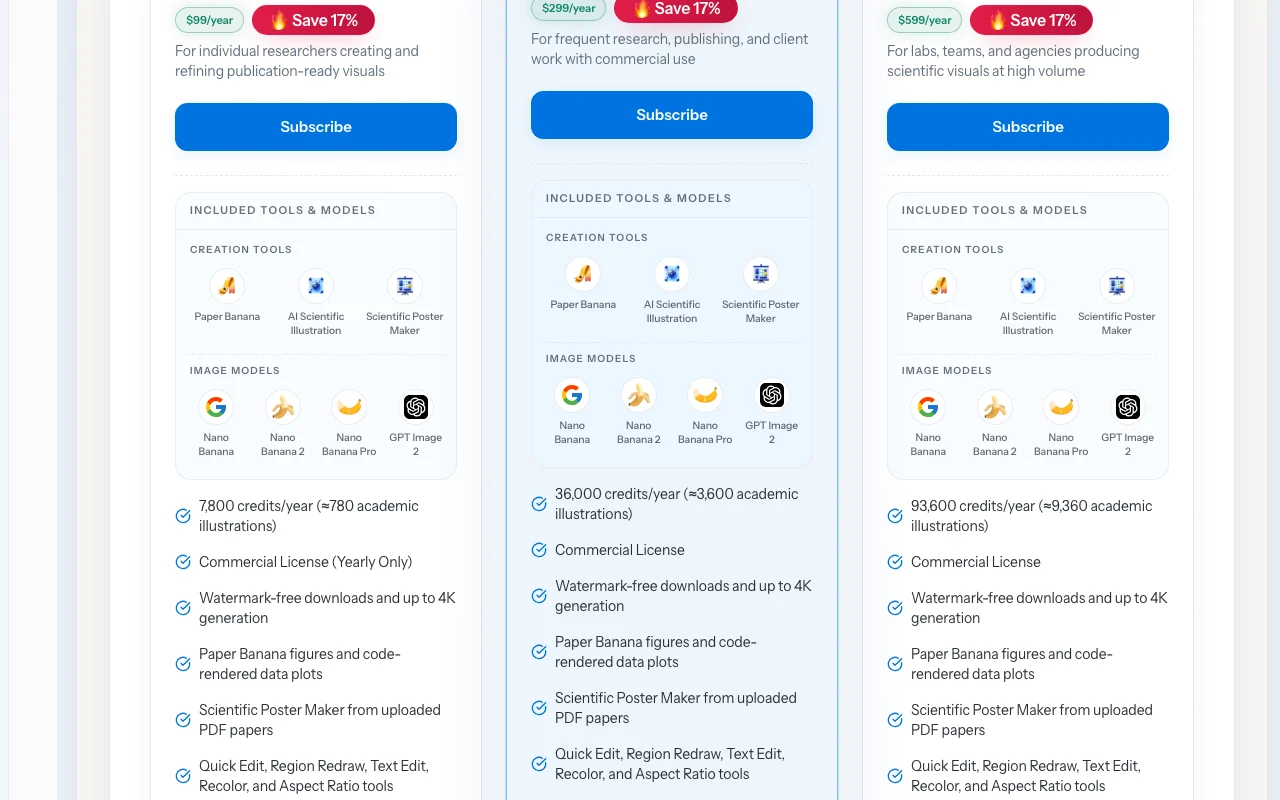
  • 7,800 (about 780 illustrations) credits per year

Includes

  • Watermark-free downloads
  • Up to 4K
1 more
  • Commercial license yearly only

Pro web

$29.9/mo per user source (opens in a new tab)

Month, annual commitment

Monthly toggle $29.9; yearly $299

For: Frequent research and client work

Limits

  • 36,000 credits per year

Includes

  • Commercial license
  • Dedicated support (2h)
1 more
  • Watermark-free

Premium web

$59.9/mo per user source (opens in a new tab)

Month, annual commitment

Monthly toggle $59.9; yearly $599

For: Heavy use

Limits

  • 93,600 credits per year

Includes

  • Commercial license
  • Dedicated support
1 more
  • Watermark-free

Usage caps, credits and extra costs

One-time credit packs that never expire (Pay as you go).

What is FigEditor, and how does it work?

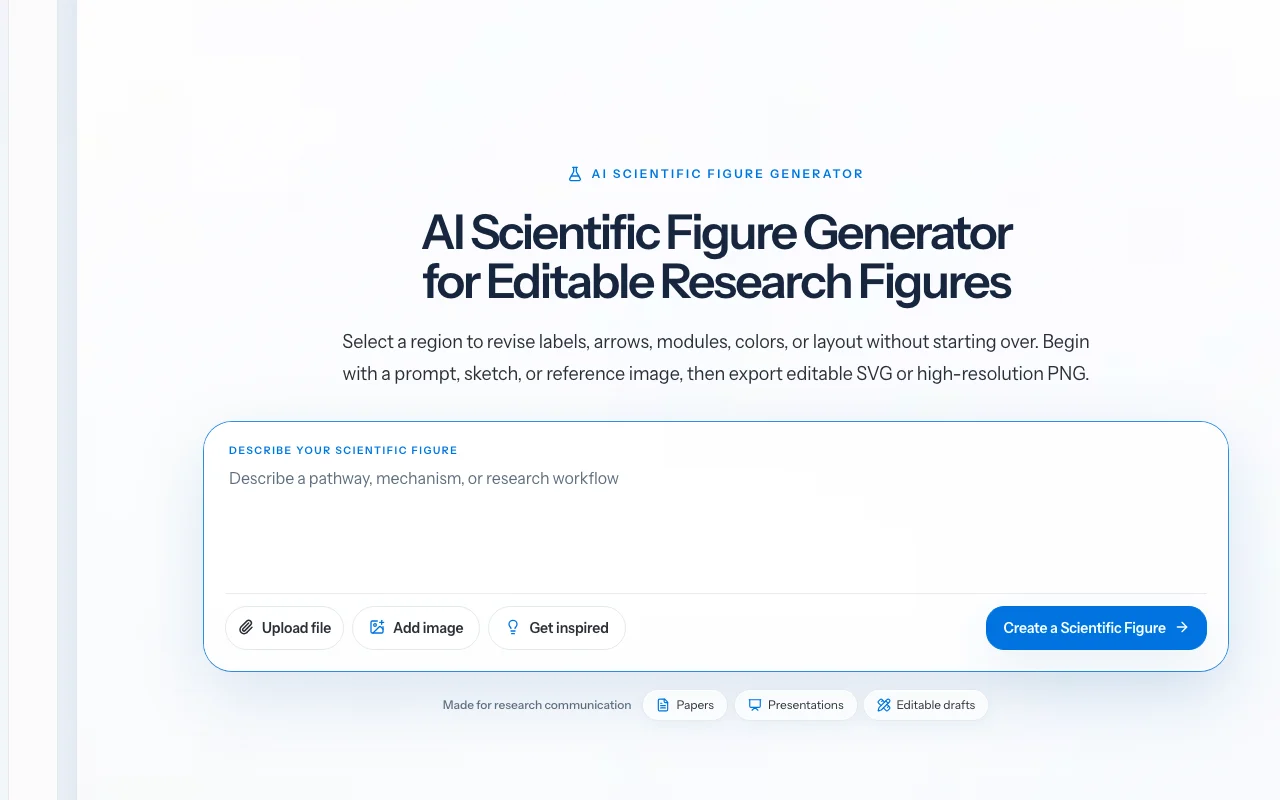
FigEditor turns prompts, sketches or reference images into scientific figures. Users can select a region to revise labels, arrows, modules, colors or layout, then export editable SVG or high-resolution PNG. It offers tools such as Paper Banana, AI Scientific Illustration and a Scientific Poster Maker, and lets users pick among several image models.

FigEditor homepage — screenshot of the image generation AI tool, Oct 1, 2026
FigEditor's official site: how the product presents itself. figeditor.ai, captured Oct 1, 2026

What you provide and what you get back

How FigEditor works: what you provide, where it runs and what you get backYOU PROVIDEYour inputText promptSketch or reference imageUploaded PDF paper for postersIMAGE GENERATIONFigEditorWebfrom $9.9/mo (Starter)free tier availableaccount requiredchecked Oct 1, 2026YOU GET BACKThe resultEditable SVG figureHigh-resolution PNG, JPG or TIFFScientific posterinput → FigEditor → output · from the vendor's own pages, no hands-on test unless stated
What you give FigEditor and what comes back, from its documentation

You provide

  • Text prompt
  • Sketch or reference image
  • Uploaded PDF paper for posters

You get back

  • Editable SVG figure
  • High-resolution PNG, JPG or TIFF
  • Scientific poster

Where you can use it

Platforms
Web
Account
Required
Models
Nano Banana, 2, Pro; GPT Image 2
Export
SVG, PNG, JPG, TIFF
Tools
Paper Banana, Scientific Illustration, Poster Maker
Resolution
Up to 4K on paid plans
Credits per year
7,800 Starter; 36,000 Pro; 93,600 Premium

Where FigEditor is most useful

Scenarios are worked out by our editors from the documentation; the actual result depends on your input and plan.

Paper figures

Who
Researchers writing papers
You provide
A prompt describing a mechanism or workflow
Expected result
A publication-style figure with editable SVG export
Plan needed
Starter
Limitation
Needs scientific accuracy checking by you source (opens in a new tab)

Graphical abstracts

Who
Authors of grant and journal submissions
You provide
A paper summary
Expected result
A graphical abstract
Plan needed
Pro
Limitation
Commercial license on yearly plans only source (opens in a new tab)

Conference posters

Who
Students preparing conference posters
You provide
An uploaded PDF paper
Expected result
A scientific poster draft
Plan needed
Pro or Premium
Limitation
Poster layout needs manual review source (opens in a new tab)

Key features and their practical limits

FigEditor homepage — screenshot of the image generation AI tool, Oct 1, 2026
Feature overview on the official site. figeditor.ai, captured Oct 1, 2026

Prompt, sketch or image input

Accepts a prompt, sketch or reference image Starts from whatever you have

Access: Free credits then plansLimit: Output is a draft needing review source (opens in a new tab)

Region-based redraw and text edit

Redraws a selected region or edits text, colour and aspect ratio Fixes labels or arrows without regenerating the figure

Access: All paid plansLimit: Region redraw uses credits source (opens in a new tab)

Editable SVG export

Exports editable SVG with source access in the Flowchart Agent Lets you finish in vector tools

Access: Plan featureLimit: Complex figures may vectorize imperfectly source (opens in a new tab)

High-resolution PNG export

Exports high-resolution PNG and journal-format presets in PNG, JPG and TIFF Meets submission requirements

Access: Paid plansLimit: 4K generation limit on listed plans source (opens in a new tab)

FigEditor pros and cons

Reasons to choose FigEditor

Check before paying for FigEditor

How to use FigEditor for creating an editable scientific figure

Set up FigEditor

  1. Open figeditor.ai and sign in
  2. Choose a creation tool such as Paper Banana or AI Scientific Illustration
  3. Pick an image model such as Nano Banana Pro

Example: creating an editable scientific figure

  1. Describe the figure, for example a plant-based coagulation mechanism
  2. Generate and review the draft
  3. Select the region with the wrong label and use Text Edit
  4. Export as SVG or high-resolution PNG

Review and export the result

  1. Verify scientific accuracy of every label and arrow
  2. Open the SVG in a vector editor to confirm it is editable
  3. Check the journal figure format requirements
Example prompt suggested by our editors (not a recorded output of the product)
Graphical abstract of algae carbon capture converted to biopolymer, clean flat style, labelled arrows

FigEditor integrations and API

FigEditor pricing page with plans and prices — screenshot of the image generation AI tool, Oct 1, 2026
Plan comparison on the official pricing page. figeditor.ai, captured Oct 1, 2026

Native integrations and export formats

Export: SVG, PNG, JPG, TIFF

API access and separate billing

FigEditor has no public API in its official documentation. No API stated.

Privacy, data use and commercial rights

Summarized from the vendor's current policies; this is not legal advice and a vendor's badge is not an independent audit.

How your inputs and outputs are handled

Collects prompts, sketches, reference images, generated files and project content, plus billing and technical data.

Account, credit and payment records kept while the account exists and for a limited period afterward.

Commercial use and plan restrictions

Pricing page notes plan-specific commercial terms; yearly plans carry the commercial license.

Commercial license on yearly plans only.

Controls for business users

Policies: figeditor.ai/privacy

Best FigEditor alternatives for different needs

"Better suited" is based on documented features and pricing, not on a head-to-head test.

ChatGPT: better suited to

Canva: better suited to

Adobe Firefly: better suited to

Alternatives
AlternativeWhen to choose itPricingLimitation
ChatGPT——
Canva——
Adobe Firefly——Compare

Explore FigEditor further

If you are looking at FigEditor

FigEditor user reviews

No user reviews yet.

Used FigEditor? Be the first to share your experience.

Write a review

Reviews are checked by a moderator before they appear. Your email is never published. Plain text only.

Your rating (required)

Show what you made or what went wrong. Images are published only if the review is approved; location data is removed.

    FigEditor FAQ

    How much does FigEditor cost?

    Starter is $9.90 monthly or $99 a year, Pro $29.90 or $299, Premium $59.90 or $599, plus one-time credit packs. source (opens in a new tab)

    Is the output editable?

    Yes. You can export editable SVG or high-resolution PNG, and edit regions without regenerating. source (opens in a new tab)

    Can I use figures commercially?

    The commercial license is included on yearly plans only. source (opens in a new tab)

    Do credits expire?

    Subscription credits are valid for 30 days; credit packs never expire. source (opens in a new tab)

    What models can I pick?

    Nano Banana, Nano Banana 2, Nano Banana Pro and GPT Image 2. source (opens in a new tab)

    Sources and review methodology

    Official sources and verification dates

    Not verified: Free credit amount; Training use answer text; Docs (not available).

    How we documented and maintain this page

    Every fact about FigEditor above comes from the 2 official pages listed here, last compared on Oct 1, 2026; we have not run FigEditor ourselves, so it has no editorial score. How we check and re-check pages.

    Article updated Oct 10, 2026; prices checked Oct 1, 2026. Outbound links to vendors are plain links; we do not earn commissions. How we review · Report an error