Image generationDocumented overviewLast checked Sep 29, 2026

FurniMesh: Pricing, Features & Best Use Cases

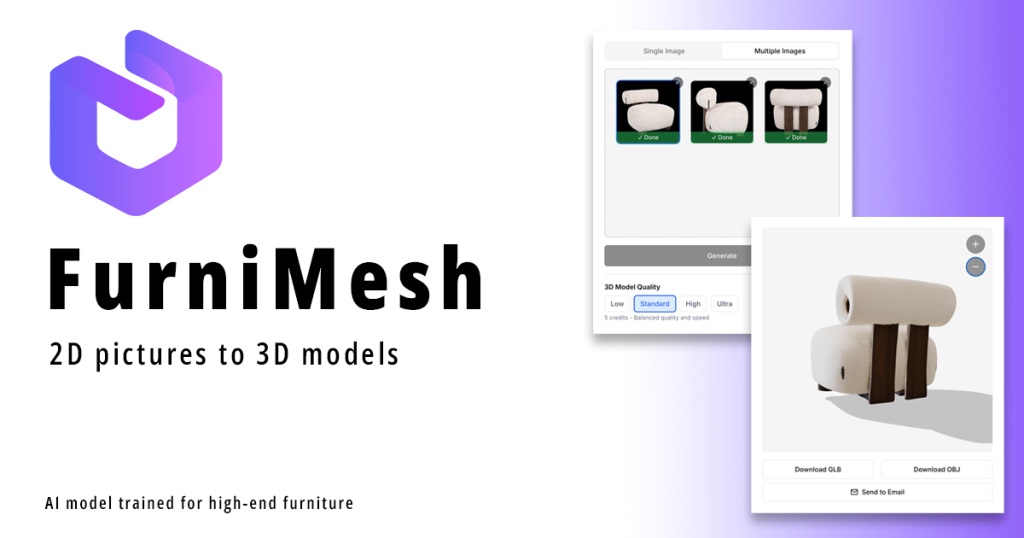
Turns furniture photos into textured 3D models in GLB, OBJ, SKP or BLEND, plus a 3D file converter.
Who should use FurniMesh

Use FurniMesh when you need quick textured 3D furniture models from a single product photo, exported to SketchUp, Blender or GLB, and want a free converter for other 3D formats. Based on the vendor's documentation, not on a hands-on test.

Best for: Furniture designers

Also a good fit for

  • Retailers
  • 3D artists

Consider another tool if free plan renders are watermarked

Or if

  • Credit-based usage
  • Plain backgrounds and even lighting work best

FurniMesh pricing and usage limits

Prices checked Sep 29, 2026 on the official US pricing page. Official pricing ↗ Prices and limits change often.

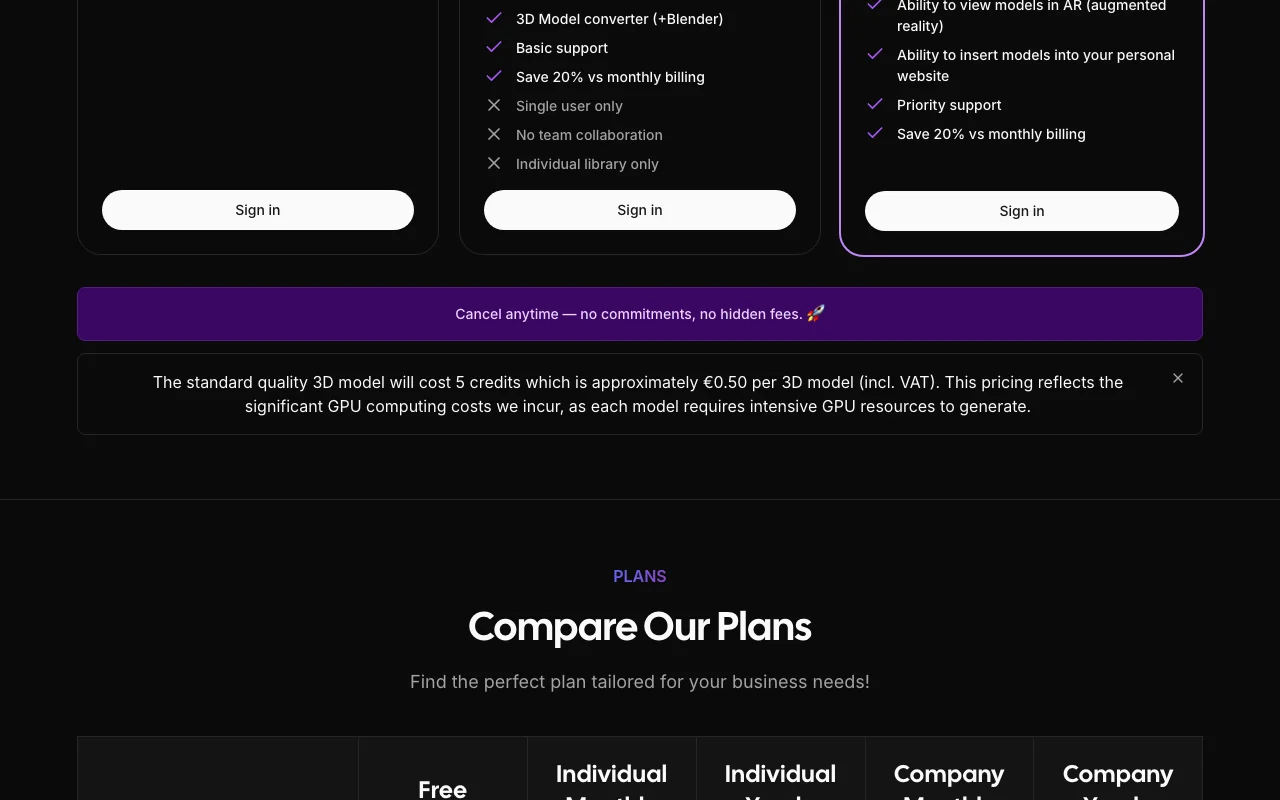
FurniMesh pricing page with plans and prices — screenshot of the image generation AI tool, Oct 2, 2026
The official FurniMesh pricing page as we saw it. furnimesh.com, captured Oct 2, 2026

Free access and trial conditions

Free tier, no card required

Not stated

Paid plans: what changes as you upgrade

Free web

Free source (opens in a new tab)

One-time, annual commitment

For: Testing

Limits

  • Watermarked renders

Includes

  • Free 3D file converter
  • Library of 10,000+ free models

Individual web

$24.99/mo source (opens in a new tab)

Month, annual commitment

About $19.99 per month billed yearly

For: Individual designers

Limits

  • Credit-based

Includes

  • Watermark-free renders
  • Commercial-use license

Company web

$199.99/mo source (opens in a new tab)

Month, annual commitment

About $159.99 per month billed yearly

For: Companies and retailers

Limits

  • Credit-based

Includes

  • Higher credit volume

Usage caps, credits and extra costs

Credit-based usage

Not stated

What is FurniMesh, and how does it work?

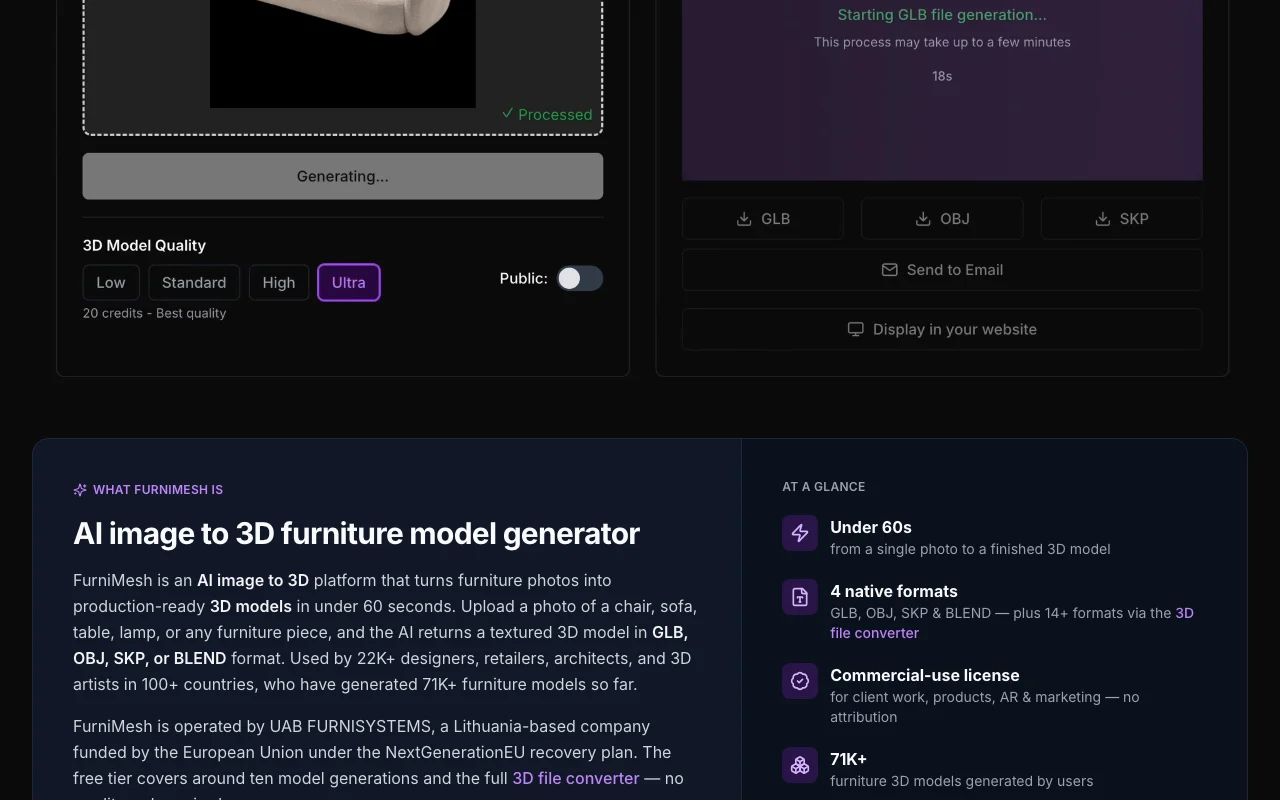
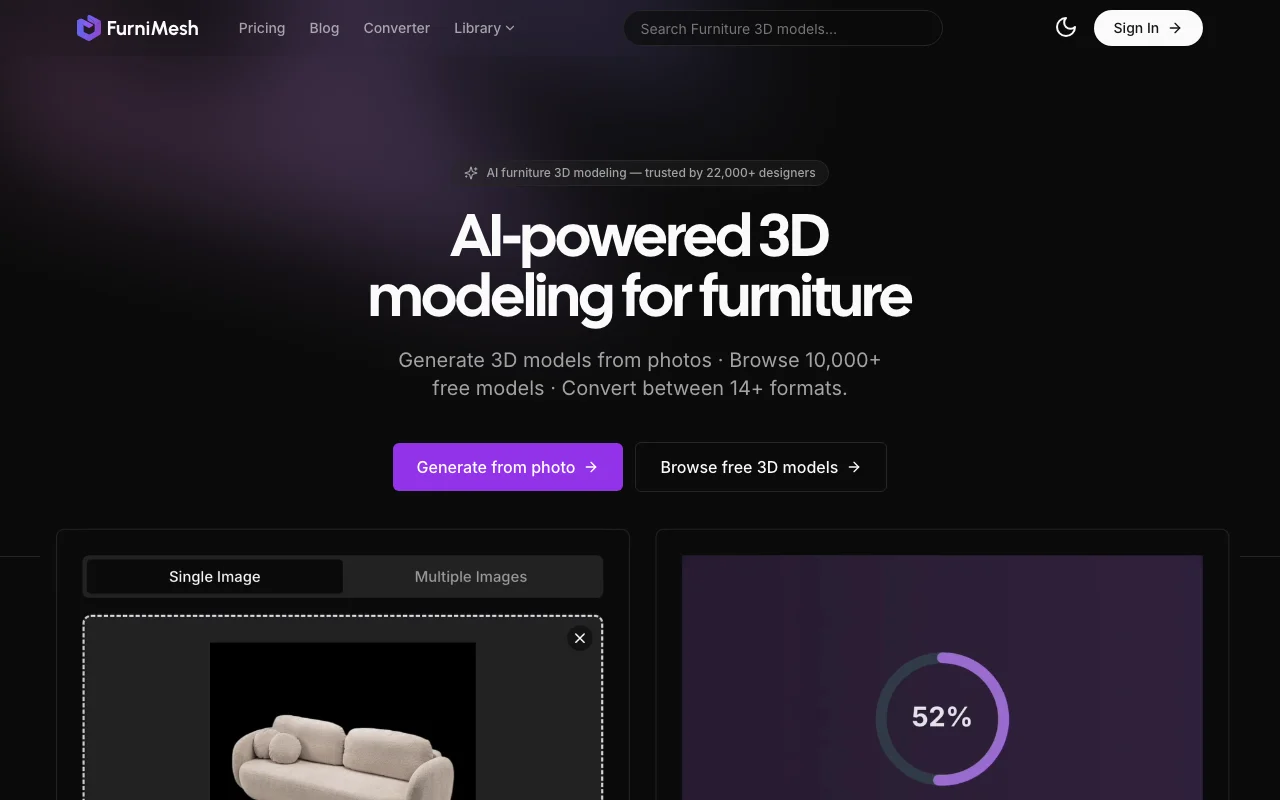
FurniMesh generates 3D furniture models from a single photo in about a minute, exporting GLB, OBJ, SKP (SketchUp) or BLEND (Blender) files with a commercial-use license. The site also offers a 3D file converter, a model library and AI renders. It is operated by UAB FURNISYSTEMS, a Lithuania-based company.

FurniMesh homepage — screenshot of the image generation AI tool, Oct 2, 2026
FurniMesh's official site: how the product presents itself. furnimesh.com, captured Oct 2, 2026

What you provide and what you get back

How FurniMesh works: what you provide, where it runs and what you get backYOU PROVIDEYour inputFurniture photo (JPEG, JPG, PNG,…3D files for conversionViewport screenshotsIMAGE GENERATIONFurniMeshWebfrom $24.99/mo (Individual)free tier availableaccount requiredchecked Sep 29, 2026YOU GET BACKThe resultGLB, OBJ, SKP, BLEND modelsConverted 3D formatsPhotorealistic rendersinput → FurniMesh → output · from the vendor's own pages, no hands-on test unless stated
What you give FurniMesh and what comes back, from its documentation

You provide

  • Furniture photo (JPEG, JPG, PNG, WebP)
  • 3D files for conversion
  • Viewport screenshots

You get back

  • GLB, OBJ, SKP, BLEND models
  • Converted 3D formats
  • Photorealistic renders

Where you can use it

Platforms
Web
Account
Required
Input
JPEG, PNG, WebP photo
Output
GLB, OBJ, SKP, BLEND
Time
Under 60 seconds per model
Commercial terms
Commercial-use license, no attribution

Best use cases for FurniMesh

Scenarios are worked out by our editors from the documentation; the actual result depends on your input and plan.

Create 3D models of furniture from photos

Who
Furniture retailers
You provide
A product photo on a plain background
Expected result
A textured GLB or OBJ model for a web or AR viewer
Plan needed
Free to test, paid for volume
Limitation
Plain backgrounds and even lighting work best source (opens in a new tab)

Prepare models for SketchUp or Blender

Who
Interior designers and architects
You provide
A furniture photo
Expected result
A SKP file to place in a SketchUp scene
Plan needed
Individual
Limitation
Credits are consumed per generation source (opens in a new tab)

Convert between 3D file formats

Who
3D artists
You provide
A model in one format such as FBX or STL
Expected result
The same model in another of 14+ formats
Plan needed
Free converter
Limitation
Small files without signup only source (opens in a new tab)

FurniMesh features and their limits

FurniMesh homepage — screenshot of the image generation AI tool, Oct 2, 2026
Feature overview on the official site. furnimesh.com, captured Oct 2, 2026

Photo to 3D model

Converts one furniture photo into a textured 3D model in about 60 seconds Skips manual modeling

Access: Free credits then paid plansLimit: Depends on photo quality source (opens in a new tab)

GLB, OBJ, SKP, BLEND export

Exports GLB, OBJ, SKP and BLEND files Opens directly in SketchUp or Blender

Access: All plansLimit: Other formats go through the converter source (opens in a new tab)

3D file converter for 14+ formats

Converts between 14+ 3D formats such as FBX, STL, GLTF, IFC, USDZ Helps pipeline compatibility

Access: Free, no signup for small filesLimit: Size limits apply to small files source (opens in a new tab)

Photorealistic renders

Turns a viewport screenshot into a photorealistic render in about 30 seconds Client-ready images from existing models

Access: Paid plans remove watermarkLimit: Free renders are watermarked source (opens in a new tab)

Pros, cons and deal-breakers

Where FurniMesh is strong

Limitations to check before paying

How to use FurniMesh for generating a 3D furniture model from a photo

Set up FurniMesh

  1. Sign in to start with the free credits
  2. Choose Generate from photo
  3. Pick a photo with a plain background and even lighting

Example: generating a 3D furniture model from a photo

  1. Upload the chair photo
  2. Wait about 60 seconds for the mesh and textures
  3. Download as SKP for SketchUp or GLB for the web
  4. Place the model in your scene

Review and export the result

  1. Inspect the model from every side for texture gaps
  2. Confirm the watermark is absent if on a paid plan

FurniMesh integrations and API

FurniMesh pricing page with plans and prices — screenshot of the image generation AI tool, Oct 2, 2026
Plan comparison on the official pricing page. furnimesh.com, captured Oct 2, 2026

Native integrations and export formats

Export: GLB, OBJ, SKP, BLEND, FBX, STL, GLTF, IFC, USDZ, DAE

API access and separate billing

FurniMesh has no public API in its official documentation. Not mentioned

Privacy, data use and commercial rights

Summarized from the vendor's current policies; this is not legal advice and a vendor's badge is not an independent audit.

How your inputs and outputs are handled

Not stated in fetched pages

Not stated

Not stated

Commercial use and plan restrictions

Outputs licensed for commercial use, no attribution

Watermark on free renders

FurniMesh alternatives by need

"Better suited" is based on documented features and pricing, not on a head-to-head test.

Luma: better suited to

Alternatives
AlternativeWhen to choose itPricingLimitation
Luma——

Explore FurniMesh further

Related to FurniMesh

FurniMesh user reviews

No user reviews yet.

Used FurniMesh? Be the first to share your experience.

Write a review

Reviews are checked by a moderator before they appear. Your email is never published. Plain text only.

Your rating (required)

Show what you made or what went wrong. Images are published only if the review is approved; location data is removed.

    FurniMesh FAQ

    Which image formats can I upload?

    JPEG, JPG, PNG and WebP, ideally on a plain background with even lighting. source (opens in a new tab)

    Can I use the models commercially?

    Yes, every output is licensed for commercial use with no attribution. source (opens in a new tab)

    Which formats come out of the generator?

    GLB, OBJ, SKP and BLEND; 14+ more via the converter. source (opens in a new tab)

    Is the converter free?

    Yes, with no signup needed for small files. source (opens in a new tab)

    Who runs FurniMesh?

    UAB FURNISYSTEMS, a Lithuania-based company. source (opens in a new tab)

    Sources and review methodology

    Official sources and verification dates

    Not verified: Current paid plan details (pricing page not reachable today); Privacy and training terms.

    How we documented and maintain this page

    Every fact about FurniMesh above comes from the 2 official pages listed here, last compared on Sep 29, 2026; we have not run FurniMesh ourselves, so it has no editorial score. How we check and re-check pages.

    Article updated Oct 10, 2026; prices checked Sep 29, 2026. Outbound links to vendors are plain links; we do not earn commissions. How we review · Report an error