Image generationDocumented overviewLast checked Sep 29, 2026

Image MetaHub: Pricing, Features & Best Use Cases

Local desktop manager for AI-generated images, video, audio and 3D with prompt and workflow metadata search.

Who Image MetaHub fits

Choose Image MetaHub if you keep large libraries of ComfyUI or Automatic1111 output and want local, metadata-aware search, free to start with Pro adding compare, analytics and generation controls. Based on the vendor's documentation, not on a hands-on test.

Best for: ComfyUI users

Also a good fit for

  • AI artists with large libraries
  • Dataset curators

Consider another tool if pro license activates on one machine at a time

Or if

  • Compare, analytics and editor are Pro-only
  • Generation features need a local ComfyUI or Automatic1111 server

Image MetaHub pricing and usage limits

Prices checked Sep 29, 2026 on the official US pricing page. Official pricing ↗ Prices and limits change often.

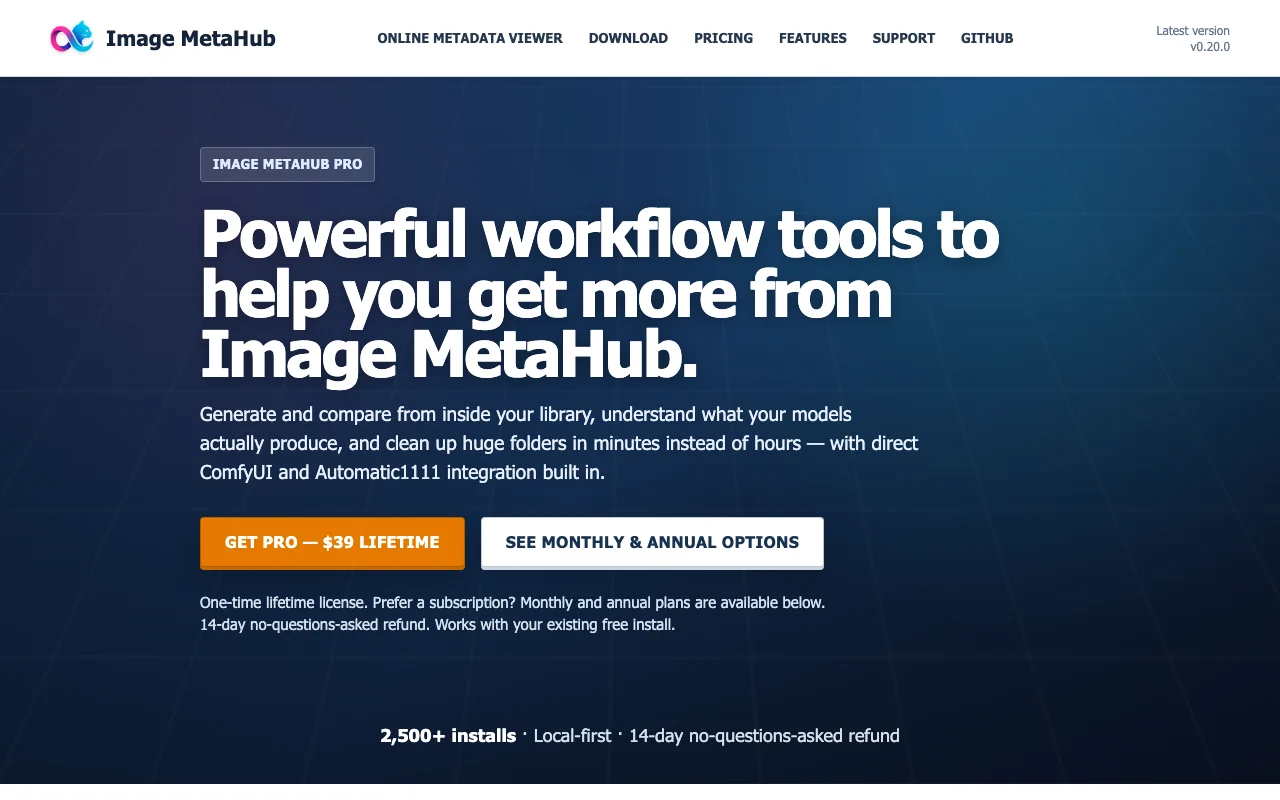
Image MetaHub pricing page with plans and prices — screenshot of the image generation AI tool, Oct 2, 2026
The official Image MetaHub pricing page as we saw it. imagemetahub.com, captured Oct 2, 2026

Free access and trial conditions

Free version

14-day no-questions-asked refund on Pro

Paid plans: what changes as you upgrade

Free desktop

Free source (opens in a new tab)

Month, annual commitment

For: Organizing a library

Limits

  • Visual search on 2,000 newest images
  • Limited Smart Library

Includes

  • Local indexing and search
  • Tags, favorites, ratings
2 more
  • Auto-watch folders
  • Image lineage

No API

Pro monthly desktop

$4.99/mo source (opens in a new tab)

Month, annual commitment

For: Flexible access

Limits

  • One machine at a time

Includes

  • Compare View
  • Analytics Explorer
2 more
  • Image editor
  • ComfyUI and A1111 integration

No API

Pro annual desktop

$19.99/yr source (opens in a new tab)

Year, annual commitment

One year of Pro access

For: Regular users

Limits

  • One machine at a time

Includes

  • Everything in Pro

No API

Pro lifetime desktop

$39 one-time source (opens in a new tab)

One-time, annual commitment

Pay once, no renewal

For: Long-term users

Limits

  • One machine at a time

Includes

  • Everything in Pro
  • 14-day refund

No API

Usage caps, credits and extra costs

None

Not stated

What is Image MetaHub, and how does it work?

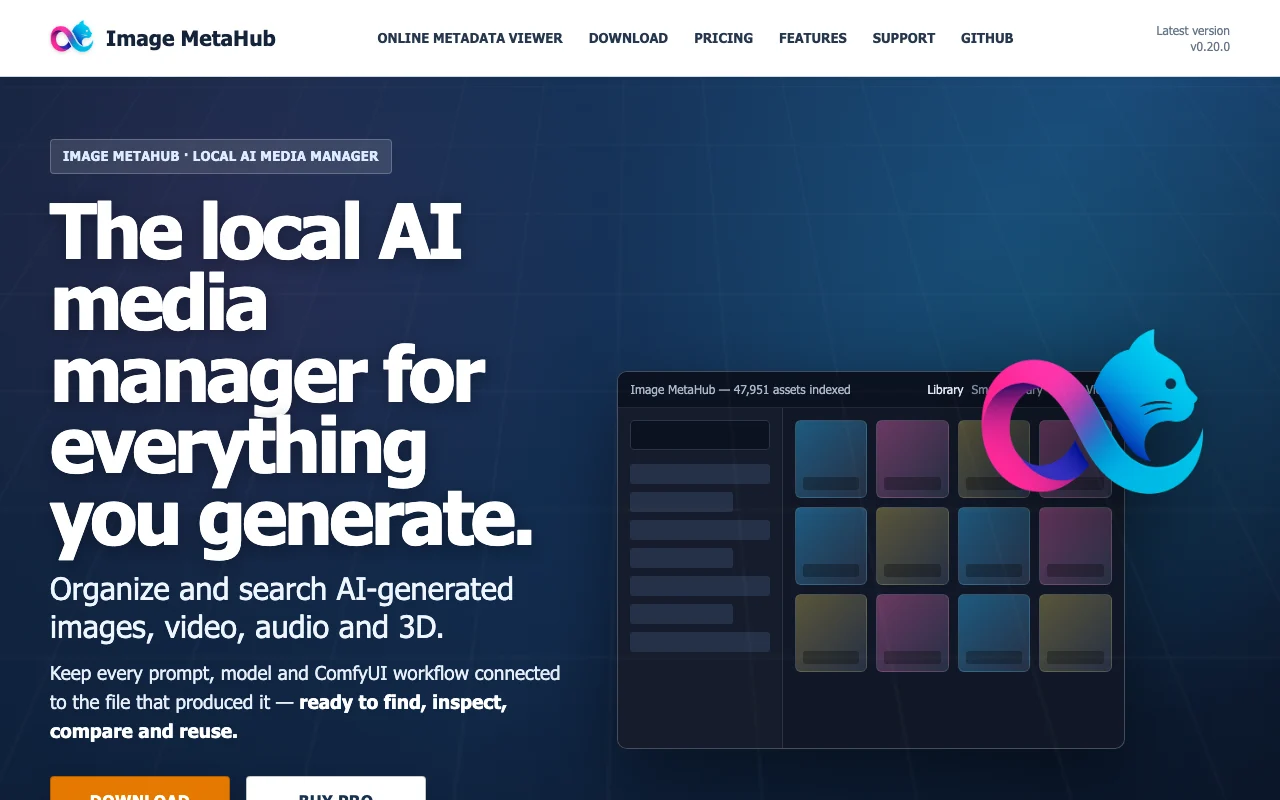
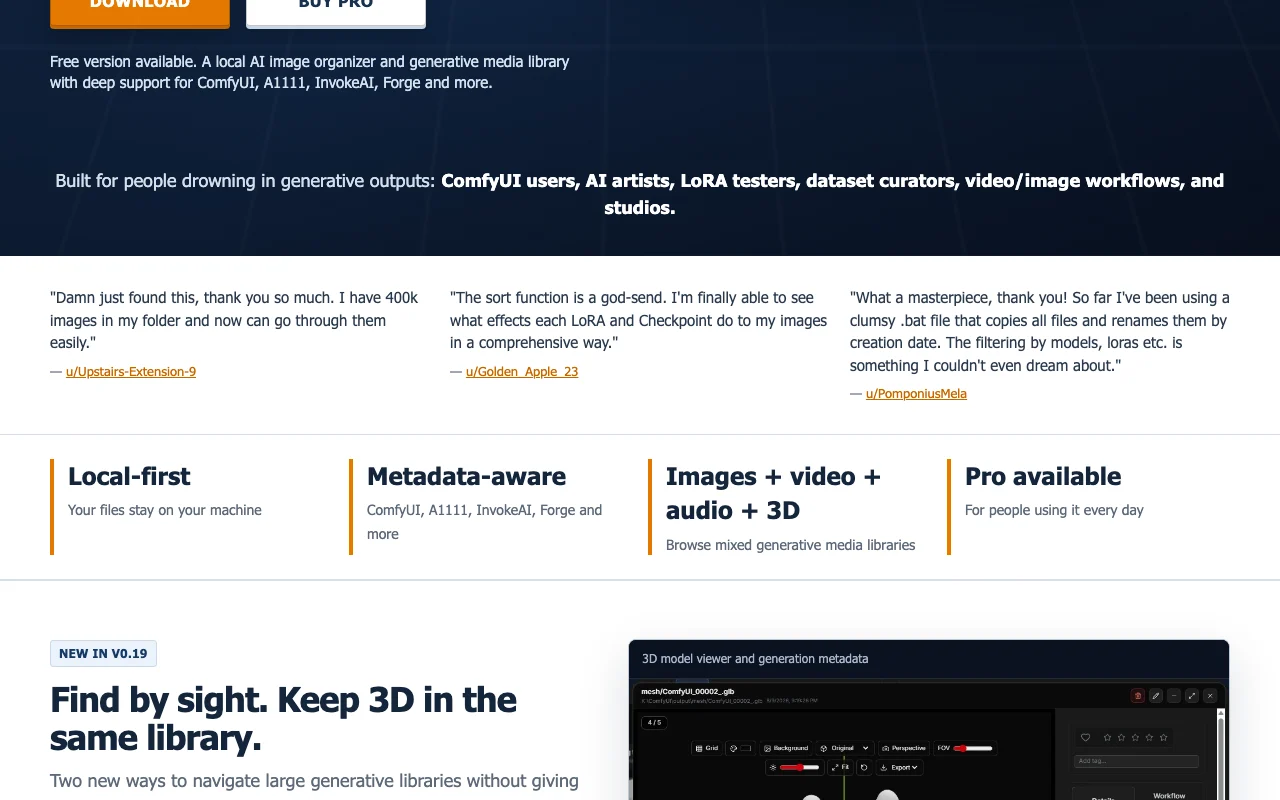
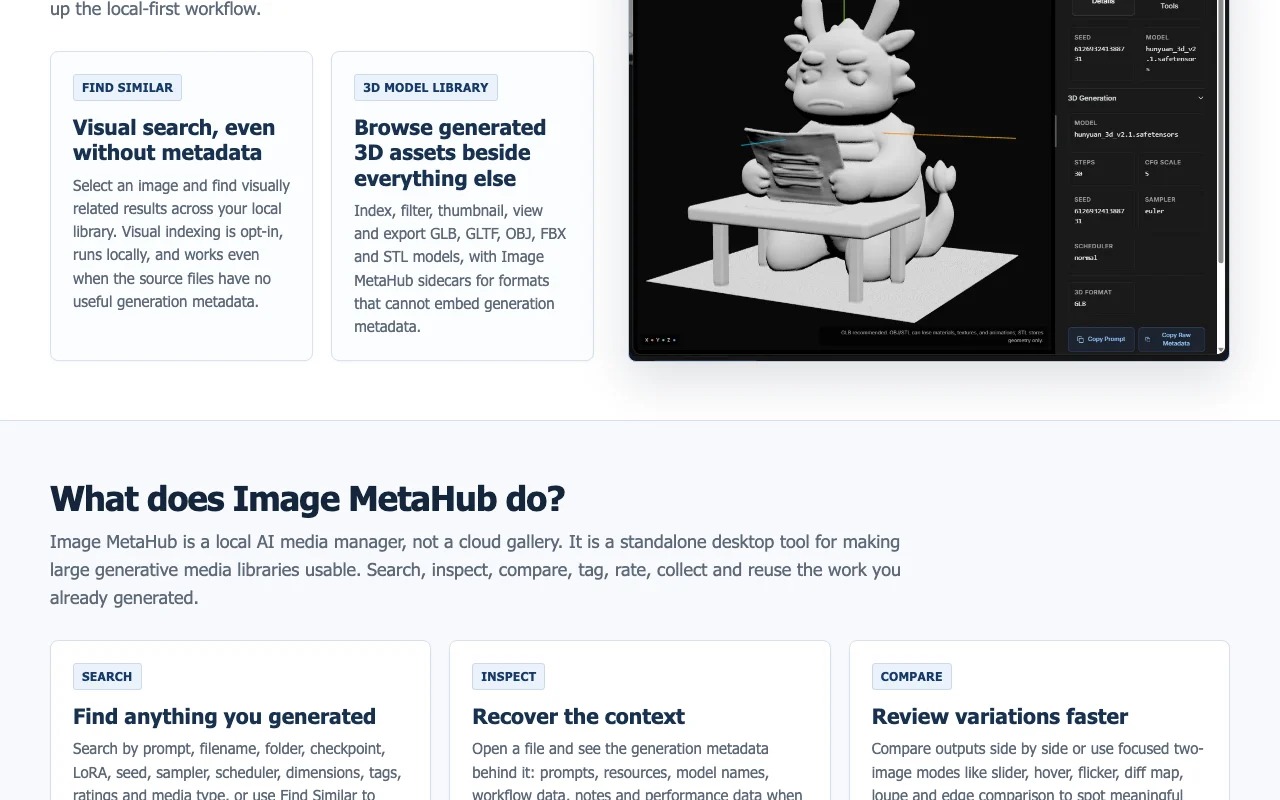
Image MetaHub is a local-first desktop app for organizing and searching AI-generated media. It reads generation metadata from ComfyUI, Automatic1111, InvokeAI, Forge and others, keeping prompts, models and workflows tied to each file. A free version covers indexing, search, tags and facets. Pro adds compare views, analytics, an image editor and generation workflows with ComfyUI and Automatic1111.

Image MetaHub homepage — screenshot of the image generation AI tool, Oct 2, 2026
Image MetaHub's official site: how the product presents itself. imagemetahub.com, captured Oct 2, 2026

What you provide and what you get back

How Image MetaHub works: what you provide, where it runs and what you get backYOU PROVIDEYour inputAI-generated images, video, audio…Generation metadataIMAGE GENERATIONImage MetaHubDesktopfrom $4.99/mo (Pro monthly)free tier availablechecked Sep 29, 2026YOU GET BACKThe resultSearchable libraryComparisons and analyticsEdited images with metadatainput → Image MetaHub → output · from the vendor's own pages, no hands-on test unless stated
What you give Image MetaHub and what comes back, from its documentation

You provide

  • AI-generated images, video, audio and 3D files
  • Generation metadata

You get back

  • Searchable library
  • Comparisons and analytics
  • Edited images with metadata

Where you can use it

Platforms
Desktop
Account
Not required
OS
Windows, macOS, Linux
Metadata sources
ComfyUI, A1111, InvokeAI, Forge
Compare modes
Side-by-side, slider, hover, flicker, diff map, loupe, edge

Where Image MetaHub is most useful

Scenarios are worked out by our editors from the documentation; the actual result depends on your input and plan.

Search large folders of generated images

Who
ComfyUI and A1111 users
You provide
A folder of generated images
Expected result
Search by checkpoint, LoRA, sampler or prompt
Plan needed
Free
Limitation
Smart Library tagging is limited on Free source (opens in a new tab)

Recover the prompt and workflow behind a file

Who
AI artists
You provide
One image from a past session
Expected result
The prompt and rebuilt ComfyUI workflow behind it
Plan needed
Free for metadata; Pro for workflow tools
Limitation
Workflow tools are Pro source (opens in a new tab)

Compare output variations

Who
Dataset curators
You provide
Two to four output variants
Expected result
Metadata diff and visual delta between them
Plan needed
Pro
Limitation
Compare View is Pro-only source (opens in a new tab)

Key features and their practical limits

Image MetaHub homepage — screenshot of the image generation AI tool, Oct 2, 2026
Feature overview on the official site. imagemetahub.com, captured Oct 2, 2026

Metadata parsing

Parses generation metadata from ComfyUI, Automatic1111, InvokeAI and Forge Keeps prompts tied to files

Access: FreeLimit: Only supported tools' metadata source (opens in a new tab)

Faceted search

Faceted search by checkpoint, LoRA, sampler and node Find images fast

Access: FreeLimit: Visual search indexes 2,000 newest images on Free source (opens in a new tab)

Find Similar visual search (opt-in, local)

Compare View with word-level prompt diff and slider, flicker, diff map Find which change mattered

Access: ProLimit: Compare 2 to 4 images source (opens in a new tab)

Compare View with metadata diff

Analytics Explorer on model and LoRA use See what produces keepers

Access: ProLimit: Pro only source (opens in a new tab)

Image MetaHub pros and cons

Reasons to choose Image MetaHub

Check before paying for Image MetaHub

How to use Image MetaHub for organizing and searching AI-generated images

Set up Image MetaHub

  1. Download and install Image MetaHub for your OS
  2. Add the folders holding your generated images
  3. Wait for indexing to finish

Example: organizing and searching AI-generated images

  1. Filter by checkpoint and LoRA
  2. Open an image to see its prompt and workflow
  3. Select two variants for Compare View on Pro
  4. Send a workflow back to ComfyUI to regenerate

Review and export the result

  1. Check that parsed prompts match the original
  2. Confirm the folder watch picks up new files

Image MetaHub API

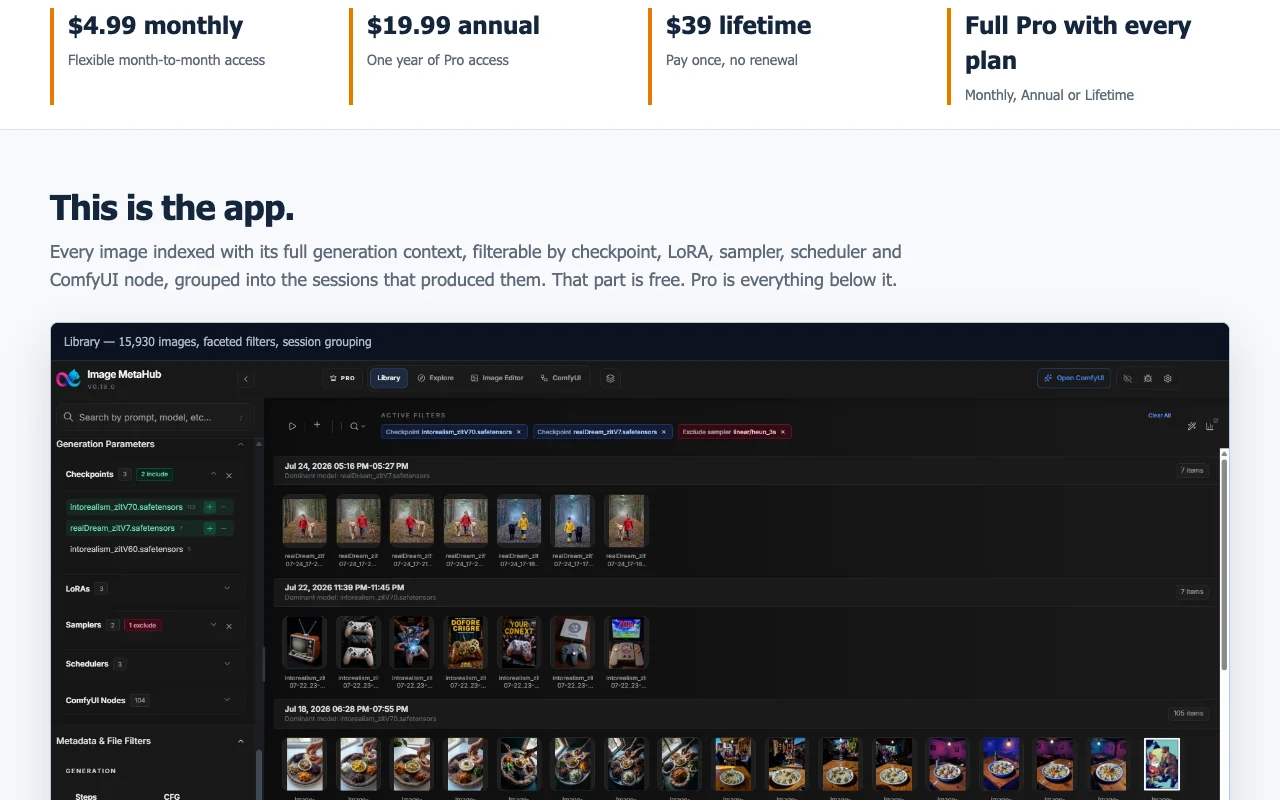
Image MetaHub pricing page with plans and prices — screenshot of the image generation AI tool, Oct 2, 2026
Plan comparison on the official pricing page. imagemetahub.com, captured Oct 2, 2026

API access and separate billing

Image MetaHub has no public API in its official documentation. Not mentioned

Privacy, data use and commercial rights

Summarized from the vendor's current policies; this is not legal advice and a vendor's badge is not an independent audit.

How your inputs and outputs are handled

Local-first; files stay on your machine

Not applicable (no generation by the app)

Local

Commercial use and plan restrictions

Not applicable

Pro licence on one machine

Best Image MetaHub alternatives for different needs

"Better suited" is based on documented features and pricing, not on a head-to-head test.

Leonardo.Ai: better suited to

Midjourney: better suited to

Alternatives
AlternativeWhen to choose itPricingLimitation
Leonardo.Ai——Compare
Midjourney——Compare

Explore Image MetaHub further

If you are looking at Image MetaHub

Image MetaHub user reviews

No user reviews yet.

Used Image MetaHub? Be the first to share your experience.

Write a review

Reviews are checked by a moderator before they appear. Your email is never published. Plain text only.

Your rating (required)

Show what you made or what went wrong. Images are published only if the review is approved; location data is removed.

    Image MetaHub FAQ

    Is there a free version?

    Yes, the free version covers indexing, search, tags and facets. source (opens in a new tab)

    What does Pro cost?

    $4.99 monthly, $19.99 annually or $39 lifetime. source (opens in a new tab)

    Which tools' metadata is read?

    ComfyUI, Automatic1111, InvokeAI, Forge and others. source (opens in a new tab)

    Is there a refund?

    A 14-day no-questions-asked refund. source (opens in a new tab)

    Does it generate images?

    No; Pro sends jobs to a local ComfyUI or Automatic1111 server. source (opens in a new tab)

    Sources and review methodology

    Official sources and verification dates

    Not verified: Privacy policy; Account requirement.

    How we documented and maintain this page

    Every fact about Image MetaHub above comes from the 2 official pages listed here, last compared on Sep 29, 2026; we have not run Image MetaHub ourselves, so it has no editorial score. How we check and re-check pages.

    Article updated Oct 2, 2026; prices checked Sep 29, 2026. Outbound links to vendors are plain links; we do not earn commissions. How we review · Report an error