Our take: Extend suits developers who want parse, extract, classify and split APIs with a free 10,000-credit start and no contract.
Main limitation: Costs are per-credit ($0.0125 on Pay As You Go), so spend scales with pages processed and needs developer integration.
By the AI Tool Atlas editors.
Based on the vendor's official documentation; we have not tested this product hands-on. What “documented overview” means
Is Extend right for you?
Extend suits developers who want parse, extract, classify and split APIs with a free 10,000-credit start and no contract. Based on the vendor's documentation, not on a hands-on test.
Best for: Developers
Also a good fit for
AI agent builders
Finance and healthcare document teams
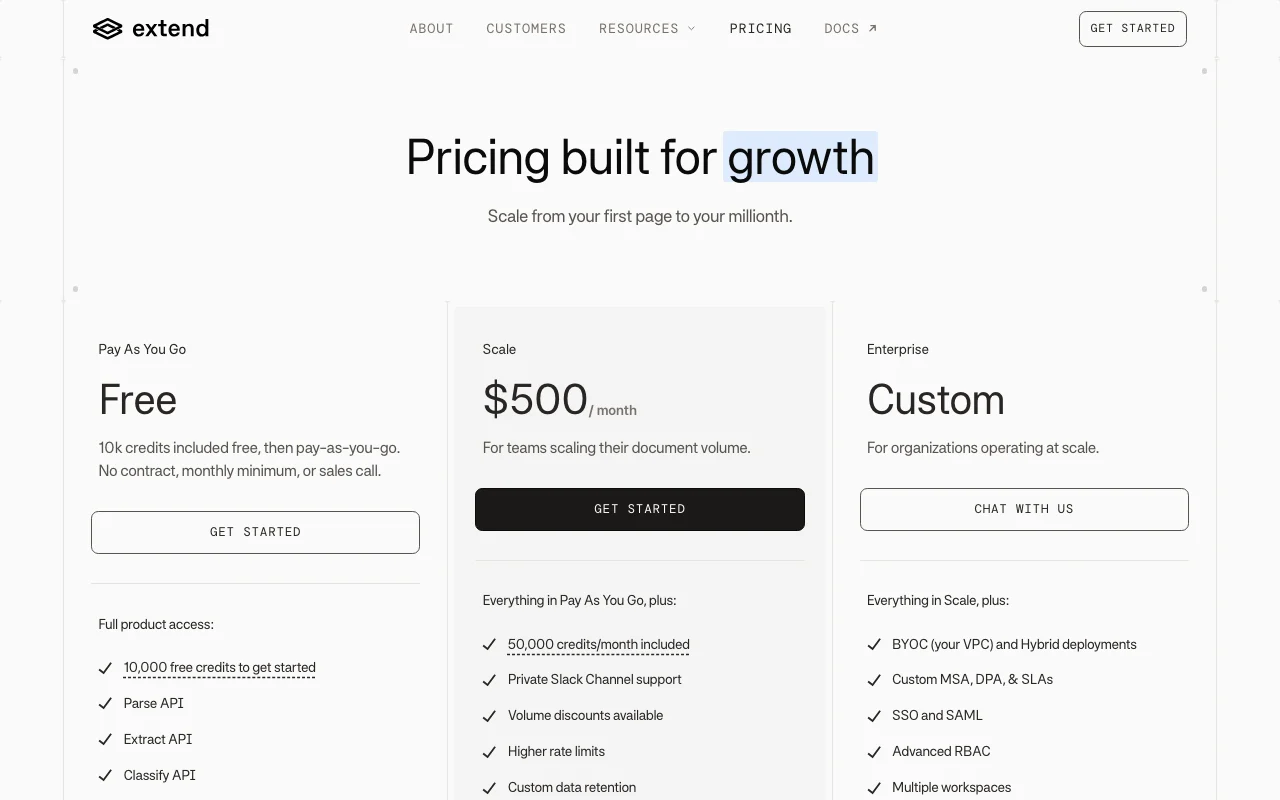
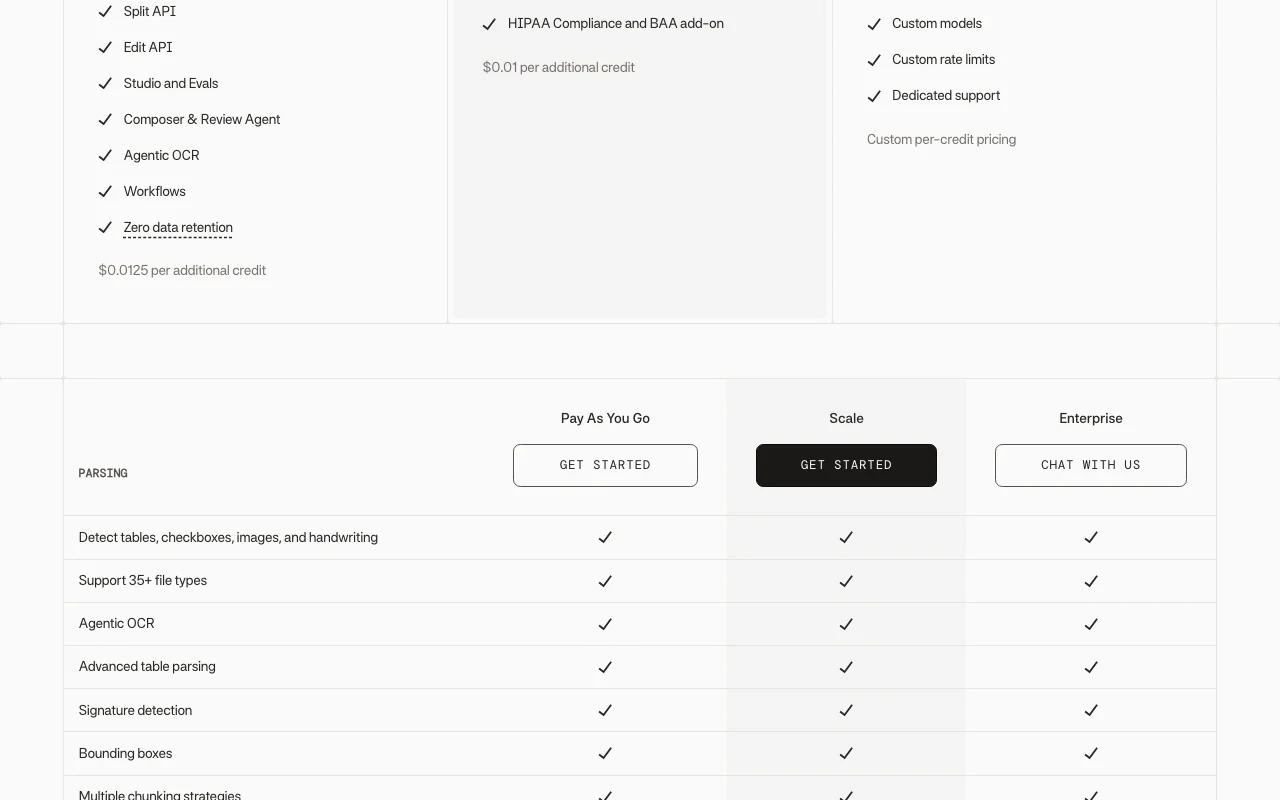
Consider another tool if pay-as-you-go charges $0.0125 per extra credit after free credits
Or if
Scale plan costs $500/mo
BAA/HIPAA only on Scale add-on or Enterprise
Extend in the news
Headlines from US outlets, selected automatically — not endorsements. Updated Oct 2, 2026
Per-credit overage: $0.0125 (Pay As You Go), $0.01 (Scale). Extract costs 3 credits/page plus 2 credits/page for automatic parse in Performance mode; Light mode is cheaper.
What is Extend, and how does it work?
Extend provides document processing infrastructure: Parse, Extract, Classify, Split and Edit APIs, plus Studio, evaluations, workflows and agents for building document pipelines.
SDKs are offered for Python, TypeScript, Java, Go and a CLI.
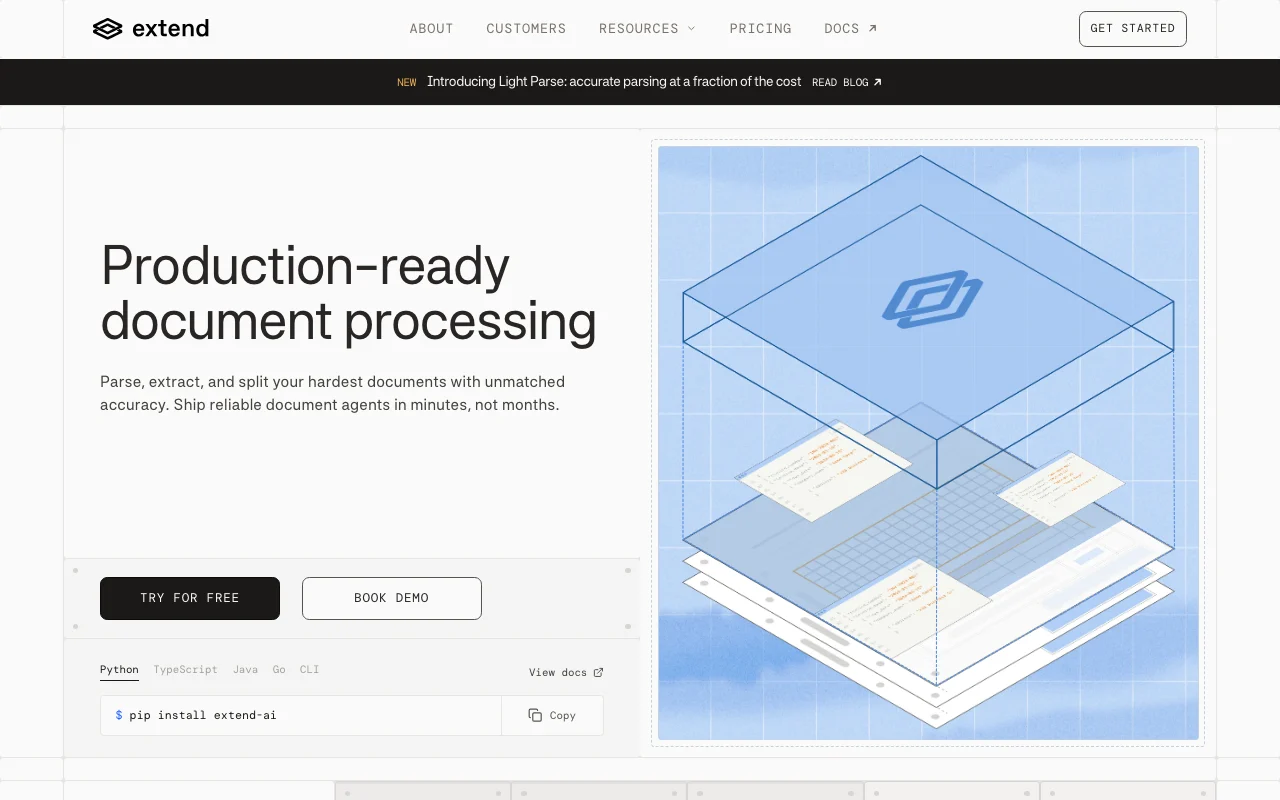
Extend's official site: how the product presents itself. extend.ai, captured Oct 2, 2026
What you provide and what you get back
What you give Extend and what comes back, from its documentation
You provide
PDFs and 35+ file types
Scans, tables, checkboxes and handwriting
Multi-document PDFs
Extraction schemas
You get back
Markdown or blocks
Structured JSON with citations
Classified and split documents
Filled PDF forms
Where you can use it
Platforms
Web, API
Account
Required
File types
35+ supported
SDKs
Python, TypeScript, Java, Go, CLI
Large documents
2,000+ page extraction support
Hosting
US or EU cloud, BYOC, Hybrid
Benchmark claim
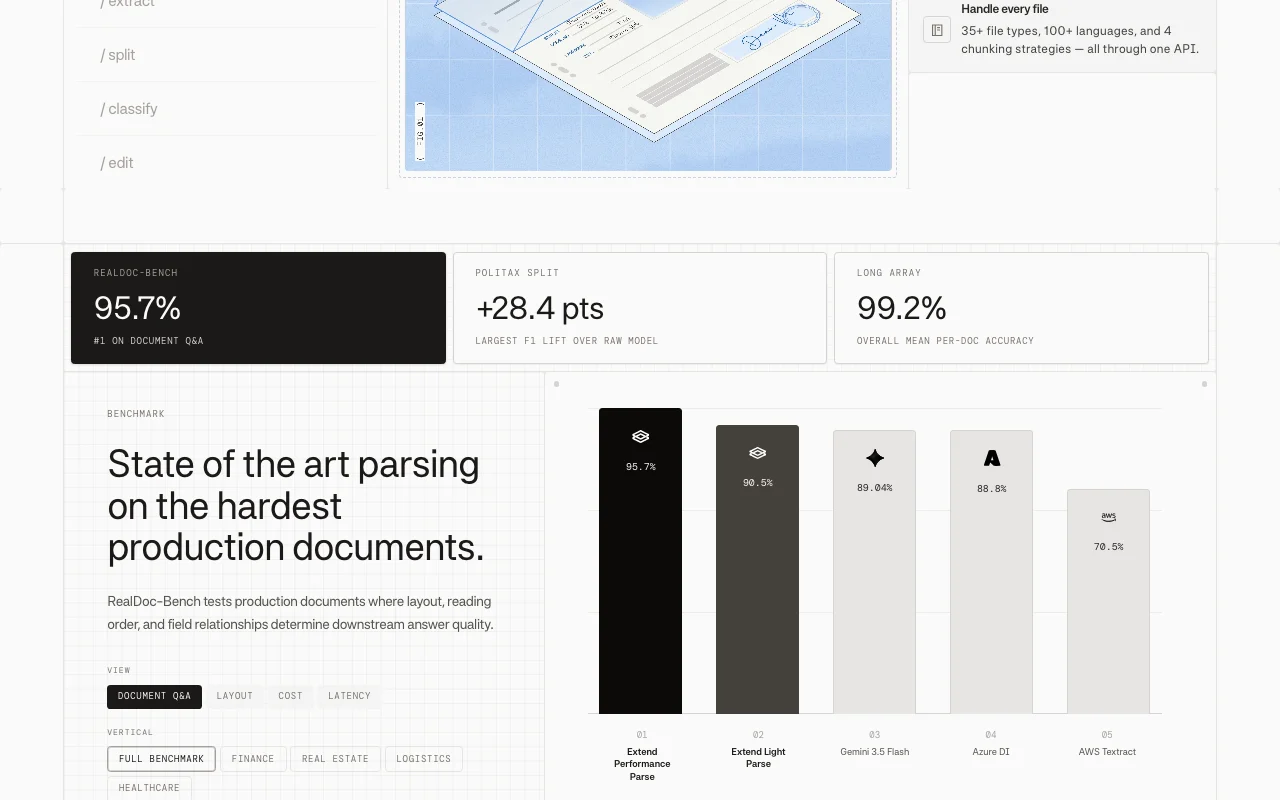
95.7% on RealDoc-Bench Document Q&A (vendor-reported)
What people use Extend for
Scenarios are worked out by our editors from the documentation; the actual result depends on your input and plan.
Invoice and form data extraction
Who
Finance and operations teams
You provide
Invoices, IDs and contracts as PDFs or images
Expected result
Structured JSON of the requested fields with citations
Feature overview on the official site. extend.ai, captured Oct 2, 2026
Parse API
Converts documents into clean markdown or blocks, detecting tables, checkboxes, images and handwriting across 35+ file types. Feeds RAG pipelines and agents with usable text.
Access: All plansLimit: Performance mode costs 2 credits/page; Light mode is 0.5 credits/page.source (opens in a new tab)
Extract API with citations
Pulls specified fields into structured JSON from a schema and attaches citations back to the source location. Makes extracted values auditable.
Access: All plansLimit: Costs 3 credits/page plus parse credits in Performance mode.source (opens in a new tab)
Classify and Split APIs
Routes documents by type and divides a multi-document PDF into separate files, including instance detection. Automates intake of bundled uploads.
Uses example documents to find errors and refine extraction schemas automatically in the background, replacing manual prompt trial-and-error. Raises accuracy without hand tuning.
10,000 free credits on pay-as-you-go You can test real documents before paying.documentedsource (opens in a new tab)
No contract or monthly minimum on the pay-as-you-go plan Prototyping needs no sales process or commitment.documentedsource (opens in a new tab)
SDKs in five languages Fits most backend stacks (Python, TypeScript, Java, Go, CLI).documentedsource (opens in a new tab)
Zero data retention included Sensitive documents need not be stored after processing.documentedsource (opens in a new tab)
Limitations to check before paying
Pay-as-you-go charges $0.0125 per extra credit after free credits High volumes become costly without the Scale rate.documentedsource (opens in a new tab)
Scale plan costs $500/mo Fixed monthly cost applies before any volume discount benefit.documentedsource (opens in a new tab)
BAA/HIPAA only on Scale add-on or Enterprise Regulated healthcare use needs an upgrade or add-on.documentedsource (opens in a new tab)
Needs developer integration Non-technical teams may need engineering help.documentedsource (opens in a new tab)
How to use Extend for extracting structured data from documents
Set up Extend
Open the Extend site and choose Try for free to create a Pay As You Go workspace.
Create an API key in the dashboard.
Install an SDK, for example pip install extend-ai.
Review the quickstart in the docs.
Example: extracting structured data from documents
Upload a sample invoice in Studio.
Define or generate an extraction schema.
Run the extraction and inspect the JSON with citations.
Copy the API call into your code.
Review and export the result
Compare extracted fields against the source document citations.
Check credit consumption in the dashboard Usage tab.
Extend integrations and API
Plan comparison on the official pricing page. extend.ai, captured Oct 2, 2026
Native integrations and export formats
Export: Markdown, JSON
API access and separate billing
Extend has no public API in its official documentation. REST API and SDKs in Python, TypeScript, Java and Go. API documentation ↗
Privacy, data use and commercial rights
Summarized from the vendor's current policies; this is not legal advice and a vendor's badge is not an independent audit.
How your inputs and outputs are handled
Customer documents are processed on behalf of customers under the Customer Agreement, not the website privacy policy.
Zero data retention is listed on Pay As You Go; custom retention policies on Scale.
Commercial use and plan restrictions
HIPAA BAA is an add-on on Scale and included on Enterprise; BYOC and Hybrid deployment are Enterprise only.
In Performance mode extraction costs 3 credits per page plus 2 credits per page for the automatic parse; at $0.0125 per credit a 10-page document is about $0.63. source (opens in a new tab)
Does Extend require a contract or monthly minimum?
No. Pay As You Go has no contract, monthly platform fee or sales call; it includes 10,000 free credits. source (opens in a new tab)
What does Extend Scale cost and include?
Scale is $500 per month with 50,000 credits included, $0.01 per extra credit, Slack support, higher rate limits and a HIPAA BAA add-on. source (opens in a new tab)
Which SDKs does Extend offer?
Extend offers SDKs for Python, TypeScript, Java and Go, plus a CLI and REST API. source (opens in a new tab)
How does Extend Light mode compare to Performance mode on cost?
Light Parse is 0.5 credits per page versus 2 for Performance, and Light Extract is 0.7 versus 3, about 4 times cheaper. source (opens in a new tab)
Not verified: Training use of customer documents not stated in fetched pages; Commercial-use terms not stated; Taxes not stated.
How we documented and maintain this page
Every fact about Extend above comes from the 4 official pages listed here, last compared on Oct 2, 2026; we have not run Extend ourselves, so it has no editorial score. How we check and re-check pages.
Article updated Oct 2, 2026; prices checked Oct 2, 2026. Outbound links to vendors are plain links; we do not earn commissions. How we review · Report an error