CodingDocumented overviewLast checked Oct 2, 2026

Floot: Pricing, Features & Best Use Cases

Build full-stack apps from Claude, ChatGPT or Cursor via a connector, with hosting included.
Is Floot right for you?

Floot suits non-technical founders and small businesses who want to build and host full-stack apps from Claude, ChatGPT or Cursor over a connector, starting free and moving to $25 or $100 per month as usage grows. Based on the vendor's documentation, not on a hands-on test.

Best for: Non-technical founders

Also a good fit for

  • Claude or ChatGPT users
  • Small businesses

Consider another tool if free plan capped at 100 building actions per day

Or if

  • Free plan has no custom domain or badge removal
  • Free plan converts 2 sites to mobile apps per month

Floot pricing and usage limits

Prices checked Oct 2, 2026 on the official US pricing page. Official pricing ↗ Prices and limits change often.

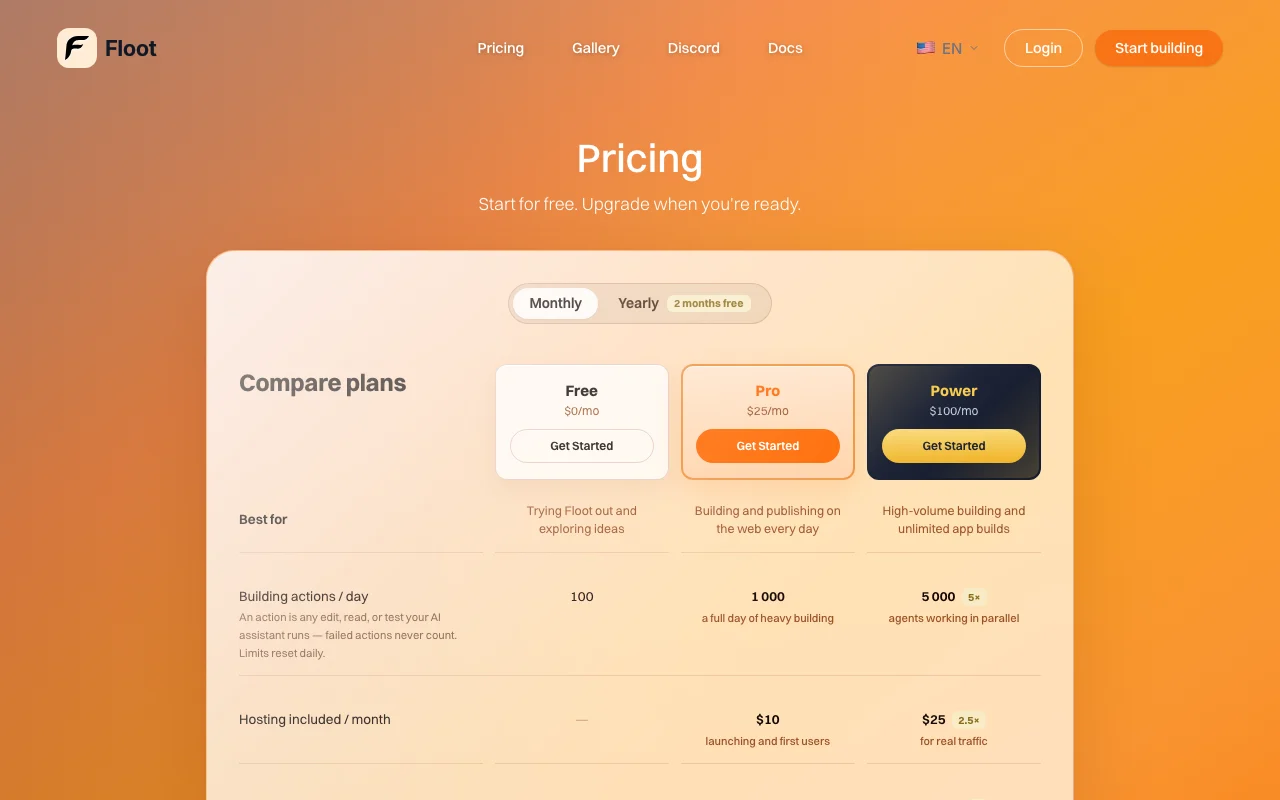
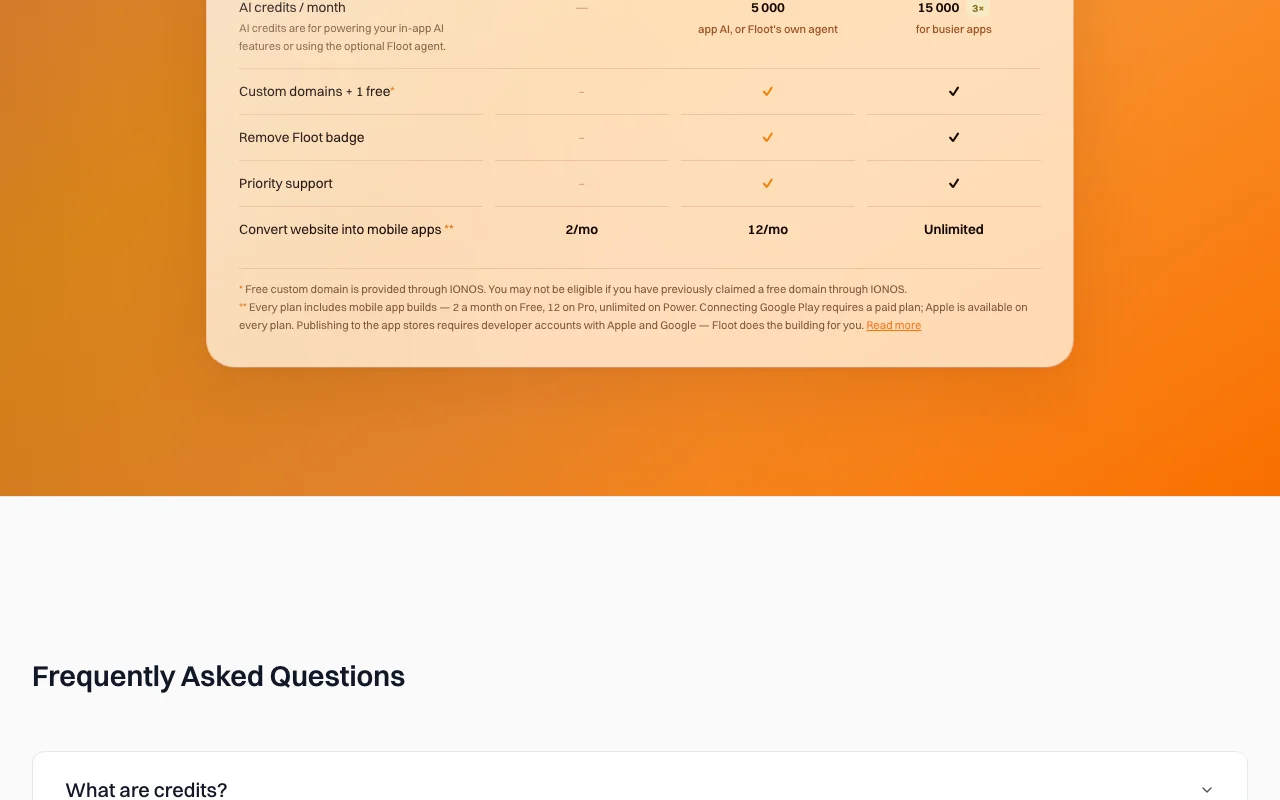
Floot pricing page with plans and prices — screenshot of the coding AI tool, Oct 2, 2026
The official Floot pricing page as we saw it. floot.com, captured Oct 2, 2026

Free access and trial conditions

Free plan at $0 with 100 building actions a day.

No separate trial; Free plan is the entry point.

Paid plans: what changes as you upgrade

Free web

Free source (opens in a new tab)

Month

For: Trying Floot out and exploring ideas

Limits

  • 100 building actions a day
  • 2 mobile app conversions per month

Includes

  • Compare plans
  • Basic building

Pro web

$25/mo source (opens in a new tab)

Month

Yearly billing shows '2 months free'; exact annual price not shown in the fetched text

For: Building and publishing on the web every day

Limits

  • 1,000 building actions a day
  • 5,000 AI credits a month
1 more
  • 12 mobile app conversions per month

Includes

  • $10 hosting a month
  • Custom domains plus 1 free (via IONOS)
2 more
  • Remove Floot badge
  • Priority support

Power web

$100/mo source (opens in a new tab)

Month

Yearly billing shows '2 months free'; exact annual price not shown in the fetched text

For: High-volume building and unlimited app builds

Limits

  • 5,000 building actions a day
  • 15,000 AI credits a month
1 more
  • Unlimited mobile app conversions

Includes

  • $25 hosting a month
  • Custom domains plus 1 free
2 more
  • Remove Floot badge
  • Priority support

Usage caps, credits and extra costs

Credits can be bought; hosting and email have separate metering described in the docs.

Not stated.

What is Floot, and how does it work?

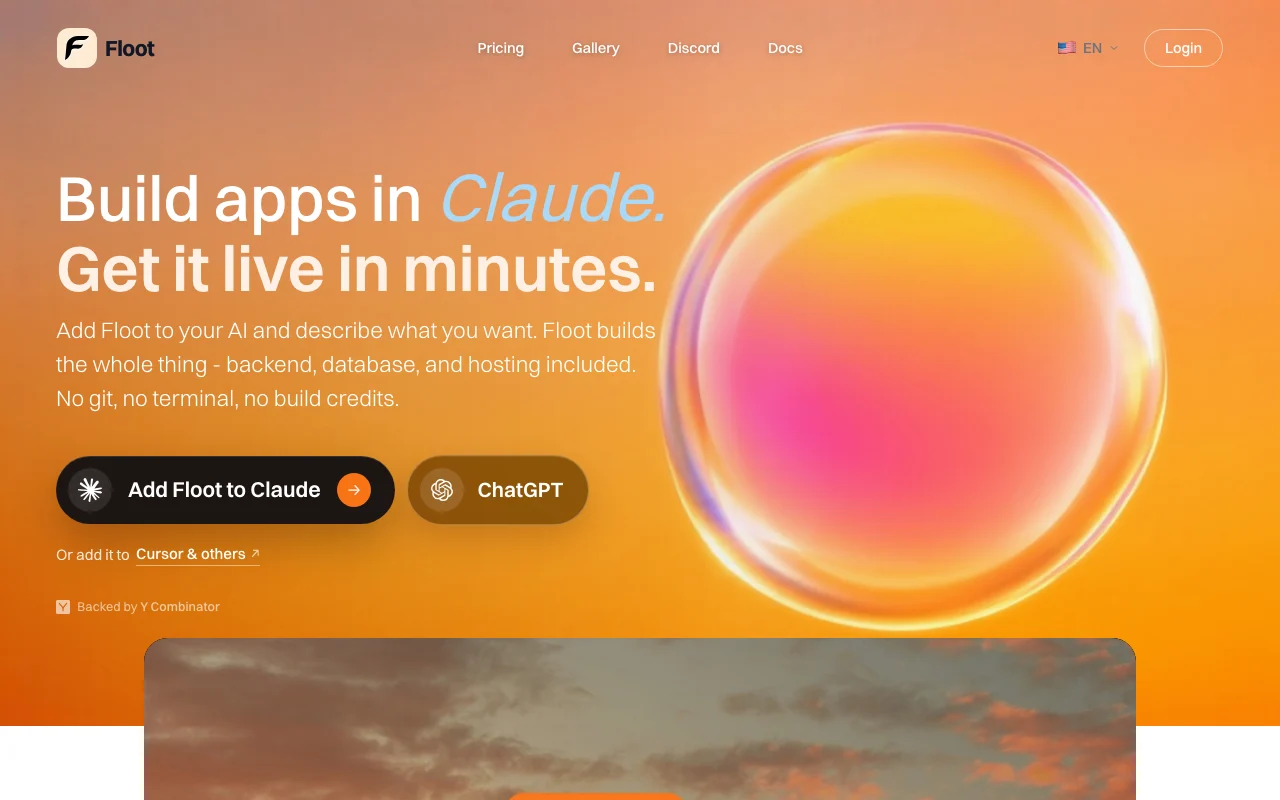
Floot connects to AI assistants such as Claude, ChatGPT and Cursor, so users describe an app and Floot builds it with backend, database, accounts and hosting. Apps can be published on the web and, per the Floot mobile page, turned into iOS and Android apps for store submission.

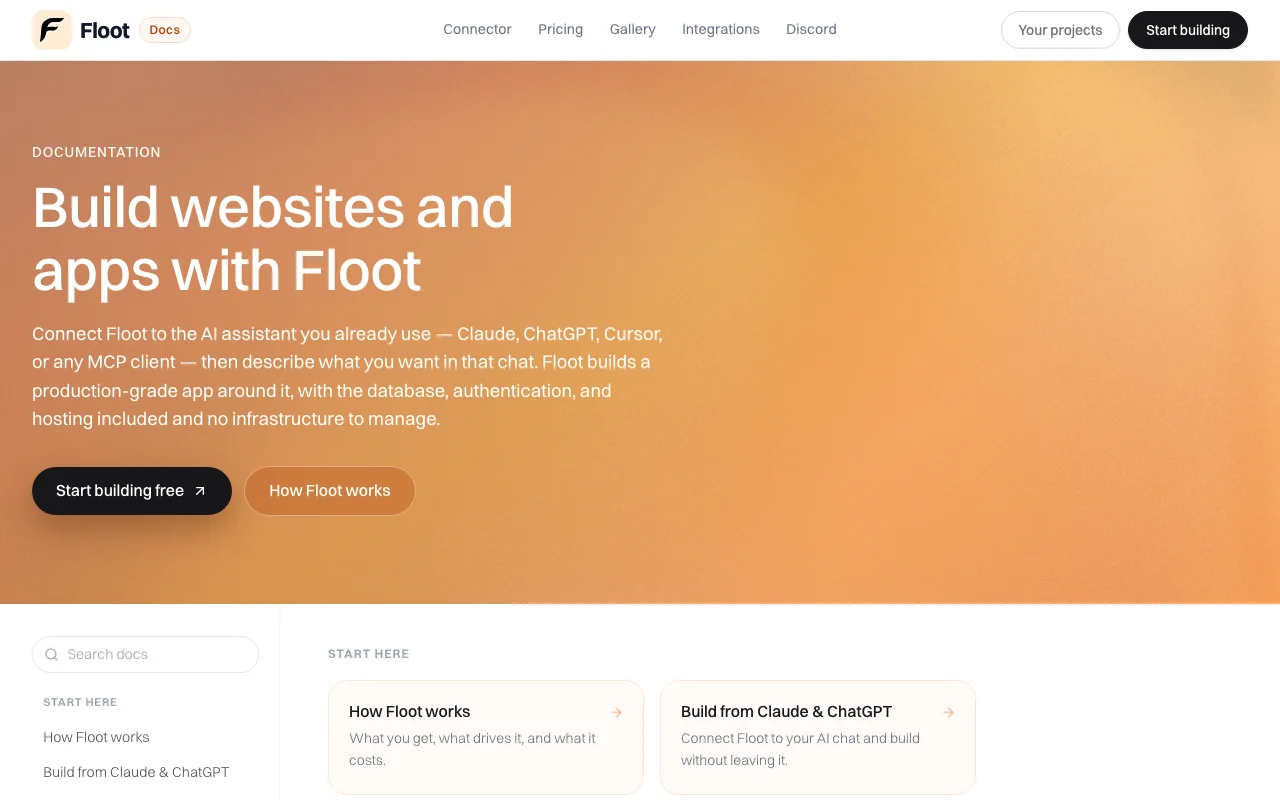
Floot homepage — screenshot of the coding AI tool, Oct 2, 2026
Floot's official site: how the product presents itself. floot.com, captured Oct 2, 2026

What you provide and what you get back

How Floot works: what you provide, where it runs and what you get backYOU PROVIDEYour inputChat prompts from Claude, ChatGPT…Floot connector (MCP server URL w…Own domain DNS settingsApple or Google Play developer ac…CODINGFlootWeb, Mobilefrom $25/mo (Pro)free tier availableaccount requiredchecked Oct 2, 2026YOU GET BACKThe resultLive full-stack web app with data…Hosted app at a floot.app address…iOS and Android app buildsEmails and notifications from the…input → Floot → output · from the vendor's own pages, no hands-on test unless stated
What you give Floot and what comes back, from its documentation

You provide

  • Chat prompts from Claude, ChatGPT, Cursor or another MCP client
  • Floot connector (MCP server URL with OAuth)
  • Own domain DNS settings
  • Apple or Google Play developer accounts for store publishing

You get back

  • Live full-stack web app with database and logins
  • Hosted app at a floot.app address or custom domain
  • iOS and Android app builds
  • Emails and notifications from the app

Where you can use it

Platforms
Web, Mobile
Account
Required
Assistants
Claude, ChatGPT, Cursor, other MCP clients
Building actions per day
100 / 1,000 / 5,000
AI credits per month
None / 5,000 / 15,000
Hosting credit
None / $10 / $25 per month
Mobile builds
2 / 12 / unlimited per month
Self-hosting
Code and database export documented

Best use cases for Floot

Scenarios are worked out by our editors from the documentation; the actual result depends on your input and plan.

Build web apps from chat

Who
Non-technical founders
You provide
Chat description of an app
Expected result
Live app with backend, database and hosting built from the chat
Plan needed
Free to try; Pro for daily use
Limitation
Free has 100 building actions a day source (opens in a new tab)

Publish to app stores

Who
Small businesses wanting a mobile presence
You provide
Existing Floot web app
Expected result
iOS and Android builds for store submission
Plan needed
Free (2 per month), Pro (12), Power (unlimited)
Limitation
Store submission needs your own developer accounts source (opens in a new tab)

Add logins and database

Who
Builders adding accounts and data
You provide
Prompts for logins, tables and recurring tasks
Expected result
App that saves records, signs up users and runs scheduled jobs
Plan needed
Any plan
Limitation
Hosting credit is $0 on Free source (opens in a new tab)

Key features and their practical limits

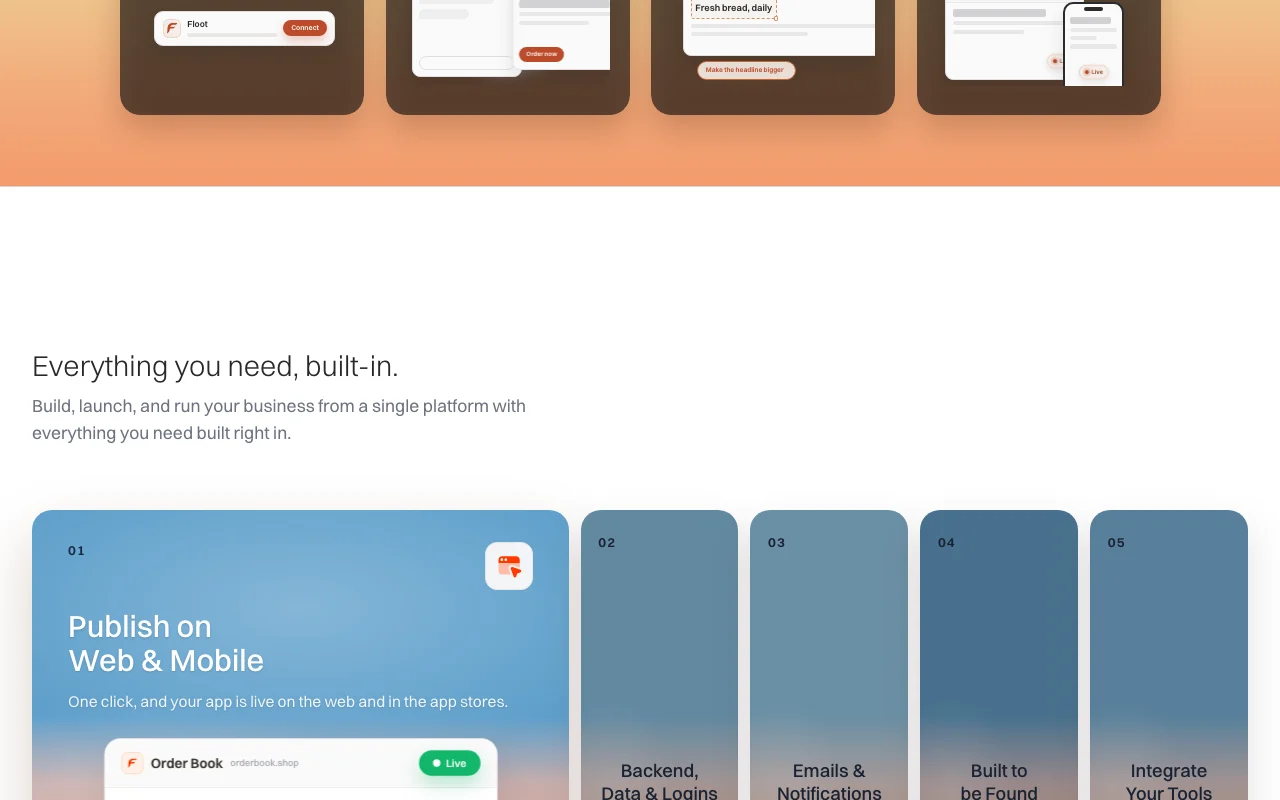
Floot homepage — screenshot of the coding AI tool, Oct 2, 2026
Feature overview on the official site. floot.com, captured Oct 2, 2026

MCP connector for AI assistants

Lets Claude, ChatGPT, Cursor or any MCP client build and edit apps on Floot through a remote connector. Keeps building inside the assistant users already use.

Access: All plans, metered by daily building actionsLimit: Each tool call counts as an action; limits reset daily source (opens in a new tab)

Built-in database and auth

Provisions a database, authentication, storage and jobs for every project. Removes the need to set up separate backend services.

Access: All plansLimit: Hosting credit is included only on Pro and Power source (opens in a new tab)

Hosting included

Hosts published apps and applies a monthly hosting credit. Puts the app live without external hosting.

Access: Pro $10 and Power $25 monthly creditLimit: Free plan shows no hosting credit source (opens in a new tab)

Email and notifications

Sends emails, receipts and notifications from the app. Avoids connecting extra email tools.

Access: Built-in serviceLimit: Daily limits and costs are described in the email docs, not reviewed here source (opens in a new tab)

Floot: strengths and limits

Where Floot is strong

Limitations to check before paying

How to use Floot for building a full-stack app from a chat

Floot documentation — screenshot of the coding AI tool, Oct 2, 2026
Floot documentation: where the steps below come from. floot.com, captured Oct 2, 2026

Set up Floot

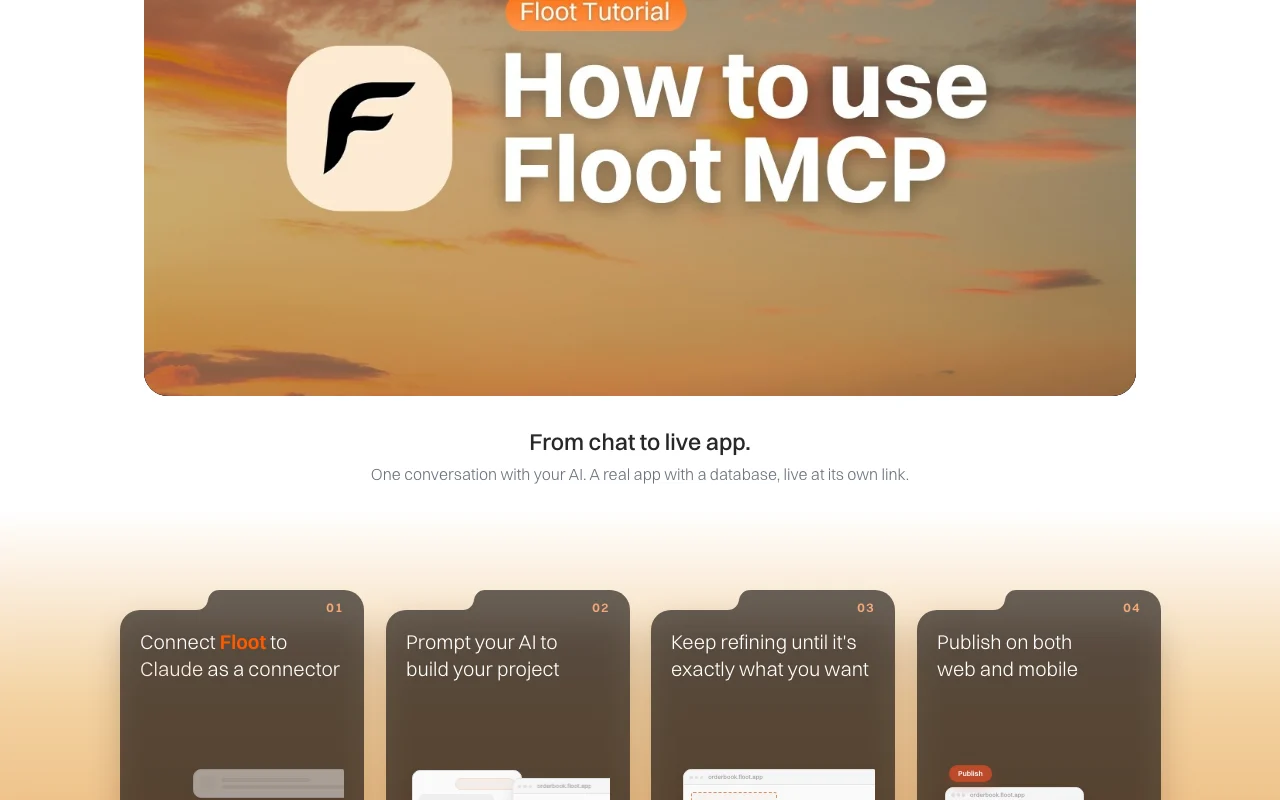
  1. Add the Floot connector to Claude, ChatGPT or Cursor (server URL with OAuth).
  2. Authorize the connection and create a Floot account if prompted.
  3. Open a chat and start describing your app.

Example: building a full-stack app from a chat

  1. Prompt your AI to build the app, for example a bakery order tracker.
  2. Refine layout and copy through follow-up messages.
  3. Publish to the web and, if needed, convert to mobile apps.

Review and export the result

  1. Open the project view and test the live link.
  2. Check the daily building actions counter against your plan limit.
Example prompt suggested by our editors (not a recorded output of the product)
Build a bakery order tracker where customers sign up, place an order and receive an email receipt.
Floot integrations and API

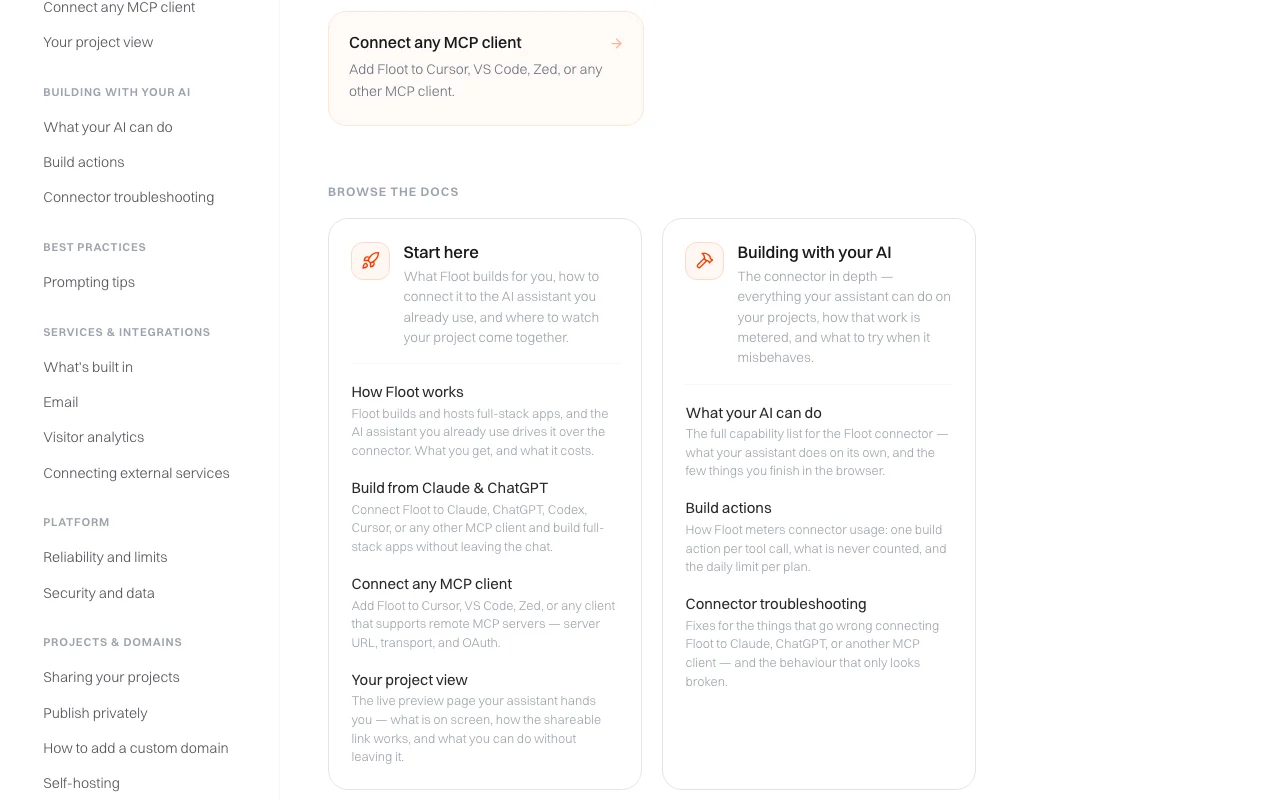
Floot documentation — screenshot of the coding AI tool, Oct 2, 2026
Floot documentation (continued). floot.com, captured Oct 2, 2026

Native integrations and export formats

Export: Code and database export (self-hosting)

API access and separate billing

Floot has no public API in its official documentation. Remote MCP server connector for any MCP client API documentation ↗

Privacy, data use and commercial rights

Summarized from the vendor's current policies; this is not legal advice and a vendor's badge is not an independent audit.

How your inputs and outputs are handled

Policy lists account data, generated code and prompts, usage data and IP-derived location.

Privacy policy says only chat history with the Floot AI builder may be used for AI training; no other data is used for training.

Commercial use and plan restrictions

Ownership of generated code is covered in the Terms (not fetched).

Controls for business users

  • Private publishing for invited people only

Policies: floot.com/privacy

Floot alternatives by need

"Better suited" is based on documented features and pricing, not on a head-to-head test.

Lovable: better suited to

Replit: better suited to

Cursor: better suited to

Alternatives
AlternativeWhen to choose itPricingLimitation
Lovable——Compare
Replit——Compare
Cursor——Compare

Explore Floot further

If you are looking at Floot

Floot user reviews

No user reviews yet.

Used Floot? Be the first to share your experience.

Write a review

Reviews are checked by a moderator before they appear. Your email is never published. Plain text only.

Your rating (required)

Show what you made or what went wrong. Images are published only if the review is approved; location data is removed.

    Floot FAQ

    What counts as a Floot building action?

    Any edit, read or test your AI assistant runs through the connector; failed actions never count and limits reset daily. source (opens in a new tab)

    How many building actions does Floot Pro include?

    Pro at $25 per month includes 1,000 building actions a day, 5,000 AI credits a month and $10 of hosting. source (opens in a new tab)

    Can Floot turn my web app into mobile apps?

    Yes, every plan includes conversions: 2 a month on Free, 12 on Pro and unlimited on Power. source (opens in a new tab)

    Does Floot train AI on my data?

    Its privacy policy says only your chat history with the Floot AI builder may be used for AI training and no other data is used. source (opens in a new tab)

    Which assistants work with Floot?

    Claude, ChatGPT, Codex, Cursor, VS Code, Zed or any client that supports remote MCP servers. source (opens in a new tab)

    Sources and review methodology

    Official sources and verification dates

    Not verified: Annual price per plan; Data retention periods; Commercial use terms (Terms not fetched); Free plan AI credit and hosting values (shown as dashes); Mobile page not fetched.

    How we documented and maintain this page

    Every fact about Floot above comes from the 5 official pages listed here, last compared on Oct 2, 2026; we have not run Floot ourselves, so it has no editorial score. How we check and re-check pages.

    Article updated Oct 2, 2026; prices checked Oct 2, 2026. Outbound links to vendors are plain links; we do not earn commissions. How we review · Report an error