Productivity & writingDocumented overviewLast checked Sep 29, 2026

Docubix: Pricing, Features & Best Use Cases

RAG platform: upload documents and get a cited AI assistant through a REST API.

Who Docubix fits

Docubix suits developers and SaaS teams who want a cited document chat assistant behind a REST API without building chunking, embeddings and retrieval themselves. Based on the vendor's documentation, not on a hands-on test.

Best for: Founders adding AI chat

Also a good fit for

  • Support teams
  • Teams building internal assistants

Consider another tool if free plan: 20 documents and 100 queries per month

Or if

  • Pro capped at 3,000 queries per month
  • Supported formats limited to PDF, DOCX, TXT, Markdown

Docubix pricing and usage limits

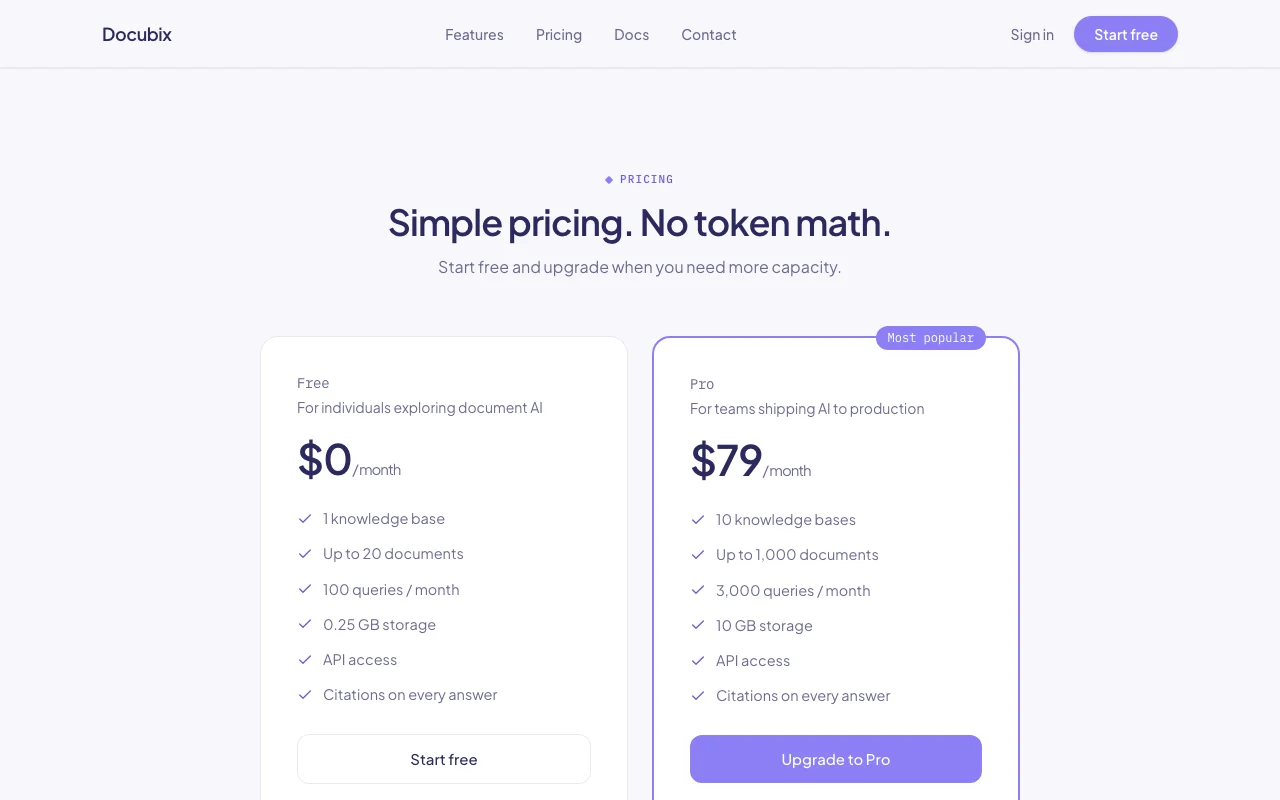
Prices checked Sep 29, 2026 on the official US pricing page. Official pricing ↗ Prices and limits change often.

Docubix pricing page with plans and prices — screenshot of the productivity & writing AI tool, Oct 1, 2026
The official Docubix pricing page as we saw it. docubix.com, captured Oct 1, 2026

Free access and trial conditions

Free plan at $0 per month

No separate trial; Free plan and Book a demo

Paid plans: what changes as you upgrade

Free web

Free source (opens in a new tab)

Month

For: Individuals exploring document AI

Limits

  • 1 knowledge base
  • Up to 20 documents
1 more
  • 100 queries per month; 0.25 GB storage

Includes

  • API access
  • Citations on every answer

API included

Pro web

$79/mo source (opens in a new tab)

Month

For: Teams shipping AI features to production

Limits

  • 10 knowledge bases
  • Up to 1,000 documents
1 more
  • 3,000 queries per month; 10 GB storage

Includes

  • API access
  • Citations on every answer

API included

Usage caps, credits and extra costs

Not stated

Not stated

What is Docubix, and how does it work?

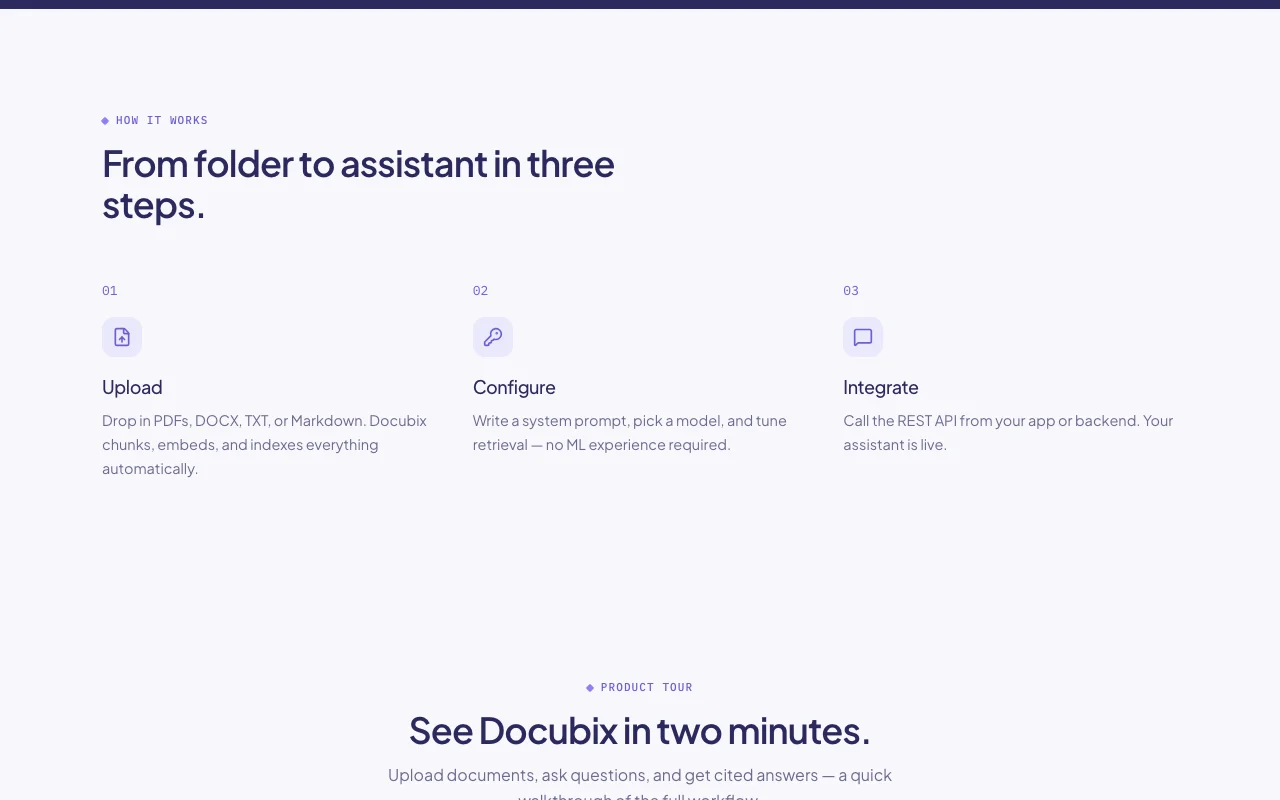
Docubix lets users upload PDF, DOCX, TXT or Markdown files and turns them into a chat assistant with cited answers. It handles chunking, embeddings and retrieval. Developers integrate through a REST API, and each knowledge base gets its own index and API key. Analytics show what users ask and which documents are cited.

Docubix homepage — screenshot of the productivity & writing AI tool, Oct 1, 2026
Docubix's official site: how the product presents itself. docubix.com, captured Oct 1, 2026

What you provide and what you get back

How Docubix works: what you provide, where it runs and what you get backYOU PROVIDEYour inputPDF, DOCX, TXT or Markdown filesSystem prompt and retrieval setti…User questions through the REST A…PRODUCTIVITY & WRITINGDocubixWeb, APIfrom $79/mo (Pro)free tier availableaccount requiredchecked Sep 29, 2026YOU GET BACKThe resultStreaming cited answersSearch results and conversation h…Analytics on questions and cited…input → Docubix → output · from the vendor's own pages, no hands-on test unless stated
What you give Docubix and what comes back, from its documentation

You provide

  • PDF, DOCX, TXT or Markdown files
  • System prompt and retrieval settings
  • User questions through the REST API

You get back

  • Streaming cited answers
  • Search results and conversation history
  • Analytics on questions and cited documents

Where you can use it

Platforms
Web, API
Account
Required
Formats
PDF, DOCX, TXT, Markdown
Free limits
1 KB, 20 docs, 100 queries, 0.25 GB
Pro limits
10 KBs, 1,000 docs, 3,000 queries, 10 GB
API
REST, key per knowledge base
Answers
Streaming with citations

Best use cases for Docubix

Scenarios are worked out by our editors from the documentation; the actual result depends on your input and plan.

Add document chat to a SaaS product

Who
Founders adding AI chat
You provide
Product docs and API calls from the app
Expected result
A cited assistant inside the product
Plan needed
Pro for production
Limitation
3,000 queries per month on Pro source (opens in a new tab)

Customer support answers from a help center

Who
Support teams
You provide
Help center articles as documents
Expected result
Cited replies to customer questions
Plan needed
Free to test, Pro to run
Limitation
Only PDF, DOCX, TXT and Markdown are accepted source (opens in a new tab)

Internal handbook assistant

Who
Operations and HR teams
You provide
Employee handbook files
Expected result
Answers pointing to the exact page or section
Plan needed
Free or Pro
Limitation
Free allows 20 documents source (opens in a new tab)

Finding documentation gaps

Who
Docs owners
You provide
Analytics from user questions
Expected result
See what is asked and which documents are cited most
Plan needed
All plans
Limitation
Analytics depth not documented source (opens in a new tab)

Key features and their practical limits

Docubix homepage — screenshot of the productivity & writing AI tool, Oct 1, 2026
Feature overview on the official site. docubix.com, captured Oct 1, 2026

Knowledge bases

Creates a separate assistant, vector index and API key per project Keeps each use case isolated

Access: 1 on Free, 10 on ProLimit: Count capped by plan source (opens in a new tab)

Document uploads

Accepts PDF, DOCX, TXT and Markdown and handles chunking and embeddings Skips building a pipeline

Access: All plansLimit: 20 documents on Free, 1,000 on Pro source (opens in a new tab)

Citations on every answer

Links each response to the exact document and page or section Lets users verify answers

Access: All plansLimit: Citation quality depends on source structure source (opens in a new tab)

Streaming responses

Streams tokens as they are generated Makes chat feel instant

Access: All plansLimit: Needs client streaming support source (opens in a new tab)

REST API

Provides endpoints for chat, history and search Build any interface on top

Access: All plansLimit: Key is tied to one knowledge base source (opens in a new tab)

Docubix pros and cons

Where Docubix is strong

Limitations to check before paying

How to use Docubix for building a cited document assistant over a REST API

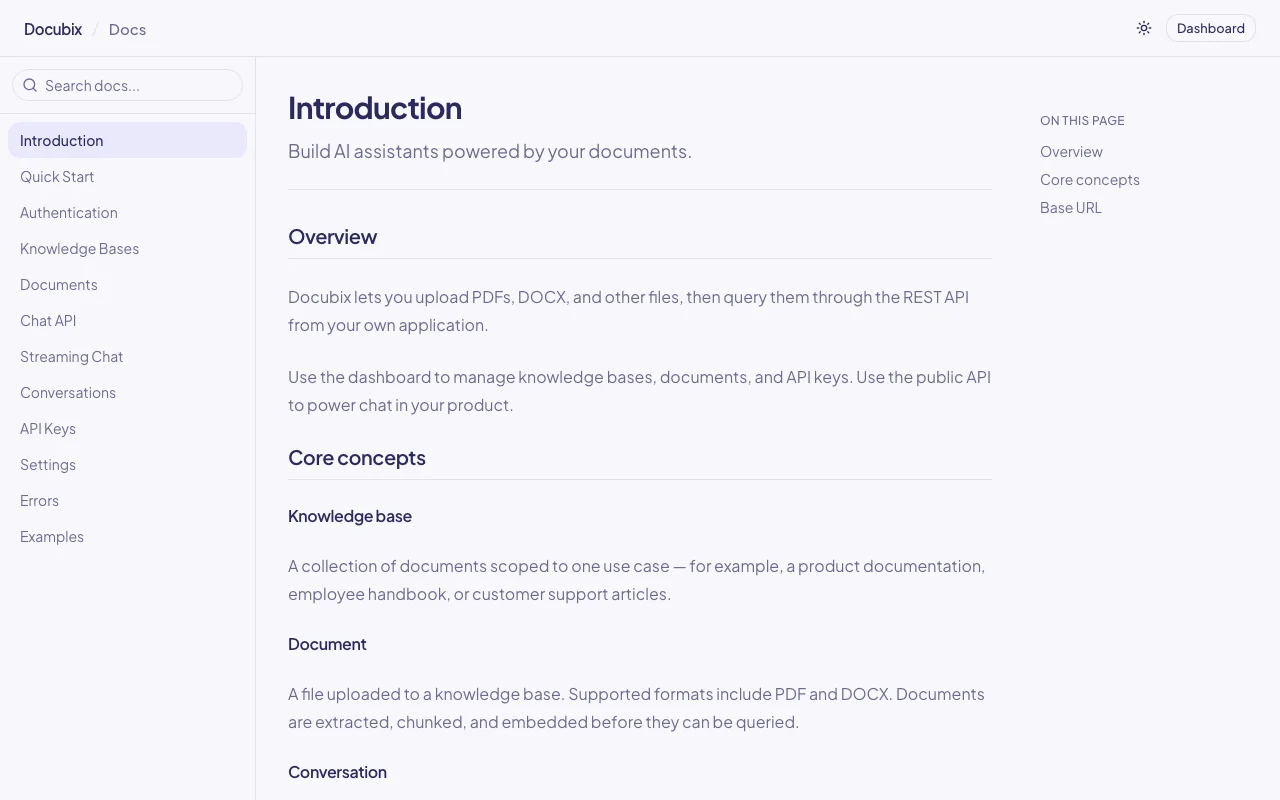
Docubix documentation — screenshot of the productivity & writing AI tool, Oct 1, 2026
Docubix documentation: where the steps below come from. docubix.com, captured Oct 1, 2026

Set up Docubix

  1. Sign up for a free Docubix account
  2. Create a knowledge base in the dashboard
  3. Copy the API key tied to that knowledge base

Example: building a cited document assistant over a REST API

  1. Upload your PDFs or Markdown files and wait for indexing
  2. Set a system prompt and pick a model
  3. Call the /chat endpoint of https://api.docubix.com/api/v1 with the API key
  4. Stream the answer and render the citations in your app

Review and export the result

  1. Confirm each answer cites the right document and page
  2. Review dashboard analytics for unanswered questions
Example prompt suggested by our editors (not a recorded output of the product)
A customer can't log in. What should I tell them?
Docubix API

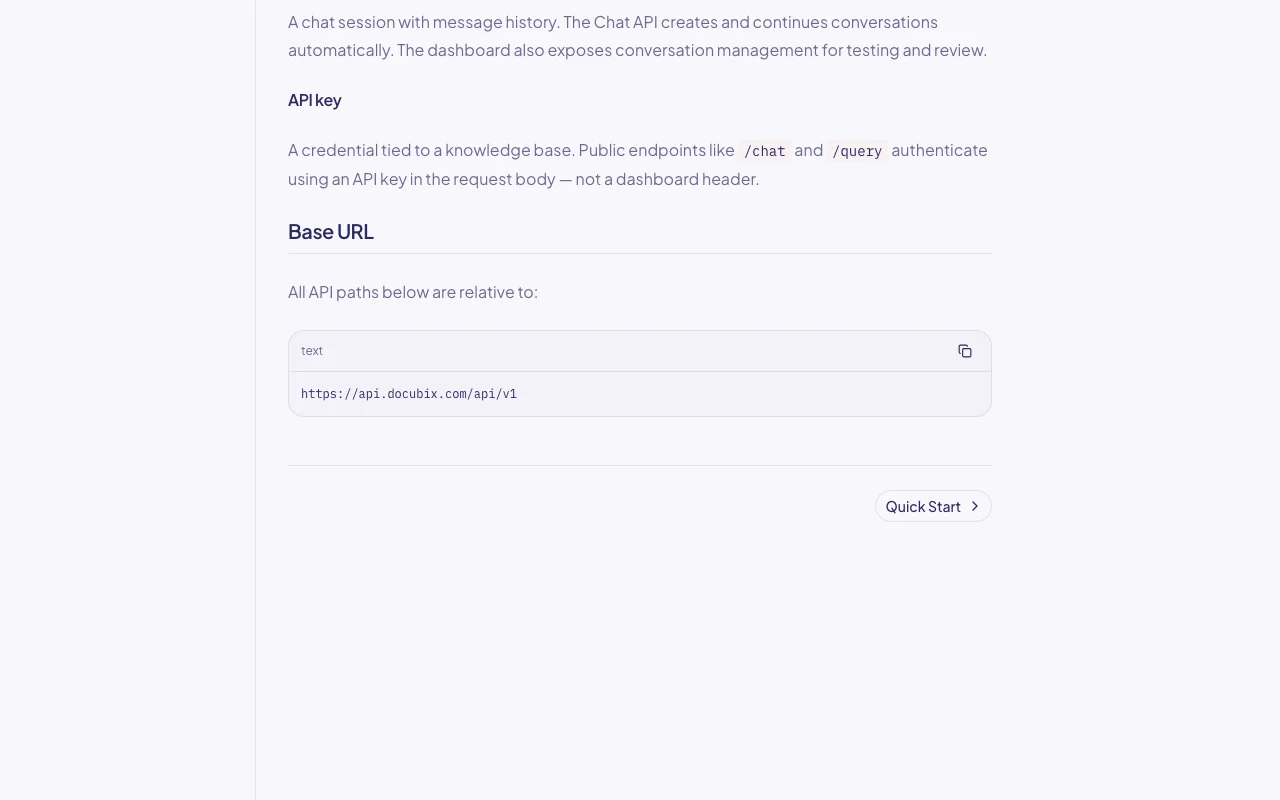
Docubix documentation — screenshot of the productivity & writing AI tool, Oct 1, 2026
Docubix documentation (continued). docubix.com, captured Oct 1, 2026

API access and separate billing

An API is available, included in the plan. REST API at api.docubix.com/api/v1 with /chat and /query endpoints; API key per knowledge base API documentation ↗

Privacy, data use and commercial rights

Summarized from the vendor's current policies; this is not legal advice and a vendor's badge is not an independent audit.

How your inputs and outputs are handled

Stores uploaded documents, prompts, conversations and account data

The policy says customer content is not used to train Docubix's own models

Content remains until deleted by the user; deleted data may stay in backups for a limited period

Commercial use and plan restrictions

Not stated

Not stated

Controls for business users

  • Delete documents and knowledge bases

Policies: docubix.com/privacy

Other tools to consider instead of Docubix

"Better suited" is based on documented features and pricing, not on a head-to-head test.

ChatGPT: better suited to

Gemini Notebook (formerly NotebookLM): better suited to

Alternatives
AlternativeWhen to choose itPricingLimitation
ChatGPT——
Gemini Notebook (formerly NotebookLM)——

Explore Docubix further

Related to Docubix

Docubix user reviews

No user reviews yet.

Used Docubix? Be the first to share your experience.

Write a review

Reviews are checked by a moderator before they appear. Your email is never published. Plain text only.

Your rating (required)

Show what you made or what went wrong. Images are published only if the review is approved; location data is removed.

    Docubix FAQ

    How much does Docubix cost?

    Free is $0 per month; Pro is $79 per month with 10 knowledge bases, 1,000 documents and 3,000 queries. source (opens in a new tab)

    What file formats can I upload?

    PDF, DOCX, TXT and Markdown. source (opens in a new tab)

    Do I need to train a model?

    No, Docubix handles chunking, embeddings and retrieval; you bring the documents. source (opens in a new tab)

    Does Docubix train on my documents?

    The privacy policy says it does not use customer content to train its own AI models. source (opens in a new tab)

    Do I get an API on the free plan?

    Yes, API access is included on both Free and Pro. source (opens in a new tab)

    Sources and review methodology

    Official sources and verification dates

    Not verified: Models available; Commercial-use terms; US availability; Enterprise tier.

    How we documented and maintain this page

    Every fact about Docubix above comes from the 2 official pages listed here, last compared on Sep 29, 2026; we have not run Docubix ourselves, so it has no editorial score. How we check and re-check pages.

    Article updated Oct 10, 2026; prices checked Sep 29, 2026. Outbound links to vendors are plain links; we do not earn commissions. How we review · Report an error