Productivity & writingDocumented overviewLast checked Sep 29, 2026

Cflow: Pricing, Features & Best Use Cases

No-code workflow automation and approval software with built-in AI agents and an AI copilot for business processes.
Who Cflow fits

Cflow suits small and mid-size teams that want no-code approval workflows with SLA rules, a mobile app and optional AI agents, and can commit to at least 10 users. Based on the vendor's documentation, not on a hands-on test.

Best for: Small and mid-size teams automating approvals

Also a good fit for

  • Operations and procurement teams

Consider another tool if per-user pricing with a 10-user minimum on the entry plan

Or if

  • Entry plan capped at 20 workflows
  • Annual per-user price not visible in the loaded page text

Cflow pricing and usage limits

Prices checked Sep 29, 2026 on the official US pricing page. Official pricing ↗ Prices and limits change often.

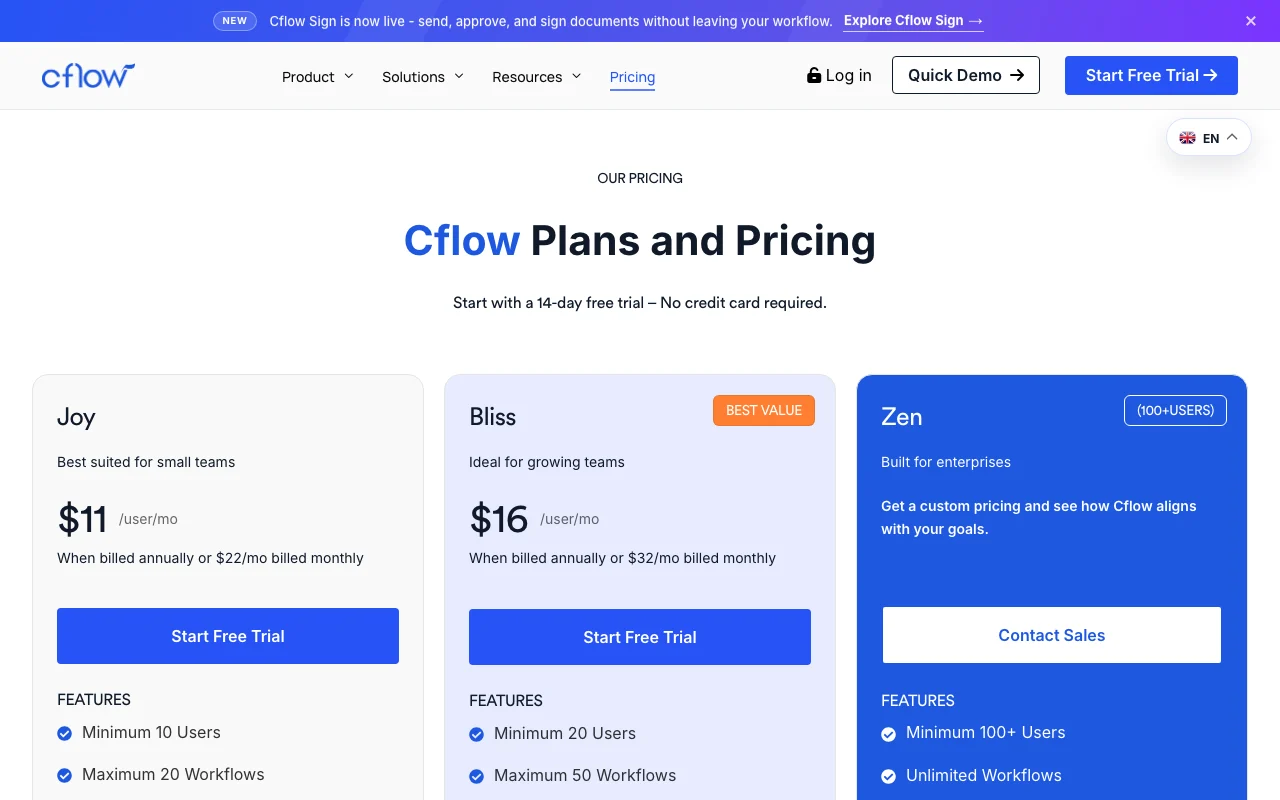
Cflow pricing page with plans and prices — screenshot of the productivity & writing AI tool, Oct 1, 2026
The official Cflow pricing page as we saw it. cflowapps.com, captured Oct 1, 2026

Free access and trial conditions

14-day free trial, no credit card

14 days

Paid plans: what changes as you upgrade

Joy web

$22/mo per user source (opens in a new tab)

Month

Billed monthly; discounted annual rate not captured

For: Small teams

Limits

  • Minimum 10 users
  • Maximum 20 workflows

Includes

  • Visual builder
  • Rules engine
1 more
  • Mobile app

Bliss web

$32/mo per user source (opens in a new tab)

Month

Billed monthly; annual rate not captured

For: Growing teams

Limits

  • Minimum 20 users
  • Maximum 50 workflows

Includes

  • Everything in Joy
  • Growing-team features

Usage caps, credits and extra costs

Additional AI credits: 10,000 for $20; add-ons marked with $

Not stated

What is Cflow, and how does it work?

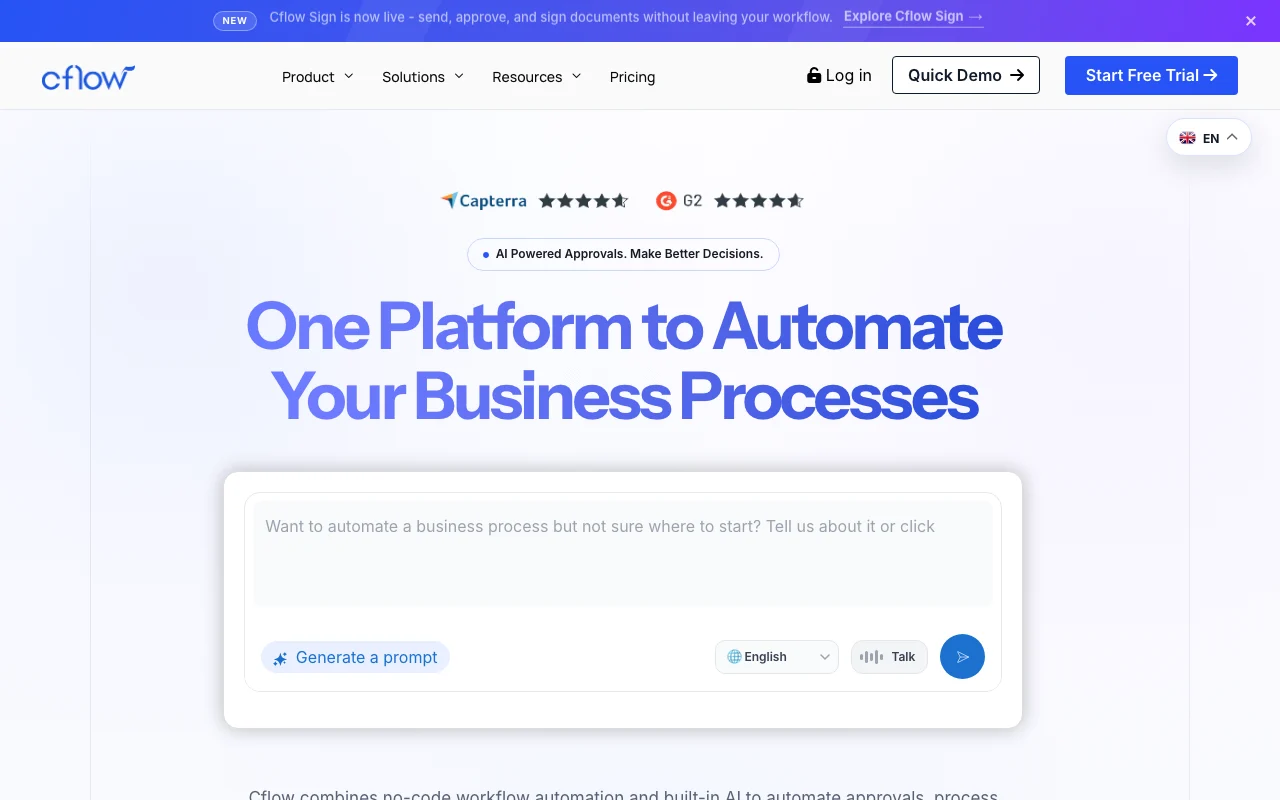
Cflow is a no-code workflow automation and business process management platform. Teams build forms and multi-stage approval workflows, apply rules, and route requests across departments. The vendor also offers AI Agents, an AI Copilot and Cflow Sign for document signing, aimed at automating approvals and decisions.

Cflow homepage — screenshot of the productivity & writing AI tool, Oct 1, 2026
Cflow's official site: how the product presents itself. cflowapps.com, captured Oct 1, 2026

What you provide and what you get back

How Cflow works: what you provide, where it runs and what you get backYOU PROVIDEYour inputForms and workflow rules built in…Request submissions from usersDocuments and attachmentsPRODUCTIVITY & WRITINGCflowWeb, Mobile, APIfrom $22/mo (Joy)no free tieraccount requiredchecked Sep 29, 2026YOU GET BACKThe resultRouted approvals and notificationsReports and dashboardsSigned documents (Cflow Sign add-…input → Cflow → output · from the vendor's own pages, no hands-on test unless stated
What you give Cflow and what comes back, from its documentation

You provide

  • Forms and workflow rules built in the visual builder
  • Request submissions from users
  • Documents and attachments

You get back

  • Routed approvals and notifications
  • Reports and dashboards
  • Signed documents (Cflow Sign add-on)

Where you can use it

Platforms
Web, Mobile, API
Account
Required
Workflow caps
20 / 50 / unlimited
AI credits
10,000-30,000 per month
Mobile
Android and iOS

Best use cases for Cflow

Scenarios are worked out by our editors from the documentation; the actual result depends on your input and plan.

Purchase and procurement approvals

Who
Procurement and finance teams
You provide
Purchase request form
Expected result
Multi-stage approval routed to managers with SLA tracking
Plan needed
Joy or Bliss
Limitation
Joy capped at 20 workflows source (opens in a new tab)

HR and admin request workflows

Who
HR and admin staff
You provide
Leave, onboarding or equipment request forms
Expected result
Requests routed with email notifications and escalation
Plan needed
Joy and up
Limitation
Phone support is an extra cost source (opens in a new tab)

Finance approval routing

Who
Finance teams
You provide
Invoice or expense data
Expected result
Parallel approvals with bulk approve and reports
Plan needed
Bliss recommended
Limitation
Custom reports are an add-on source (opens in a new tab)

Key features and their practical limits

Cflow homepage — screenshot of the productivity & writing AI tool, Oct 1, 2026
Feature overview on the official site. cflowapps.com, captured Oct 1, 2026

Visual workflow and form builder

Lets you drag stages and form fields to design a process without code Speeds process setup

Access: All plansLimit: Joy limited to 20 workflows, Bliss 50 source (opens in a new tab)

Rules engine with SLA settings

Applies conditional rules, escalations and SLA timers to requests Keeps approvals from stalling

Access: All plansLimit: Rule-based SLA listed per plan table source (opens in a new tab)

AI Agents

Uses AI to make decisions and approvals inside workflows Cuts manual review

Access: Paid add-on ($ in plan table)Limit: Draws on monthly AI credits source (opens in a new tab)

AI Copilot

Offers instant AI assistance while building and using workflows Speeds navigation

Access: Paid add-onLimit: AI credits expire monthly source (opens in a new tab)

Mobile app

Gives Android and iOS access with push notifications and QR form access Approve on the go

Access: All plansLimit: App features not itemized beyond listing source (opens in a new tab)

Cflow: strengths and limits

Where Cflow is strong

Limitations to check before paying

How to use Cflow for building an approval workflow

Set up Cflow

  1. Start the 14-day free trial from the Cflow pricing page
  2. Create a new process and design its form with the visual form builder
  3. Add stages and approval rules, including SLA and escalation
  4. Invite users and assign roles

Example: building an approval workflow

  1. Create a Purchase Request process
  2. Add fields for item, amount and vendor
  3. Route amounts above a threshold to a second approver
  4. Submit a test request and approve it from the mobile app

Review and export the result

  1. Confirm each stage notifies the right approver
  2. Review SLA and escalation timing on a test request

Cflow integrations and API

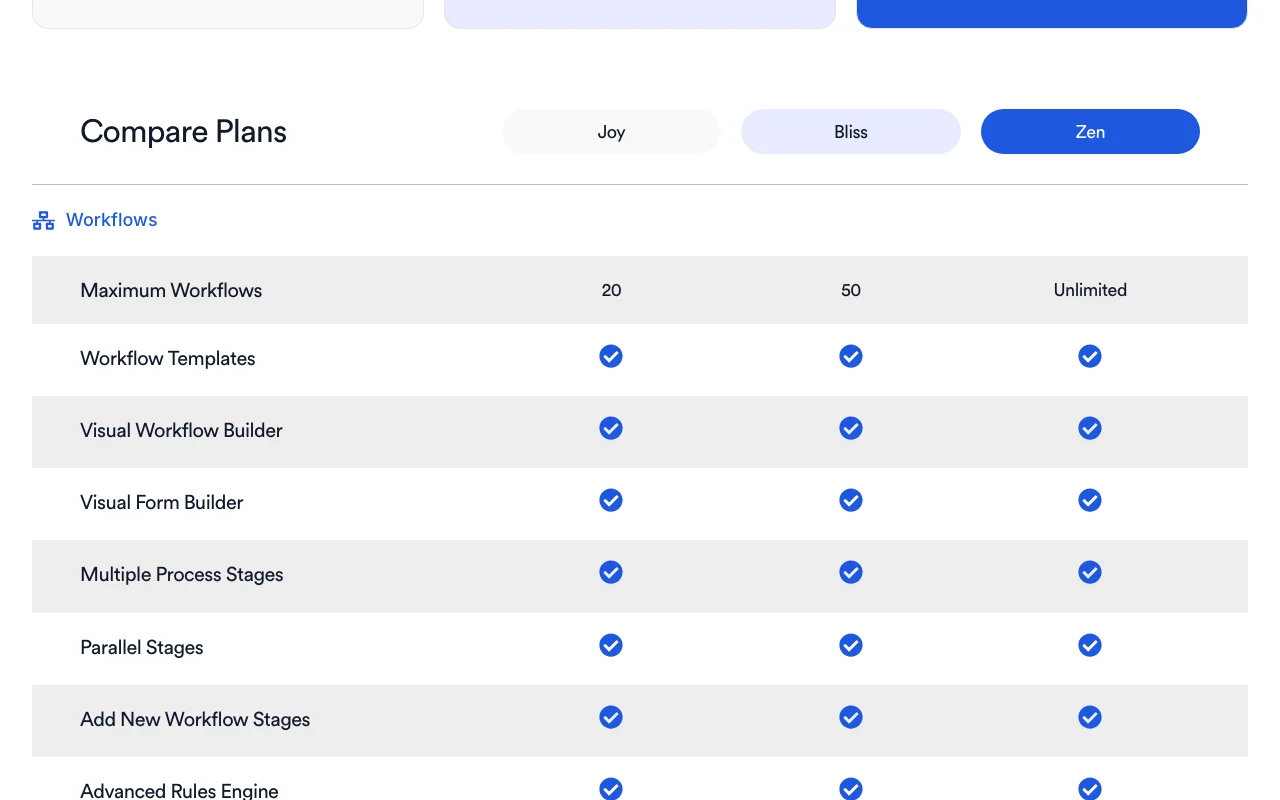
Cflow pricing page with plans and prices — screenshot of the productivity & writing AI tool, Oct 1, 2026
Plan comparison on the official pricing page. cflowapps.com, captured Oct 1, 2026

Native integrations and export formats

Export: PDF, MS-Word, Excel

API access and separate billing

Cflow has no public API in its official documentation. API access and webhooks listed in plan table

Privacy, data use and commercial rights

Summarized from the vendor's current policies; this is not legal advice and a vendor's badge is not an independent audit.

How your inputs and outputs are handled

Workflow data and attachments are stored in the Cflow platform

Data retention period listed as 3 years

Commercial use and plan restrictions

SAML and IP whitelisting listed as paid or higher-tier items

Controls for business users

  • Two-factor authentication
  • File encryption
  • Password policy
  • Audit via rules backup

Other tools to consider instead of Cflow

"Better suited" is based on documented features and pricing, not on a head-to-head test.

Zapier: better suited to

Make: better suited to

n8n: better suited to

Microsoft Copilot: better suited to

Alternatives
AlternativeWhen to choose itPricingLimitation
Zapier——Compare
Make——Compare
n8n——Compare
Microsoft Copilot——

Explore Cflow further

Related to Cflow

Cflow user reviews

No user reviews yet.

Used Cflow? Be the first to share your experience.

Write a review

Reviews are checked by a moderator before they appear. Your email is never published. Plain text only.

Your rating (required)

Show what you made or what went wrong. Images are published only if the review is approved; location data is removed.

    Cflow FAQ

    How much does Cflow cost?

    Joy is $22 per user per month billed monthly (minimum 10 users) and Bliss $32 (minimum 20); Zen is custom. source (opens in a new tab)

    Is there a free trial?

    Yes, 14 days with no credit card. source (opens in a new tab)

    How many AI credits are included?

    10,000, 20,000 or 30,000 a month depending on plan; extra packs of 10,000 credits cost $20. source (opens in a new tab)

    Do unused AI credits roll over?

    No, they expire at the end of the monthly billing cycle. source (opens in a new tab)

    How many workflows can I build?

    Joy allows 20, Bliss 50 and Zen unlimited. source (opens in a new tab)

    Sources and review methodology

    Official sources and verification dates

    Not verified: Annual per-user price; Privacy policy and AI training use; Vendor legal name.

    How we documented and maintain this page

    Every fact about Cflow above comes from the 4 official pages listed here, last compared on Sep 29, 2026; we have not run Cflow ourselves, so it has no editorial score. How we check and re-check pages.

    Article updated Oct 10, 2026; prices checked Sep 29, 2026. Outbound links to vendors are plain links; we do not earn commissions. How we review · Report an error