Productivity & writingDocumented overviewLast checked Sep 29, 2026

Chartcastr: Pricing, Features & Best Use Cases

AI analyst that watches your connected business tools and posts cross-tool summaries and metric pulses to Slack, Teams, email and more.

Who Chartcastr fits

Chartcastr is a good fit for startup, growth and agency teams that live in Slack or Teams and want scheduled metric pulses plus AI commentary across Shopify, HubSpot, Meta Ads, Search Console and similar tools without building a warehouse. Based on the vendor's documentation, not on a hands-on test.

Best for: Startup teams reporting in Slack

Also a good fit for

  • Marketing and growth teams
  • Agencies reporting to clients

Consider another tool if free plan has no AI features

Or if

  • Paid plans require a card to start the trial
  • Starter limits AI to 20 summaries per month and 10 chat messages per day

Chartcastr pricing and usage limits

Prices checked Sep 29, 2026 on the official US pricing page. Official pricing ↗ Prices and limits change often.

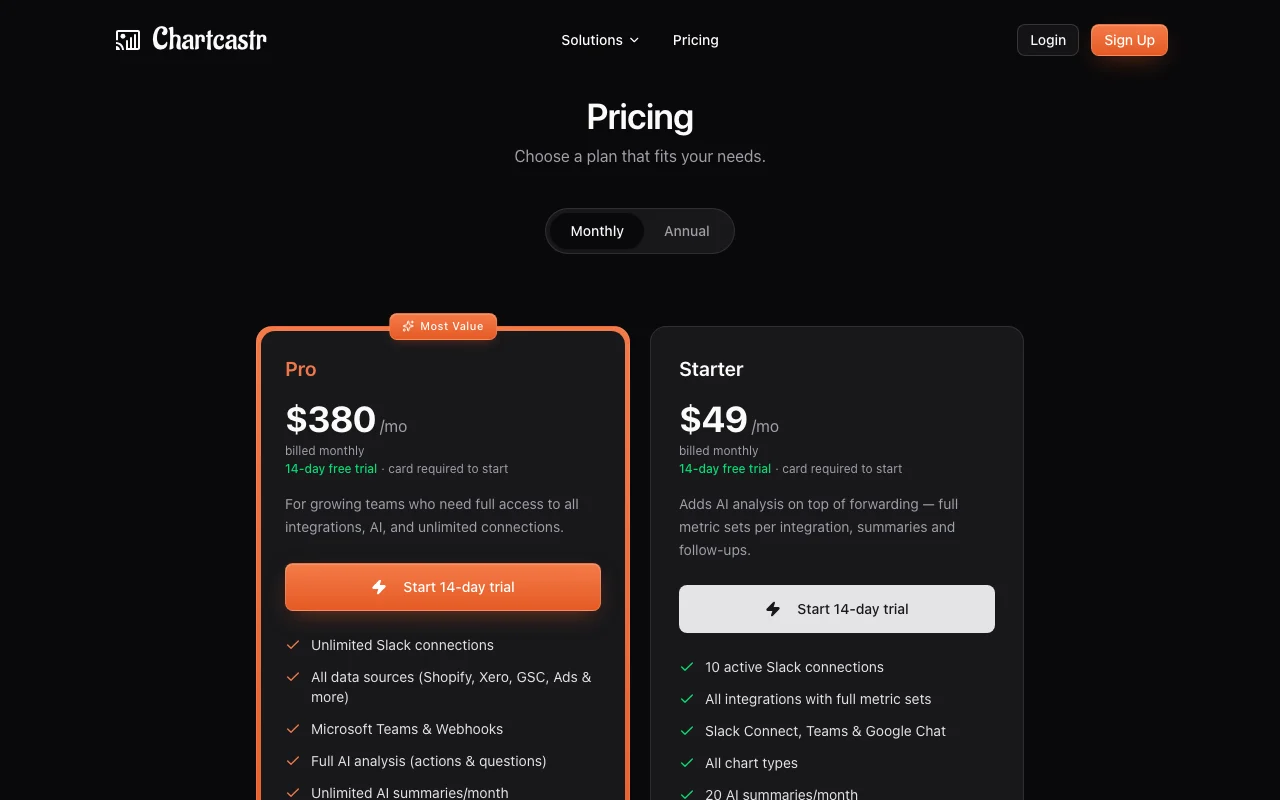
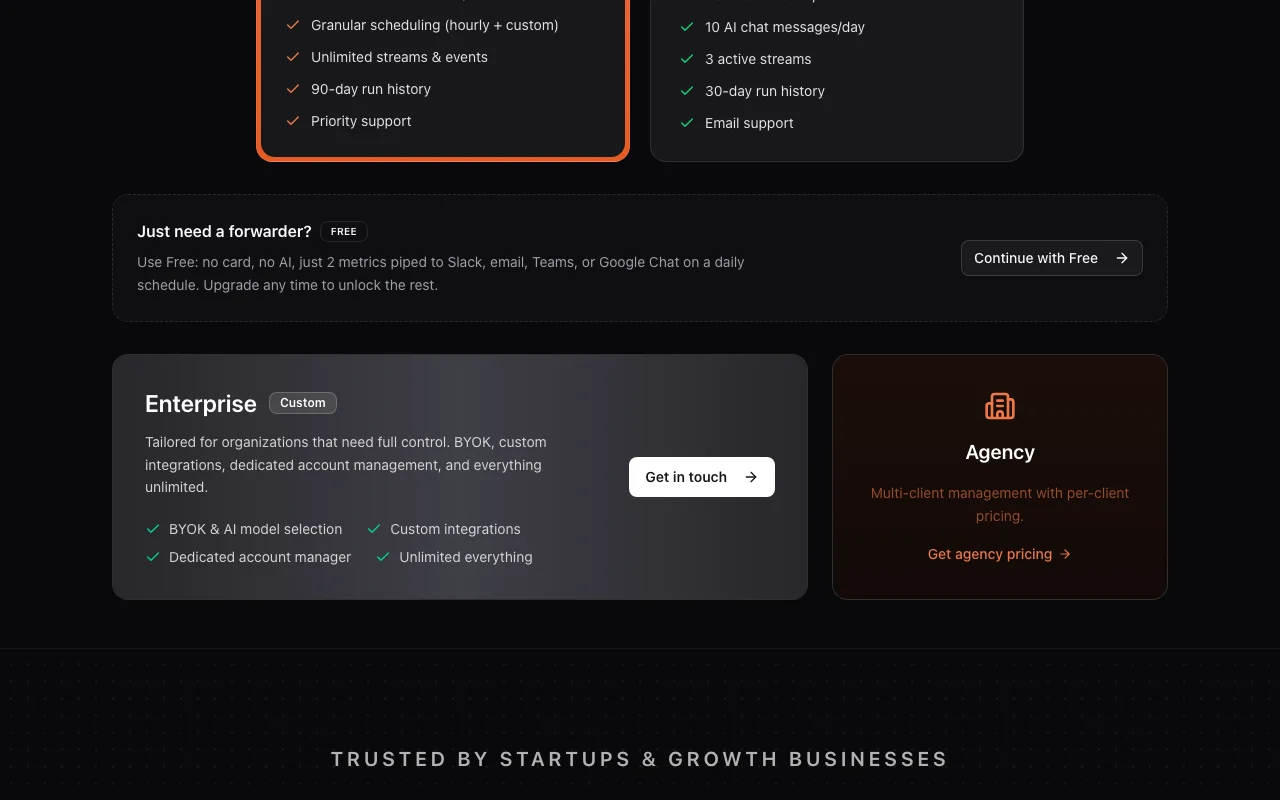
Chartcastr pricing page with plans and prices — screenshot of the productivity & writing AI tool, Oct 1, 2026
The official Chartcastr pricing page as we saw it. chartcastr.com, captured Oct 1, 2026

Free access and trial conditions

Free plan with no card

14-day free trial on paid plans, card required

Paid plans: what changes as you upgrade

Free web

Free source (opens in a new tab)

Month

For: Just need a forwarder

Limits

  • 2 metrics daily
  • No AI features

Includes

  • Slack, email, Teams or Google Chat delivery

Starter web

$49/mo source (opens in a new tab)

Month

For: Small teams adding AI analysis

Limits

  • 10 active Slack connections
  • 20 AI summaries a month
1 more
  • 10 AI chat messages a day

Includes

  • All integrations
  • All chart types
2 more
  • 3 active streams
  • 30-day run history

Pro web

$380/mo source (opens in a new tab)

Month

For: Growing teams needing full access

Limits

  • 14-day trial requires card

Includes

  • Unlimited Slack connections
  • Unlimited AI summaries
2 more
  • Hourly and custom scheduling
  • 90-day run history

Enterprise web

Custom pricing source (opens in a new tab)

Month

For: Organizations needing full control

Includes

  • BYOK and AI model selection
  • Custom integrations
1 more
  • Dedicated account manager

Agency web

Custom pricing source (opens in a new tab)

Month

For: Agencies serving many clients

Includes

  • Multi-client management with per-client pricing

Usage caps, credits and extra costs

Enterprise and Agency quoted separately

Not stated

What is Chartcastr, and how does it work?

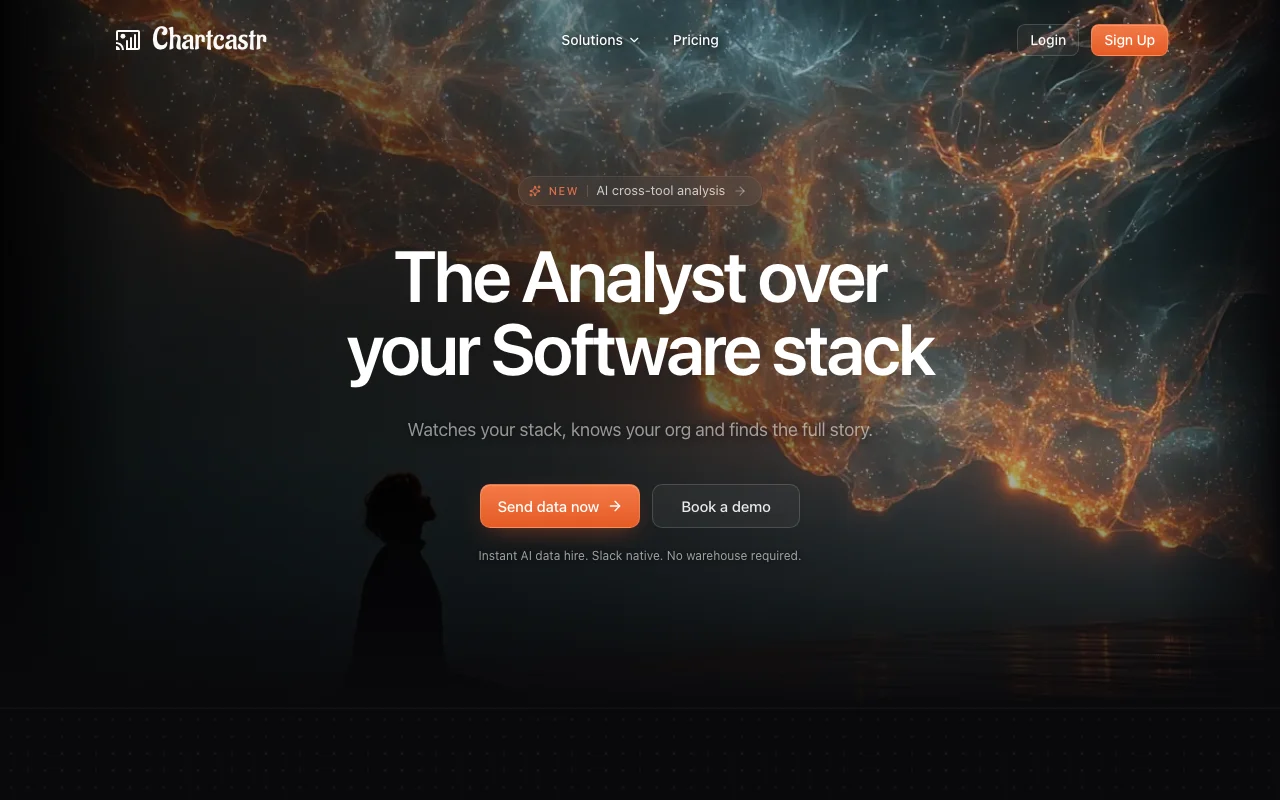
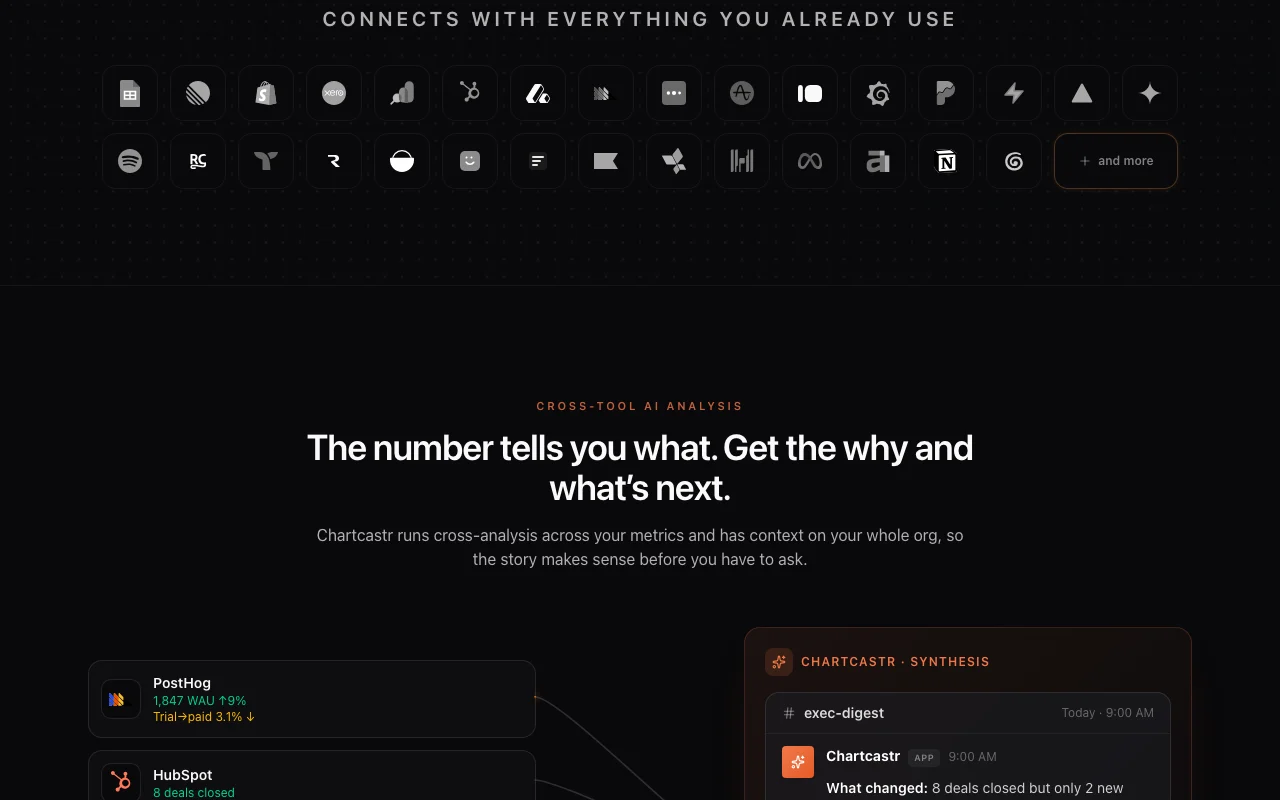
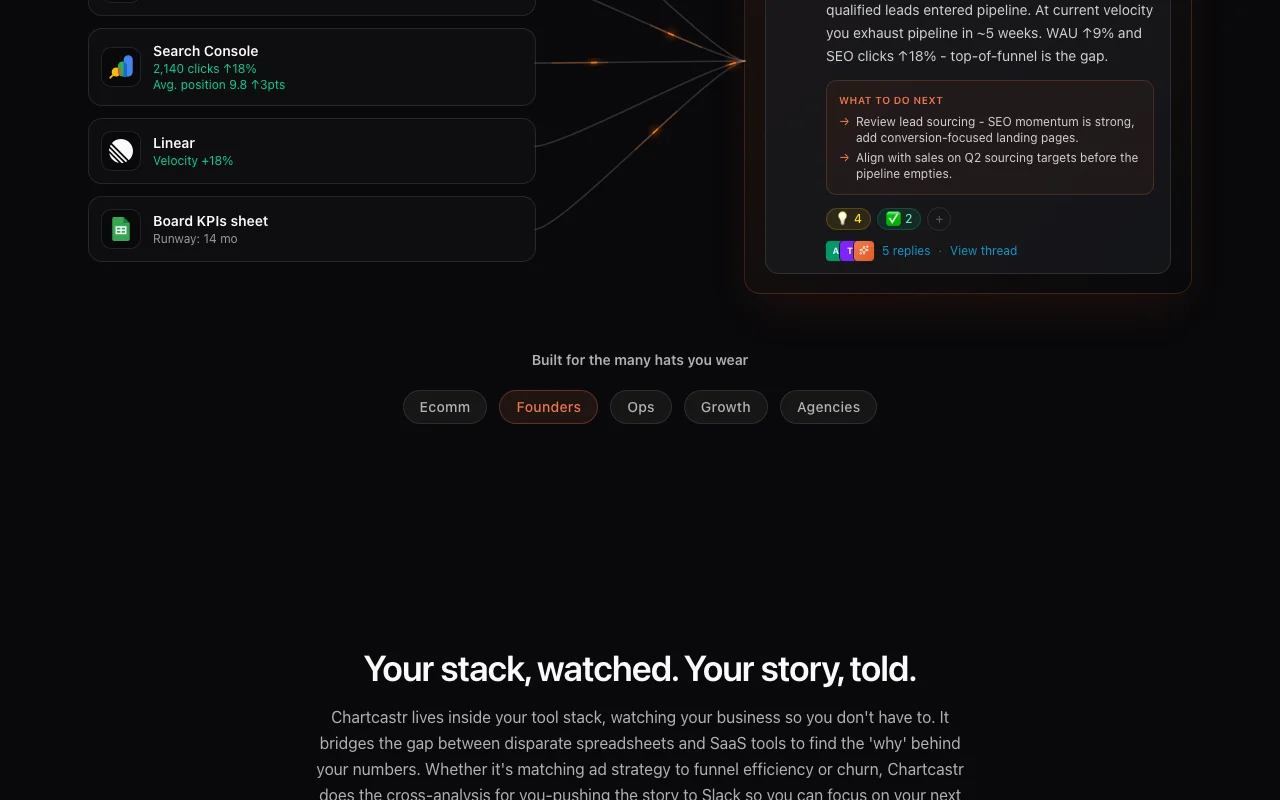
Chartcastr connects to business tools such as Shopify, HubSpot, PostHog, Google Search Console, Meta Ads and Google Sheets, and posts scheduled metric updates and AI-written commentary to team chat channels like Slack, Microsoft Teams and Google Chat. Its AI layer cross-analyzes metrics from different sources to explain what changed and suggest next steps, and it can answer follow-up questions. The vendor says no data warehouse is required.

Chartcastr homepage — screenshot of the productivity & writing AI tool, Oct 1, 2026
Chartcastr's official site: how the product presents itself. chartcastr.com, captured Oct 1, 2026

What you provide and what you get back

How Chartcastr works: what you provide, where it runs and what you get backYOU PROVIDEYour inputConnected business tools such as…Optional context notes and upload…Schedules and destination channelsPRODUCTIVITY & WRITINGChartcastrWebfrom $49/mo (Starter)free tier availableaccount requiredchecked Sep 29, 2026YOU GET BACKThe resultCharts (bar, line, area, pie, sca…AI summaries and follow-up answersRun history and analyticsinput → Chartcastr → output · from the vendor's own pages, no hands-on test unless stated
What you give Chartcastr and what comes back, from its documentation

You provide

  • Connected business tools such as Shopify, HubSpot, PostHog, Meta Ads and Google Sheets
  • Optional context notes and uploaded files
  • Schedules and destination channels

You get back

  • Charts (bar, line, area, pie, scatter, combo) posted to chat or email
  • AI summaries and follow-up answers
  • Run history and analytics

Where you can use it

Platforms
Web
Account
Required
Destinations
Slack, Teams, Google Chat, email, webhooks
Chart types
Bar, line, area, pie/donut, scatter, combo
Run history
7 / 30 / 90 days by plan

What people use Chartcastr for

Scenarios are worked out by our editors from the documentation; the actual result depends on your input and plan.

Weekly business review commentary

Who
Startup teams reporting in Slack
You provide
Shopify, HubSpot and ad metrics connected as streams
Expected result
A weekly Slack post explaining what moved and what to try next
Plan needed
Starter or Pro
Limitation
Starter allows 20 AI summaries a month source (opens in a new tab)

Investor and board update drafts

Who
Founders
You provide
Revenue, product and marketing metrics from several sources
Expected result
Cross-tool narrative summary to adapt into an update
Plan needed
Pro for unlimited summaries
Limitation
Review numbers before sending externally source (opens in a new tab)

Client reporting for agencies

Who
Agencies reporting to many clients
You provide
Client ad and analytics integrations
Expected result
Scheduled client pulses delivered to Slack Connect or email
Plan needed
Agency pricing on request
Limitation
Per-client terms must be quoted source (opens in a new tab)

What Chartcastr does, and where it stops

Chartcastr homepage — screenshot of the productivity & writing AI tool, Oct 1, 2026
Feature overview on the official site. chartcastr.com, captured Oct 1, 2026

Metric pulses to chat and email

Sends charts of selected metrics to Slack, Teams, Google Chat or email on a schedule Keeps teams informed without opening dashboards

Access: All plans; Free sends 2 metrics dailyLimit: Free exposes only starter metric sets source (opens in a new tab)

AI summaries and full analysis

Reads metrics across connected tools and writes commentary on what changed Turns charts into explanations

Access: Starter (20 per month) and Pro (unlimited)Limit: Not in Free source (opens in a new tab)

AI chat and follow-ups

Lets you ask questions about a pulse or your data in chat Gets answers without a BI analyst

Access: Starter 10 messages a day, Pro higher limitsLimit: Daily message caps on Starter source (opens in a new tab)

Granular scheduling

Runs pulses hourly or on custom schedules with timezone support Matches reporting to team rhythm

Access: ProLimit: Free and Starter have simpler schedules source (opens in a new tab)

Bring your own key and model selection

Uses your own AI provider key and lets you choose the model Controls cost and model behavior

Access: EnterpriseLimit: Enterprise only source (opens in a new tab)

Chartcastr: strengths and limits

Reasons to choose Chartcastr

  • Free plan for daily metric forwarding Two metrics reach Slack, Teams, Google Chat or email at no cost and without a card documented source (opens in a new tab)
  • Starter includes all integrations and chart types Small teams get the full source list at $49 a month documented source (opens in a new tab)
  • 14-day free trial on paid plans You can test AI analysis before paying documented source (opens in a new tab)
  • Dozens of sources including Shopify, Xero, Ahrefs and Klaviyo One tool covers most of a startup's analytics stack documented source (opens in a new tab)
  • Pricing page states limits per plan Easy to see caps on connections, streams and history documented source (opens in a new tab)

Check before paying for Chartcastr

How to use Chartcastr for sending AI-written metric summaries to Slack

Set up Chartcastr

  1. Sign up at chartcastr.com (free tier needs no card)
  2. Connect a data source such as Shopify, HubSpot or Google Search Console
  3. Add a Slack, Teams, Google Chat or email destination
  4. Choose metrics and a schedule for the pulse

Example: sending AI-written metric summaries to Slack

  1. Connect Shopify and Meta Ads
  2. Create a weekly stream posting revenue and ad spend to a Slack channel
  3. Start the Starter trial and turn on AI summaries
  4. Read the cross-tool summary in Slack and ask a follow-up

Review and export the result

  1. Compare the pulse numbers with the source tool's own dashboard
  2. Confirm the summary posted at the scheduled time and channel
Example prompt suggested by our editors (not a recorded output of the product)
Why did revenue drop last week compared with ad spend?

Chartcastr API

Chartcastr pricing page with plans and prices — screenshot of the productivity & writing AI tool, Oct 1, 2026
Plan comparison on the official pricing page. chartcastr.com, captured Oct 1, 2026

API access and separate billing

Chartcastr has no public API in its official documentation. Docs exist; webhooks and MCP mentioned, REST API not described API documentation ↗

Privacy, data use and commercial rights

Summarized from the vendor's current policies; this is not legal advice and a vendor's badge is not an independent audit.

How your inputs and outputs are handled

Reads metrics from connected tools and posts them to chosen destinations

Run history kept 7 / 30 / 90 days by plan

Commercial use and plan restrictions

Enterprise offers BYOK and model selection

Controls for business users

  • Data Processing Addendum referenced for client data

Policies: chartcastr.com/legals/privacy

Other tools to consider instead of Chartcastr

"Better suited" is based on documented features and pricing, not on a head-to-head test.

Gemini Notebook (formerly NotebookLM): better suited to

Zapier: better suited to

Make: better suited to

Alternatives
AlternativeWhen to choose itPricingLimitation
Gemini Notebook (formerly NotebookLM)——
Zapier——Compare
Make——Compare

Explore Chartcastr further

Related to Chartcastr

Chartcastr user reviews

No user reviews yet.

Used Chartcastr? Be the first to share your experience.

Write a review

Reviews are checked by a moderator before they appear. Your email is never published. Plain text only.

Your rating (required)

Show what you made or what went wrong. Images are published only if the review is approved; location data is removed.

    Chartcastr FAQ

    How much does Chartcastr cost?

    Free is $0, Starter $49 a month and Pro $380 a month billed monthly; Enterprise and Agency are custom. source (opens in a new tab)

    Does the Free plan include AI?

    No, Free only forwards 2 metrics daily; AI summaries and chat need Starter or higher. source (opens in a new tab)

    How many AI summaries does Starter include?

    20 AI summaries a month and 10 AI chat messages a day. source (opens in a new tab)

    Is a card needed for the trial?

    Yes, the 14-day trial on paid plans requires a card to start. source (opens in a new tab)

    Which destinations are supported?

    Slack, Microsoft Teams, Google Chat, email and webhooks. source (opens in a new tab)

    Sources and review methodology

    Official sources and verification dates

    Not verified: Annual price; AI data training policy; Public API.

    How we documented and maintain this page

    Every fact about Chartcastr above comes from the 4 official pages listed here, last compared on Sep 29, 2026; we have not run Chartcastr ourselves, so it has no editorial score. How we check and re-check pages.

    Article updated Oct 2, 2026; prices checked Sep 29, 2026. Outbound links to vendors are plain links; we do not earn commissions. How we review · Report an error