Our take: Caret is for Mac users on macOS 26 who want tab-to-complete suggestions in any app, accepting that it reads the screen and has no published price.
Main limitation: It requires macOS 26 or later, reads your screen continuously, and shows no price on the pages we could read.
By the AI Tool Atlas editors.
Based on the vendor's official documentation; we have not tested this product hands-on. What “documented overview” means
Who should use Caret
Caret is for Mac users on macOS 26 who want tab-to-complete suggestions in any app, accepting that it reads the screen and has no published price. Based on the vendor's documentation, not on a hands-on test.
Best for: Mac users who write a lot
Also a good fit for
People who want inline completions across apps
Consider another tool if requires macOS 26 or later
Or if
Mac only; no other platforms confirmed
No pricing published on the site
Caret pricing and usage limits
Prices checked Sep 29, 2026 on the official US pricing page. Prices and limits change often.
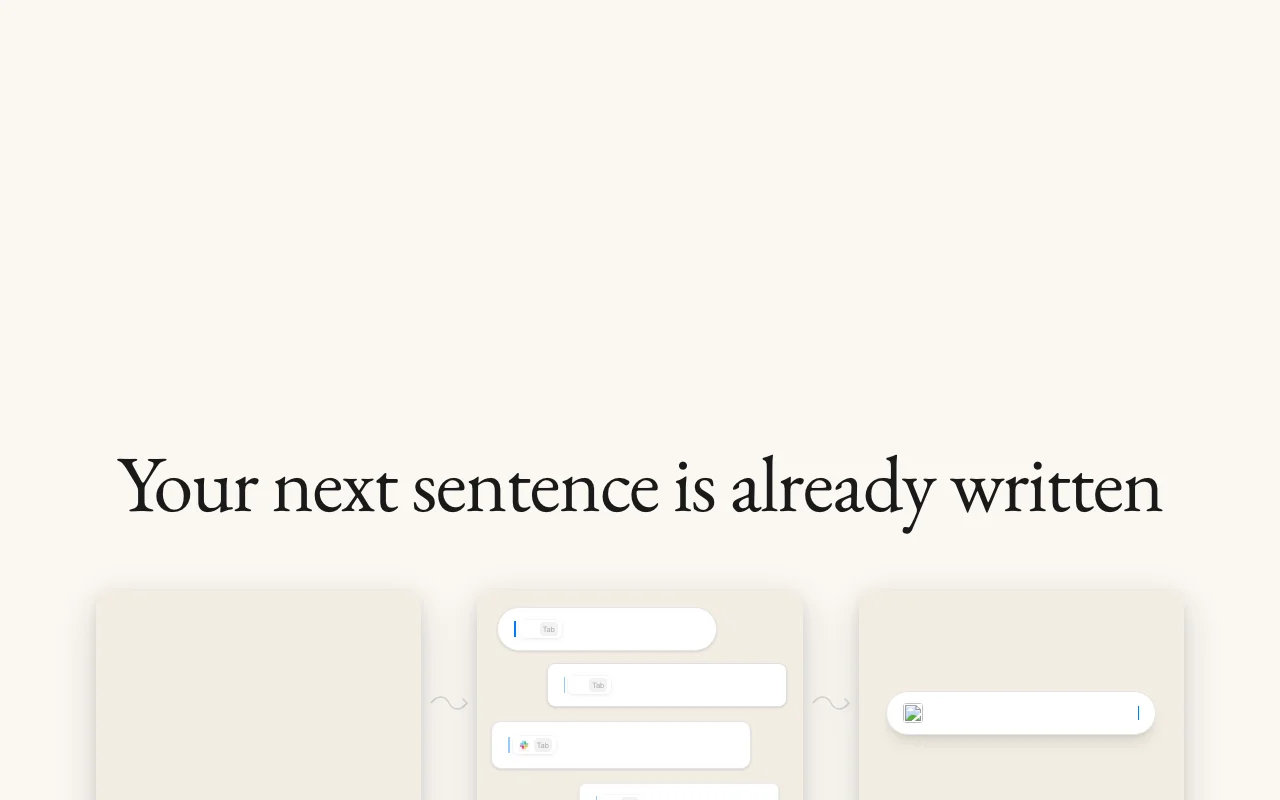
Caret is a macOS application that appears in any app on a Mac and completes the user's next sentence when they press Tab. Its site says it reads the screen and builds memories so suggestions fit the user's voice and context.
The official site lists macOS 26 or later as the requirement and offers a download. No pricing page was found on the site.
Caret's official site: how the product presents itself. trycaret.com, captured Oct 2, 2026
What you provide and what you get back
You provide
What is on your screen
Text you are typing
You get back
Inline text completions
Where you can use it
Platforms
Desktop
Account
Required
OS
macOS 26+
Method
Always-on screen reading
Input
Tab to accept
Best use cases for Caret
Scenarios are worked out by our editors from the documentation; the actual result depends on your input and plan.
Finishing emails and messages
Who
Mac users
You provide
Half-written emails
Expected result
You get the rest of an email or message suggested while typing, which you accept by pressing Tab.
Plan needed
Unknown
Limitation
It needs screen access, so the app can only suggest text based on what it is allowed to see. source (opens in a new tab)
Completing text in any Mac app
Who
Writers
You provide
Text in any app
Expected result
You get a suggested continuation of your text in the app you are using, accepted with Tab.
Plan needed
Unknown
Limitation
It works only on a Mac, so the same completions are not available on other devices. source (opens in a new tab)
Drafting with personal context
Who
Knowledge workers
You provide
Personal context
Expected result
You get suggestions that the site says reflect your voice and context, which grow with use.
Plan needed
Unknown
Limitation
The pages we read do not describe how the memories are stored or controlled, so the extent of personalization is unclear. source (opens in a new tab)
What Caret does, and where it stops
Feature overview on the official site. trycaret.com, captured Oct 2, 2026
Tab-to-complete in any app
Completes text with Tab in any app. It helps people who write in many Mac apps because the same Tab shortcut finishes their sentence everywhere.
Access: DownloadLimit: The site says it requires macOS 26 or later, so older systems are not covered.source (opens in a new tab)
Always-on screen reading
Reads the screen continuously. It helps the suggestions fit what you are doing, since the app uses what is visible on your screen as context.
Access: DownloadLimit: The site says it is always on, and the pages we read do not say how to pause it or limit what it sees.source (opens in a new tab)
Memories that build over time
Builds memories over time. It helps regular users because the site says suggestions improve the longer they work with it.
Works across apps instead of a single chat window You can accept a suggestion with Tab inside whatever app you are already writing in, without switching to a separate chat window.documentedsource (opens in a new tab)
Download offered directly on the official site You can get the app straight from the official site, so there is no separate store or invitation step mentioned on the pages we read.documentedsource (opens in a new tab)
Terms of Service published The vendor publishes Terms of Service, so you can read the rules for using the app before you install it.documentedsource (opens in a new tab)
Limitations to check before paying
Requires macOS 26 or later You need a Mac running macOS 26 or later, so older Macs and older system versions cannot use it.documentedsource (opens in a new tab)
Mac only; no other platforms confirmed Only a Mac app is described, so you cannot use it on Windows, phone or web based on the pages we read.documentedsource (opens in a new tab)
No pricing published on the site Since no price is published, you cannot work out the cost before downloading and trying it.documentedsource (opens in a new tab)
Relies on reading the user's screen The app reads your screen to get context, so anything visible while it runs, including private content, is part of what it sees.documentedsource (opens in a new tab)
How to use Caret for getting AI completions in any Mac app
Set up Caret
Download Caret from the site.
Open it on macOS 26 or later.
Grant screen access.
Example: getting AI completions in any Mac app
Start typing an email.
Press Tab to accept.
Continue in another app.
Review and export the result
Check suggestions use the right context.
Review screen-access settings.
Privacy, data use and commercial rights
Summarized from the vendor's current policies; this is not legal advice and a vendor's badge is not an independent audit.
Every fact about Caret above comes from the 2 official pages listed here, last compared on Sep 29, 2026; we have not run Caret ourselves, so it has no editorial score. How we check and re-check pages.
Article updated Oct 10, 2026; prices checked Sep 29, 2026. Outbound links to vendors are plain links; we do not earn commissions. How we review · Report an error