Productivity & writingDocumented overviewLast checked Oct 4, 2026

CellSource: Pricing, Features & Best Use Cases

Excel add-in for Mac, Windows and Excel Online that links evidence from PDFs to cells, positioned as a DataSnipper alternative.
Who should use CellSource

Choose CellSource if you audit with Excel on a Mac and want cell-linked PDF evidence without a virtual machine, knowing the product is still in public beta. Based on the vendor's documentation, not on a hands-on test.

Best for: Auditors and accountants

Also a good fit for

  • Finance teams on Mac

Consider another tool if product is in public beta

Or if

  • Requires Microsoft Excel
  • No free tier after the 14-day trial

CellSource pricing and usage limits

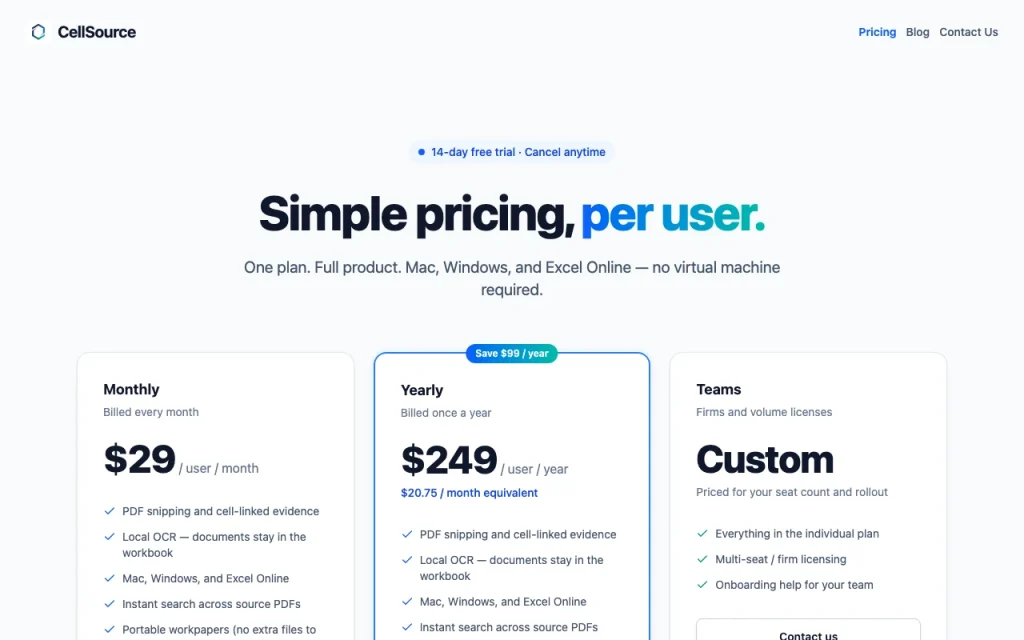
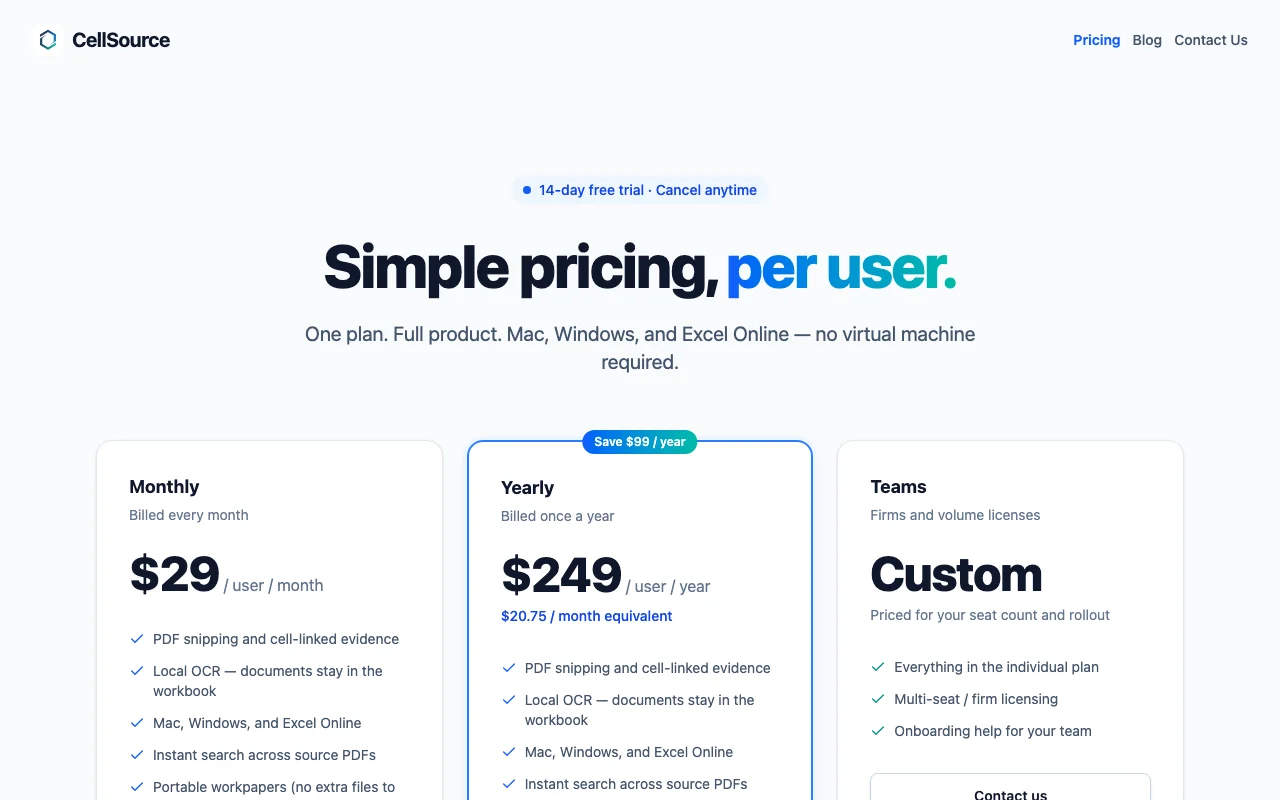
Prices checked Oct 4, 2026 on the official US pricing page. Official pricing ↗ Prices and limits change often.

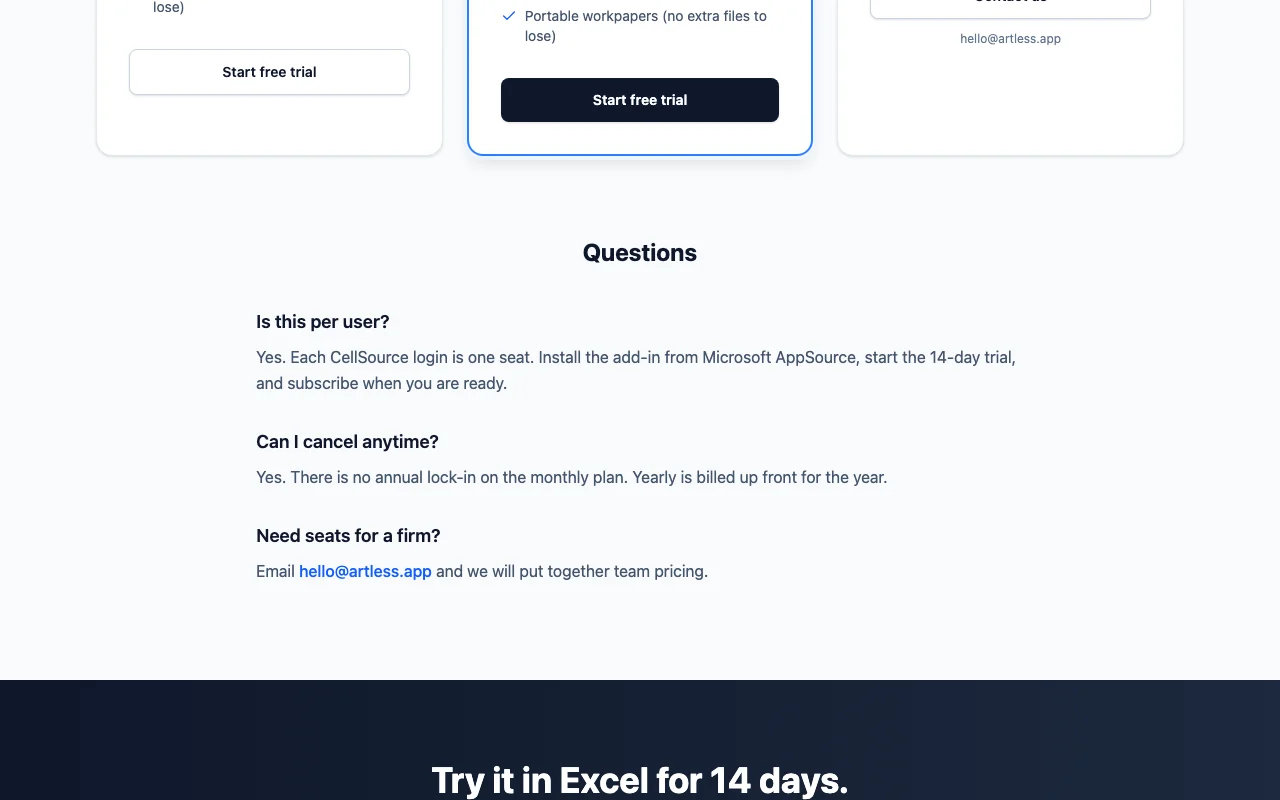
CellSource pricing page with plans and prices — screenshot of the productivity & writing AI tool, Oct 2, 2026
The official CellSource pricing page as we saw it. cellsource.app, captured Oct 2, 2026

Free access and trial conditions

None after trial

14-day free trial

Paid plans: what changes as you upgrade

Usage caps, credits and extra costs

Not stated

Not stated on the official pages

What is CellSource, and how does it work?

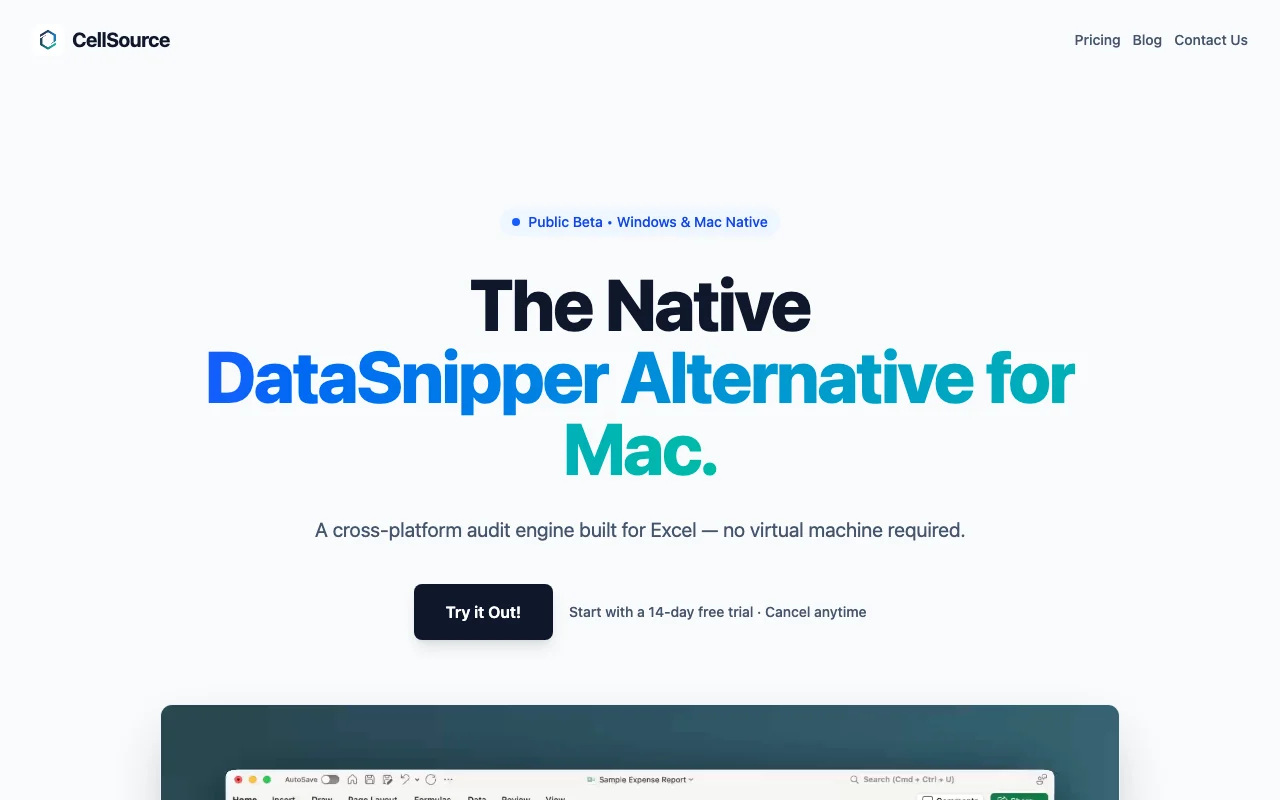
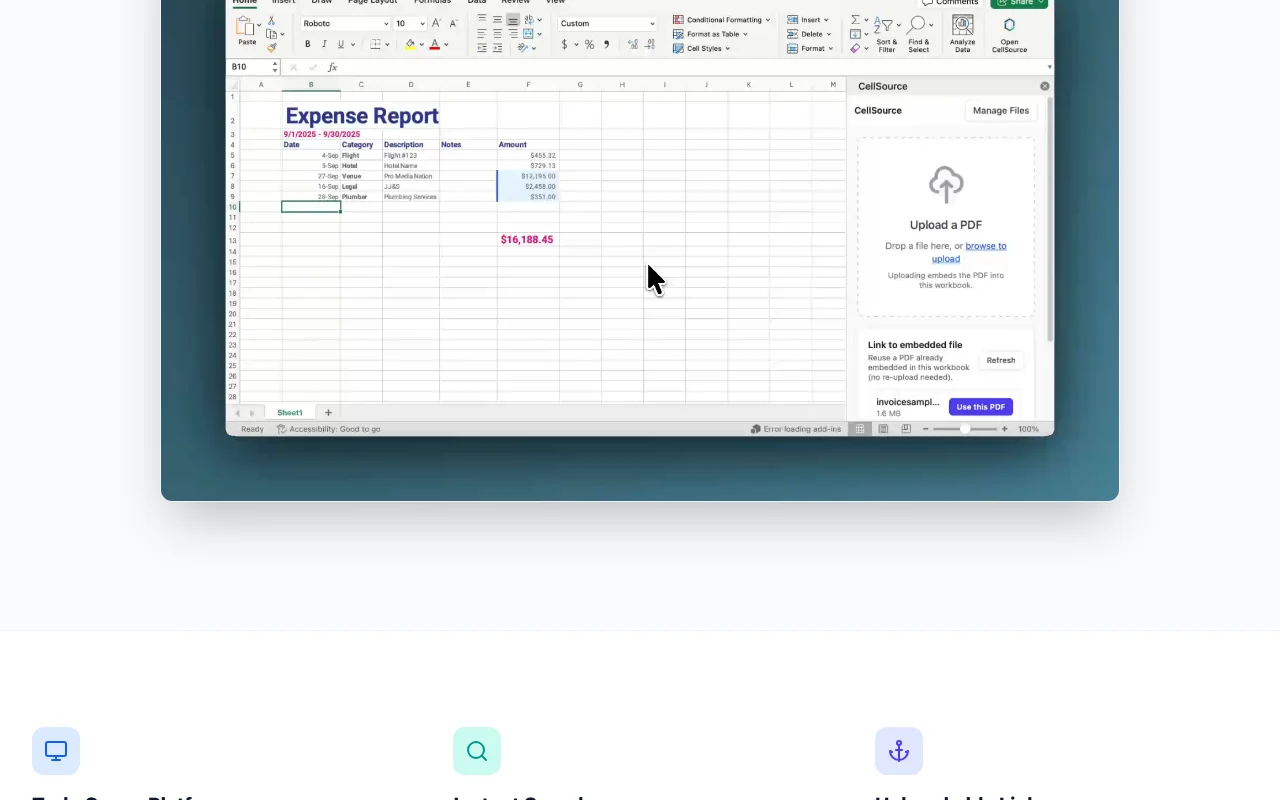
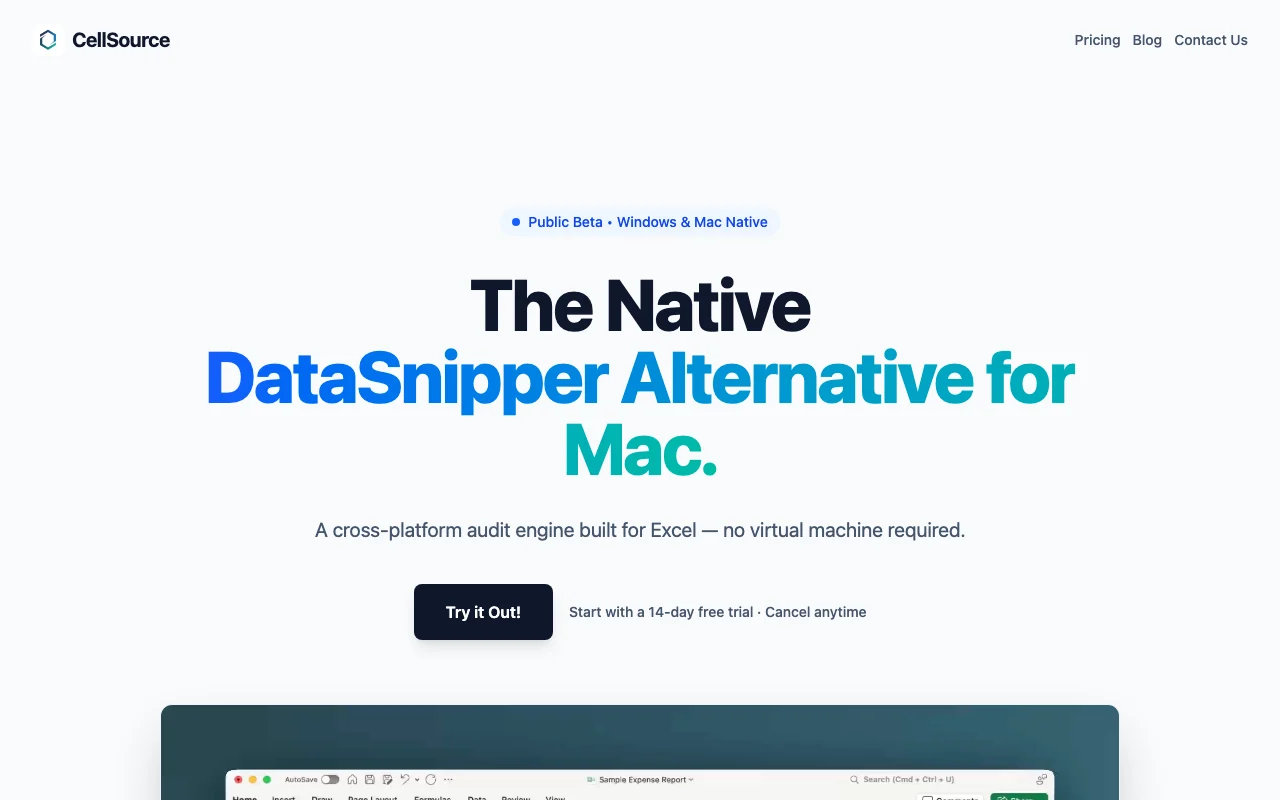
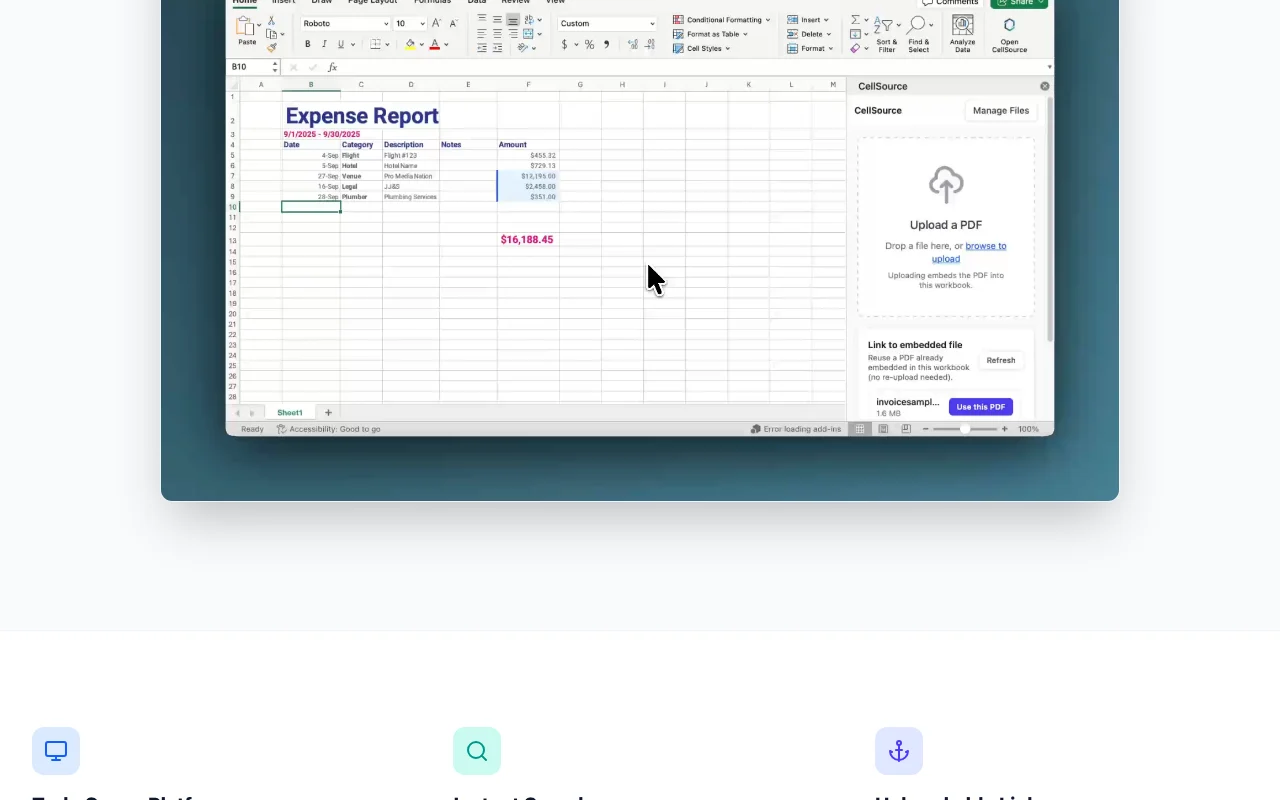
CellSource is an Excel add-in in public beta, positioned as a native DataSnipper alternative for Mac users. It is built on the Office.js standard and runs as a web add-in on Mac, Windows and Excel Online, with no virtual machine required. Users embed PDFs, search text, invoice numbers and amounts (including OCR of scans), link cell values to the supporting excerpt, and export a PDF evidence report. The site says documents are processed locally in the browser and not uploaded.

What you provide and what you get back

How CellSource works: what you provide, where it runs and what you get backYOU PROVIDEYour inputPDF documentsExcel workbooksPRODUCTIVITY & WRITINGCellSourceweb, macos, windowsfrom $29/mo (Monthly)no free tieraccount requiredchecked Oct 4, 2026YOU GET BACKThe resultEvidence links in cellsPDF evidence reportinput → CellSource → output · from the vendor's own pages, no hands-on test unless stated
What you give CellSource and what comes back, from its documentation

You provide

  • PDF documents
  • Excel workbooks

You get back

  • Evidence links in cells
  • PDF evidence report

Where you can use it

Platforms
web, macos, windows
Account
Required
Host app
Microsoft Excel
Platforms
Mac, Windows, Excel Online
OCR
Built in
Output
PDF evidence report

Best use cases for CellSource

Scenarios are worked out by our editors from the documentation; the actual result depends on your input and plan.

Link audit evidence from PDFs to Excel cells

Who
Auditors and accountants
You provide
PDF source documents
Expected result
Cells in your workbook are linked to the supporting excerpts in the PDF source documents.
Plan needed
Trial
Limitation
The product is in beta, so it should be tested carefully before use in a real engagement. source (opens in a new tab)

Search invoices, dates and amounts across embedded documents

Who
Finance reviewers
You provide
Embedded PDFs
Expected result
Invoice numbers and amounts that match your search are found across the embedded PDFs.
Plan needed
Trial
Limitation
It works only in Excel, so documents have to be embedded in the workbook first. source (opens in a new tab)

Search scanned or handwritten receipts via OCR

Who
Expense auditors
You provide
Scanned receipts
Expected result
Scanned or handwritten receipts become searchable text through OCR.
Plan needed
Trial
Limitation
OCR accuracy is not stated, so scanned and handwritten text may be read wrongly. source (opens in a new tab)

Key features and their practical limits

Cell-linked evidence stored in cell metadata

Stores a pointer to the supporting document excerpt in each cell so reviewers can trace numbers. Reviewers can follow a number in a cell back to the supporting document excerpt without searching the file.

Access: Not statedLimit: It works only in Excel, so the links cannot be used in other spreadsheet programs. source (opens in a new tab)

Full-text search across embedded PDFs

Searches text across all embedded PDFs for names, amounts or dates. Reviewers can find names, amounts or dates across every embedded PDF without opening each one.

Access: Not statedLimit: The product is in beta, so search behavior may change. source (opens in a new tab)

Built-in OCR

Recognizes text in scans and handwriting. People working with scanned or handwritten documents can search their text instead of reading each page.

Access: Not statedLimit: OCR accuracy is not verified in the official pages we could read. source (opens in a new tab)

One-click PDF evidence report

Builds a PDF report containing the linked evidence. Auditors can hand over a PDF showing the linked evidence instead of assembling screenshots by hand.

Access: Not statedLimit: PDF is the only report format mentioned. source (opens in a new tab)

Pros, cons and deal-breakers

Reasons to choose CellSource

  • Runs on Mac without a virtual machine Mac users can run it without a virtual machine, so they do not need Windows software to use it. documented source (opens in a new tab)
  • Documents processed locally, no uploads per the site The site says documents are processed locally with no uploads, so confidential files stay on your computer, per the vendor. documented source (opens in a new tab)
  • 14-day free trial advertised The 14-day free trial lets you test it on real files before you pay anything. documented source (opens in a new tab)

Check before paying for CellSource

  • Product is in public beta Because the product is in public beta, you may meet bugs or changes that affect audit work you depend on. documented source (opens in a new tab)
  • Requires Microsoft Excel It runs only inside Microsoft Excel, so you need a Microsoft licence in addition to the add-in. documented source (opens in a new tab)
  • No free tier after the 14-day trial There is no free tier after the 14-day trial, so you must subscribe to keep using it. documented source (opens in a new tab)

How to use CellSource for linking audit evidence to Excel cells

Set up CellSource

  1. Install the CellSource add-in in Excel.
  2. Start the 14-day trial.
  3. Open a workbook.

Example: linking audit evidence to Excel cells

  1. Embed a PDF.
  2. Search an amount.
  3. Link it to a cell.

Review and export the result

  1. Click a linked cell to see the excerpt.
  2. Export the report.

CellSource integrations and API

CellSource pricing page with plans and prices — screenshot of the productivity & writing AI tool, Oct 2, 2026
Plan comparison on the official pricing page. cellsource.app, captured Oct 2, 2026

Native integrations and export formats

Export: PDF

API access and separate billing

CellSource has no public API in its official documentation.

Privacy, data use and commercial rights

Summarized from the vendor's current policies; this is not legal advice and a vendor's badge is not an independent audit.

How your inputs and outputs are handled

Documents processed locally in the browser per site

Not stated

Not stated; local processing

Commercial use and plan restrictions

Not stated

Not stated

Explore CellSource further

Related to CellSource

CellSource user reviews

No user reviews yet.

Used CellSource? Be the first to share your experience.

Write a review

Reviews are checked by a moderator before they appear. Your email is never published. Plain text only.

Your rating (required)

Show what you made or what went wrong. Images are published only if the review is approved; location data is removed.

    CellSource FAQ

    How much does it cost?

    $29 per user per month or $249 per user per year, with a 14-day trial. source (opens in a new tab)

    Does it work on Mac?

    Yes, as an Office.js web add-in on Mac, Windows and Excel Online. source (opens in a new tab)

    Are documents uploaded?

    The site says documents are processed locally and not uploaded. source (opens in a new tab)

    Is it finished software?

    No, it is in public beta. source (opens in a new tab)

    Sources and review methodology

    Official sources and verification dates

    Not verified: US availability; Teams price; OCR languages; Official pages could not be read as text (client-rendered or empty fetch); facts come from the verified seed research.

    How we documented and maintain this page

    Every fact about CellSource above comes from the 3 official pages listed here, last compared on Oct 4, 2026; we have not run CellSource ourselves, so it has no editorial score. How we check and re-check pages.

    Article updated Oct 10, 2026; prices checked Oct 4, 2026. Outbound links to vendors are plain links; we do not earn commissions. How we review · Report an error