Productivity & writingDocumented overviewLast checked Oct 2, 2026

Autohive: Pricing, Features & Best Use Cases

No-code AI agent platform for scheduled jobs such as weekly reports and daily briefs, delivered to email or Slack.

Who should use Autohive

Choose Autohive if you want no-code AI agents to run recurring jobs such as weekly reports or daily briefs and deliver them to email or Slack. Based on the vendor's documentation, not on a hands-on test.

Best for: Small teams automating repetitive reporting

Also a good fit for

  • Non-developers

Consider another tool if usage limited by monthly credits

Or if

  • Some features (scheduled jobs, custom agents) are free only for the first 30 days
  • Credit use varies by task

Autohive pricing and usage limits

Prices checked Oct 2, 2026 on the official US pricing page. Official pricing ↗ Prices and limits change often.

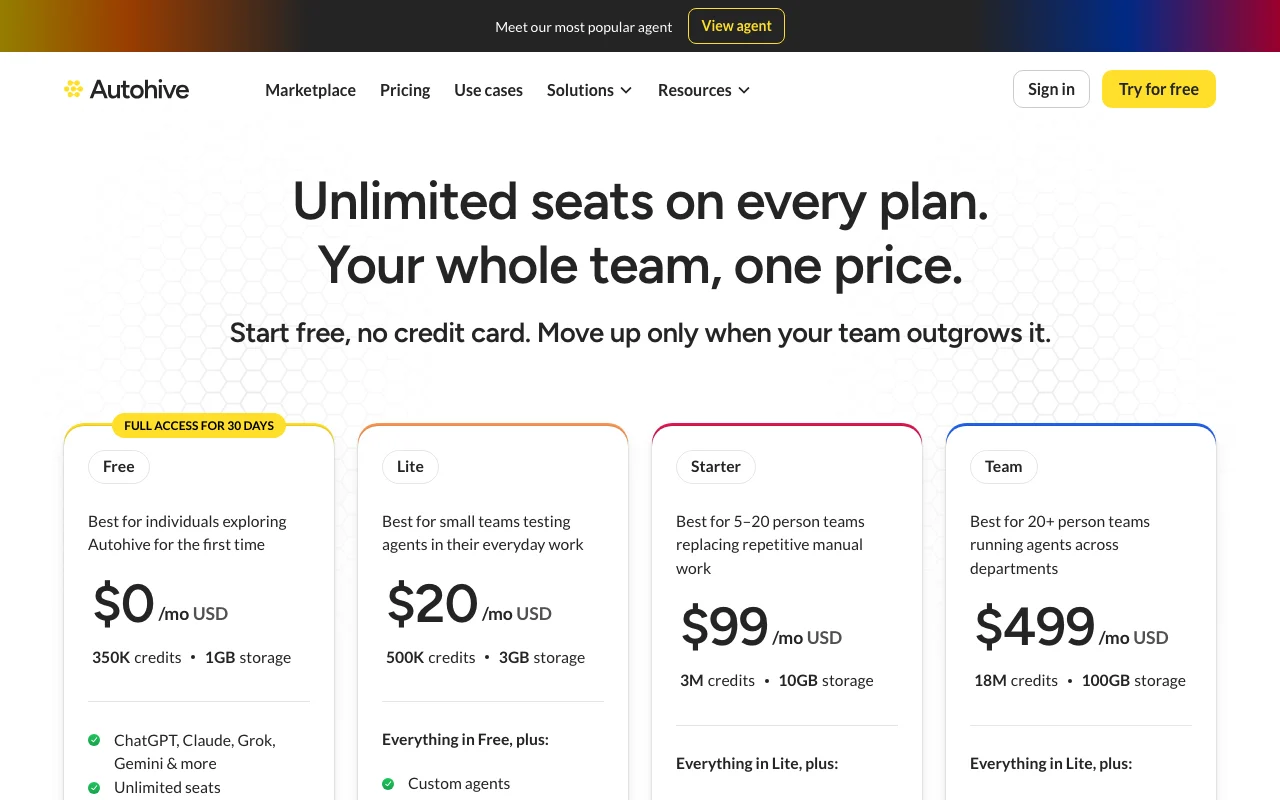
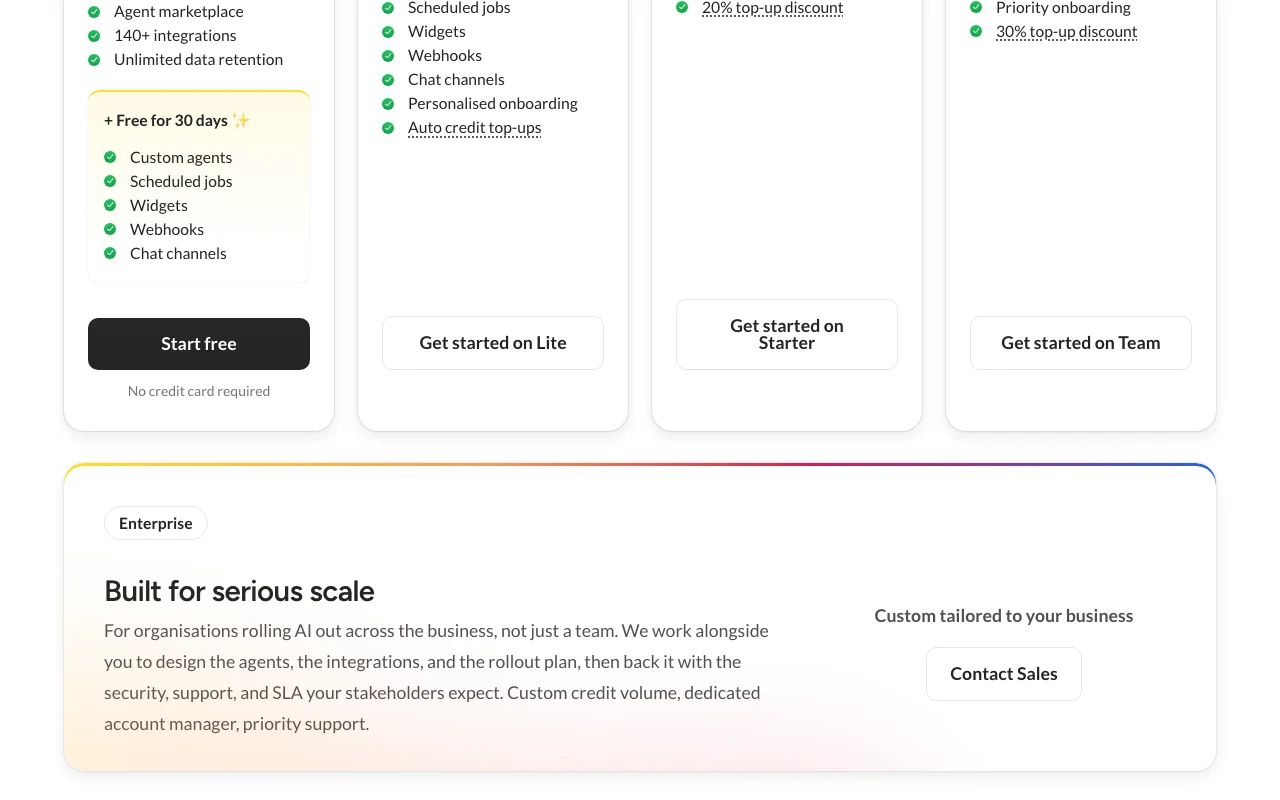
Autohive pricing page with plans and prices — screenshot of the productivity & writing AI tool, Oct 2, 2026
The official Autohive pricing page as we saw it. autohive.com, captured Oct 2, 2026

Free access and trial conditions

Free plan with 350K credits; no credit card.

Scheduled jobs free for your first 30 days.

Paid plans: what changes as you upgrade

Free web

Free source (opens in a new tab)

Month

For: Exploring agents

Limits

  • 350K monthly credits
  • 1GB storage
1 more
  • Unlimited seats

Includes

  • Community support and documentation
  • Full access for first 30 days

Lite web

$20/mo source (opens in a new tab)

Month

For: Individuals starting to use agents

Limits

  • 500K monthly credits
  • 3GB storage
1 more
  • Unlimited seats

Includes

  • Priority email support
  • Auto credit top-up

Starter web

$99/mo source (opens in a new tab)

Month

For: Small teams building workflows

Limits

  • 3M monthly credits
  • 10GB storage
1 more
  • Unlimited seats

Includes

  • Priority email support
  • Top-ups at 20% discount

Team web

$499/mo source (opens in a new tab)

Month

For: Business-wide use

Limits

  • 18M monthly credits
  • 100GB storage
1 more
  • Unlimited seats

Includes

  • Dedicated support and custom onboarding
  • Top-ups at 30% discount

Usage caps, credits and extra costs

Optional auto credit top-ups; top-up credits last a rolling 90 days.

Not stated.

What is Autohive, and how does it work?

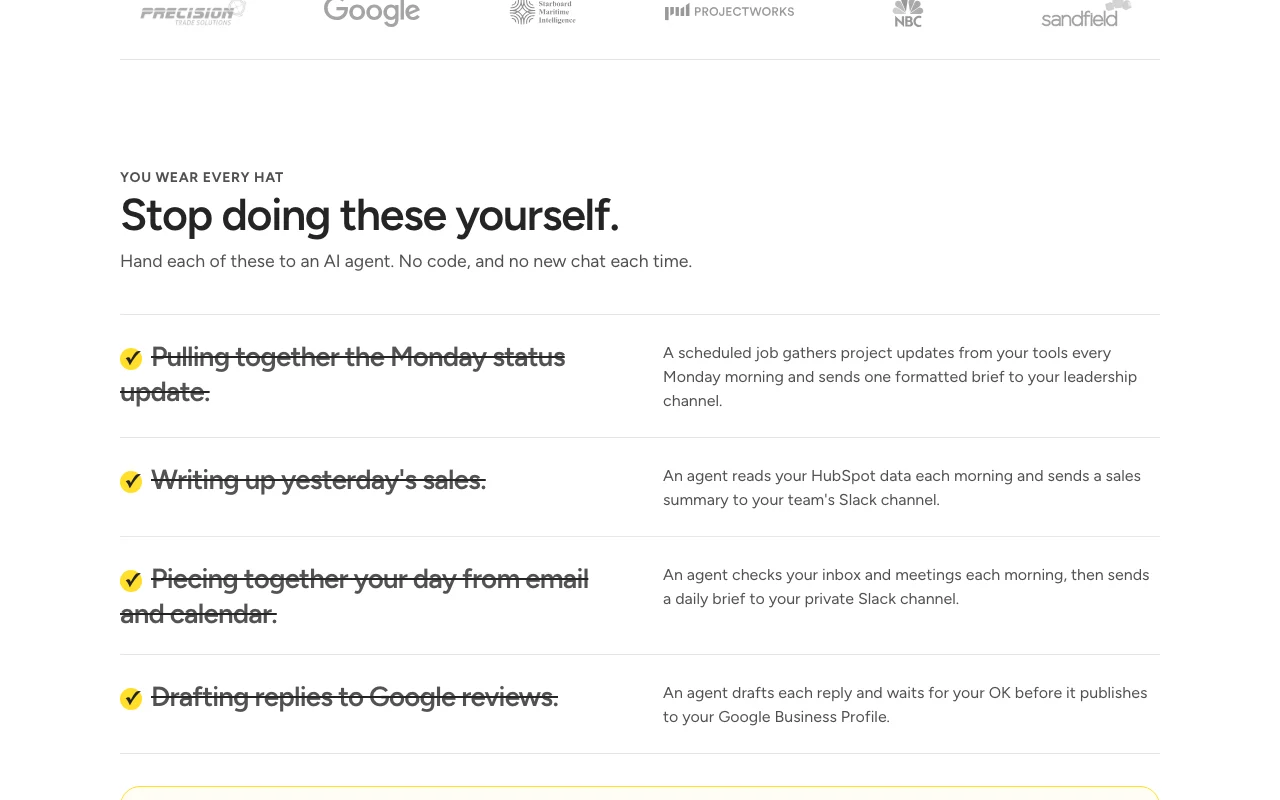
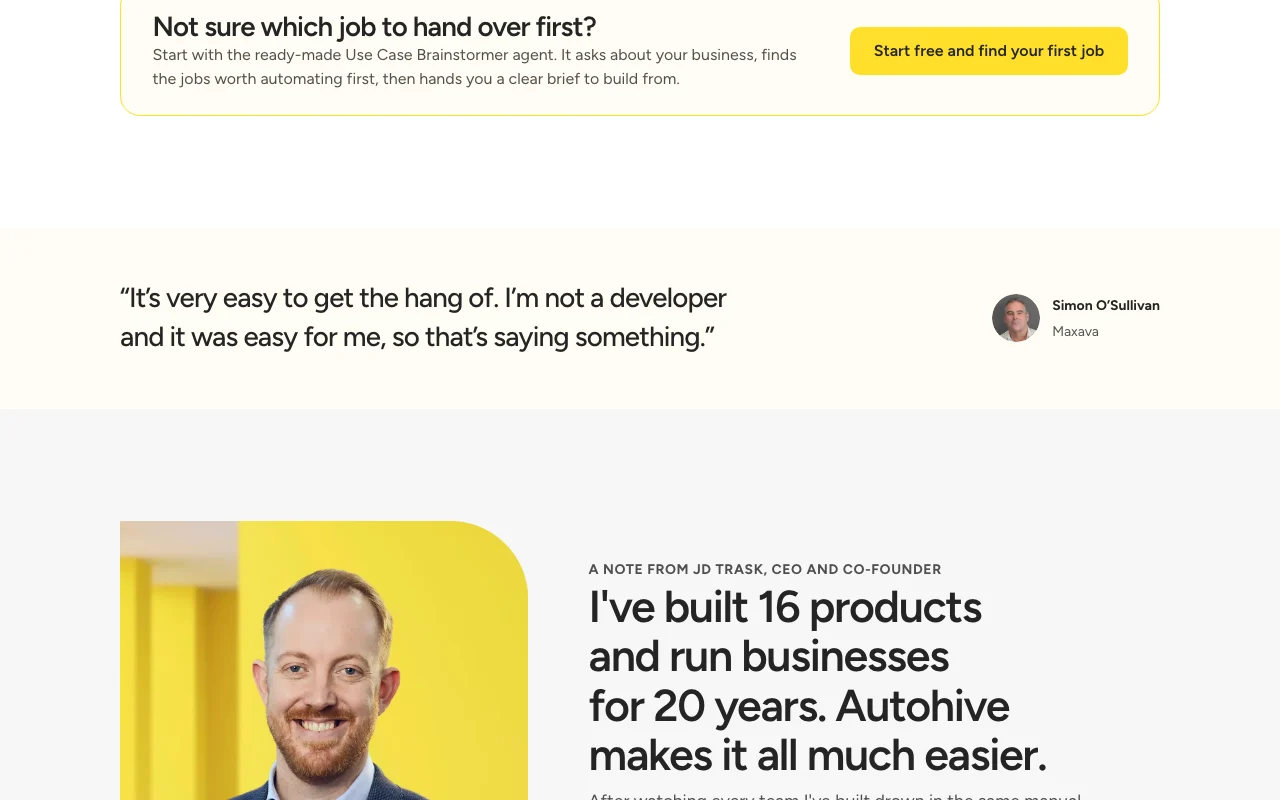
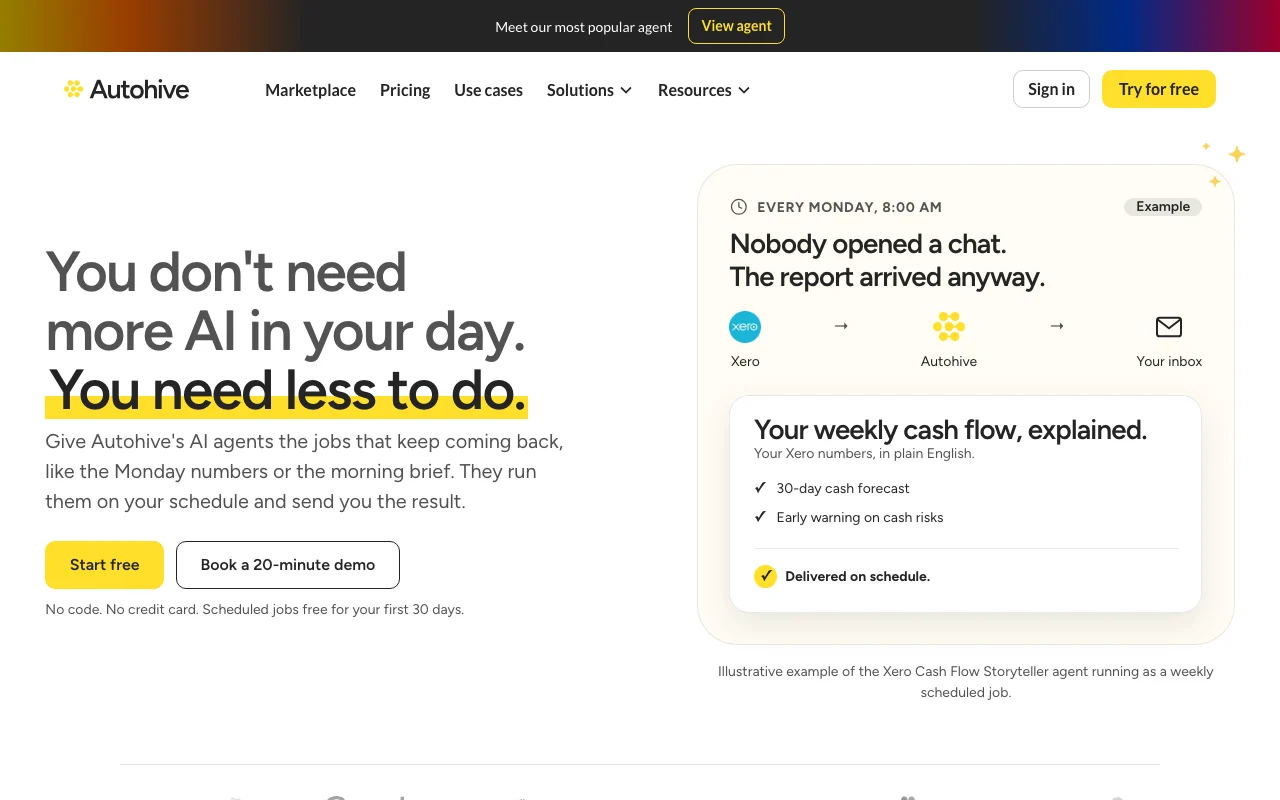
Autohive lets teams describe recurring jobs in plain language, connect tools, put them on a schedule and receive results by email or Slack. It offers ready-made agents and a marketplace. Plans are credit-based with unlimited seats; a Free plan has full access for 30 days, and the site links to iOS and Android apps.

Autohive homepage — screenshot of the productivity & writing AI tool, Oct 2, 2026
Autohive's official site: how the product presents itself. autohive.com, captured Oct 2, 2026

What you provide and what you get back

How Autohive works: what you provide, where it runs and what you get backYOU PROVIDEYour inputData from connected tools (Xero,…Uploaded documentsSchedules and instructionsPRODUCTIVITY & WRITINGAutohiveWeb, Mobilefrom $20/mo (Lite)free tier availableaccount requiredchecked Oct 2, 2026YOU GET BACKThe resultEmailed reportsSlack summariesDrafted replies awaiting approvalinput → Autohive → output · from the vendor's own pages, no hands-on test unless stated
What you give Autohive and what comes back, from its documentation

You provide

  • Data from connected tools (Xero, HubSpot, email, calendar)
  • Uploaded documents
  • Schedules and instructions

You get back

  • Emailed reports
  • Slack summaries
  • Drafted replies awaiting approval

Where you can use it

Platforms
Web, Mobile
Account
Required

Best use cases for Autohive

Scenarios are worked out by our editors from the documentation; the actual result depends on your input and plan.

Weekly status or cash-flow reports

Who
Small business owners
You provide
Xero data on a weekly schedule
Expected result
Cash-flow report by email
Plan needed
Free (30-day jobs) or paid
Limitation
Jobs free only for first 30 days source (opens in a new tab)

Daily sales summaries to Slack

Who
Sales teams
You provide
HubSpot data each morning
Expected result
Sales summary in Slack
Plan needed
Paid after 30 days
Limitation
Credit use varies by task source (opens in a new tab)

Morning inbox and calendar briefs

Who
Busy professionals
You provide
Inbox and calendar
Expected result
Morning brief in private Slack
Plan needed
Paid after 30 days
Limitation
Needs connected accounts source (opens in a new tab)

Autohive features and their limits

Autohive homepage — screenshot of the productivity & writing AI tool, Oct 2, 2026
Feature overview on the official site. autohive.com, captured Oct 2, 2026

Scheduled jobs

Run agents on a schedule and send results Removes recurring manual work

Access: Free for 30 days, then paidLimit: Pauses when credits run out source (opens in a new tab)

Custom agents

Build agents without code Non-developers can automate

Access: All plans per homepageLimit: Free only first 30 days source (opens in a new tab)

Agent marketplace

Ready-made agents to start from Faster setup

Access: HomepageLimit: Vendor-built examples only source (opens in a new tab)

140+ integrations

Connects to 140+ tools Pulls data from where work lives

Access: PlansLimit: Integration list not fetched source (opens in a new tab)

Pros, cons and deal-breakers

Reasons to choose Autohive

Check before paying for Autohive

How to use Autohive for scheduling a weekly report agent

Set up Autohive

  1. Sign up free at autohive.com
  2. Connect the tools your report needs
  3. Pick or create an agent
  4. Set a schedule and delivery to email or Slack

Example: scheduling a weekly report agent

  1. Choose the Use Case Brainstormer agent
  2. Describe your business and recurring jobs
  3. Create a scheduled job for the Monday report
  4. Send to your email or Slack channel

Review and export the result

  1. Review the job run log after first run
  2. Check credit use against your plan
Example prompt suggested by our editors (not a recorded output of the product)
Every Monday at 8am, summarise last week's HubSpot sales and post it to #sales in Slack.

Autohive alternatives by need

"Better suited" is based on documented features and pricing, not on a head-to-head test.

Zapier: better suited to

Make: better suited to

n8n: better suited to

ChatGPT: better suited to

Alternatives
AlternativeWhen to choose itPricingLimitation
Zapier——Compare
Make——Compare
n8n——Compare
ChatGPT——

Explore Autohive further

Tools and guides near Autohive

Autohive user reviews

No user reviews yet.

Used Autohive? Be the first to share your experience.

Write a review

Reviews are checked by a moderator before they appear. Your email is never published. Plain text only.

Your rating (required)

Show what you made or what went wrong. Images are published only if the review is approved; location data is removed.

    Autohive FAQ

    How much does Autohive cost?

    Free $0, Lite $20/month, Starter $99/month, Team $499/month, with Enterprise on request. source (opens in a new tab)

    What happens when credits run out?

    You get a warning email and banner; you can enable auto top-up, upgrade, or work pauses until the next cycle. source (opens in a new tab)

    Do credits roll over?

    No; monthly credits reset, while top-up credits last a rolling 90 days. source (opens in a new tab)

    Are there seat charges?

    No, every plan includes unlimited seats. source (opens in a new tab)

    Is a credit card needed to start?

    No, the homepage says no credit card. source (opens in a new tab)

    Sources and review methodology

    Official sources and verification dates

    Not verified: Enterprise pricing; Exact list of integrations; Privacy and training terms; Retention terms; API availability.

    How we documented and maintain this page

    Every fact about Autohive above comes from the 2 official pages listed here, last compared on Oct 2, 2026; we have not run Autohive ourselves, so it has no editorial score. How we check and re-check pages.

    Article updated Oct 2, 2026; prices checked Oct 2, 2026. Outbound links to vendors are plain links; we do not earn commissions. How we review · Report an error