Productivity & writingDocumented overviewLast checked Oct 2, 2026

Ayudo: Pricing, Features & Best Use Cases

AI agent platform for customer support with text and voice agents, workflows and an optional built-in helpdesk.

Is Ayudo right for you?

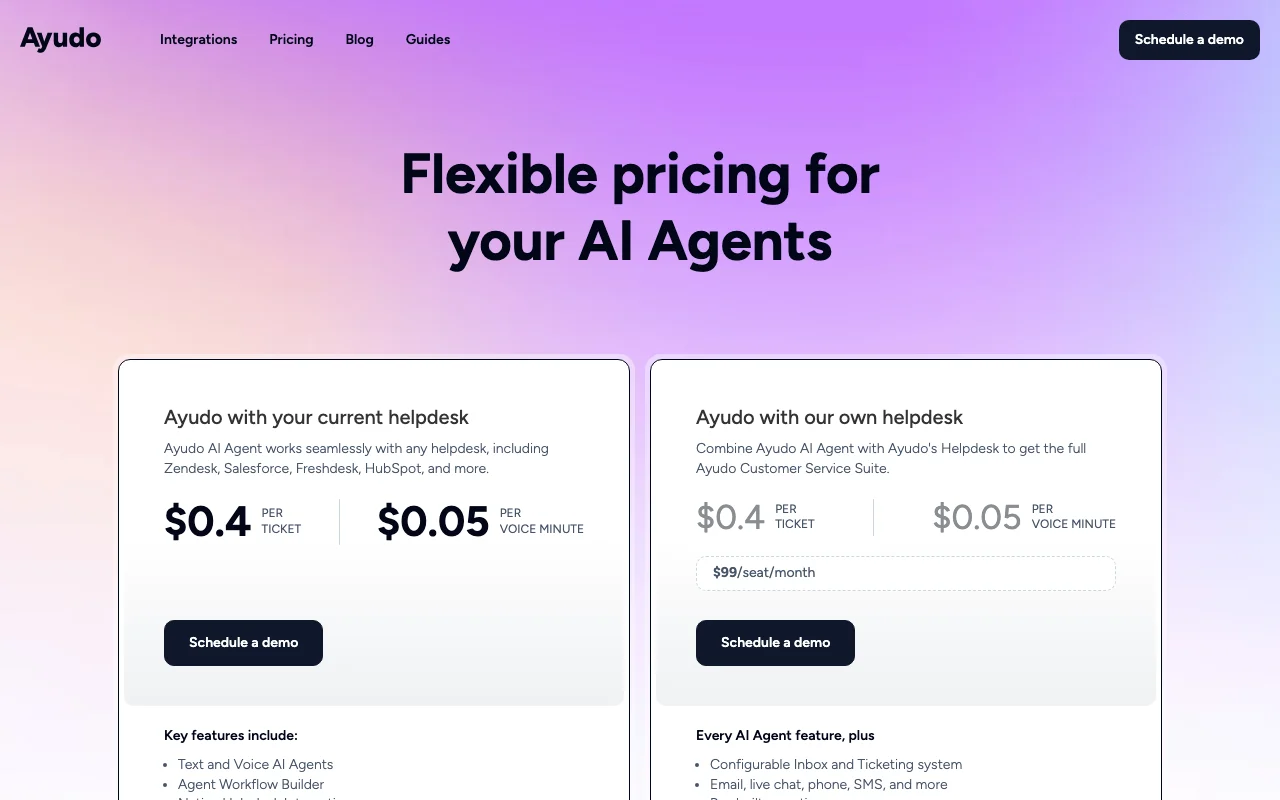
Ayudo suits support teams that want AI text and voice agents on top of an existing helpdesk, priced per ticket at $0.40 and per voice minute at $0.05. Based on the vendor's documentation, not on a hands-on test.

Best for: Support teams

Also a good fit for

  • Startups and SMBs
  • Enterprises

Consider another tool if no free tier shown

Or if

  • Demo-based onboarding
  • Enterprise price on request

Ayudo pricing and usage limits

Prices checked Oct 2, 2026 on the official US pricing page. Official pricing ↗ Prices and limits change often.

Ayudo pricing page with plans and prices — screenshot of the productivity & writing AI tool, Oct 2, 2026
The official Ayudo pricing page as we saw it. ayudo.ai, captured Oct 2, 2026

Free access and trial conditions

No free tier shown.

Paid plans: what changes as you upgrade

AI Agent with your helpdesk web

$0.4 source (opens in a new tab)

Monthly

Priced per usage

For: Teams on Zendesk, Salesforce, Freshdesk or HubSpot

Limits

  • Voice at $0.05 per minute
  • Demo-based onboarding

Includes

  • Text and voice AI agents
  • Workflow builder
2 more
  • Native helpdesk integrations
  • AI insights

AI Agent with Ayudo helpdesk web

$99 per seat source (opens in a new tab)

Monthly

For: Teams that want one support suite

Limits

  • Plus $0.40 per ticket and $0.05 per voice minute

Includes

  • Inbox and ticketing
  • Email, live chat, phone, SMS
2 more
  • Help center and knowledge base
  • AI Copilot

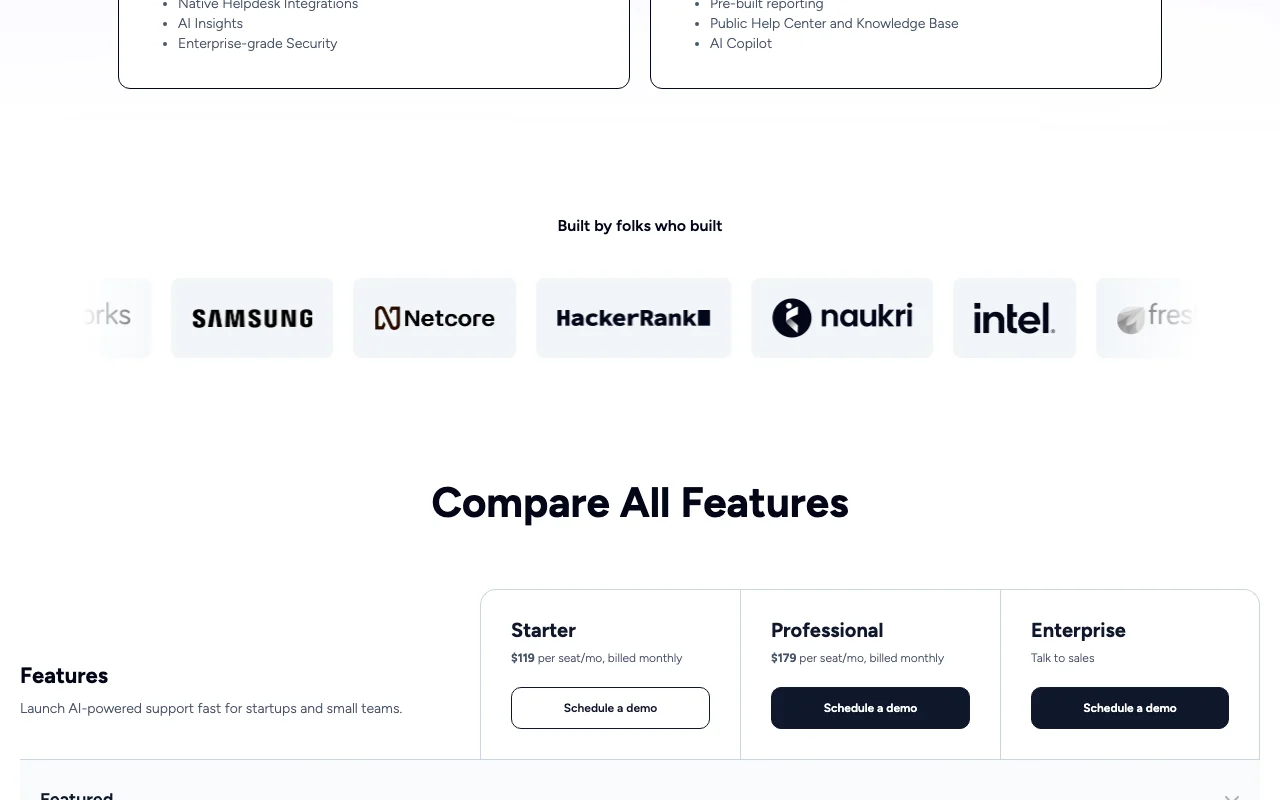
Starter web

$119 per seat source (opens in a new tab)

Monthly

For: Startups and small teams

Limits

  • Billed monthly

Includes

  • Text and voice AI agents
  • Omnichannel inbox
2 more
  • Human handoff
  • AI Copilot

Professional web

$179 per seat source (opens in a new tab)

Monthly

For: Growing support teams

Limits

  • Billed monthly

Includes

  • Everything in Starter
  • Extended feature set

Enterprise web

Custom pricing source (opens in a new tab)

Monthly

For: Large organizations

Limits

  • Talk to sales

Includes

  • Enterprise-grade security

Usage caps, credits and extra costs

Usage fees of $0.40 per ticket and $0.05 per voice minute apply alongside seats.

What is Ayudo, and how does it work?

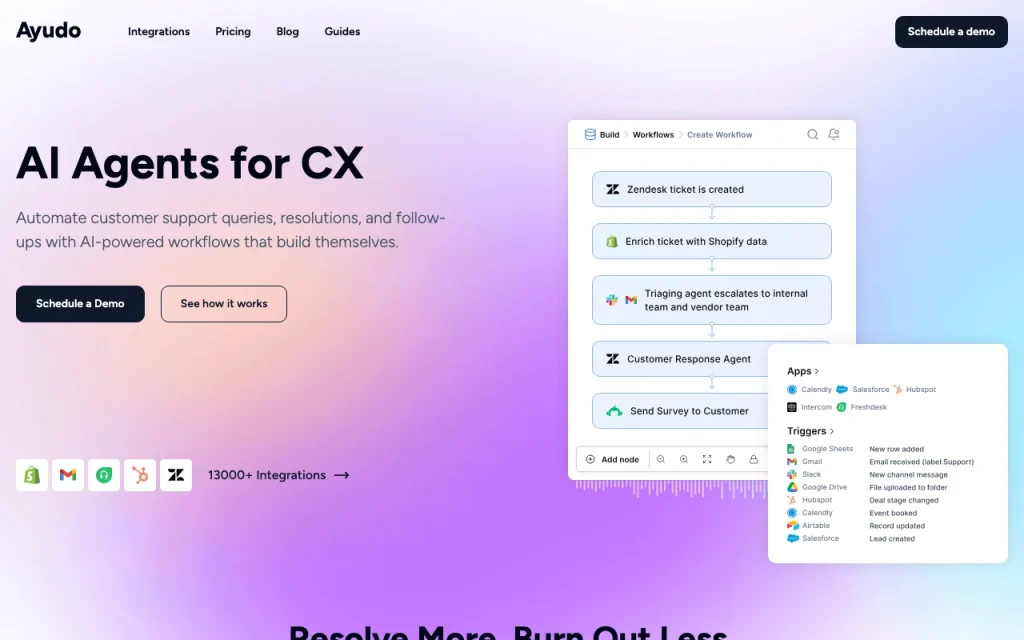
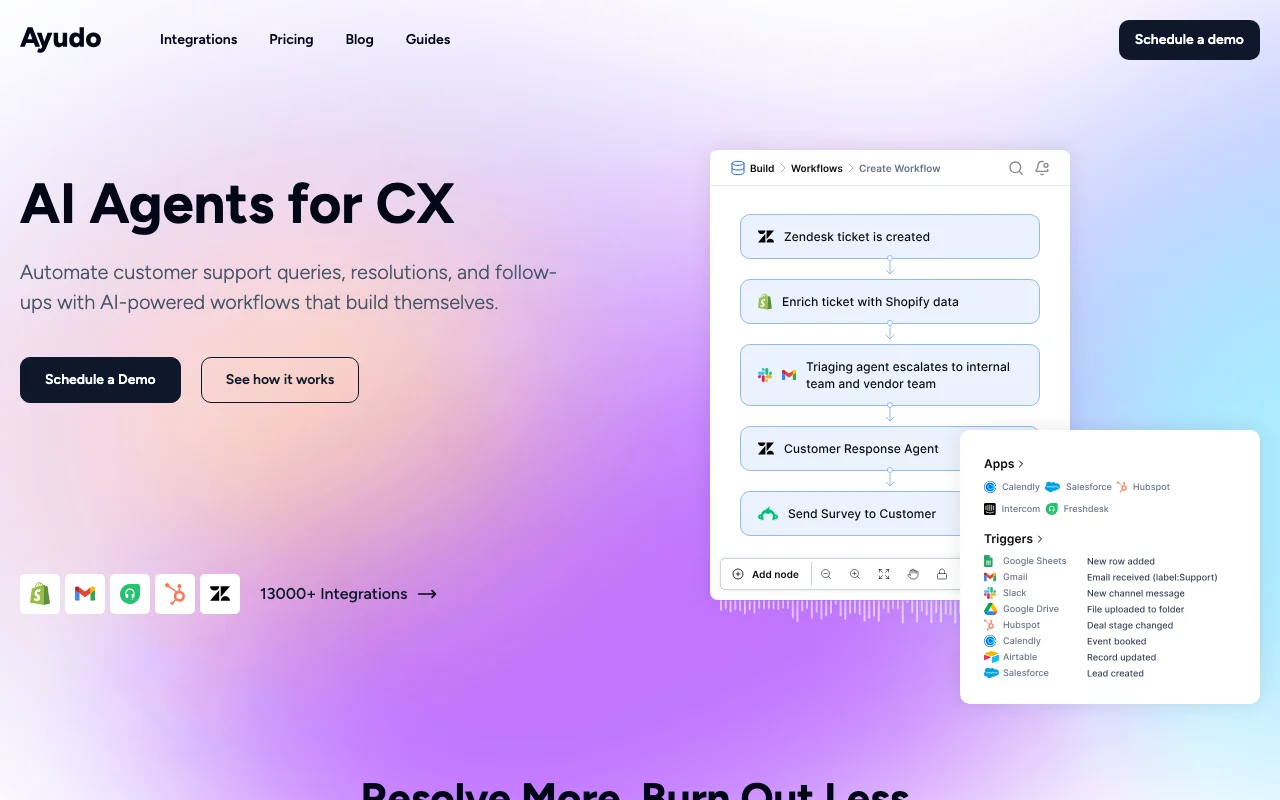
Ayudo is a customer support platform with AI agents that resolve queries, escalate to humans and build workflows. It works with helpdesks such as Zendesk, Freshdesk, Intercom and Salesforce. It can also be used with Ayudo's own helpdesk, combining inbox, ticketing, copilot and reporting.

Ayudo homepage — screenshot of the productivity & writing AI tool, Oct 2, 2026
Ayudo's official site: how the product presents itself. ayudo.ai, captured Oct 2, 2026

What you provide and what you get back

How Ayudo works: what you provide, where it runs and what you get backYOU PROVIDEYour inputCustomer messages (email, chat, s…Knowledge base (PDF, URL, integra…Helpdesk dataPRODUCTIVITY & WRITINGAyudofrom $99 (AI Agent with Ayudo hel…no free tieraccount requiredchecked Oct 2, 2026YOU GET BACKThe resultAutomated ticket resolutionsEscalations to humansSupport insights and reportsinput → Ayudo → output · from the vendor's own pages, no hands-on test unless stated
What you give Ayudo and what comes back, from its documentation

You provide

  • Customer messages (email, chat, social, voice)
  • Knowledge base (PDF, URL, integrated systems)
  • Helpdesk data

You get back

  • Automated ticket resolutions
  • Escalations to humans
  • Support insights and reports

Where you can use it

Account
Required
Channels
Email, chat, social, WhatsApp, SMS, voice, Slack, Teams, Discord
Integrations
3000+ triggers and actions
Security
SOC2 Type II, HIPAA, encryption listed
Languages
Multilingual with auto-translate

Best use cases for Ayudo

Scenarios are worked out by our editors from the documentation; the actual result depends on your input and plan.

Automate support ticket resolution

Who
Support managers
You provide
Tickets from an existing helpdesk
Expected result
Tickets resolved by an AI agent
Plan needed
Usage-based or seat plans
Limitation
Charged per ticket source (opens in a new tab)

Voice support agents

Who
Call-heavy support teams
You provide
Voice calls
Expected result
Voice agent handling calls at $0.05 per minute
Plan needed
Any
Limitation
Needs phone setup source (opens in a new tab)

Route and triage conversations

Who
Operations leads
You provide
Inbound conversations
Expected result
Triage and routing to humans or workflows
Plan needed
Starter or higher
Limitation
Workflow setup needed source (opens in a new tab)

Ayudo features and their limits

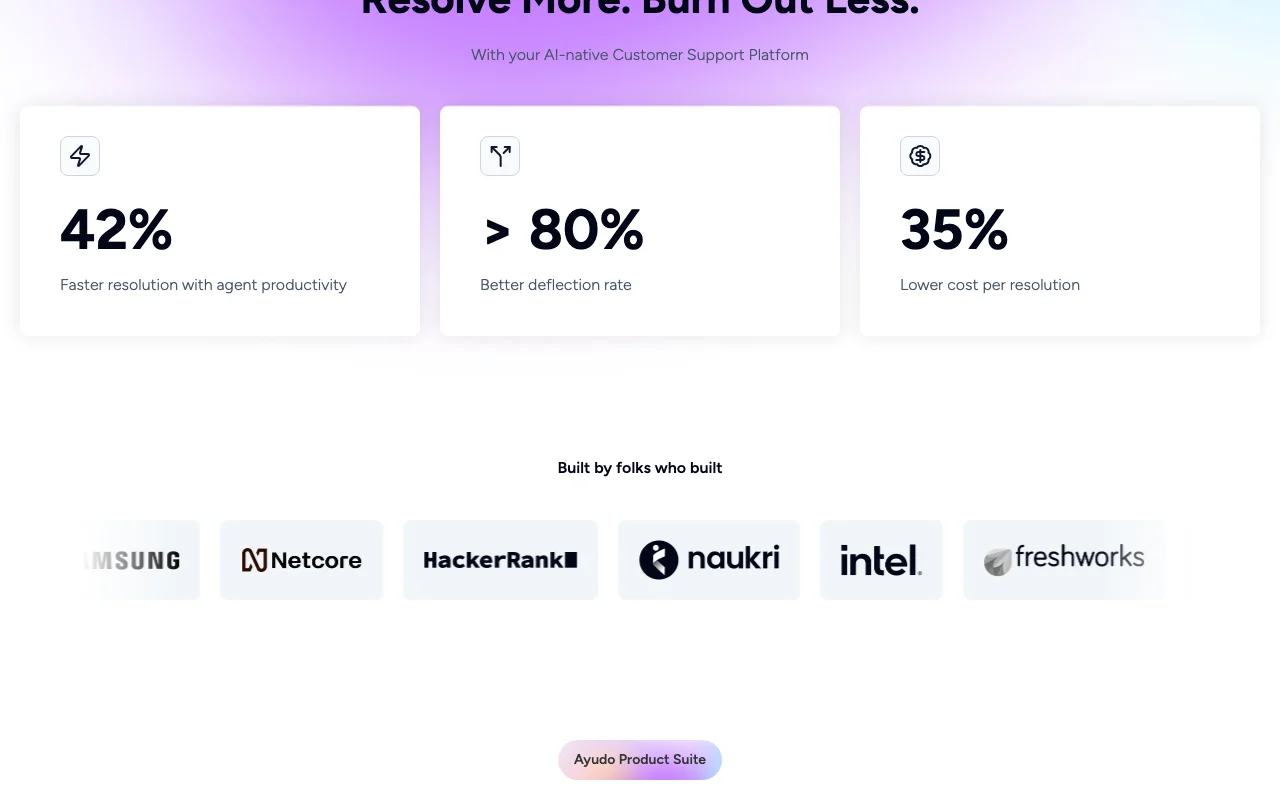
Ayudo homepage — screenshot of the productivity & writing AI tool, Oct 2, 2026
Feature overview on the official site. ayudo.ai, captured Oct 2, 2026

Text and voice AI agents

Resolves support conversations by text or voice using past conversations and system data. Reduces ticket load for agents.

Access: All plansLimit: Per-ticket and per-minute fees apply source (opens in a new tab)

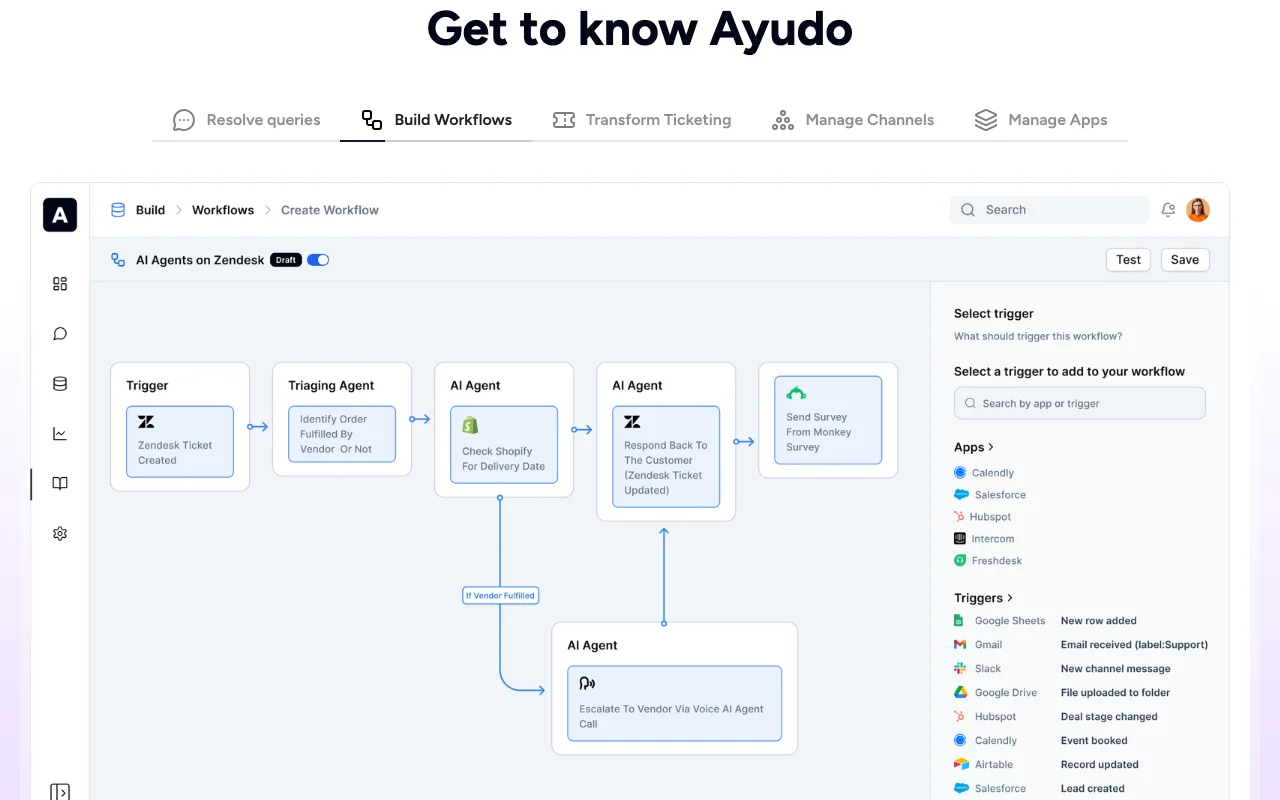
Workflow builder

Lets you design support automations that coordinate teams and tools. Automates multi-step processes.

Access: All plansLimit: Needs initial configuration source (opens in a new tab)

Helpdesk integrations

Connects natively to Zendesk, Freshdesk, Salesforce Service and HubSpot. Keeps your current helpdesk.

Access: All plansLimit: Other helpdesks via integrations source (opens in a new tab)

AI Copilot

Suggests replies and next steps for human agents. Speeds up manual responses.

Access: Seat plansLimit: Seat price applies source (opens in a new tab)

Pros, cons and deal-breakers

Where Ayudo is strong

Limitations to check before paying

How to use Ayudo for automating customer support tickets with an AI agent

Set up Ayudo

  1. Open ayudo.ai and choose Schedule a demo.
  2. Connect your helpdesk such as Zendesk or Freshdesk.
  3. Add knowledge sources such as PDFs or URLs.

Example: automating customer support tickets with an AI agent

  1. Configure the AI agent on email and chat.
  2. Build a workflow for refund questions.
  3. Set escalation to human agents.
  4. Go live on one channel first.

Review and export the result

  1. Review a sample of resolved tickets for accuracy.
  2. Check Knowledge Gap Analysis reports for missing articles.

Ayudo API

Ayudo pricing page with plans and prices — screenshot of the productivity & writing AI tool, Oct 2, 2026
Plan comparison on the official pricing page. ayudo.ai, captured Oct 2, 2026

API access and separate billing

Ayudo has no public API in its official documentation. 3000+ trigger/action integrations listed; API not detailed

Privacy, data use and commercial rights

Summarized from the vendor's current policies; this is not legal advice and a vendor's badge is not an independent audit.

How your inputs and outputs are handled

Processes customer conversations and knowledge-base content.

Controls for business users

  • SOC2 Type II listed
  • HIPAA listed
  • Data encryption

Best Ayudo alternatives for different needs

"Better suited" is based on documented features and pricing, not on a head-to-head test.

Microsoft Copilot: better suited to

ChatGPT: better suited to

Alternatives
AlternativeWhen to choose itPricingLimitation
Microsoft Copilot——
ChatGPT——

Explore Ayudo further

If you are looking at Ayudo

Ayudo user reviews

No user reviews yet.

Used Ayudo? Be the first to share your experience.

Write a review

Reviews are checked by a moderator before they appear. Your email is never published. Plain text only.

Your rating (required)

Show what you made or what went wrong. Images are published only if the review is approved; location data is removed.

    Ayudo FAQ

    How much does Ayudo charge per ticket?

    Ayudo charges $0.40 per ticket and $0.05 per voice minute for its AI agent. source (opens in a new tab)

    What does Ayudo's own helpdesk cost?

    Ayudo's helpdesk adds $99 per seat per month on top of the per-ticket agent fees. source (opens in a new tab)

    How much are Ayudo Starter and Professional?

    Starter is $119 per seat and Professional $179 per seat, both billed monthly. source (opens in a new tab)

    Does Ayudo work with Zendesk?

    Yes. Ayudo lists native integrations with Zendesk, Freshdesk, Salesforce Service and HubSpot. source (opens in a new tab)

    Sources and review methodology

    Official sources and verification dates

    Not verified: Free tier; Privacy and retention; Platforms.

    How we documented and maintain this page

    Every fact about Ayudo above comes from the 2 official pages listed here, last compared on Oct 2, 2026; we have not run Ayudo ourselves, so it has no editorial score. How we check and re-check pages.

    Article updated Oct 10, 2026; prices checked Oct 2, 2026. Outbound links to vendors are plain links; we do not earn commissions. How we review · Report an error