Productivity & writingDocumented overviewLast checked Sep 29, 2026

AutoScaled: Pricing, Features & Best Use Cases

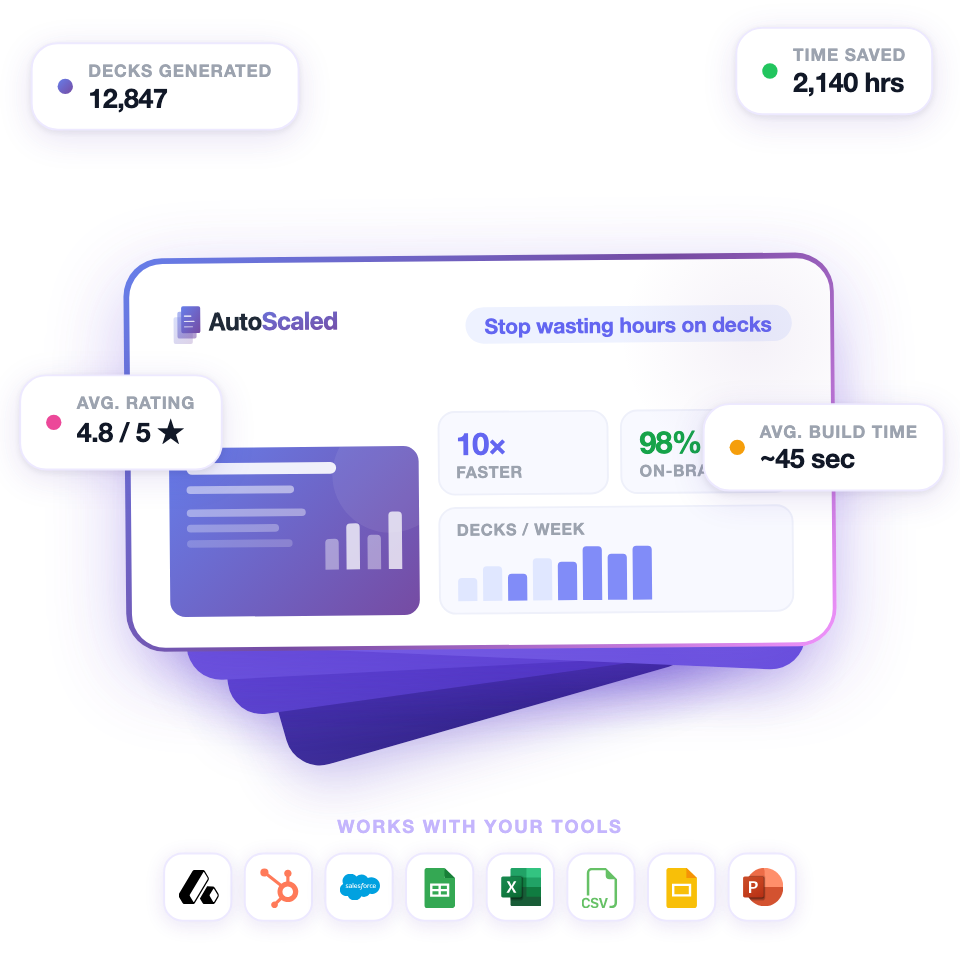
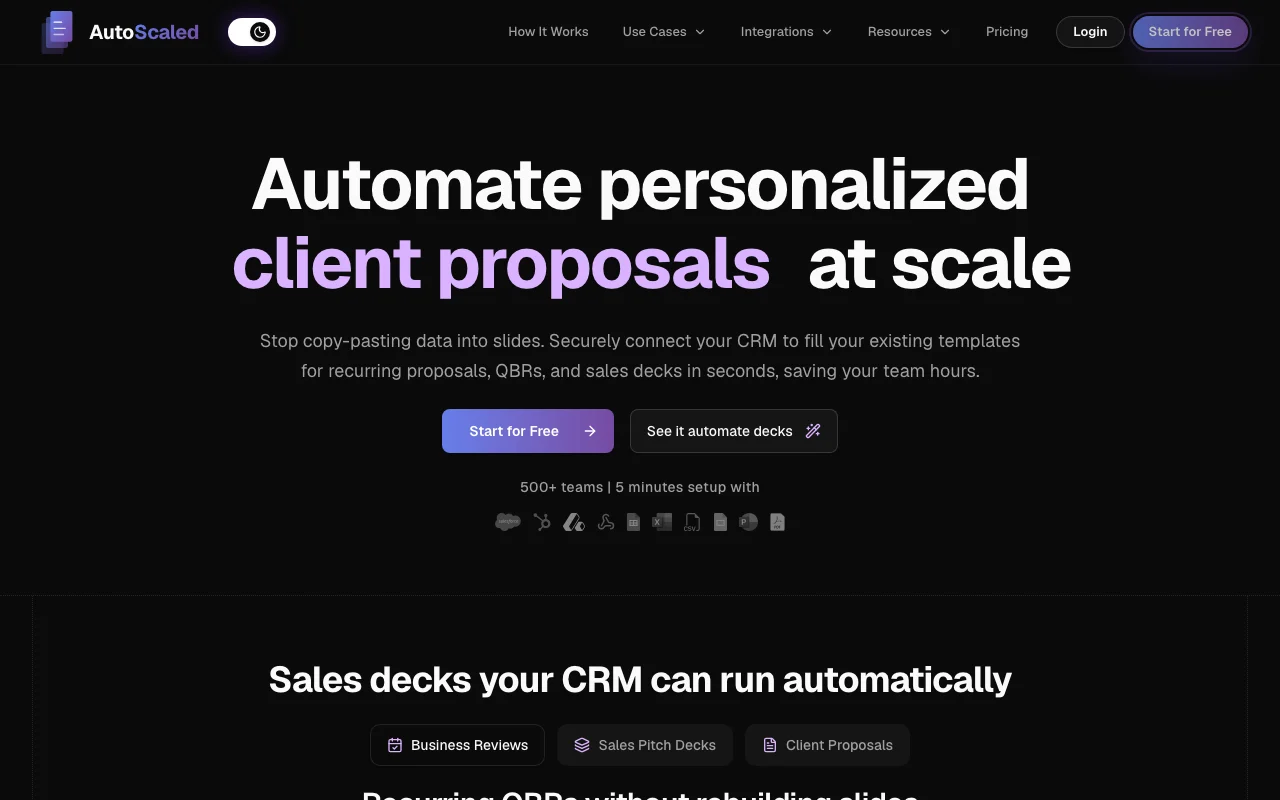
Automates sales presentations such as business reviews, pitch decks and proposals from live CRM data.
Is AutoScaled right for you?

AutoScaled suits sales and customer-success teams who rebuild QBRs, pitch decks and proposals by hand and want them filled from CRM data, starting free with 50 presentations a month. Based on the vendor's documentation, not on a hands-on test.

Best for: Sales teams

Also a good fit for

  • Customer success teams

Consider another tool if free plan limited to 1 seat and basic data sources

Or if

  • CRM data sources start on Plus
  • Watermark removal needs Plus or higher

AutoScaled pricing and usage limits

Prices checked Sep 29, 2026 on the official US pricing page. Official pricing ↗ Prices and limits change often.

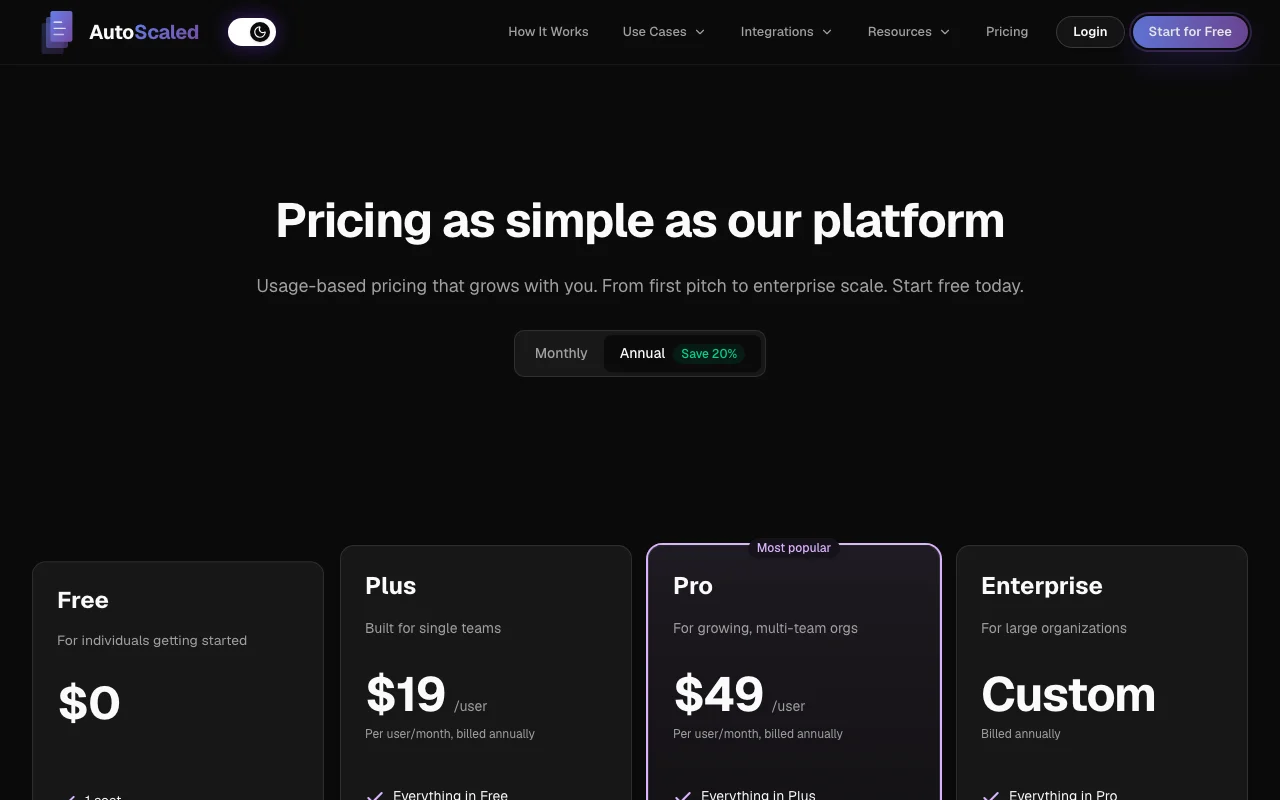
AutoScaled pricing page with plans and prices — screenshot of the productivity & writing AI tool, Oct 1, 2026
The official AutoScaled pricing page as we saw it. autoscaled.com, captured Oct 1, 2026

Free access and trial conditions

Free plan with 50 presentations per month, no card.

Paid plans: what changes as you upgrade

Free web

Free source (opens in a new tab)

Month

For: Individuals getting started

Limits

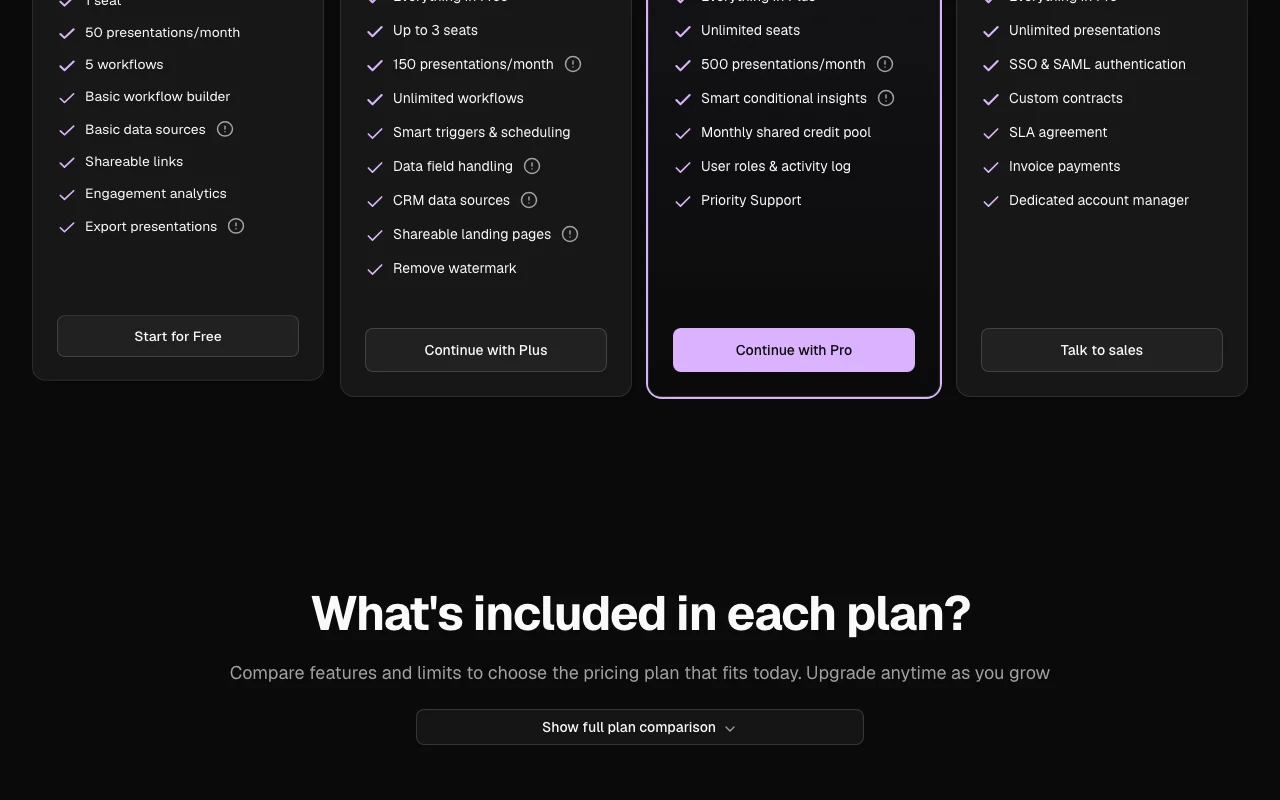
  • 1 seat, 50 presentations per month
  • 5 workflows, basic data sources

Includes

  • Basic workflow builder
  • Shareable links
1 more
  • Engagement analytics, export

Plus web

$19 per user per month, billed annually source (opens in a new tab)

User per month

Billed annually; annual discount about 20%

For: Single teams

Limits

  • Up to 3 seats
  • 150 presentations per month

Includes

  • CRM data sources
  • Smart triggers and scheduling
1 more
  • Remove watermark, shareable landing pages

Pro web

$49 per user per month, billed annually source (opens in a new tab)

User per month

Billed annually

For: Growing multi-team organizations

Limits

  • Unlimited seats
  • 500 presentations per month

Includes

  • Smart conditional insights
  • Monthly shared credit pool
1 more
  • User roles and activity log, priority support

Enterprise web

Custom pricing source (opens in a new tab)

Custom

For: Large organizations

Limits

  • Unlimited presentations

Includes

  • SSO and SAML
  • Custom contracts, SLA
1 more
  • Dedicated account manager

Usage caps, credits and extra costs

Not stated.

Not stated.

What is AutoScaled, and how does it work?

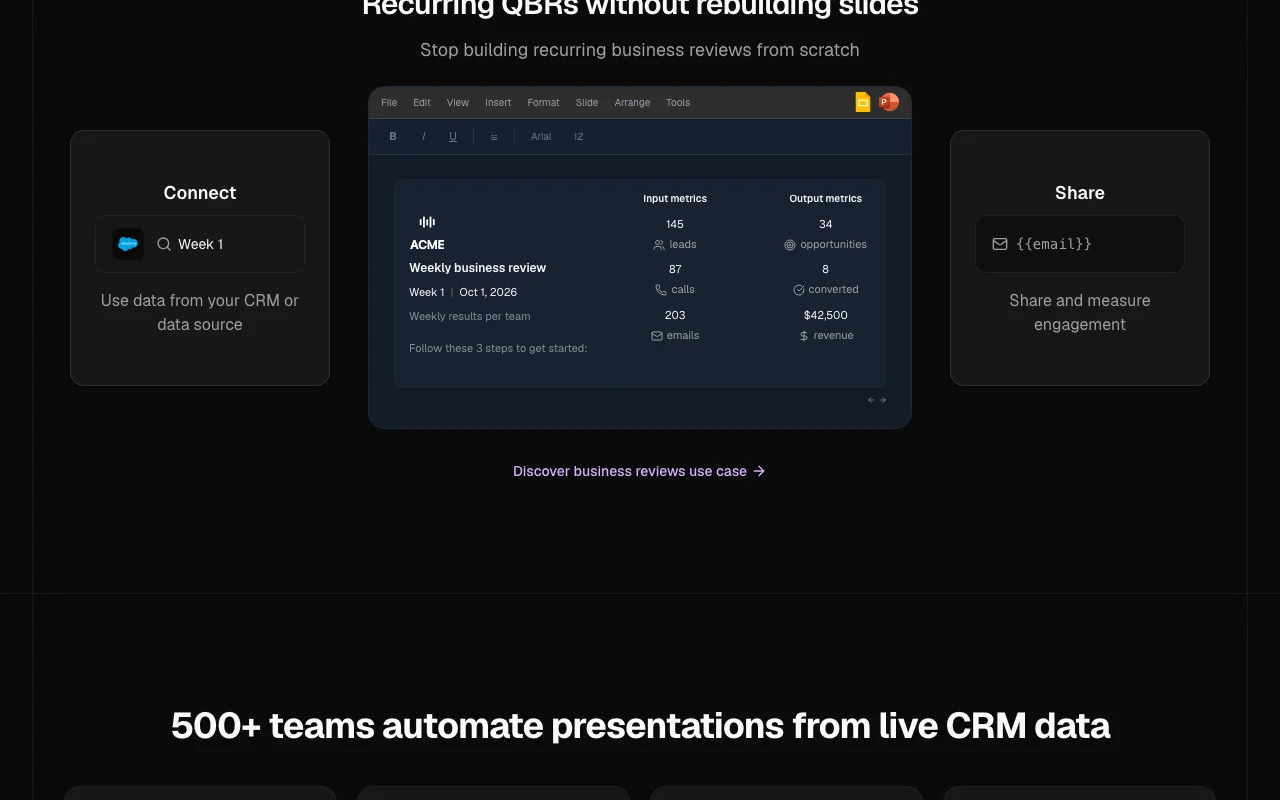
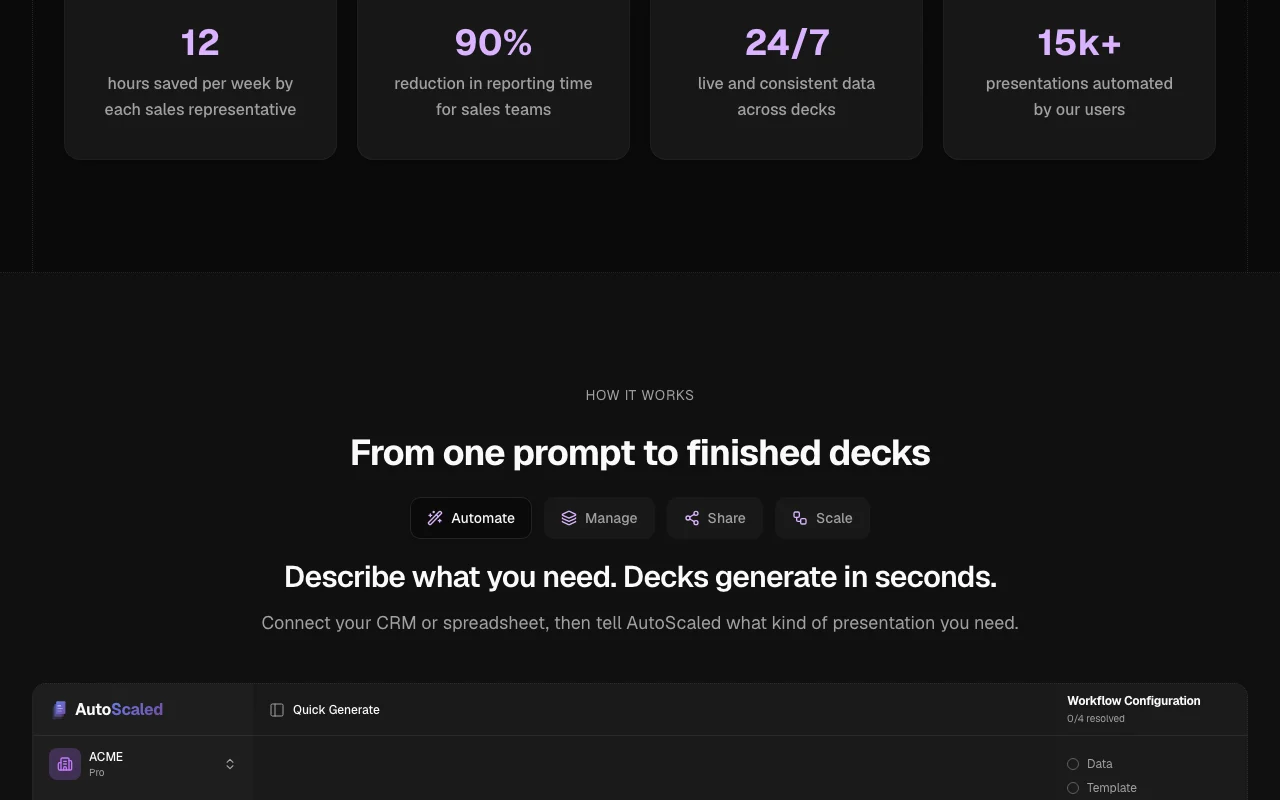
AutoScaled generates recurring sales presentations, such as business reviews, pitch decks and client proposals, from CRM data using workflows, so decks do not need rebuilding by hand. It offers a free plan and paid per-user plans with monthly presentation allowances, plus shareable links and engagement analytics.

AutoScaled homepage — screenshot of the productivity & writing AI tool, Oct 1, 2026
AutoScaled's official site: how the product presents itself. autoscaled.com, captured Oct 1, 2026

What you provide and what you get back

How AutoScaled works: what you provide, where it runs and what you get backYOU PROVIDEYour inputA PowerPoint or Google Slides tem…CRM or spreadsheet dataA prompt describing the presentat…PRODUCTIVITY & WRITINGAutoScaledWebfrom $19 (Plus)free tier availableaccount requiredchecked Sep 29, 2026YOU GET BACKThe resultFilled branded decksShareable links and landing pagesEngagement analyticsinput → AutoScaled → output · from the vendor's own pages, no hands-on test unless stated
What you give AutoScaled and what comes back, from its documentation

You provide

  • A PowerPoint or Google Slides template
  • CRM or spreadsheet data
  • A prompt describing the presentation

You get back

  • Filled branded decks
  • Shareable links and landing pages
  • Engagement analytics

Where you can use it

Platforms
Web
Account
Required
Templates
PowerPoint and Google Slides
Presentations per month
50 / 150 / 500 / unlimited
Seats
1 / 3 / unlimited
Triggers
Smart triggers and schedules (Plus+)
Sharing
Links, landing pages, engagement analytics

Best use cases for AutoScaled

Scenarios are worked out by our editors from the documentation; the actual result depends on your input and plan.

Recurring quarterly business reviews

Who
Customer success managers
You provide
Quarterly CRM metrics per client
Expected result
A QBR deck filled in your template
Plan needed
Plus
Limitation
CRM sources start on Plus source (opens in a new tab)

Sales pitch decks

Who
Sales reps
You provide
Deal data for a prospect
Expected result
Personalised pitch deck sent from the CRM
Plan needed
Plus or Pro
Limitation
50 or 150 presentations per month source (opens in a new tab)

Client proposals

Who
Agency account teams
You provide
Client project data
Expected result
Client proposals generated on deal events
Plan needed
Pro
Limitation
Triggers need Plus or higher source (opens in a new tab)

AutoScaled features and their limits

AutoScaled homepage — screenshot of the productivity & writing AI tool, Oct 1, 2026
Feature overview on the official site. autoscaled.com, captured Oct 1, 2026

CRM data sources

Connects CRM data sources and maps fields into slides Removes copy-pasting numbers

Access: CRM sources on Plus and upLimit: Free has basic sources only source (opens in a new tab)

Workflow builder

Builds workflows that generate decks from a template Same deck for many clients

Access: 5 workflows Free, unlimited PlusLimit: Template must be uploaded source (opens in a new tab)

Smart triggers and scheduling

Triggers decks on CRM events and schedules Decks ready when a deal moves

Access: Plus and aboveLimit: Not on Free source (opens in a new tab)

Shareable links and landing pages

Shares decks by link or landing page and tracks opens Know when a prospect read it

Access: Links on all plans, landing pages on PlusLimit: Engagement detail varies by plan source (opens in a new tab)

AutoScaled: strengths and limits

Reasons to choose AutoScaled

Check before paying for AutoScaled

How to use AutoScaled for automating quarterly business review decks from CRM data

Set up AutoScaled

  1. Start for free, no card
  2. Upload your existing PowerPoint or Google Slides template
  3. Connect your CRM or a spreadsheet (CRM needs Plus)
  4. Map CRM fields to the template placeholders

Example: automating quarterly business review decks from CRM data

  1. Create a QBR workflow
  2. Pick a client record
  3. Generate the deck
  4. Share the link and track opens

Review and export the result

  1. Compare three figures with the CRM
  2. Confirm the layout stayed locked

AutoScaled integrations and API

AutoScaled pricing page with plans and prices — screenshot of the productivity & writing AI tool, Oct 1, 2026
Plan comparison on the official pricing page. autoscaled.com, captured Oct 1, 2026

Native integrations and export formats

Export: PPTX

API access and separate billing

AutoScaled has no public API in its official documentation. Docs available; API not described. API documentation ↗

Privacy, data use and commercial rights

Summarized from the vendor's current policies; this is not legal advice and a vendor's badge is not an independent audit.

How your inputs and outputs are handled

CRM data, templates and generated presentations are processed to fill decks.

Commercial use and plan restrictions

SSO/SAML on Enterprise

Controls for business users

  • Roles and activity log on Pro

Policies: autoscaled.com/privacy/

AutoScaled alternatives by need

"Better suited" is based on documented features and pricing, not on a head-to-head test.

Canva: better suited to

Notion AI: better suited to

Alternatives
AlternativeWhen to choose itPricingLimitation
Canva——Compare
Notion AI——Compare

Explore AutoScaled further

Tools and guides near AutoScaled

AutoScaled user reviews

No user reviews yet.

Used AutoScaled? Be the first to share your experience.

Write a review

Reviews are checked by a moderator before they appear. Your email is never published. Plain text only.

Your rating (required)

Show what you made or what went wrong. Images are published only if the review is approved; location data is removed.

    AutoScaled FAQ

    How much does AutoScaled cost?

    Free is $0, Plus $19 and Pro $49 per user per month billed annually; Enterprise is custom. source (opens in a new tab)

    What does the free plan include?

    1 seat, 50 presentations per month, 5 workflows, basic data sources, shareable links, engagement analytics and export. source (opens in a new tab)

    Which plan adds CRM data sources?

    Plus adds CRM data sources, smart triggers, scheduling, landing pages and watermark removal. source (opens in a new tab)

    Can I use my own template?

    Yes, upload an existing PowerPoint or Google Slides template and AutoScaled fills in the data while layout stays locked. source (opens in a new tab)

    How many presentations can I make?

    50 on Free, 150 on Plus, 500 on Pro and unlimited on Enterprise. source (opens in a new tab)

    Sources and review methodology

    Official sources and verification dates

    Not verified: monthly price when not billed annually; supported CRM list; data retention.

    How we documented and maintain this page

    Every fact about AutoScaled above comes from the 2 official pages listed here, last compared on Sep 29, 2026; we have not run AutoScaled ourselves, so it has no editorial score. How we check and re-check pages.

    Article updated Oct 2, 2026; prices checked Sep 29, 2026. Outbound links to vendors are plain links; we do not earn commissions. How we review · Report an error