Audio & voiceDocumented overviewLast checked Sep 29, 2026

ToneCraft: Pricing, Features & Best Use Cases

Web-based AI text-to-speech, voice-over and transcription studio with multi-voice editing and audiobook generation.
Who ToneCraft fits

Pick ToneCraft if you need inexpensive catalog-voice voice-overs, transcription and audiobooks in one browser editor and do not need voice cloning. Based on the vendor's documentation, not on a hands-on test.

Best for: Content creators on a budget

Also a good fit for

  • Self-publishing authors
  • Small teams producing narration

Consider another tool if free plan adds a spoken outro watermark

Or if

  • Free plan limited to standard voices and 3 AI scripts per month
  • Trial requires a card on file

ToneCraft pricing and usage limits

Prices checked Sep 29, 2026 on the official US pricing page. Official pricing ↗ Prices and limits change often.

Vendor pricing page re-checked automatically 12 days ago: no changes detected.

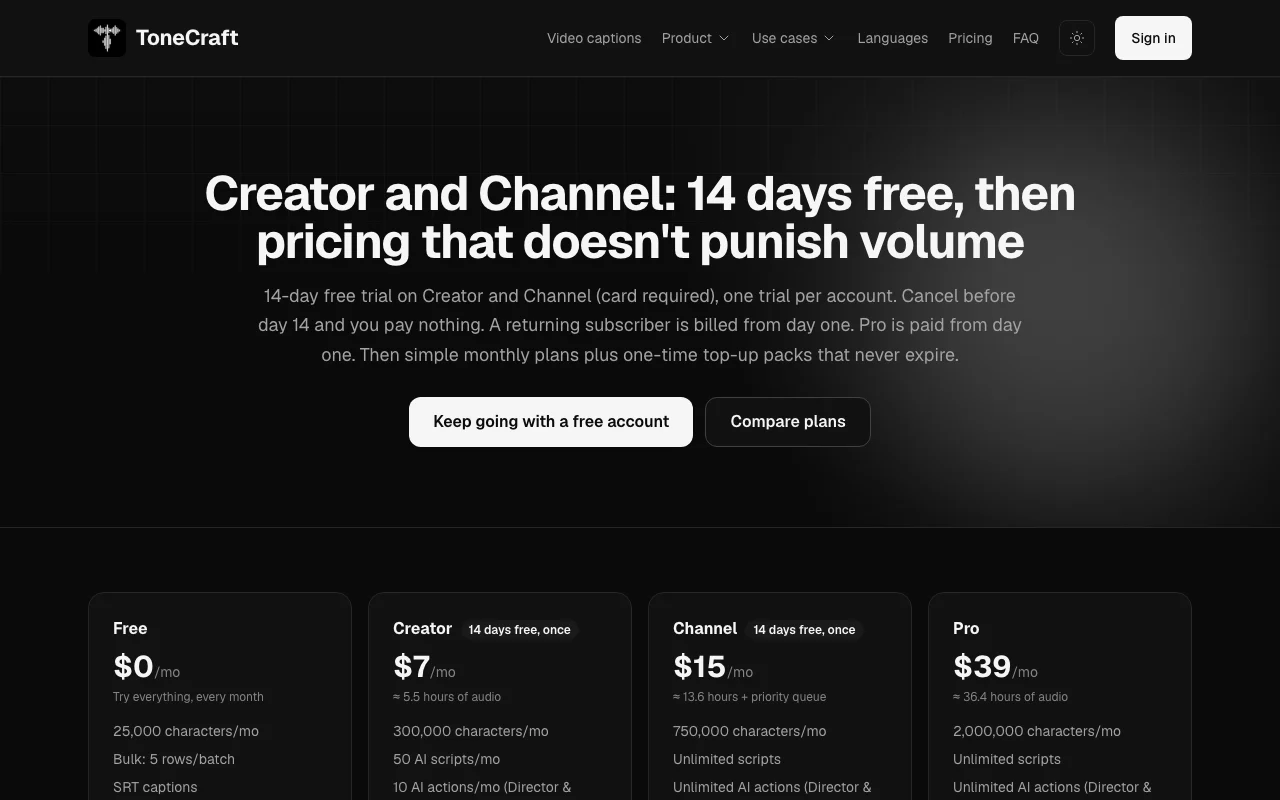
ToneCraft pricing page with plans and prices — screenshot of the audio & voice AI tool, Oct 1, 2026
The official ToneCraft pricing page as we saw it. tonecraftvo.com, captured Oct 1, 2026

Free access and trial conditions

Free plan with 25,000 characters per month.

14-day free trial on Creator and Channel, card required, one per account; Pro paid from day one.

Paid plans: what changes as you upgrade

Free Web

Free source (opens in a new tab)

Monthly

For: Trying the editor

Limits

  • 25,000 characters/mo
  • 5 bulk rows per batch
1 more
  • 3 AI scripts/mo

Includes

  • 26 standard voices
  • SRT captions
2 more
  • Audiobooks
  • Spoken outro on audio

Creator Web

$7 source (opens in a new tab)

Monthly

For: Solo creators

Limits

  • 300,000 characters/mo
  • 50 AI scripts/mo
1 more
  • 12 generations/min

Includes

  • 30 premium voices
  • AI-enhanced transcription
2 more
  • No watermark
  • 14-day trial, card required

Channel Web

$15 source (opens in a new tab)

Monthly

For: Regular publishers

Limits

  • 750,000 characters/mo
  • 20 generations/min
1 more
  • 50 bulk rows

Includes

  • Unlimited scripts and AI actions
  • Priority queue
2 more
  • No watermark
  • 14-day trial, card required

Pro Web

$39 source (opens in a new tab)

Monthly

For: High-volume production

Limits

  • 2,000,000 characters/mo
  • 30 generations/min
1 more
  • 240 videos/mo (beta)

Includes

  • Priority queue
  • Unlimited scripts
1 more
  • No watermark

Usage caps, credits and extra costs

One-time top-up packs that never expire.

Payments via Lemon Squeezy as merchant of record when checkout is live.

What is ToneCraft, and how does it work?

ToneCraft is a browser-based voice-over studio that turns scripts into speech using 56 multilingual voices (26 standard, 30 premium) across 20 languages. It also transcribes audio and video, can re-voice recordings with several speakers, and generates audiobooks from PDF, EPUB and DOCX files. Plans are metered by characters per month. A free tier includes 25,000 characters with standard voices and a spoken outro watermark; paid tiers add premium voices, an AI script writer, bulk chapter processing, SRT caption export and a priority queue.

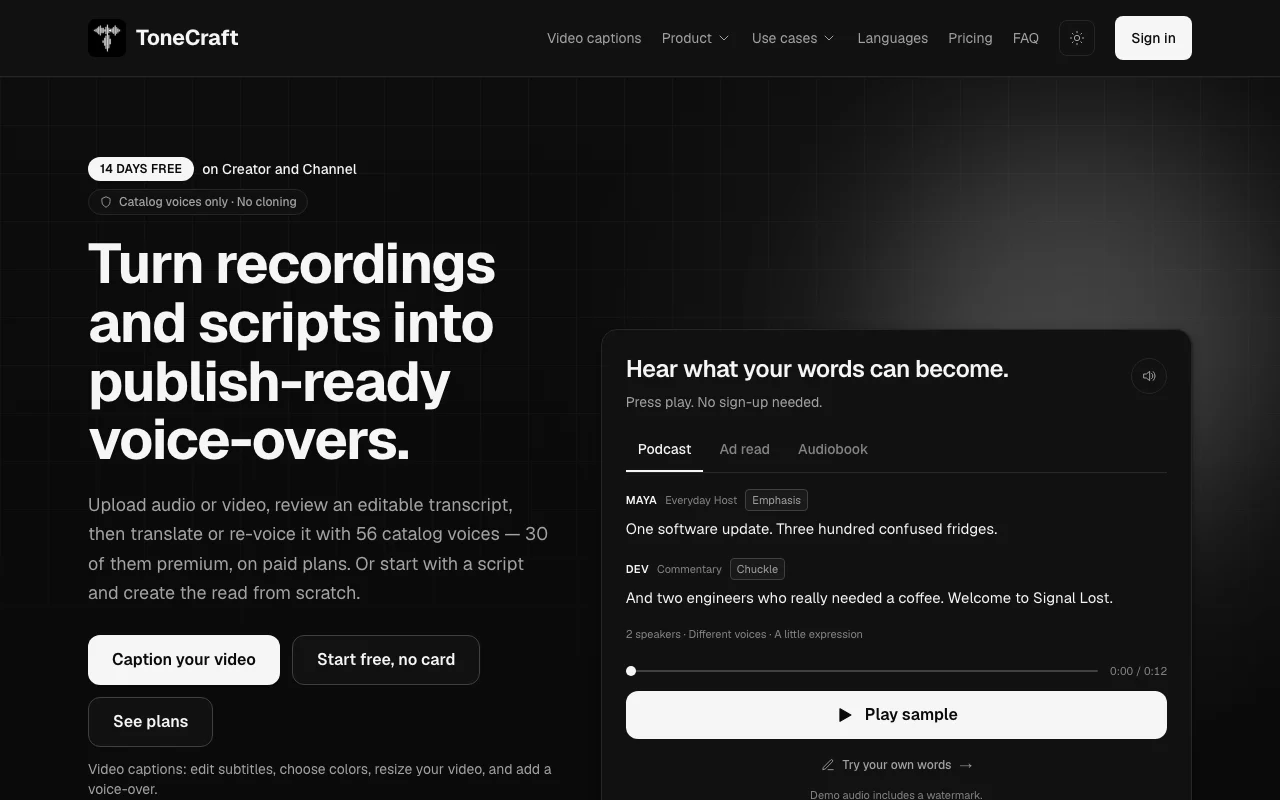
ToneCraft homepage — screenshot of the audio & voice AI tool, Oct 1, 2026
ToneCraft's official site: how the product presents itself. tonecraftvo.com, captured Oct 1, 2026

What you provide and what you get back

How ToneCraft works: what you provide, where it runs and what you get backYOU PROVIDEYour inputScripts typed or generated by the…Audio or video recordings for tra…Book files (PDF, EPUB, DOCX, FB2,…Bulk CSV rowsAUDIO & VOICEToneCraftWebfrom $7 (Creator)free tier availableaccount requiredchecked Sep 29, 2026YOU GET BACKThe resultMP3/WAV voice-oversSRT captions (VTT also noted for…M4B audiobooks with chapter marke…Captioned MP4 video (beta)input → ToneCraft → output · from the vendor's own pages, no hands-on test unless stated
What you give ToneCraft and what comes back, from its documentation

You provide

  • Scripts typed or generated by the AI script writer
  • Audio or video recordings for transcription
  • Book files (PDF, EPUB, DOCX, FB2, TXT, Markdown, HTML up to 100 MB)
  • Bulk CSV rows

You get back

  • MP3/WAV voice-overs
  • SRT captions (VTT also noted for video captions)
  • M4B audiobooks with chapter markers
  • Captioned MP4 video (beta)

Where you can use it

Platforms
Web
Account
Required
Voices
56 (26 standard, 30 premium)
Languages
20
Export
MP3, WAV, SRT, M4B
Watermark
Spoken outro on Free
Voice cloning
Not offered
Video captions
Beta, up to 5 min per clip

Best use cases for ToneCraft

Scenarios are worked out by our editors from the documentation; the actual result depends on your input and plan.

Voice-over for YouTube and social videos

Who
YouTubers and social video creators
You provide
A script or AI-written narration
Expected result
A multi-voice voice-over exported as MP3/WAV with SRT captions
Plan needed
Free for 25,000 chars; Creator for premium voices
Limitation
Free exports include a spoken outro source (opens in a new tab)

Converting books and documents into audiobooks

Who
Authors and publishers
You provide
A DRM-free PDF, EPUB or DOCX book file
Expected result
One M4B audiobook with chapter markers and cover art
Plan needed
All plans
Limitation
Up to 1,000,000 characters per book, limited by monthly characters source (opens in a new tab)

Transcribing audio or video and exporting SRT captions

Who
Podcasters and course creators
You provide
An audio or video recording
Expected result
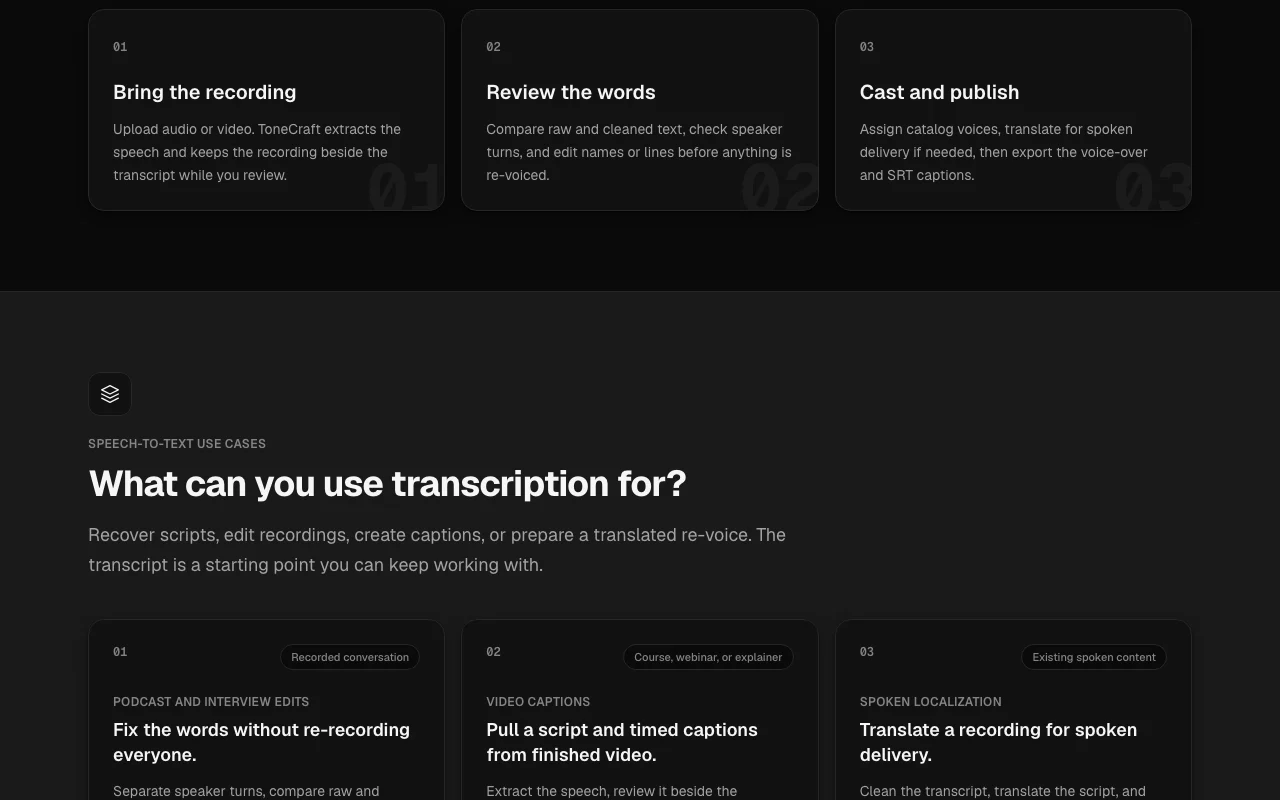
An editable speaker-labelled transcript and SRT, optionally re-voiced or translated
Plan needed
All plans; AI-enhanced transcription on paid
Limitation
Video captions are beta with 5-minute clips source (opens in a new tab)

What ToneCraft does, and where it stops

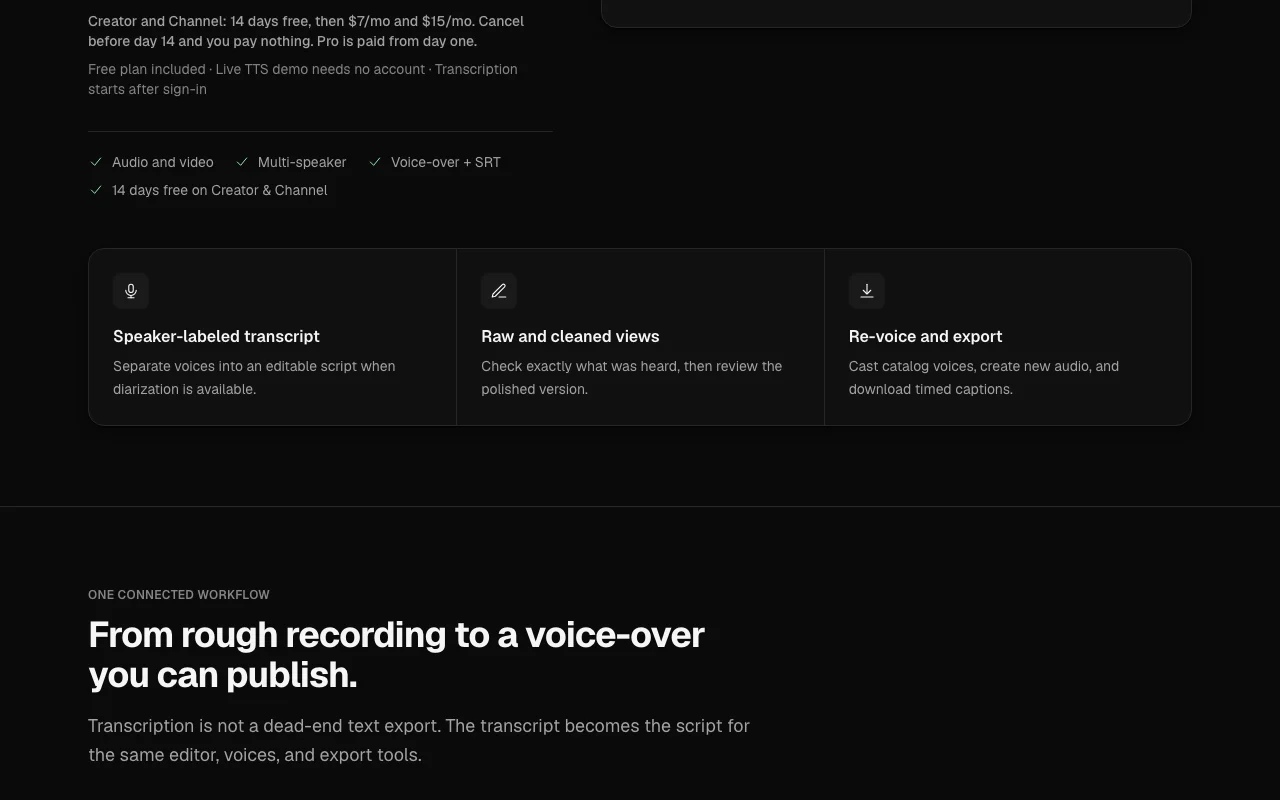
ToneCraft homepage — screenshot of the audio & voice AI tool, Oct 1, 2026
Feature overview on the official site. tonecraftvo.com, captured Oct 1, 2026

56 multilingual voices in 20 languages

Offers 56 catalog voices, 26 standard and 30 premium, each speaking 20 languages. Choose a voice per role without cloning.

Access: Standard on all plans; premium on paidLimit: Premium renders use 4x characters source (opens in a new tab)

Multi-voice editor

Casts several speakers in one script with a cast panel and outputs one level-matched track. Produces dialogue scenes and podcasts in one pass.

Access: All plansLimit: Catalog voices only source (opens in a new tab)

AI script writer

Writes a narration script from topic, length, tone and language. Removes the blank-page step.

Access: 3/mo free, 50/mo Creator, unlimited Channel and ProLimit: Free tier is capped at 3 scripts source (opens in a new tab)

Transcription with re-voicing

Transcribes uploaded audio or video, shows raw and cleaned text, and lets you re-voice or translate it. Turns old recordings into new voice-overs.

Access: All plans; AI-enhanced on paidLimit: Speaker separation only when diarization is available source (opens in a new tab)

ToneCraft pros and cons

Reasons to choose ToneCraft

Check before paying for ToneCraft

  • Free plan adds a spoken outro watermark Free audio is not ready for publishing without removing the outro by upgrading. documented source (opens in a new tab)
  • Free plan limited to standard voices and 3 AI scripts per month Free users get no premium voices and few AI scripts. documented source (opens in a new tab)
  • Trial requires a card on file A card must be entered even to try Creator or Channel. documented source (opens in a new tab)
  • Usage capped by monthly character quotas Heavy users must upgrade or buy top-up packs. documented source (opens in a new tab)

How to use ToneCraft for producing a voice-over from a script

Set up ToneCraft

  1. Open the live demo on the homepage to hear the voices without an account.
  2. Sign up (email or Google) to unlock the editor and transcription.
  3. Choose a catalog voice, or several for a multi-speaker script.
  4. Paste your script or generate one with the AI script writer.

Example: producing a voice-over from a script

  1. Paste a 300-word narration script into the editor.
  2. Assign a standard voice and set pronunciations in the dictionary.
  3. Generate the audio and review the result.
  4. Download the MP3 or WAV and the SRT captions.

Review and export the result

  1. Listen through for mispronounced names and fix them in the pronunciation dictionary.
  2. On the Free plan, confirm the spoken outro is acceptable or upgrade to remove it.
  3. Open the SRT file and confirm timing matches the audio.
Example prompt suggested by our editors (not a recorded output of the product)
Write a 60-second upbeat narration about our new coffee subscription for a YouTube ad, in a friendly tone.

ToneCraft integrations and API

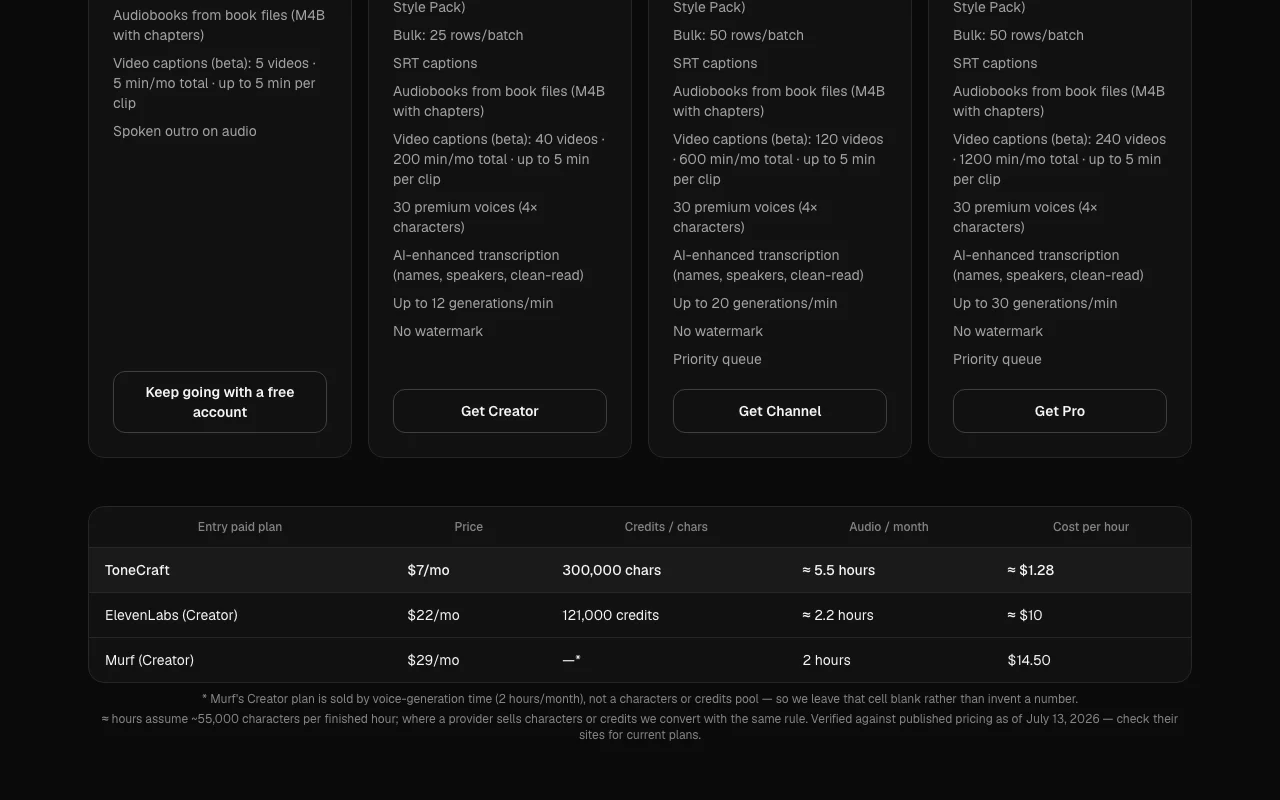
ToneCraft pricing page with plans and prices — screenshot of the audio & voice AI tool, Oct 1, 2026
Plan comparison on the official pricing page. tonecraftvo.com, captured Oct 1, 2026

Native integrations and export formats

Export: MP3, WAV, SRT, VTT, M4B, MP4 (video captions beta)

API access and separate billing

ToneCraft has no public API in its official documentation. No API offering seen; docs page returned 404.

Privacy, data use and commercial rights

Summarized from the vendor's current policies; this is not legal advice and a vendor's badge is not an independent audit.

How your inputs and outputs are handled

Scripts, uploaded audio/video, transcripts and generated files are processed; scripts go to a third-party speech service and AI assist features use a third-party model.

Policy says content is never used by ToneCraft to train models, never sold, never shown to other users.

Uploaded recordings are deleted on a short schedule after transcription; transcripts stay until you delete them; deleting an account removes content.

Commercial use and plan restrictions

Free output carries a spoken outro.

Controls for business users

  • Private signed download links
  • Account deletion on request

Policies: tonecraftvo.com/privacy

ToneCraft alternatives by need

"Better suited" is based on documented features and pricing, not on a head-to-head test.

ElevenLabs: better suited to

Descript: better suited to

Synthesia: better suited to

Alternatives
AlternativeWhen to choose itPricingLimitation
ElevenLabs——Compare
Descript——
Synthesia——

Explore ToneCraft further

If you are looking at ToneCraft

ToneCraft user reviews

No user reviews yet.

Used ToneCraft? Be the first to share your experience.

Write a review

Reviews are checked by a moderator before they appear. Your email is never published. Plain text only.

Your rating (required)

Show what you made or what went wrong. Images are published only if the review is approved; location data is removed.

    ToneCraft FAQ

    Can ToneCraft clone my voice?

    No. It offers catalog voices only and states it has no voice cloning or celebrity-sound features. source (opens in a new tab)

    Why does my free audio end with a spoken outro?

    The Free plan appends a short spoken outro; Creator, Channel and Pro have no watermark. source (opens in a new tab)

    How much audio do 300,000 characters give me?

    About 5.5 hours of finished audio on Creator, assuming roughly 55,000 characters per hour. source (opens in a new tab)

    Do premium voices use more of my quota?

    Yes, each premium render spends 4x characters. source (opens in a new tab)

    What book formats can I turn into audiobooks?

    PDF, EPUB, DOCX, FB2, TXT, Markdown or HTML, DRM-free and up to 100 MB, output as an M4B with chapters. source (opens in a new tab)

    Sources and review methodology

    Official sources and verification dates

    Not verified: Commercial-use terms; Official docs/API; Full language list.

    How we documented and maintain this page

    Every fact about ToneCraft above comes from the 3 official pages listed here, last compared on Sep 29, 2026; we have not run ToneCraft ourselves, so it has no editorial score. How we check and re-check pages.

    Article updated Oct 10, 2026; prices checked Sep 29, 2026. Outbound links to vendors are plain links; we do not earn commissions. How we review · Report an error