VideoDocumented overviewLast checked Oct 1, 2026

SparkVid: Pricing, Features & Best Use Cases

Browser-based AI video and image maker with access to multiple models (Seedance, Kling, Veo, Sora, etc.) for creating videos from text or images.

Who should use SparkVid

Best for content creators and marketers who want access to multiple AI video models in one place with motion control and text-based editing. Based on the vendor's documentation, not on a hands-on test.

Best for: Content creators making daily shorts

Also a good fit for

  • Marketers testing ad variations
  • E-commerce product video creation

Consider another tool if need a free tier or free trial

Or if

  • Prefer unlimited monthly video generation
  • Require 4K resolution outputs

SparkVid pricing and usage limits

Prices checked Oct 1, 2026 on the official US pricing page. Official pricing ↗ Prices and limits change often.

Vendor pricing page re-checked automatically 12 days ago: no changes detected.

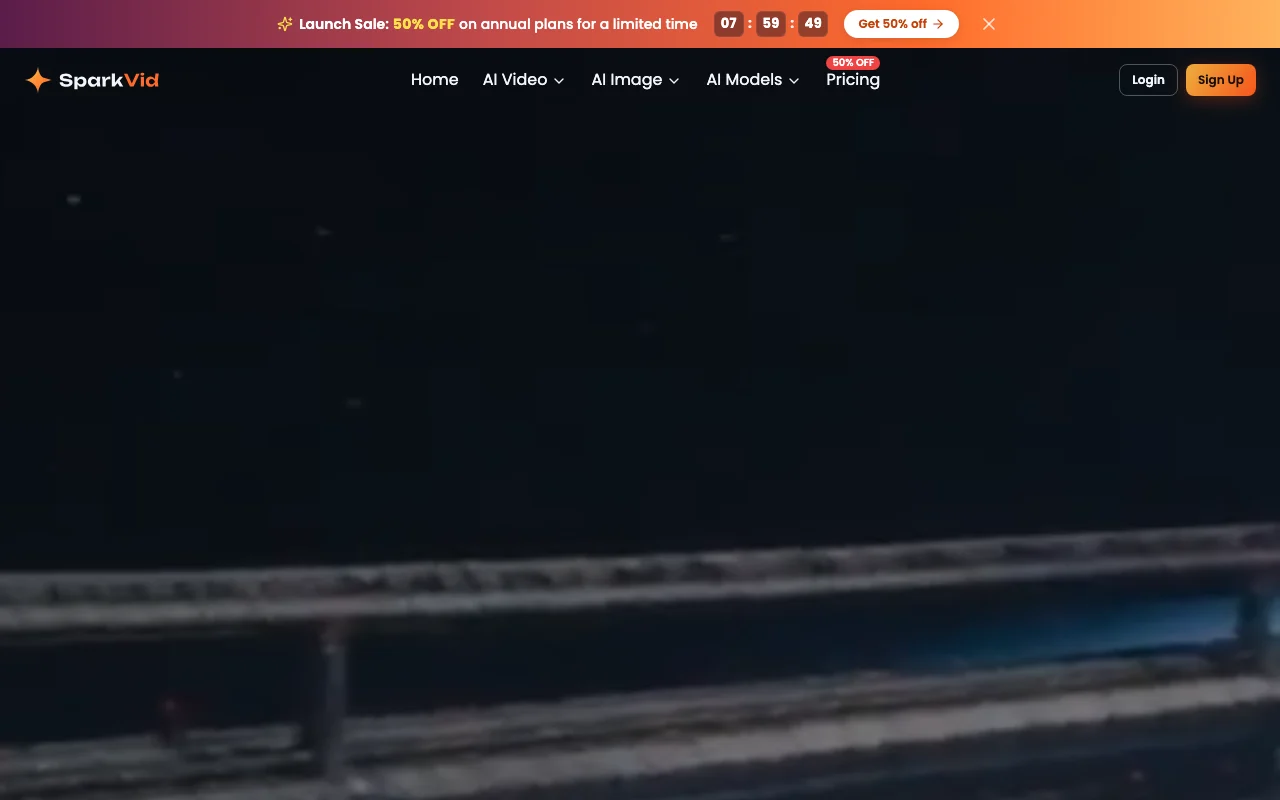
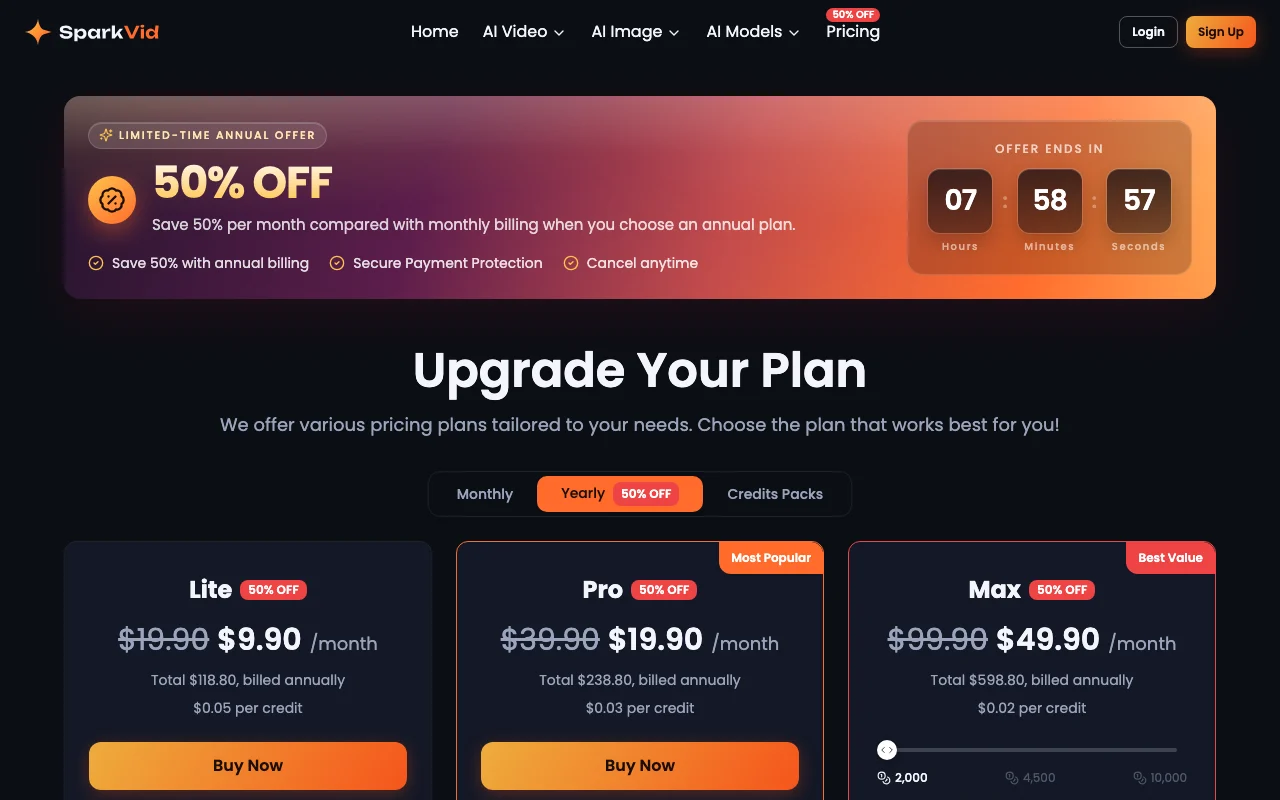
SparkVid pricing page with plans and prices — screenshot of the video AI tool, Oct 1, 2026
The official SparkVid pricing page as we saw it. sparkvid.ai, captured Oct 1, 2026

Free access and trial conditions

No free plan or trial offered

Not offered; must subscribe to paid plan

Paid plans: what changes as you upgrade

Lite web

$19.9 source (opens in a new tab)

Monthly

Annual billing available at $9.90/month (saves 50%, total $118.80/year)

For: Individual creators with occasional video needs

Limits

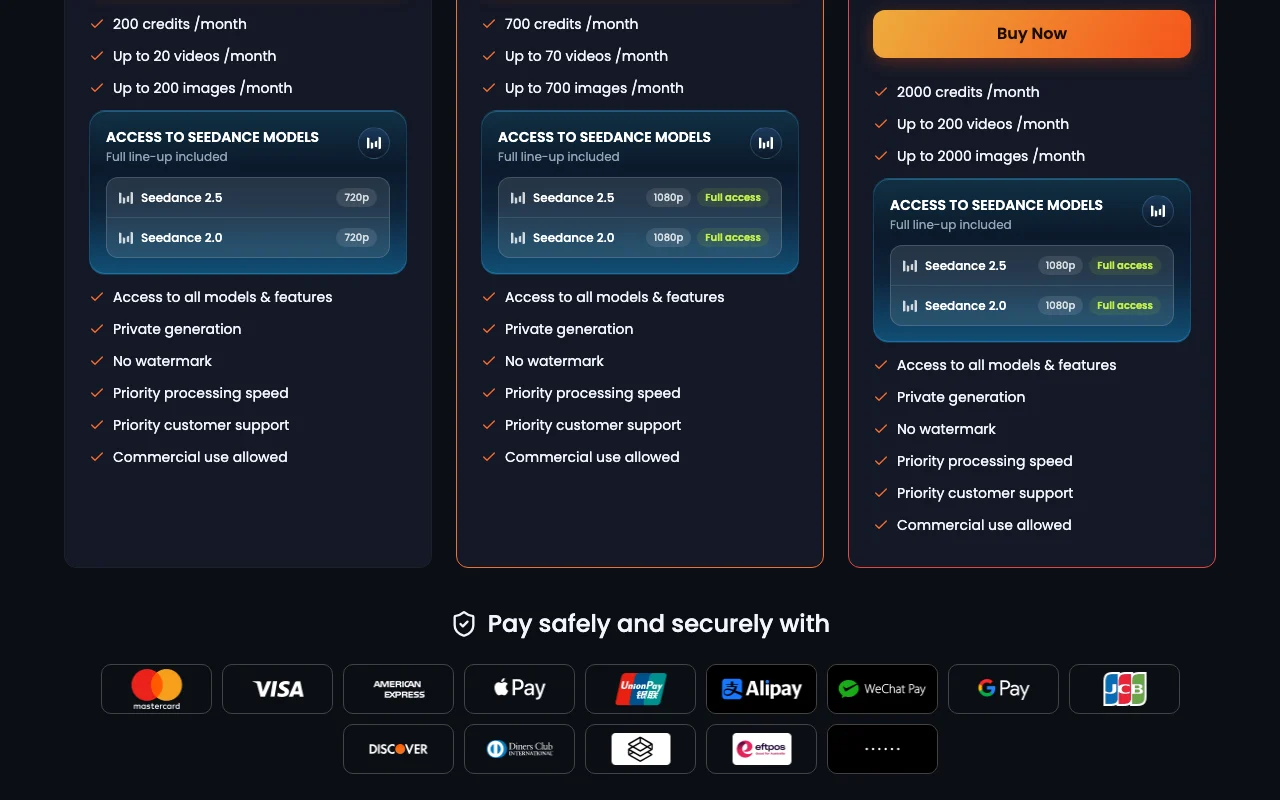
  • 200 credits per month
  • Up to 20 videos per month
2 more
  • Up to 200 images per month
  • Seedance limited to 720p resolution

Includes

  • Access to all models (Seedance, Kling, Veo, Sora, etc.)
  • Private generation
3 more
  • No watermark
  • Commercial use allowed
  • Priority customer support

Pro web

$39.9 source (opens in a new tab)

Monthly

Annual billing available at $19.90/month (saves 50%, total $238.80/year)

For: Content creators making 2–3 videos per week

Limits

  • 700 credits per month
  • Up to 70 videos per month
2 more
  • Up to 700 images per month
  • 1080p resolution on Seedance models

Includes

  • Access to all models (full line-up included)
  • Seedance 2.5 at 1080p with full access
6 more
  • Seedance 2.0 at 1080p with full access
  • Private generation
  • No watermark
  • Priority processing speed
  • Commercial use allowed
  • Priority customer support

Max web

$99.9 source (opens in a new tab)

Monthly

Annual billing available at $49.90/month (saves 50%, total $598.80/year)

For: Marketing teams and studios with daily video needs

Limits

  • 2,000 credits per month (expandable to 4,500 or 10,000)
  • Up to 200 videos per month
2 more
  • Up to 2,000 images per month
  • 1080p resolution on all models

Includes

  • Access to all models (full line-up included)
  • Seedance 2.5 at 1080p with full access
7 more
  • Seedance 2.0 at 1080p with full access
  • Private generation
  • No watermark
  • Priority processing speed
  • Commercial use allowed
  • Priority customer support
  • Highest credit allocation for large projects

Usage caps, credits and extra costs

Additional credit packs available; per-credit cost drops with plan tier ($0.05 Lite, $0.03 Pro, $0.02 Max)

Not mentioned; likely subject to applicable sales tax

What is SparkVid, and how does it work?

SparkVid is a web app for creating AI videos from text prompts or reference images, videos and audio, using third-party models such as Seedance, Kling, Veo, Sora, Wan and MiniMax. Users can switch models per run and compare results. It also offers motion control (transferring motion from a reference clip and directing camera moves), text-instruction video editing such as object removal and background swaps, and image generation with models like GPT Image and Nano Banana.

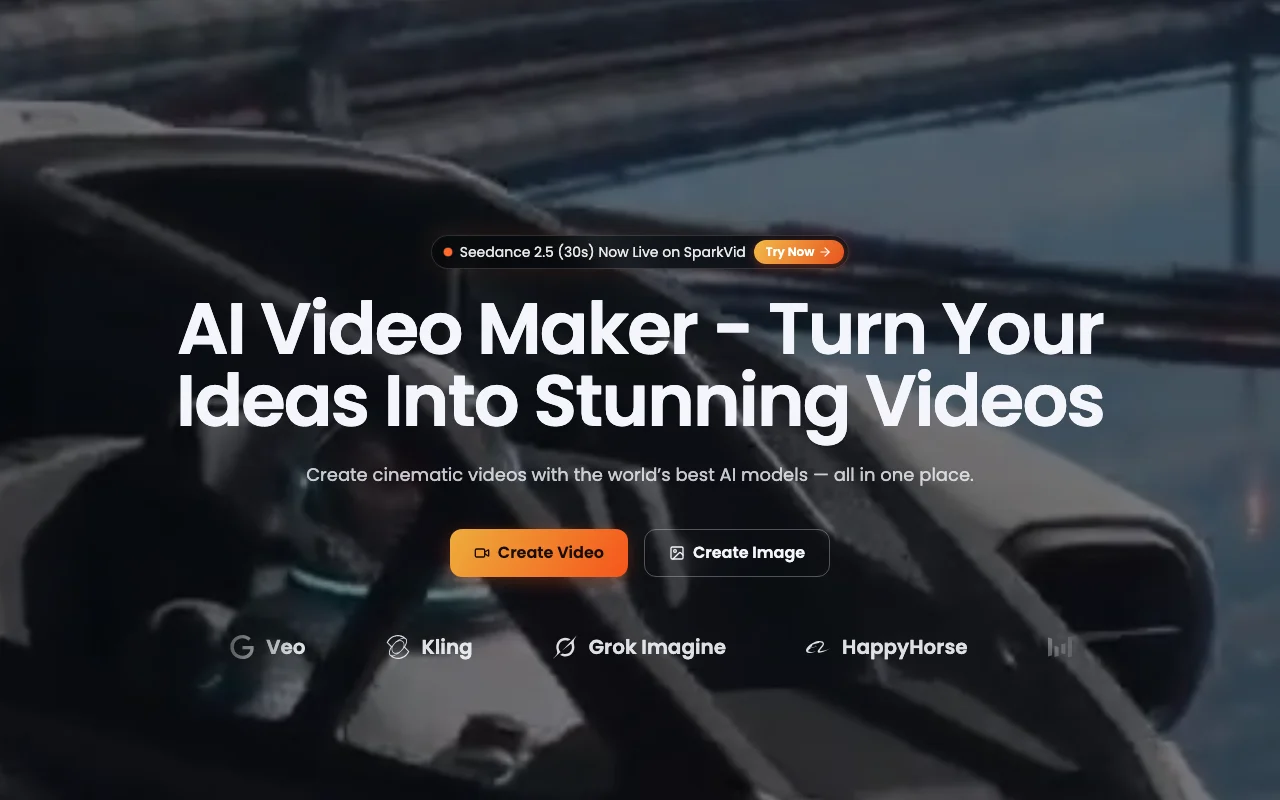
SparkVid homepage — screenshot of the video AI tool, Oct 1, 2026
SparkVid's official site: how the product presents itself. sparkvid.ai, captured Oct 1, 2026

What you provide and what you get back

How SparkVid works: what you provide, where it runs and what you get backYOU PROVIDEYour inputText prompts (up to 10,000 charac…Reference images (up to 9 files,…Reference videos (up to 3 files,…Reference audio (up to 3 files, m…VIDEOSparkVidWebfrom $19.9 (Lite)no free tieraccount requiredchecked Oct 1, 2026YOU GET BACKThe resultAI-generated video (480p–1080p de…AI-generated images (photorealist…Edited videos (object removal, ba…input → SparkVid → output · from the vendor's own pages, no hands-on test unless stated
What you give SparkVid and what comes back, from its documentation

You provide

  • Text prompts (up to 10,000 characters)
  • Reference images (up to 9 files, max 10MB each, JPG/PNG/WEBP)
  • Reference videos (up to 3 files, max 15s total, max 50MB, MP4/MOV)
  • Reference audio (up to 3 files, max 15s total, max 15MB, MP3/WAV)

You get back

  • AI-generated video (480p–1080p depending on plan)
  • AI-generated images (photorealistic, anime, 3D, illustration styles)
  • Edited videos (object removal, background swap, style change via text)

Where you can use it

Platforms
Web
Account
Required

Where SparkVid is most useful

Scenarios are worked out by our editors from the documentation; the actual result depends on your input and plan.

Creating short videos from text prompts

Who
Content creators and social media managers
You provide
Text description of desired video or reference image
Expected result
Short-form video ready for TikTok, Reels, or YouTube
Plan needed
Lite ($9.90/mo annual) for low volume; Pro ($19.90/mo annual) for daily content
Limitation
Lite: 20 videos/month; Pro: 70 videos/month; Max limited to 200 videos/month source (opens in a new tab)

Animating product photos or artwork

Who
E-commerce and product teams
You provide
Product photo or artwork with camera direction description
Expected result
Lifestyle video showing product in motion
Plan needed
Pro or Max for best results (1080p resolution)
Limitation
Lite plan limited to 720p resolution on Seedance models source (opens in a new tab)

Transferring motion from a reference video

Who
Filmmakers and creative directors
You provide
Reference video with desired motion, subject to apply motion to
Expected result
Subject animated with motion from reference
Plan needed
Pro or Max for priority processing
Limitation
Motion Control available on all plans but priority processing on paid tiers source (opens in a new tab)

Key features and their practical limits

SparkVid homepage — screenshot of the video AI tool, Oct 1, 2026
Feature overview on the official site. sparkvid.ai, captured Oct 1, 2026

Text-to-video and image-to-video

Creates videos from plain-language prompts or uploaded photos/artwork Eliminates need for filming or stock footage

Access: All plansLimit: Resolution varies by plan (720p Lite, 1080p Pro/Max) source (opens in a new tab)

Multiple third-party video and image models

Access to Seedance, Kling, Veo, Sora, and other models in one interface Compare results across models without switching platforms

Access: All plansLimit: Seedance 2.5 limited to 720p on Lite plan source (opens in a new tab)

Multi-reference input

Upload up to 9 images, 3 videos (15s total), and 3 audio files (15s total) as references Provides models with context for style, motion, and audio consistency

Access: All plansLimit: Max file sizes: images 10MB, videos 50MB, audio 15MB source (opens in a new tab)

AI Motion Control and camera direction

Transfer motion from reference video; choreograph camera (pans, zooms, orbits, dolly shots) Direct exactly how subjects and cameras move without multiple generations

Access: All plansLimit: Requires reference video for motion transfer source (opens in a new tab)

Pros, cons and deal-breakers

Where SparkVid is strong

  • Prices shown in USD Transparent pricing with clear credit costs ($0.05–$0.02 per credit) documented source (opens in a new tab)
  • Access to 11+ video and image models in one tool Compare Seedance, Kling, Veo, Sora and others side-by-side without platform switching documented source (opens in a new tab)
  • Paid plans include no watermark and commercial use Output can be used in professional work and commercial products documented source (opens in a new tab)
  • Annual subscription saves 50% (limited-time offer) Lite $9.90/mo, Pro $19.90/mo, Max $49.90/mo when billed yearly documented source (opens in a new tab)

Limitations to check before paying

  • Credit-based usage with monthly caps Monthly video/image limits (20–200 videos, 200–2000 images per plan) documented source (opens in a new tab)
  • No free plan shown on the pricing page Must subscribe to any paid plan to use; no trial or free tier documented source (opens in a new tab)
  • Lite plan limited to 720p for Seedance models Lower resolution output on budget tier; Pro/Max offer 1080p documented source (opens in a new tab)
  • Requires account creation Must sign up and log in; email or Google account needed documented source (opens in a new tab)

How to use SparkVid for creating an AI video from a text prompt or image

Set up SparkVid

  1. Sign up at https://sparkvid.ai/ (email or Google account)
  2. Select a paid plan (Lite, Pro, or Max)
  3. Log in to the dashboard
  4. Choose a video model (Seedance, Kling, Veo, etc.)

Example: creating an AI video from a text prompt or image

  1. Click Create Video or Create Image button
  2. Enter text prompt (e.g., 'cinematic travel vlog of packing, airport, flight meal, hotel skyline')
  3. Optionally upload reference images/videos/audio (up to 9 images, 3 videos, 3 audios)
  4. Select video length (5s shown as default) and resolution (480p–1080p)
  5. Click Generate and wait for processing
  6. Preview video in browser; compare with other models if desired
  7. Download or export video

Review and export the result

  1. Preview generated video for visual quality and accuracy to prompt
  2. Compare outputs from different models (Seedance vs. Kling vs. Veo)
  3. Check video meets watermark-free and commercial-use requirements
Example prompt suggested by our editors (not a recorded output of the product)
Colorful fruit biscuit commercial with geometric arrays and slow-mo snap

SparkVid integrations and API

SparkVid pricing page with plans and prices — screenshot of the video AI tool, Oct 1, 2026
Plan comparison on the official pricing page. sparkvid.ai, captured Oct 1, 2026

Native integrations and export formats

Export: MP4 video, Image formats for generated images

API access and separate billing

SparkVid has no public API in its official documentation. No API access mentioned; web interface only

Privacy, data use and commercial rights

Summarized from the vendor's current policies; this is not legal advice and a vendor's badge is not an independent audit.

How your inputs and outputs are handled

Uploaded images, videos, audio, and text prompts processed to generate videos

Not stated; assume materials used for generation only

Not stated; assume standard SaaS retention

Commercial use and plan restrictions

Explicitly allowed on paid plans; no watermark in commercial outputs

Lite plan may have different commercial use terms (unclear)

Explore SparkVid further

If you are looking at SparkVid

SparkVid user reviews

No user reviews yet.

Used SparkVid? Be the first to share your experience.

Write a review

Reviews are checked by a moderator before they appear. Your email is never published. Plain text only.

Your rating (required)

Show what you made or what went wrong. Images are published only if the review is approved; location data is removed.

    SparkVid FAQ

    Which AI models are available on SparkVid?

    SparkVid offers 11+ models: Seedance 2.5, Seedance 2.0, Sora, Veo, Kling, Grok Imagine, HappyHorse, Seedream, MiniMax H3, Nano Banana, and GPT Image. source (opens in a new tab)

    What is the difference between monthly and annual billing?

    Annual billing offers 50% off (limited-time offer): Lite $9.90/month, Pro $19.90/month, Max $49.90/month. Standard monthly prices are Lite $19.90, Pro $39.90, Max $99.90. source (opens in a new tab)

    Can I use videos created with SparkVid for commercial purposes?

    Yes, all paid plans include commercial use rights and no watermark on outputs. source (opens in a new tab)

    What resolution can I generate videos in?

    Lite plan offers 720p for Seedance models; Pro and Max offer 1080p across all models. source (opens in a new tab)

    Can I compare outputs from different AI models?

    Yes, you can switch between Seedance, Kling, Veo and other models on every run and compare the takes side by side. source (opens in a new tab)

    Sources and review methodology

    Official sources and verification dates

    Not verified: Privacy policy (page returned 404); API availability and documentation; Exact data retention policy; Training data usage; Free trial availability.

    How we documented and maintain this page

    Every fact about SparkVid above comes from the 2 official pages listed here, last compared on Oct 1, 2026; we have not run SparkVid ourselves, so it has no editorial score. How we check and re-check pages.

    Article updated Oct 10, 2026; prices checked Oct 1, 2026. Outbound links to vendors are plain links; we do not earn commissions. How we review · Report an error