VideoDocumented overviewLast checked Sep 29, 2026

Selects: Pricing, Features & Best Use Cases

AI video editor that organizes raw footage, syncs multicam and builds draft timelines for handoff to major editors.

Who Selects fits

Selects suits video editors and podcast or interview producers who want raw footage synced, chunked by topic and turned into draft timelines before handing off to Premiere, Final Cut Pro or DaVinci Resolve. Based on the vendor's documentation, not on a hands-on test.

Best for: Video editors

Also a good fit for

  • Podcast and interview producers

Consider another tool if credit-based plans

Or if

  • Starter limited to 10 hours of video analysis
  • Team plan requires 5+ seats

Selects in the news

Headlines from US outlets, selected automatically — not endorsements. Updated Oct 2, 2026

Selects pricing and usage limits

Prices checked Sep 29, 2026 on the official US pricing page. Official pricing ↗ Prices and limits change often.

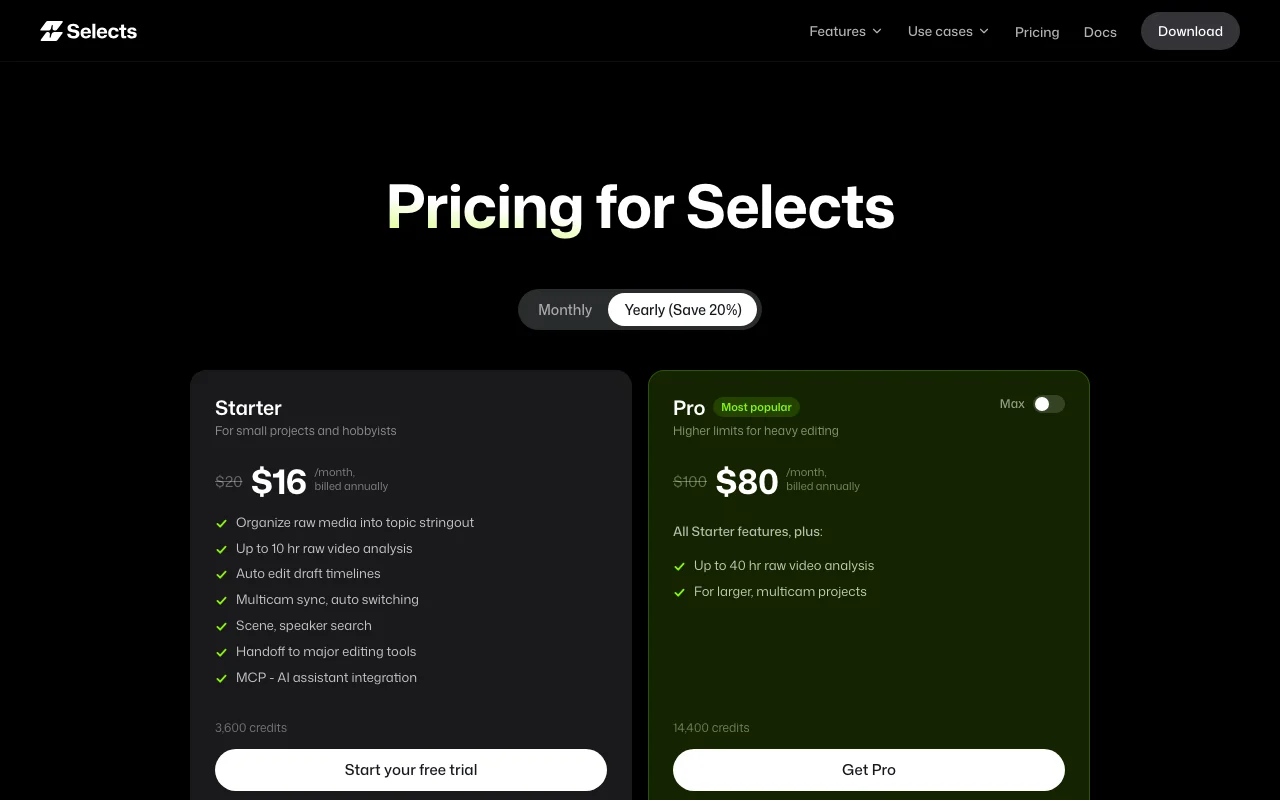
Selects pricing page with plans and prices — screenshot of the video AI tool, Oct 1, 2026
The official Selects pricing page as we saw it. tryselects.com, captured Oct 1, 2026

Free access and trial conditions

No free tier; Starter offers a free trial

Free trial on Starter

Paid plans: what changes as you upgrade

Starter web

$20/mo source (opens in a new tab)

Month

Yearly $16/mo billed annually; free trial offered

For: Hobbyists and small projects

Limits

  • 3,600 credits
  • Up to 10 hours of raw video analysis

Includes

  • Organize raw media into a topic stringout
  • Multicam sync and auto switching
1 more
  • Handoff to major editors and MCP

API included

Pro web

$100/mo source (opens in a new tab)

Month

Yearly $80/mo billed annually; a 36,000-credit Pro Max tier appears in the comparison table without a price

For: Heavy editing

Limits

  • 14,400 credits
  • Up to 40 hours of raw video analysis

Includes

  • All Starter features
  • For larger multicam projects

API included

Team web

$1,000/mo source (opens in a new tab)

Month

Yearly $800/mo billed annually

For: Productions and studios

Limits

  • 72,000 credits shared
  • Up to 200 hours of analysis

Includes

  • Shared credits
  • Central billing and administration
1 more
  • Advanced data privacy

API included

Enterprise web

Custom pricing source (opens in a new tab)

Unknown

For: Large organizations

Limits

  • Custom limits

Includes

  • Unlimited seats
  • 24/7 priority support and SLAs
1 more
  • Enterprise-level security

API included

Usage caps, credits and extra costs

Credit top-up about $0.0167 per credit (Team $0.0222)

Not stated

What is Selects, and how does it work?

Selects prepares raw footage after a shoot: it syncs multicam video and audio, chunks long clips by topic, transcribes by speaker and builds draft timelines. Results can be handed off to editing software such as Premiere, Final Cut Pro or DaVinci Resolve, and an MCP integration lets AI assistants work with projects.

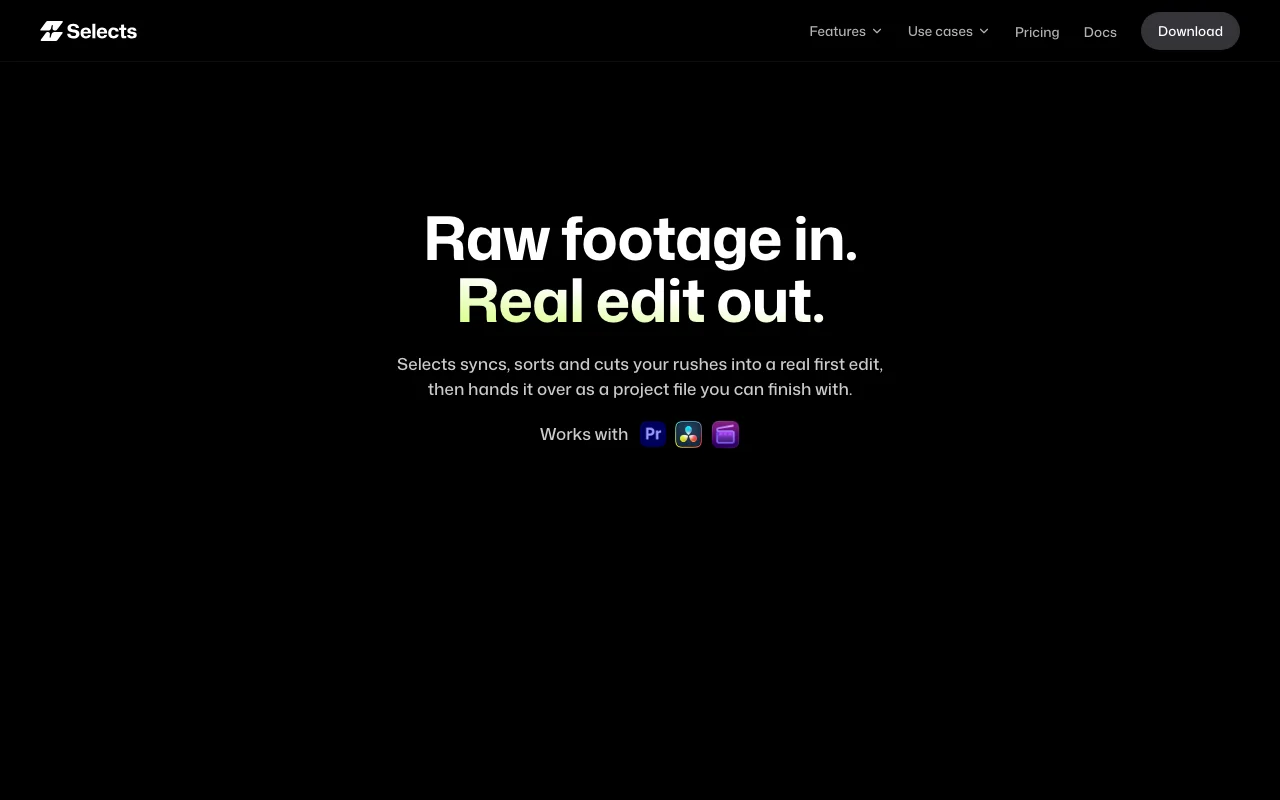
Selects homepage — screenshot of the video AI tool, Oct 1, 2026
Selects's official site: how the product presents itself. tryselects.com, captured Oct 1, 2026

What you provide and what you get back

How Selects works: what you provide, where it runs and what you get backYOU PROVIDEYour inputRaw video and audio footageMulticam camera anglesSpeaker definitionsVIDEOSelectsDesktopfrom $20/mo (Starter)no free tieraccount requiredchecked Sep 29, 2026YOU GET BACKThe resultSynced multicam sequencesTopic-chunked transcripts by spea…Draft timelines and project files…input → Selects → output · from the vendor's own pages, no hands-on test unless stated
What you give Selects and what comes back, from its documentation

You provide

  • Raw video and audio footage
  • Multicam camera angles
  • Speaker definitions

You get back

  • Synced multicam sequences
  • Topic-chunked transcripts by speaker
  • Draft timelines and project files for Premiere, Final Cut Pro or DaVinci Resolve

Where you can use it

Platforms
Desktop
Account
Required
Credits
3,600 / 14,400 / 36,000 / 72,000
Analysis cap
10 / 40 / 100 / 200 hours
Handoff
Premiere, Final Cut Pro, DaVinci Resolve
Platforms
macOS, Windows
Top-up
$0.0167 per credit

Where Selects is most useful

Scenarios are worked out by our editors from the documentation; the actual result depends on your input and plan.

Podcast editing prep

Who
Podcast producers
You provide
Multicam video and audio of an episode
Expected result
Synced, speaker-labelled draft ready for the NLE
Plan needed
Starter or Pro
Limitation
10 hours of analysis on Starter source (opens in a new tab)

Interview editing

Who
Documentary and corporate editors
You provide
Hours of interview footage
Expected result
Footage chunked by topic with transcripts
Plan needed
Pro
Limitation
Pro caps at 40 hours source (opens in a new tab)

Multicam sync

Who
Event and talk-show editors
You provide
Several camera angles
Expected result
A synced multicam sequence with automatic switching
Plan needed
All plans
Limitation
Quality depends on audio sync cues source (opens in a new tab)

Letting an AI assistant work with a project

Who
Editors using MCP assistants
You provide
MCP connection
Expected result
Assistants query and edit project data
Plan needed
All plans
Limitation
MCP setup not detailed source (opens in a new tab)

Key features and their practical limits

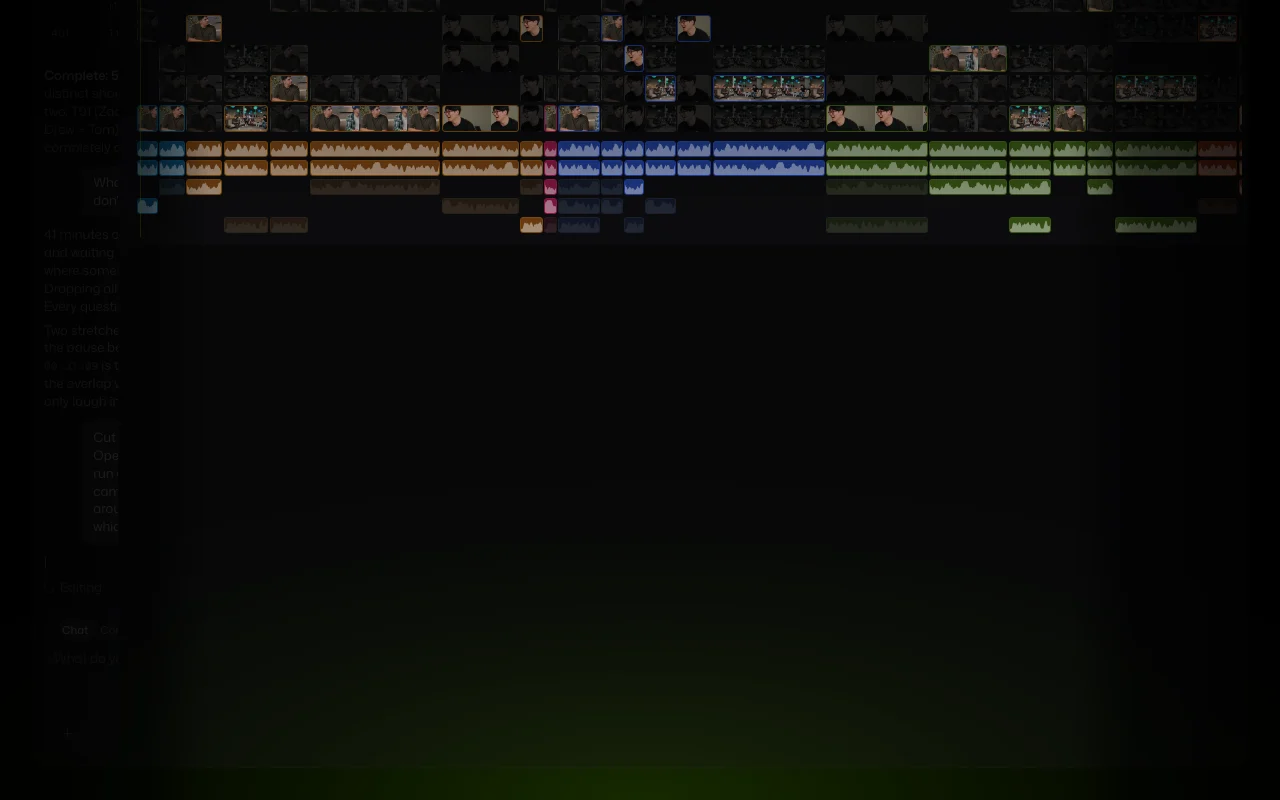
Selects homepage — screenshot of the video AI tool, Oct 1, 2026
Feature overview on the official site. tryselects.com, captured Oct 1, 2026

Raw media organization

Chunks long clips into topics and transcribes by speaker Gives a searchable stringout

Access: All plansLimit: Limited by analysis hours source (opens in a new tab)

Auto edit draft timelines

Builds a draft timeline from the organized media Starts the edit already assembled

Access: All plansLimit: Draft still needs creative polish source (opens in a new tab)

Multicam sync and switching

Syncs video and audio and switches angles automatically Saves hours of manual sync

Access: All plansLimit: Auto switching is a draft source (opens in a new tab)

Scene and speaker search

Searches footage by scene and speaker Finds moments quickly

Access: All plansLimit: Index built per analyzed hour source (opens in a new tab)

Handoff to major editing tools

Exports a project file for Premiere, Final Cut Pro or DaVinci Resolve Continue the creative edit in your NLE

Access: All plansLimit: Only those three tools are named source (opens in a new tab)

Pros, cons and deal-breakers

Reasons to choose Selects

Check before paying for Selects

How to use Selects for preparing raw multicam footage for a Premiere or Resolve edit

Set up Selects

  1. Download Selects for macOS or Windows from tryselects.com/download
  2. Sign in and start the Starter free trial
  3. Create a project and import your raw footage

Example: preparing raw multicam footage for a Premiere or Resolve edit

  1. Let Selects sync multicam video and audio
  2. Define the speaker personas
  3. Review the topic-chunked transcript and stringout
  4. Click Continue in Premiere or the handoff button for your editor

Review and export the result

  1. Scrub the synced timeline to confirm sync across angles
  2. Open the handed-off project in your NLE and check the clips link correctly

Selects integrations and API

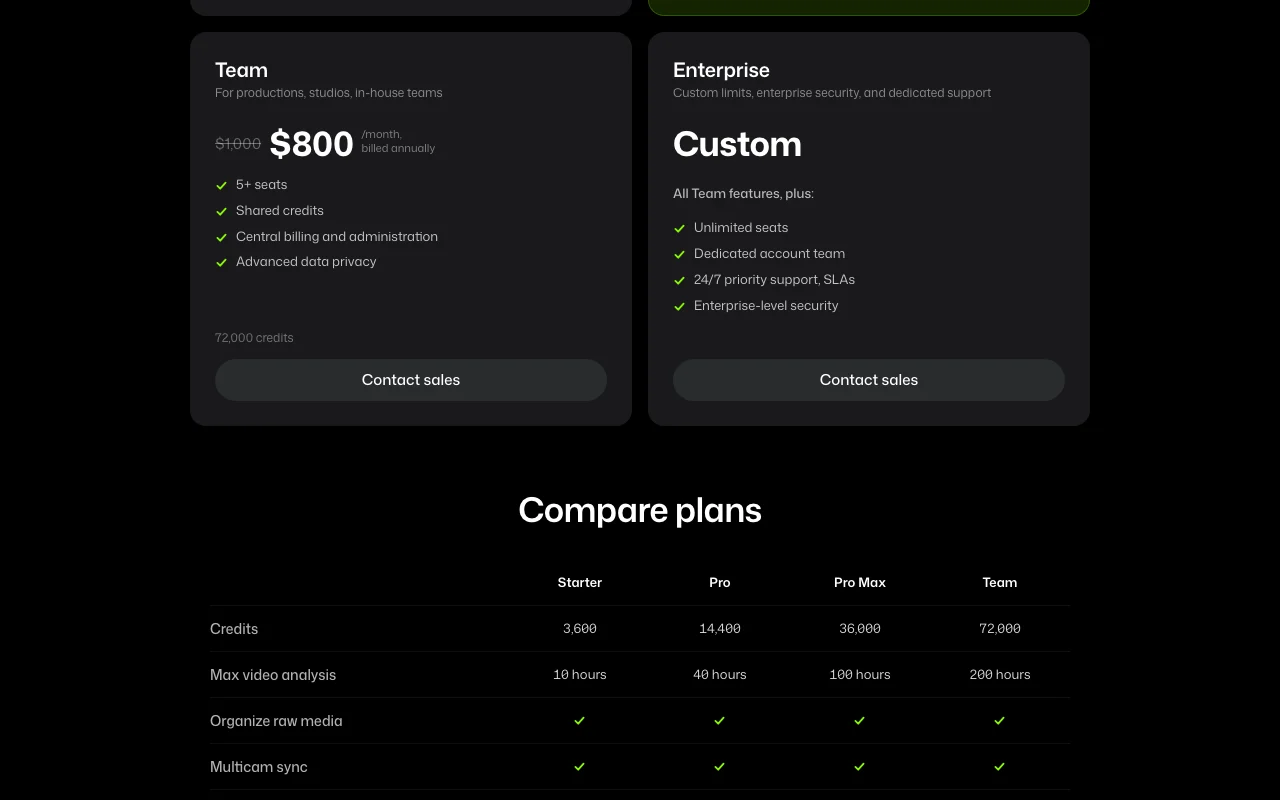
Selects pricing page with plans and prices — screenshot of the video AI tool, Oct 1, 2026
Plan comparison on the official pricing page. tryselects.com, captured Oct 1, 2026

Native integrations and export formats

Export: Premiere project, Final Cut Pro project, DaVinci Resolve project

API access and separate billing

Selects has no public API in its official documentation. MCP integration only; no REST API listed API documentation ↗

Privacy, data use and commercial rights

Summarized from the vendor's current policies; this is not legal advice and a vendor's badge is not an independent audit.

How your inputs and outputs are handled

Processes uploaded raw media for analysis

Not stated

Not stated

Commercial use and plan restrictions

Not stated

Advanced data privacy only on Team

Controls for business users

  • Advanced data privacy on Team
  • Enterprise-level security

Policies: tryselects.com/privacy

Best Selects alternatives for different needs

"Better suited" is based on documented features and pricing, not on a head-to-head test.

Descript: better suited to

Runway: better suited to

Alternatives
AlternativeWhen to choose itPricingLimitation
Descript——Compare
Runway——Compare

Explore Selects further

If you are looking at Selects

Selects user reviews

No user reviews yet.

Used Selects? Be the first to share your experience.

Write a review

Reviews are checked by a moderator before they appear. Your email is never published. Plain text only.

Your rating (required)

Show what you made or what went wrong. Images are published only if the review is approved; location data is removed.

    Selects FAQ

    How much does Selects cost?

    Starter is $20 per month ($16 billed annually), Pro $100 ($80 annually), Team $1,000 ($800 annually) and Enterprise is custom. source (opens in a new tab)

    Which editors can I hand off to?

    Adobe Premiere Pro, Final Cut Pro and DaVinci Resolve. source (opens in a new tab)

    Is there a free trial?

    Yes, the Starter plan offers a free trial. source (opens in a new tab)

    How many hours of footage can I analyze?

    10 on Starter, 40 on Pro, 100 on Pro Max and 200 on Team. source (opens in a new tab)

    Can I edit inside Selects?

    Yes, it has an editing environment with timeline shortcuts mirroring Premiere, Final Cut and Resolve, but most users hand off for the final edit. source (opens in a new tab)

    Sources and review methodology

    Official sources and verification dates

    Not verified: Pro Max price; Data retention; Training use; US availability.

    How we documented and maintain this page

    Every fact about Selects above comes from the 3 official pages listed here, last compared on Sep 29, 2026; we have not run Selects ourselves, so it has no editorial score. How we check and re-check pages.

    Article updated Oct 10, 2026; prices checked Sep 29, 2026. Outbound links to vendors are plain links; we do not earn commissions. How we review · Report an error