Chat assistantsDocumented overviewLast checked Sep 29, 2026

Osaurus: Pricing, Features & Best Use Cases

Free MIT-licensed Mac app for local AI agents with memory, tools and optional cloud models.

Who should use Osaurus

Osaurus is a strong choice for Mac users with Apple silicon who want free, MIT-licensed local agents with memory and tools, adding team sharing later if needed. Based on the vendor's documentation, not on a hands-on test.

Best for: Privacy-minded Mac users

Also a good fit for

  • Developers
  • Small teams

Consider another tool if requires macOS 15.5+ on Apple silicon

Or if

  • Cloud usage billed separately
  • Workspaces needs card and 14-day trial

Osaurus in the news

Headlines from US outlets, selected automatically — not endorsements. Updated Oct 2, 2026

Osaurus pricing and usage limits

Prices checked Sep 29, 2026 on the official US pricing page. Official pricing ↗ Prices and limits change often.

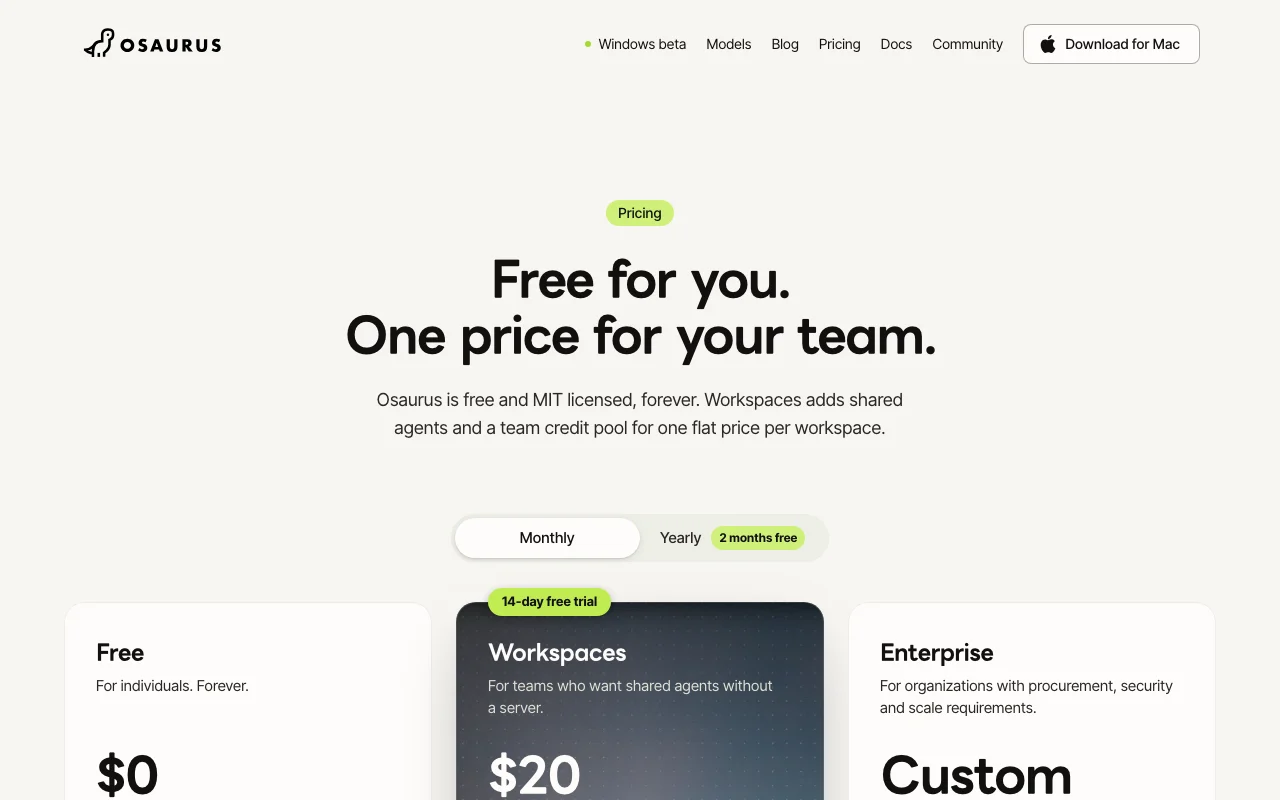
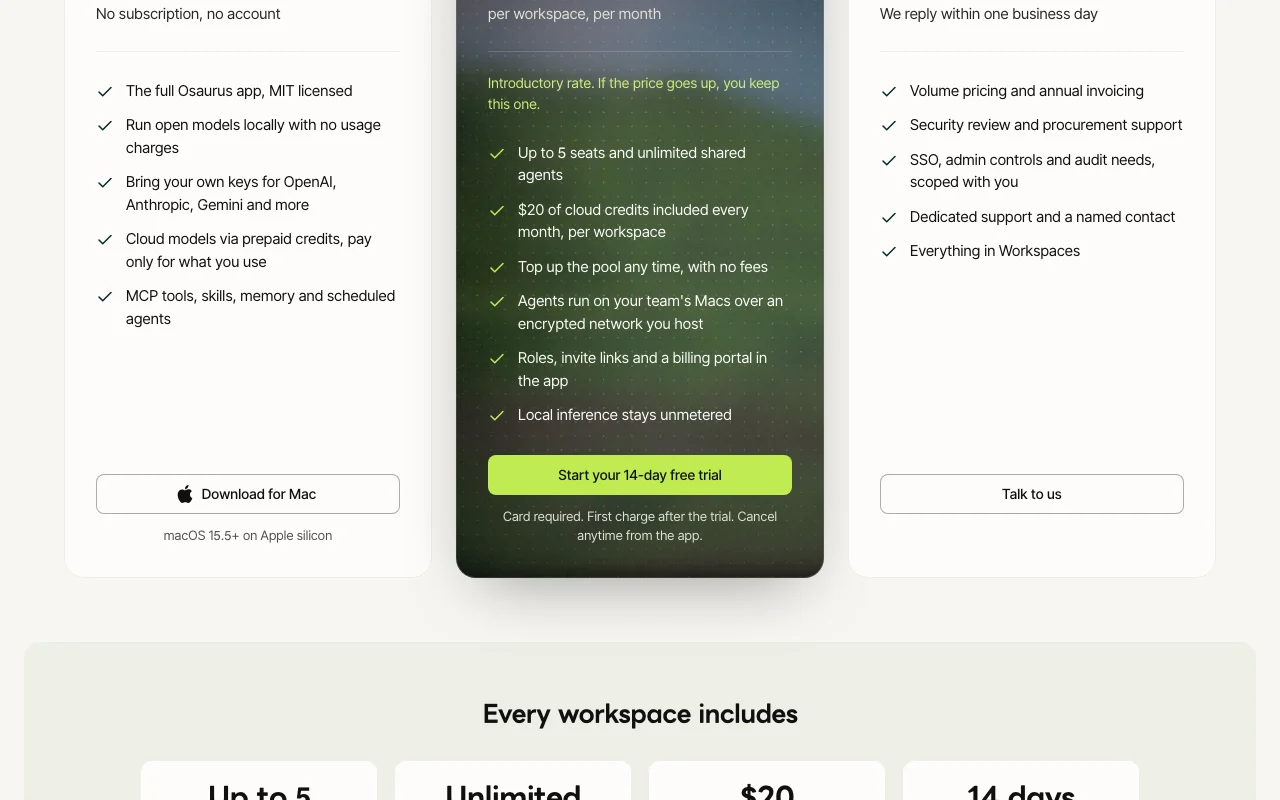
Osaurus pricing page with plans and prices — screenshot of the chat assistants AI tool, Oct 1, 2026
The official Osaurus pricing page as we saw it. osaurus.ai, captured Oct 1, 2026

Free access and trial conditions

Free and MIT licensed forever, no account needed

14-day free trial on Workspaces; card required, first charge after trial

Paid plans: what changes as you upgrade

Free web

Free source (opens in a new tab)

Month

For: Individuals and developers

Limits

  • macOS 15.5+ on Apple silicon
  • Cloud models via prepaid credits

Includes

  • Full MIT-licensed app
  • Local models with no usage charges
1 more
  • Bring your own keys, MCP tools, skills, memory, scheduled agents

No API

Workspaces web

$20/mo per workspace per month source (opens in a new tab)

Month

Yearly billing gives 2 months free; $20 is an introductory rate

For: Small teams sharing agents

Limits

  • Up to 5 seats
  • $20 of cloud credits included each month (no rollover)
1 more
  • 14-day free trial, card required

Includes

  • Unlimited shared agents
  • Roles, invite links and billing portal
1 more
  • Encrypted network between team Macs

No API

Enterprise web

Custom pricing source (opens in a new tab)

Unknown

For: Larger organizations

Limits

  • Volume pricing, annual invoicing

Includes

  • SSO and admin controls
  • Security review and procurement support
1 more
  • Dedicated support

Usage caps, credits and extra costs

Cloud models are paid through prepaid credits or your own provider keys

Not stated

What is Osaurus, and how does it work?

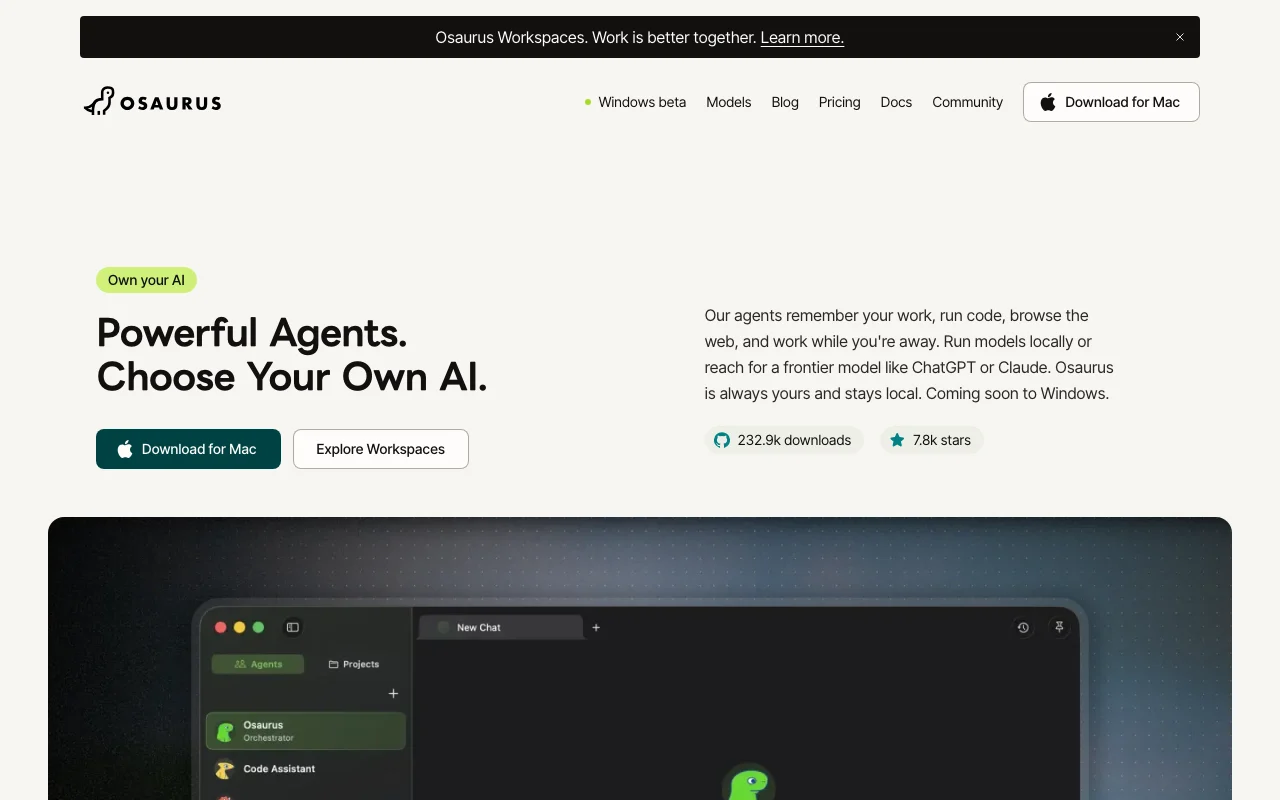
Osaurus is a macOS app (Apple silicon) that runs agents with memory, skills, code execution and web browsing. It can use local models or connect to providers such as OpenAI, Anthropic and Gemini with your own keys. Data is stored on the Mac, and a Privacy Filter redacts personal details before cloud requests. A paid Workspaces plan adds shared agents for teams.

Osaurus homepage — screenshot of the chat assistants AI tool, Oct 1, 2026
Osaurus's official site: how the product presents itself. osaurus.ai, captured Oct 1, 2026

What you provide and what you get back

How Osaurus works: what you provide, where it runs and what you get backYOU PROVIDEYour inputPrompts and files on your MacYour own provider API keysSchedules and skillsCHAT ASSISTANTSOsaurusDesktop, APIfrom $20/mo (Workspaces)free tier availablechecked Sep 29, 2026YOU GET BACKThe resultAgent responses and code executio…Web research and written documentsScheduled agent runsinput → Osaurus → output · from the vendor's own pages, no hands-on test unless stated
What you give Osaurus and what comes back, from its documentation

You provide

  • Prompts and files on your Mac
  • Your own provider API keys
  • Schedules and skills

You get back

  • Agent responses and code execution results
  • Web research and written documents
  • Scheduled agent runs

Where you can use it

Platforms
Desktop, API
Account
Not required
OS
macOS 15.5+ Apple silicon
License
MIT
Cloud providers
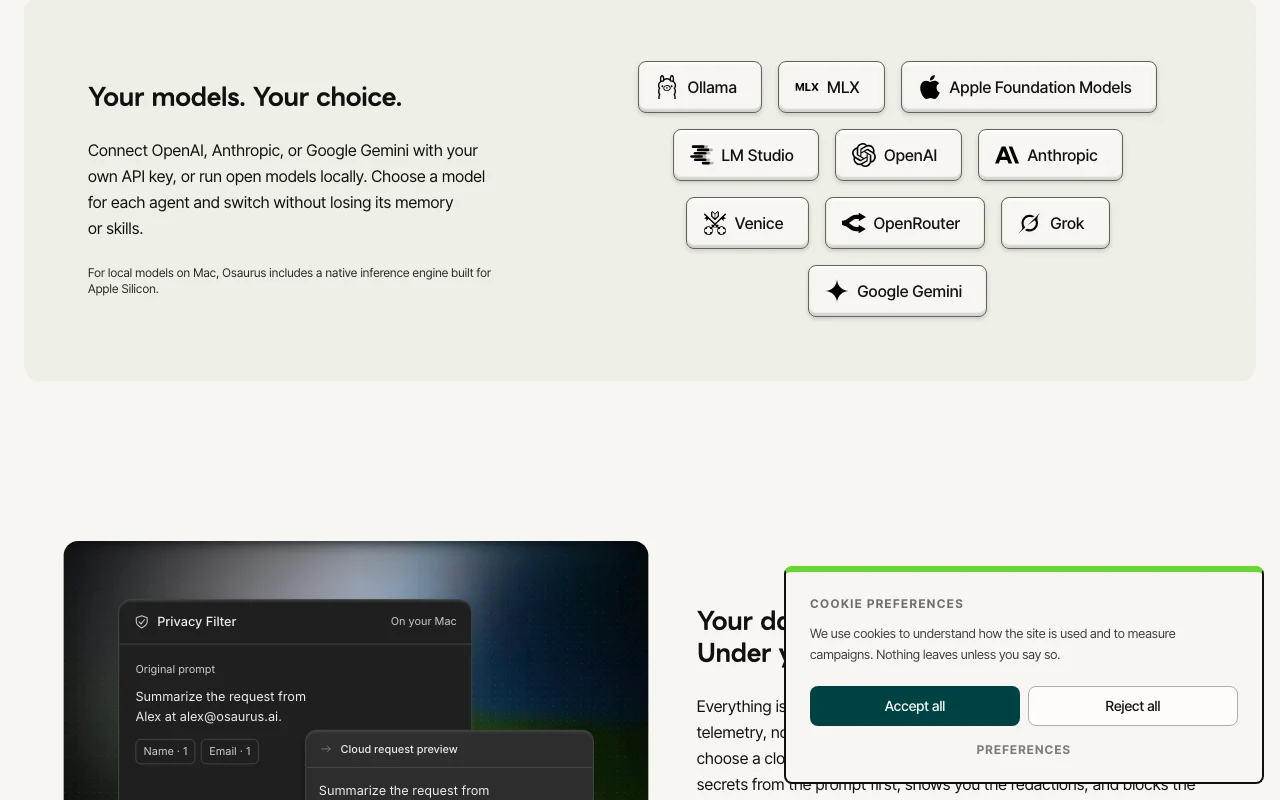
OpenAI, Anthropic, Gemini
Workspaces
5 seats, $20 credits/month
Windows
Beta announced

Where Osaurus is most useful

Scenarios are worked out by our editors from the documentation; the actual result depends on your input and plan.

Run agents on local models

Who
Privacy-minded Mac users
You provide
A local open model and a prompt
Expected result
Responses with no usage charges and no cloud transfer
Plan needed
Free
Limitation
Needs Apple silicon and enough memory source (opens in a new tab)

Schedule recurring agent tasks

Who
Developers and small teams
You provide
A task and schedule
Expected result
Agents that work while you are away
Plan needed
Free
Limitation
Cloud steps use paid credits or your keys source (opens in a new tab)

Research and write with web access

Who
Writers and analysts
You provide
A research brief
Expected result
Web-browsing agent output with memory
Plan needed
Free
Limitation
Cloud models are billed separately source (opens in a new tab)

Share a trained agent with a team

Who
Small teams
You provide
An agent built by one person
Expected result
Colleagues query the same agent
Plan needed
Workspaces
Limitation
Up to 5 seats per workspace source (opens in a new tab)

Osaurus features and their limits

Osaurus homepage — screenshot of the chat assistants AI tool, Oct 1, 2026
Feature overview on the official site. osaurus.ai, captured Oct 1, 2026

Local inference engine for Apple silicon

Runs open models natively on a Mac No usage charges and data stays local

Access: FreeLimit: Apple silicon only source (opens in a new tab)

Bring-your-own-key cloud providers

Connects OpenAI, Anthropic and Gemini with your key Use frontier models when needed

Access: FreeLimit: Cloud requests leave your device source (opens in a new tab)

Memory and skills

Lets agents remember work and use reusable skills Context persists across tasks

Access: FreeLimit: Memory stored locally on the Mac source (opens in a new tab)

MCP support

Supports MCP tools and servers Extends agents with external tools

Access: FreeLimit: Setup is manual source (opens in a new tab)

Privacy Filter

Redacts personal details before cloud requests Reduces data exposure

Access: App featureLimit: Not a guarantee of full redaction source (opens in a new tab)

Osaurus: strengths and limits

Where Osaurus is strong

Limitations to check before paying

How to use Osaurus for running a private local AI agent on a Mac

Set up Osaurus

  1. Download Osaurus from osaurus.ai (macOS 15.5+ on Apple silicon)
  2. Open the app and download a local model
  3. Optionally add provider keys for OpenAI, Anthropic or Gemini

Example: running a private local AI agent on a Mac

  1. Create an agent and choose its model
  2. Give it a task, such as summarizing a folder of notes
  3. Add an MCP tool or skill the agent needs
  4. Schedule the task to repeat daily

Review and export the result

  1. Check that local-model runs show no network traffic
  2. Review the redacted text before sending to a cloud model
Example prompt suggested by our editors (not a recorded output of the product)
Every weekday at 8am, summarize new files in my Research folder and list open questions.

Osaurus API

Osaurus pricing page with plans and prices — screenshot of the chat assistants AI tool, Oct 1, 2026
Plan comparison on the official pricing page. osaurus.ai, captured Oct 1, 2026

API access and separate billing

An API is available, billing not documented. Local server/API per site; cloud keys are your own API documentation ↗

Privacy, data use and commercial rights

Summarized from the vendor's current policies; this is not legal advice and a vendor's badge is not an independent audit.

How your inputs and outputs are handled

Local models process everything on the device; cloud models send needed content to the provider

Policy covers per-provider handling; local use is not sent to Osaurus

Chats and files stay on the Mac

Commercial use and plan restrictions

MIT license

Workspaces runs agents over a network you host

Controls for business users

  • Encrypted network
  • SSO on Enterprise

Policies: osaurus.ai/privacy

Osaurus alternatives by need

"Better suited" is based on documented features and pricing, not on a head-to-head test.

ChatGPT: better suited to

Claude: better suited to

Cursor: better suited to

Alternatives
AlternativeWhen to choose itPricingLimitation
ChatGPT——Compare
Claude——Compare
Cursor——

Explore Osaurus further

If you are looking at Osaurus

Osaurus user reviews

No user reviews yet.

Used Osaurus? Be the first to share your experience.

Write a review

Reviews are checked by a moderator before they appear. Your email is never published. Plain text only.

Your rating (required)

Show what you made or what went wrong. Images are published only if the review is approved; location data is removed.

    Osaurus FAQ

    Is Osaurus free?

    Yes, the app is MIT licensed with no subscription and no account; cloud models are billed separately. source (opens in a new tab)

    How much do Workspaces cost?

    $20 per workspace per month, introductory, with up to 5 seats, $20 monthly cloud credits and a 14-day trial that needs a card. source (opens in a new tab)

    What Macs are supported?

    macOS 15.5 or later on Apple silicon. source (opens in a new tab)

    Does my data leave my Mac?

    Not with a local model; with a cloud model the needed content is sent to that provider. source (opens in a new tab)

    Which cloud providers can I connect?

    OpenAI, Anthropic and Google Gemini with your own keys, among others. source (opens in a new tab)

    Sources and review methodology

    Official sources and verification dates

    Not verified: Windows release date; Per-model local requirements; US availability.

    How we documented and maintain this page

    Every fact about Osaurus above comes from the 2 official pages listed here, last compared on Sep 29, 2026; we have not run Osaurus ourselves, so it has no editorial score. How we check and re-check pages.

    Article updated Oct 2, 2026; prices checked Sep 29, 2026. Outbound links to vendors are plain links; we do not earn commissions. How we review · Report an error