Chat assistantsDocumented overviewLast checked Sep 29, 2026

Sparks AI: Pricing, Features & Best Use Cases

AI super app for building and chatting with custom agents, projects and artifacts, with research and code agents.
Who should use Sparks AI

Sparks AI suits people who want to assemble their own agents on a chosen LLM and share them in team projects, but check the credit-based pricing in the app before committing. Based on the vendor's documentation, not on a hands-on test.

Best for: Teams experimenting with agents

Also a good fit for

  • Users who want to pick their own LLM for custom agents

Consider another tool if pricing amounts not visible in loaded page (JS-rendered)

Or if

  • Requires an account
  • Credit packs and subscriptions exist, limits unseen

Sparks AI in the news

Headlines from US outlets, selected automatically — not endorsements. Updated Oct 2, 2026

Sparks AI pricing and usage limits

Prices checked Sep 29, 2026 on the official US pricing page. Official pricing ↗ Prices and limits change often.

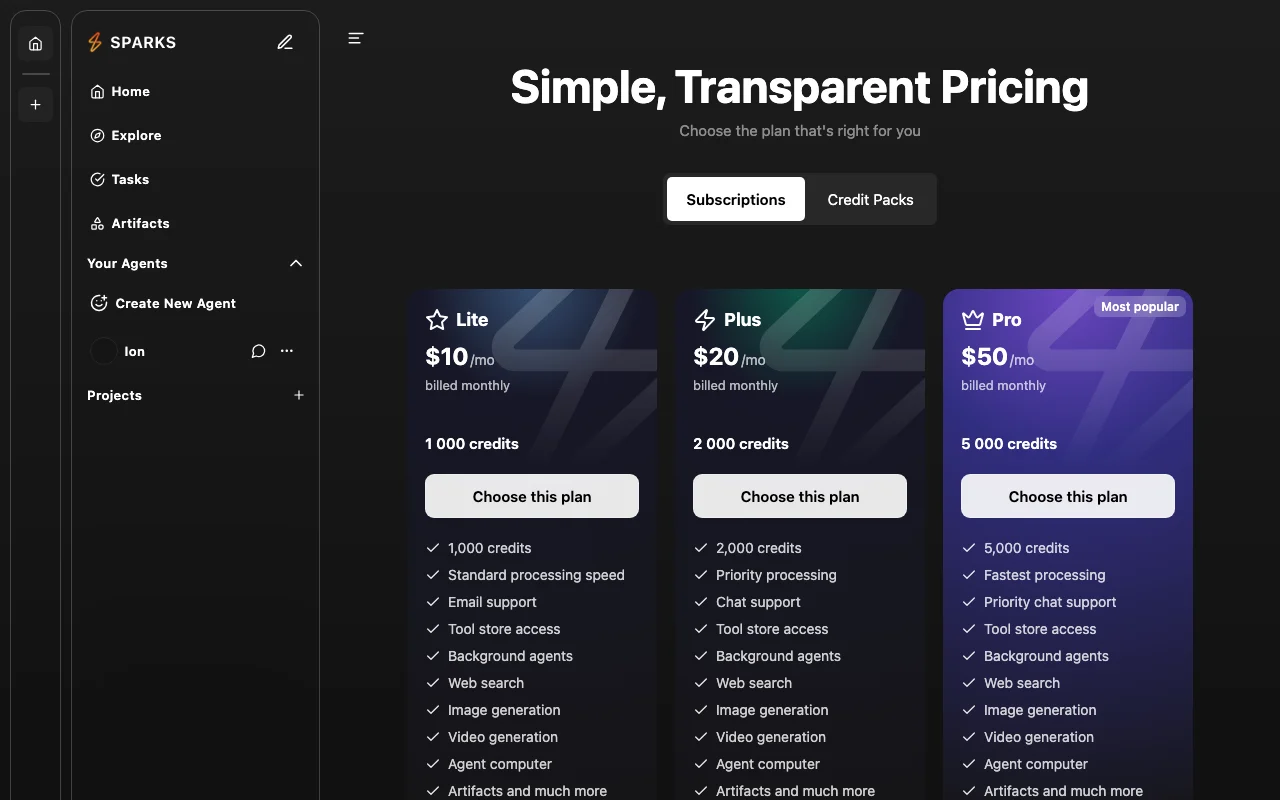
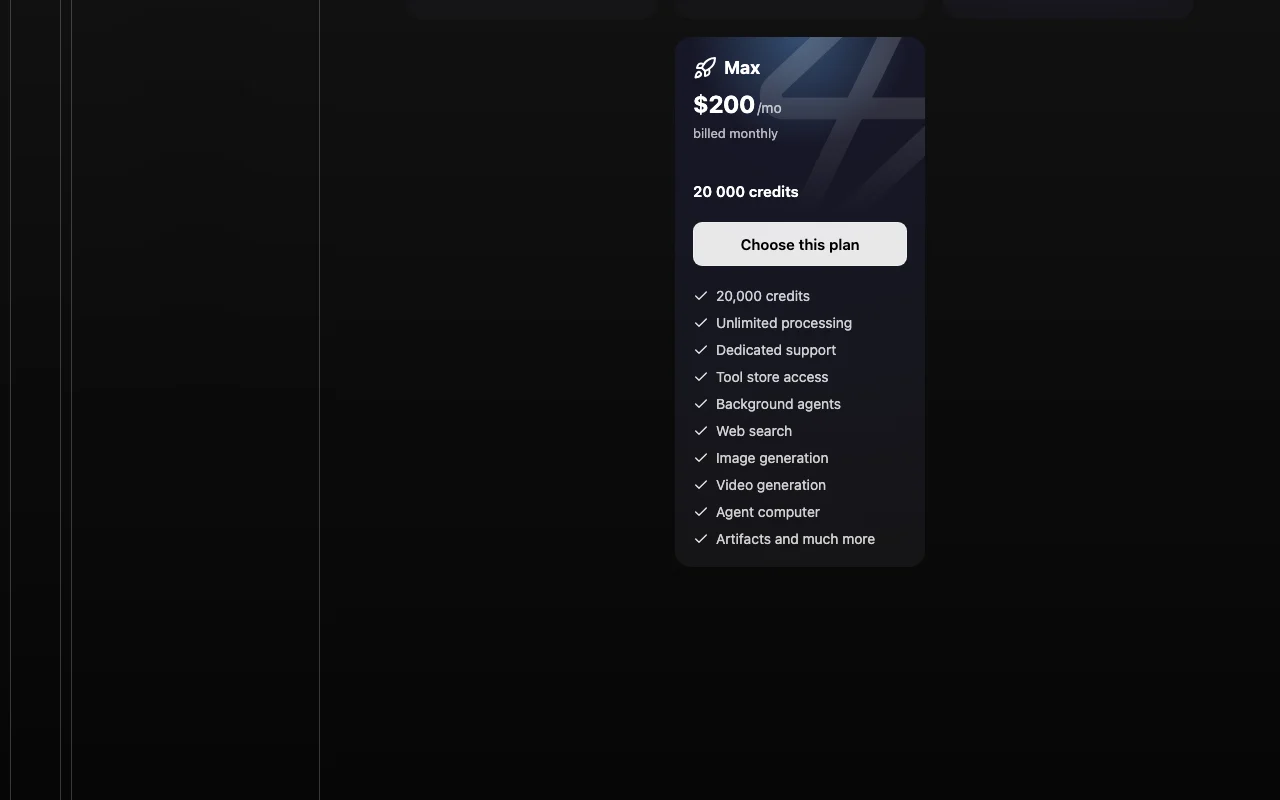
Sparks AI pricing page with plans and prices — screenshot of the chat assistants AI tool, Oct 2, 2026
The official Sparks AI pricing page as we saw it. getsparks.ai, captured Oct 2, 2026

Free access and trial conditions

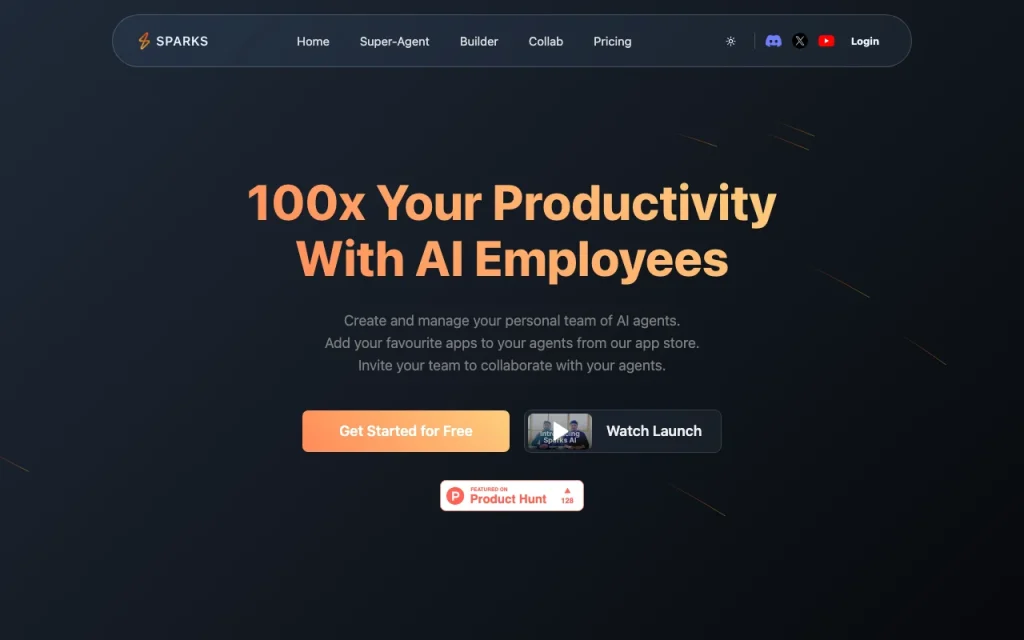
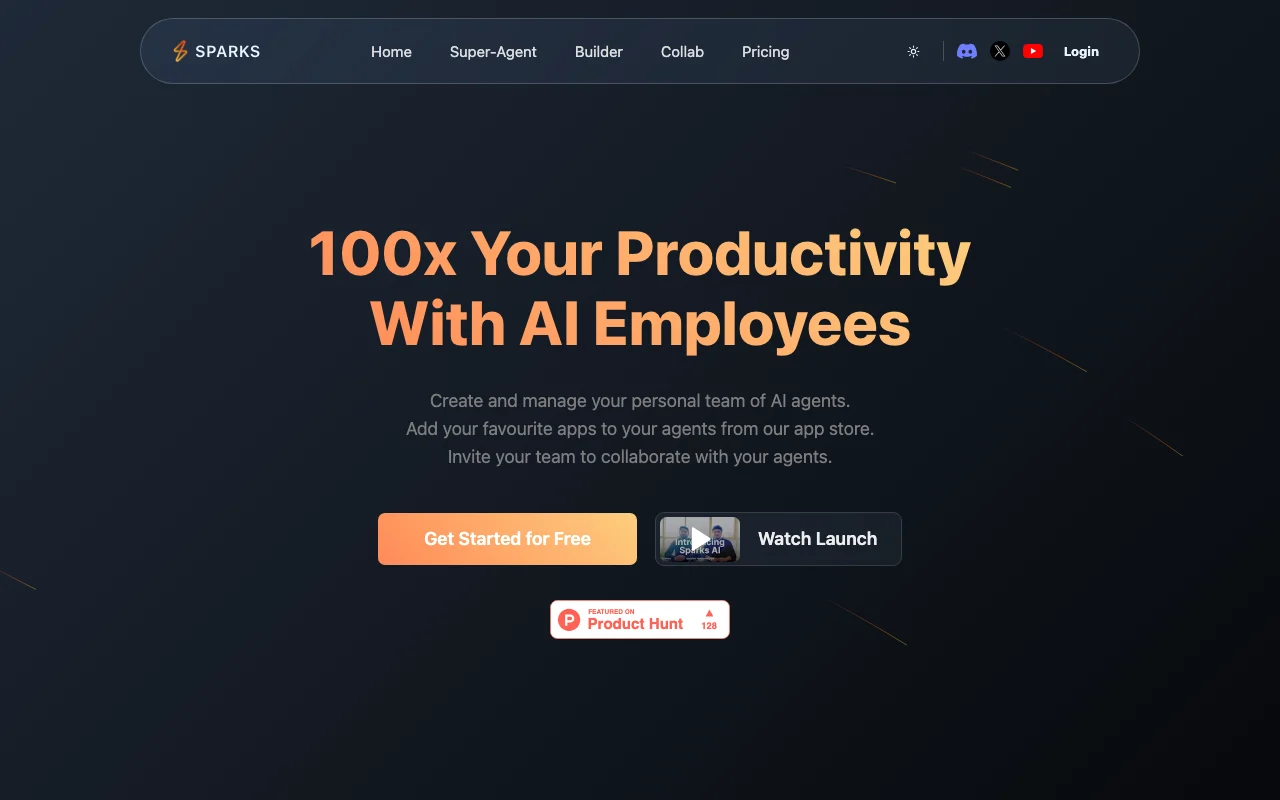
The homepage offers Get Started for Free

Not stated

Paid plans: what changes as you upgrade

Subscriptions direct

See official pricing source (opens in a new tab)

Month

Subscription tab exists but amounts were not readable without JavaScript

For: Regular users

Limits

  • Amounts not readable

Usage caps, credits and extra costs

Credit packs are sold separately from subscriptions

Not stated

What is Sparks AI, and how does it work?

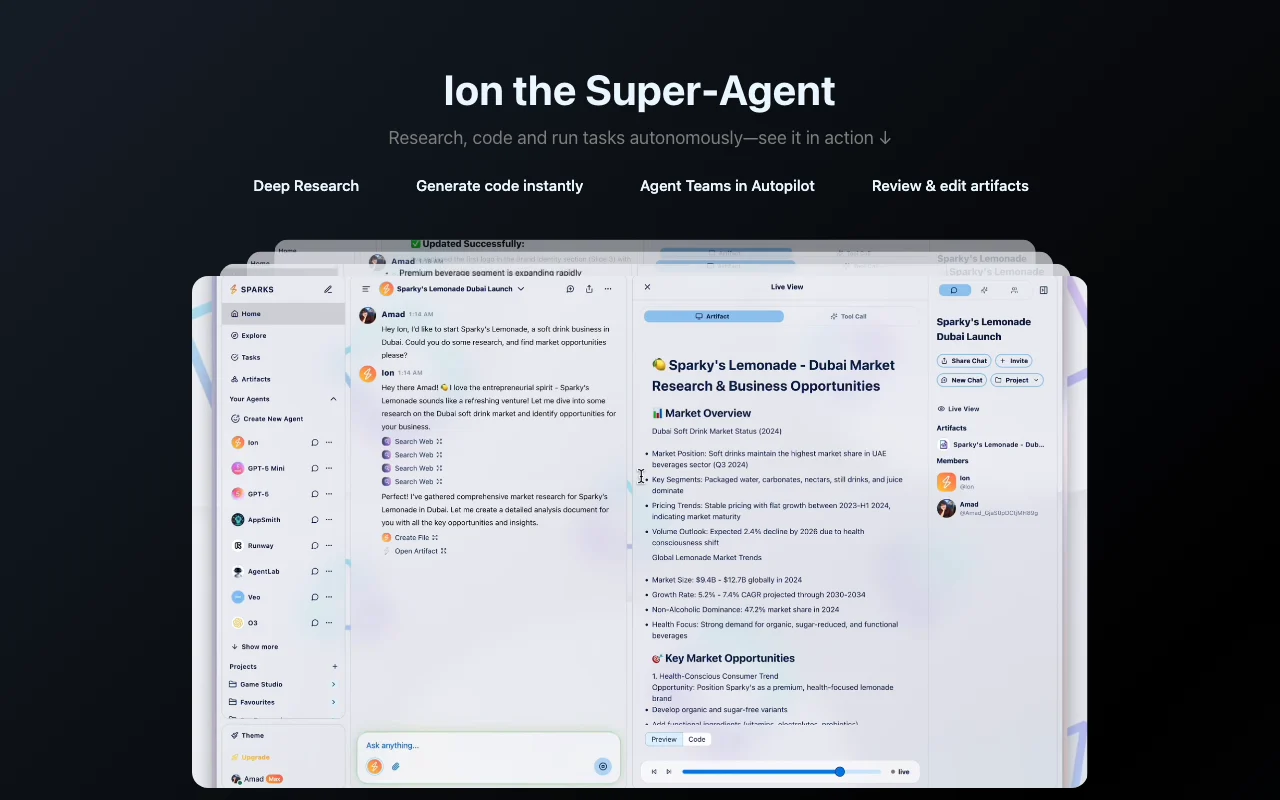
Sparks AI lets users create agents from templates, pick an LLM, attach tools and knowledge, and chat with multiple agents and people in shared projects. The site also features an agent store and a super-agent called Ion for research, code and tasks.

Sparks AI homepage — screenshot of the chat assistants AI tool, Oct 2, 2026
Sparks AI's official site: how the product presents itself. getsparks.ai, captured Oct 2, 2026

What you provide and what you get back

How Sparks AI works: what you provide, where it runs and what you get backYOU PROVIDEYour inputText chat messagesAgent templates, tools and knowle…CHAT ASSISTANTSSparks AIWebfree tier, paid price not publish…free tier availableaccount requiredchecked Sep 29, 2026YOU GET BACKThe resultChat repliesResearch reports, code and review…input → Sparks AI → output · from the vendor's own pages, no hands-on test unless stated
What you give Sparks AI and what comes back, from its documentation

You provide

  • Text chat messages
  • Agent templates, tools and knowledge you attach

You get back

  • Chat replies
  • Research reports, code and reviewable artifacts

Where you can use it

Platforms
Web
Account
Required
Agent builder
Templates, model choice, tools and knowledge
Collaboration
Group chat with agents and humans in projects
Output
Reviewable artifacts
Marketplace
Agent store to browse and publish agents

Best use cases for Sparks AI

Scenarios are worked out by our editors from the documentation; the actual result depends on your input and plan.

Deep research

Who
Analysts and founders
You provide
A research question given to the Ion super-agent
Expected result
A researched answer saved as an artifact you can review
Plan needed
Free tier to start; paid limits unseen
Limitation
Quality and depth depend on the model and credits source (opens in a new tab)

Code generation

Who
Developers
You provide
A coding request in chat
Expected result
Generated code shown as an editable artifact
Plan needed
Free tier to start; paid limits unseen
Limitation
Code is not run or tested for you automatically source (opens in a new tab)

Building custom agents

Who
Small teams
You provide
A template, a model choice and tools
Expected result
A custom agent that can be shared with teammates in a project
Plan needed
Free tier to start; paid limits unseen
Limitation
Available tools depend on the in-app store source (opens in a new tab)

What Sparks AI does, and where it stops

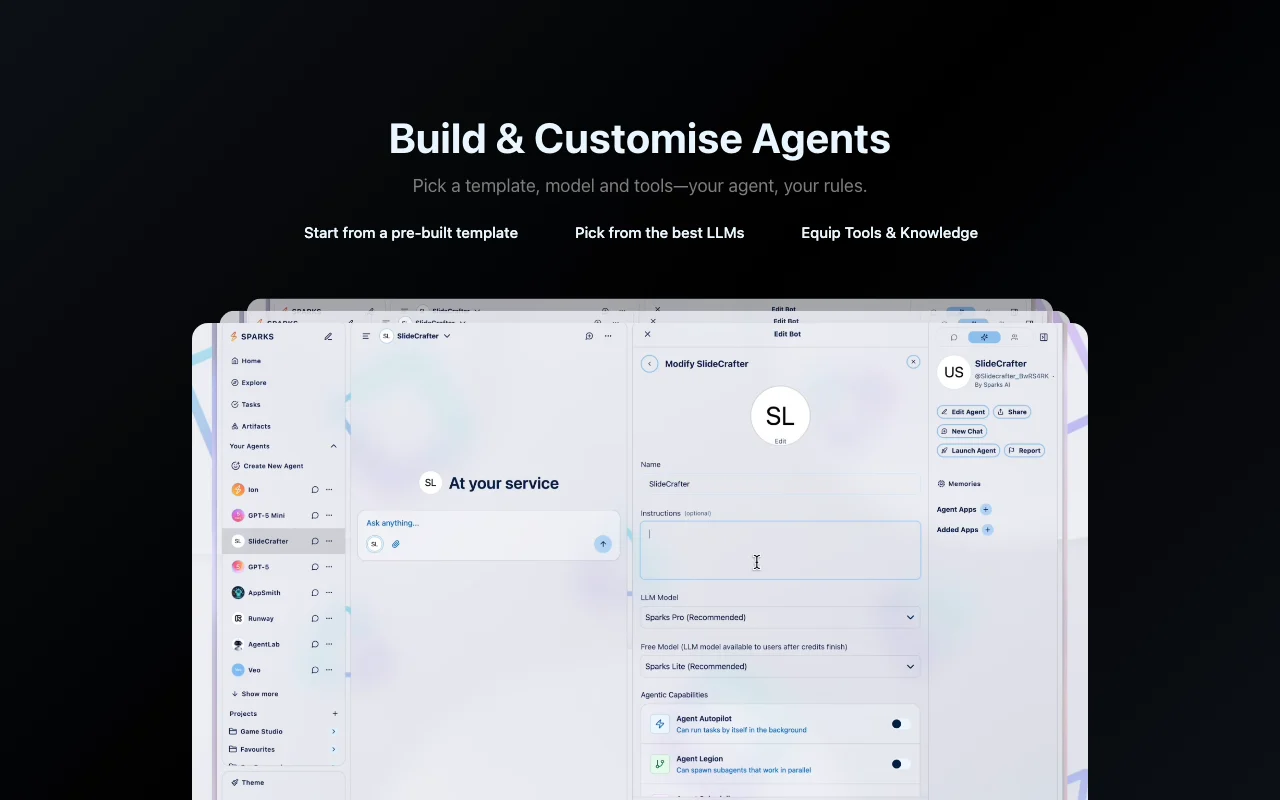
Sparks AI homepage — screenshot of the chat assistants AI tool, Oct 2, 2026
Feature overview on the official site. getsparks.ai, captured Oct 2, 2026

Agent builder with templates

Lets you start from a pre-built template and configure an agent with a name, model and tools. Saves time versus writing an agent from scratch.

Access: Web app after loginLimit: Template list was not visible without signing in source (opens in a new tab)

Choice of LLMs

Lets each agent run on a model you pick from several LLMs. Lets you match model strength to the task.

Access: Web app after loginLimit: Which models are offered was not listed on the readable pages source (opens in a new tab)

Tools and knowledge for agents

Lets you attach apps from an app store and knowledge sources to an agent. Gives agents access to your own data and services.

Access: Web app after loginLimit: Specific apps and size limits were not visible source (opens in a new tab)

Group chat with AI and humans

Lets several agents and people talk in one synced project chat. Keeps team and agent work in one place.

Access: Web app after loginLimit: Seat and project limits were not visible source (opens in a new tab)

Sparks AI pros and cons

Where Sparks AI is strong

Limitations to check before paying

  • Pricing amounts not visible in loaded page (JS-rendered) You cannot compare cost to alternatives until you log in and see the plans. documented source (opens in a new tab)
  • Requires an account You must create an account before trying anything. documented source (opens in a new tab)
  • Credit packs and subscriptions exist, limits unseen Without published limits, usage can run out unpredictably. documented source (opens in a new tab)

How to use Sparks AI for building a custom AI agent

Set up Sparks AI

  1. Open the Sparks AI site and choose Get Started for Free.
  2. Open Create New Agent from the left menu.
  3. Pick a template, a model and any tools or knowledge.

Example: building a custom AI agent

  1. Describe the agent role in the builder.
  2. Attach one tool from the app store.
  3. Start a chat with the agent and give it a task.
  4. Open the result in the artifacts view.

Review and export the result

  1. Confirm the agent answers using the tools you attached.
  2. Open Artifacts and check the output saved.
Example prompt suggested by our editors (not a recorded output of the product)
Research the five main competitors of a small CRM tool and summarize pricing in a table.

Sparks AI integrations

Sparks AI pricing page with plans and prices — screenshot of the chat assistants AI tool, Oct 2, 2026
Plan comparison on the official pricing page. getsparks.ai, captured Oct 2, 2026

Native integrations and export formats

Export: Artifacts (format not stated)

Privacy, data use and commercial rights

Summarized from the vendor's current policies; this is not legal advice and a vendor's badge is not an independent audit.

How your inputs and outputs are handled

Not stated on the pages read

Not stated on the pages read

Not stated on the pages read

Commercial use and plan restrictions

Not stated on the pages read

Not stated on the pages read

Policies: getsparks.ai/privacy

Best Sparks AI alternatives for different needs

"Better suited" is based on documented features and pricing, not on a head-to-head test.

ChatGPT: better suited to

Claude: better suited to

Alternatives
AlternativeWhen to choose itPricingLimitation
ChatGPT——Compare
Claude——Compare

Explore Sparks AI further

If you are looking at Sparks AI

Sparks AI user reviews

No user reviews yet.

Used Sparks AI? Be the first to share your experience.

Write a review

Reviews are checked by a moderator before they appear. Your email is never published. Plain text only.

Your rating (required)

Show what you made or what went wrong. Images are published only if the review is approved; location data is removed.

    Sparks AI FAQ

    Is Sparks AI free?

    Yes, there is a free start: the homepage offers Get Started for Free, but its limits are not published. source (opens in a new tab)

    Which models can an agent use?

    The site says you can pick from the best LLMs, but the model list was not readable. source (opens in a new tab)

    Can several people use the same agent?

    Yes. The site says you can invite your team and chat with multiple agents and humans in shared projects. source (opens in a new tab)

    What is Ion?

    Ion is the built-in super-agent for deep research, code generation and autonomous tasks, per the homepage. source (opens in a new tab)

    Where can I read the privacy policy?

    The footer links a Privacy page, but it returned 404 when fetched, so its terms are unknown. source (opens in a new tab)

    Sources and review methodology

    Official sources and verification dates

    Not verified: Subscription and credit-pack prices; Credit allowances; Privacy and retention terms; Supported model list; API availability.

    How we documented and maintain this page

    Every fact about Sparks AI above comes from the 2 official pages listed here, last compared on Sep 29, 2026; we have not run Sparks AI ourselves, so it has no editorial score. How we check and re-check pages.

    Article updated Oct 2, 2026; prices checked Sep 29, 2026. Outbound links to vendors are plain links; we do not earn commissions. How we review · Report an error