Chat assistantsDocumented overviewLast checked Oct 2, 2026

Roxy by unOpen.AI: Pricing, Features & Best Use Cases

Private AI assistant with persistent memory that runs on a dedicated server; waitlist-based onboarding.

Is Roxy by unOpen.AI right for you?

Roxy suits individuals and small businesses that want a private assistant with permanent memory on a dedicated server, starting at $99 per month. Based on the vendor's documentation, not on a hands-on test.

Best for: Individuals wanting a private persistent assistant

Also a good fit for

  • Founders and executives managing email and calendar
  • Users who want data kept on a dedicated server

Consider another tool if access limited to a waitlist

Or if

  • Minimum stated price $99/month
  • Email and calendar integration listed only on the higher Pro tier

Roxy by unOpen.AI pricing and usage limits

Prices checked Oct 2, 2026 on the official US pricing page. Official pricing ↗ Prices and limits change often.

Roxy by unOpen.AI pricing page with plans and prices — screenshot of the chat assistants AI tool, Oct 2, 2026
The official Roxy by unOpen.AI pricing page as we saw it. unopen.ai, captured Oct 2, 2026

Free access and trial conditions

None shown.

Paid plans: what changes as you upgrade

Roxy web

$99 per user source (opens in a new tab)

Monthly

For: Personal organization and research

Limits

  • ~15M tokens daily capacity
  • 25 GB memory storage
1 more
  • Weekly backups

Includes

  • Permanent memory
  • Task management
2 more
  • Private server
  • Telegram/Discord messaging

Roxy Pro web

$179 per user source (opens in a new tab)

Monthly

For: Heavy daily use and email management

Limits

  • ~75M tokens daily capacity
  • 50 GB memory
1 more
  • Daily backups

Includes

  • Visual intelligence
  • Web search
2 more
  • Email and calendar integration
  • Priority support (24-hour)

Roxy Business Pro web

$499 per user source (opens in a new tab)

Monthly

One-off setup from $999 in addition

For: Teams with complex workflows

Limits

  • ~300M tokens daily capacity
  • 120 GB memory
1 more
  • From $999 one-off infrastructure setup

Includes

  • Team collaboration
  • Custom integrations (Slack, CRM)
2 more
  • ROI tracking
  • Dedicated support

Usage caps, credits and extra costs

Business Pro adds a one-off infrastructure provisioning fee from $999.

What is Roxy by unOpen.AI, and how does it work?

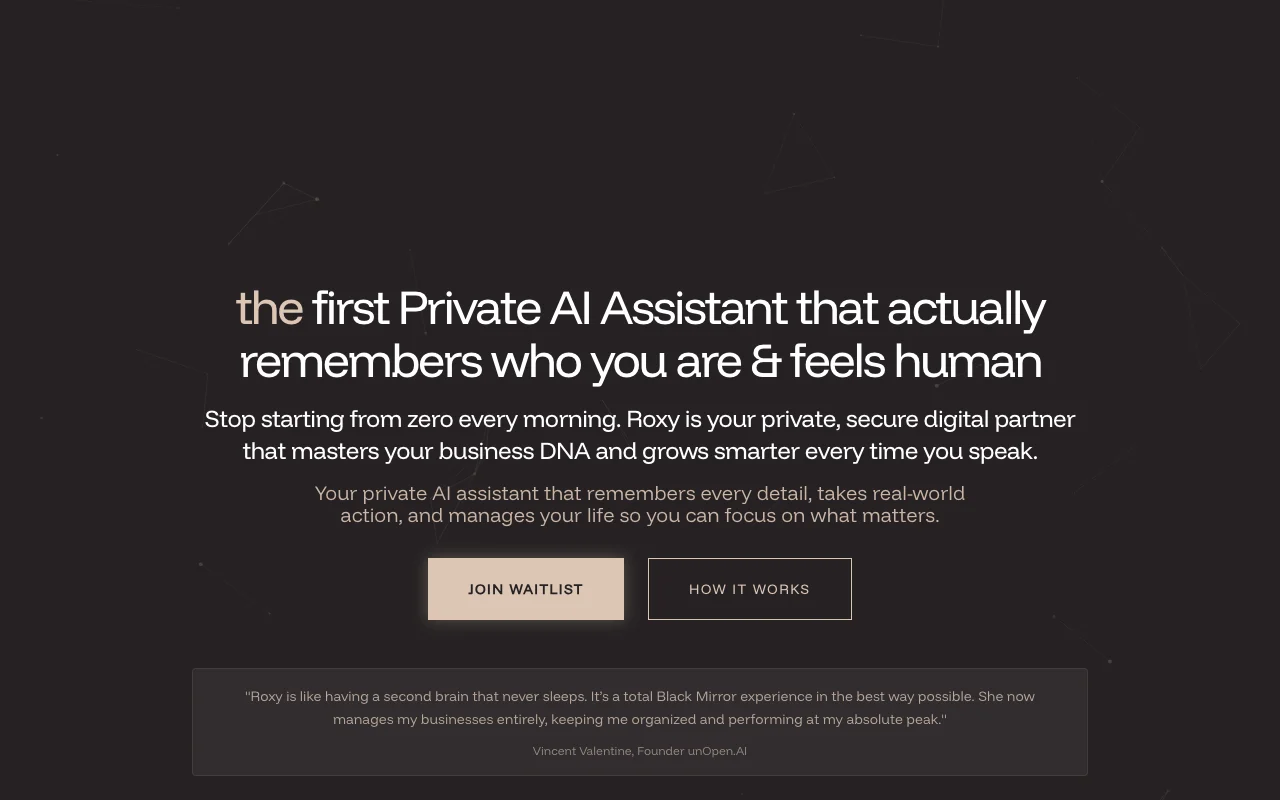
Roxy is a private AI assistant from unOpen.AI that the site describes as having permanent memory and running on the customer's own dedicated server. It is pitched as managing email, calendar and tasks. Only a landing page was reviewed. Access is through a waitlist and the page says plans start at $99 per month, with no detailed pricing page seen.

Roxy by unOpen.AI homepage — screenshot of the chat assistants AI tool, Oct 2, 2026
Roxy by unOpen.AI's official site: how the product presents itself. unopen.ai, captured Oct 2, 2026

What you provide and what you get back

How Roxy by unOpen.AI works: what you provide, where it runs and what you get backYOU PROVIDEYour inputChat messages via Telegram or Dis…Gmail and Calendar data (Pro)Private documentsCHAT ASSISTANTSRoxy by unOpen.AIfrom $99 (Roxy)no free tieraccount requiredchecked Oct 2, 2026YOU GET BACKThe resultReplies with remembered contextDrafted and triaged emailsScheduled events and task listsinput → Roxy by unOpen.AI → output · from the vendor's own pages, no hands-on test unless stated
What you give Roxy by unOpen.AI and what comes back, from its documentation

You provide

  • Chat messages via Telegram or Discord
  • Gmail and Calendar data (Pro)
  • Private documents

You get back

  • Replies with remembered context
  • Drafted and triaged emails
  • Scheduled events and task lists

Where you can use it

Account
Required
Messaging
Telegram, Discord
Memory storage
25 / 50 / 120 GB
Daily capacity
~15M / 75M / 300M tokens
Backups
Weekly (Roxy), daily (Pro and up)

Where Roxy by unOpen.AI is most useful

Scenarios are worked out by our editors from the documentation; the actual result depends on your input and plan.

Persistent assistant remembering projects

Who
Founders and individuals
You provide
Ongoing conversations and projects
Expected result
Assistant recalling prior context
Plan needed
Roxy
Limitation
Waitlist access source (opens in a new tab)

Email and calendar management

Who
Busy professionals
You provide
Gmail and Calendar
Expected result
Triaged inbox and scheduled meetings
Plan needed
Roxy Pro
Limitation
Email integration not in base plan source (opens in a new tab)

Task triage and scheduling

Who
Small teams
You provide
Shared workflows
Expected result
Shared assistant workspace with custom integrations
Plan needed
Roxy Business Pro
Limitation
Setup fee from $999 source (opens in a new tab)

Key features and their practical limits

Roxy by unOpen.AI homepage — screenshot of the chat assistants AI tool, Oct 2, 2026
Feature overview on the official site. unopen.ai, captured Oct 2, 2026

Persistent memory of conversations and projects

Stores conversation and project history on your own server so the assistant does not restart from zero. Avoids repeating context.

Access: All plansLimit: Storage capped at 25 / 50 / 120 GB by plan source (opens in a new tab)

Gmail and Calendar connection

Links Gmail and Google Calendar so Roxy can send, triage, draft and schedule. Handles inbox and diary.

Access: Roxy Pro and aboveLimit: Not on the base plan source (opens in a new tab)

Dedicated private server

Runs your assistant on a dedicated server stated to be never shared. Keeps data separated.

Access: All plansLimit: Hosting is vendor-managed source (opens in a new tab)

Autonomous task actions

Takes real actions such as emails, scheduling and research on request. Does the work rather than only advising.

Access: All plansLimit: Action set depends on integrations source (opens in a new tab)

Pros, cons and deal-breakers

Where Roxy by unOpen.AI is strong

Limitations to check before paying

How to use Roxy by unOpen.AI for running a private assistant with persistent memory

Set up Roxy by unOpen.AI

  1. Open unopen.ai and join the Roxy waitlist.
  2. Wait for the vendor to contact you with access.
  3. Choose Roxy, Roxy Pro or Business Pro and deploy your server.

Example: running a private assistant with persistent memory

  1. Message Roxy on Telegram or Discord.
  2. Tell it about a project and its deadlines.
  3. On Pro, connect Gmail and Calendar.
  4. Ask it to triage today's email and schedule follow-ups.

Review and export the result

  1. Ask Roxy to recall the project next day to test memory.
  2. Check the drafted emails before sending.
Example prompt suggested by our editors (not a recorded output of the product)
Review my inbox from today, flag anything that needs a reply by Friday and add the deadlines to my calendar.

Roxy by unOpen.AI API

Roxy by unOpen.AI pricing page with plans and prices — screenshot of the chat assistants AI tool, Oct 2, 2026
Plan comparison on the official pricing page. unopen.ai, captured Oct 2, 2026

API access and separate billing

Roxy by unOpen.AI has no public API in its official documentation. Not shown

Privacy, data use and commercial rights

Summarized from the vendor's current policies; this is not legal advice and a vendor's badge is not an independent audit.

How your inputs and outputs are handled

Data stays on a dedicated server per the vendor.

Vendor states data is never used for training.

Controls for business users

  • Dedicated server
  • Organization-wide setup on Business Pro

Roxy by unOpen.AI alternatives by need

"Better suited" is based on documented features and pricing, not on a head-to-head test.

ChatGPT: better suited to

Claude: better suited to

Alternatives
AlternativeWhen to choose itPricingLimitation
ChatGPT——Compare
Claude——Compare

Explore Roxy by unOpen.AI further

If you are looking at Roxy by unOpen.AI

Roxy by unOpen.AI user reviews

No user reviews yet.

Used Roxy by unOpen.AI? Be the first to share your experience.

Write a review

Reviews are checked by a moderator before they appear. Your email is never published. Plain text only.

Your rating (required)

Show what you made or what went wrong. Images are published only if the review is approved; location data is removed.

    Roxy by unOpen.AI FAQ

    How much does Roxy cost per month?

    Roxy is $99 per month, Roxy Pro is $179 and Roxy Business Pro is $499 plus a one-off setup from $999. source (opens in a new tab)

    Is Roxy's data used to train models?

    No. The Roxy site says your dedicated server's data is never shared and never used for training. source (opens in a new tab)

    Which Roxy plan includes Gmail and Calendar?

    Email and calendar integration are included from Roxy Pro at $179 per month. source (opens in a new tab)

    How do I get access to Roxy?

    Access is through a waitlist; the site says the team will contact you when a spot is available. source (opens in a new tab)

    Sources and review methodology

    Official sources and verification dates

    Not verified: Retention policy; API; Platforms beyond messaging apps.

    How we documented and maintain this page

    Every fact about Roxy by unOpen.AI above comes from the 3 official pages listed here, last compared on Oct 2, 2026; we have not run Roxy by unOpen.AI ourselves, so it has no editorial score. How we check and re-check pages.

    Article updated Oct 10, 2026; prices checked Oct 2, 2026. Outbound links to vendors are plain links; we do not earn commissions. How we review · Report an error