Productivity & writingDocumented overviewLast checked Oct 1, 2026

Montr AI: Pricing, Features & Best Use Cases

AI copilot for marketing, sales and support: content, social posting, inbox, CRM, chatbots and automations in one workspace.
Is Montr AI right for you?

Montr AI suits solo founders and small teams who want content creation, social posting, inbox and CRM under one AI copilot, starting on a free plan. Based on the vendor's documentation, not on a hands-on test.

Best for: Solo founders

Also a good fit for

  • Small marketing teams
  • Agencies managing several clients

Consider another tool if paid tiers cap social channels (2, 10, 50) and users (1, 2, 5)

Or if

  • Basic AI video generation only from the Growth tier
  • Account sign-up required

Montr AI pricing and usage limits

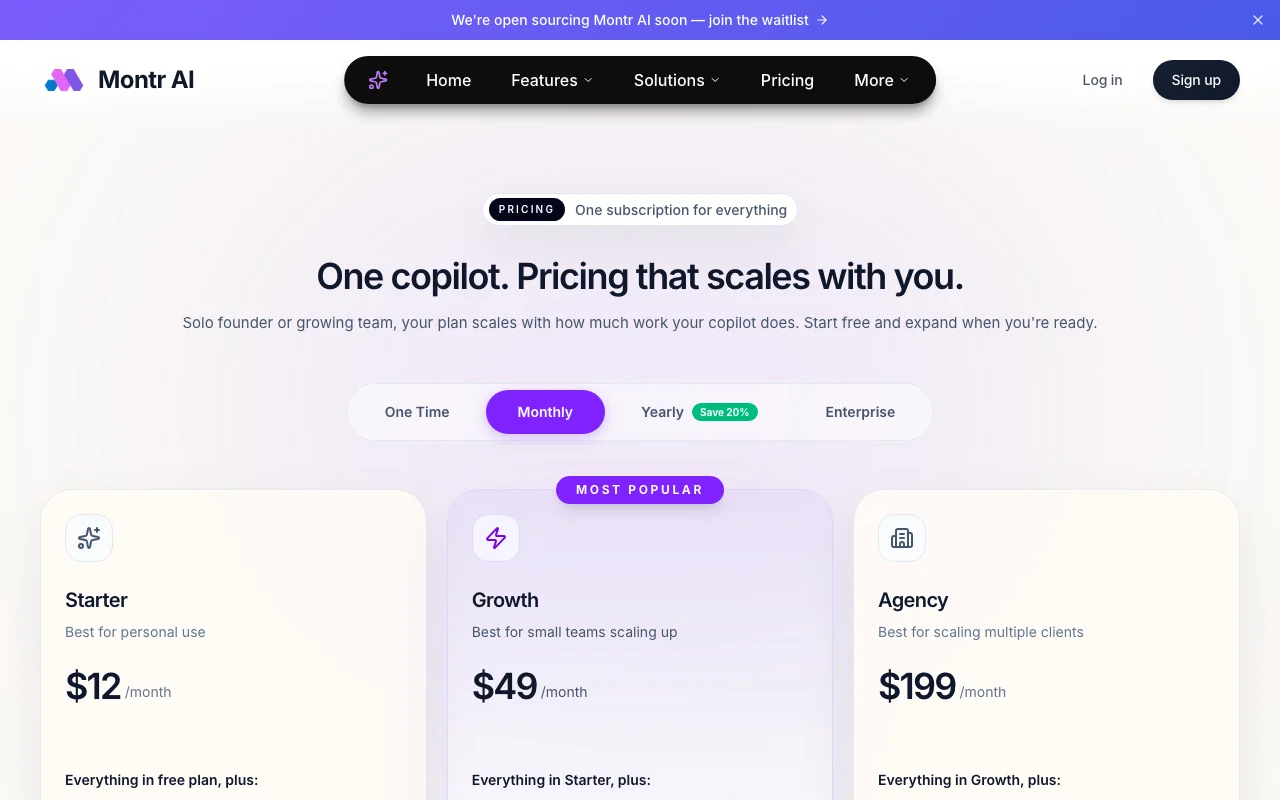
Prices checked Oct 1, 2026 on the official US pricing page. Official pricing ↗ Prices and limits change often.

Montr AI pricing page with plans and prices — screenshot of the productivity & writing AI tool, Oct 1, 2026
The official Montr AI pricing page as we saw it. montr.io, captured Oct 1, 2026

Free access and trial conditions

Free plan exists; details not listed

Paid plans: what changes as you upgrade

Free web

Free source (opens in a new tab)

Monthly

For: Trying the copilot

Limits

  • Contents not itemized on the pricing page

Includes

  • Included in all paid plans

Starter web

$12 source (opens in a new tab)

Monthly

For: Personal use

Limits

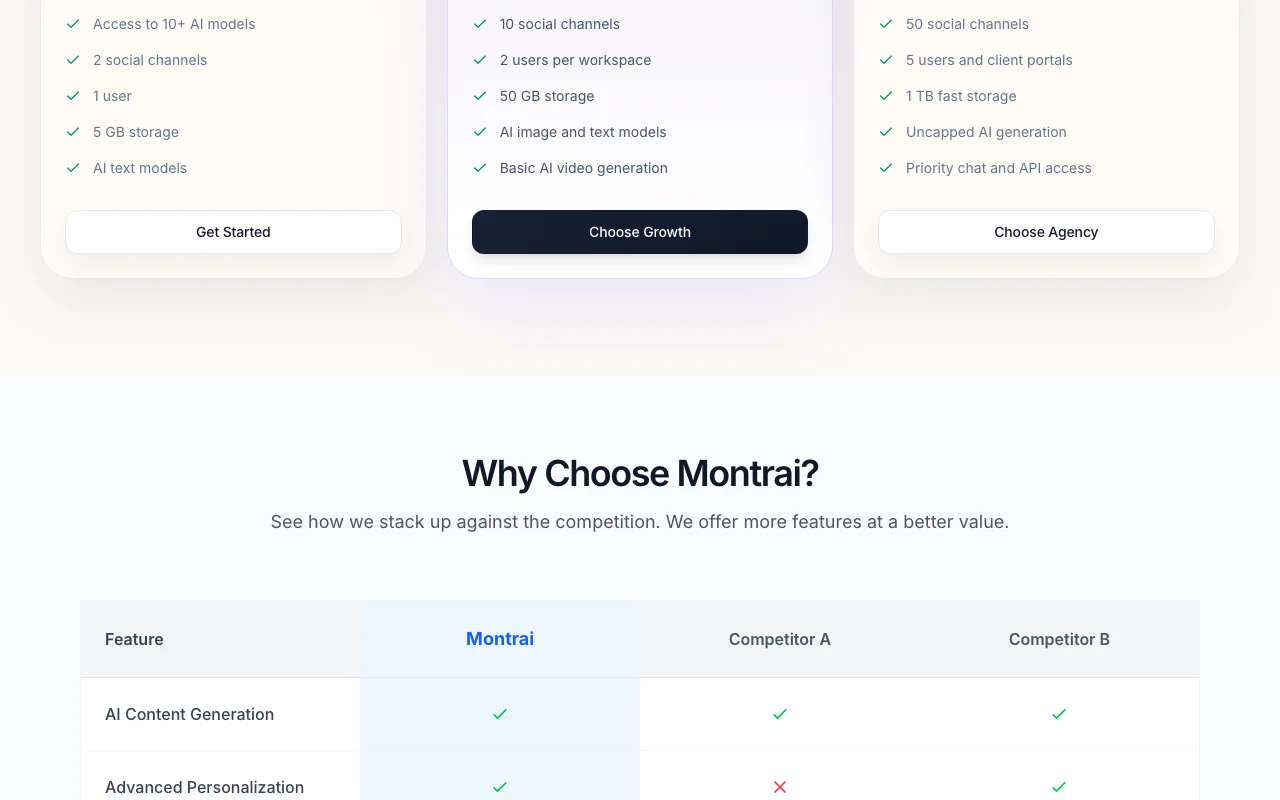
  • 2 social channels
  • 1 user
1 more
  • 5 GB storage

Includes

  • 10+ AI models
  • AI text models

Growth web

$49 source (opens in a new tab)

Monthly

For: Small teams scaling up

Limits

  • 10 social channels
  • 2 users per workspace
1 more
  • 50 GB storage

Includes

  • AI image and text models
  • Basic AI video generation

Agency web

$199 source (opens in a new tab)

Monthly

For: Agencies managing multiple clients

Limits

  • 50 social channels
  • 5 users and client portals
1 more
  • 1 TB fast storage

Includes

  • Uncapped AI generation
  • Priority chat and API access

Usage caps, credits and extra costs

Yearly billing saves 20%; displayed prices assumed monthly

Not stated

What is Montr AI, and how does it work?

Montr AI presents itself as an agentic AI business copilot that combines a generative studio (text, images, video, voiceovers), social publishing, a unified messaging inbox, no-code automation, email and WhatsApp campaigns, chatbots, a CRM, documents and lead forms. The site lists 100+ native tools and 200+ AI models. Its pricing page describes a free plan plus paid Starter, Growth and Agency tiers sized by social channels, users and storage.

Montr AI homepage — screenshot of the productivity & writing AI tool, Oct 1, 2026
Montr AI's official site: how the product presents itself. montr.io, captured Oct 1, 2026

What you provide and what you get back

How Montr AI works: what you provide, where it runs and what you get backYOU PROVIDEYour inputBusiness content and brand dataConnected social channels and mes…Prompts to the copilotPRODUCTIVITY & WRITINGMontr AIWebfrom $12 (Starter)free tier availableaccount requiredchecked Oct 1, 2026YOU GET BACKThe resultGenerated text, images, video and…Scheduled social postsEmail and WhatsApp campaignsinput → Montr AI → output · from the vendor's own pages, no hands-on test unless stated
What you give Montr AI and what comes back, from its documentation

You provide

  • Business content and brand data
  • Connected social channels and messaging
  • Prompts to the copilot

You get back

  • Generated text, images, video and voice
  • Scheduled social posts
  • Email and WhatsApp campaigns

Where you can use it

Platforms
Web
Account
Required
Channels
2 / 10 / 50 social channels source (opens in a new tab)
Storage
5 GB / 50 GB / 1 TB source (opens in a new tab)
Models
200+ listed source (opens in a new tab)
Integrations
100+ native tools source (opens in a new tab)

What people use Montr AI for

Scenarios are worked out by our editors from the documentation; the actual result depends on your input and plan.

Scheduling and publishing social media posts

Who
Solo founders
You provide
Brand content and channels
Expected result
Scheduled posts across connected channels
Plan needed
Starter
Limitation
2 channels on Starter source (opens in a new tab)

Answering customer messages from one inbox

Who
Small support teams
You provide
Customer messages
Expected result
Unified inbox with AI replies
Plan needed
Growth
Limitation
Users capped at 2 on Growth source (opens in a new tab)

Running email and WhatsApp campaigns

Who
Marketers
You provide
Contact lists
Expected result
Campaigns sent from the workspace
Plan needed
Growth
Limitation
Details not itemized by plan source (opens in a new tab)

Montr AI features and their limits

Montr AI homepage — screenshot of the productivity & writing AI tool, Oct 1, 2026
Feature overview on the official site. montr.io, captured Oct 1, 2026

AI copilot agents

Agents handle marketing, sales and support tasks with your approval Reduces manual work

Access: All plansLimit: Model access varies by plan source (opens in a new tab)

Generative AI studio for text, images, video and voice

Creates content assets in one place Fewer separate tools

Access: Text on Starter, image on Growth, basic video on GrowthLimit: Video only from Growth source (opens in a new tab)

Auto-posting and social management

Publishes to connected social channels Consistent posting

Access: 2 / 10 / 50 channelsLimit: Channel caps by plan source (opens in a new tab)

Unified messaging inbox

Combines customer messages in one view Faster replies

Access: All paid plansLimit: Specific channels not listed source (opens in a new tab)

Pros, cons and deal-breakers

Reasons to choose Montr AI

Check before paying for Montr AI

How to use Montr AI for scheduling social posts with an AI copilot

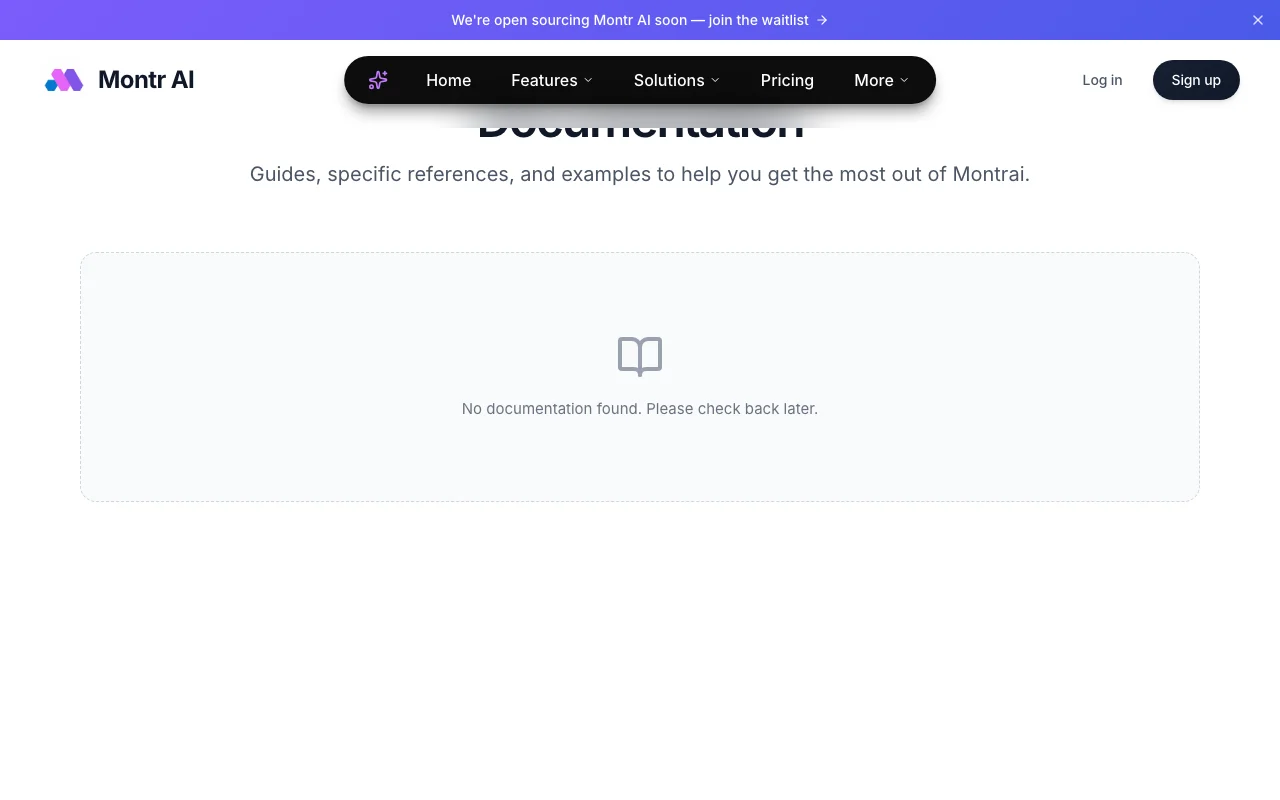
Montr AI documentation — screenshot of the productivity & writing AI tool, Oct 1, 2026
Montr AI documentation: where the steps below come from. montr.io, captured Oct 1, 2026

Set up Montr AI

  1. Sign up free at montr.io
  2. Connect your social channels
  3. Describe your brand to the copilot

Example: scheduling social posts with an AI copilot

  1. Ask the copilot to draft a week of posts
  2. Generate images in the AI studio
  3. Review and edit the drafts
  4. Schedule posts to your channels

Review and export the result

  1. Confirm posts appear in the publishing queue
  2. Check connected channel count against plan limits
Example prompt suggested by our editors (not a recorded output of the product)
Draft five Instagram posts for our spring sale with matching images.

Montr AI API

Montr AI pricing page with plans and prices — screenshot of the productivity & writing AI tool, Oct 1, 2026
Plan comparison on the official pricing page. montr.io, captured Oct 1, 2026

API access and separate billing

Montr AI has no public API in its official documentation. Docs page says no documentation found

Other tools to consider instead of Montr AI

"Better suited" is based on documented features and pricing, not on a head-to-head test.

ChatGPT: better suited to

Zapier: better suited to

Jasper: better suited to

Canva: better suited to

Alternatives
AlternativeWhen to choose itPricingLimitation
ChatGPT——
Zapier——Compare
Jasper——Compare
Canva——Compare

Explore Montr AI further

Related to Montr AI

Montr AI user reviews

No user reviews yet.

Used Montr AI? Be the first to share your experience.

Write a review

Reviews are checked by a moderator before they appear. Your email is never published. Plain text only.

Your rating (required)

Show what you made or what went wrong. Images are published only if the review is approved; location data is removed.

    Montr AI FAQ

    How much does Montr AI cost?

    Starter $12, Growth $49 and Agency $199 per month as displayed, plus a free plan. source (opens in a new tab)

    How many social channels per plan?

    2 on Starter, 10 on Growth and 50 on Agency. source (opens in a new tab)

    Does it generate video?

    Basic AI video generation starts on Growth. source (opens in a new tab)

    Is there a yearly discount?

    Yes, yearly billing saves 20%. source (opens in a new tab)

    Is it open source?

    The site says it will be soon; a waitlist is open. source (opens in a new tab)

    Sources and review methodology

    Official sources and verification dates

    Not verified: Free plan contents; Privacy policy; Documentation; Billing period of shown prices; Page not available: https://www.montr.io/privacy.

    How we documented and maintain this page

    Every fact about Montr AI above comes from the 3 official pages listed here, last compared on Oct 1, 2026; we have not run Montr AI ourselves, so it has no editorial score. How we check and re-check pages.

    Article updated Oct 10, 2026; prices checked Oct 1, 2026. Outbound links to vendors are plain links; we do not earn commissions. How we review · Report an error