Our take: Choose Chert if you are a developer who wants to send and automate real iMessage conversations by API (with SMS/RCS fallback) or join the private preview of AI video agents that answer FaceTime calls.
Main limitation: No public pricing, and the FaceTime API is a controlled private preview requiring authorization.
By the AI Tool Atlas editors.
Based on the vendor's official documentation; we have not tested this product hands-on. What “documented overview” means
Who Chert fits
Choose Chert if you are a developer who wants to send and automate real iMessage conversations by API (with SMS/RCS fallback) or join the private preview of AI video agents that answer FaceTime calls. Based on the vendor's documentation, not on a hands-on test.
Best for: Developers building iMessage or FaceTime agents into their product
Also a good fit for
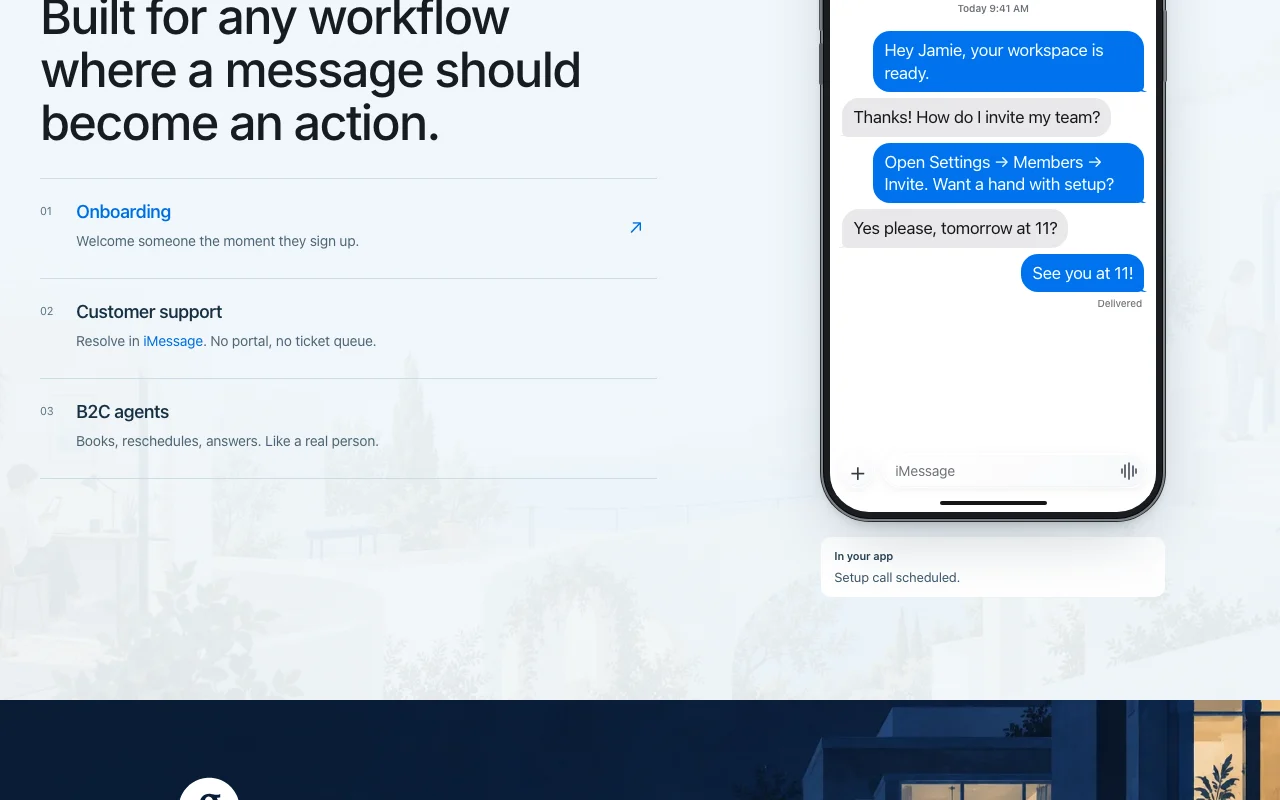
Companies running support or sales conversations on Apple channels
Consider another tool if faceTime API is a controlled private preview; live calling requires authorization
Or if
No public pricing; sales-led onboarding via booked call
Access to docs features gated behind 'Request access'
Chert pricing and usage limits
Prices checked Sep 29, 2026 on the official US pricing page. Official pricing ↗ Prices and limits change often.
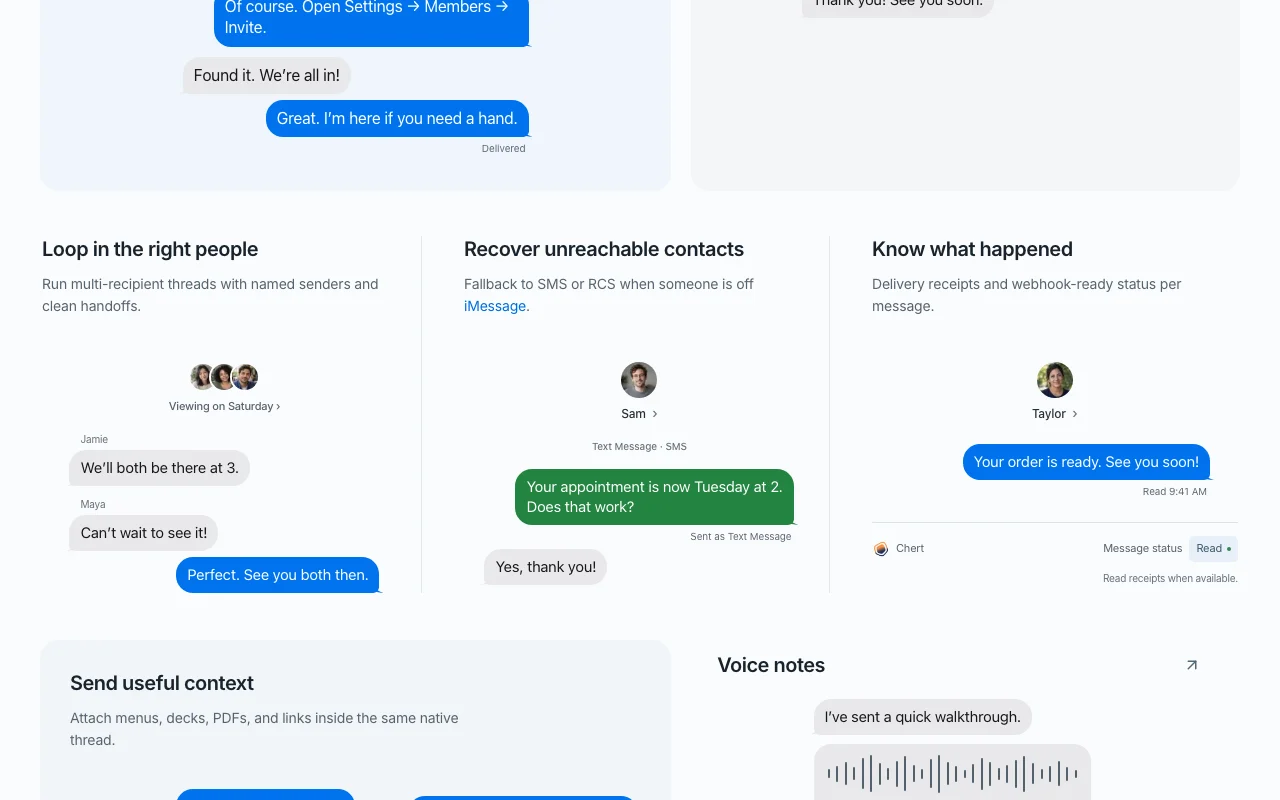
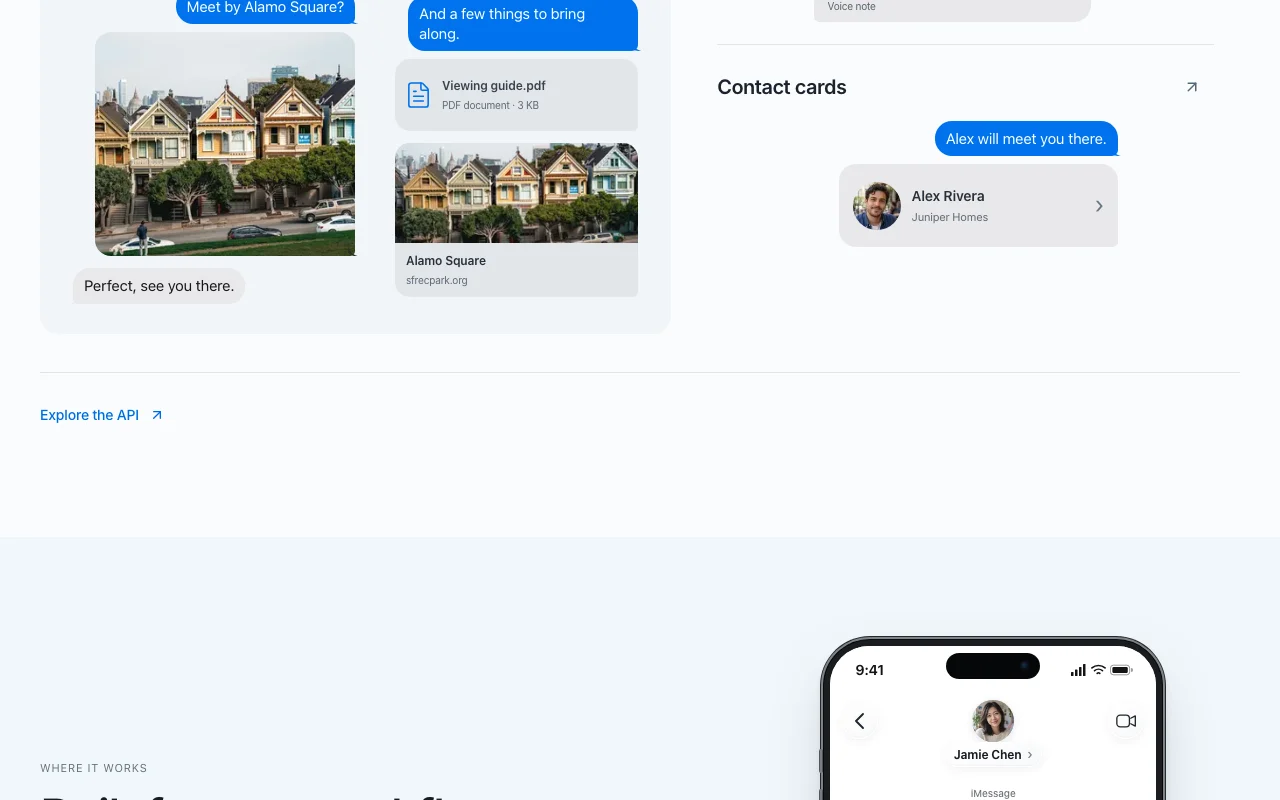
Chert (Chert Technologies Inc.) provides API and webhook infrastructure for sending, receiving and automating iMessage conversations from verified numbers, with SMS/RCS fallback, delivery and read status, attachments, voice notes and contact cards. Packaged integrations exist for Salesforce, HubSpot and Slack.
The FaceTime product, marketed as 'Vapi for FaceTime', lets developers configure a prompt, persona, voice and avatar and deploy an AI video agent that can answer FaceTime calls for remote support, field service, telehealth intake or guided onboarding. The FaceTime API is in a controlled private preview; inbound test calls work on provisioned previews and live calling requires authorization.
Chert's official site: how the product presents itself. trychert.com, captured Oct 1, 2026
What you provide and what you get back
What you give Chert and what comes back, from its documentation
You provide
Recipient phone numbers or Apple IDs
Message content and attachments
Agent prompt, persona, voice and avatar (FaceTime)
You get back
Delivered iMessages with status receipts
Webhook events
AI video agent answering FaceTime calls
Where you can use it
Platforms
API
Account
Required
Channels
iMessage with SMS/RCS fallback
Message types
Text, attachments, voice notes, contact cards
Auth
Bearer or HMAC
Integrations
Salesforce, HubSpot, Slack
Where Chert is most useful
Scenarios are worked out by our editors from the documentation; the actual result depends on your input and plan.
AI video agent that answers FaceTime calls for remote support
Who
Remote support teams
You provide
Prompt, persona and voice for the agent
Expected result
AI agent that answers FaceTime calls and sees what the caller shows
Public documentation covers API, auth and integrations Agents can guide callers visuallydocumentedsource (opens in a new tab)
Video agents can see what a caller shows, unlike voice-only agents Integrators have a clear starting pointdocumentedsource (opens in a new tab)
Multiple integration paths (API, Salesforce, HubSpot, Slack) Easy to plug into existing CRM workflowsdocumentedsource (opens in a new tab)
Falls back to SMS or RCS when a recipient is not on iMessage Outreach to mixed iPhone and Android lists still reaches everyone, and the API shows which channel was used.documentedsource (opens in a new tab)
REST API and webhooks for message events, plus native sync for lead created, meeting booked and opt-out received Conversations can be wired into a CRM or internal data store without building polling.documentedsource (opens in a new tab)
Limitations to check before paying
FaceTime API is a controlled private preview; live calling requires authorization Most teams cannot go live yetdocumentedsource (opens in a new tab)
No public pricing; sales-led onboarding via booked call Cost unknown until you talk to salesdocumentedsource (opens in a new tab)
Access to docs features gated behind 'Request access' Waiting for approvaldocumentedsource (opens in a new tab)
Developer/API product, not an end-user app Non-developers cannot use it without engineering helpdocumentedsource (opens in a new tab)
Sending volume is capped per identity per day, with sending identities warmed gradually Mass blasts are not possible; large campaigns ramp up slowly.documentedsource (opens in a new tab)
How to use Chert for sending programmable iMessages
Set up Chert
Book the 20-minute kickoff call on trychert.com
Request access to the documentation and get API credentials
Configure bearer or HMAC authentication and a webhook endpoint
Example: sending programmable iMessages
Send a message through the REST Messaging API
Receive the delivery and read webhook events
Handle replies and fallback channel in your app
For FaceTime, configure persona, voice and avatar and preview in the browser
Review and export the result
Confirm delivery and read status arrives by webhook
Check which channel (iMessage or SMS/RCS) the message landed on
Example prompt suggested by our editors (not a recorded output of the product)
You are a friendly property assistant. Confirm viewing times and reschedule on request.
Chert API
API access and separate billing
Chert has no public API in its official documentation. REST API with bearer or HMAC auth and webhooks API documentation ↗
Privacy, data use and commercial rights
Summarized from the vendor's current policies; this is not legal advice and a vendor's badge is not an independent audit.
How your inputs and outputs are handled
Messages and call media pass through Chert infrastructure.
Best Chert alternatives for different needs
"Better suited" is based on documented features and pricing, not on a head-to-head test.
Real iMessage over Apple's protocol, falling back to SMS only if the recipient is not on iMessage, and the API shows which channel was used. source (opens in a new tab)
How is Chert different from Twilio SMS?
Chert sends peer-to-peer blue-bubble iMessage threads with read receipts and tapbacks, whereas Twilio is a carrier-filtered A2P SMS pipe. source (opens in a new tab)
How does Chert handle deliverability?
It rotates sending identities, warms them gradually and caps daily volume per identity to avoid Apple throttling. source (opens in a new tab)
How do I connect Chert to my tools?
Through a REST API and webhooks, with native sync for lead created, meeting booked and opt-out events; Chert can handle integration during onboarding. source (opens in a new tab)
Not verified: Pricing; Privacy and retention; Limits.
How we documented and maintain this page
Every fact about Chert above comes from the 3 official pages listed here, last compared on Sep 29, 2026; we have not run Chert ourselves, so it has no editorial score. How we check and re-check pages.
Article updated Oct 10, 2026; prices checked Sep 29, 2026. Outbound links to vendors are plain links; we do not earn commissions. How we review · Report an error