Productivity & writingDocumented overviewLast checked Oct 1, 2026
Caddi: Pricing, Features & Best Use Cases
End-to-end AI agents platform that discovers repetitive back-office work and automates it across professional services tools with firm-wide governance.
Our take: Ideal for law firms, wealth advisors and professional services wanting AI-driven automation with audit trails and human oversight.
Main limitation: Individual plan limited to single user with 200 credits and 10 loops per month; advanced integrations (Salesforce, iManage) require Business plan ($6,500/mo)
By the AI Tool Atlas editors.
Based on the vendor's official documentation; we have not tested this product hands-on. What “documented overview” means
Caddi pricing and usage limits
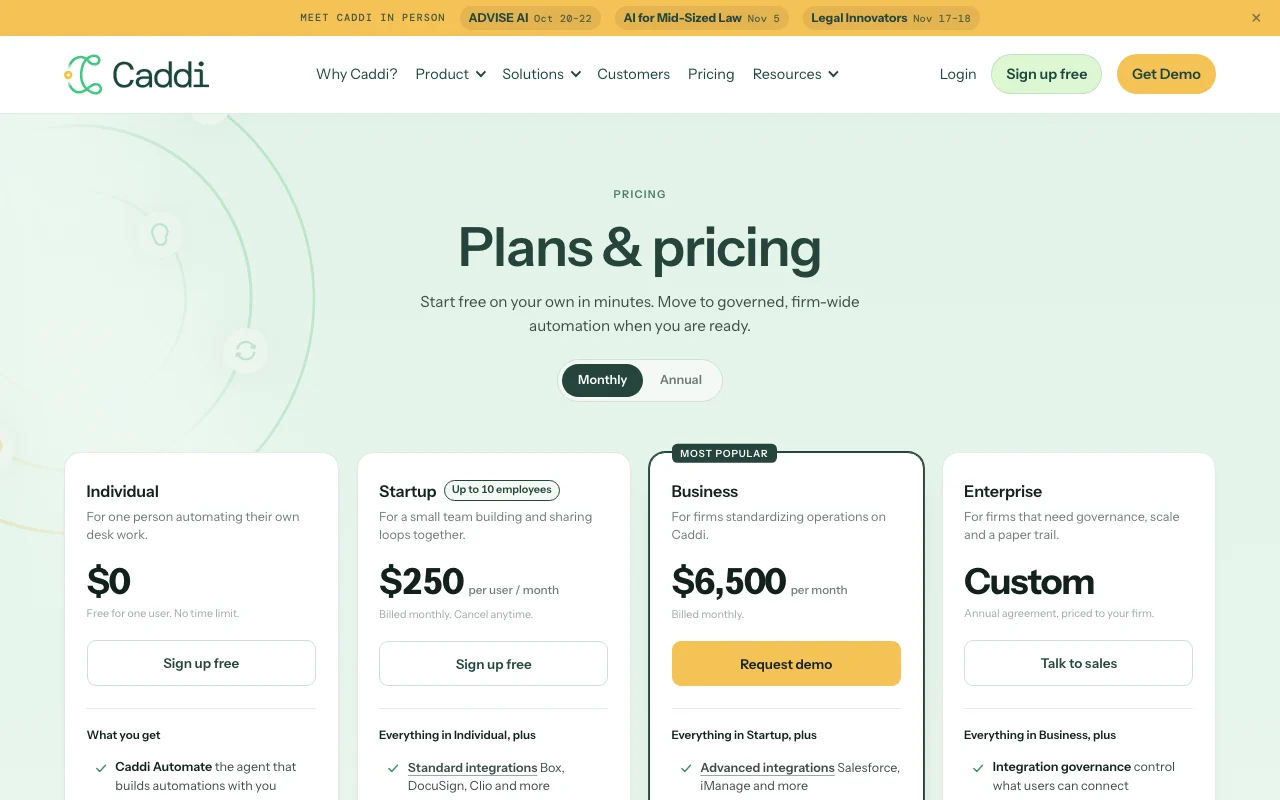
Prices checked Oct 1, 2026 on the official US pricing page. Official pricing ↗ Prices and limits change often.
Vendor pricing page re-checked automatically 12 days ago: no changes detected.
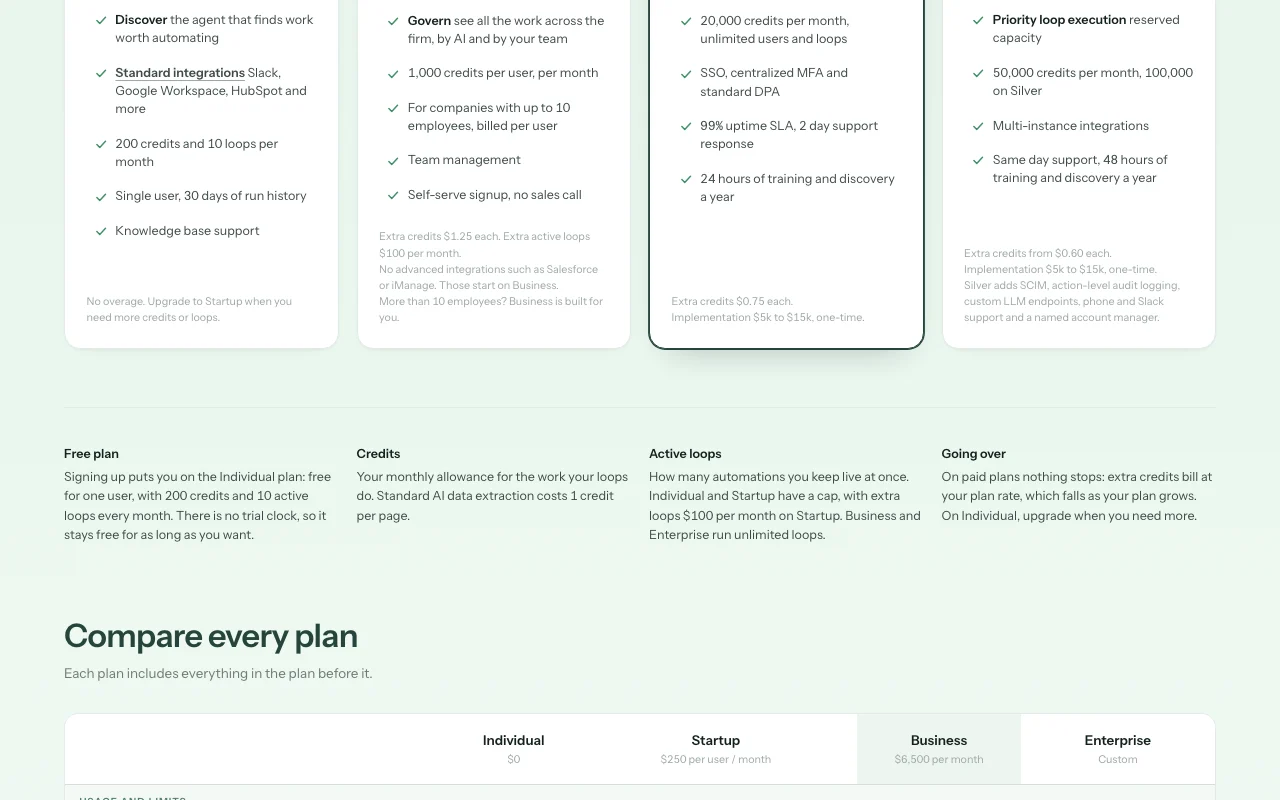
The official Caddi pricing page as we saw it. trycaddi.com, captured Oct 1, 2026
Free access and trial conditions
Individual plan is free with 1 user, 200 credits/month, 10 loops/month
For: Large firms needing governance, scale and audit trails
Limits
Unlimited everything
50,000 credits/month (Bronze) or 100,000 (Silver)
1 more
Custom SLA and support
Includes
All Business features
Integration governance (control what users can connect)
4 more
Priority loop execution (reserved capacity)
Multi-instance integrations
Same-day support
Named account manager (Silver only)
Usage caps, credits and extra costs
Implementation fees on Business ($5-15k) and Enterprise ($5-15k); extra credits billed per-month rate
Not documented
What is Caddi, and how does it work?
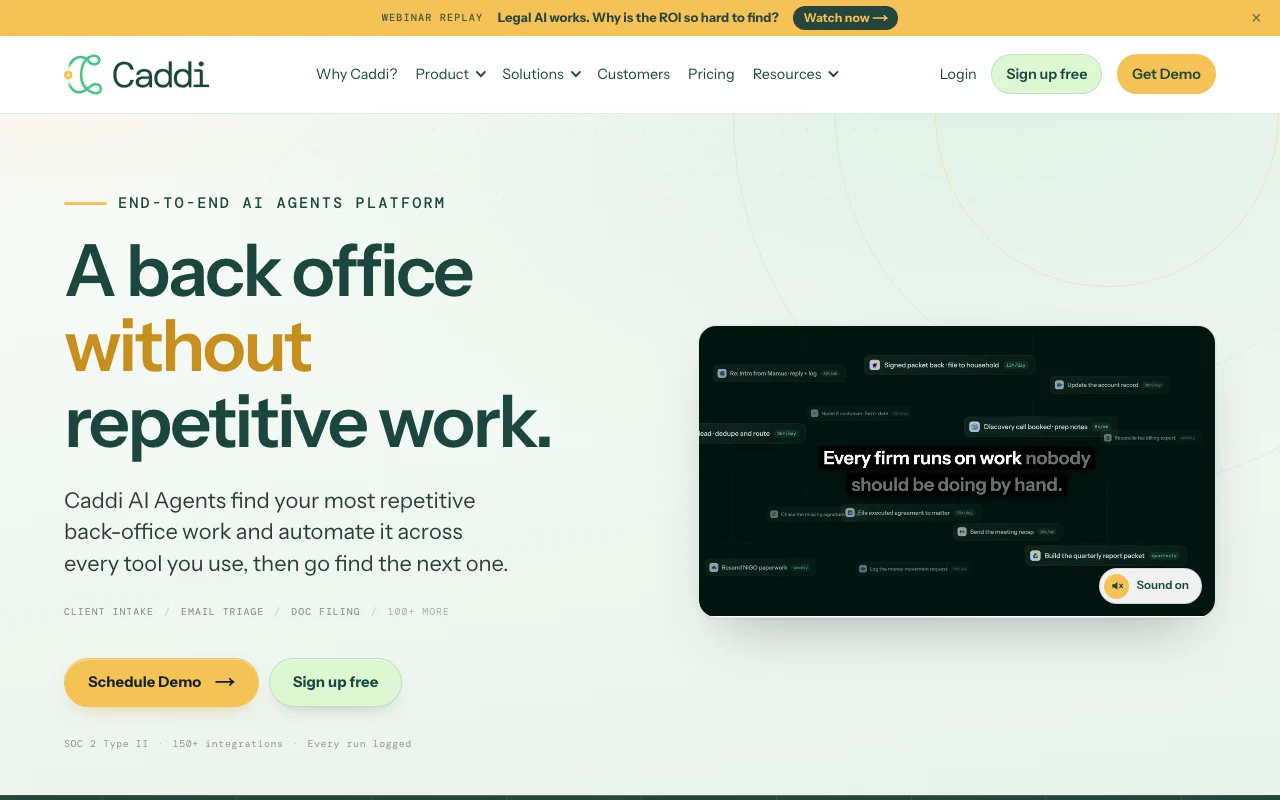
Caddi is an end-to-end AI agents platform aimed at professional services firms such as law firms, wealth advisors and accounting practices. It is organized in three stages: Discover finds repetitive work worth automating, Automate lets users teach an agent a task (for example by screensharing it) so it builds an automation called a loop, and Govern logs every run and decision firm-wide. The platform runs inside tools teams already use, with a library of 150+ integrations such as Slack, Google Workspace, HubSpot, Box, DocuSign, Clio, Salesforce and iManage.
Caddi's official site: how the product presents itself. trycaddi.com, captured Oct 1, 2026
What you provide and what you get back
What you give Caddi and what comes back, from its documentation
You provide
Screenshared demonstrations of repetitive tasks
Document content for classification and filing
Email inboxes for triage and sorting
Client intake forms and conflict checks
You get back
Identified high-value automation opportunities with evidence
Automated loops that run on schedule or on-demand
Full audit trail of every loop run and decision
ROI metrics and time savings per automation
Where you can use it
Platforms
Web
Account
Required
Where Caddi is most useful
Scenarios are worked out by our editors from the documentation; the actual result depends on your input and plan.
Automating new matter intake and conflict checks at law firms
Who
Law firm operations and intake teams
You provide
Intake form submissions and prior matter database
Expected result
Conflict check run automatically; matter created in practice management system; alerts sent if conflicts found
Plan needed
Startup or higher
Limitation
Advanced DMS integrations (Imanage, NetDocuments) require Business plan
Triaging an inbox and filing documents into a document management system
Who
Support teams and document specialists
You provide
Inbox emails with attachments; classification rules
Expected result
Emails classified, documents extracted and filed to correct folder; priority alerts escalated to humans
Plan needed
Any plan
Limitation
DMS integrations require appropriate plan level
Client onboarding and CRM/custodian sync for wealth advisors
Who
Wealth management operations
You provide
New client data from onboarding form
Expected result
Client created in CRM, custodian account set up, welcome email sent, advisor notified
Plan needed
Startup or higher
Limitation
Requires HubSpot or compatible CRM connected
Key features and their practical limits
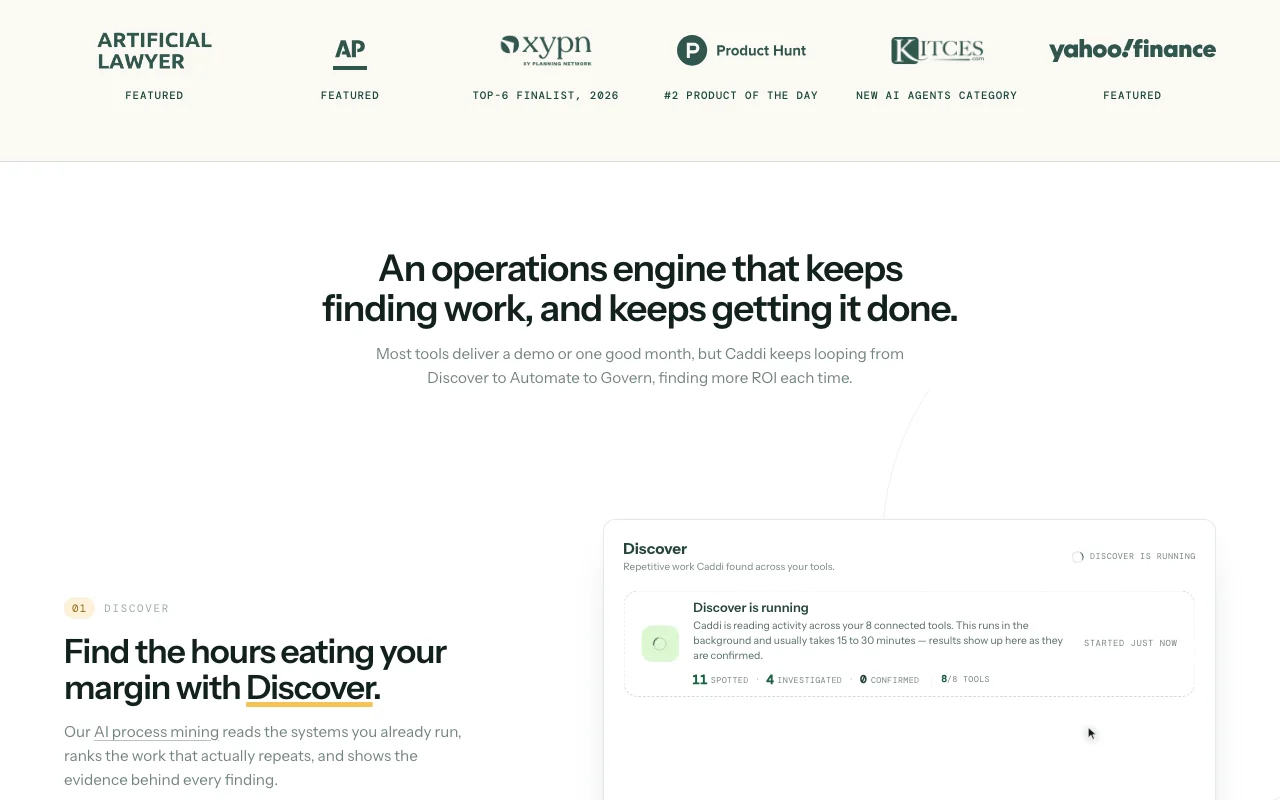
Feature overview on the official site. trycaddi.com, captured Oct 1, 2026
Discover agent that identifies repetitive work with evidence
Analyzes team calendars, emails and task history to find patterns worth automating; scores opportunities by time saved Identify the highest-ROI automation targets without manual assessment
Access: All plans; automatic analysisLimit: Discover findings are suggestions only; human approval required to build automations
Automate agent that builds automations (loops) from a demonstrated task
User screenshares a task once; AI learns the steps and builds a reusable automation that can run on schedule or on-demand Eliminate manual task entry; teach AI by showing, not coding
Access: All plans; one-click loop builderLimit: Limited to tasks within integrated tools; custom integrations require Business plan
Govern view logging every loop, run and decision
Audit trail showing every automation execution, decisions made, errors, and human approvals; role-based access control Meet compliance and audit requirements; track AI decisions firm-wide
Access: Startup plan and above (not included in Individual)Limit: Individual plan has 30-day run history only; Business and Enterprise have 2-year retention
150+ integrations including Slack, Google Workspace, HubSpot, DocuSign, Salesforce, iManage
Connect existing professional services tools; automations run directly in these platforms Automate without moving data or changing workflows
Access: 150+ standard integrations available on all plans; advanced integrations (Salesforce, iManage) on Business+Limit: Standard vs. Advanced integration tier varies by plan
Caddi: strengths and limits
Where Caddi is strong
Free Individual plan with no time limit (200 credits, 10 loops per month) Low barrier to entry for solopreneurs testing the platformdocumented
Self-serve signup for Individual and Startup plans; no sales call required Fast onboarding; transparent pricing at lower tiersdocumented
Transparent USD pricing including overage rates Predictable costs; extra credits billed at published ratesdocumented
SOC 2 Type II compliance stated on official site Enterprise-grade security; suitable for regulated industriesdocumented
Limitations to check before paying
Individual plan limited to single user, 200 credits and 10 loops per month with 30 days of run history Significant scaling needed to move beyond testingdocumented
Startup plan capped at companies with up to 10 employees Growing teams must move to $6,500/mo Business plandocumented
Advanced integrations such as Salesforce and iManage require the Business plan ($6,500/mo) High-end features gatekept behind expensive plandocumented
Business and Enterprise carry a one-time implementation fee of $5k-$15k Total cost of ownership includes significant onboarding costsdocumented
How to use Caddi for building your first automation (loop) in Caddi
Set up Caddi
Sign up at trycaddi.com and create a workspace
Connect at least one integration (Slack, Google Workspace, HubSpot, etc.)
Invite your team members (optional; required for Startup plan)
Go to Discover to see recommended automations or click Build Loop to create custom automation
Example: building your first automation (loop) in Caddi
Click 'Build Loop' and choose 'Screenshare' to record a task
Demo the task once (e.g. opening an email, extracting client info, creating a matter in practice management)
Caddi AI learns the steps; click Save Loop
Set a schedule (daily, on-demand, trigger on email receipt) and publish
The loop runs automatically; check Govern for audit trail
Review and export the result
Verify the loop ran by checking Govern and seeing the execution log
Confirm the output (email processed, matter created) in the connected tool
Caddi integrations and API
Plan comparison on the official pricing page. trycaddi.com, captured Oct 1, 2026
Native integrations and export formats
Export: Audit reports (PDF, CSV)
API access and separate billing
Caddi has no public API in its official documentation. API not mentioned; web interface is primary
Privacy, data use and commercial rights
Summarized from the vendor's current policies; this is not legal advice and a vendor's badge is not an independent audit.
How your inputs and outputs are handled
Task data, email content, documents processed by loops; data controller is customer; Caddi acts as processor
Not documented
Individual: 30 days; Startup/Business: 2 years; Enterprise: custom per agreement
Commercial use and plan restrictions
Not documented
Run history retention varies by plan: Individual 30 days, higher tiers 2 years minimum
Credits are your monthly allowance for the work your loops do. Standard AI data extraction costs 1 credit per page. Your Usage page shows exactly what used credits. source (opens in a new tab)
What happens if I run out of credits?
On Individual, automations pause until you upgrade. On Startup and Business, your work keeps going: you get a small buffer, then extra credits bill at your plan rate ($1.25 Startup, $0.75 Business). source (opens in a new tab)
Can I change plans?
Yes, from the Billing page. Upgrades take effect immediately with prorated credits added right away. Downgrades take effect at the end of your billing period. source (opens in a new tab)
What is the Govern view?
Govern shows every loop, run and decision your AI agents have made firm-wide. You can audit what the AI did, who approved it, and when. source (opens in a new tab)
Not verified: Privacy policy details (policy page not fetched); Whether implementation fees are required on all Business+ plans or negotiable; API availability for custom integrations; Enterprise pricing range.
How we documented and maintain this page
Every fact about Caddi above comes from the 2 official pages listed here, last compared on Oct 1, 2026; we have not run Caddi ourselves, so it has no editorial score. How we check and re-check pages.
Article updated Oct 10, 2026; prices checked Oct 1, 2026. Outbound links to vendors are plain links; we do not earn commissions. How we review · Report an error