Our take: Use Wordtune when you want sentence-level rewrite suggestions and tone changes in English text, with a free Basic plan capped at 10 rewrites per day.
Main limitation: Wordtune writes only in English, and the free plan allows 10 rewrites and AI suggestions per day.
By the AI Tool Atlas editors.
Based on the vendor's official documentation; we have not tested this product hands-on. What “documented overview” means
Is Wordtune right for you?
Use Wordtune when you want sentence-level rewrite suggestions and tone changes in English text, with a free Basic plan capped at 10 rewrites per day. Based on the vendor's documentation, not on a hands-on test.
Best for: Students
Also a good fit for
Writers
Professionals writing emails and work messages
Consider another tool if you need to write in languages other than English
Or if
You need unlimited rewrites without a paid plan
You want a vendor that states plainly that your text is not used to improve its services
Wordtune pricing and usage limits
Prices checked Oct 31, 2026 on the official US pricing page. Official pricing ↗ Prices and limits change often.
Vendor pricing page re-checked automatically 14 days ago: no changes detected.
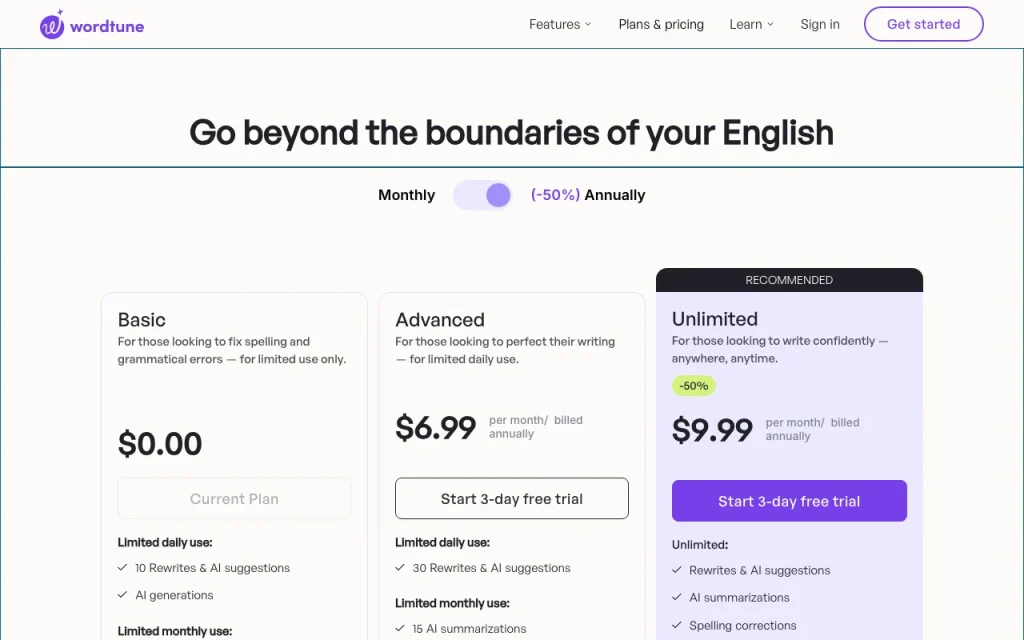
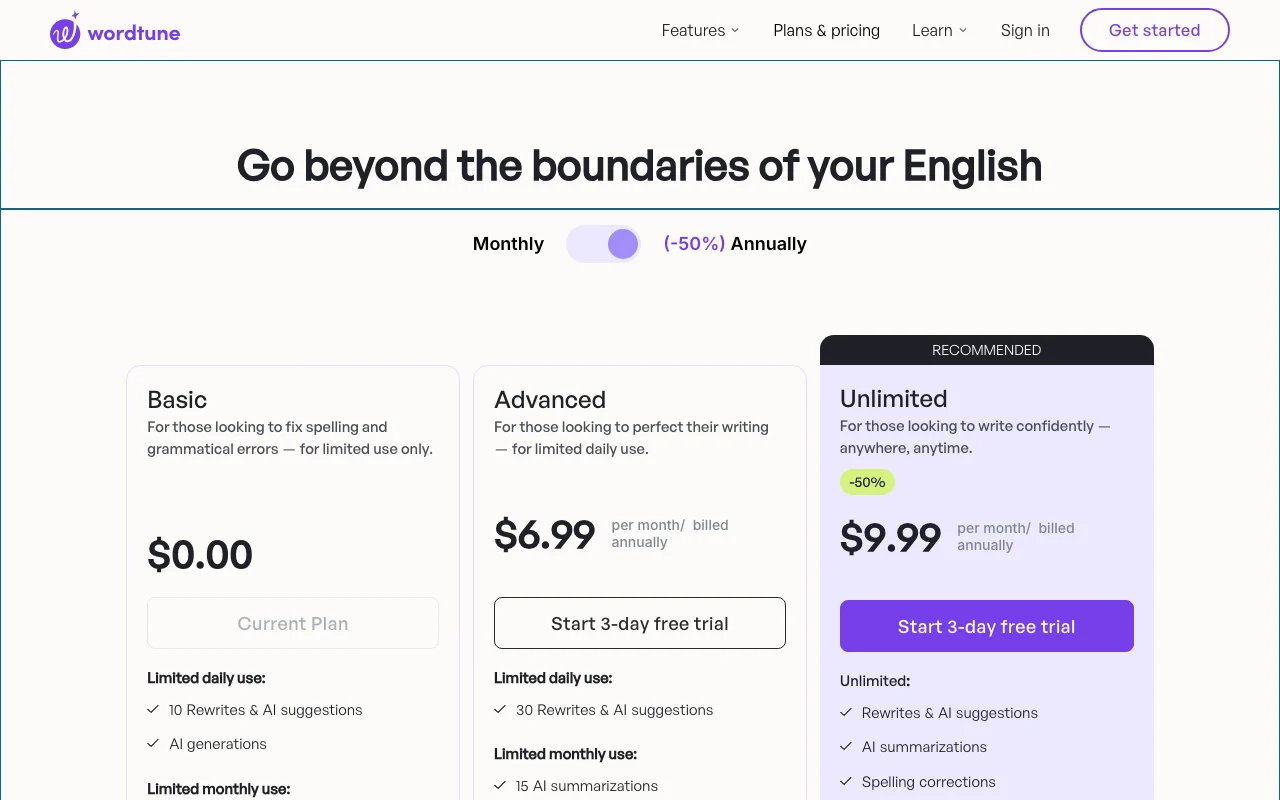
The official Wordtune pricing page as we saw it. wordtune.com, captured Oct 31, 2026
Free access and trial conditions
Basic plan is free: 10 rewrites and AI suggestions per day, 3 AI summarizations per month, unlimited spelling and grammar checks.
Wordtune is described on its homepage as an AI-powered paraphrasing tool and reading and writing assistant. It offers rewrite suggestions you can pick from, tone switching between casual and formal, a summarizer for text or video, and grammar and spelling checks. It is available as a web app, Chrome and Microsoft Edge extensions, and an iOS app. The homepage states it writes only in English and translates into English from ten other languages.
What you provide and what you get back
What you give Wordtune and what comes back, from its documentation
You provide
Text you type or paste
Text or video to summarize
You get back
Rewritten text suggestions
Summaries
English translations
Where you can use it
Platforms
Web, Chrome extension, Microsoft Edge extension, iOS
Account
Required
Platforms
Web, Chrome, Edge, iOS
Output language
English only
Free plan rewrites
10 per day
Trial
3 days on paid plans
Best use cases for Wordtune
Scenarios are worked out by our editors from the documentation; the actual result depends on your input and plan.
Free Basic plan with unlimited spelling and grammar checks You can test it without payingdocumentedsource (opens in a new tab)
Chrome, Edge and iOS apps in addition to the web app Usable in several placesdocumentedsource (opens in a new tab)
Annual billing lowers the monthly rate on both paid plans Advanced $4.89 and Unlimited $6.99 per month billed annuallydocumentedsource (opens in a new tab)
Terms say you retain rights to your submitted content Ownership stays with youdocumentedsource (opens in a new tab)
Privacy policy lists using content to improve and develop its services Avoid submitting sensitive text; terms advise against itdocumentedsource (opens in a new tab)
No refunds for partial subscription periods Cancelling mid-term does not return moneydocumentedsource (opens in a new tab)
How to use Wordtune for rewriting a draft email in a different tone
Set up Wordtune
Open wordtune.com and sign in from the welcome page, or add the Chrome or Edge extension
Open the editor or a text field where the extension is active
Type or paste your draft
Example: rewriting a draft email in a different tone
Select a sentence and view rewrite suggestions
Switch the tone between casual and formal
Pick the suggestion you prefer
Review and export the result
Reread the result against your original meaning
Check names, numbers and facts yourself
Wordtune API
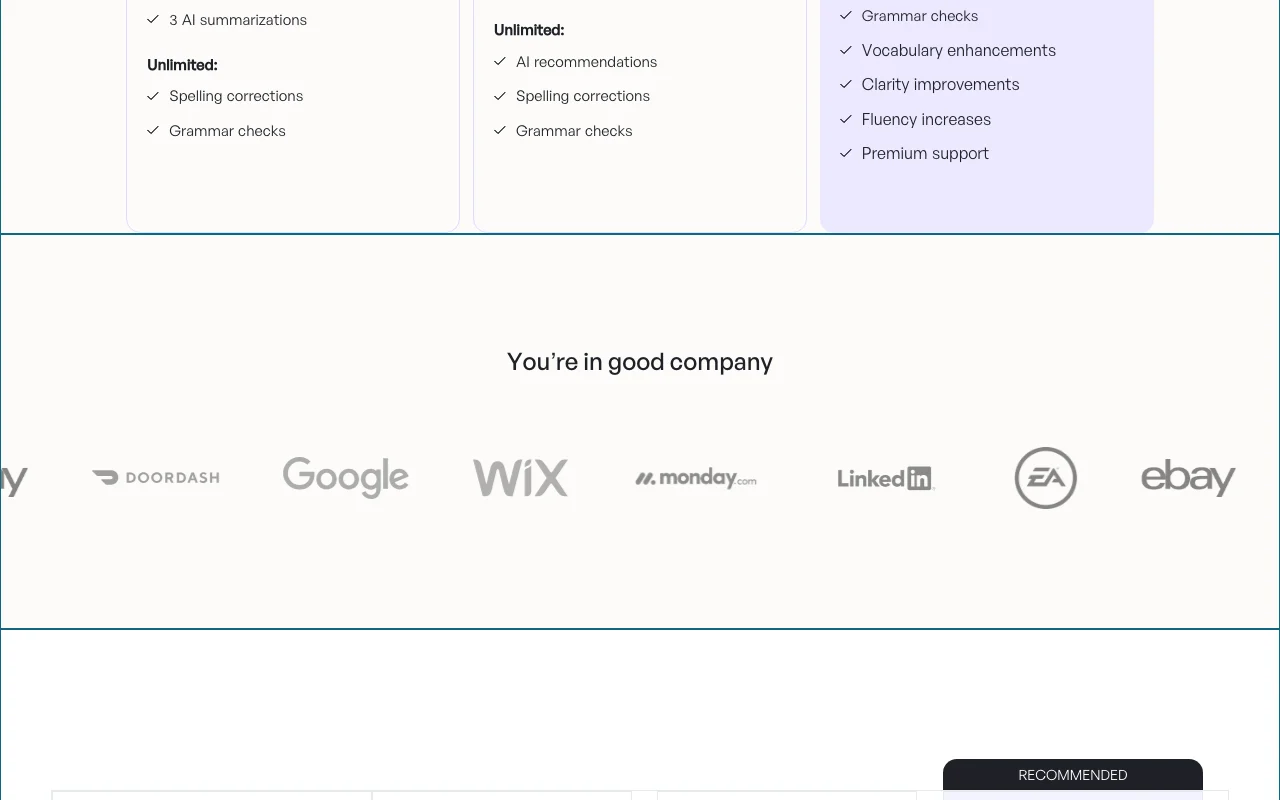
Plan comparison on the official pricing page. wordtune.com, captured Oct 31, 2026
API access and separate billing
Wordtune has no public API in its official documentation. Not stated on pages read.
Privacy, data use and commercial rights
Summarized from the vendor's current policies; this is not legal advice and a vendor's badge is not an independent audit.
How your inputs and outputs are handled
Policy says content entered (prompts, text, documents) is used to improve, enhance and develop the Services and for research.
Policy lists training and improving products and Services; not stated plainly for user text.
Kept until deleted by Wordtune or on valid deletion request, with longer storage allowed for legal reasons.
Commercial use and plan restrictions
Terms: you retain rights to your User Content; summaries derived from it are limited to personal use.
Does Wordtune use my text to improve its services?
The privacy policy says content you enter is used to improve, enhance and develop its Services and for research. Opt-out of aggregation is by email to privacy@wordtune.com.
Not verified: Account required to use; Per-plan access to Smart Translate and Humanize AI; Changelog; Help center (help.wordtune.com did not resolve); Business plan pricing; Whether prices are USD (page shows $ only).
How we documented and maintain this page
Every fact about Wordtune above comes from the 4 official pages listed here, last compared on Oct 31, 2026; we have not run Wordtune ourselves, so it has no editorial score. How we check and re-check pages.
Article updated Oct 31, 2026; prices checked Oct 31, 2026. Outbound links to vendors are plain links; we do not earn commissions. How we review · Report an error