Productivity & writingDocumented overviewLast checked Oct 1, 2026

Owll.ai: Pricing, Features & Best Use Cases

AI note taker that records, transcribes and summarizes meetings, lectures and calls across iPhone, Mac, Apple Watch and the web.
Is Owll.ai right for you?

Choose Owll if you want a notetaker for iPhone, Mac or Apple Watch that transcribes in 99+ languages and formats summaries for meetings, lectures or sales calls. Based on the vendor's documentation, not on a hands-on test.

Best for: Students and educators recording lectures

Also a good fit for

  • Sales and business teams on Zoom/Meet/Teams
  • Multilingual teams

Consider another tool if real-time transcription is limited on the free tier and gated behind Pro

Or if

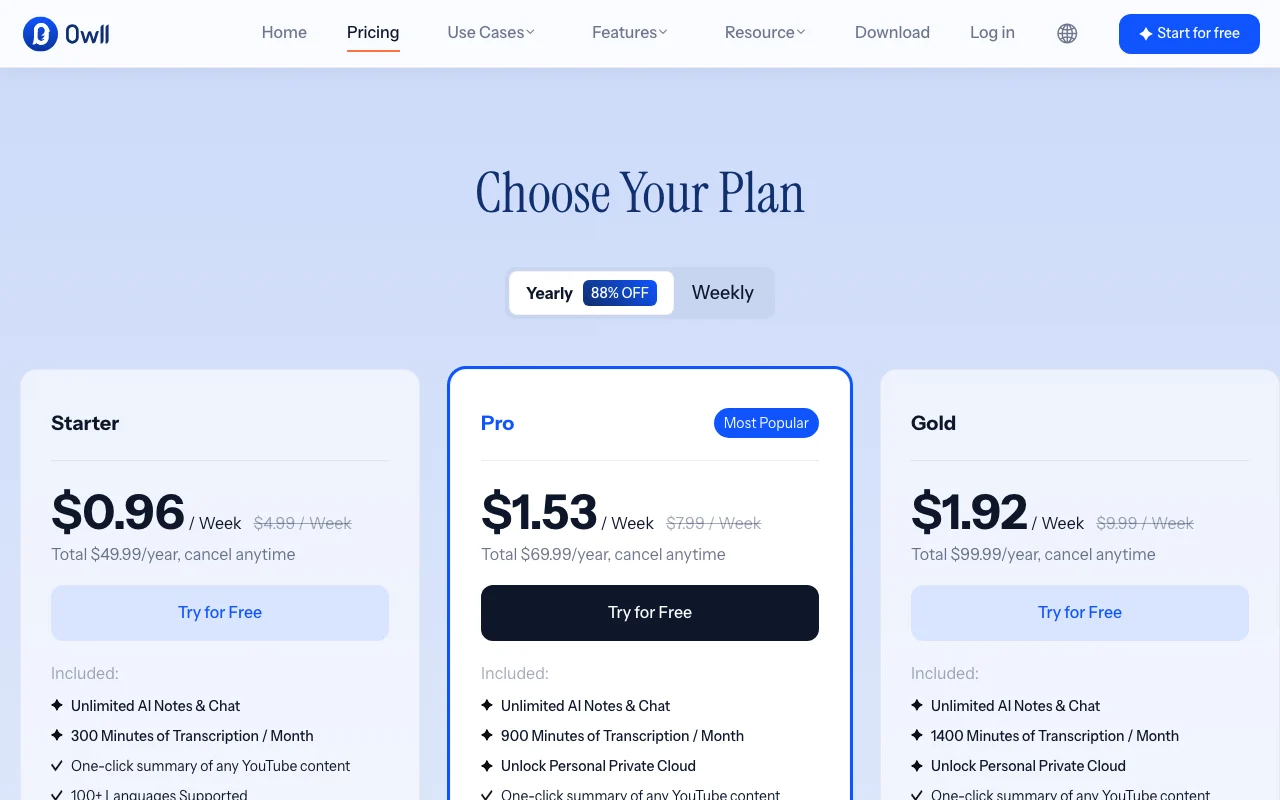
  • Pro is sold weekly ($7.99/week) or annually, no plain monthly plan seen in structured pricing data
  • Not a HIPAA platform and not built to store PHI, per the vendor

Owll.ai pricing and usage limits

Prices checked Oct 1, 2026 on the official US pricing page. Official pricing ↗ Prices and limits change often.

Vendor pricing page re-checked automatically 12 days ago: no changes detected.

Owll.ai pricing page with plans and prices — screenshot of the productivity & writing AI tool, Oct 1, 2026
The official Owll.ai pricing page as we saw it. owll.ai, captured Oct 1, 2026

Free access and trial conditions

Free tier, no card to download.

Three-day free trial on the annual plan.

Paid plans: what changes as you upgrade

Free web

Free source (opens in a new tab)

Unknown

For: Trying the app

Limits

  • Real-time transcription limited
  • Exact limits not shown

Includes

  • Recording
  • AI summaries

Owll Pro Weekly web

$7.99 source (opens in a new tab)

Week

For: Short-term projects

Limits

  • Auto-renewing weekly

Includes

  • Real-time transcription
  • Full AI summaries

Owll Pro Annual web

$69.99/yr source (opens in a new tab)

Year, annual commitment

For: Regular users

Limits

  • Three-day free trial

Includes

  • Real-time transcription
  • Full AI summaries

What is Owll.ai, and how does it work?

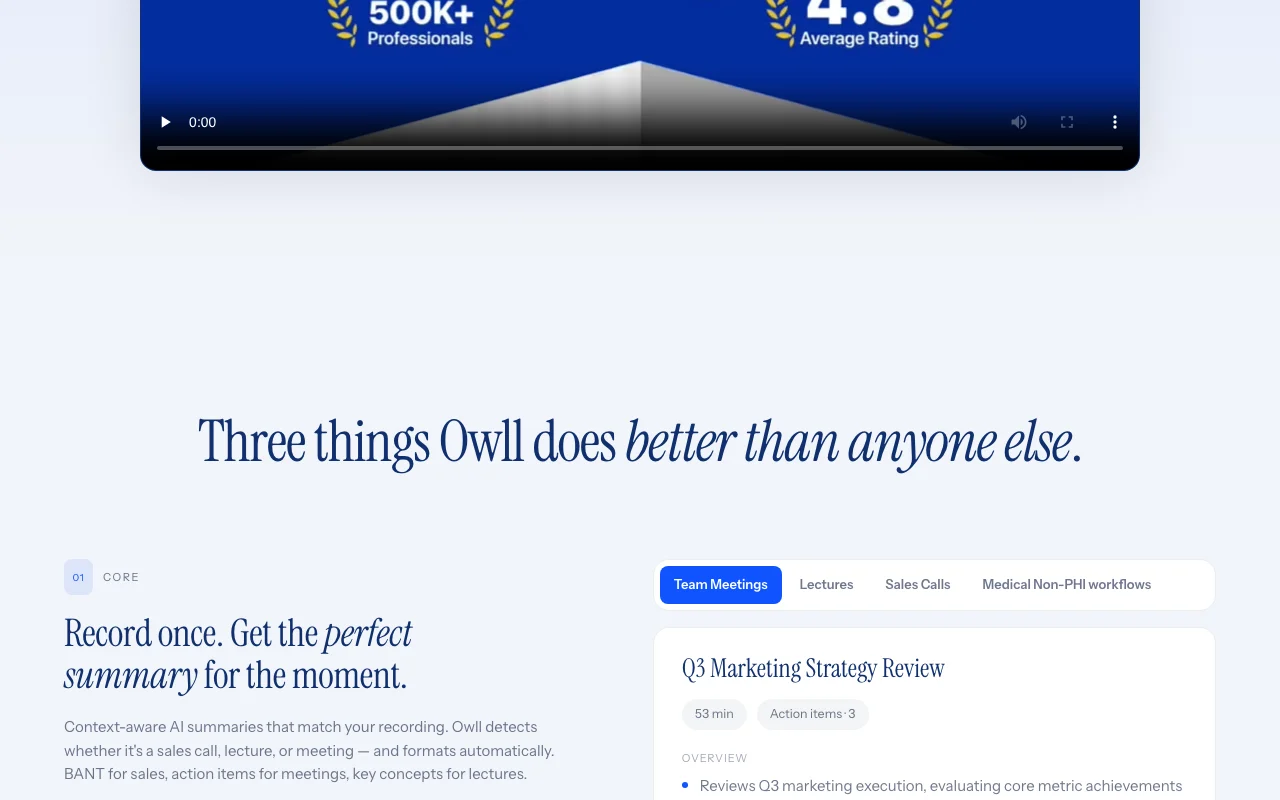
Owll.ai is an AI notetaker from Vocalbeats.AI that records audio, transcribes it in 99+ languages and produces context-aware summaries. It detects whether a recording is a sales call, lecture or team meeting and formats the recap accordingly, e.g. BANT for sales, action items for meetings, key concepts for lectures. The product runs across iPhone, iPad, Android, Mac and Apple Watch with encrypted cloud sync, joins Zoom, Google Meet and Teams calls for live transcription, translates recaps between languages and exports to Notion, Slack or email. A free tier is available; paid Pro plans are sold weekly or annually.

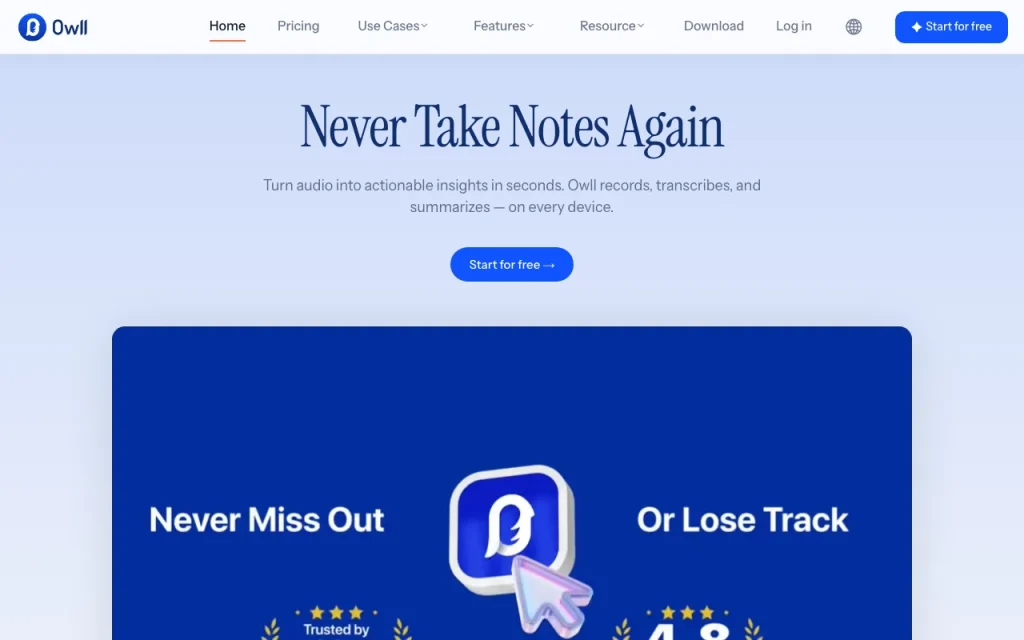
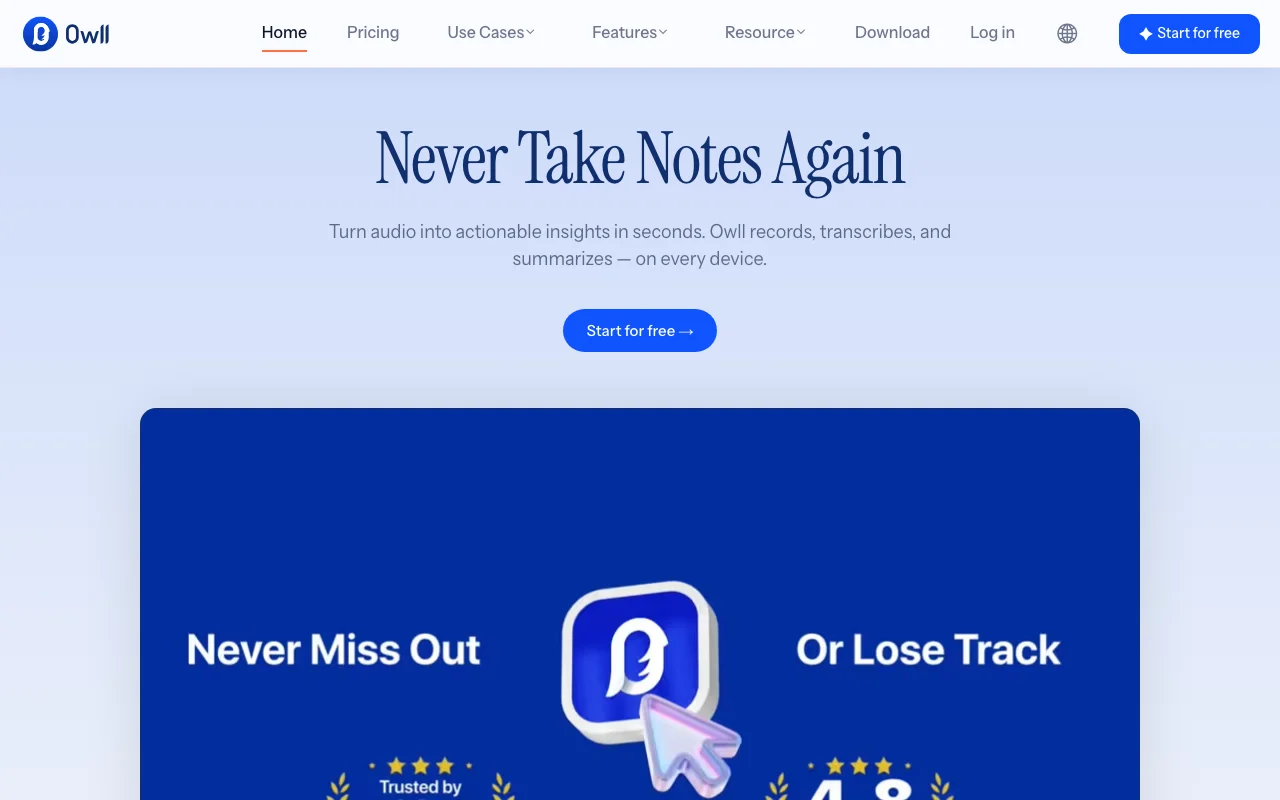
Owll.ai homepage — screenshot of the productivity & writing AI tool, Oct 1, 2026
Owll.ai's official site: how the product presents itself. owll.ai, captured Oct 1, 2026

What you provide and what you get back

How Owll.ai works: what you provide, where it runs and what you get backYOU PROVIDEYour inputLive audio recordingsZoom, Google Meet, Teams callsUploaded meeting linksPRODUCTIVITY & WRITINGOwll.aiWeb, Desktop, Mobilefrom $7.99 (Owll Pro Weekly)free tier availableaccount requiredchecked Oct 1, 2026YOU GET BACKThe resultTranscriptContext-aware summaryAction items, flashcardsNotion, Slack or email exportsinput → Owll.ai → output · from the vendor's own pages, no hands-on test unless stated
What you give Owll.ai and what comes back, from its documentation

You provide

  • Live audio recordings
  • Zoom, Google Meet, Teams calls
  • Uploaded meeting links

You get back

  • Transcript
  • Context-aware summary
  • Action items, flashcards
  • Notion, Slack or email exports

Where you can use it

Platforms
Web, Desktop, Mobile
Account
Required
Languages
99+
Devices
iPhone, iPad, Android, Mac, Apple Watch, web
Meeting apps
Zoom, Google Meet, Teams
Certifications
ISO 27001, 27701 (stated)

What people use Owll.ai for

Scenarios are worked out by our editors from the documentation; the actual result depends on your input and plan.

Recording and summarizing team meetings with action items

Who
Managers and teams
You provide
Recorded team meeting
Expected result
Summary with action items and owners
Plan needed
Pro for live transcription
Limitation
Recordings are stored in the cloud source (opens in a new tab)

Transcribing lectures and turning them into flashcards and study notes

Who
Students
You provide
Lecture audio
Expected result
Key concepts, flashcards and study notes
Plan needed
Free to start
Limitation
Real-time limited on Free source (opens in a new tab)

Sales call recaps with BANT-style structure

Who
Sales reps
You provide
Call recording
Expected result
BANT-style recap
Plan needed
Pro
Limitation
Not a HIPAA platform source (opens in a new tab)

Key features and their practical limits

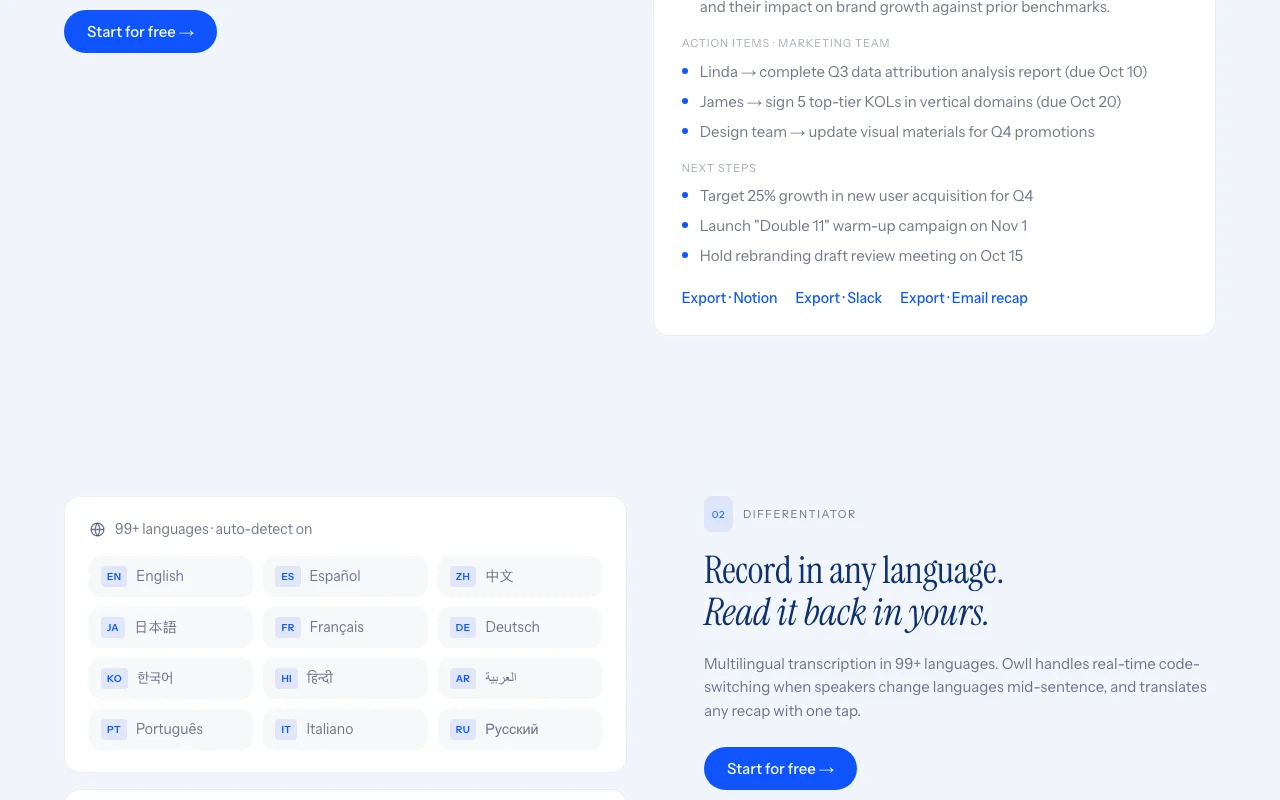
Owll.ai homepage — screenshot of the productivity & writing AI tool, Oct 1, 2026
Feature overview on the official site. owll.ai, captured Oct 1, 2026

Context-aware AI summaries that adapt to meeting, lecture or sales-call formats

Detects meeting, lecture or sales call and formats the summary to match. Gives the right structure without setup.

Access: Free tier availableLimit: Detection quality is vendor-described. source (opens in a new tab)

Transcription in 99+ languages with mid-sentence code-switching

Transcribes 99+ languages with mid-sentence code-switching and translates recaps. Helps mixed-language teams.

Access: All usersLimit: Accuracy per language is not stated. source (opens in a new tab)

Live transcription for Zoom, Google Meet and Teams, or upload of recorded meeting links

Joins Zoom, Google Meet and Teams for live transcription. Records without a bot-free setup.

Access: Pro for real-timeLimit: Real-time is gated on Pro. source (opens in a new tab)

Cross-device recording on iPhone, Mac and Apple Watch with encrypted cloud sync

Records on iPhone, Mac and Apple Watch with encrypted cloud sync. Capture when the phone is away.

Access: All usersLimit: No direct Mac download link on the download page. source (opens in a new tab)

Pros, cons and deal-breakers

Where Owll.ai is strong

Limitations to check before paying

  • Real-time transcription is limited on the free tier and gated behind Pro Free users may miss live captions. documented source (opens in a new tab)
  • Pro is sold weekly ($7.99/week) or annually, no plain monthly plan seen in structured pricing data Weekly billing is costlier over time. documented source (opens in a new tab)
  • Not a HIPAA platform and not built to store PHI, per the vendor Medical or sensitive health data is excluded. documented source (opens in a new tab)
  • Requires an account and cloud storage of recordings Sensitive meetings leave the device. documented source (opens in a new tab)

How to use Owll.ai for recording and summarizing meetings

Set up Owll.ai

  1. Download Owll from the iOS or Android store, or open the web app.
  2. Create an account.
  3. Grant microphone access.

Example: recording and summarizing meetings

  1. Tap record at the start of a meeting.
  2. Stop and wait for the transcript.
  3. Open the summary and action items.
  4. Export the recap to Notion or Slack.

Review and export the result

  1. Skim the transcript for names and numbers.
  2. Verify action items against what was said.

Owll.ai integrations and API

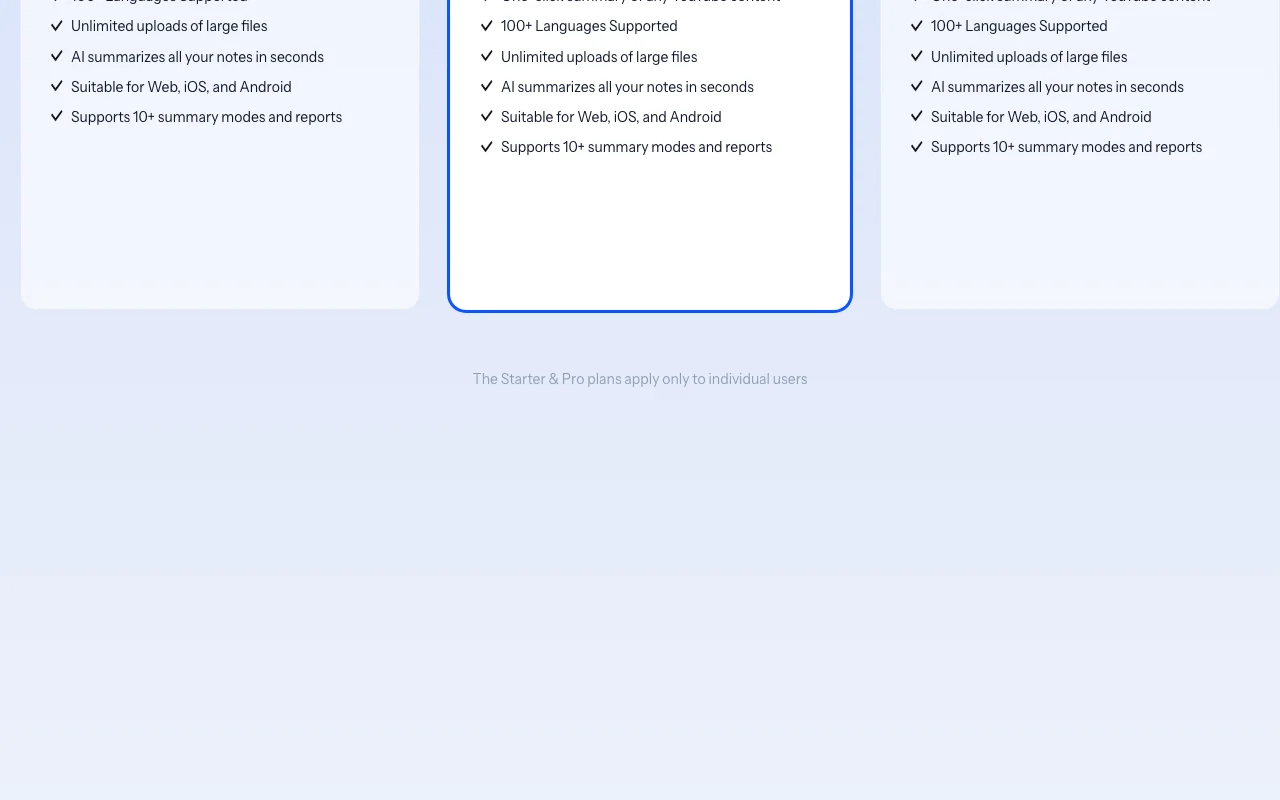
Owll.ai pricing page with plans and prices — screenshot of the productivity & writing AI tool, Oct 1, 2026
Plan comparison on the official pricing page. owll.ai, captured Oct 1, 2026

Native integrations and export formats

Export: Notion, Slack, Email

API access and separate billing

Owll.ai has no public API in its official documentation. None stated.

Privacy, data use and commercial rights

Summarized from the vendor's current policies; this is not legal advice and a vendor's badge is not an independent audit.

How your inputs and outputs are handled

Audio and transcripts sync encrypted to the cloud.

Commercial use and plan restrictions

Not a HIPAA platform.

Controls for business users

  • ISO 27001 and 27701 stated

Policies: owll.ai/privacy

Other tools to consider instead of Owll.ai

"Better suited" is based on documented features and pricing, not on a head-to-head test.

Otter.ai: better suited to

Notion AI: better suited to

Gemini Notebook (formerly NotebookLM): better suited to

Alternatives
AlternativeWhen to choose itPricingLimitation
Otter.ai——
Notion AI——Compare
Gemini Notebook (formerly NotebookLM)——

Explore Owll.ai further

Related to Owll.ai

Owll.ai user reviews

No user reviews yet.

Used Owll.ai? Be the first to share your experience.

Write a review

Reviews are checked by a moderator before they appear. Your email is never published. Plain text only.

Your rating (required)

Show what you made or what went wrong. Images are published only if the review is approved; location data is removed.

    Owll.ai FAQ

    How much does Owll Pro cost?

    $7.99 per week or $69.99 per year, according to the pricing data. source (opens in a new tab)

    Does Owll work offline?

    Not documented; recordings sync to an encrypted cloud. source (opens in a new tab)

    How many languages are supported?

    99+, including switching languages mid-sentence. source (opens in a new tab)

    Can it join Zoom or Teams?

    Yes, for live transcription on Zoom, Google Meet and Teams. source (opens in a new tab)

    Is it HIPAA compliant?

    No; the vendor says it is not built to store PHI. source (opens in a new tab)

    Sources and review methodology

    Official sources and verification dates

    Not verified: free tier limits; team plan price; retention; Mac download.

    How we documented and maintain this page

    Every fact about Owll.ai above comes from the 3 official pages listed here, last compared on Oct 1, 2026; we have not run Owll.ai ourselves, so it has no editorial score. How we check and re-check pages.

    Article updated Oct 10, 2026; prices checked Oct 1, 2026. Outbound links to vendors are plain links; we do not earn commissions. How we review · Report an error