Productivity & writingDocumented overviewLast checked Oct 4, 2026

Papera: Pricing, Features & Best Use Cases

AI digital notebook and planner that generates a page layout from a plain-language prompt.
Is Papera right for you?

Choose Papera if you want an AI notebook that lays out a page from a prompt and you are fine with a monthly Ink credit allowance (35 Ink free). Based on the vendor's documentation, not on a hands-on test.

Best for: Planner and journal fans

Also a good fit for

  • Students
  • Personal productivity

Consider another tool if aI generations spend Ink credits (about 10 Ink per generated spread, 4 per cover)

Or if

  • Free plan is limited to 35 Ink credits per month
  • Paid plan prices are not shown on the pricing page

Papera pricing and usage limits

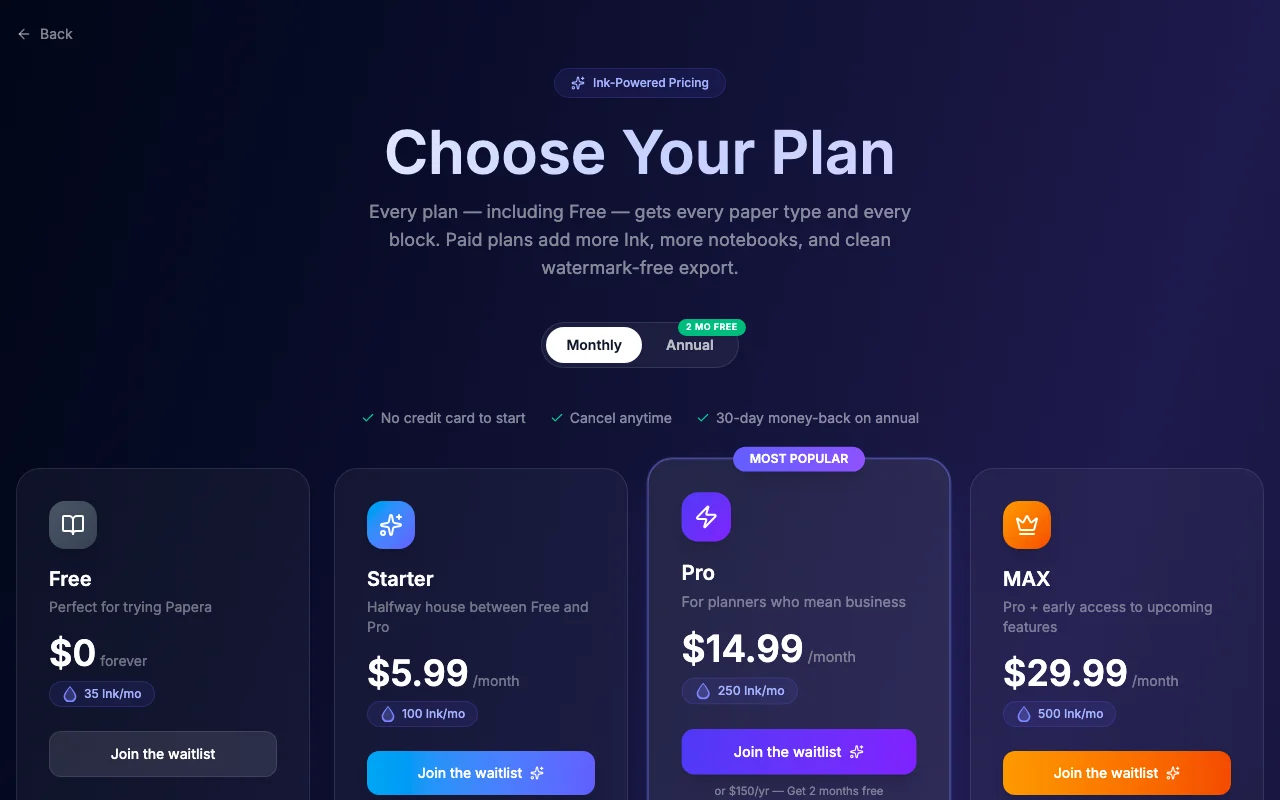
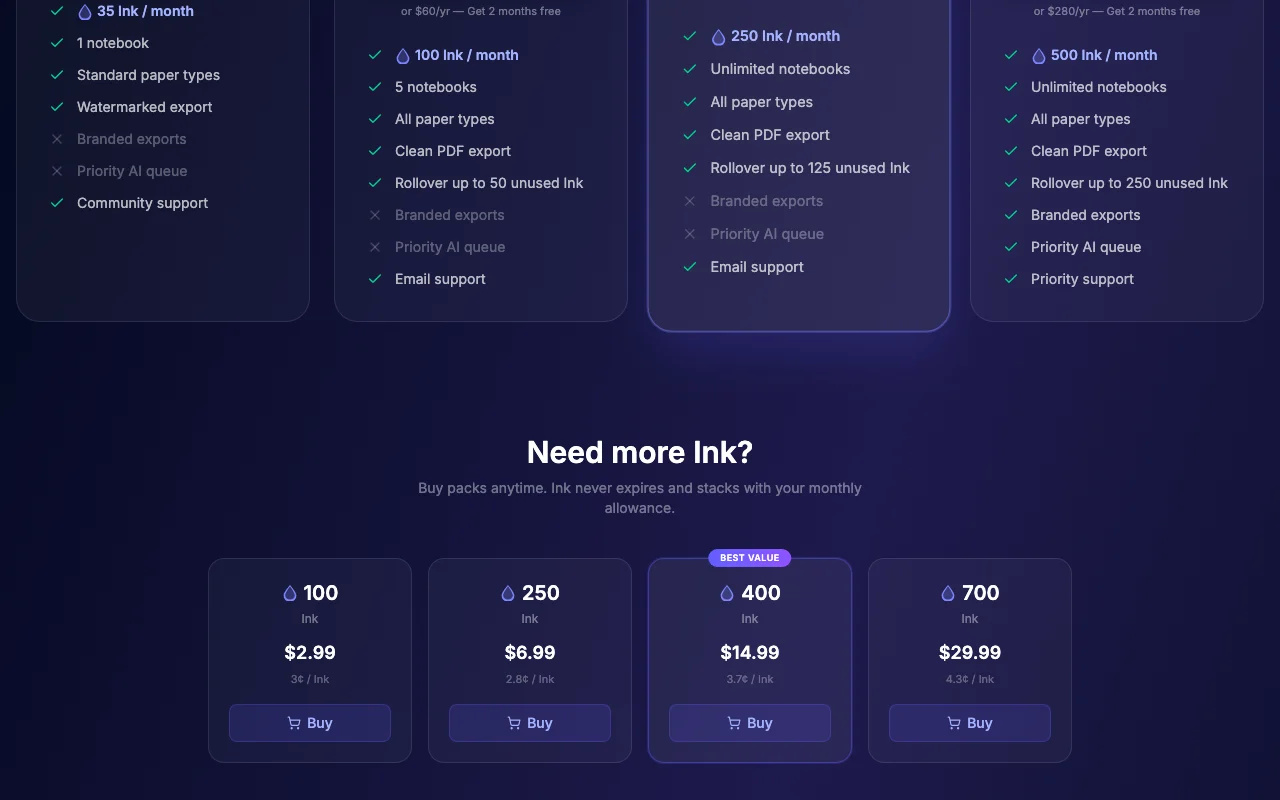
Prices checked Oct 4, 2026 on the official US pricing page. Official pricing ↗ Prices and limits change often.

Papera pricing page with plans and prices — screenshot of the productivity & writing AI tool, Oct 2, 2026
The official Papera pricing page as we saw it. papera.io, captured Oct 2, 2026

Free access and trial conditions

35 Ink credits per month, no card

Not stated

Paid plans: what changes as you upgrade

Usage caps, credits and extra costs

About 10 Ink per spread and 4 per cover

Not stated on the official pages

What is Papera, and how does it work?

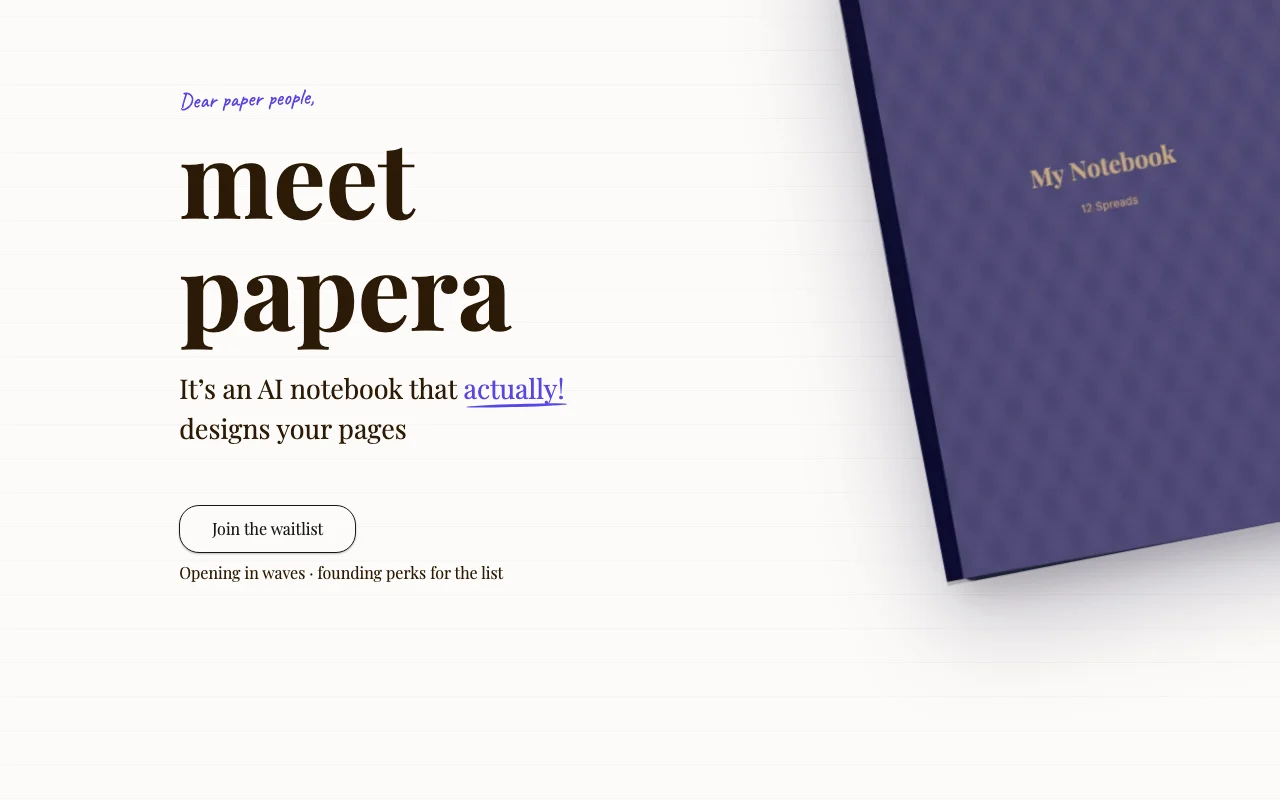
Papera is a digital notebook and planner app where you describe a day, task or idea and AI generates a matching page layout from customizable blocks. It offers several paper textures, block types such as kanban, habit tracker and calendar, and journal modes including bullet journal and Cornell notes.

Papera homepage — screenshot of the productivity & writing AI tool, Oct 2, 2026
Papera's official site: how the product presents itself. papera.io, captured Oct 2, 2026

What you provide and what you get back

You provide

  • A plain-language description of a page

You get back

  • A generated notebook layout of editable blocks

Where you can use it

Platforms
web, ios
Account
Required
Textures
7
Block types
22
Journal modes
4
Platforms
Web, iOS

Where Papera is most useful

Scenarios are worked out by our editors from the documentation; the actual result depends on your input and plan.

Daily planning

Who
Busy professionals
You provide
A day description
Expected result
A planner page is laid out from your description of the day.
Plan needed
Free
Limitation
Each generated page costs Ink, so the free allowance covers only a few days of planning. source (opens in a new tab)

Habit and mood tracking

Who
Self-trackers
You provide
Habits wanted
Expected result
A habit or mood tracker layout is created from the habits you listed.
Plan needed
Free
Limitation
You can only use the available block set, so trackers outside that set cannot be built. source (opens in a new tab)

Bullet journaling

Who
Journalers
You provide
A style
Expected result
A bullet journal page is created in the style you asked for.
Plan needed
Free
Limitation
Each generation spends Ink, so many pages may need a paid plan. source (opens in a new tab)

What Papera does, and where it stops

Papera homepage — screenshot of the productivity & writing AI tool, Oct 2, 2026
Feature overview on the official site. papera.io, captured Oct 2, 2026

Prompt-to-layout generation

Writes a page of blocks from your description. Busy people can describe a page and get a layout instead of arranging blocks by hand.

Access: FreeLimit: Each generation spends Ink, which limits how many pages you can generate. source (opens in a new tab)

7 paper textures

Offers lined, grid, dotted, blank, music staff, isometric and hex papers. Users can choose a paper style such as lined, grid, dotted or music staff to match what they are writing.

Access: Not statedLimit: The set is fixed at seven paper textures, so other paper styles are not offered. source (opens in a new tab)

22 block types

Provides priority matrix, kanban, calendar, habit tracker and more. Planners get ready blocks such as a priority matrix, kanban, calendar or habit tracker instead of building them.

Access: Not statedLimit: The set is fixed at 22 block types, so blocks outside that list cannot be added. source (opens in a new tab)

4 journal modes

Switches among planner, E-Ink, bullet journal and Cornell styles. People with a favourite system can switch among planner, E-Ink, bullet journal and Cornell styles.

Access: Not statedLimit: The list is fixed at four journal modes. source (opens in a new tab)

Papera pros and cons

Where Papera is strong

  • Free to start without a card, per pricing page description The pricing page describes starting free without a card, so you can try it without entering payment details. documented source (opens in a new tab)
  • Homepage states no subscription required The homepage states no subscription is required, so you are not locked into a recurring payment. documented source (opens in a new tab)
  • Many block types and textures There are many block types and paper textures, so you can build different kinds of pages from one tool. documented source (opens in a new tab)
  • Layouts are editable after generation Layouts can be edited after generation, so you can fix the AI's draft instead of accepting it as is. documented source (opens in a new tab)

Limitations to check before paying

  • AI generations spend Ink credits (about 10 Ink per generated spread, 4 per cover) Each AI generation spends Ink credits, about 10 per generated spread and 4 per cover, so Ink runs out after a few pages. documented source (opens in a new tab)
  • Free plan is limited to 35 Ink credits per month The Free plan gives only 35 Ink per month, which covers about three generated spreads at the stated rate. documented source (opens in a new tab)
  • Paid plan prices are not shown on the pricing page Paid plan prices are not shown on the pricing page, so you cannot work out the cost of getting more Ink. documented source (opens in a new tab)
  • Requires an account You must create an account to use it, so there is a signup step before the first page. documented source (opens in a new tab)

How to use Papera for generating a notebook page

Set up Papera

  1. Open papera.io on web or iOS.
  2. Create an account.
  3. Start a notebook.

Example: generating a notebook page

  1. Describe the page.
  2. Generate.
  3. Edit blocks.

Review and export the result

  1. Check Ink balance.
  2. Review layout.
Example prompt suggested by our editors (not a recorded output of the product)
A weekly planner with a habit tracker and top three priorities.

Privacy, data use and commercial rights

Summarized from the vendor's current policies; this is not legal advice and a vendor's badge is not an independent audit.

How your inputs and outputs are handled

Prompts and notebooks

Not stated

Not stated

Commercial use and plan restrictions

Not stated

Not stated

Other tools to consider instead of Papera

"Better suited" is based on documented features and pricing, not on a head-to-head test.

Notion AI: better suited to

Alternatives
AlternativeWhen to choose itPricingLimitation
Notion AI——Compare

Explore Papera further

If you are looking at Papera

Papera user reviews

No user reviews yet.

Used Papera? Be the first to share your experience.

Write a review

Reviews are checked by a moderator before they appear. Your email is never published. Plain text only.

Your rating (required)

Show what you made or what went wrong. Images are published only if the review is approved; location data is removed.

    Papera FAQ

    Is Papera free?

    Yes, 35 Ink every month with no card. source (opens in a new tab)

    What is Ink?

    The AI credit spent on layouts and covers, about 10 per spread. source (opens in a new tab)

    Which platforms?

    Web and iOS. source (opens in a new tab)

    Is a subscription required?

    No subscription is required to keep using what you create. source (opens in a new tab)

    Sources and review methodology

    Official sources and verification dates

    Not verified: Paid plan prices; Privacy terms; US availability.

    How we documented and maintain this page

    Every fact about Papera above comes from the 3 official pages listed here, last compared on Oct 4, 2026; we have not run Papera ourselves, so it has no editorial score. How we check and re-check pages.

    Article updated Oct 10, 2026; prices checked Oct 4, 2026. Outbound links to vendors are plain links; we do not earn commissions. How we review · Report an error