Productivity & writingDocumented overviewLast checked Oct 1, 2026

Pekto (formerly InfoBlog): Pricing, Features & Best Use Cases

AI maker for presentations, social carousels and infographics from a topic, document or data file, with editable slides.


Is Pekto (formerly InfoBlog) right for you?

Pekto (formerly InfoBlog) suits creators and marketers who want to turn a topic, blog post or PDF/Word/Excel file into editable carousels and decks, starting on a free tier with 5 monthly AI credits. Based on the vendor's documentation, not on a hands-on test.

Best for: Content creators repurposing posts

Also a good fit for

  • Marketers and small agencies

Consider another tool if starter has only 5 AI credits per month

Or if

  • Watermark-free exports require Pro
  • 1080p export starts at Pro, 4K only on Agency

Pekto (formerly InfoBlog) pricing and usage limits

Prices checked Oct 1, 2026 on the official US pricing page. Official pricing ↗ Prices and limits change often.

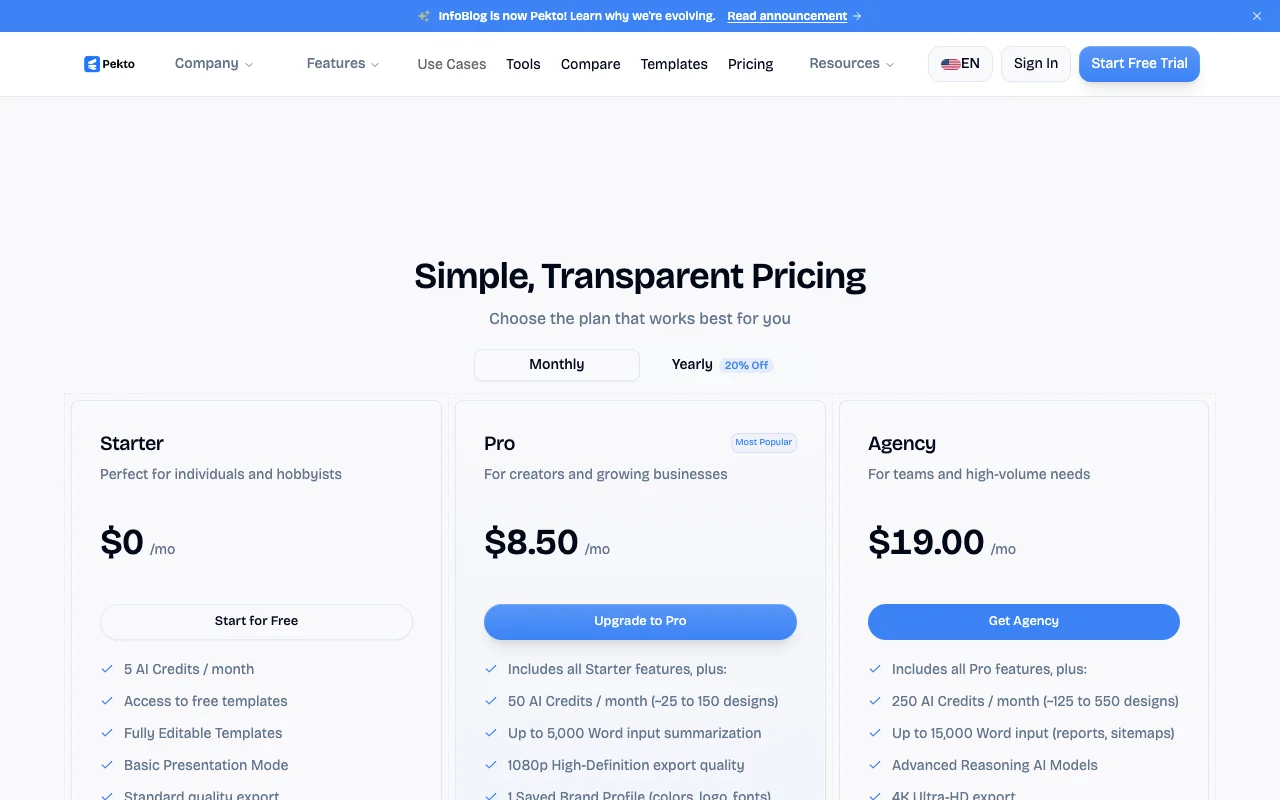
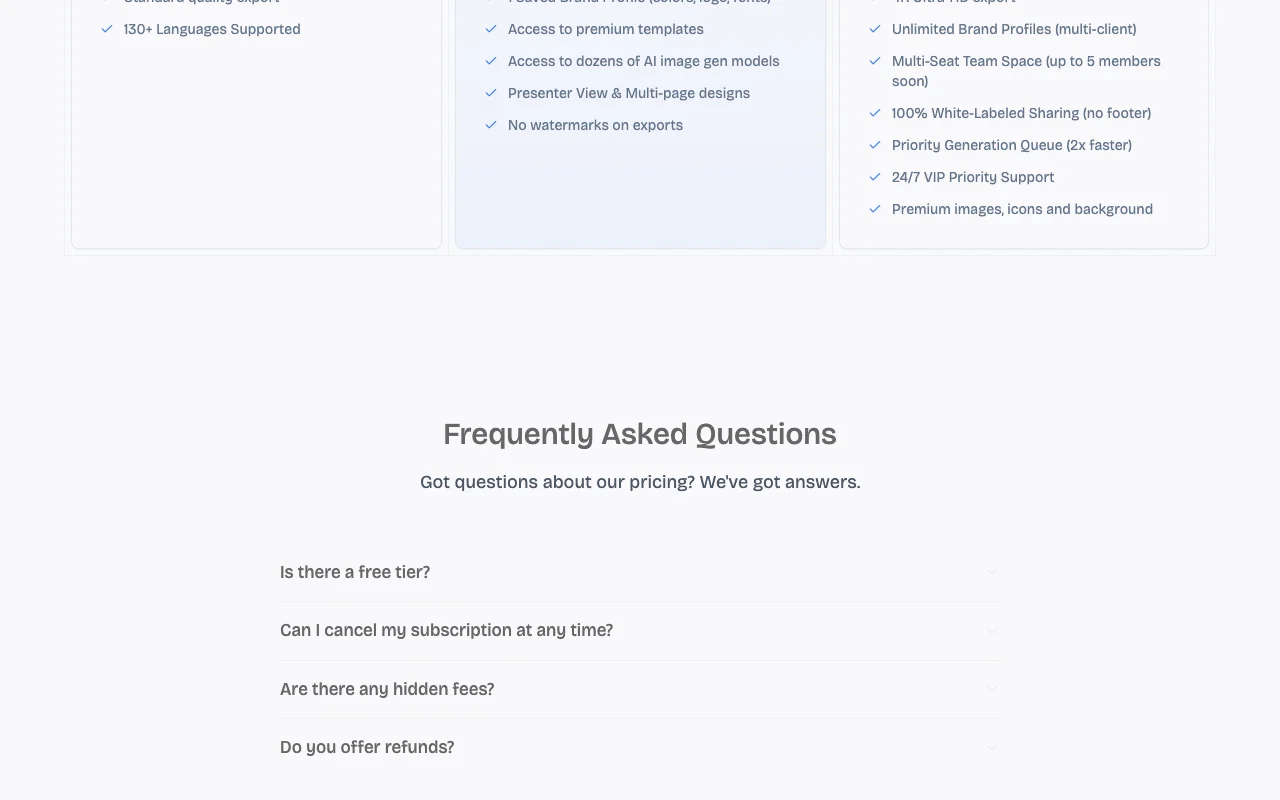
Pekto (formerly InfoBlog) pricing page with plans and prices — screenshot of the productivity & writing AI tool, Oct 2, 2026
The official Pekto (formerly InfoBlog) pricing page as we saw it. trypekto.com, captured Oct 2, 2026

Free access and trial conditions

Starter at $0, no credit card.

Start Free Trial button shown; terms not detailed.

Paid plans: what changes as you upgrade

Starter web

Free source (opens in a new tab)

Month

For: Individuals and hobbyists

Limits

  • 5 AI credits/month
  • Standard quality export

Includes

  • Free templates
  • Basic presentation mode
1 more
  • 130+ languages

Pro web

$8.5/mo source (opens in a new tab)

Month

Monthly/Yearly toggle (20% off yearly); which period 8.50 reflects not confirmed

For: Creators and growing businesses

Limits

  • 50 AI credits/month
  • Up to 5,000 words input
1 more
  • 1 brand profile

Includes

  • 1080p export
  • No watermarks
2 more
  • Premium templates
  • Presenter view

Agency web

$19/mo source (opens in a new tab)

Month

Billing period of 19.00 not confirmed

For: Teams and high volume

Limits

  • 250 AI credits/month
  • Up to 15,000 words input
1 more
  • Unlimited brand profiles

Includes

  • 4K export
  • White-labeled sharing
2 more
  • Priority queue
  • 24/7 support

Usage caps, credits and extra costs

No hidden fees per FAQ heading (answer not captured).

Not stated.

What is Pekto (formerly InfoBlog), and how does it work?

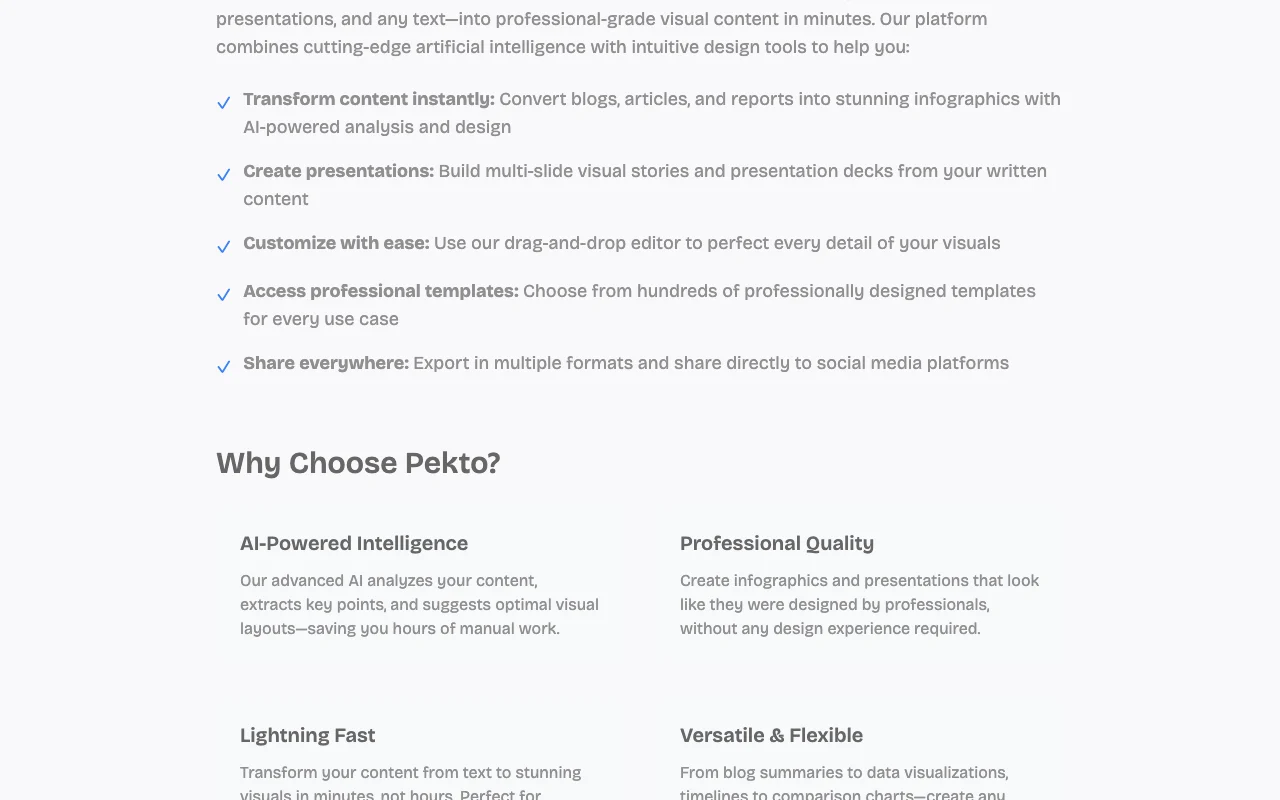
Pekto (formerly InfoBlog, per the banner on its homepage) generates presentations, LinkedIn and Instagram carousels and infographics from a topic, pasted text or an uploaded file. Output is editable, with AI text editing, templates and brand kit support. Plans run on monthly AI credits, from a free Starter tier to Pro and Agency tiers with higher export quality, saved brand profiles and white-labeled sharing.

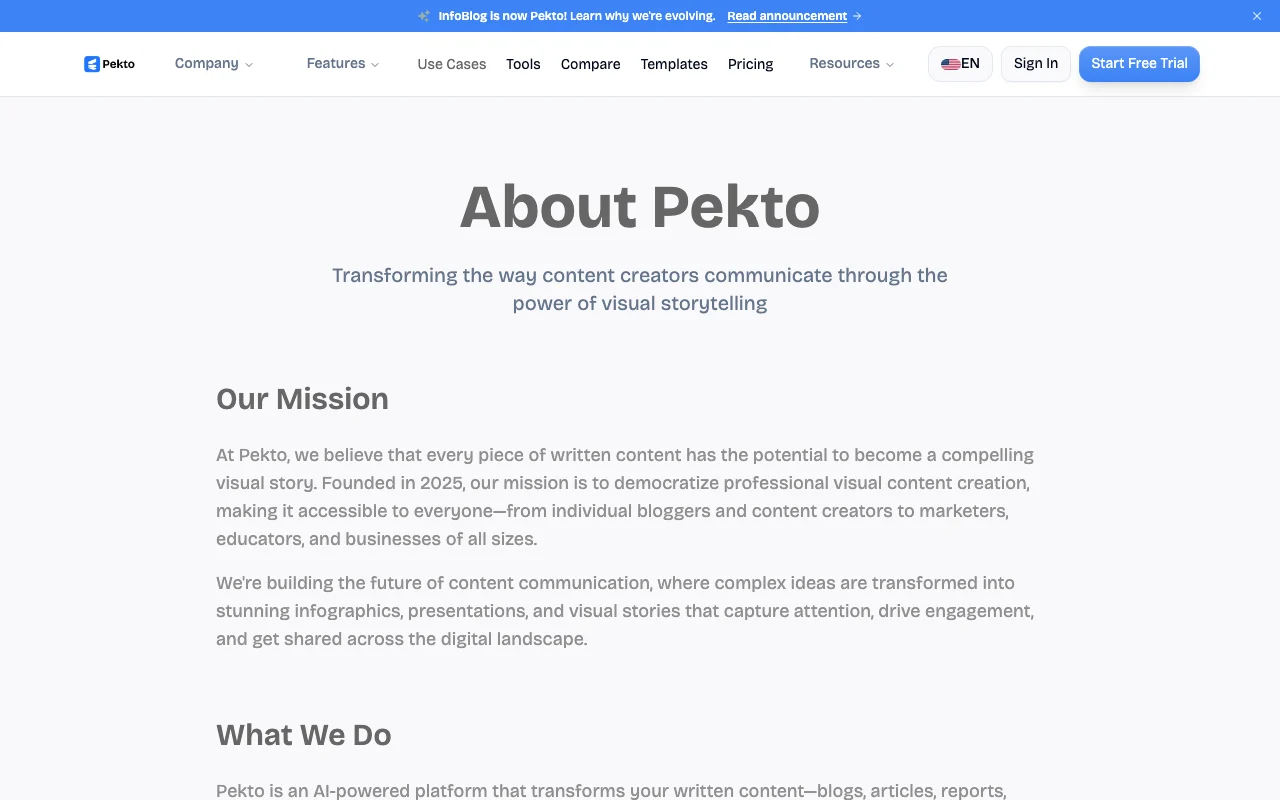
Pekto (formerly InfoBlog) homepage — screenshot of the productivity & writing AI tool, Oct 2, 2026
Pekto (formerly InfoBlog)'s official site: how the product presents itself. trypekto.com, captured Oct 2, 2026

What you provide and what you get back

How Pekto (formerly InfoBlog) works: what you provide, where it runs and what you get backYOU PROVIDEYour inputA topic or pasted textPDF, Word or Excel filesBrand colors, logo and fontsPRODUCTIVITY & WRITINGPekto (formerly InfoBlog)Webfrom $8.5/mo (Pro)free tier availableaccount requiredchecked Oct 1, 2026YOU GET BACKThe resultEditable presentationsLinkedIn and Instagram carouselsInfographics and AI imagesinput → Pekto (formerly InfoBlog) → output · from the vendor's own pages, no hands-on test unless stated
What you give Pekto (formerly InfoBlog) and what comes back, from its documentation

You provide

  • A topic or pasted text
  • PDF, Word or Excel files
  • Brand colors, logo and fonts

You get back

  • Editable presentations
  • LinkedIn and Instagram carousels
  • Infographics and AI images

Where you can use it

Platforms
Web
Account
Required
Formats
Presentations, carousels, infographics, AI images
Input files
PDF, Word, Excel
Export quality
Standard, 1080p, 4K
Languages
130+

Best use cases for Pekto (formerly InfoBlog)

Scenarios are worked out by our editors from the documentation; the actual result depends on your input and plan.

Turning blog posts into LinkedIn carousels

Who
Content creators and social managers
You provide
Blog post or article text
Expected result
A swipeable LinkedIn or Instagram carousel ready to edit
Plan needed
Pro for watermark-free export
Limitation
Starter exports are watermarked source (opens in a new tab)

Converting PDF, Word or Excel files into slides

Who
Analysts and report writers
You provide
PDF, Word or Excel document
Expected result
Slides built from the document's structure
Plan needed
Pro (up to 5,000 words) or Agency (15,000)
Limitation
Longer inputs need higher tiers source (opens in a new tab)

Generating presentation decks from a topic

Who
Small agencies
You provide
Client topic and brand profile
Expected result
On-brand decks with white-labeled sharing
Plan needed
Agency
Limitation
Multi-seat team space is listed as coming soon source (opens in a new tab)

Pekto (formerly InfoBlog) features and their limits

Pekto (formerly InfoBlog) homepage — screenshot of the productivity & writing AI tool, Oct 2, 2026
Feature overview on the official site. trypekto.com, captured Oct 2, 2026

Presentation, carousel, template and AI image modes

Switches between Presentation, Carousel, Template and AI Image modes Covers several formats in one tool

Access: All plansLimit: Credits limit volume source (opens in a new tab)

PDF, Word and Excel to slides

Converts PDF, Word and Excel files into slides Skips retyping source content

Access: Input size capped by plan (5,000 / 15,000 words)Limit: Starter input cap not stated source (opens in a new tab)

AI text rewrite, simplify, expand, condense

Rewrites, simplifies, expands or condenses selected text with AI Fast copy edits inside the slide

Access: All plansLimit: Each use may spend credits source (opens in a new tab)

Brand kit with logo, fonts and colors

Stores logo, fonts and colors as brand profiles Keeps designs on-brand

Access: 1 profile on Pro; unlimited on AgencyLimit: Not on Starter source (opens in a new tab)

Pros, cons and deal-breakers

Reasons to choose Pekto (formerly InfoBlog)

Check before paying for Pekto (formerly InfoBlog)

How to use Pekto (formerly InfoBlog) for turning a blog post into a LinkedIn carousel

Set up Pekto (formerly InfoBlog)

  1. Open trypekto.com and start free
  2. Sign in
  3. Choose the Carousel tab
  4. Paste the blog text or attach a file

Example: turning a blog post into a LinkedIn carousel

  1. Click Generate
  2. Pick a template and review the slides
  3. Rewrite the weakest slide with the AI text edit
  4. Export the carousel

Review and export the result

  1. Check each slide for cut-off text
  2. Confirm whether the export carries a watermark on your plan
Example prompt suggested by our editors (not a recorded output of the product)
Turn this blog post into a 8-slide LinkedIn carousel with a bold hook slide and a closing call to action.

Pekto (formerly InfoBlog) integrations and API

Pekto (formerly InfoBlog) pricing page with plans and prices — screenshot of the productivity & writing AI tool, Oct 2, 2026
Plan comparison on the official pricing page. trypekto.com, captured Oct 2, 2026

Native integrations and export formats

Export: Standard quality, 1080p, 4K (Agency)

API access and separate billing

Pekto (formerly InfoBlog) has no public API in its official documentation. No API mentioned

Privacy, data use and commercial rights

Summarized from the vendor's current policies; this is not legal advice and a vendor's badge is not an independent audit.

How your inputs and outputs are handled

Uploaded files and text are processed to generate designs.

Not stated.

Not stated.

Commercial use and plan restrictions

Not stated.

Not stated.

Pekto (formerly InfoBlog) alternatives by need

"Better suited" is based on documented features and pricing, not on a head-to-head test.

Canva: better suited to

Adobe Firefly: better suited to

Jasper: better suited to

Alternatives
AlternativeWhen to choose itPricingLimitation
Canva——Compare
Adobe Firefly——
Jasper——Compare

Explore Pekto (formerly InfoBlog) further

If you are looking at Pekto (formerly InfoBlog)

Pekto (formerly InfoBlog) user reviews

No user reviews yet.

Used Pekto (formerly InfoBlog)? Be the first to share your experience.

Write a review

Reviews are checked by a moderator before they appear. Your email is never published. Plain text only.

Your rating (required)

Show what you made or what went wrong. Images are published only if the review is approved; location data is removed.

    Pekto (formerly InfoBlog) FAQ

    Is InfoBlog the same as Pekto?

    Yes; the banner says InfoBlog is now Pekto. source (opens in a new tab)

    What does the free plan include?

    5 AI credits per month, free templates, basic presentation mode, standard quality export and 130+ languages. source (opens in a new tab)

    How many designs do Pro credits give?

    50 credits, roughly 25 to 150 designs, per the pricing page. source (opens in a new tab)

    Which plan removes watermarks?

    Pro and above. source (opens in a new tab)

    Which file types convert to slides?

    PDF, Word and Excel. source (opens in a new tab)

    Sources and review methodology

    Official sources and verification dates

    Not verified: FAQ answers on pricing page; Price billing period; Privacy policy; US availability.

    How we documented and maintain this page

    Every fact about Pekto (formerly InfoBlog) above comes from the 2 official pages listed here, last compared on Oct 1, 2026; we have not run Pekto (formerly InfoBlog) ourselves, so it has no editorial score. How we check and re-check pages.

    Article updated Oct 10, 2026; prices checked Oct 1, 2026. Outbound links to vendors are plain links; we do not earn commissions. How we review · Report an error