Productivity & writingDocumented overviewLast checked Sep 29, 2026

NoteRich: Pricing, Features & Best Use Cases

Offline-first browser note app with Markdown, rich text, AI knowledge search and encrypted P2P sync.
Who NoteRich fits

Use NoteRich if you want a free offline-first note app in the browser with Markdown, rich text and AI search over local notes, upgrading to Pro only for unlimited workspaces and PDF export. Based on the vendor's documentation, not on a hands-on test.

Best for: Privacy-minded note takers

Also a good fit for

  • Users wanting free offline notes

Consider another tool if unlimited workspaces and PDF export need paid version

Or if

  • AI analysis requires sign-in per pricing page
  • Local storage means data tied to browser

NoteRich pricing and usage limits

Prices checked Sep 29, 2026 on the official US pricing page. Official pricing ↗ Prices and limits change often.

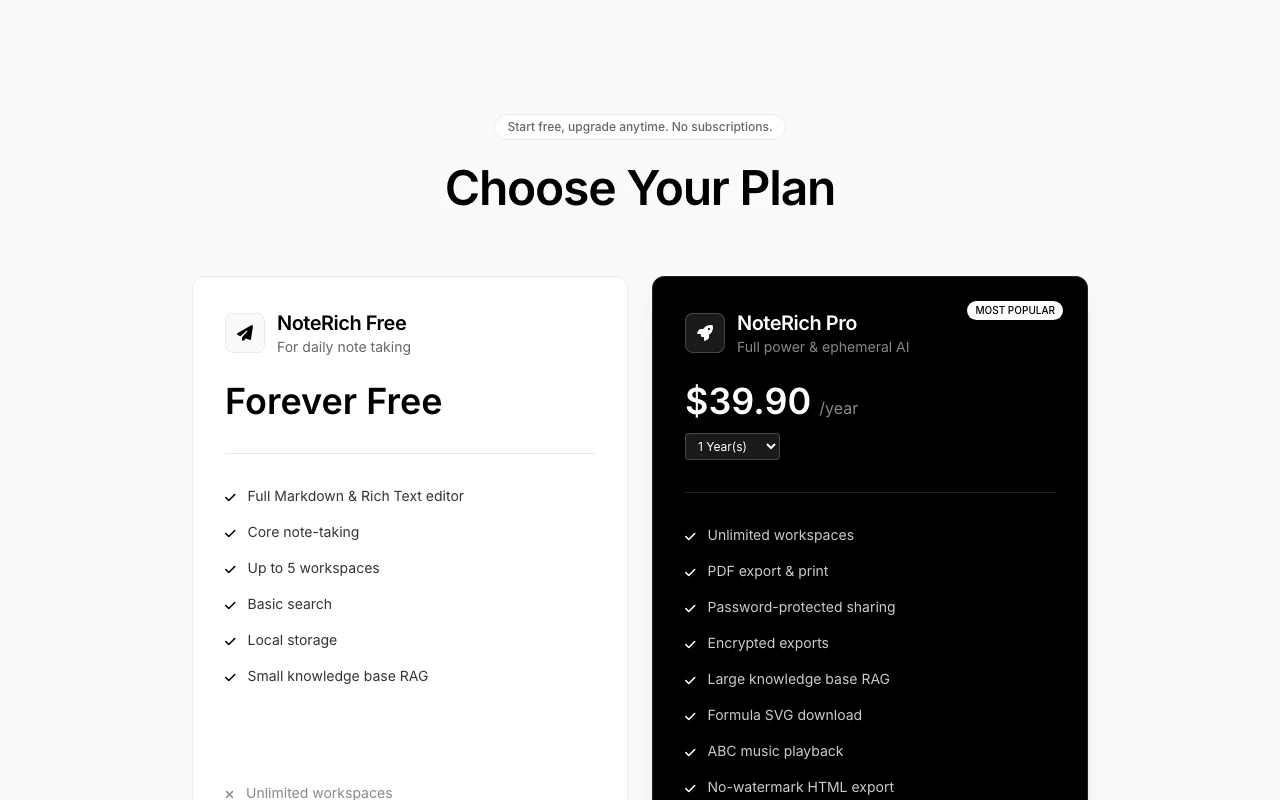
NoteRich pricing page with plans and prices — screenshot of the productivity & writing AI tool, Oct 1, 2026
The official NoteRich pricing page as we saw it. noterich.com, captured Oct 1, 2026

Free access and trial conditions

Forever-free tier with up to 5 workspaces.

No credit card to start.

Paid plans: what changes as you upgrade

Free Web

Free source (opens in a new tab)

Month

For: Daily note taking

Limits

  • Up to 5 workspaces
  • Small knowledge base RAG

Includes

  • Markdown and rich-text editor
  • Basic search
1 more
  • Local storage

No API

Pro Web

$19.9/yr source (opens in a new tab)

Year

Pricing page and homepage disagree; one-time license style, no subscription

For: Heavy notes users

Limits

  • Pricing page shows $19.90; homepage shows $39.90

Includes

  • Unlimited workspaces
  • PDF export and print
2 more
  • Password-protected sharing
  • Large knowledge base RAG

No API

Usage caps, credits and extra costs

Pro license sold for 1 to 10 years.

Handled by payment processor PayProGlobal.

What is NoteRich, and how does it work?

NoteRich is a note-taking app that runs in the browser and stores notes locally. The site describes Markdown and rich-text editing, AI search over notes, workspaces and peer-to-peer sync between devices. A free tier exists and a Pro version is offered; the pricing page loaded did not render clear USD amounts.

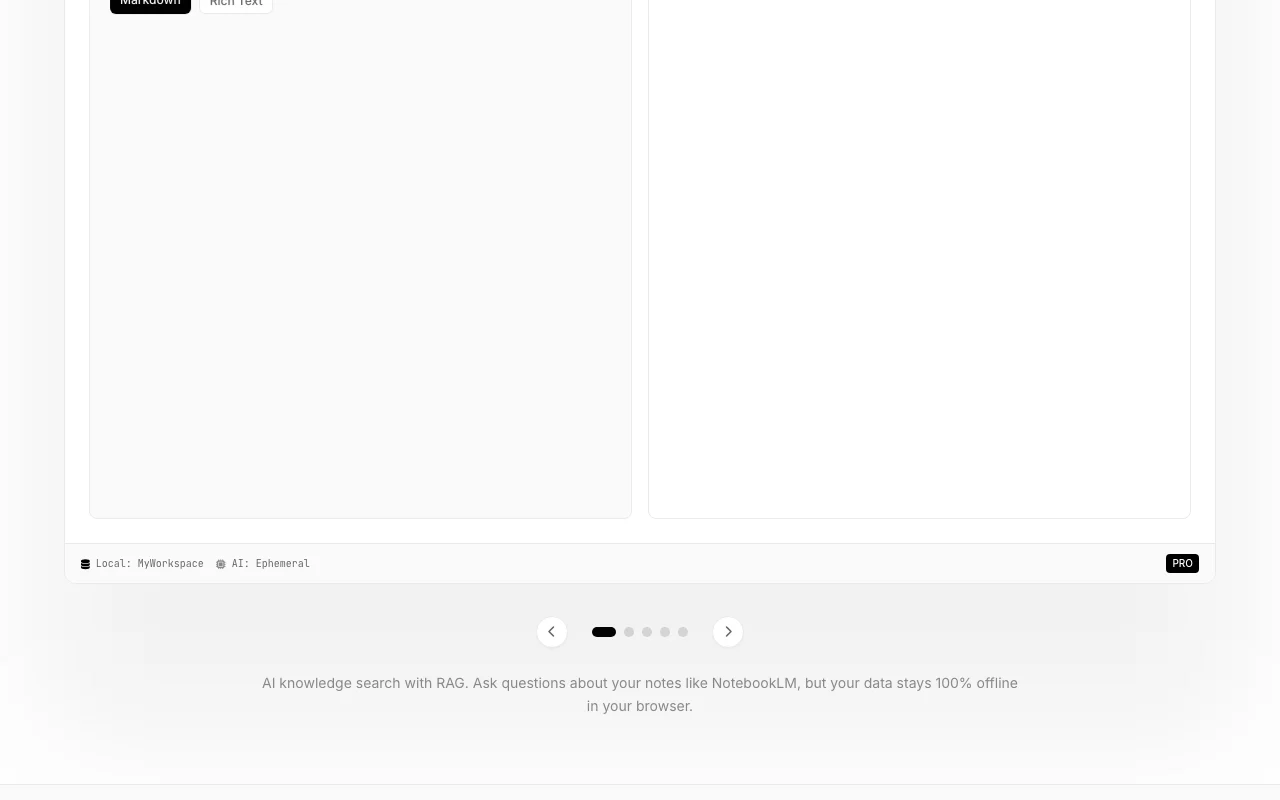
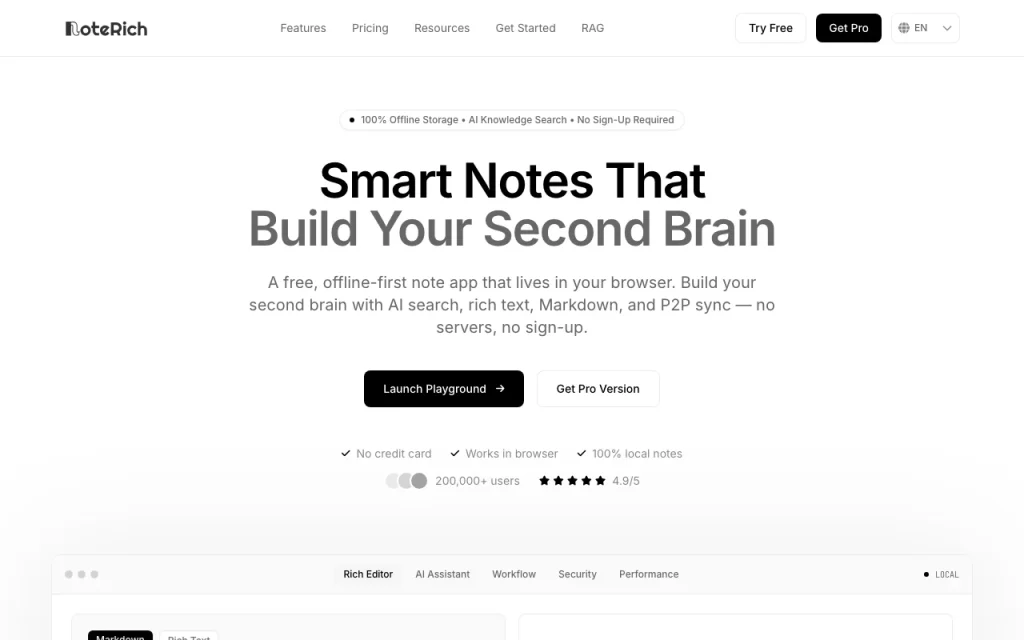
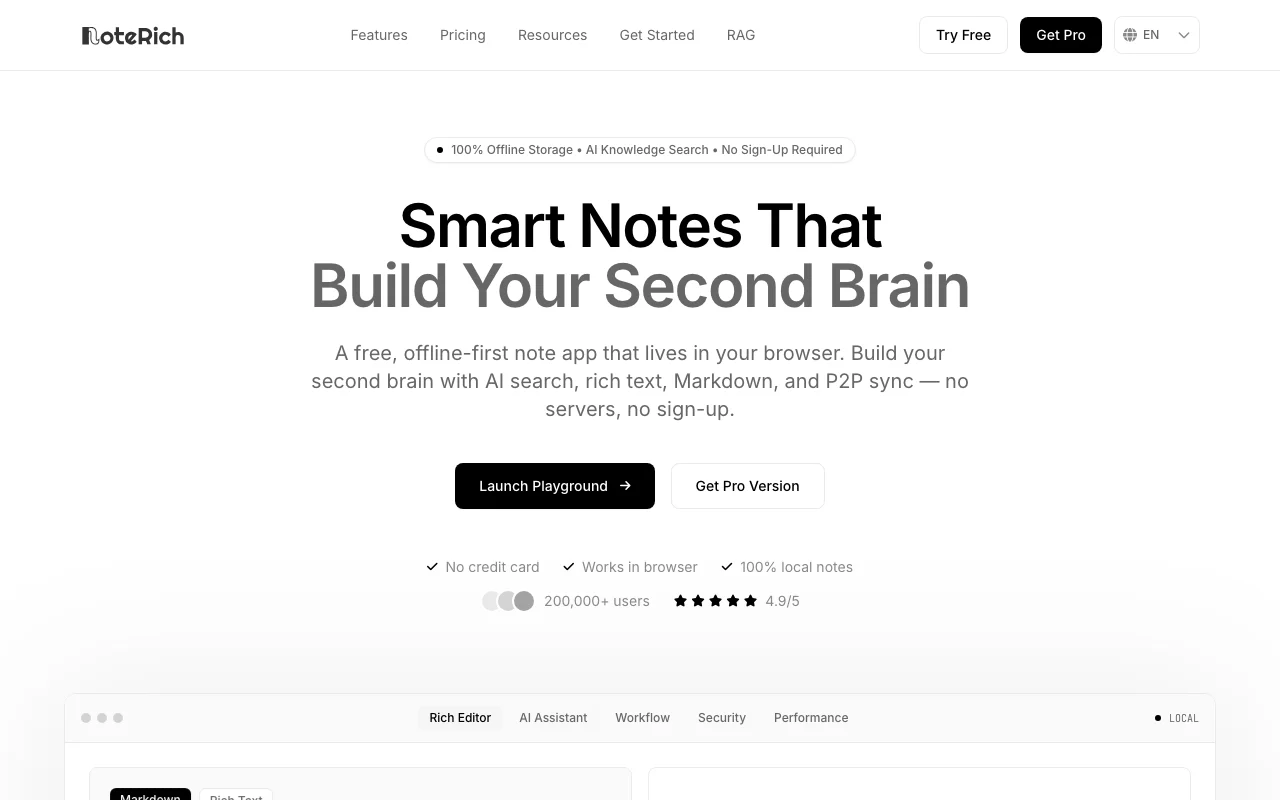
NoteRich homepage — screenshot of the productivity & writing AI tool, Oct 1, 2026
NoteRich's official site: how the product presents itself. noterich.com, captured Oct 1, 2026

What you provide and what you get back

How NoteRich works: what you provide, where it runs and what you get backYOU PROVIDEYour inputTyped Markdown or rich textAttachments and mediaScanned paper notes via OCRPRODUCTIVITY & WRITINGNoteRichWebfrom $19.9/yr (Pro)free tier availablechecked Sep 29, 2026YOU GET BACKThe resultNotes with LaTeX, Mermaid and ECh…AI answers over your notesEncrypted exportsinput → NoteRich → output · from the vendor's own pages, no hands-on test unless stated
What you give NoteRich and what comes back, from its documentation

You provide

  • Typed Markdown or rich text
  • Attachments and media
  • Scanned paper notes via OCR

You get back

  • Notes with LaTeX, Mermaid and ECharts
  • AI answers over your notes
  • Encrypted exports

Where you can use it

Platforms
Web
Account
Not required
Capacity
7,000,000+ chars per note, 20,000+ notes
Attachments
500MB+
Editor
Markdown, rich text, LaTeX, Mermaid, ECharts
Languages
40+ interface languages

Where NoteRich is most useful

Scenarios are worked out by our editors from the documentation; the actual result depends on your input and plan.

Personal knowledge management

Who
Privacy-minded note takers
You provide
Notes stored locally in workspaces
Expected result
A searchable second brain
Plan needed
Free
Limitation
Data tied to this browser source (opens in a new tab)

Markdown note writing

Who
Developers and writers
You provide
Markdown with LaTeX and Mermaid
Expected result
Rendered diagrams and formulas
Plan needed
Free
Limitation
Some exports need Pro source (opens in a new tab)

Searching notes with AI

Who
Researchers
You provide
Questions about your notes
Expected result
Answers drawn from local notes
Plan needed
Free for small, Pro for large knowledge base
Limitation
AI analysis requires sign-in per pricing page source (opens in a new tab)

Syncing devices without a cloud

Who
Multi-device users
You provide
Desktop and mobile browsers
Expected result
Peer-to-peer encrypted sync
Plan needed
Free
Limitation
Both devices must be reachable for sync source (opens in a new tab)

What NoteRich does, and where it stops

NoteRich homepage — screenshot of the productivity & writing AI tool, Oct 1, 2026
Feature overview on the official site. noterich.com, captured Oct 1, 2026

Markdown and rich-text editor

Edits notes in Markdown or rich text with LaTeX, Mermaid diagrams and ECharts. One editor for documents and diagrams.

Access: FreeLimit: Some export options on Pro source (opens in a new tab)

AI knowledge search

Answers questions using your own notes with ephemeral context. Finds ideas across notes.

Access: Small base on Free, large on ProLimit: Needs sign-in for AI per pricing page source (opens in a new tab)

Local encrypted storage

Stores notes locally with AES-GCM encryption. Notes stay on your device.

Access: FreeLimit: Clearing browser data can lose notes unless backed up source (opens in a new tab)

P2P device sync

Syncs devices directly with P2P, no cloud server. No third party holds files.

Access: FreeLimit: Cross-device setup is manual source (opens in a new tab)

Pros, cons and deal-breakers

Reasons to choose NoteRich

Check before paying for NoteRich

How to use NoteRich for keeping private notes with AI search

Set up NoteRich

  1. Open noterich.com and choose Launch Playground
  2. Create a workspace
  3. Write a first note in Markdown or rich text

Example: keeping private notes with AI search

  1. Add several notes with tags
  2. Ask the AI a question about your notes
  3. Review the sources it used
  4. Back up with an encrypted export

Review and export the result

  1. Reload and confirm notes persist locally
  2. Test sync on a second device if needed
Example prompt suggested by our editors (not a recorded output of the product)
Summarize my notes about Q3 revenue from last month.

NoteRich integrations and API

NoteRich pricing page with plans and prices — screenshot of the productivity & writing AI tool, Oct 1, 2026
Plan comparison on the official pricing page. noterich.com, captured Oct 1, 2026

Native integrations and export formats

Export: PDF (Pro), HTML, Encrypted export, SVG formulas (Pro)

API access and separate billing

NoteRich has no public API in its official documentation. No API seen

Privacy, data use and commercial rights

Summarized from the vendor's current policies; this is not legal advice and a vendor's badge is not an independent audit.

How your inputs and outputs are handled

Notes live on your device; AI features process content ephemerally.

Prompts are not used to train foundation models.

Zero data retention; AI context held in RAM for milliseconds.

Commercial use and plan restrictions

Not stated.

Large knowledge base on Pro.

Controls for business users

  • AES-GCM encryption
  • Permission isolation

Policies: noterich.com/privacy/

NoteRich alternatives by need

"Better suited" is based on documented features and pricing, not on a head-to-head test.

Notion AI: better suited to

Gemini Notebook (formerly NotebookLM): better suited to

Alternatives
AlternativeWhen to choose itPricingLimitation
Notion AI——Compare
Gemini Notebook (formerly NotebookLM)——

Explore NoteRich further

If you are looking at NoteRich

NoteRich user reviews

No user reviews yet.

Used NoteRich? Be the first to share your experience.

Write a review

Reviews are checked by a moderator before they appear. Your email is never published. Plain text only.

Your rating (required)

Show what you made or what went wrong. Images are published only if the review is approved; location data is removed.

    NoteRich FAQ

    Is NoteRich free?

    Yes. The free tier includes core note taking, up to 5 workspaces, basic search and a small knowledge-base RAG. source (opens in a new tab)

    How much is Pro?

    The pricing page shows $19.90 per year while the homepage shows $39.90 per year, with 1 to 10 year options, so confirm at checkout. source (opens in a new tab)

    Where are my notes stored?

    Locally in your browser, encrypted; the privacy notice says NoteRich does not store or have access to them. source (opens in a new tab)

    Is my data used to train AI?

    No. The privacy notice says it opts out of training sharing with its LLM providers. source (opens in a new tab)

    How does cross-device sync work?

    Direct peer-to-peer encrypted sync, with no cloud intermediaries holding your files. source (opens in a new tab)

    Sources and review methodology

    Official sources and verification dates

    Not verified: Reliable Pro price; Docs.

    How we documented and maintain this page

    Every fact about NoteRich above comes from the 2 official pages listed here, last compared on Sep 29, 2026; we have not run NoteRich ourselves, so it has no editorial score. How we check and re-check pages.

    Article updated Oct 10, 2026; prices checked Sep 29, 2026. Outbound links to vendors are plain links; we do not earn commissions. How we review · Report an error