Our take: Choose Komos if you run a background screening operation and want portal-based checks, such as court record searches, automated with a full per-run audit trail.
Main limitation: Built for background screening operations rather than general-purpose automation; the only paid tier is custom Enterprise.
By the AI Tool Atlas editors.
Based on the vendor's official documentation; we have not tested this product hands-on. What “documented overview” means
Who Komos fits
Choose Komos if you run a background screening operation and want portal-based checks, such as court record searches, automated with a full per-run audit trail. Based on the vendor's documentation, not on a hands-on test.
Best for: Consumer reporting agencies
Also a good fit for
Background screening operations teams
Consider another tool if aimed at background screening operations
Or if
Trial limited to 1,000 AI actions
Enterprise pricing requires contacting sales
Komos pricing and usage limits
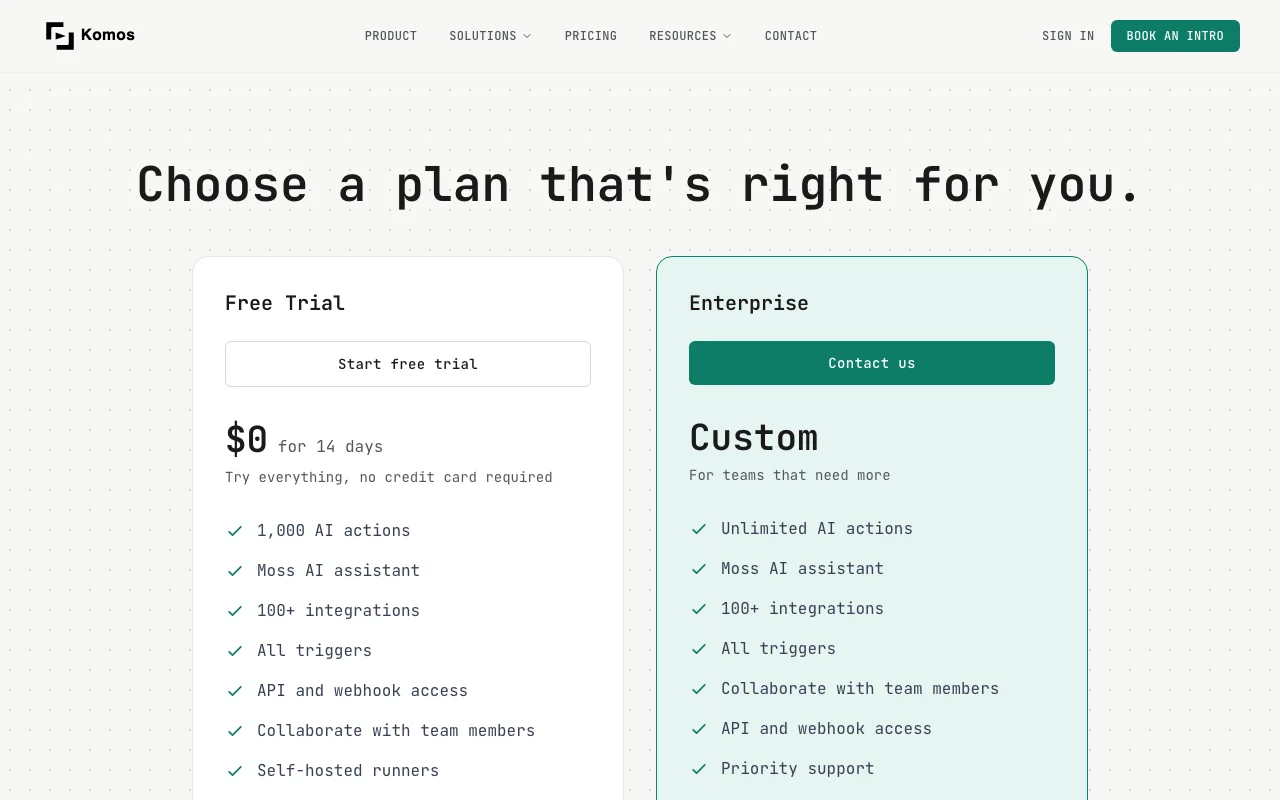
Prices checked Oct 2, 2026 on the official US pricing page. Official pricing ↗ Prices and limits change often.
The official Komos pricing page as we saw it. komos.ai, captured Oct 2, 2026
Free access and trial conditions
No permanent free plan; a 14-day Free Trial is offered.
14 days at $0, no credit card required, 1,000 AI actions.
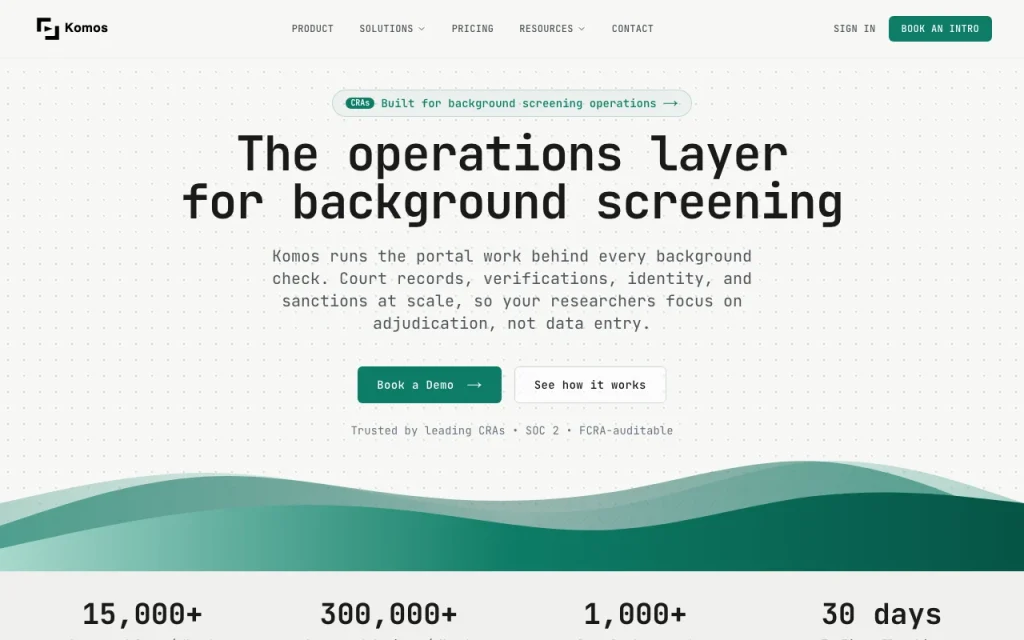
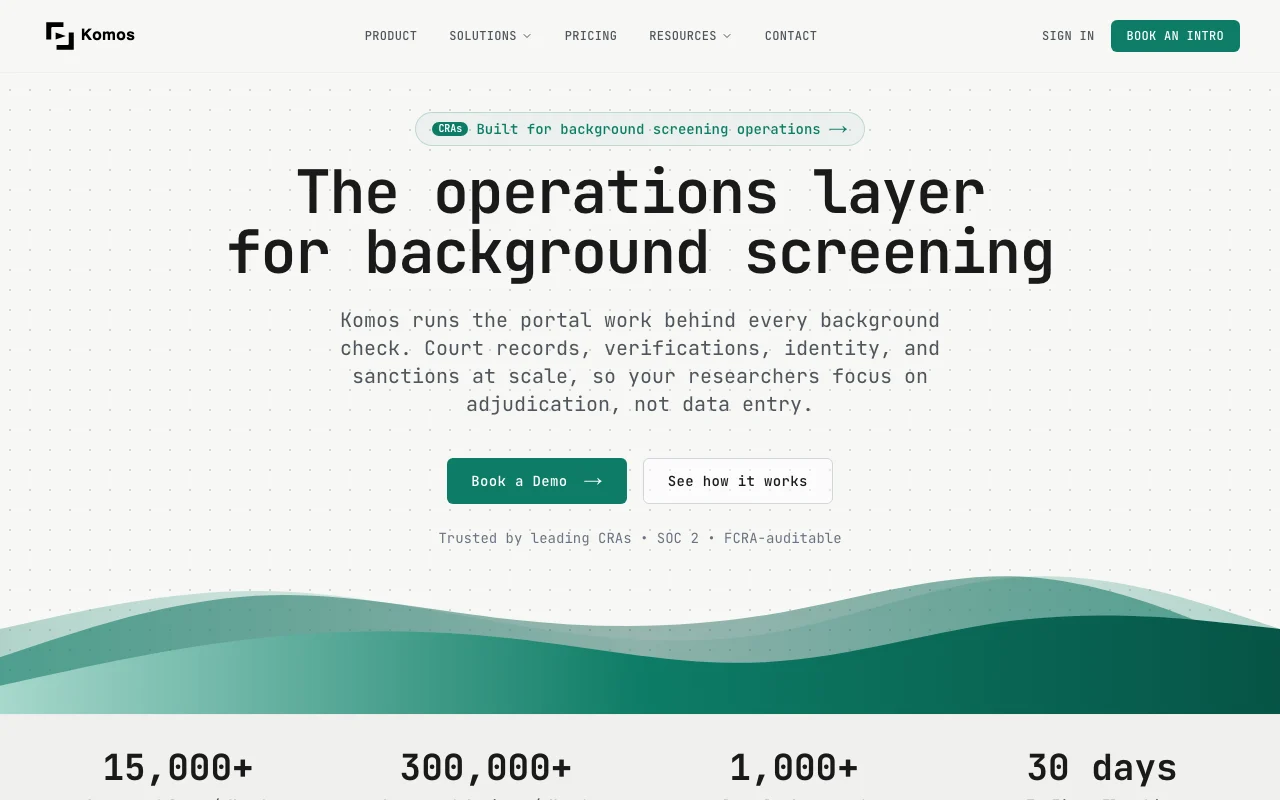
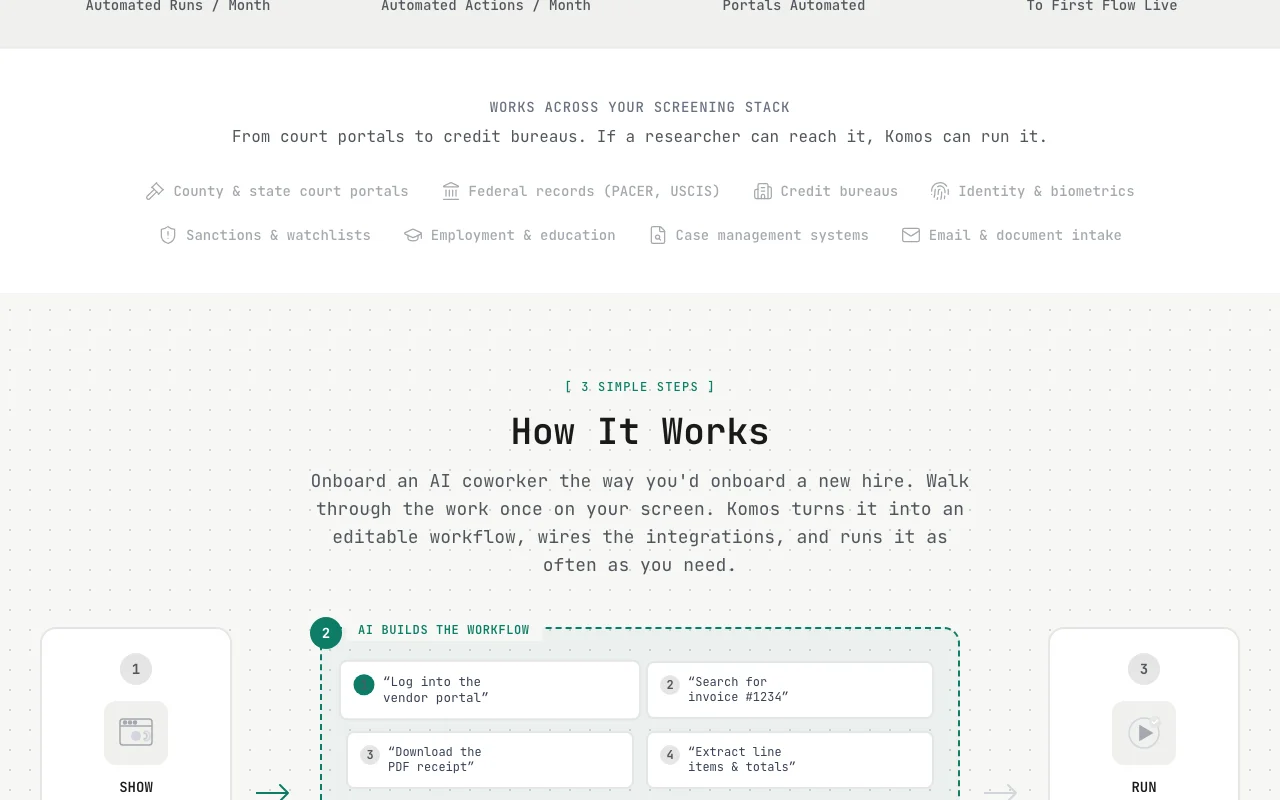
Komos is an operations layer for background screening. Users walk through a task once, and Komos turns it into an editable workflow that runs on court, government and other portals.
It emphasizes auditable run records, humans in the loop for exceptions, encrypted credential vaulting and MFA support. A 14-day free trial and custom Enterprise plan are listed.
Komos's official site: how the product presents itself. komos.ai, captured Oct 2, 2026
What you provide and what you get back
What you give Komos and what comes back, from its documentation
You provide
A recorded walkthrough of a portal task
Portal credentials stored in the vault
Case data via CSV, email or webhook
You get back
Structured result fields parsed from portals
Step-by-step run logs with screenshots
Exception queue items for researcher review
Where you can use it
Platforms
Web, API
Account
Required
Target users
Consumer reporting agencies and screening operations
Control flow
If/Else, loops, early exit, wait-for guards
MFA support
TOTP, SMS, email
Stated scale
15,000+ runs and 300,000+ actions per month
Output delivery
CSV, email, webhook
Best use cases for Komos
Scenarios are worked out by our editors from the documentation; the actual result depends on your input and plan.
Court record searches
Who
Consumer reporting agencies and screening researchers
You provide
A county, state or federal court portal search recorded once
Expected result
Parallel jurisdiction searches with screenshots and structured results; possible matches routed to researchers
Plan needed
Free Trial or Enterprise
Limitation
Portals without an API are run through browser automation, so layout changes need flow fixes source (opens in a new tab)
Pre-employment screening
Who
Background screening operations teams
You provide
Employment, education and identity verification steps
Expected result
Verification flows that run on every case with logged steps
A reviewable, exportable record of each run for compliance and disputes
Plan needed
Enterprise
Limitation
Legal compliance remains the customer responsibility; the site only describes the trail as FCRA-auditable source (opens in a new tab)
What Komos does, and where it stops
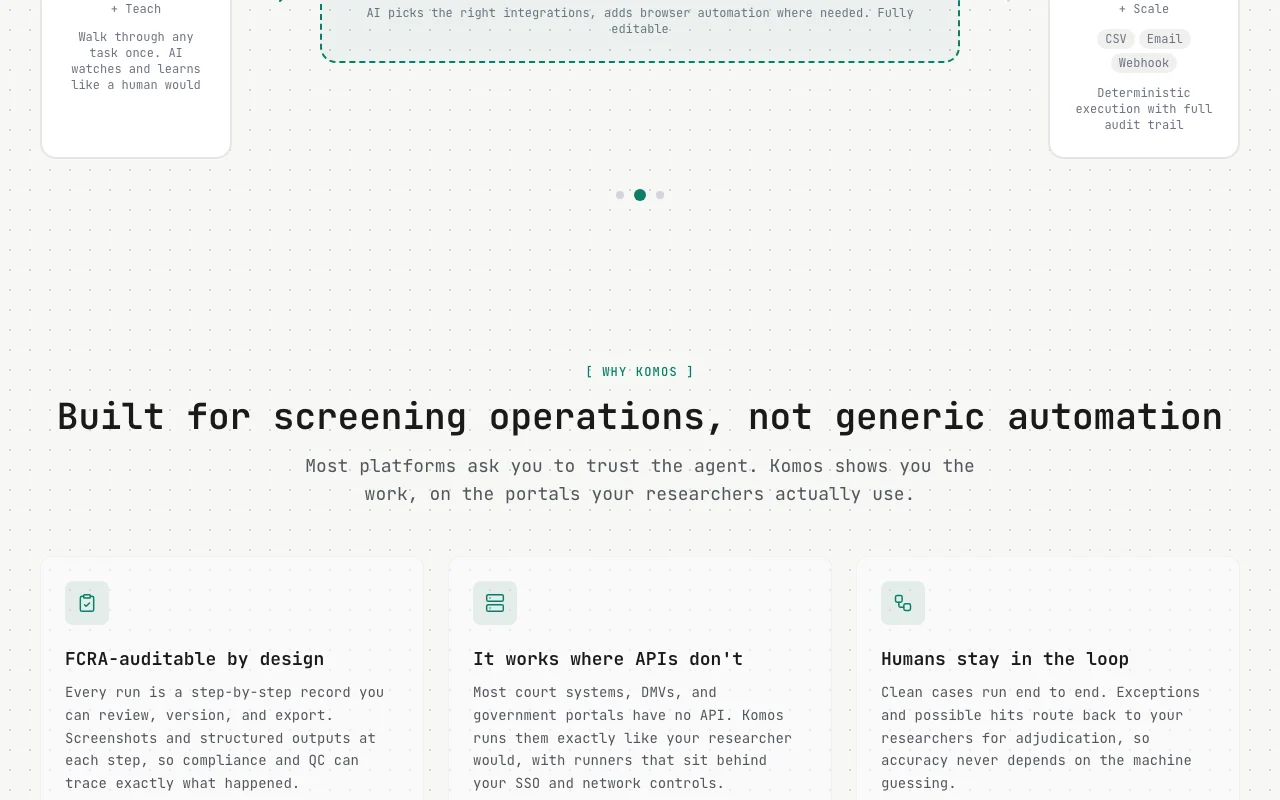
Feature overview on the official site. komos.ai, captured Oct 2, 2026
Record-once workflow creation
Lets a user walk through a portal task once on screen and has the AI convert it into an editable workflow with integrations wired in. Removes the need to script portal automations by hand.
Access: Free Trial and EnterpriseLimit: Portal-specific quirks may still require editing the generated flow.source (opens in a new tab)
Visual workflow builder with branching
Provides a drag-and-drop builder where steps can be edited and reordered, with If/Else, loops, early exit and wait-for guards. Keeps verification runs behaving the same way on every case.
Access: Free Trial and EnterpriseLimit: Versioning and rollback are described on the homepage without plan-level detail.source (opens in a new tab)
Step-by-step audit trail
Records every run as step-by-step logs with screenshots and the source material behind each result, exportable for review. Lets compliance and QC trace exactly what happened on a case.
Access: Free Trial and EnterpriseLimit: Retention period of stored runs is not stated.source (opens in a new tab)
Exception queues and role-based access
Routes possible hits and errors to exception queues and separates researcher, QC and reviewer roles. Keeps humans responsible for adjudication while clean cases run unattended.
Access: Collaboration is listed on both plansLimit: Role configuration details are not published.source (opens in a new tab)
Pros, cons and deal-breakers
Where Komos is strong
14-day free trial with no credit card Lets teams evaluate the product without paying or entering a card before committing.documentedsource (opens in a new tab)
Per-step run records with screenshots Gives compliance staff evidence of each step for audits and disputes.documentedsource (opens in a new tab)
Self-hosted runners listed Allows runners to operate inside the customer network, which matters for SSO and network controls.documentedsource (opens in a new tab)
Documentation site available Gives buyers somewhere to check technical details, though the docs page returned an error when fetched.documentedsource (opens in a new tab)
Limitations to check before paying
Aimed at background screening operations Teams outside screening will find the examples and templates irrelevant.documentedsource (opens in a new tab)
Trial limited to 1,000 AI actions The trial may run out before a large workflow is fully tested.documentedsource (opens in a new tab)
Enterprise pricing requires contacting sales Budgeting needs a sales conversation before cost is known.documentedsource (opens in a new tab)
No self-serve paid plan with listed prices There is no way to buy a small paid tier without talking to the vendor.documentedsource (opens in a new tab)
How to use Komos for automating a background screening portal search
Set up Komos
Open the Komos pricing page and choose Start free trial.
Create a trial account; no credit card is required.
Store the portal login in the encrypted credential vault.
Invite team members who will review exceptions.
Example: automating a background screening portal search
Record yourself running a county court search once on screen.
Review and edit the generated workflow in the visual builder.
Run it on a test case and send possible hits to the exception queue.
Export the run record for QC review.
Review and export the result
Compare the logged screenshots with the portal result you expect.
Confirm that errors and possible hits appear in the exception queue.
Example prompt suggested by our editors (not a recorded output of the product)
Build a flow that searches the county court portal for the applicant name and date of birth, captures a screenshot of results and flags any possible match for review.
Komos integrations and API
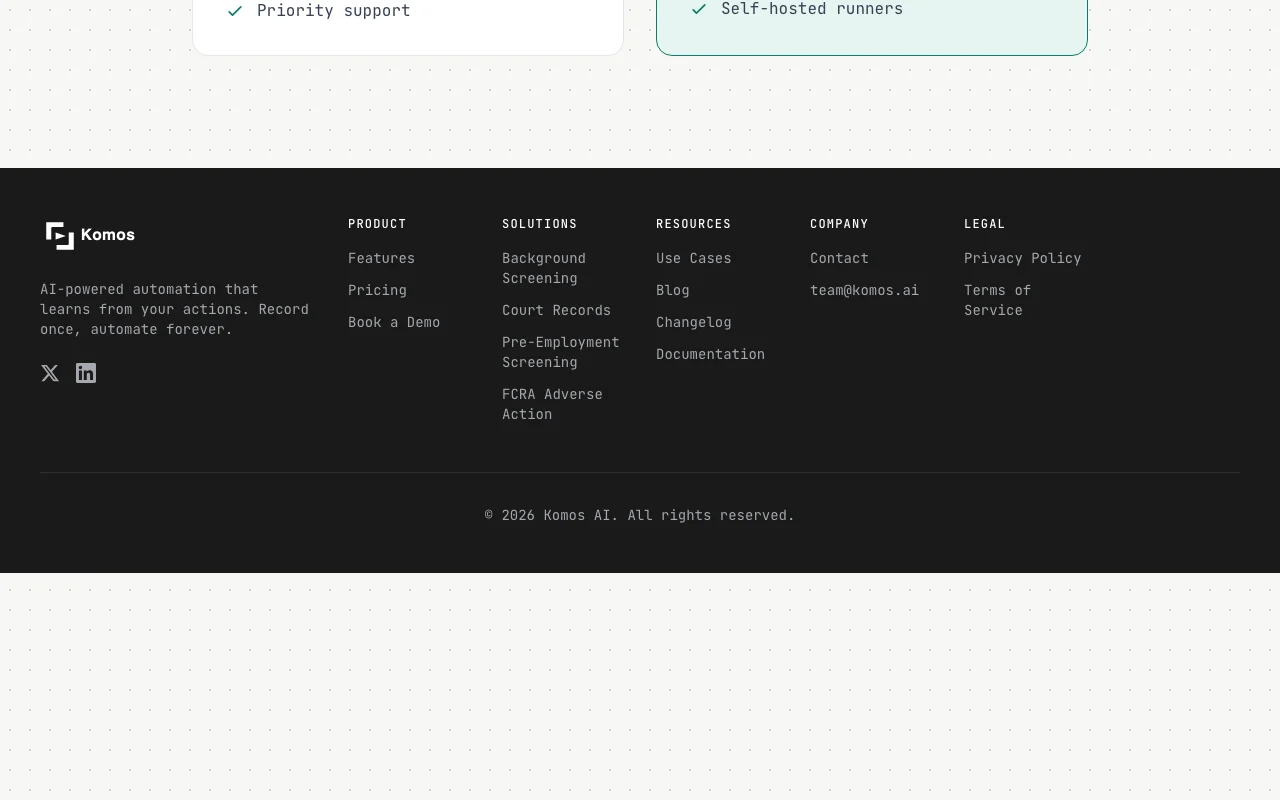
Plan comparison on the official pricing page. komos.ai, captured Oct 2, 2026
Native integrations and export formats
Export: CSV, Email, Webhook
API access and separate billing
Komos has no public API in its official documentation. API and webhook access is listed on the pricing page; the docs URL returned 404.
Privacy, data use and commercial rights
Summarized from the vendor's current policies; this is not legal advice and a vendor's badge is not an independent audit.
How your inputs and outputs are handled
Portal credentials are kept in an encrypted vault scoped per organization and flow; PII is redacted in stored run logs.
Controls for business users
KMS-backed encryption at rest and in transit
TOTP, SMS and email MFA during runs
Self-hosted runners behind customer SSO and network controls
SOC 2 stated on homepage
Komos alternatives by need
"Better suited" is based on documented features and pricing, not on a head-to-head test.
Yes. Komos lists a Free Trial of $0 for 14 days with 1,000 AI actions and no credit card required. source (opens in a new tab)
What does the Komos Enterprise plan add over the trial?
Enterprise lists unlimited AI actions and custom pricing, while the trial is capped at 1,000 AI actions; the other listed features are the same. source (opens in a new tab)
Which tasks is Komos built to automate?
Komos targets background screening portal work such as court record searches, verifications, identity checks, sanctions screening and adverse action steps. source (opens in a new tab)
Does Komos work on portals that have no API?
Yes. The homepage says it runs court, DMV and government portals the way a researcher would, using browser automation inside the customer network. source (opens in a new tab)
How long does Komos say the first flow takes to go live?
The homepage states 30 days to the first flow live, built together with the customer team. source (opens in a new tab)
Not verified: Privacy policy and docs pages returned HTTP 404; Data retention and AI training use; Enterprise price; Account requirement stated only implicitly; Annual billing terms.
How we documented and maintain this page
Every fact about Komos above comes from the 2 official pages listed here, last compared on Oct 2, 2026; we have not run Komos ourselves, so it has no editorial score. How we check and re-check pages.
Article updated Oct 2, 2026; prices checked Oct 2, 2026. Outbound links to vendors are plain links; we do not earn commissions. How we review · Report an error
 (open full size in a new tab)
 (open full size in a new tab)
 (open full size in a new tab)
 (open full size in a new tab)
 (open full size in a new tab)
 (open full size in a new tab)