VideoDocumented overviewLast checked Oct 1, 2026

Katto: Pricing, Features & Best Use Cases

AI video clipper that turns long videos into scored, captioned vertical short clips for social platforms.

Who Katto fits

Choose Katto if you want to turn long videos into scored, captioned vertical clips at a flat per-video price, starting free with 2 videos a month; note prices are listed in EUR only. Based on the vendor's documentation, not on a hands-on test.

Best for: Podcasters

Also a good fit for

  • Video creators repurposing long content
  • Social media managers
  • Developers automating clipping

Consider another tool if free plan limited to 2 videos a month at 720p with a watermark

Or if

  • Free plan videos capped at 30 minutes; Creator at 90 minutes
  • Creator plan capped at 25 videos a month

Katto pricing and usage limits

Prices checked Oct 1, 2026 on the official US pricing page. Official pricing ↗ Prices and limits change often.

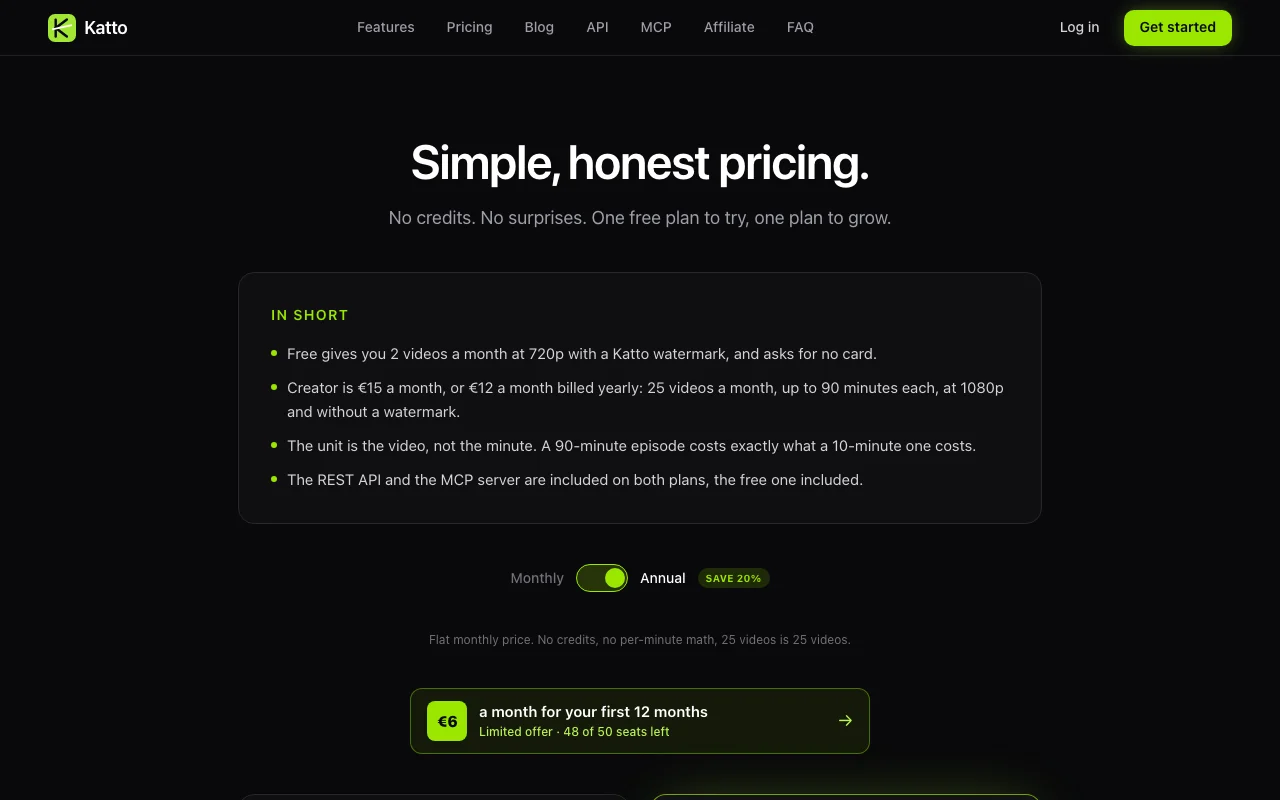
Katto pricing page with plans and prices — screenshot of the video AI tool, Oct 1, 2026
The official Katto pricing page as we saw it. katto.tech, captured Oct 1, 2026

Free access and trial conditions

Free plan forever, no card

7-day free trial for Creator

Paid plans: what changes as you upgrade

Free web

Free source (opens in a new tab)

Month

For: Trying Katto

Limits

  • 2 videos per month
  • 720p with watermark
1 more
  • 30 minute videos

Includes

  • Auto captions in 99 languages
  • REST API and MCP

API included

Creator web

See official pricing source (opens in a new tab)

Month

EUR only; founding offer EUR 6/month for first 12 months

For: Regular creators

Limits

  • 25 videos per month
  • 90 minutes each
1 more
  • 1080p, no watermark

Includes

  • Miru AI reframe
  • AI dubbing 19 languages
2 more
  • Priority processing
  • 7 platforms export

API included

Usage caps, credits and extra costs

None stated

Not stated

What is Katto, and how does it work?

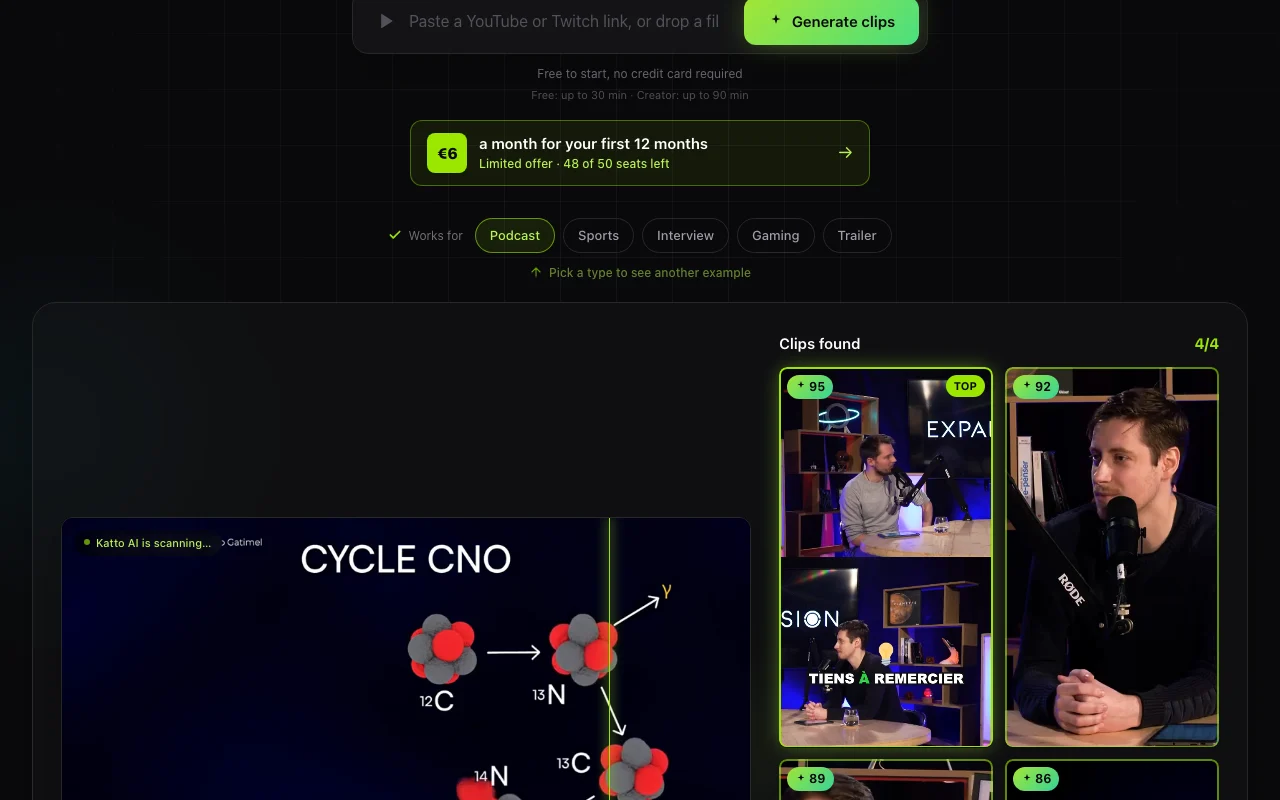
Katto takes a long video, such as a podcast, interview, gaming or sports recording, and finds the strongest moments, returning them as vertical, captioned clips. Each clip is scored on hook, flow, value and trend so users can see which ones to post first. The editor lets users adjust the automatic reframing, captions, hooks, B-roll and emojis, and supports editing by deleting transcript text. Katto also offers AI dubbing on its paid plan, scheduling and export to several platforms, plus a REST API and hosted MCP server on all plans.

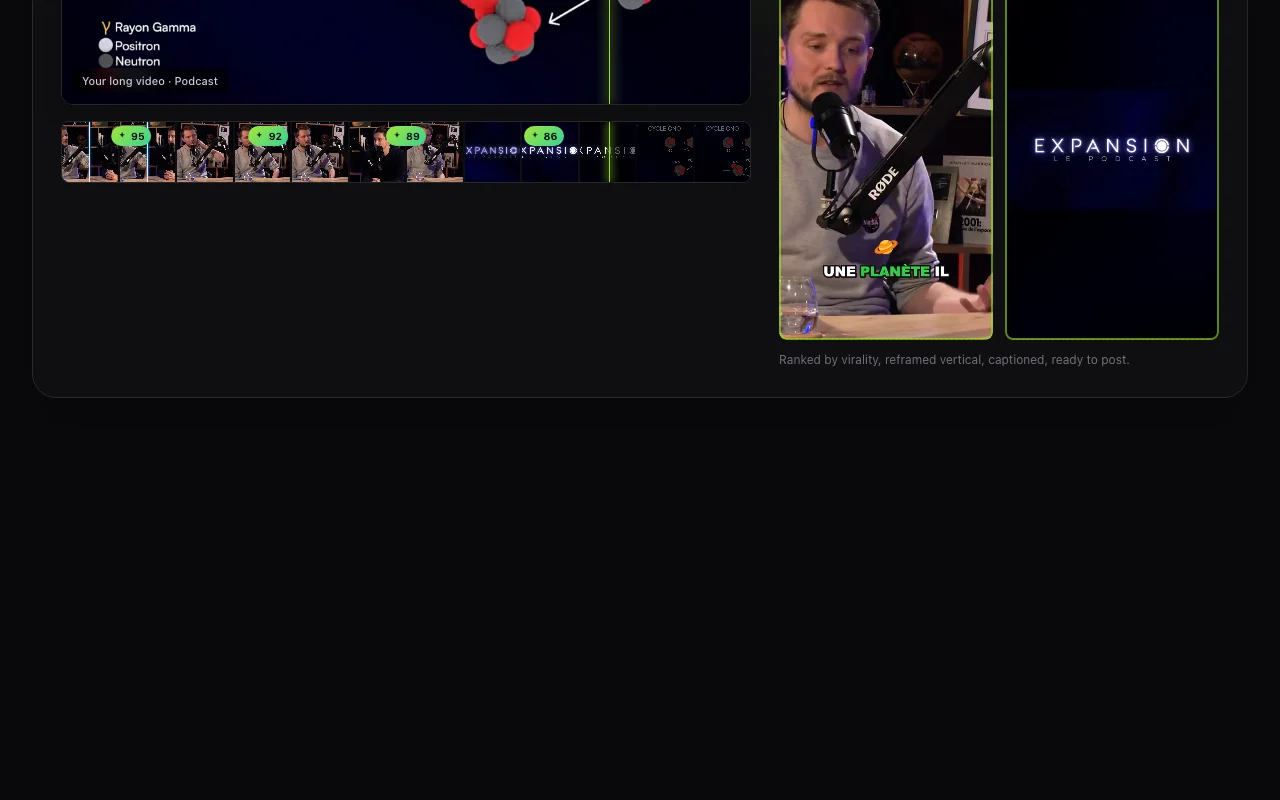
Katto homepage — screenshot of the video AI tool, Oct 1, 2026
Katto's official site: how the product presents itself. katto.tech, captured Oct 1, 2026

What you provide and what you get back

How Katto works: what you provide, where it runs and what you get backYOU PROVIDEYour inputYouTube linkMP4, MOV, WebM or MKV filePodcast or interview recordingsVIDEOKattoWeb, APIfree tier, paid price not publish…free tier availableaccount requiredchecked Oct 1, 2026YOU GET BACKThe resultRanked vertical clipsCaptions (SRT)Hooks and B-rollinput → Katto → output · from the vendor's own pages, no hands-on test unless stated
What you give Katto and what comes back, from its documentation

You provide

  • YouTube link
  • MP4, MOV, WebM or MKV file
  • Podcast or interview recordings

You get back

  • Ranked vertical clips
  • Captions (SRT)
  • Hooks and B-roll

Where you can use it

Platforms
Web, API
Account
Required
Formats
MP4, MOV, WebM, MKV, YouTube
Upload size
1 GB Free, 5 GB Creator
Captions
99 languages
Dubbing
19 languages
Export
720p Free, 1080p Creator

Best use cases for Katto

Scenarios are worked out by our editors from the documentation; the actual result depends on your input and plan.

Turning podcast episodes into short clips

Who
Podcasters
You provide
Episode file or link
Expected result
Ranked short clips
Plan needed
Free or Creator
Limitation
Free 30 minutes source (opens in a new tab)

Repurposing interviews for TikTok, Reels and Shorts

Who
Creators
You provide
Interview recording
Expected result
Clips for TikTok, Reels, Shorts
Plan needed
Creator
Limitation
25 videos monthly source (opens in a new tab)

Clipping gaming or sports highlights

Who
Developers
You provide
API or MCP
Expected result
Automated clipping
Plan needed
Free and Creator
Limitation
Quota applies source (opens in a new tab)

Katto features and their limits

Katto homepage — screenshot of the video AI tool, Oct 1, 2026
Feature overview on the official site. katto.tech, captured Oct 1, 2026

Virality scoring of clips on four axes

Scores each clip on hook, flow, value, trend Shows what to post first

Access: AllLimit: Scoring is heuristic source (opens in a new tab)

Automatic 9:16, 4:5 and 1:1 reframing with speaker detection

Reframes to 9:16, 4:5, 1:1 with speaker detection Fits platforms

Access: Creator for Miru AILimit: Free is center-crop source (opens in a new tab)

Animated captions in 99 languages

Animated captions in 99 languages Accessible clips

Access: AllLimit: Free has 16 styles source (opens in a new tab)

Text-based editing via transcript

Edit by deleting transcript text Faster editing

Access: AllLimit: Text-based only source (opens in a new tab)

Katto: strengths and limits

Reasons to choose Katto

Check before paying for Katto

How to use Katto for clipping a long podcast

Set up Katto

  1. Sign up at katto.tech (no card for Free)
  2. Paste a YouTube link or upload a file
  3. Choose clip settings

Example: clipping a long podcast

  1. Wait for clips to be scored
  2. Review ranked clips
  3. Adjust captions, reframe and hooks
  4. Render and download

Review and export the result

  1. Check 720p or 1080p and watermark per plan
  2. Download within 48 hours

Katto integrations and API

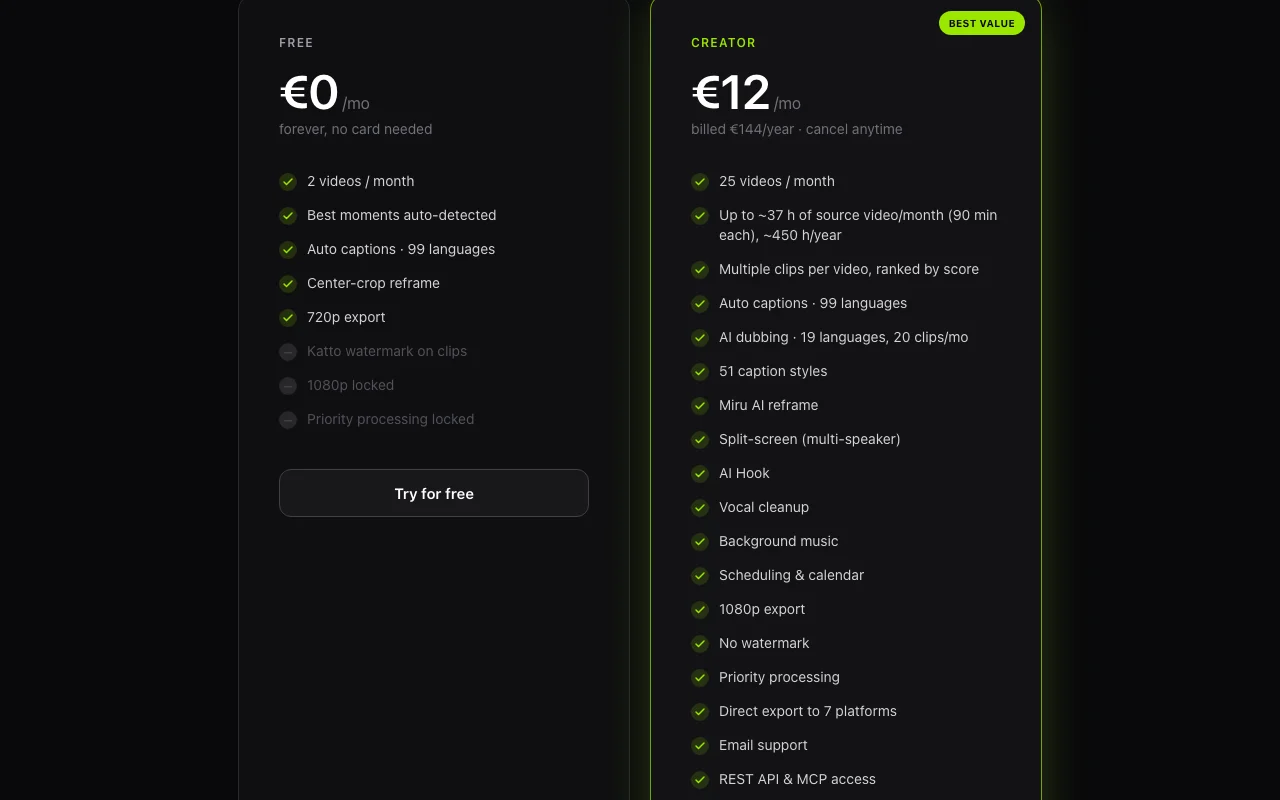
Katto pricing page with plans and prices — screenshot of the video AI tool, Oct 1, 2026
Plan comparison on the official pricing page. katto.tech, captured Oct 1, 2026

Native integrations and export formats

Export: MP4, SRT

API access and separate billing

Katto has no public API in its official documentation. REST API and hosted MCP server

Privacy, data use and commercial rights

Summarized from the vendor's current policies; this is not legal advice and a vendor's badge is not an independent audit.

How your inputs and outputs are handled

Source videos deleted within 7 days; clips after 48 hours

Never trains AI on your content

Clips 48 hours; source 7 days; job metadata 90 days

Policies: katto.tech/privacy

Best Katto alternatives for different needs

"Better suited" is based on documented features and pricing, not on a head-to-head test.

Descript: better suited to

Runway: better suited to

Canva: better suited to

Alternatives
AlternativeWhen to choose itPricingLimitation
Descript——Compare
Runway——Compare
Canva——

Explore Katto further

If you are looking at Katto

Katto user reviews

No user reviews yet.

Used Katto? Be the first to share your experience.

Write a review

Reviews are checked by a moderator before they appear. Your email is never published. Plain text only.

Your rating (required)

Show what you made or what went wrong. Images are published only if the review is approved; location data is removed.

    Katto FAQ

    How much does Katto cost?

    Free is 0; Creator is EUR 15 per month or EUR 12 billed yearly. No USD price is documented. source (opens in a new tab)

    What counts as one video?

    One YouTube link or one file upload, producing about 8 to 20 ranked clips. source (opens in a new tab)

    How long are clips available?

    48 hours for download. source (opens in a new tab)

    Is the API included?

    Yes, REST API and hosted MCP on all plans including Free. source (opens in a new tab)

    Which files are supported?

    YouTube links, MP4, MOV, WebM and MKV up to 90 minutes. source (opens in a new tab)

    Sources and review methodology

    Official sources and verification dates

    Not verified: USD prices; Commercial terms.

    How we documented and maintain this page

    Every fact about Katto above comes from the 3 official pages listed here, last compared on Oct 1, 2026; we have not run Katto ourselves, so it has no editorial score. How we check and re-check pages.

    Article updated Oct 10, 2026; prices checked Oct 1, 2026. Outbound links to vendors are plain links; we do not earn commissions. How we review · Report an error