VideoDocumented overviewLast checked Oct 4, 2026

Krible: Pricing, Features & Best Use Cases

AI tool that cuts long YouTube, Twitch, podcast and webinar videos into captioned vertical clips for TikTok, Reels and Shorts.
Who should use Krible

Choose Krible if you repurpose long YouTube, Twitch or podcast videos into captioned vertical clips and want to review and edit each suggestion before export. Based on the vendor's documentation, not on a hands-on test.

Best for: Podcasters and YouTubers repurposing long videos

Also a good fit for

  • Agencies and marketing teams producing weekly short-form clips
  • Streamers turning VODs into short highlights

Consider another tool if prices are not shown in readable site content

Or if

  • Clip quality still needs manual review per the site's own workflow
  • Only English and French are named as supported languages

Krible pricing and usage limits

Prices checked Oct 4, 2026 on the official US pricing page. Official pricing ↗ Prices and limits change often.

Free access and trial conditions

A free experience is described

Not stated

Paid plans: what changes as you upgrade

Usage caps, credits and extra costs

Not stated

Not stated on the official pages

What is Krible, and how does it work?

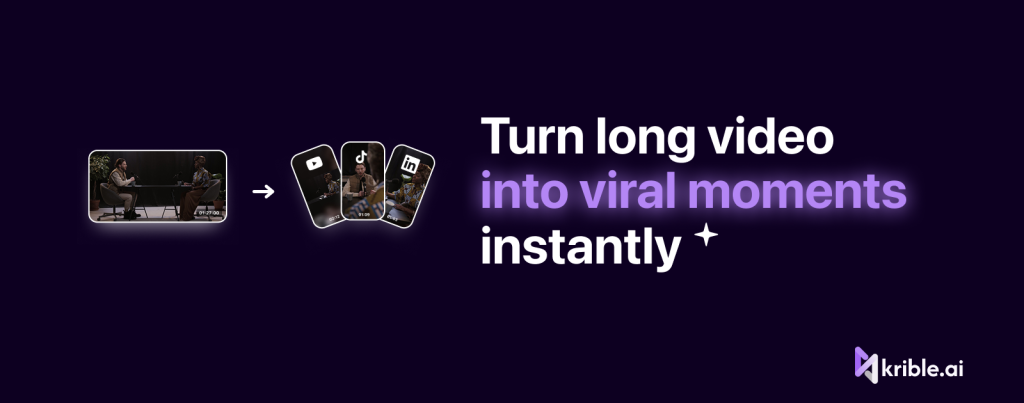
Krible (krible.ai) is an AI clipping tool that turns long-form video such as YouTube uploads, Twitch streams, podcasts and webinars into short vertical clips. Its pages describe scene detection, speaker tracking and automatic captions that find the strongest moments and propose candidate clips. Users review the suggestions in an editor, adjust in and out points, pick a layout, apply caption styling and export several clips sized for TikTok, Instagram Reels and YouTube Shorts. The site says captions and exports support multi-language workflows including English and French, and that a free experience is available with upgrades for more volume, exports or team use.

What you provide and what you get back

You provide

  • YouTube, Twitch, podcast or webinar video

You get back

  • Captioned vertical clips

Where you can use it

Platforms
web
Account
Required
Formats
Vertical clips
Languages
English, French named
Captions
Auto, editable
Platforms
TikTok, Reels, Shorts

Best use cases for Krible

Scenarios are worked out by our editors from the documentation; the actual result depends on your input and plan.

Turn YouTube videos into Shorts

Who
YouTubers
You provide
A video
Expected result
Clips of your video are ready in a vertical format for YouTube Shorts.
Plan needed
Free experience
Limitation
Clips need manual review before they are posted, as the tool may pick weak moments. source (opens in a new tab)

Clip podcast episodes into short promo videos

Who
Podcasters
You provide
Episode
Expected result
Short promo clips are cut from the podcast episode you supply.
Plan needed
Free experience
Limitation
Only English and French are named as supported languages, so other languages may be limited. source (opens in a new tab)

Convert Twitch streams and gaming VODs into TikTok clips

Who
Streamers
You provide
VOD
Expected result
Short clips from the Twitch stream or game video are prepared for TikTok.
Plan needed
Free experience
Limitation
Prices are not shown, so the cost of processing long streams is unknown. source (opens in a new tab)

Key features and their practical limits

AI detection of engaging moments in long videos

Finds strong moments in long videos and proposes clips. Creators get proposed clips from a long video instead of watching it all to find the best moments.

Access: Not statedLimit: The proposals need review, since the tool may pick moments you would not choose. source (opens in a new tab)

Scene detection and speaker tracking

Detects scene changes and who is speaking. Editors get cuts that follow scenes and speakers without marking them by hand.

Access: Not statedLimit: Accuracy is not stated in the official pages we could read. source (opens in a new tab)

Automatic captions with editable styling

Generates subtitles you can restyle. Creators get captions generated automatically and can change how they look to match their brand.

Access: Not statedLimit: Only English and French are named as supported languages. source (opens in a new tab)

Editor for trimming in and out points and choosing layouts

Lets you adjust cut points and layout. Creators can fine-tune where a clip starts and ends and how it is laid out before exporting.

Access: Not statedLimit: The editor is described as web only, so there is no desktop or mobile editor. source (opens in a new tab)

Krible pros and cons

Where Krible is strong

  • Handles several source types: YouTube, Twitch, podcasts, webinars Several source types are accepted, including YouTube, Twitch, podcasts and webinars, so one tool covers different kinds of long video. documented source (opens in a new tab)
  • Candidate clips can be edited before export Suggested clips can be edited before export, so you can fix cut points and layout before posting. documented source (opens in a new tab)
  • A free experience is offered before upgrading A free experience is offered before upgrading, so you can try the tool before paying. documented source (opens in a new tab)

Limitations to check before paying

  • Prices are not shown in readable site content Prices are not shown in the readable site content, so you cannot estimate the cost of upgrading before you sign up. documented source (opens in a new tab)
  • Clip quality still needs manual review per the site's own workflow The site's own workflow includes reviewing clips, so you still spend time checking each one before posting. documented source (opens in a new tab)
  • Only English and French are named as supported languages Only English and French are named as supported languages, so videos in other languages may not caption correctly. documented source (opens in a new tab)
  • Site is a JavaScript app; plan limits are not stated on static pages The site is a JavaScript app and plan limits are not stated on the pages we could read, so what the free experience includes is unclear. documented source (opens in a new tab)

How to use Krible for turning long videos into short clips

Set up Krible

  1. Open krible.ai and sign in.
  2. Paste a video link or upload.
  3. Wait for analysis.

Example: turning long videos into short clips

  1. Review candidate clips.
  2. Trim and pick layout.
  3. Export.

Review and export the result

  1. Play each clip.
  2. Check captions.

Privacy, data use and commercial rights

Summarized from the vendor's current policies; this is not legal advice and a vendor's badge is not an independent audit.

How your inputs and outputs are handled

Videos you submit

Not stated

Not stated

Commercial use and plan restrictions

Not stated

Not stated

Krible alternatives by need

"Better suited" is based on documented features and pricing, not on a head-to-head test.

Descript: better suited to

Runway: better suited to

Alternatives
AlternativeWhen to choose itPricingLimitation
Descript——Compare
Runway——Compare

Explore Krible further

Related to Krible

Krible user reviews

No user reviews yet.

Used Krible? Be the first to share your experience.

Write a review

Reviews are checked by a moderator before they appear. Your email is never published. Plain text only.

Your rating (required)

Show what you made or what went wrong. Images are published only if the review is approved; location data is removed.

    Krible FAQ

    What sources work?

    YouTube, Twitch, podcasts and webinars. source (opens in a new tab)

    Which platforms are exports for?

    TikTok, Instagram Reels and YouTube Shorts. source (opens in a new tab)

    Can I edit clips?

    Yes, in and out points, layout and caption style. source (opens in a new tab)

    Is it free?

    A free experience is described; prices are not readable. source (opens in a new tab)

    Sources and review methodology

    Official sources and verification dates

    Not verified: Prices; Plan limits; Resolution; Privacy terms; Official pages could not be read as text (client-rendered or empty fetch); facts come from the verified seed research.

    How we documented and maintain this page

    Every fact about Krible above comes from the 4 official pages listed here, last compared on Oct 4, 2026; we have not run Krible ourselves, so it has no editorial score. How we check and re-check pages.

    Article updated Oct 10, 2026; prices checked Oct 4, 2026. Outbound links to vendors are plain links; we do not earn commissions. How we review · Report an error