Our take: Best for individuals building a knowledge base, small teams organizing shared knowledge, and developers giving AI agents persistent, scoped access to documents.
Main limitation: AI editing requires Pro; MCP and shared workspaces require Advanced plan
By the AI Tool Atlas editors.
Based on the vendor's official documentation; we have not tested this product hands-on. What “documented overview” means
Who DocsMint fits
Best for individuals building a knowledge base, small teams organizing shared knowledge, and developers giving AI agents persistent, scoped access to documents. Based on the vendor's documentation, not on a hands-on test.
Best for: Individuals building a second brain / personal knowledge base
Also a good fit for
Small teams building shared knowledge bases
Developers giving AI agents persistent context and controlled access
Researchers organizing scattered documents
Consider another tool if need free AI writing tools (requires Pro)
Or if
Need agent/MCP access without paying Advanced
Need enterprise multi-workspace management
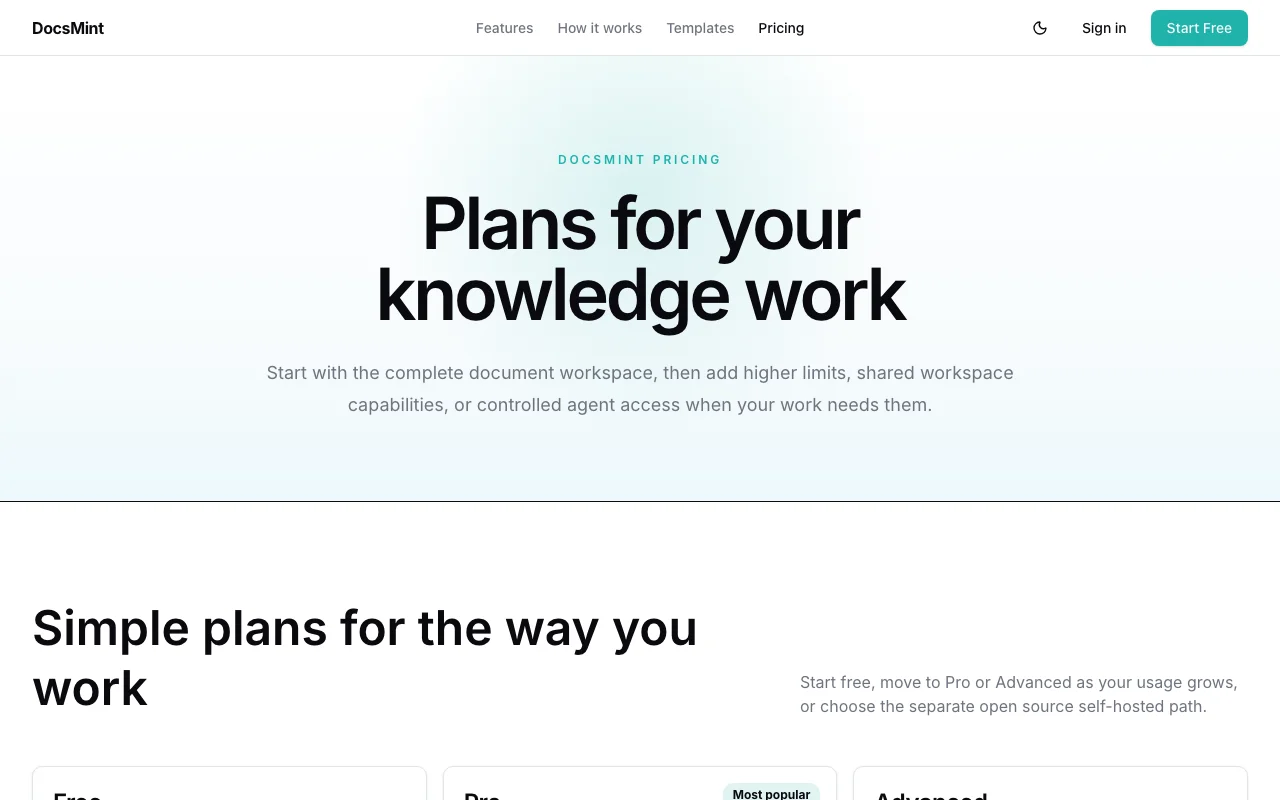
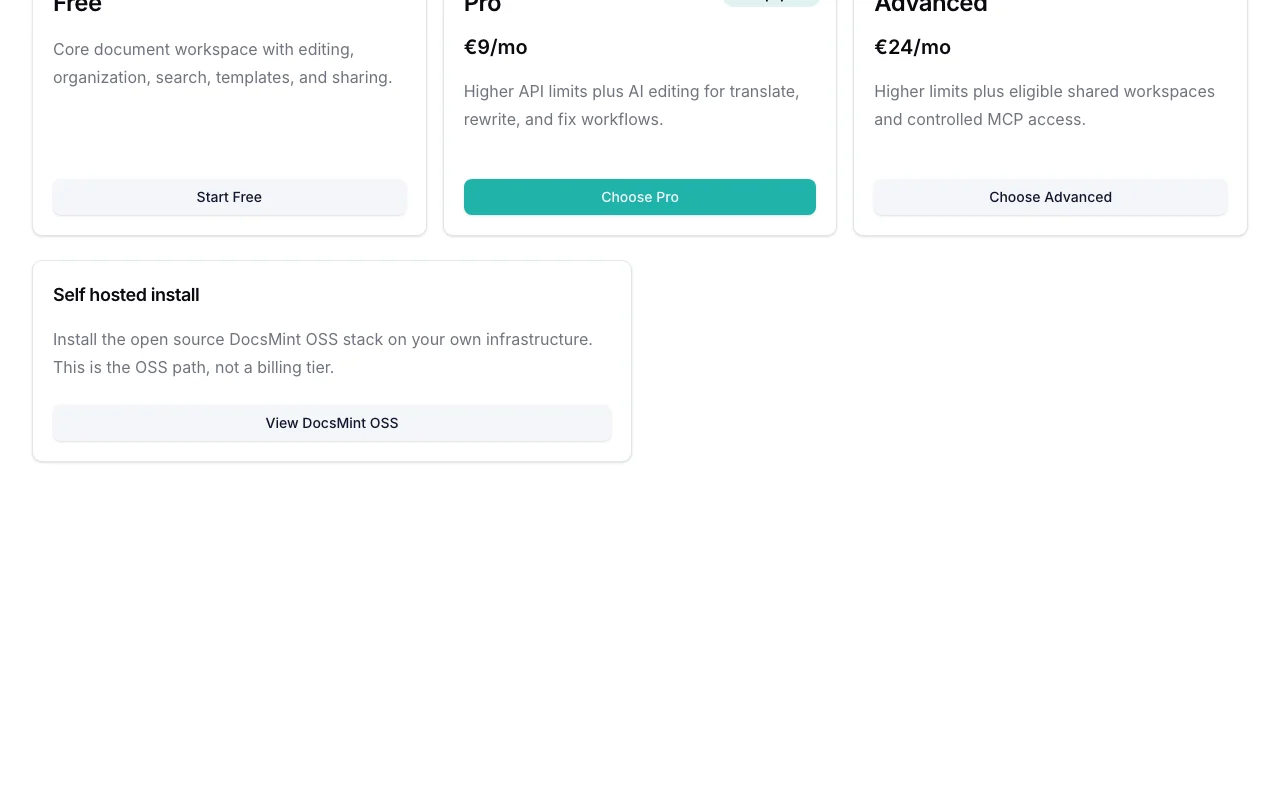
DocsMint pricing and usage limits
Prices checked Sep 29, 2026 on the official US pricing page. Official pricing ↗ Prices and limits change often.
Vendor pricing page re-checked automatically 12 days ago: no changes detected.
The official DocsMint pricing page as we saw it. docsmint.com, captured Oct 1, 2026
Free access and trial conditions
Free tier includes core document workspace with editing, organization, search, templates, version history, and sharing. No AI tools, API access, or shared workspaces.
No trial mentioned; Free tier serves as unlimited trial
Billing period shown as /mo; annual option not mentioned
For: Teams with shared knowledge bases and teams deploying AI agents with persistent context
Limits
Higher limits than Pro
Eligible shared workspaces (limits not specified)
1 more
Controlled MCP access
Includes
Everything in Pro, plus:
Shared workspace capabilities with team collaboration
3 more
Hosted MCP server access (https://docsmint.com/mcp)
Controlled permissions for agent access
Higher rate limits and storage
API included
Usage caps, credits and extra costs
Stripe processes payments; no additional fees mentioned beyond monthly subscription
Handled by Stripe at checkout; pricing shown is before tax/VAT
What is DocsMint, and how does it work?
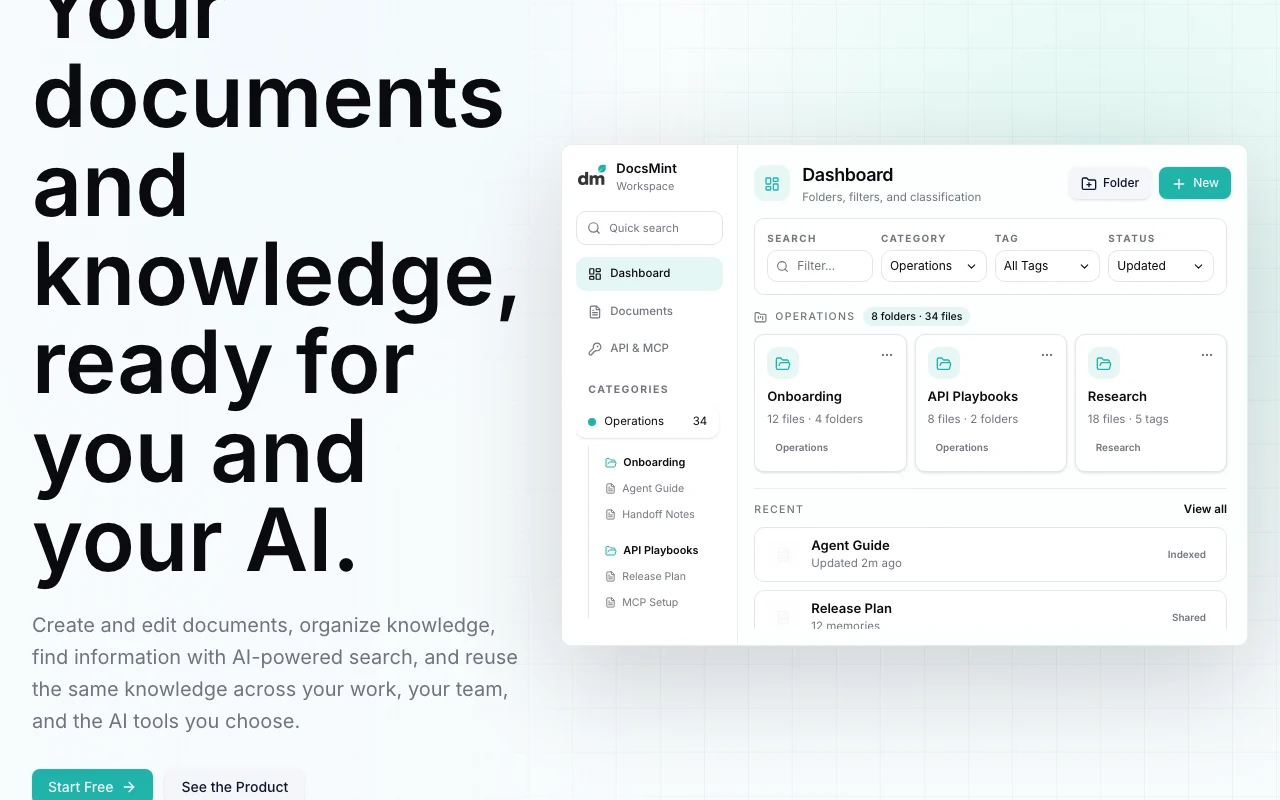
DocsMint is a document workspace for creating, organizing and searching knowledge with folders, categories and tags, version history, templates and sharing with comments. AI tools cover writing, rewriting, fixing and translating content. The same knowledge can be exposed to AI agents through scoped REST API keys and a hosted MCP server. An open-source self-hosted edition is also offered for teams wanting on-premises deployment.
DocsMint's official site: how the product presents itself. docsmint.com, captured Oct 1, 2026
What you provide and what you get back
What you give DocsMint and what comes back, from its documentation
You provide
Documents created from scratch, templates, or imports
Text, images, audio for AI editing
Search queries (workspace search)
API requests (Pro+) and MCP calls (Advanced+)
You get back
Organized documents with version history
AI-edited content (rewritten, fixed, translated)
Workspace search results
API responses (JSON)
MCP tool results for agents
Where you can use it
Platforms
Web (SaaS hosted), Self-hosted (open-source DocsMint OSS)
Feature overview on the official site. docsmint.com, captured Oct 1, 2026
Visual document editor
Create and edit documents in a focused editor with formatting, templates, and import support Write and organize knowledge in one focused space; templates provide structure
Access: Free on all tiersLimit: Basic editing on Free; AI-powered editing (translate, rewrite, fix) requires Pro+source (opens in a new tab)
Folders, categories and tags
Organize documents with nested folders, flexible categories, tags, and filtering Structure knowledge hierarchically; multiple dimensions of organization
Access: Free on all tiersLimit: Tagging and advanced filters may have limitations on Free tiersource (opens in a new tab)
Workspace search
Search across all documents in workspace using keywords and filters; AI-powered search (GraphRAG) Find relevant documents quickly from large knowledge bases
Use AI to generate, rewrite, fix, format, and translate document content Edit and improve content without leaving DocsMint
Access: Pro ($12/mo) and Advanced ($29/mo)Limit: Requires paid plan; AI is optional and outputs require reviewsource (opens in a new tab)
Pros, cons and deal-breakers
Where DocsMint is strong
Free plan with core workspace Low barrier to entry for personal and team knowledge basesdocumentedsource (opens in a new tab)
Published USD prices for Pro and Advanced Transparent, simple pricing; easy to compare tiersdocumentedsource (opens in a new tab)
Open-source self-hosted option Teams can run DocsMint on own infrastructure; no vendor lock-indocumentedsource (opens in a new tab)
MCP and REST API for AI agent access Agents can persistently access and update knowledge without exposing full workspacedocumentedsource (opens in a new tab)
Limitations to check before paying
AI editing requires Pro Free tier limited to basic workspace; AI writing tools behind paywalldocumentedsource (opens in a new tab)
MCP access requires Advanced Agent/AI access more limited on Pro; full agent capabilities require Advanced plandocumentedsource (opens in a new tab)
Shared workspaces only on Advanced Small teams requiring shared spaces must pay for Advanced; no shared workspace on Prodocumentedsource (opens in a new tab)
Very new product (v1.0.x) Limited track record; potential for breaking changes or missing featuresdocumentedsource (opens in a new tab)
How to use DocsMint for creating and organizing a knowledge base with AI tools and agent access
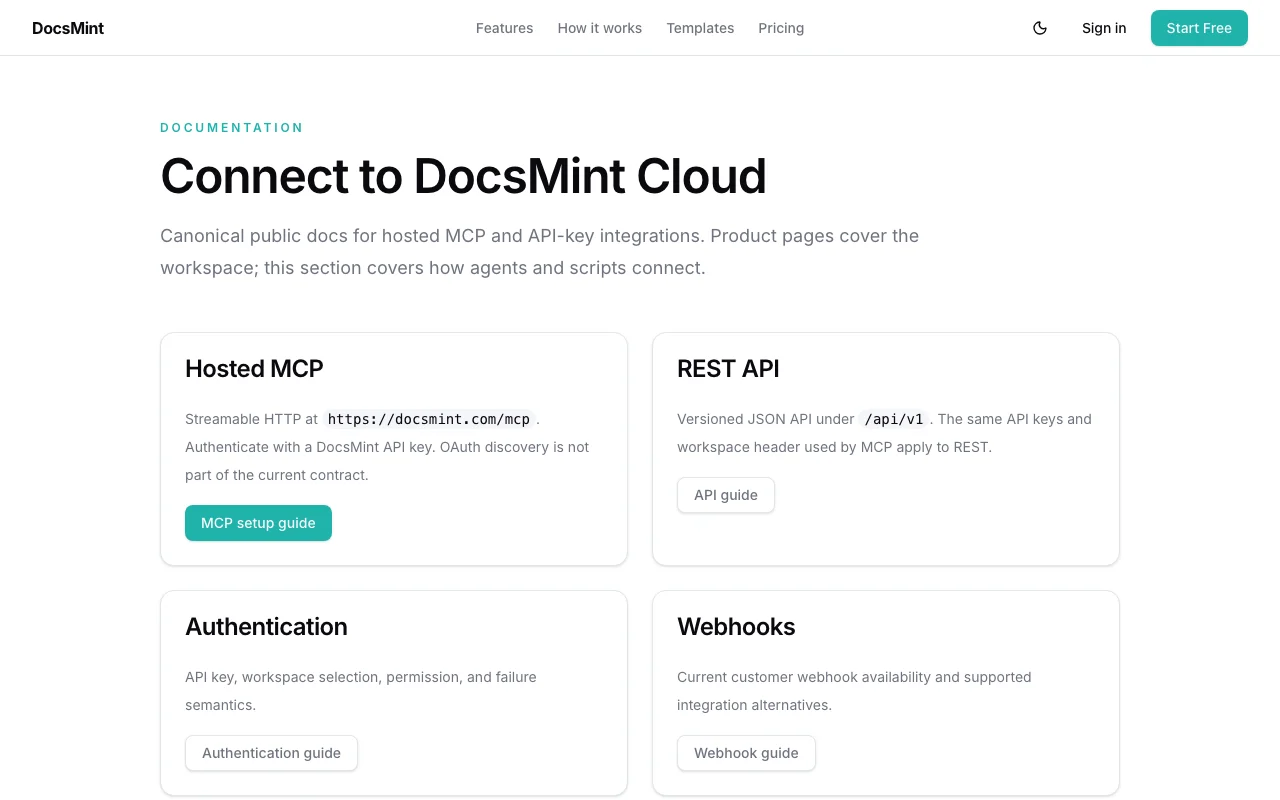
DocsMint documentation: where the steps below come from. docsmint.com, captured Oct 1, 2026
Set up DocsMint
Visit docsmint.com and sign up for free (no card required)
Create your first document or use a template
Organize documents with folders, categories, and tags
Optionally: upgrade to Pro for AI editing or Advanced for shared workspaces/MCP
For API/MCP: generate scoped API keys in workspace settings
Example: creating and organizing a knowledge base with AI tools and agent access
Import or create a document (e.g., API playbook, onboarding guide)
Use AI to rewrite or fix content: select text → 'Rewrite for clarity'
Share document with team (Advanced) or via link
Search workspace to find related documents
For agents: connect via REST API (Pro) or MCP (Advanced) with scoped permissions
Review and export the result
Document appears in workspace with category and tags
Search finds the document by keyword
Version history shows document edits
For agents: API key works with authenticated requests to /api/v1
For MCP: agent can list and read documents via MCP tools
DocsMint integrations and API
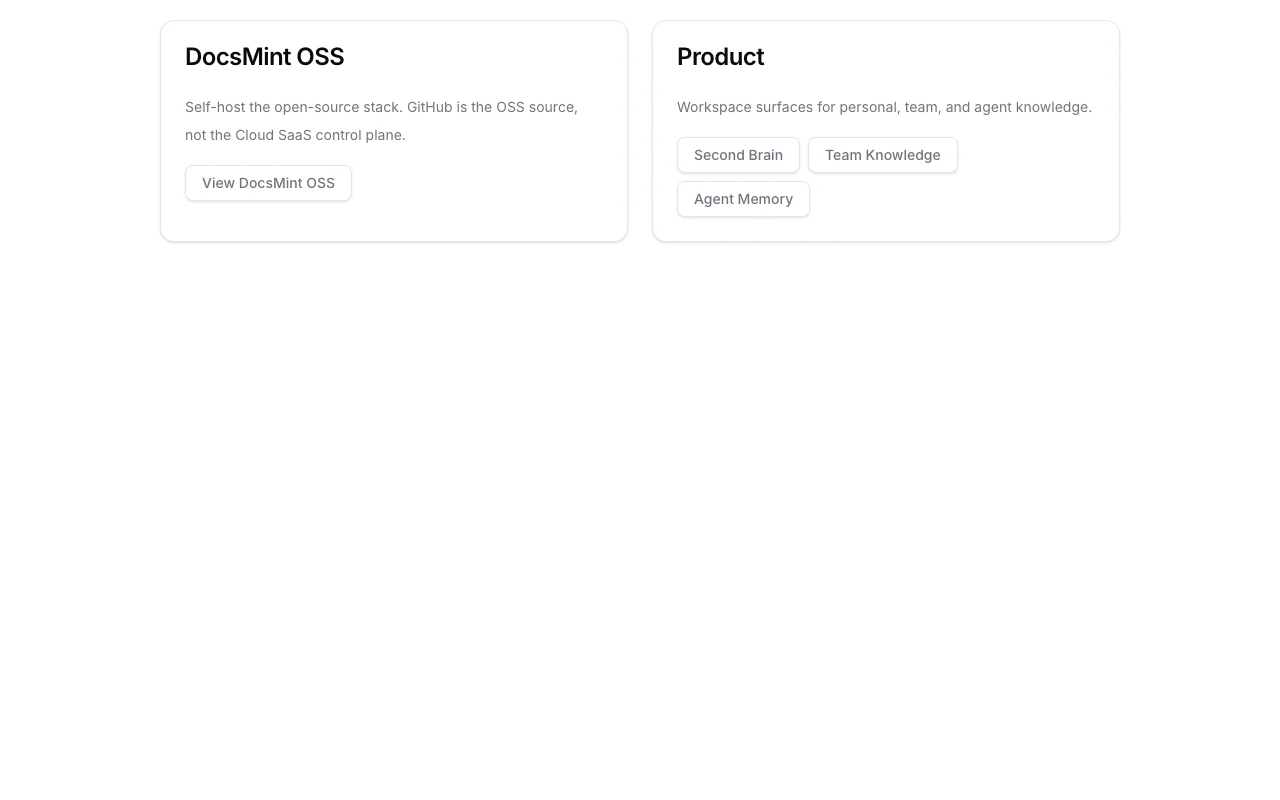
DocsMint documentation (continued). docsmint.com, captured Oct 1, 2026
Native integrations and export formats
Export: Document export on termination (where technically feasible)
API access and separate billing
An API is available, billing not documented. Versioned JSON API under /api/v1; same API keys used for MCP; workspace header required API documentation ↗
Privacy, data use and commercial rights
Summarized from the vendor's current policies; this is not legal advice and a vendor's badge is not an independent audit.
How your inputs and outputs are handled
Documents and content stored encrypted; optional AI features send snippets to AI providers. AI output optional and not used for training without consent.
AI output from features is not used to train DocsMint models without explicit consent; users retain ownership
Documents retained per plan; on termination, export opportunity provided where technically feasible
Commercial use and plan restrictions
Permitted; no restrictions
No privacy differences between tiers; all data subject to same privacy policy
Controls for business users
User retains ownership of documents
Limited license granted to DocsMint to host and process
No. DocsMint starts as a document and knowledge workspace. AI and agent access are optional ways to reuse the same knowledge. source (opens in a new tab)
Can I start without paying?
Yes. Start with Free and choose Pro or Advanced when you need additional limits and capabilities like AI editing or shared workspaces. source (opens in a new tab)
Is self-hosting a SaaS plan?
No. DocsMint OSS is a separate open source path for teams that want to run the stack on their own infrastructure. It is not a billing tier. source (opens in a new tab)
Not verified: Specific document or storage limits per plan (not detailed); Annual billing option availability (only /mo shown); AI model providers used for editing features; Shared workspace user limits on Advanced plan; US availability or regional restrictions.
How we documented and maintain this page
Every fact about DocsMint above comes from the 4 official pages listed here, last compared on Sep 29, 2026; we have not run DocsMint ourselves, so it has no editorial score. How we check and re-check pages.
Article updated Oct 10, 2026; prices checked Sep 29, 2026. Outbound links to vendors are plain links; we do not earn commissions. How we review · Report an error