Productivity & writingDocumented overviewLast checked Sep 29, 2026

Xquik: Pricing, Features & Best Use Cases

Independent X (Twitter) scraper and automation API with MCP server, credit-based pricing and tools for search, monitoring and posting.

Who Xquik fits

Xquik suits developers and growth teams who need X (Twitter) search, extraction, monitoring and posting through an API or MCP, paying by credits from $10. Based on the vendor's documentation, not on a hands-on test.

Best for: Developers building on X data

Also a good fit for

  • Teams wiring X data into AI agents

Consider another tool if not affiliated with or endorsed by X Corp

Or if

  • Requires an account
  • Usage is metered in credits

Xquik pricing and usage limits

Prices checked Sep 29, 2026 on the official US pricing page. Official pricing ↗ Prices and limits change often.

Free access and trial conditions

No free tier seen.

Paid plans: what changes as you upgrade

Pay as you go web

$10 source (opens in a new tab)

One-time

For: Occasional use

Limits

  • Credits never expire
  • 66,666 credits scrape about 66,666 tweets or profiles

Includes

  • Publish about 2,222 tweets

API included

Starter web

$20/mo source (opens in a new tab)

Month

For: Individual developers

Limits

  • 140,000 credits per month
  • Unused credits carry over

Includes

  • Scrape 140,000 tweets or profiles
  • Publish about 4,666 tweets

API included

Pro web

$99/mo source (opens in a new tab)

Month

For: Most popular for teams

Limits

  • 770,000 credits per month
  • Unused credits carry over

Includes

  • Scrape 770,000 tweets or profiles
  • Publish about 25,666 tweets

API included

Business web

$199/mo source (opens in a new tab)

Month

For: High-volume use

Limits

  • 1,670,000 credits per month
  • Unused credits carry over

Includes

  • Scrape 1,670,000 tweets or profiles
  • Publish about 55,666 tweets

API included

Usage caps, credits and extra costs

Credits for extra usage via top-up; save up to 20% with a monthly plan.

Not stated.

What is Xquik, and how does it work?

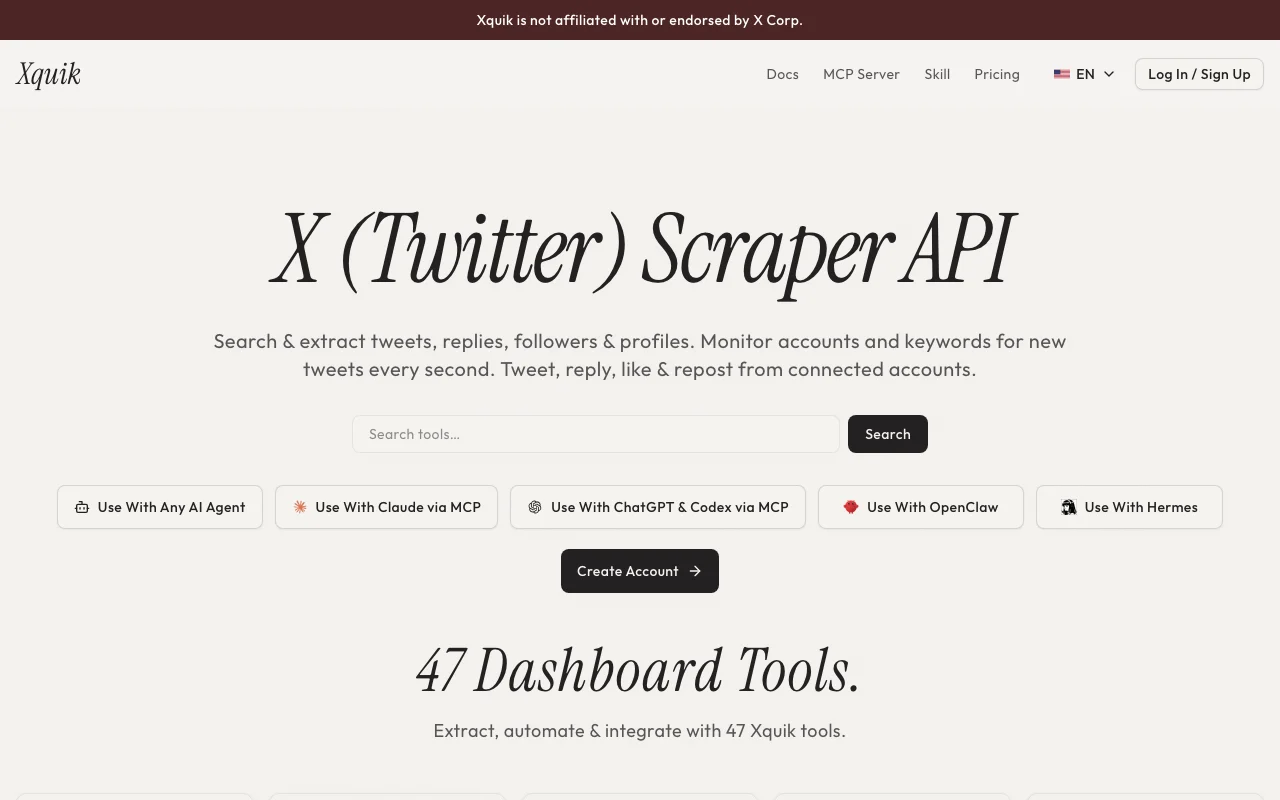
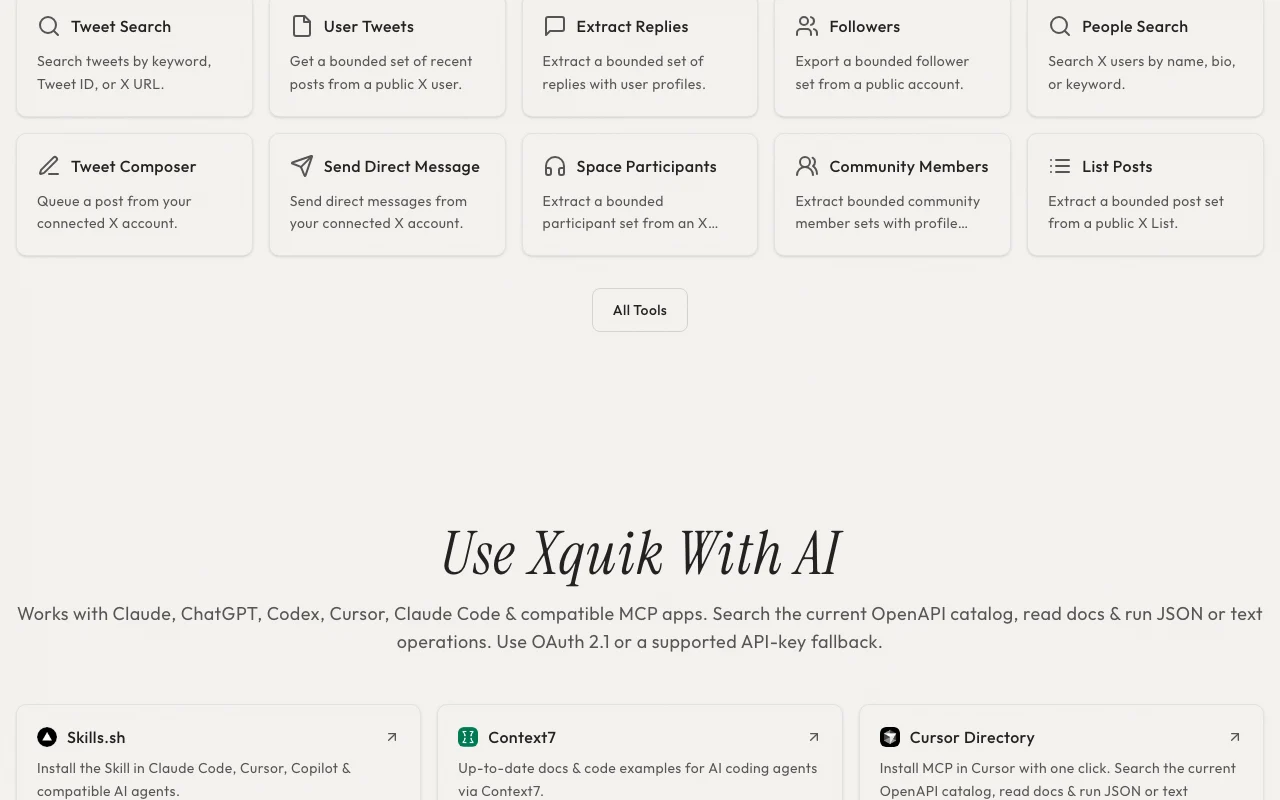
Xquik is an independent third-party service (not affiliated with X Corp) that exposes X (Twitter) data and actions through a REST API, webhooks and an MCP server. It offers tweet and profile search, reply and follower extraction, account and keyword monitoring, and posting from connected accounts. The site lists 47 dashboard tools and integrations for AI agents such as Claude, ChatGPT, Codex and Cursor. Usage is billed in credits via pay-as-you-go top-ups or monthly plans.

Xquik homepage — screenshot of the productivity & writing AI tool, Oct 1, 2026
Xquik's official site: how the product presents itself. xquik.com, captured Oct 1, 2026

What you provide and what you get back

How Xquik works: what you provide, where it runs and what you get backYOU PROVIDEYour inputKeywords, hashtags, tweet IDs, X…Connected X account for write act…Webhook endpoint for monitorsPRODUCTIVITY & WRITINGXquikWeb, APIfrom $20/mo (Starter)no free tieraccount requiredchecked Sep 29, 2026YOU GET BACKThe resultTweets, replies, followers and pr…Monitor events by webhookExports to CSV, JSON, XLSX, Markd…input → Xquik → output · from the vendor's own pages, no hands-on test unless stated
What you give Xquik and what comes back, from its documentation

You provide

  • Keywords, hashtags, tweet IDs, X URLs or usernames
  • Connected X account for write actions
  • Webhook endpoint for monitors

You get back

  • Tweets, replies, followers and profiles as JSON
  • Monitor events by webhook
  • Exports to CSV, JSON, XLSX, Markdown

Where you can use it

Platforms
Web, API
Account
Required
Dashboard tools
47
Interfaces
REST, webhooks, MCP, SDKs
Credit use
1 credit per tweet or profile scraped
Publish cost
About 30 credits per tweet
Auth
OAuth 2.1 or API key

Best use cases for Xquik

Scenarios are worked out by our editors from the documentation; the actual result depends on your input and plan.

Search tweets by keyword, hashtag or URL

Who
Researchers and analysts
You provide
A keyword or hashtag
Expected result
Structured tweet dataset
Plan needed
Starter
Limitation
Bounded result sets per call source (opens in a new tab)

Extract replies, followers and profile data

Who
Growth and PR teams
You provide
A competitor account
Expected result
Real-time alerts on new posts via webhook
Plan needed
Pro
Limitation
Monitors consume credits source (opens in a new tab)

Monitor accounts and keywords for new posts

Who
AI agent builders
You provide
Prompts to Claude or Cursor with the MCP server
Expected result
Agent searches and posts through Xquik tools
Plan needed
Any paid plan
Limitation
Writes need a connected X account source (opens in a new tab)

Key features and their practical limits

Xquik homepage — screenshot of the productivity & writing AI tool, Oct 1, 2026
Feature overview on the official site. xquik.com, captured Oct 1, 2026

REST API and webhooks

Searches tweets, users and lists and extracts replies and followers No X developer account needed for public reads

Access: All plansLimit: Results are bounded sets source (opens in a new tab)

MCP server for AI agents

Monitors accounts and keywords for new posts Alerts without polling

Access: CreditsLimit: Monitor volume uses credits source (opens in a new tab)

47 dashboard tools

Exposes an MCP server for Claude, ChatGPT, Codex and Cursor Agents run X workflows directly

Access: All plansLimit: OAuth 2.1 or API key fallback source (opens in a new tab)

Real-time account and keyword monitoring

Posts, likes, reposts, follows and sends DMs from a connected account Automates publishing

Access: All plansLimit: Every write requires a connected X account source (opens in a new tab)

Xquik: strengths and limits

Reasons to choose Xquik

Check before paying for Xquik

How to use Xquik for extracting tweets and monitoring an account via API

Set up Xquik

  1. Create an account and top up $10 or choose Starter
  2. Create an API key in the dashboard
  3. Read the API reference overview
  4. Connect an X account only if you need writes

Example: extracting tweets and monitoring an account via API

  1. Call tweet search for a hashtag
  2. Export replies for one tweet
  3. Create an account monitor with a webhook URL
  4. Download the data as CSV

Review and export the result

  1. Verify webhook signatures on a test event
  2. Check credits used against your estimate
Example prompt suggested by our editors (not a recorded output of the product)
Search recent tweets mentioning our product name and export the replies with author profiles as CSV.

Xquik integrations and API

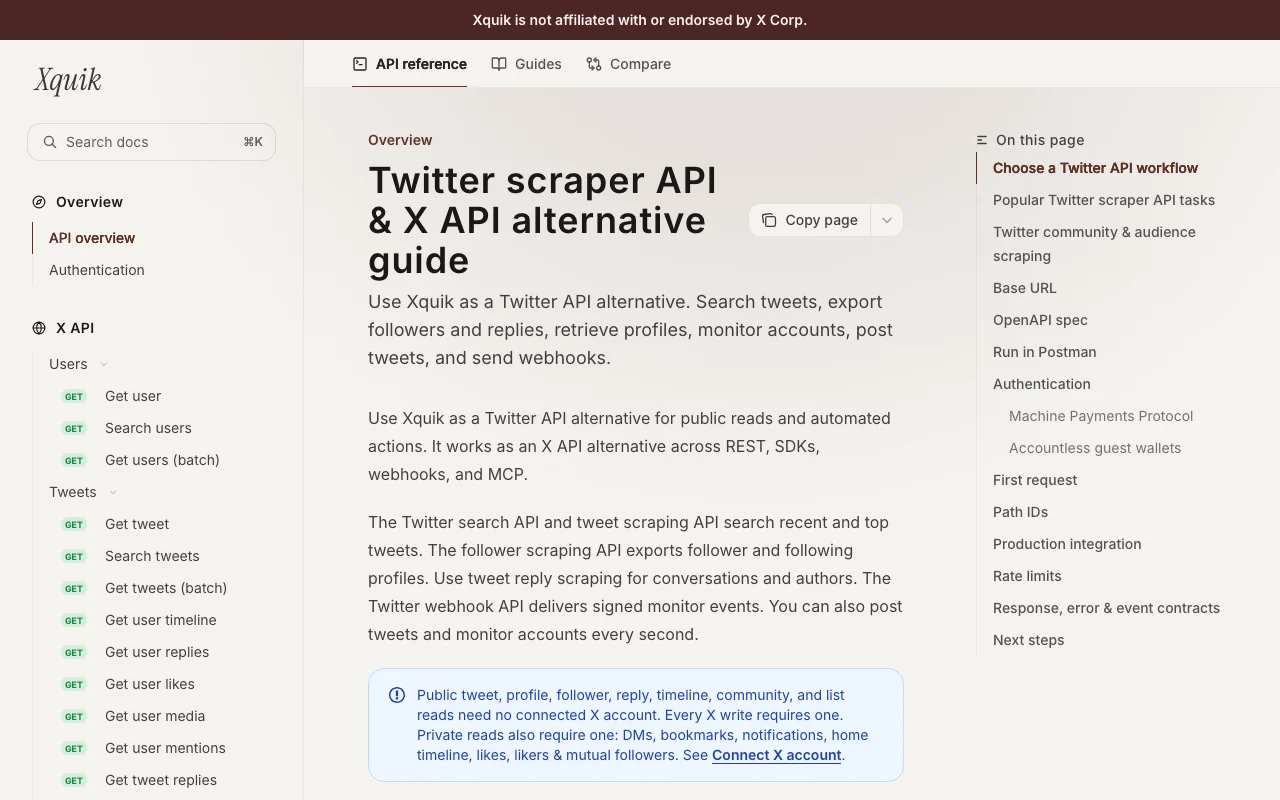
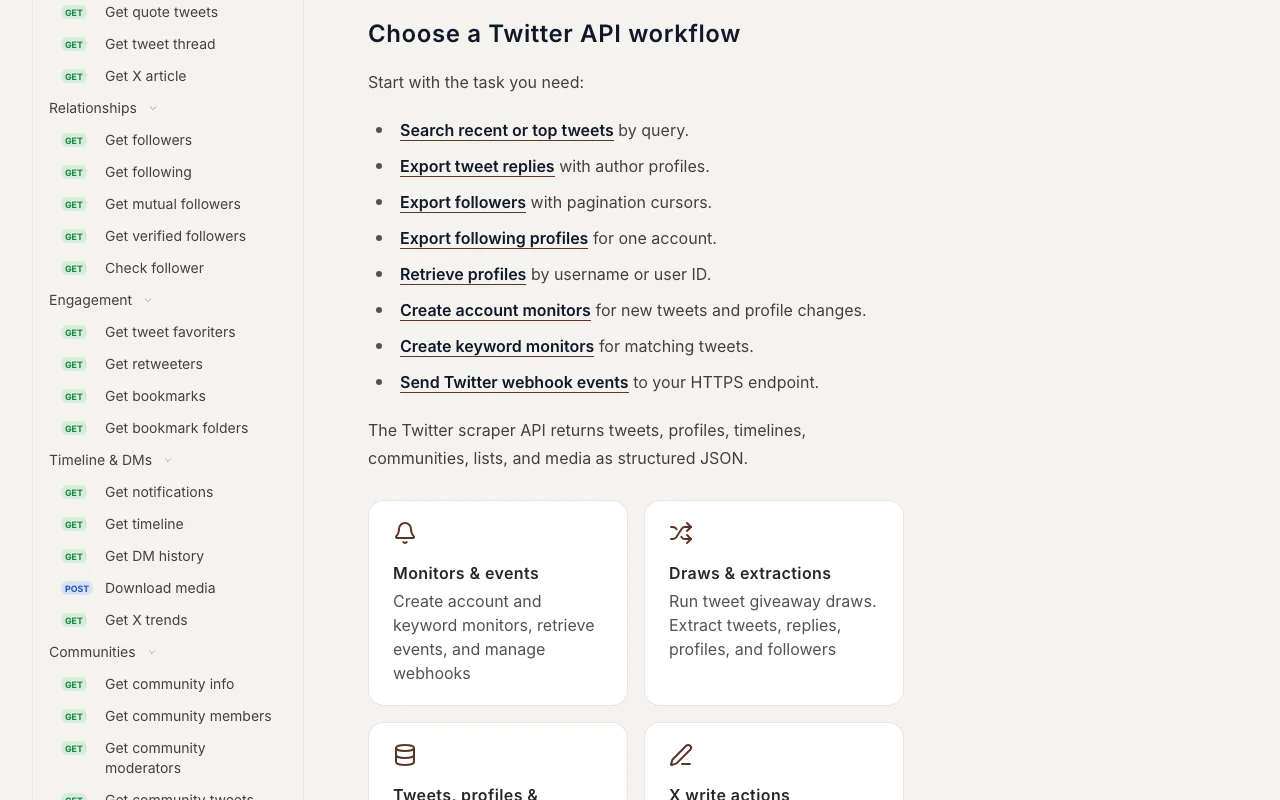
Xquik API documentation — screenshot of the productivity & writing AI tool, Oct 1, 2026
Xquik API documentation. docs.xquik.com, captured Oct 1, 2026

Native integrations and export formats

Export: CSV, JSON, XLSX, Markdown

API access and separate billing

Xquik has no public API in its official documentation. REST API, webhooks, SDKs and MCP server. API documentation ↗

Privacy, data use and commercial rights

Summarized from the vendor's current policies; this is not legal advice and a vendor's badge is not an independent audit.

How your inputs and outputs are handled

Account, API key, workflow and public X data records are processed.

Controls for business users

  • Signed webhook events
  • OAuth 2.1

Policies: xquik.com/en/privacy

Xquik alternatives by need

"Better suited" is based on documented features and pricing, not on a head-to-head test.

Zapier: better suited to

Make: better suited to

n8n: better suited to

Alternatives
AlternativeWhen to choose itPricingLimitation
Zapier——Compare
Make——Compare
n8n——Compare

Explore Xquik further

Related to Xquik

Xquik user reviews

No user reviews yet.

Used Xquik? Be the first to share your experience.

Write a review

Reviews are checked by a moderator before they appear. Your email is never published. Plain text only.

Your rating (required)

Show what you made or what went wrong. Images are published only if the review is approved; location data is removed.

    Xquik FAQ

    How much does Xquik cost?

    Pay as you go from a $10 top-up (66,666 credits that never expire), or $20, $99 and $199 per month for 140,000, 770,000 and 1,670,000 credits. source (opens in a new tab)

    Is Xquik affiliated with X?

    No. The privacy policy says it is an independent third-party service not affiliated with X Corp. source (opens in a new tab)

    Do I need a connected X account?

    Only for writes and private reads such as DMs; public tweet, profile and follower reads need none. source (opens in a new tab)

    Can I use it with AI agents?

    Yes, via an MCP server and agent skills for Claude, ChatGPT, Codex, Cursor and others. source (opens in a new tab)

    Which export formats are offered?

    CSV, JSON, XLSX and Markdown. source (opens in a new tab)

    Sources and review methodology

    Official sources and verification dates

    Not verified: free tier; rate limits detail; data retention.

    How we documented and maintain this page

    Every fact about Xquik above comes from the 4 official pages listed here, last compared on Sep 29, 2026; we have not run Xquik ourselves, so it has no editorial score. How we check and re-check pages.

    Article updated Oct 10, 2026; prices checked Sep 29, 2026. Outbound links to vendors are plain links; we do not earn commissions. How we review · Report an error