Productivity & writingDocumented overviewLast checked Sep 29, 2026

Sim: Pricing, Features & Best Use Cases

Open-source AI workspace to build, deploy and govern AI agents with visual workflows, knowledge bases and enterprise controls.

Who Sim fits

Sim suits teams that want an open-source, self-hostable workspace to build agent workflows visually, by chat or in code, with central control of access, spend and logs. Based on the vendor's documentation, not on a hands-on test.

Best for: Teams building internal AI agents

Also a good fit for

  • Companies needing governed agent deployment
  • Developers wanting a self-hostable agent platform

Consider another tool if usage is credit-metered on all plans

Or if

  • Free plan limited to 1 workspace, 5 GB storage, 30-day logs
  • Desktop app is macOS-only

Sim pricing and usage limits

Prices checked Sep 29, 2026 on the official US pricing page. Official pricing ↗ Prices and limits change often.

Vendor pricing page re-checked automatically 12 days ago: no changes detected.

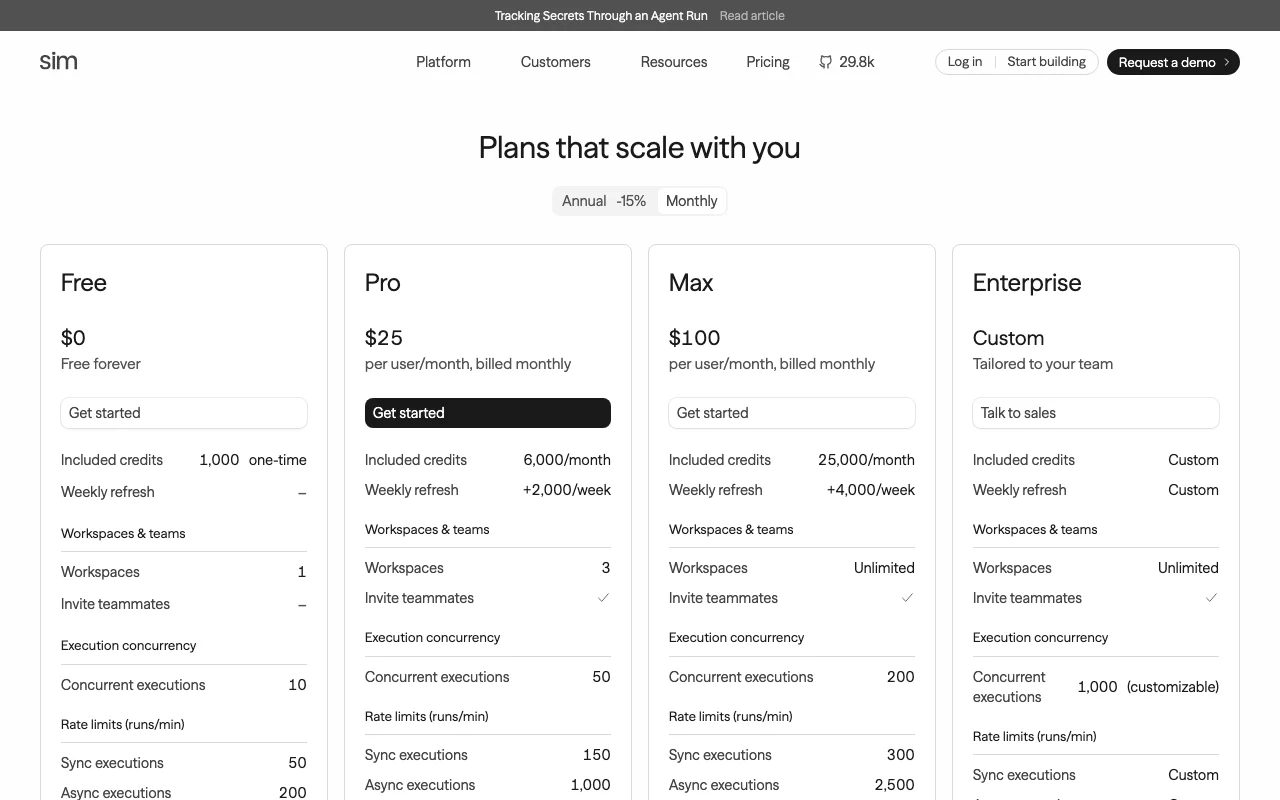
Sim pricing page with plans and prices — screenshot of the productivity & writing AI tool, Oct 1, 2026
The official Sim pricing page as we saw it. sim.ai, captured Oct 1, 2026

Free access and trial conditions

Free forever plan with 1,000 one-time credits.

Paid plans: what changes as you upgrade

Free web

Free source (opens in a new tab)

None

For: Prototyping an agent

Limits

  • 1,000 one-time credits
  • 1 workspace, 10 concurrent executions
1 more
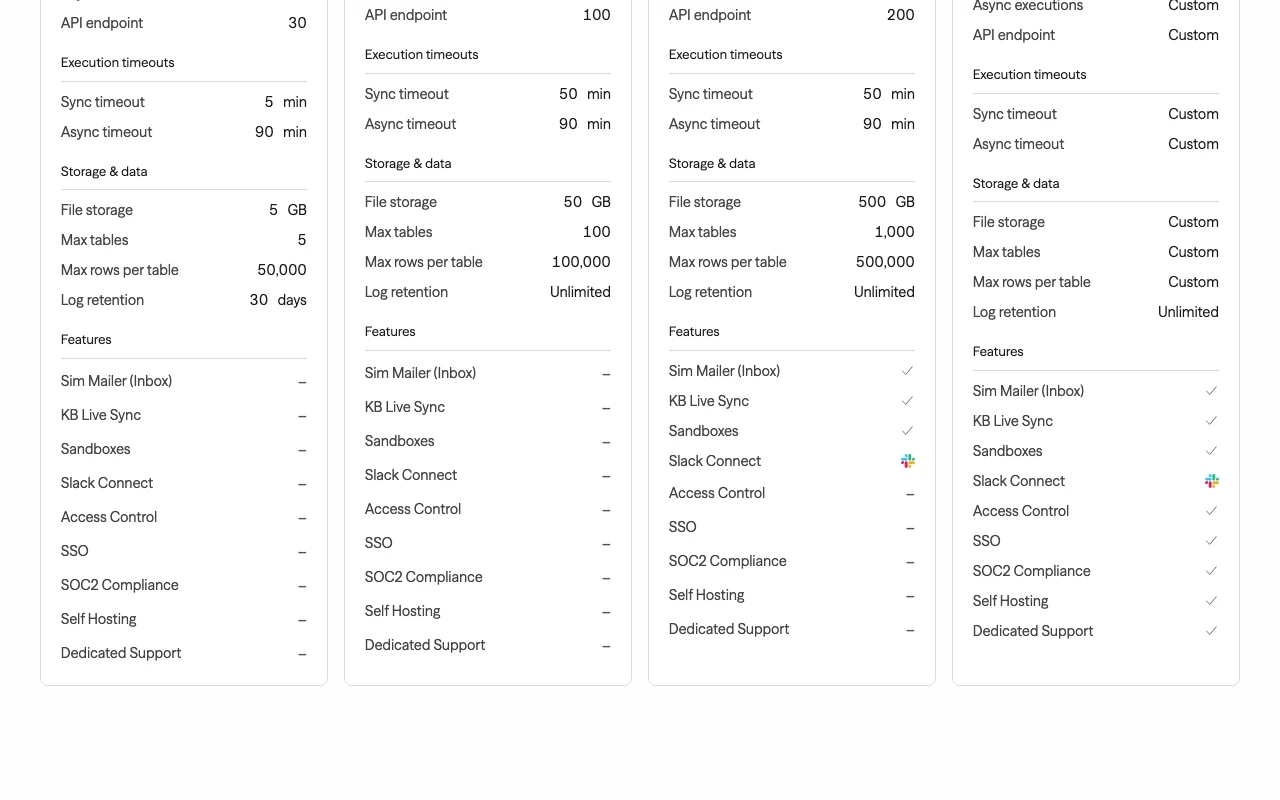
  • 5 GB storage, 30-day log retention

Includes

  • 5 tables of 50,000 rows
  • API endpoint 30 runs/min
1 more
  • Sync timeout 5 min

API included

Pro web

$25 per user / month source (opens in a new tab)

Monthly, annual commitment

Annual price not shown

For: Growing teams

Limits

  • 6,000 credits/month plus 2,000 weekly refresh
  • 3 workspaces, 50 concurrent executions
1 more
  • 50 GB storage, unlimited logs

Includes

  • Teammate invites
  • 100 tables of 100,000 rows
1 more
  • Sync timeout 50 min

API included

Max web

$100 per user / month source (opens in a new tab)

Monthly, annual commitment

Annual price not shown

For: Scaling businesses

Limits

  • 25,000 credits/month plus 4,000 weekly refresh
  • Unlimited workspaces, 200 concurrent executions
1 more
  • 500 GB storage

Includes

  • Sim Mailer, KB Live Sync
  • Sandboxes
1 more
  • Slack Connect

API included

Enterprise web+self-hosted

Custom pricing source (opens in a new tab)

Custom

For: Large organizations

Limits

  • 1,000 concurrent executions (customizable)
  • Custom credits and rate limits

Includes

  • SSO, Access Control, SOC2
  • Self hosting
1 more
  • Dedicated support

API included

Usage caps, credits and extra costs

Credits are consumed by runs; weekly refresh adds credits on paid plans.

What is Sim, and how does it work?

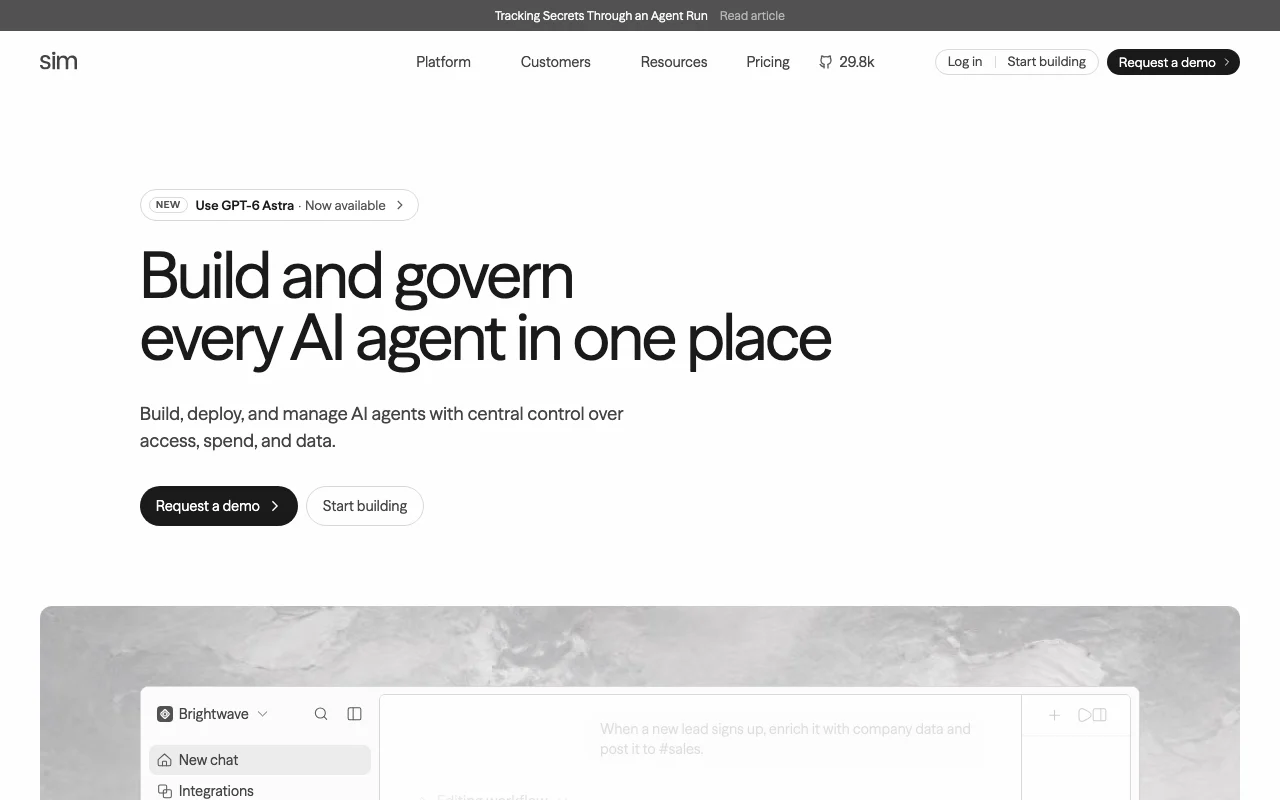
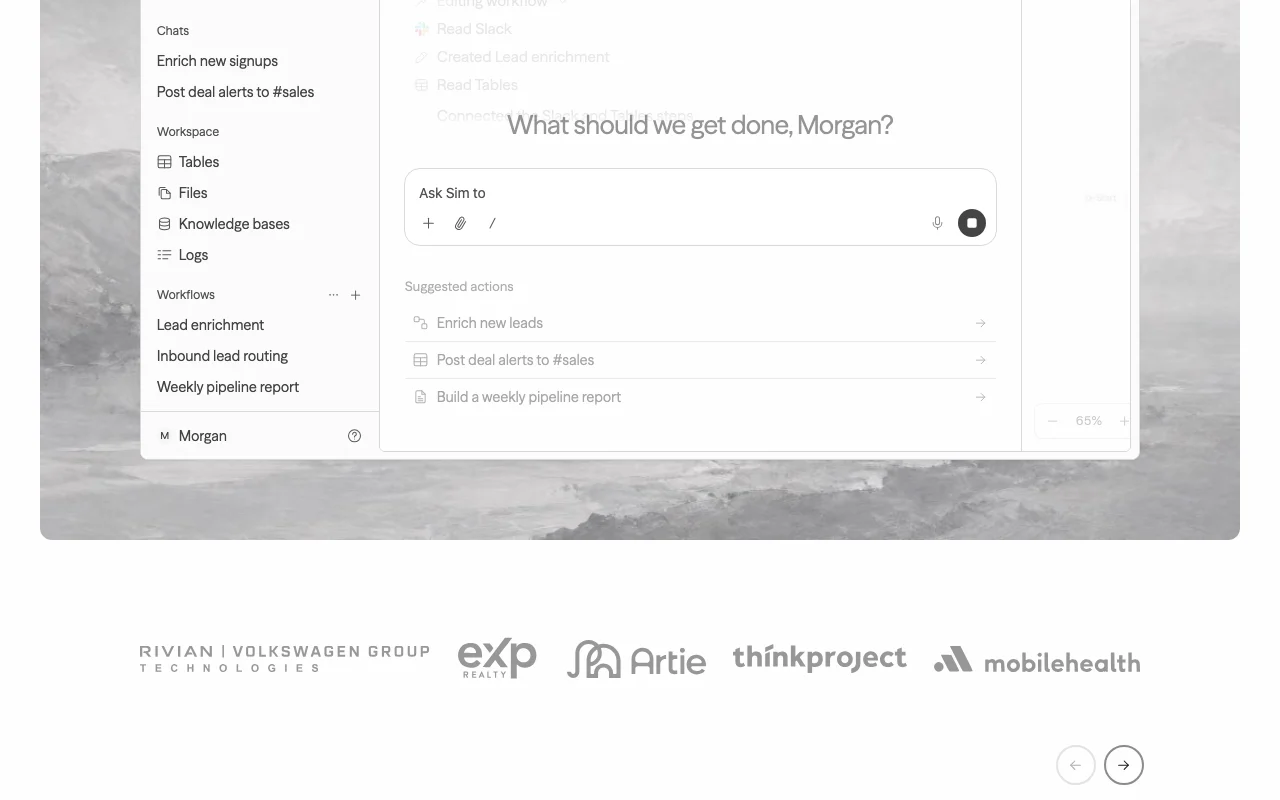
Sim is an open-source (Apache 2.0) AI workspace where teams build agents via a visual workflow builder, chat, or code, connect 200+ integrations and multiple LLM providers, and manage them with central control over access, spend and data. It includes knowledge bases, tables, file storage and block-level execution logs. It runs as a managed cloud service, self-hosted via Docker Compose or Kubernetes, and as a macOS desktop app with a built-in browser and terminal.

Sim homepage — screenshot of the productivity & writing AI tool, Oct 1, 2026
Sim's official site: how the product presents itself. sim.ai, captured Oct 1, 2026

What you provide and what you get back

How Sim works: what you provide, where it runs and what you get backYOU PROVIDEYour inputAgent prompts and workflow blocks…Synced sources (Notion, Google Dr…Triggers via API, webhook or sche…PRODUCTIVITY & WRITINGSimWeb, Desktop, APIfrom $25 (Pro)free tier availableaccount requiredchecked Sep 29, 2026YOU GET BACKThe resultRunning agents and workflowsBlock-by-block run traces and logsTables and files stored by agentsinput → Sim → output · from the vendor's own pages, no hands-on test unless stated
What you give Sim and what comes back, from its documentation

You provide

  • Agent prompts and workflow blocks (visual canvas, chat or code)
  • Synced sources (Notion, Google Drive, Confluence, Slack, GitHub, SharePoint)
  • Triggers via API, webhook or schedule

You get back

  • Running agents and workflows
  • Block-by-block run traces and logs
  • Tables and files stored by agents

Where you can use it

Platforms
Web, Desktop, API
Account
Required
Triggers
API endpoint, webhook, schedule, CLI
Rate limits (sync runs/min)
50 / 150 / 300
Storage
5 GB / 50 GB / 500 GB
Tables
5 / 100 / 1,000 tables
Deployment
Cloud, Docker, Kubernetes self-host
Compliance
SOC 2 Type II, ISO 27001, GDPR

Where Sim is most useful

Scenarios are worked out by our editors from the documentation; the actual result depends on your input and plan.

Building multi-step AI agent workflows

Who
Teams building internal agents
You provide
Agent block with a model prompt, function and tool blocks
Expected result
A deployed workflow with error branches that runs on API, webhook or schedule
Plan needed
Free to prototype
Limitation
Free sync timeout is 5 minutes source (opens in a new tab)

Connecting agents to Slack, Gmail, Notion and databases

Who
Ops and sales teams
You provide
Connected integration credentials
Expected result
Agent posts a lead summary to Slack or updates a sheet
Plan needed
Any
Limitation
Slack Connect needs Max or above source (opens in a new tab)

Grounding agents on internal knowledge bases

Who
Support and knowledge teams
You provide
Connectors synced from Drive, Confluence, Notion
Expected result
Agents answer from synced documents
Plan needed
Pro or higher for scale; KB Live Sync on Max
Limitation
Live sync is Max and Enterprise only source (opens in a new tab)

Sim features and their limits

Sim homepage — screenshot of the productivity & writing AI tool, Oct 1, 2026
Feature overview on the official site. sim.ai, captured Oct 1, 2026

Visual, chat and code-based workflow builder

Workflows chain blocks (Agent, Function, integrations) with on-error paths; you build them on a canvas, by describing the agent in chat, or with code, and can run them from a CLI. Different skill levels share one workflow.

Access: All plansLimit: Execution timeouts and concurrency vary by plan source (opens in a new tab)

200+ integrations and multi-LLM support

Blocks connect to services like Slack, Sheets and Gmail and let each Agent block pick from major LLMs. Avoids model lock-in.

Access: All plansLimit: Exact integration count is a seed claim; homepage says hundreds source (opens in a new tab)

Knowledge bases, tables and files

Connectors auto-sync documents into a knowledge base for agent memory; tables hold structured data between runs; files store uploads and outputs. Persistent context for agents.

Access: Quotas by plan (5 to 1,000 tables)Limit: KB Live Sync is Max and above source (opens in a new tab)

Block-by-block execution logs

Each run is traced block by block with inputs, outputs, timing and cost, including failures. Debug failing agents and track spend.

Access: All plansLimit: Free logs kept 30 days; paid unlimited source (opens in a new tab)

Pros, cons and deal-breakers

Where Sim is strong

Limitations to check before paying

How to use Sim for building a support-ticket agent workflow

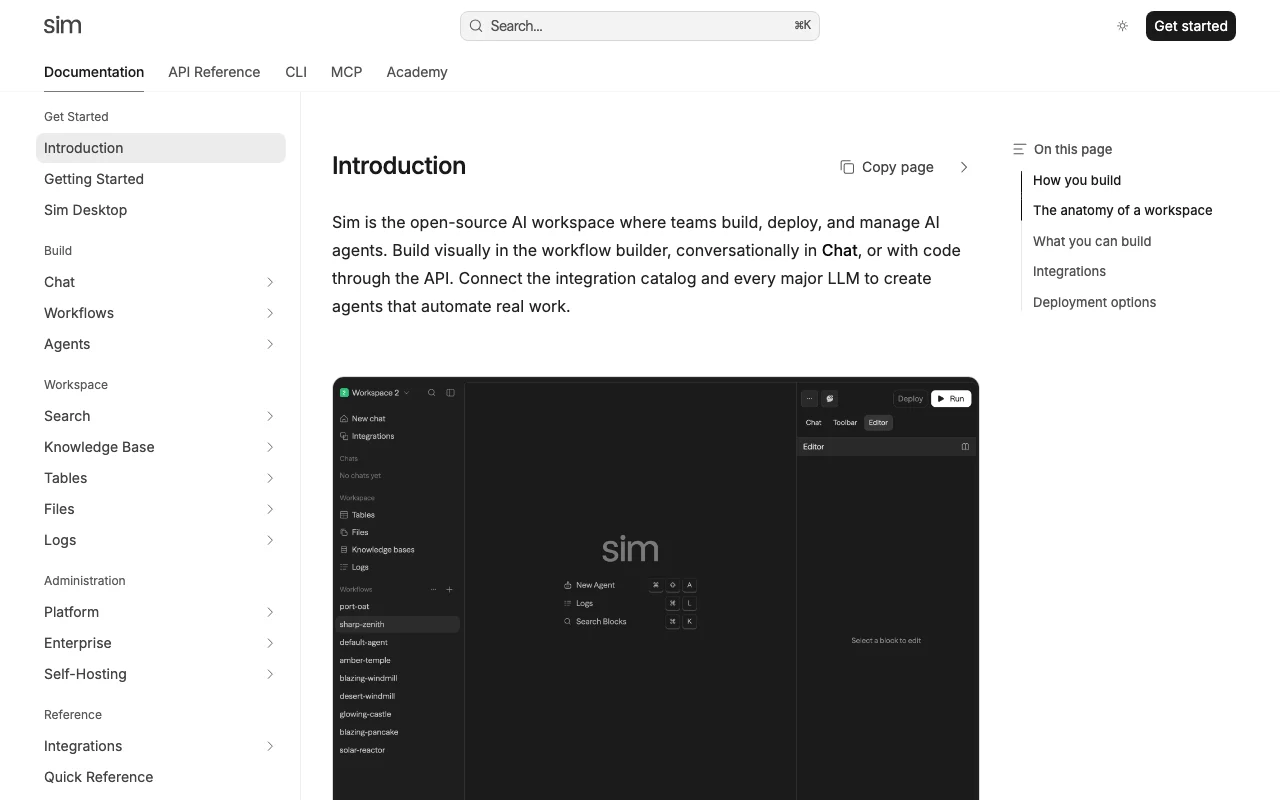
Sim documentation — screenshot of the productivity & writing AI tool, Oct 1, 2026
Sim documentation: where the steps below come from. docs.sim.ai, captured Oct 1, 2026

Set up Sim

  1. Sign up at sim.ai and create your first workspace.
  2. Add an Agent block and choose a model such as Claude Sonnet.
  3. Connect integrations like Slack or Sheets from the block settings.

Example: building a support-ticket agent workflow

  1. Add a Start trigger and wire it to an Agent block with the prompt 'Draft a reply to this ticket'.
  2. Add a Function block to format the reply and a Slack block to post it.
  3. Deploy and run it with the CLI: sim workflows run with --follow and an input file.

Review and export the result

  1. Open Logs and inspect the run trace block by block for errors.
  2. Check cost and credits used in the run overview.
Example prompt suggested by our editors (not a recorded output of the product)
Draft a reply to this support ticket using the knowledge base and post it to #support.

Sim API

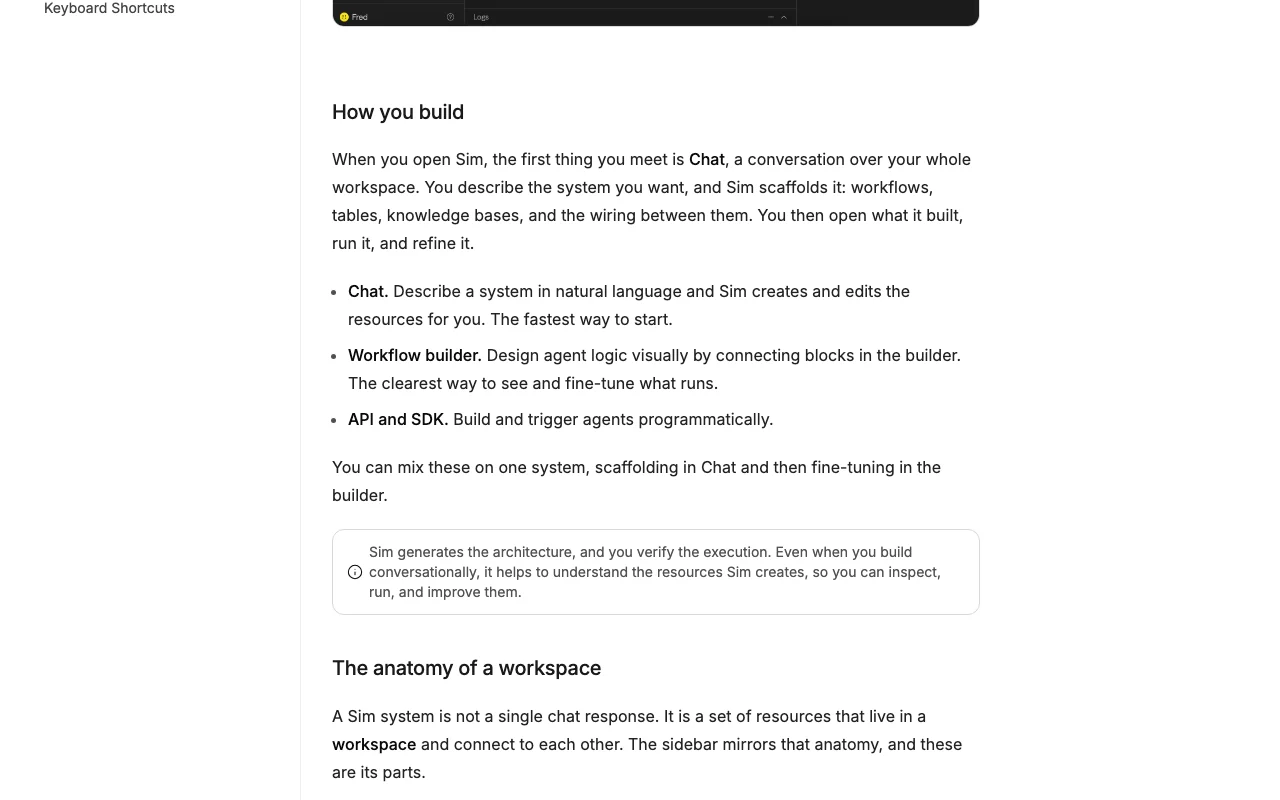
Sim documentation — screenshot of the productivity & writing AI tool, Oct 1, 2026
Sim documentation (continued). docs.sim.ai, captured Oct 1, 2026

API access and separate billing

An API is available, billing not documented. Workflows callable via API endpoint, webhook, schedule or CLI. API documentation ↗

Privacy, data use and commercial rights

Summarized from the vendor's current policies; this is not legal advice and a vendor's badge is not an independent audit.

How your inputs and outputs are handled

Uploaded content and connected Google data (Drive, Gmail, Calendar) are accessed only for features you enable.

Policy defines Generalized AI/ML models in its Google-data section; consult it for training limits.

Each workspace sets how long run data is kept.

Commercial use and plan restrictions

Access Control, SSO, SOC2 and Self Hosting are Enterprise.

Controls for business users

  • SOC 2 Type II
  • ISO 27001
  • GDPR
  • Audit records

Policies: sim.ai/privacy

Other tools to consider instead of Sim

"Better suited" is based on documented features and pricing, not on a head-to-head test.

n8n: better suited to

Zapier: better suited to

Make: better suited to

Lovable: better suited to

Alternatives
AlternativeWhen to choose itPricingLimitation
n8n——Compare
Zapier——Compare
Make——Compare
Lovable——

Explore Sim further

Tools and guides near Sim

Sim user reviews

No user reviews yet.

Used Sim? Be the first to share your experience.

Write a review

Reviews are checked by a moderator before they appear. Your email is never published. Plain text only.

Your rating (required)

Show what you made or what went wrong. Images are published only if the review is approved; location data is removed.

    Sim FAQ

    What do the Free, Pro and Max plans include in credits?

    Free 1,000 one-time credits; Pro 6,000 per month plus 2,000 weekly refresh; Max 25,000 per month plus 4,000 weekly refresh. source (opens in a new tab)

    How long can a workflow run?

    Free sync timeout is 5 minutes; Pro and Max 50 minutes; async runs up to 90 minutes on all plans. source (opens in a new tab)

    Can I self-host Sim?

    Yes, it is open source and runs in your cloud with Docker or Kubernetes; Self Hosting is listed on Enterprise. source (opens in a new tab)

    How many concurrent executions do I get?

    10 on Free, 50 on Pro, 200 on Max and 1,000 (customizable) on Enterprise. source (opens in a new tab)

    Is there a discount for annual billing?

    Yes, the annual toggle shows 15% off; Pro is $25 and Max $100 per user per month billed monthly. source (opens in a new tab)

    Sources and review methodology

    Official sources and verification dates

    Not verified: Annual price per plan; Model-training use of customer data; Credit cost per block run.

    How we documented and maintain this page

    Every fact about Sim above comes from the 4 official pages listed here, last compared on Sep 29, 2026; we have not run Sim ourselves, so it has no editorial score. How we check and re-check pages.

    Article updated Oct 10, 2026; prices checked Sep 29, 2026. Outbound links to vendors are plain links; we do not earn commissions. How we review · Report an error