Productivity & writingDocumented overviewLast checked Oct 2, 2026

Skene: Pricing, Features & Best Use Cases

Skene checks what a product tracks and plans, runs and measures go-to-market experiments with evidence from code and data.


Is Skene right for you?

Skene suits product and growth teams that want their tracking checked before launches: start with the free one-time audit, then consider Pro at $249/mo for monitoring on every pull request. Based on the vendor's documentation, not on a hands-on test.

Best for: Product and growth teams

Also a good fit for

  • Engineering teams shipping tracked launches

Consider another tool if free tier is a single one-time audit per workspace

Or if

  • Free audit requires sign-in and a connected source
  • Pro is $249/mo

Skene pricing and usage limits

Prices checked Oct 2, 2026 on the official US pricing page. Official pricing ↗ Prices and limits change often.

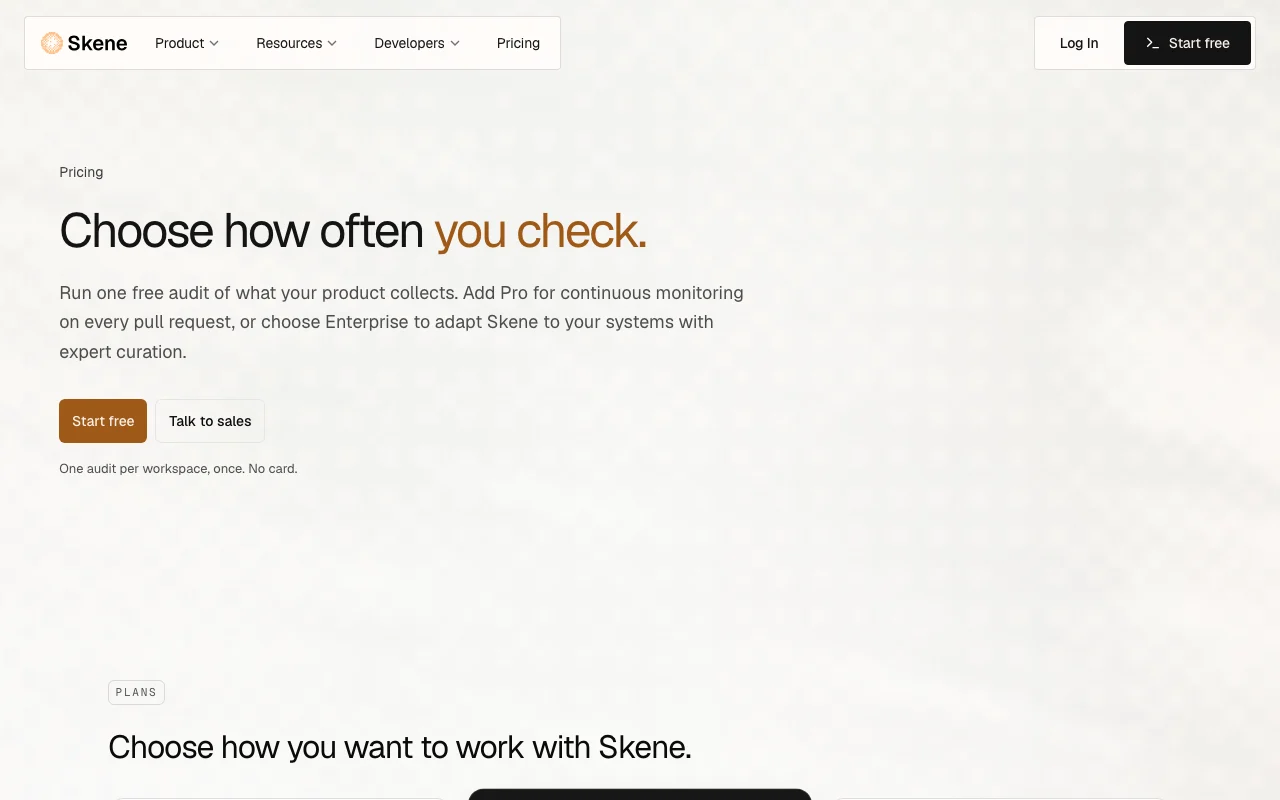
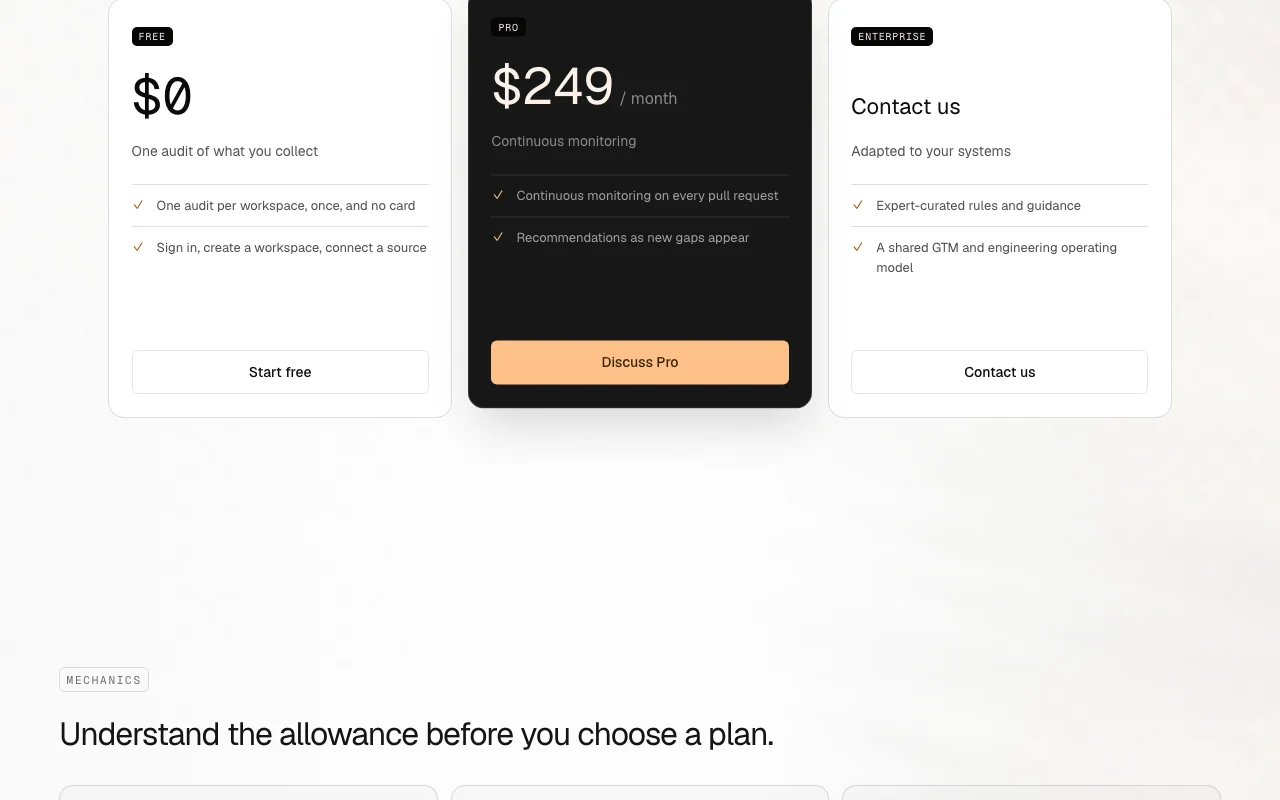
Skene pricing page with plans and prices — screenshot of the productivity & writing AI tool, Oct 2, 2026
The official Skene pricing page as we saw it. skene.ai, captured Oct 2, 2026

Free access and trial conditions

Free: one audit per workspace, once; no card; does not expire

Paid plans: what changes as you upgrade

Free Web

Free source (opens in a new tab)

One-time

For: Evaluating Skene

Limits

  • One audit per workspace, once
  • No card

Includes

  • Audit of what your product collects

Pro Web

$249 source (opens in a new tab)

Monthly, annual commitment

Annual: $2,390.40/yr vs $2,988 monthly; arrange by contacting Skene

For: Teams shipping often

Limits

  • Monthly usage allowance (owner emailed at 80% and 100%)

Includes

  • Continuous monitoring on every pull request
  • Recommendations as new gaps appear

Enterprise Web

Custom pricing source (opens in a new tab)

Custom

For: Organizations adapting Skene to their systems

Includes

  • Expert-curated rules and guidance
  • Shared GTM and engineering operating model

Usage caps, credits and extra costs

Nothing is charged beyond the allowance without choosing a plan

Not stated

What is Skene, and how does it work?

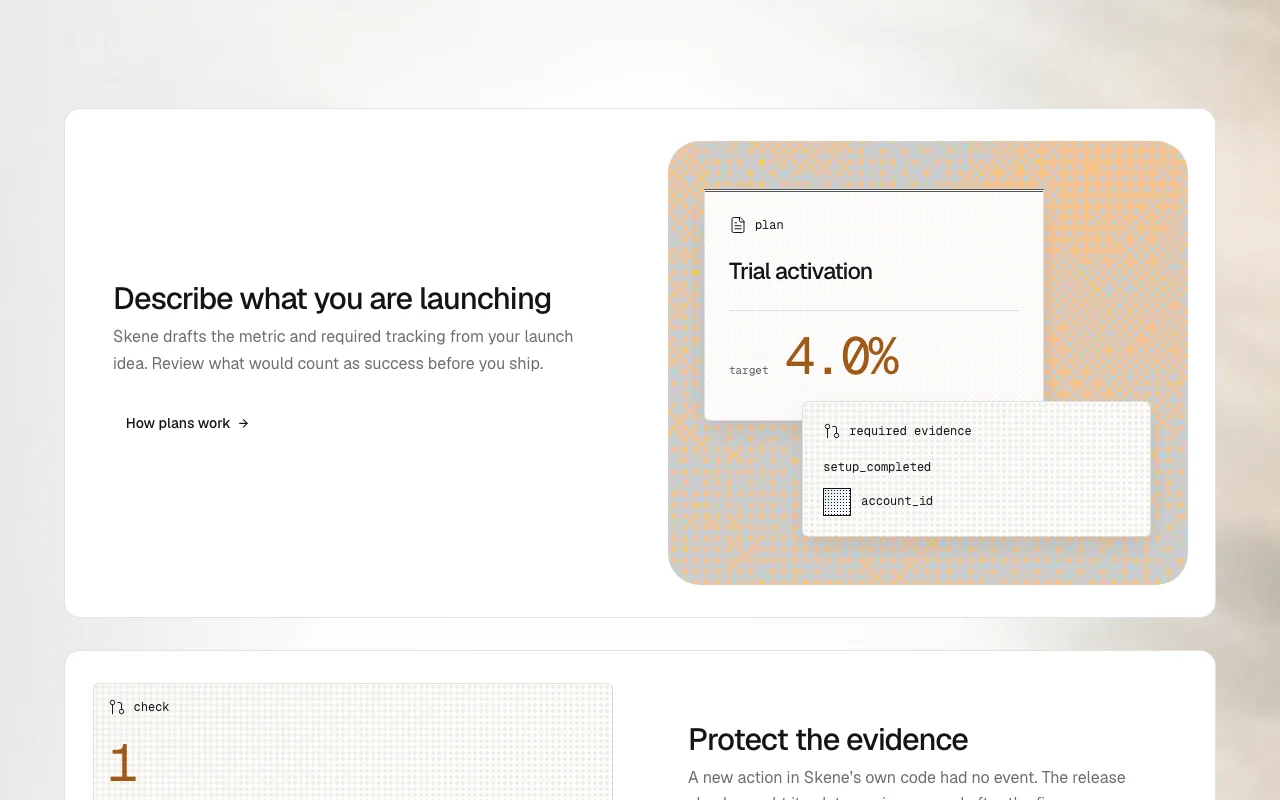
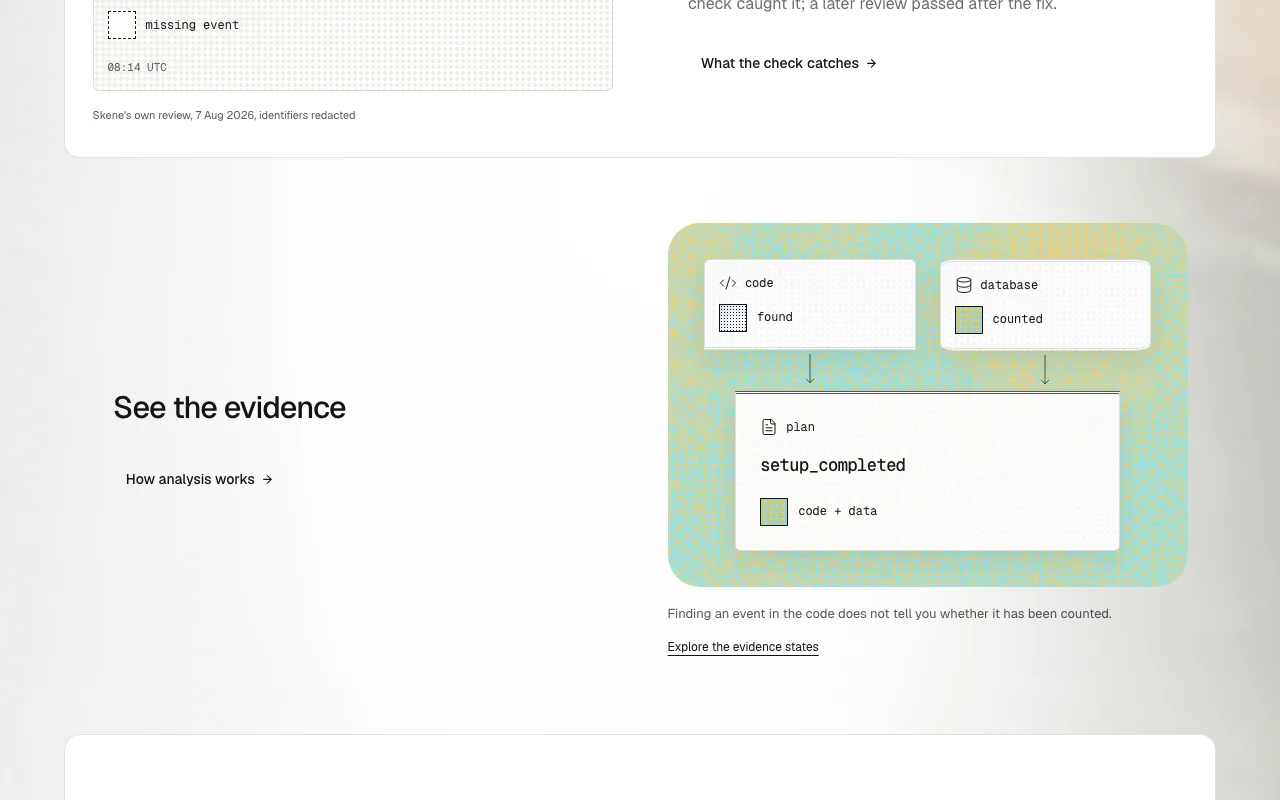
Skene is a growth and go-to-market tool that connects to a coding agent, a repository and sources such as Supabase. From a launch idea it drafts a metric and the tracking a launch needs, then checks the code for missing events. It reviews pull requests for tracking gaps and can open follow-up pull requests restoring deleted tracking. The site also describes open source and cloud options for developers.

Skene homepage — screenshot of the productivity & writing AI tool, Oct 2, 2026
Skene's official site: how the product presents itself. skene.ai, captured Oct 2, 2026

What you provide and what you get back

How Skene works: what you provide, where it runs and what you get backYOU PROVIDEYour inputA connected source (GitHub reposi…A launch idea described in textPull requests on the linked repos…PRODUCTIVITY & WRITINGSkeneWebfrom $249 (Pro)free tier availableaccount requiredchecked Oct 2, 2026YOU GET BACKThe resultAudit of what the product collect…Launch plan with hypothesis, succ…Pull request reviews and optional…input → Skene → output · from the vendor's own pages, no hands-on test unless stated
What you give Skene and what comes back, from its documentation

You provide

  • A connected source (GitHub repository or Supabase)
  • A launch idea described in text
  • Pull requests on the linked repository

You get back

  • Audit of what the product collects and where gaps are
  • Launch plan with hypothesis, success metric and tracking spec
  • Pull request reviews and optional fix pull requests

Where you can use it

Platforms
Web
Account
Required
Integrations
GitHub App, Supabase (OAuth, starts read-only)
GitHub permissions
Contents, Pull requests, Issues read and write
Free limit
One audit per workspace
Open source
Skene OSS command-line tool under MIT license

What people use Skene for

Scenarios are worked out by our editors from the documentation; the actual result depends on your input and plan.

Audit what a product currently collects

Who
Product and growth teams
You provide
Signed-in workspace with one connected source
Expected result
Audit naming what the product collects and the gaps
Plan needed
Free (one audit per workspace)
Limitation
Free audit is one-time source (opens in a new tab)

Plan a launch with a success metric and tracking spec

Who
Founders and PMs planning a launch
You provide
Description of what is being launched
Expected result
Metric and required tracking drafted for review
Plan needed
Not stated per plan
Limitation
Free vs paid scope for planning not stated on the pages source (opens in a new tab)

Check pull requests for missing tracking events

Who
Engineers shipping features
You provide
Pull requests on a linked GitHub repository
Expected result
Reviews flagging missing tracking events
Plan needed
Pro (continuous monitoring on every pull request)
Limitation
Pro is $249/mo; GitHub App needs read/write permissions source (opens in a new tab)

Skene features and their limits

Skene homepage — screenshot of the productivity & writing AI tool, Oct 2, 2026
Feature overview on the official site. skene.ai, captured Oct 2, 2026

Free audit of collected data

Checks what the product collects after you connect a source Shows tracking gaps

Access: Free (once per workspace)Limit: One audit only on Free source (opens in a new tab)

Launch plan with hypothesis and success metric

Plan with hypothesis, success metric, telemetry spec and success formula Defines success before shipping

Access: Not stated per planLimit: Not stated source (opens in a new tab)

Tracking checks on pull requests

Reviews pull requests for missing tracking and can open a follow-up fix PR on /skene fix Catches missing events before release

Access: ProLimit: Suggestions stay on the PR; Skene never pushes to the default branch source (opens in a new tab)

GitHub App with read/write repo permissions

Read/write on Contents, Pull requests and Issues for linked repositories Enables reviews and fix PRs

Access: With GitHub connectionLimit: Needs read and write permissions source (opens in a new tab)

Skene: strengths and limits

Where Skene is strong

Limitations to check before paying

How to use Skene for auditing product tracking before a launch

Set up Skene

  1. Sign in and create a workspace
  2. Connect one source (GitHub app scoped to chosen repositories, or Supabase over OAuth)
  3. Wait for Skene to start the analysis after setup

Example: auditing product tracking before a launch

  1. Open the free audit result
  2. Read which events are collected and which are missing
  3. Describe an upcoming launch to draft a metric and tracking
  4. Review plan suggestions on pull requests

Review and export the result

  1. Confirm the missing events match your code
  2. Check that plan target and evidence are clear
  3. Verify suggestions appear only on the pull request
Example prompt suggested by our editors (not a recorded output of the product)
We are launching a trial onboarding flow; draft the success metric and the tracking events we need.

Skene API

Skene pricing page with plans and prices — screenshot of the productivity & writing AI tool, Oct 2, 2026
Plan comparison on the official pricing page. skene.ai, captured Oct 2, 2026

API access and separate billing

Skene has no public API in its official documentation. Open-source MIT command-line tool (Skene OSS) runs locally without an account; docs page returned 404

Privacy, data use and commercial rights

Summarized from the vendor's current policies; this is not legal advice and a vendor's badge is not an independent audit.

How your inputs and outputs are handled

GitHub App reads linked repositories and posts reviews on pull requests; Supabase starts read-only

Privacy policy lists development and improvement of AI systems, including training and optimising AI models, on legitimate interest for personal data

Personal data kept for the customership; deleted or anonymized after expiry or two years inactive; accounting data current year plus six years

Controls for business users

  • Disconnect repository and delete Supabase tokens in settings
  • Never pushes to default branch
  • Repository-scoped GitHub App

Policies: skene.ai/privacy

Explore Skene further

Related to Skene

Skene user reviews

No user reviews yet.

Used Skene? Be the first to share your experience.

Write a review

Reviews are checked by a moderator before they appear. Your email is never published. Plain text only.

Your rating (required)

Show what you made or what went wrong. Images are published only if the review is approved; location data is removed.

    Skene FAQ

    Is there a free tier?

    Yes, $0 for one audit per workspace, once; no card and it does not expire. source (opens in a new tab)

    How much is Pro?

    $249/month, or $2,390.40 a year if arranged with Skene. source (opens in a new tab)

    Does Skene push code to my repository?

    No; it never pushes to the default branch, and suggestions stay on the pull request for review. source (opens in a new tab)

    Does Skene replace PostHog, Mixpanel or Segment?

    No; those tools keep their place and Skene checks the tracking they read. source (opens in a new tab)

    How do I disconnect?

    Use the controls in Skene settings to unlink the repository and delete the Supabase connection and tokens. source (opens in a new tab)

    Sources and review methodology

    Official sources and verification dates

    Not verified: Pro usage allowance size; API availability; Docs content (404); US availability; Mobile apps; Training use specific to customer code.

    How we documented and maintain this page

    Every fact about Skene above comes from the 3 official pages listed here, last compared on Oct 2, 2026; we have not run Skene ourselves, so it has no editorial score. How we check and re-check pages.

    Article updated Oct 2, 2026; prices checked Oct 2, 2026. Outbound links to vendors are plain links; we do not earn commissions. How we review · Report an error