Productivity & writingDocumented overviewLast checked Oct 1, 2026

SlideWhisper: Pricing, Features & Best Use Cases

Turns uploaded slides into AI-narrated talks with live Q&A and video export.
Who should use SlideWhisper

Choose SlideWhisper if you want to upload a PDF or Google Slides deck and get AI narration per slide with live voice Q&A, starting on a free plan with 200 credits. Based on the vendor's documentation, not on a hands-on test.

Best for: Presenters and sales teams

Also a good fit for

  • Educators

Consider another tool if free plan limited to 30 slides and 25MB

Or if

  • Free plan has 1 narration style
  • Video export and analytics only on paid plans

SlideWhisper pricing and usage limits

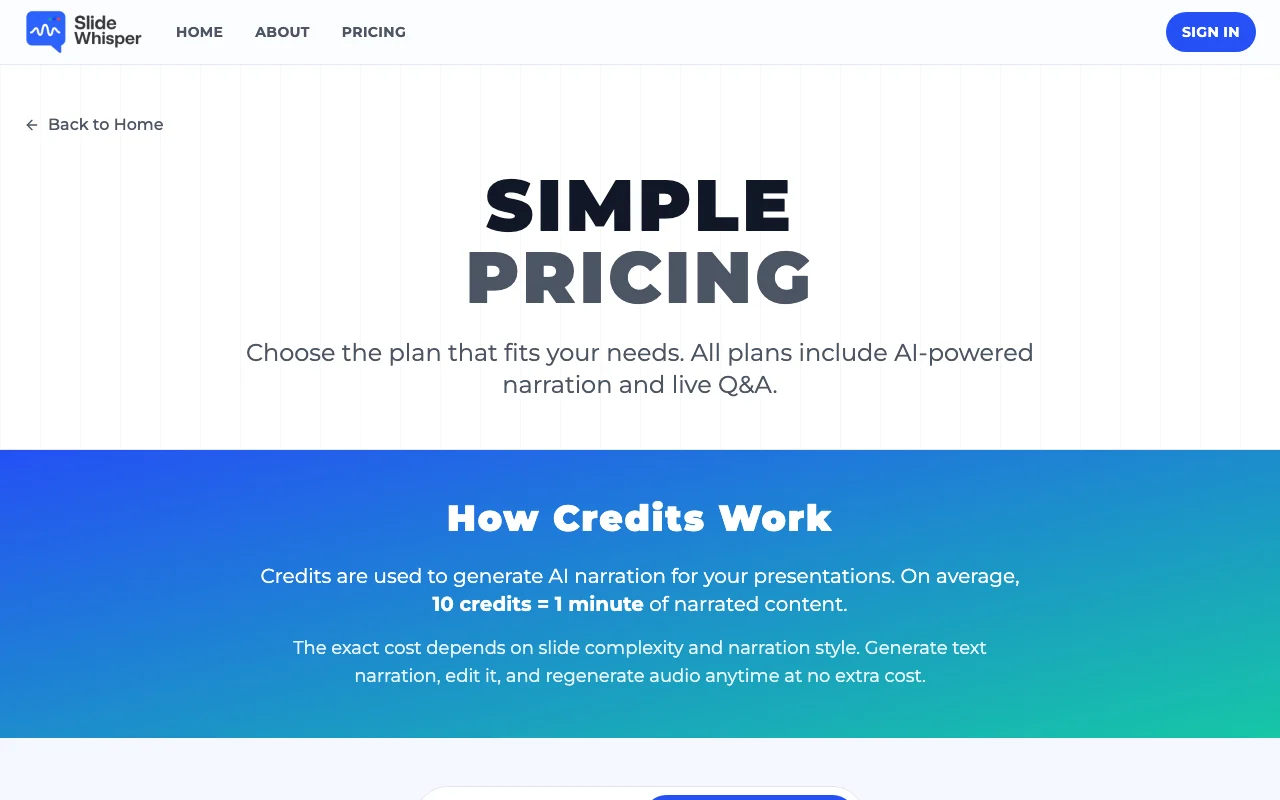
Prices checked Oct 1, 2026 on the official US pricing page. Official pricing ↗ Prices and limits change often.

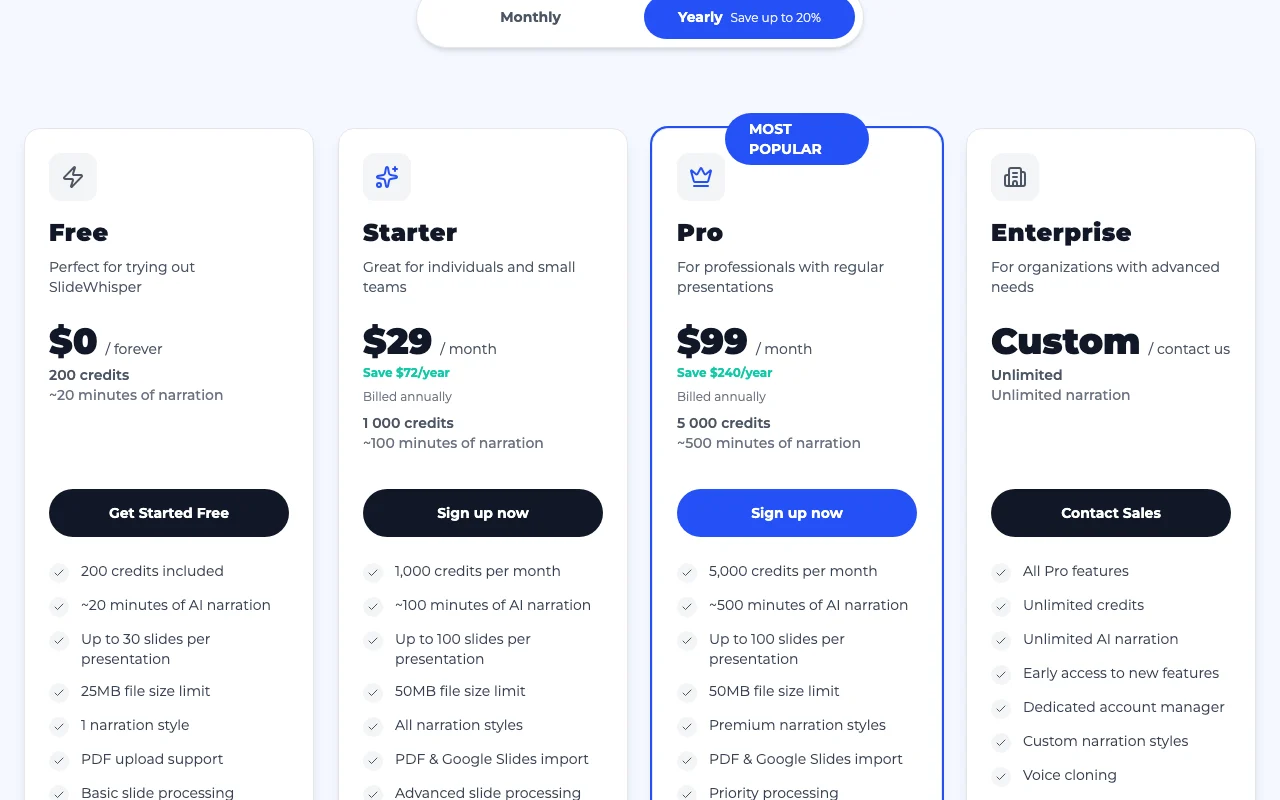
SlideWhisper pricing page with plans and prices — screenshot of the productivity & writing AI tool, Oct 2, 2026
The official SlideWhisper pricing page as we saw it. slidewhisper.com, captured Oct 2, 2026

Free access and trial conditions

Free plan with 200 credits (~20 minutes of narration), forever

Paid plans: what changes as you upgrade

Free Web

Free source (opens in a new tab)

Month

For: Trying SlideWhisper

Limits

  • 200 credits (~20 minutes)
  • Up to 30 slides, 25MB
1 more
  • 1 narration style

Includes

  • PDF upload
  • Shareable presentation links
1 more
  • Community support

Starter Web

$29/mo source (opens in a new tab)

Month, annual commitment

Price shown is billed annually (Starter saves $72/year, Pro saves $240/year versus monthly); monthly price not stated in text

For: Individuals and small teams

Limits

  • 1,000 credits/month (~100 minutes)
  • Up to 100 slides, 50MB

Includes

  • All narration styles
  • PDF and Google Slides import
2 more
  • Live Q&A
  • Video export and analytics

Pro Web

$99/mo source (opens in a new tab)

Month, annual commitment

Price shown is billed annually (Starter saves $72/year, Pro saves $240/year versus monthly); monthly price not stated in text

For: Professionals with regular presentations

Limits

  • 5,000 credits/month (~500 minutes)
  • Up to 100 slides, 50MB

Includes

  • Premium narration styles
  • High-resolution video export without watermark
2 more
  • Multi-language presentations
  • Priority processing

Enterprise Web

Custom pricing source (opens in a new tab)

Unknown

For: Organizations with advanced needs

Limits

  • Unlimited credits

Includes

  • Voice cloning
  • Video avatars
2 more
  • SSO and advanced security
  • SLA guarantee

Usage caps, credits and extra costs

Additional credit packs available; credits roll over while subscribed and stay 30 days after cancelling

Not stated

What is SlideWhisper, and how does it work?

SlideWhisper generates narration for each slide from an uploaded PDF or Google Slides deck, with an editor to refine text and regenerate audio. Attendees can ask questions that the AI answers live; plans are credit-based, with roughly 10 credits per minute of narration.

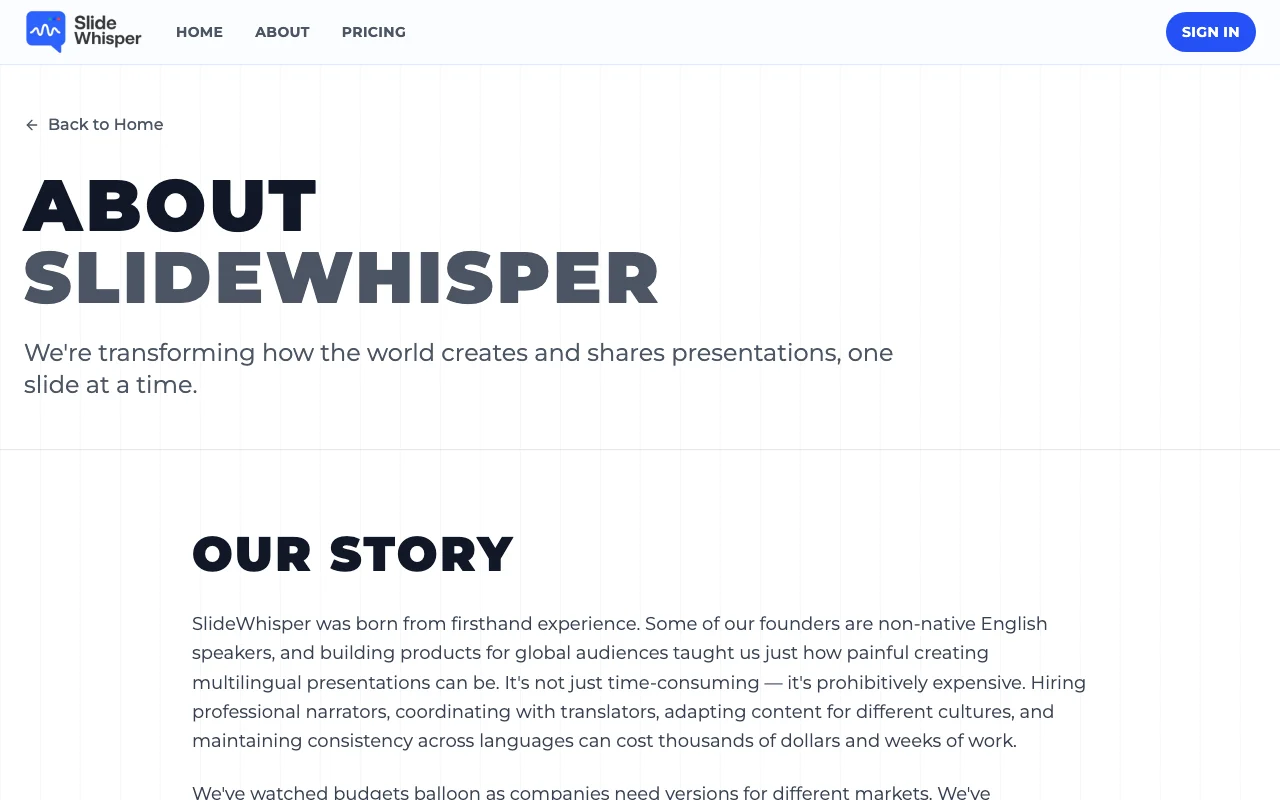
SlideWhisper homepage — screenshot of the productivity & writing AI tool, Oct 2, 2026
SlideWhisper's official site: how the product presents itself. slidewhisper.com, captured Oct 2, 2026

What you provide and what you get back

How SlideWhisper works: what you provide, where it runs and what you get backYOU PROVIDEYour inputPDF uploadsGoogle Slides importsPRODUCTIVITY & WRITINGSlideWhisperWebfrom $29/mo (Starter)free tier availableaccount requiredchecked Oct 1, 2026YOU GET BACKThe resultAI-narrated presentation with sha…Video export (paid)Engagement analytics (paid)input → SlideWhisper → output · from the vendor's own pages, no hands-on test unless stated
What you give SlideWhisper and what comes back, from its documentation

You provide

  • PDF uploads
  • Google Slides imports

You get back

  • AI-narrated presentation with shareable link
  • Video export (paid)
  • Engagement analytics (paid)

Where you can use it

Platforms
Web
Account
Required
Input formats
PDF; Google Slides on paid plans
Slide limit
30 (Free), 100 (paid)
File size
25MB (Free), 50MB (paid)
Credits
200 / 1,000 / 5,000 per month
Languages
Multi-language on Pro

Best use cases for SlideWhisper

Scenarios are worked out by our editors from the documentation; the actual result depends on your input and plan.

Narrating pitch decks

Who
Founders and sales teams
You provide
Pitch deck PDF
Expected result
Narrated deck that plays without a presenter
Plan needed
Free or Starter
Limitation
Free: up to 30 slides, 1 narration style source (opens in a new tab)

Quarterly business reviews

Who
Product and team leads
You provide
Quarterly review slides
Expected result
Self-running narrated review with shareable link
Plan needed
Starter or Pro
Limitation
Credits are capped per month source (opens in a new tab)

Live Q&A in presentations

Who
Presenters and trainers
You provide
Deck plus audience questions by voice
Expected result
AI answers drawn from the slides and saved to notes
Plan needed
Starter and above
Limitation
Live Q&A not on the free plan source (opens in a new tab)

What SlideWhisper does, and where it stops

SlideWhisper homepage — screenshot of the productivity & writing AI tool, Oct 2, 2026
Feature overview on the official site. slidewhisper.com, captured Oct 2, 2026

AI narration per slide

Generates narration for each slide with AI and lets you edit text in the Green Room editor Removes script writing

Access: All plansLimit: About 10 credits per minute of narration source (opens in a new tab)

Green Room editor

Imports PDFs and Google Slides decks Works with existing decks

Access: PDF on Free; Google Slides on Starter and aboveLimit: Free 25MB, paid 50MB per file source (opens in a new tab)

PDF and Google Slides import

Answers attendee voice questions live (say Hey Presenter) Audience can interact

Access: Starter and aboveLimit: Answers based on slide content source (opens in a new tab)

Live Q&A via voice

Exports videos and tracks engagement analytics Shares talks as video and shows viewing patterns

Access: Starter and above; high-resolution and watermark-free on ProLimit: Not on Free source (opens in a new tab)

Pros, cons and deal-breakers

Reasons to choose SlideWhisper

Check before paying for SlideWhisper

How to use SlideWhisper for narrating a slide deck with AI

Set up SlideWhisper

  1. Sign up for the free plan
  2. Upload a PDF or import a Google Slides deck
  3. Choose a narration style
  4. Generate narration and wait for slide processing

Example: narrating a slide deck with AI

  1. Upload a quarterly review PDF
  2. Generate text narration slide by slide
  3. Edit the text in the Green Room
  4. Regenerate audio and share the link

Review and export the result

  1. Play each slide and confirm the narration matches content
  2. Check your remaining credits

SlideWhisper integrations

SlideWhisper pricing page with plans and prices — screenshot of the productivity & writing AI tool, Oct 2, 2026
Plan comparison on the official pricing page. slidewhisper.com, captured Oct 2, 2026

Native integrations and export formats

Export: Video (paid), Shareable link

Privacy, data use and commercial rights

Summarized from the vendor's current policies; this is not legal advice and a vendor's badge is not an independent audit.

How your inputs and outputs are handled

Stores uploaded presentations and slide content; processed to generate narration and Q&A

Kept as long as necessary to provide services

Controls for business users

  • Access, correction, deletion and export rights

Policies: slidewhisper.com/privacy

Best SlideWhisper alternatives for different needs

"Better suited" is based on documented features and pricing, not on a head-to-head test.

Synthesia: better suited to

ElevenLabs: better suited to

Alternatives
AlternativeWhen to choose itPricingLimitation
Synthesia——
ElevenLabs——

Explore SlideWhisper further

If you are looking at SlideWhisper

SlideWhisper user reviews

No user reviews yet.

Used SlideWhisper? Be the first to share your experience.

Write a review

Reviews are checked by a moderator before they appear. Your email is never published. Plain text only.

Your rating (required)

Show what you made or what went wrong. Images are published only if the review is approved; location data is removed.

    SlideWhisper FAQ

    How much does SlideWhisper cost?

    Free is $0; Starter $29/month and Pro $99/month, both shown billed annually; Enterprise is custom. source (opens in a new tab)

    How do credits work?

    On average 10 credits equal 1 minute of narration, depending on slide complexity and style. source (opens in a new tab)

    Do credits roll over?

    Yes, while the subscription is active; after cancelling they remain for 30 days. source (opens in a new tab)

    What if I run out of credits?

    Upgrade or buy credit packs; existing presentations stay accessible. source (opens in a new tab)

    Can I cancel anytime?

    Yes, with no penalties; access continues until the billing period ends. source (opens in a new tab)

    Sources and review methodology

    Official sources and verification dates

    Not verified: Training use of uploaded decks; Monthly (non-annual) prices; API availability; Voice sources and licences; Taxes.

    How we documented and maintain this page

    Every fact about SlideWhisper above comes from the 3 official pages listed here, last compared on Oct 1, 2026; we have not run SlideWhisper ourselves, so it has no editorial score. How we check and re-check pages.

    Article updated Oct 2, 2026; prices checked Oct 1, 2026. Outbound links to vendors are plain links; we do not earn commissions. How we review · Report an error