Unsere Einschätzung: Sim suits teams that want an open-source, self-hostable workspace to build agent workflows visually, by chat or in code, with central control of access, spend and logs.
Wichtigste Einschränkung: All plans are credit-metered, and the Free plan has only 1,000 one-time credits, 1 workspace and 30-day logs.
Von den Redakteuren des AI Tool Atlas.
Auf Basis der offiziellen Dokumentation des Anbieters; wir haben dieses Produkt nicht selbst getestet. Was „dokumentierte Übersicht“ bedeutet
Für wen Sim passt
Sim suits teams that want an open-source, self-hostable workspace to build agent workflows visually, by chat or in code, with central control of access, spend and logs. Auf Basis der Dokumentation des Anbieters, nicht in einem praktischen Test.
Am besten für: Teams building internal AI agents
Auch gut geeignet für
Companies needing governed agent deployment
Developers wanting a self-hostable agent platform
Ein anderes Tool in Betracht ziehen, wenn usage is credit-metered on all plans
Oder wenn
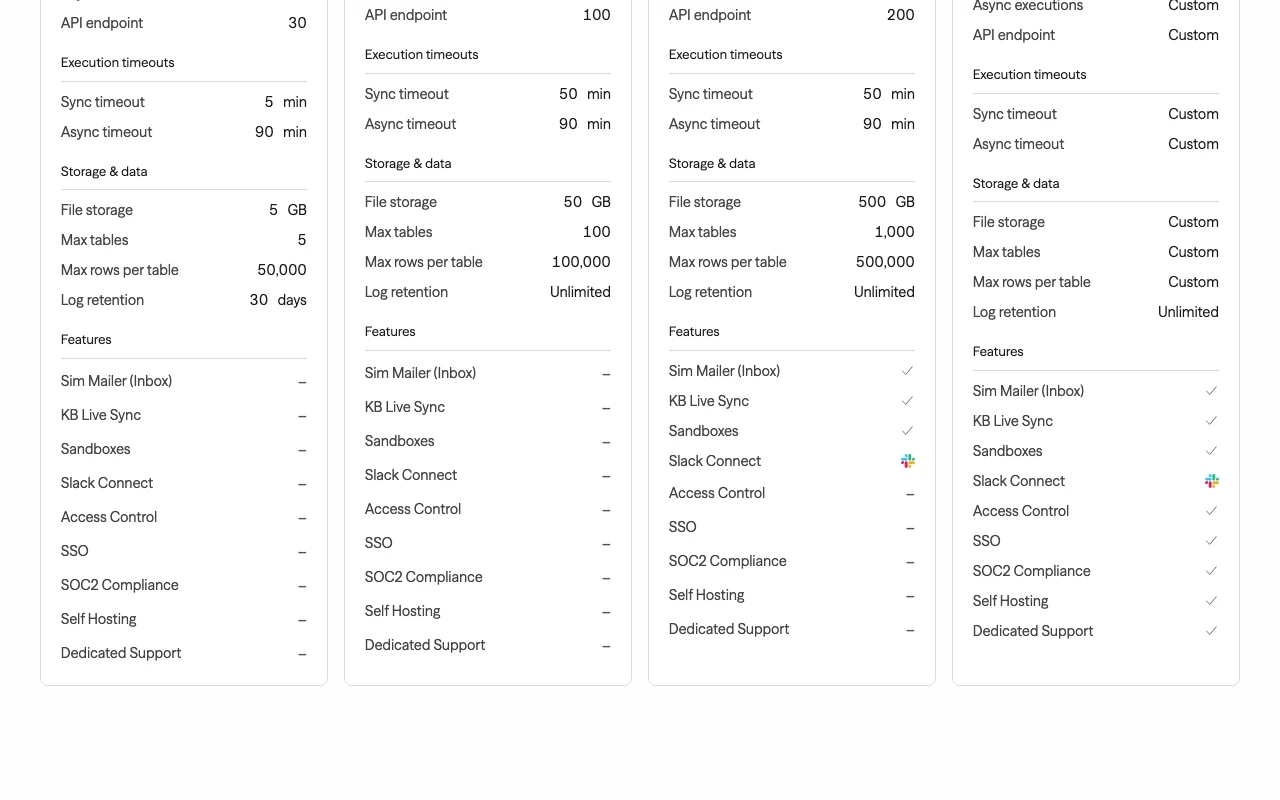
Free plan limited to 1 workspace, 5 GB storage, 30-day logs
Desktop app is macOS-only
Sim Preise und Nutzungslimits
Preise am Sep 29, 2026 auf der offiziellen US-Preisseite geprüft. Offizielle Preise ↗ Preise und Limits ändern sich häufig.
Preisseite des Anbieters vor 12 Tagen automatisch neu geprüft: keine Änderungen festgestellt.
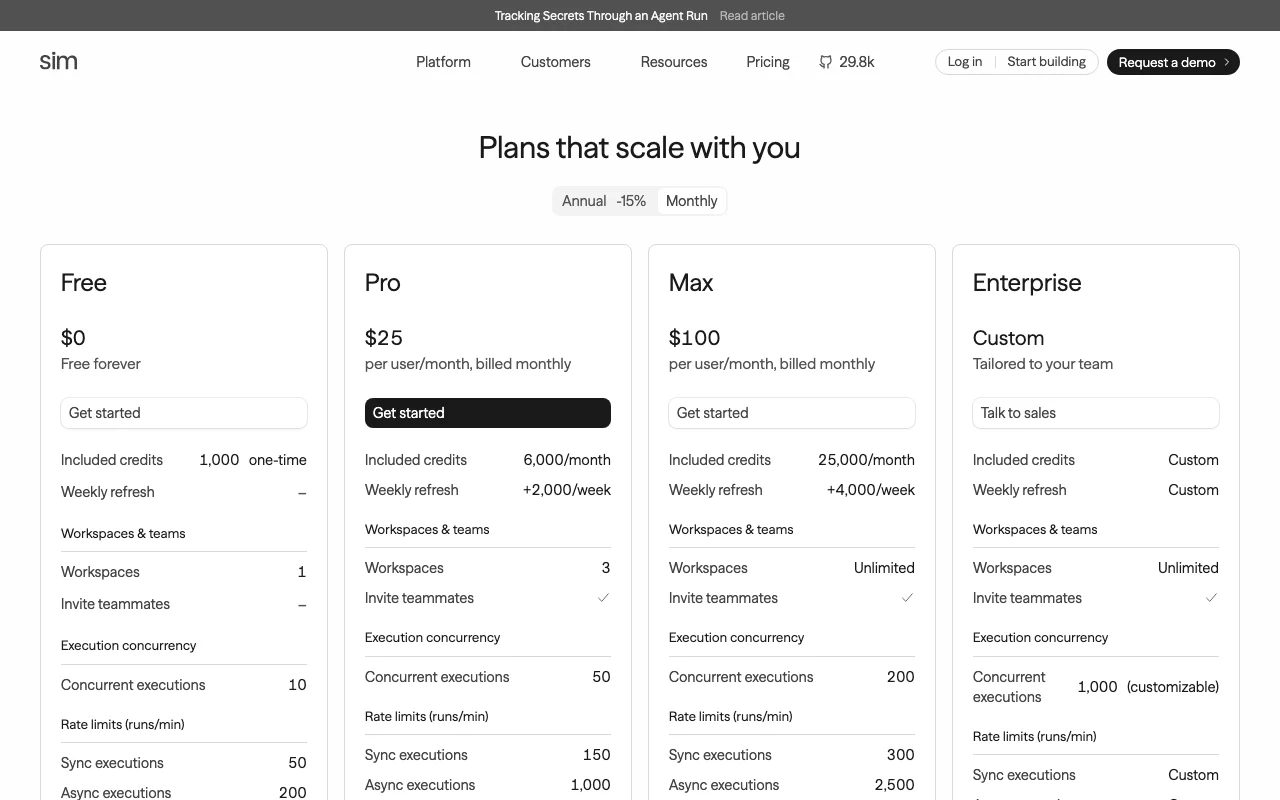
Die offizielle Sim-Preisseite, wie wir sie gesehen haben. sim.ai, erfasst Oct 1, 2026
Kostenloser Zugang und Testbedingungen
Free forever plan with 1,000 one-time credits.
Kostenpflichtige Tarife: was sich beim Upgrade ändert
Credits are consumed by runs; weekly refresh adds credits on paid plans.
Was ist Sim und wie funktioniert es?
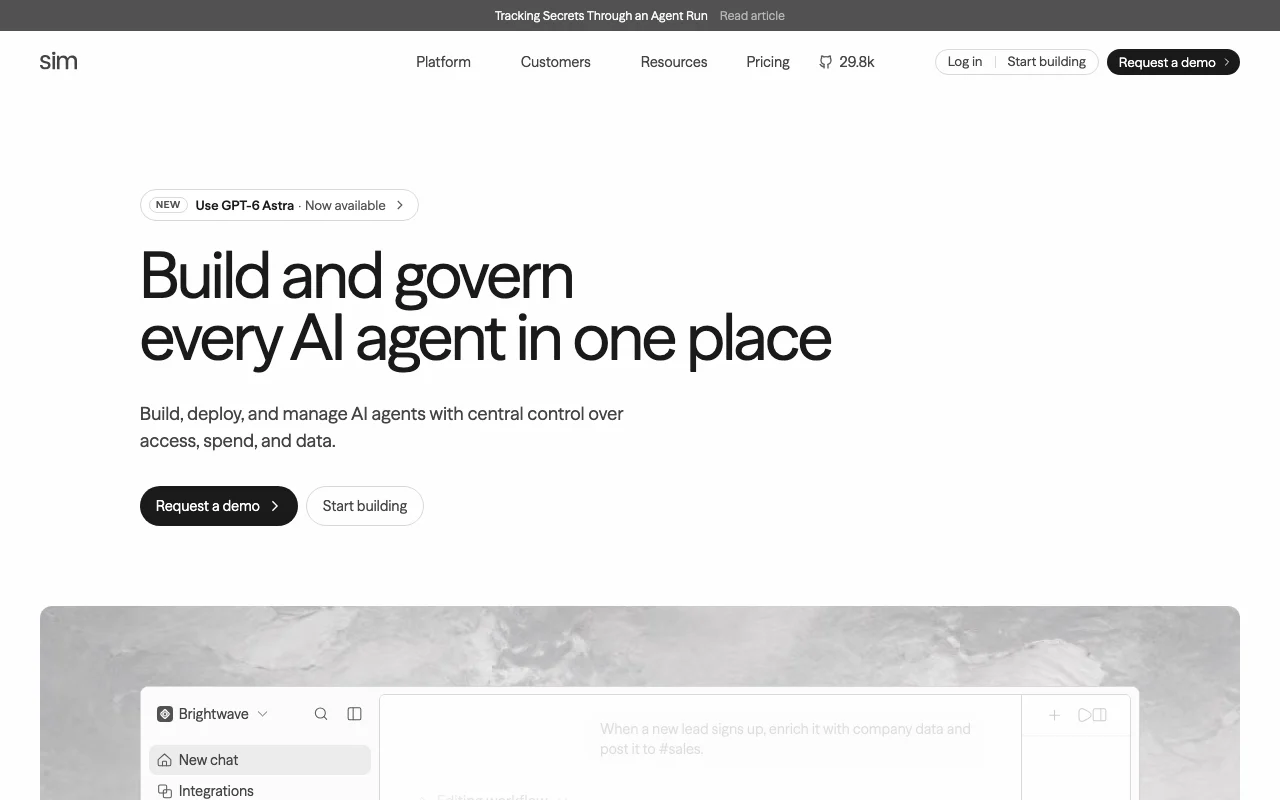
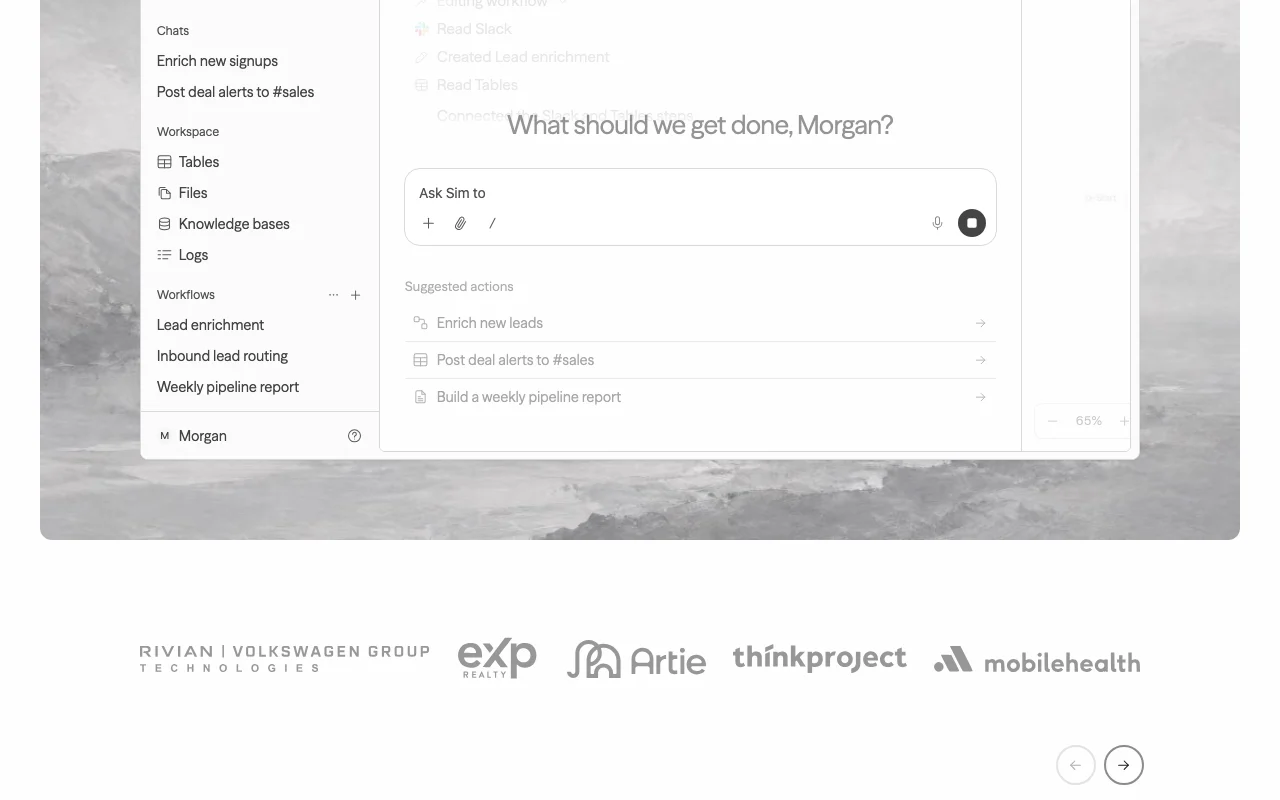
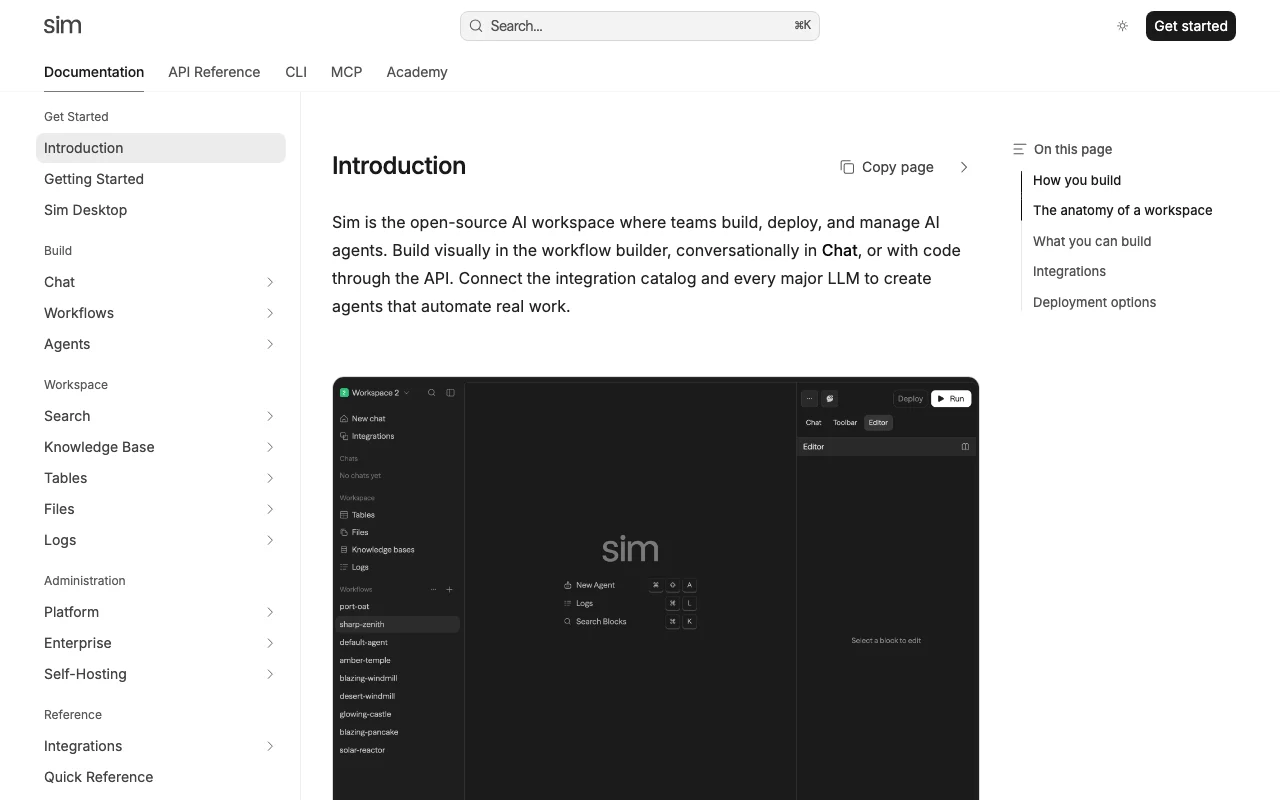
Sim is an open-source (Apache 2.0) AI workspace where teams build agents via a visual workflow builder, chat, or code, connect 200+ integrations and multiple LLM providers, and manage them with central control over access, spend and data.
It includes knowledge bases, tables, file storage and block-level execution logs. It runs as a managed cloud service, self-hosted via Docker Compose or Kubernetes, and as a macOS desktop app with a built-in browser and terminal.
Offizielle Website von Sim: So stellt sich das Produkt selbst dar. sim.ai, erfasst Oct 1, 2026
Was Sie liefern und was Sie erhalten
Was Sie Sim geben und was zurückkommt, laut Dokumentation
Sie liefern
Agent prompts and workflow blocks (visual canvas, chat or code)
Synced sources (Notion, Google Drive, Confluence, Slack, GitHub, SharePoint)
Triggers via API, webhook or schedule
Sie erhalten zurück
Running agents and workflows
Block-by-block run traces and logs
Tables and files stored by agents
Wo Sie es nutzen können
Plattformen
Web, Desktop, API
Konto
Erforderlich
Triggers
API endpoint, webhook, schedule, CLI
Rate limits (sync runs/min)
50 / 150 / 300
Storage
5 GB / 50 GB / 500 GB
Tables
5 / 100 / 1,000 tables
Deployment
Cloud, Docker, Kubernetes self-host
Compliance
SOC 2 Type II, ISO 27001, GDPR
Wo Sim am nützlichsten ist
Die Szenarien erarbeiten unsere Redakteure anhand der Dokumentation; das tatsächliche Ergebnis hängt von Ihrer Eingabe und Ihrem Tarif ab.
Building multi-step AI agent workflows
Wer
Teams building internal agents
Sie liefern
Agent block with a model prompt, function and tool blocks
Erwartetes Ergebnis
A deployed workflow with error branches that runs on API, webhook or schedule
Funktionsüberblick auf der offiziellen Website. sim.ai, erfasst Oct 1, 2026
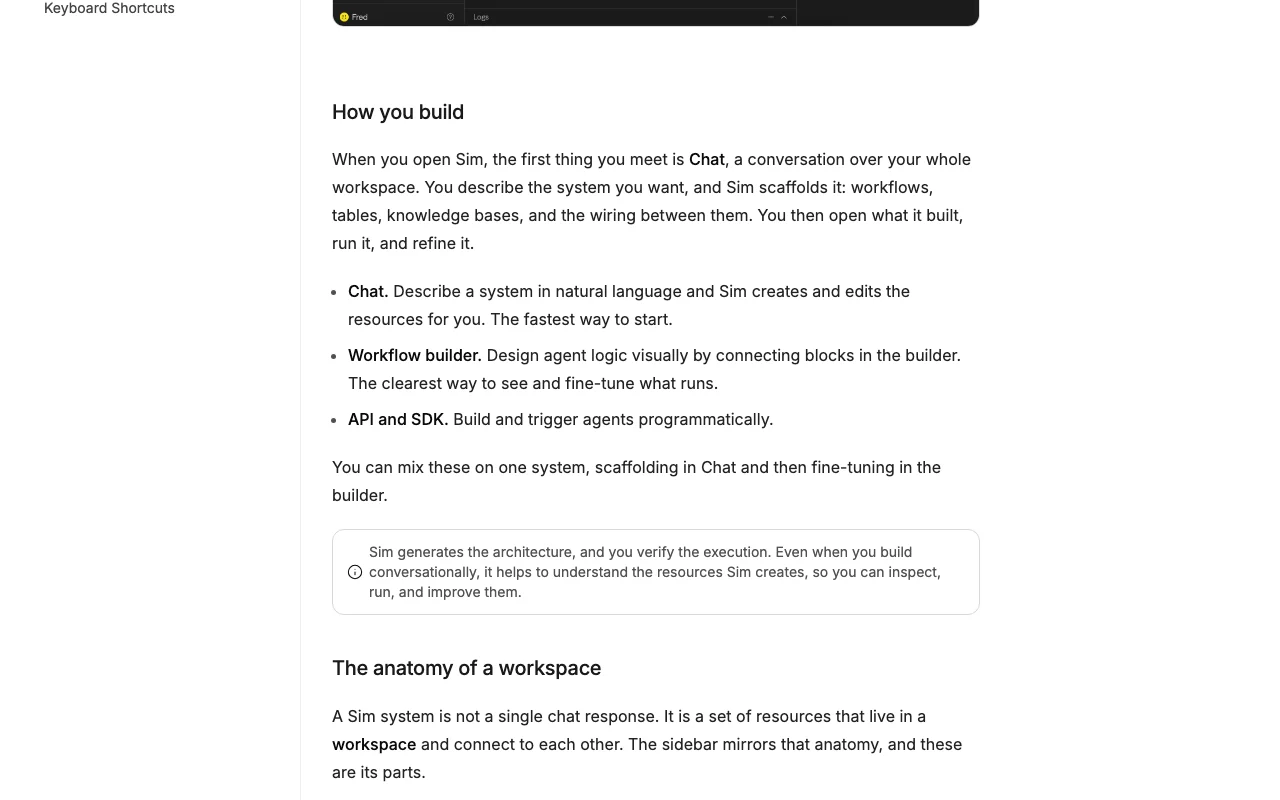
Visual, chat and code-based workflow builder
Workflows chain blocks (Agent, Function, integrations) with on-error paths; you build them on a canvas, by describing the agent in chat, or with code, and can run them from a CLI. Different skill levels share one workflow.
Blocks connect to services like Slack, Sheets and Gmail and let each Agent block pick from major LLMs. Avoids model lock-in.
Zugriff: All plansLimit: Exact integration count is a seed claim; homepage says hundredsQuelle (öffnet in neuem Tab)
Knowledge bases, tables and files
Connectors auto-sync documents into a knowledge base for agent memory; tables hold structured data between runs; files store uploads and outputs. Persistent context for agents.
Free plan with 1,000 credits/month You can build and test a first agent at no cost (pricing table says 1,000 one-time).dokumentiertQuelle (öffnet in neuem Tab)
Open-source with self-hosting option Run in your own cloud via Docker or Kubernetes.dokumentiertQuelle (öffnet in neuem Tab)
SSO and self-hosted enterprise features require Enterprise plan Governance features need a sales contract.dokumentiertQuelle (öffnet in neuem Tab)
So nutzen Sie Sim für building a support-ticket agent workflow
Sim Dokumentation: Quellen der folgenden Schritte. docs.sim.ai, erfasst Oct 1, 2026
Sim einrichten
Sign up at sim.ai and create your first workspace.
Add an Agent block and choose a model such as Claude Sonnet.
Connect integrations like Slack or Sheets from the block settings.
Beispiel: building a support-ticket agent workflow
Add a Start trigger and wire it to an Agent block with the prompt 'Draft a reply to this ticket'.
Add a Function block to format the reply and a Slack block to post it.
Deploy and run it with the CLI: sim workflows run with --follow and an input file.
Ergebnis prüfen und exportieren
Open Logs and inspect the run trace block by block for errors.
Check cost and credits used in the run overview.
Von unserer Redaktion vorgeschlagener Beispiel-Prompt (keine aufgezeichnete Ausgabe des Produkts)
Draft a reply to this support ticket using the knowledge base and post it to #support.
Sim API
Sim Dokumentation (Fortsetzung). docs.sim.ai, erfasst Oct 1, 2026
API-Zugang und separate Abrechnung
Eine API ist verfügbar, Abrechnung nicht dokumentiert. Workflows callable via API endpoint, webhook, schedule or CLI. API-Dokumentation ↗
Datenschutz, Datennutzung und kommerzielle Rechte
Zusammengefasst aus den aktuellen Richtlinien des Anbieters; dies ist keine Rechtsberatung, und das Badge eines Anbieters ersetzt kein unabhängiges Audit.
Wie Ihre Eingaben und Ausgaben verarbeitet werden
Uploaded content and connected Google data (Drive, Gmail, Calendar) are accessed only for features you enable.
Policy defines Generalized AI/ML models in its Google-data section; consult it for training limits.
Each workspace sets how long run data is kept.
Kommerzielle Nutzung und Tarifbeschränkungen
Access Control, SSO, SOC2 and Self Hosting are Enterprise.
What do the Free, Pro and Max plans include in credits?
Free 1,000 one-time credits; Pro 6,000 per month plus 2,000 weekly refresh; Max 25,000 per month plus 4,000 weekly refresh. Quelle (öffnet in neuem Tab)
How long can a workflow run?
Free sync timeout is 5 minutes; Pro and Max 50 minutes; async runs up to 90 minutes on all plans. Quelle (öffnet in neuem Tab)
Can I self-host Sim?
Yes, it is open source and runs in your cloud with Docker or Kubernetes; Self Hosting is listed on Enterprise. Quelle (öffnet in neuem Tab)
Nicht verifiziert: Annual price per plan; Model-training use of customer data; Credit cost per block run.
Wie wir diese Seite dokumentiert haben und pflegen
Jede Angabe zu Sim oben stammt aus den 4 hier aufgeführten offiziellen Seiten, zuletzt verglichen am Sep 29, 2026; wir haben Sim nicht selbst getestet, daher gibt es keine redaktionelle Bewertung. Wie wir Seiten prüfen und erneut prüfen.
Artikel aktualisiert Oct 10, 2026; Preise geprüft Sep 29, 2026. Ausgehende Links zu Anbietern sind einfache Links; wir erhalten keine Provisionen. So testen wir · Fehler melden