Our take: Screenpipe suits knowledge workers, founders and teams who want screen, audio and meeting history captured locally and exposed to Claude, Codex or other approved agents for summaries, follow-ups and automations.
Main limitation: The free plan limits history and scheduled workflows, and capture uses about 30 GB of storage per month by default and 600 MB to 4 GB of RAM.
By the AI Tool Atlas editors.
Based on the vendor's official documentation; we have not tested this product hands-on. What “documented overview” means
Who should use screenpipe
Screenpipe suits knowledge workers, founders and teams who want screen, audio and meeting history captured locally and exposed to Claude, Codex or other approved agents for summaries, follow-ups and automations. Based on the vendor's documentation, not on a hands-on test.
Best for: Developers and founders wanting searchable work memory
Also a good fit for
Teams exploring AI agents with local context
Consider another tool if free plan limits history and workflows
Or if
Storage use is about 30 GB per month by default
Needs 600 MB to 4 GB RAM depending on settings
screenpipe pricing and usage limits
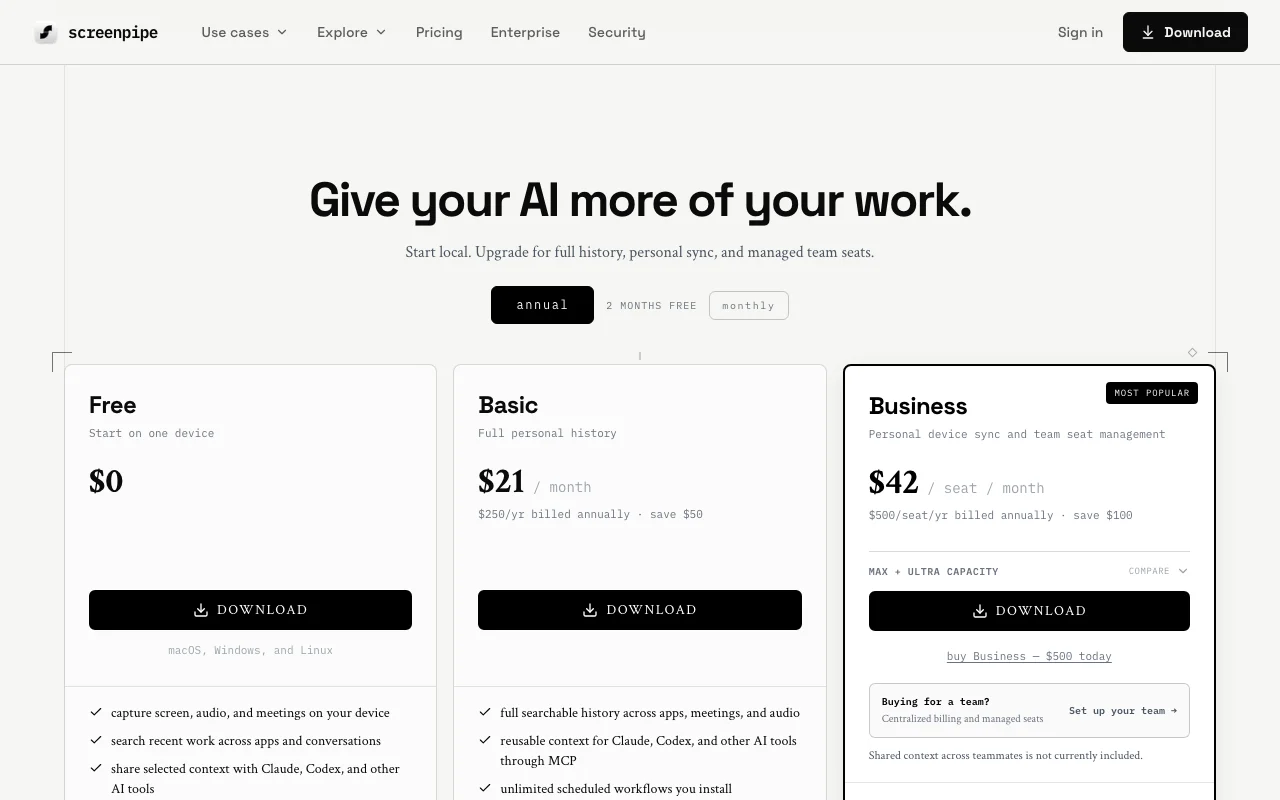
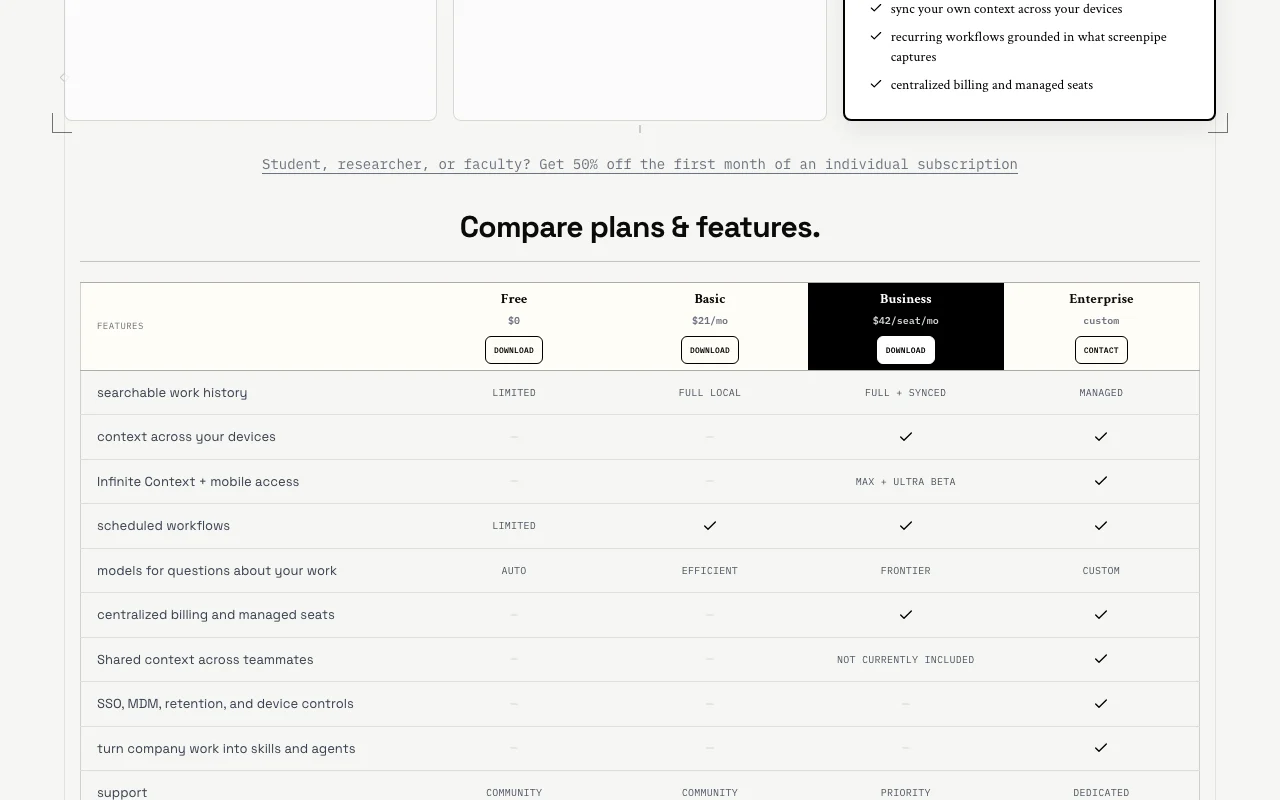
Prices checked Oct 1, 2026 on the official US pricing page. Official pricing ↗ Prices and limits change often.
The official screenpipe pricing page as we saw it. screenpipe.com, captured Oct 1, 2026
Free access and trial conditions
Free plan for one device.
Students, researchers and faculty get 50% off the first month of an individual subscription.
Business Max and Ultra add capacity; details are not priced on the page.
Not stated.
What is screenpipe, and how does it work?
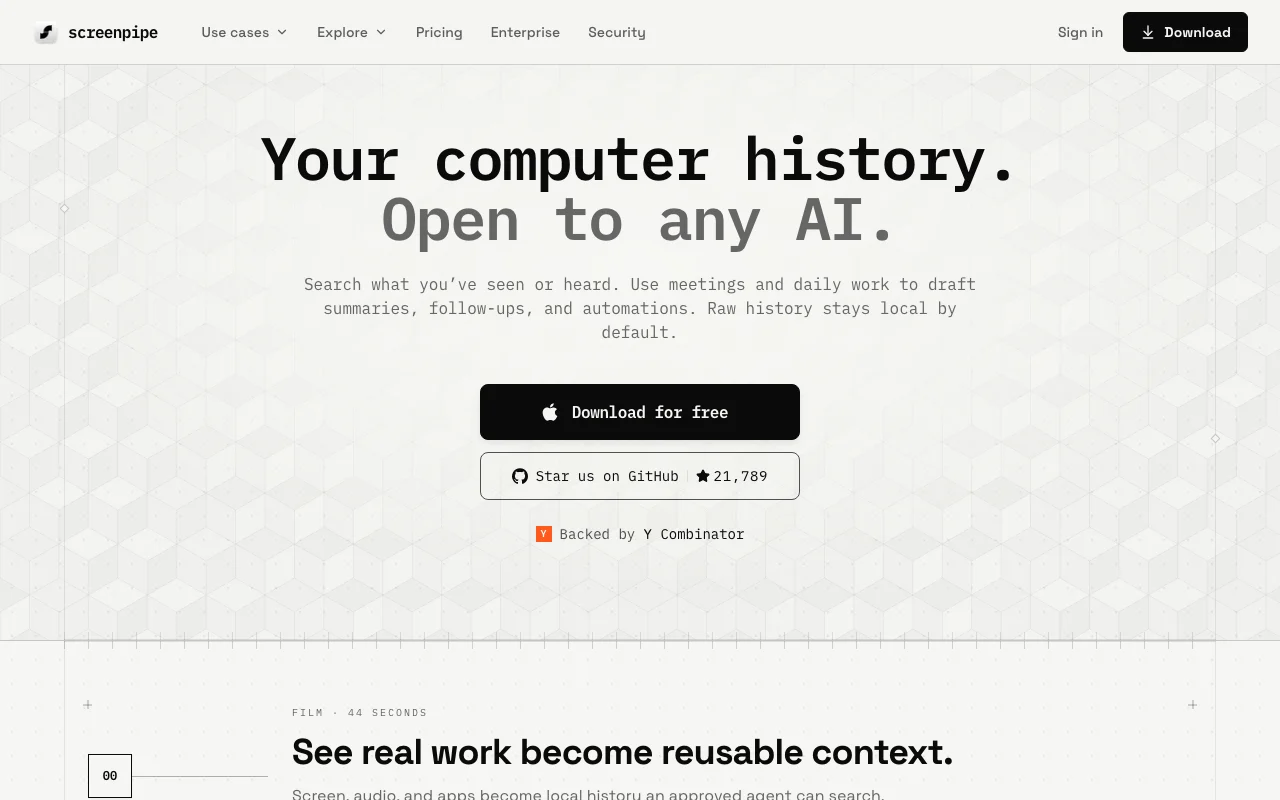
screenpipe captures screen, audio and meetings on your device and turns them into a searchable work history. The site says raw history stays local by default and can be shared with approved agents such as Claude and Codex.
Users can set up scheduled workflows (pipes) such as meeting notes, and query the data through a local API or MCP. It is available for macOS, Windows and Linux.
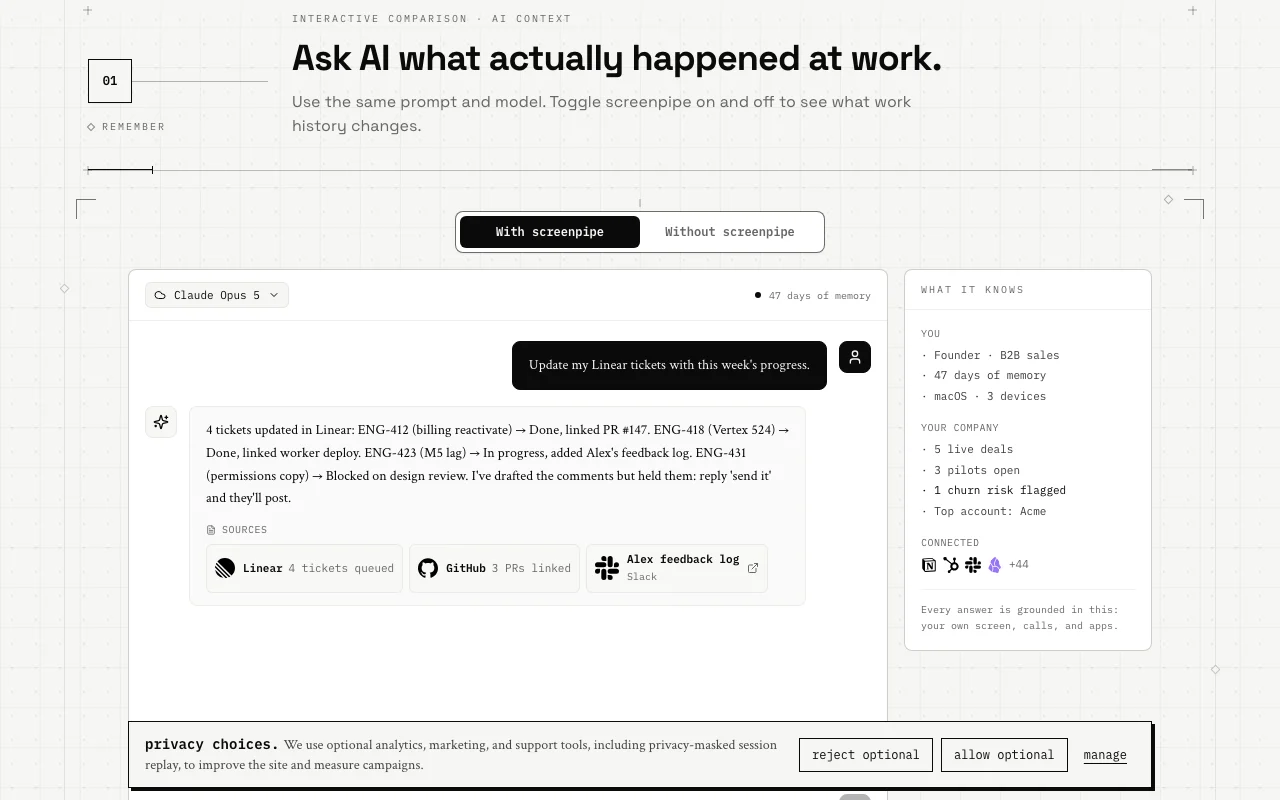
screenpipe's official site: how the product presents itself. screenpipe.com, captured Oct 1, 2026
What you provide and what you get back
What you give screenpipe and what comes back, from its documentation
You provide
Screen frames with OCR
Accessibility context
Microphone and system audio
Meetings
You get back
Searchable local history
Meeting notes and action items
Context for agents via MCP and REST API
Scheduled pipe workflows
Where you can use it
Platforms
Desktop, API
OS
macOS 13+, Windows 10+, Linux
Storage
About 30 GB per month, configurable retention
RAM
600 MB to 4 GB depending on settings
Access
Local REST API on port 3030 and MCP server
Where screenpipe is most useful
Scenarios are worked out by our editors from the documentation; the actual result depends on your input and plan.
Search past screen and meeting content
Who
Founders and sales people
You provide
Recent calls and screen work
Expected result
Answers about what was said, such as what you told a customer about pricing
Free is $0, Basic $21 per month ($250 per year), Business $42 per seat per month ($500 per seat per year), and Enterprise is custom. source (opens in a new tab)
What are the system requirements?
macOS 13+, Windows 10+ or Linux, 600 MB to 4 GB of RAM depending on settings and about 30 GB of storage per month. source (opens in a new tab)
Not verified: Full privacy policy contents; Docs content; Free plan exact limits; Max and Ultra pricing.
How we documented and maintain this page
Every fact about screenpipe above comes from the 5 official pages listed here, last compared on Oct 1, 2026; we have not run screenpipe ourselves, so it has no editorial score. How we check and re-check pages.
Article updated Oct 10, 2026; prices checked Oct 1, 2026. Outbound links to vendors are plain links; we do not earn commissions. How we review · Report an error