Productivity & writingDocumented overviewLast checked Sep 29, 2026

RowSpeak: Pricing, Features & Best Use Cases

AI spreadsheet assistant that analyzes Excel, CSV, PDF and image data into charts, reports and dashboards via plain English.
Is RowSpeak right for you?

Choose RowSpeak if you work in spreadsheets and want to ask for analysis, cleaning, charts and dashboards in plain English, accepting message and dashboard caps on the lower plans. Based on the vendor's documentation, not on a hands-on test.

Best for: Finance and operations teams

Also a good fit for

  • Sales and marketing analysts

Consider another tool if essential plan limited to 150 chat messages per month

Or if

  • Per-chat file limits (5 to 30 files)
  • Dashboard generation capped per month (10 to 100)

RowSpeak pricing and usage limits

Prices checked Sep 29, 2026 on the official US pricing page. Official pricing ↗ Prices and limits change often.

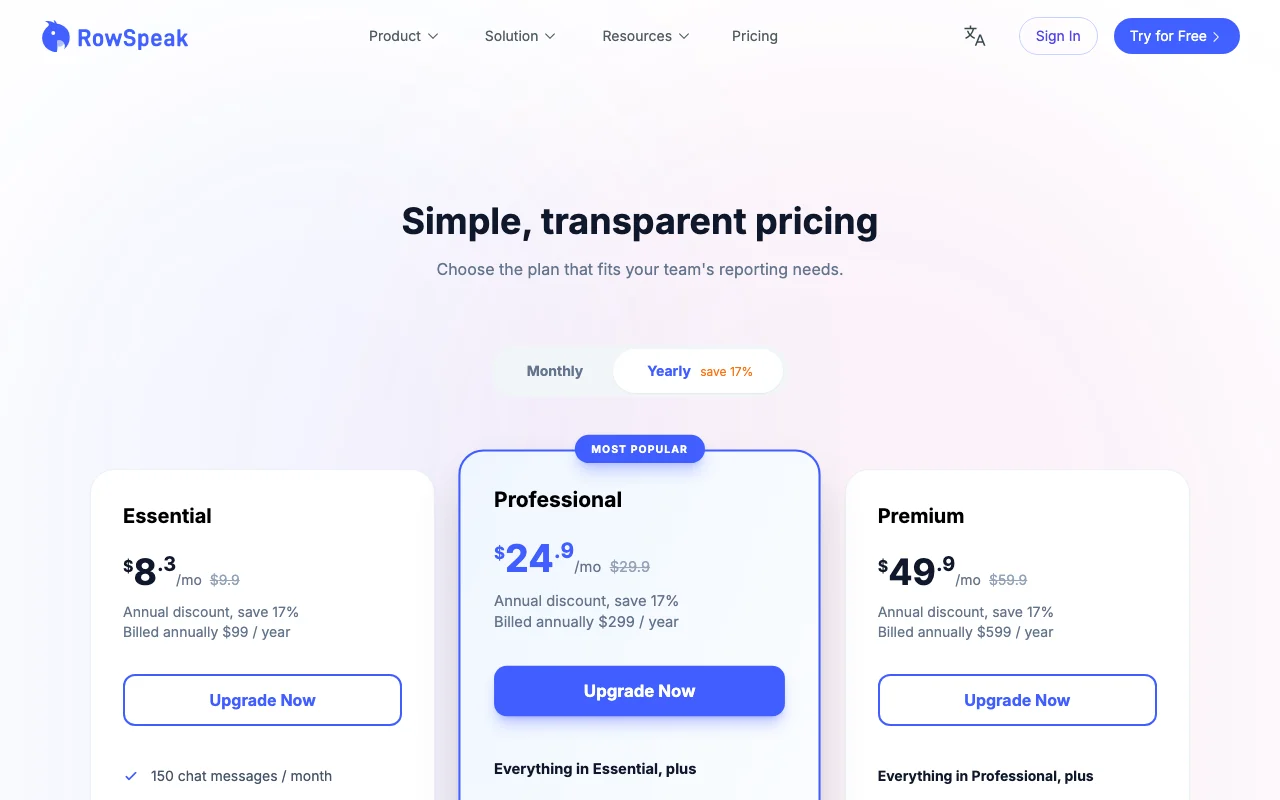
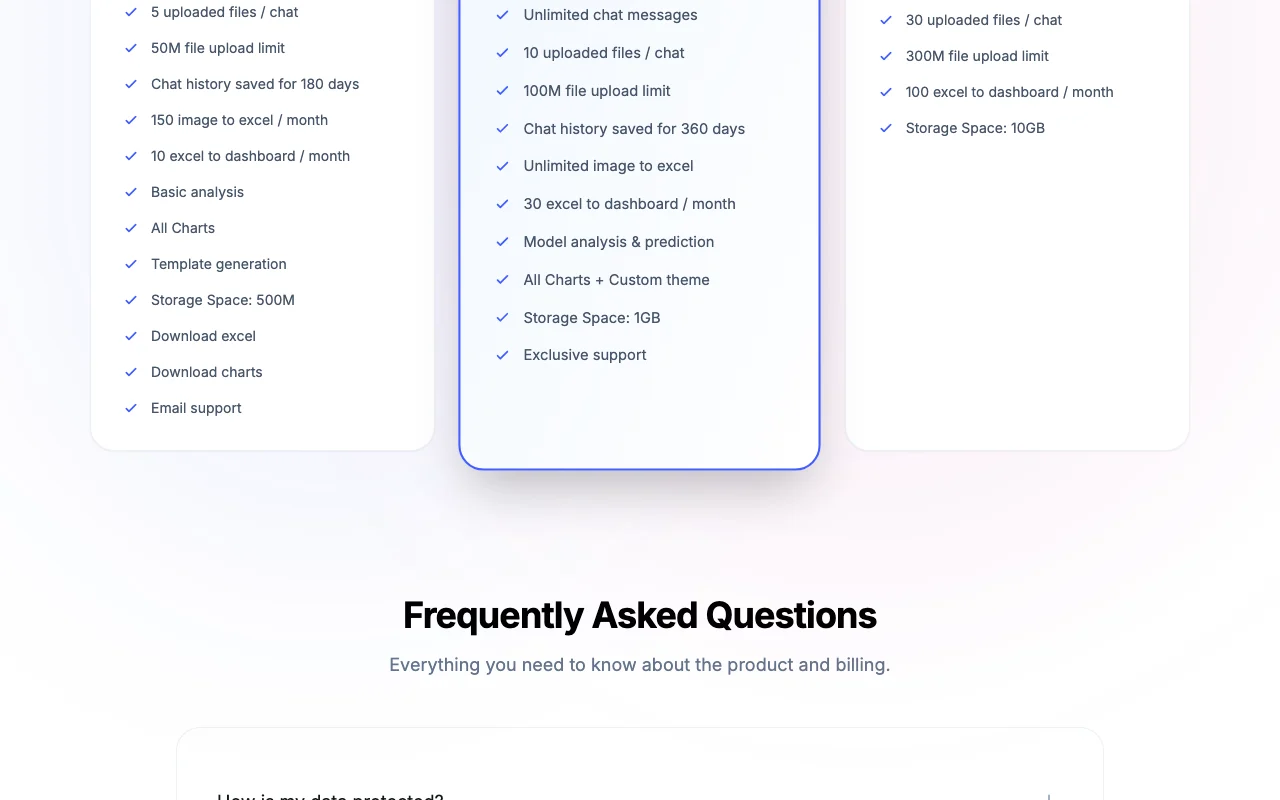
RowSpeak pricing page with plans and prices — screenshot of the productivity & writing AI tool, Oct 1, 2026
The official RowSpeak pricing page as we saw it. rowspeak.ai, captured Oct 1, 2026

Free access and trial conditions

Free plan described in the FAQ with 10 conversations a month.

Not stated beyond the free plan.

Paid plans: what changes as you upgrade

Free Web

Free source (opens in a new tab)

Month

For: Exploring RowSpeak

Limits

  • 10 AI conversations per month
  • 2 uploads per chat, 5MB each
1 more
  • 3 dashboards

Includes

  • 20 image-to-Excel conversions

Essential Web

$9.9/mo source (opens in a new tab)

Month, annual commitment

About $8.3/mo billed annually (save 17%)

For: Light spreadsheet work

Limits

  • 150 chat messages per month
  • 5 files per chat, 50M upload
1 more
  • 10 dashboards per month

Includes

  • Basic analysis
  • All charts
2 more
  • Template generation
  • 150 image to Excel per month

Professional Web

$29.9/mo source (opens in a new tab)

Month, annual commitment

About $24.9/mo billed annually (save 17%)

For: Regular analysts

Limits

  • Unlimited chat messages
  • 10 files per chat
1 more
  • 30 dashboards per month

Includes

  • Model analysis and prediction
  • Custom chart theme
2 more
  • Unlimited image to Excel
  • Exclusive support

Premium Web

$59.9/mo source (opens in a new tab)

Month, annual commitment

About $49.9/mo billed annually (save 17%)

For: Heavy users

Limits

  • 30 files per chat, 300M upload
  • 100 dashboards per month
1 more
  • 10GB storage

Includes

  • Everything in Professional

Usage caps, credits and extra costs

On-premises deployment available on request.

Not stated.

What is RowSpeak, and how does it work?

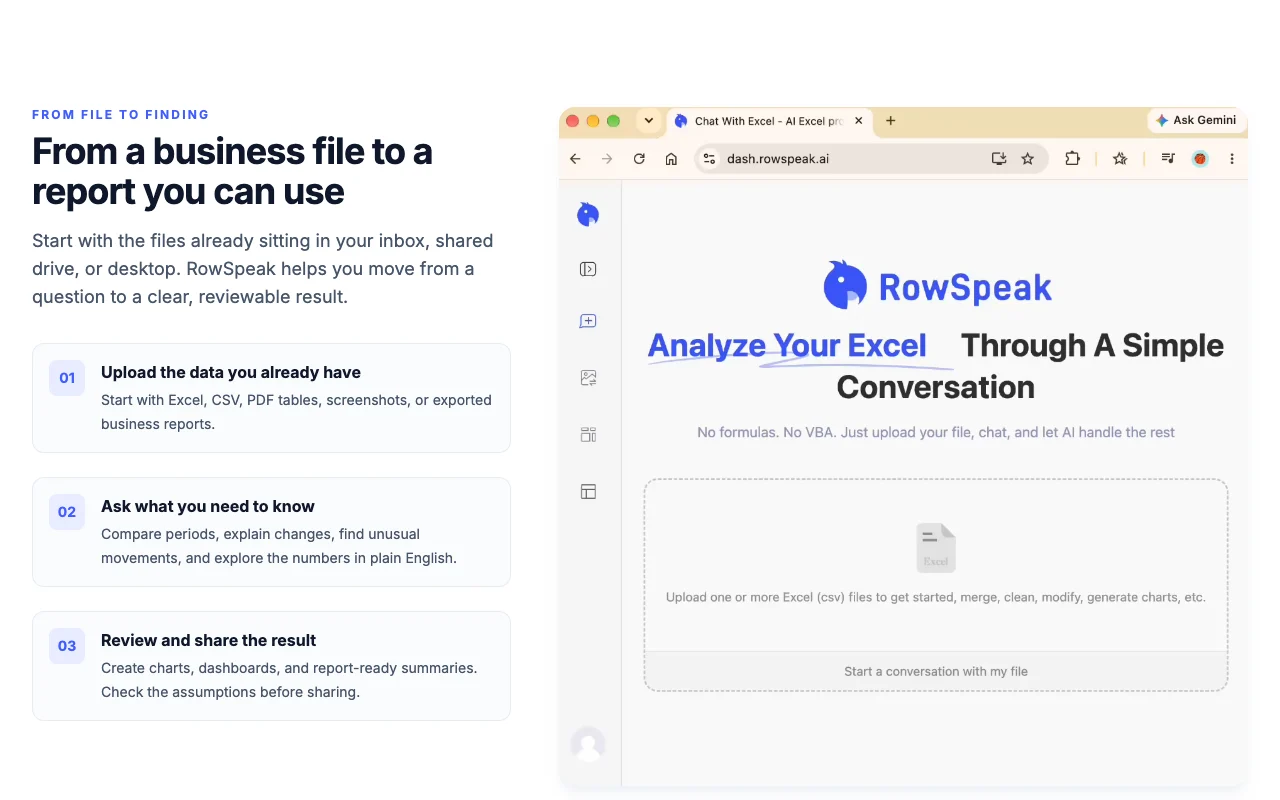
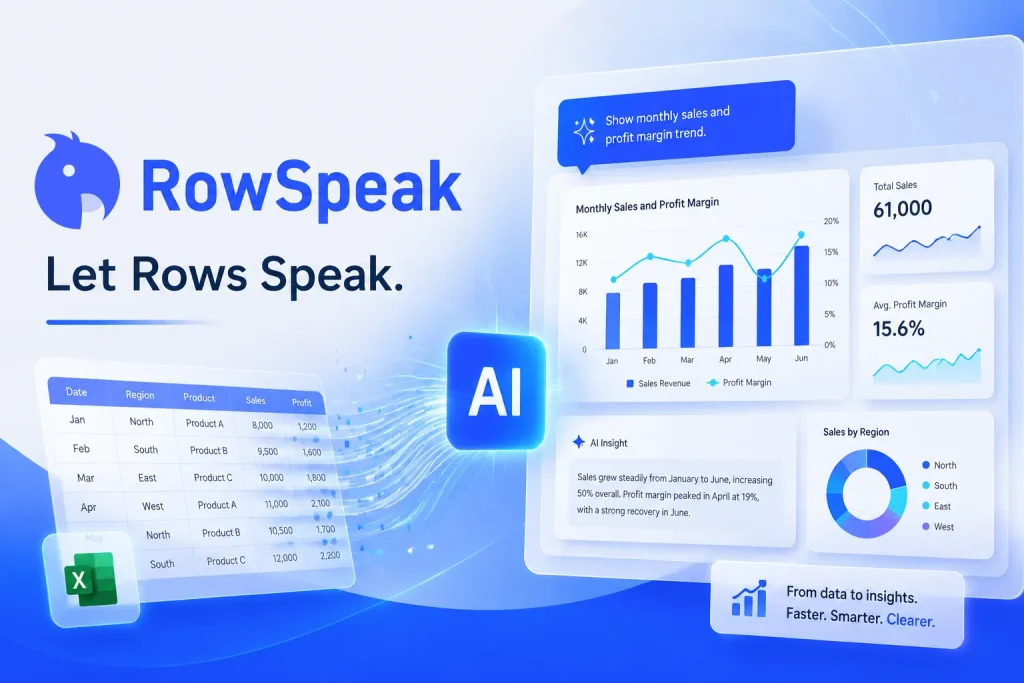
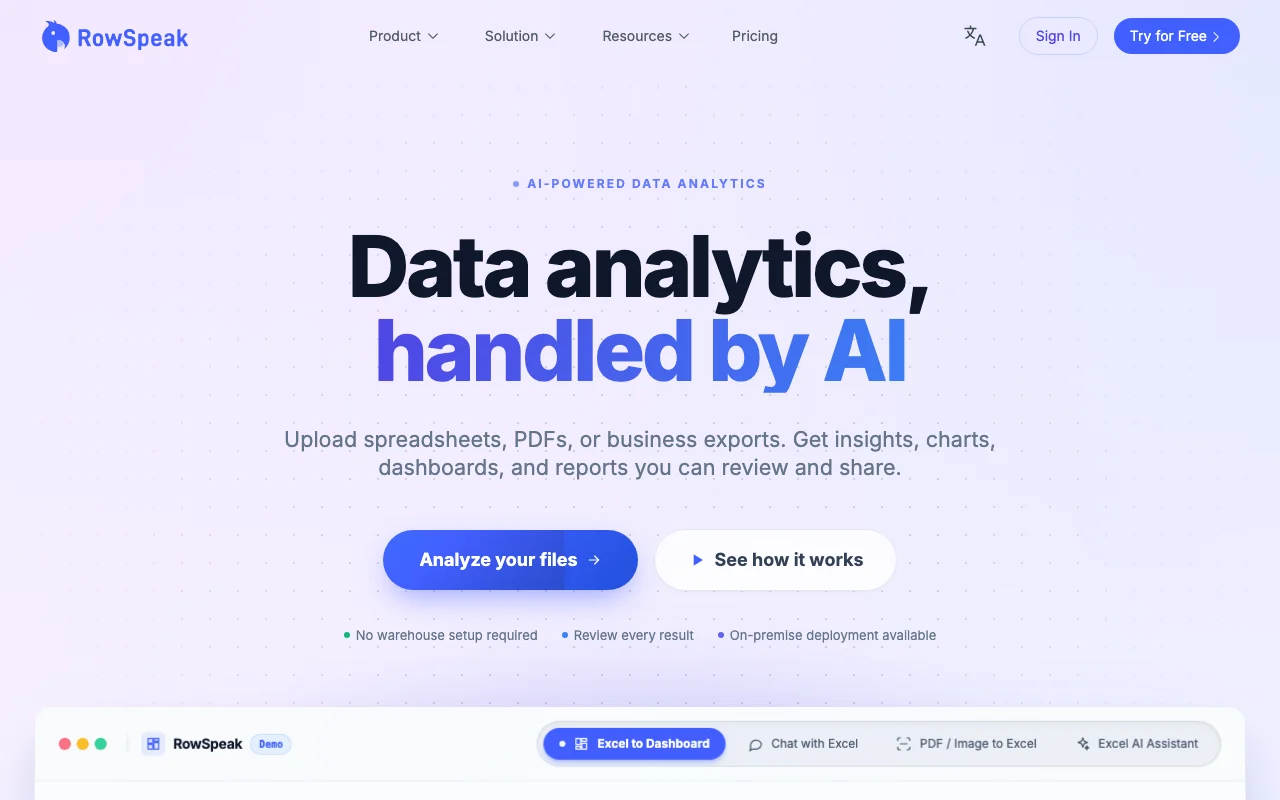
RowSpeak is an AI data analytics tool for spreadsheet work. You upload Excel, CSV, PDF or image files and ask in plain English for analysis, cleaning, charts, reports or dashboards. It also converts images and PDF tables into editable Excel, generates spreadsheet templates and turns Excel files into dashboards.

RowSpeak homepage — screenshot of the productivity & writing AI tool, Oct 1, 2026
RowSpeak's official site: how the product presents itself. rowspeak.ai, captured Oct 1, 2026

What you provide and what you get back

How RowSpeak works: what you provide, where it runs and what you get backYOU PROVIDEYour inputExcel and CSV filesPDFs and images with tablesPlain-English requestsPRODUCTIVITY & WRITINGRowSpeakWebfrom $9.9/mo (Essential)free tier availableaccount requiredchecked Sep 29, 2026YOU GET BACKThe resultAnalysis, charts and reportsDashboardsEditable Excel filesSpreadsheet templatesinput → RowSpeak → output · from the vendor's own pages, no hands-on test unless stated
What you give RowSpeak and what comes back, from its documentation

You provide

  • Excel and CSV files
  • PDFs and images with tables
  • Plain-English requests

You get back

  • Analysis, charts and reports
  • Dashboards
  • Editable Excel files
  • Spreadsheet templates

Where you can use it

Platforms
Web
Account
Required
Inputs
Excel, CSV, PDF, images
Upload limit
50M / 100M / 300M by plan
Storage
500M / 1GB / 10GB
History
180 or 360 days

Where RowSpeak is most useful

Scenarios are worked out by our editors from the documentation; the actual result depends on your input and plan.

Analyzing Excel and CSV files

Who
Finance and operations teams
You provide
Uploaded workbook and a question
Expected result
Findings with charts and a summary
Plan needed
Essential and up
Limitation
150 messages on Essential source (opens in a new tab)

Cleaning duplicates and formats

Who
Analysts with messy data
You provide
A dirty spreadsheet
Expected result
A cleaned file to download
Plan needed
Any plan
Limitation
Review results before using source (opens in a new tab)

Building charts and dashboards

Who
Sales and marketing analysts
You provide
An Excel file
Expected result
A shareable dashboard
Plan needed
Essential and up
Limitation
10 to 100 dashboards per month source (opens in a new tab)

Converting images and PDFs to Excel

Who
Back-office staff
You provide
A PDF table or screenshot
Expected result
An editable Excel file
Plan needed
Any plan
Limitation
150 per month on Essential source (opens in a new tab)

What RowSpeak does, and where it stops

RowSpeak homepage — screenshot of the productivity & writing AI tool, Oct 1, 2026
Feature overview on the official site. rowspeak.ai, captured Oct 1, 2026

Natural-language spreadsheet assistant

Takes plain-English requests over uploaded Excel, CSV, PDF or image files. No formulas needed.

Access: All plansLimit: Message caps on Free and Essential source (opens in a new tab)

Data analysis and cleansing

Finds and fixes duplicates and format problems. Prepares data for analysis.

Access: All plansLimit: Results must be reviewed source (opens in a new tab)

Excel to dashboard

Turns Excel data into dashboards. Shareable visuals.

Access: 10/30/100 per month by planLimit: Capped per month source (opens in a new tab)

Image to Excel and PDF to Excel

Extracts tables from images and PDFs into Excel. Skips retyping.

Access: 150 monthly on Essential, unlimited ProLimit: Accuracy depends on source quality source (opens in a new tab)

Pros, cons and deal-breakers

Where RowSpeak is strong

Limitations to check before paying

How to use RowSpeak for turning a spreadsheet into a dashboard

Set up RowSpeak

  1. Sign up at rowspeak.ai
  2. Open the chat workspace
  3. Upload an Excel or CSV file

Example: turning a spreadsheet into a dashboard

  1. Ask for a summary of the key columns
  2. Request a chart of revenue by month
  3. Ask it to build a dashboard from the file
  4. Download the Excel or chart

Review and export the result

  1. Spot-check totals against the source sheet
  2. Review the execution steps the chat shows
Example prompt suggested by our editors (not a recorded output of the product)
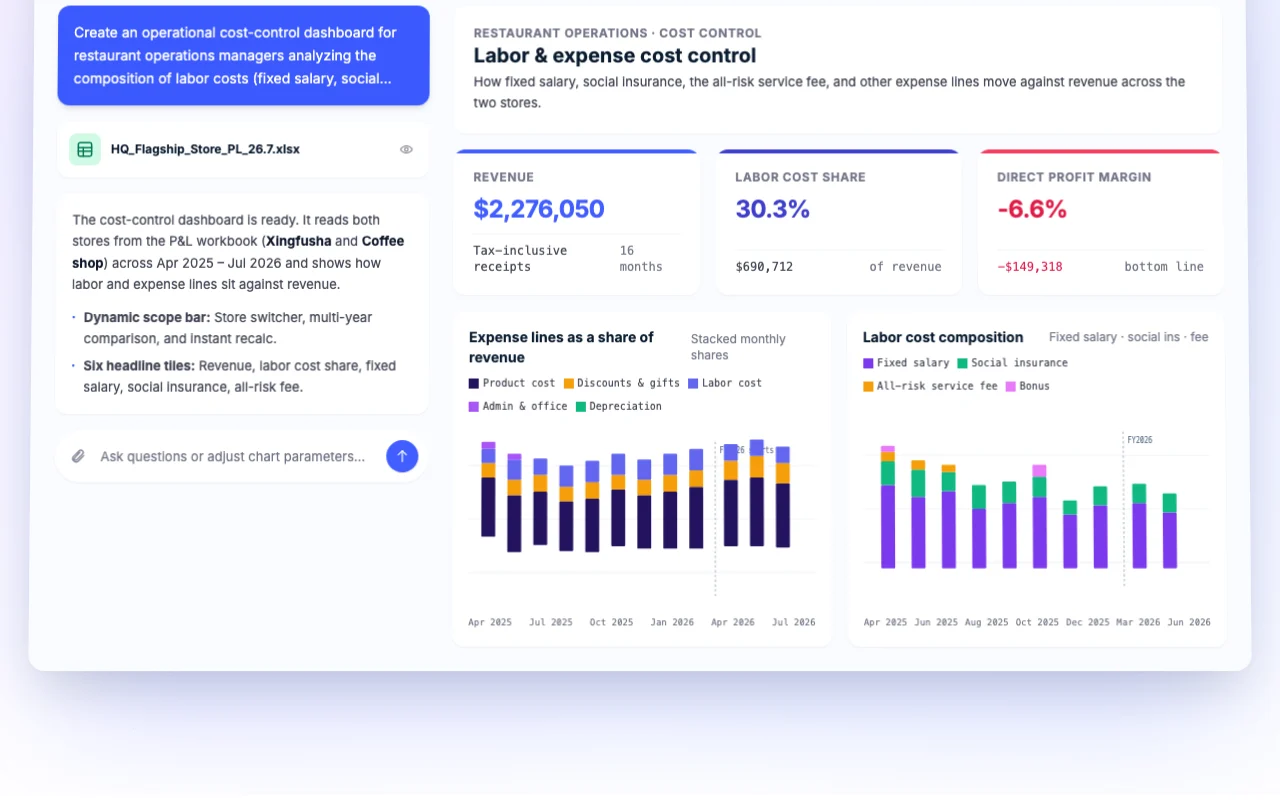
Create a dashboard showing monthly revenue, labor cost share and profit margin by store from this P&L workbook.

Privacy, data use and commercial rights

Summarized from the vendor's current policies; this is not legal advice and a vendor's badge is not an independent audit.

How your inputs and outputs are handled

Uploaded files are private to the account and kept in chat history.

Not captured.

Chat history saved 180 days on Essential, 360 on higher plans.

Commercial use and plan restrictions

Not stated.

Storage 500M to 10GB by plan.

Controls for business users

  • Bank-level encryption stated
  • On-premises option

RowSpeak alternatives by need

"Better suited" is based on documented features and pricing, not on a head-to-head test.

Microsoft Copilot: better suited to

ChatGPT: better suited to

Gemini Notebook (formerly NotebookLM): better suited to

Alternatives
AlternativeWhen to choose itPricingLimitation
Microsoft Copilot——
ChatGPT——
Gemini Notebook (formerly NotebookLM)——

Explore RowSpeak further

Related to RowSpeak

RowSpeak user reviews

No user reviews yet.

Used RowSpeak? Be the first to share your experience.

Write a review

Reviews are checked by a moderator before they appear. Your email is never published. Plain text only.

Your rating (required)

Show what you made or what went wrong. Images are published only if the review is approved; location data is removed.

    RowSpeak FAQ

    What are the free plan limits?

    10 AI conversations a month, 2 files per chat (5MB each), 20 image-to-Excel conversions and 3 dashboards. source (opens in a new tab)

    How much does RowSpeak cost?

    Essential $9.9, Professional $29.9 and Premium $59.9 per month, or $99, $299 and $599 per year. source (opens in a new tab)

    Can several people share one account?

    No. Each account is for individual use; a team version is in development. source (opens in a new tab)

    What is the refund policy?

    New users get a full refund within 7 days of the first purchase if under 10 uses. source (opens in a new tab)

    Can I run it on-premises?

    Yes, on-premises deployment is offered for organizations that need it. source (opens in a new tab)

    Sources and review methodology

    Official sources and verification dates

    Not verified: Training policy; Privacy page; Formerly Excelmatic data handling.

    How we documented and maintain this page

    Every fact about RowSpeak above comes from the 4 official pages listed here, last compared on Sep 29, 2026; we have not run RowSpeak ourselves, so it has no editorial score. How we check and re-check pages.

    Article updated Oct 10, 2026; prices checked Sep 29, 2026. Outbound links to vendors are plain links; we do not earn commissions. How we review · Report an error