Audio & voiceDocumented overviewLast checked Oct 4, 2026

Maastr: Pricing, Features & Best Use Cases

Online AI audio mastering for WAV and MP3 tracks, with version sharing and feedback tools.
Who Maastr fits

Choose Maastr if you want fast online mastering of loud rock and metal style tracks with version sharing, understanding that plan prices could not be confirmed. Based on the vendor's documentation, not on a hands-on test.

Best for: Independent musicians

Also a good fit for

  • Producers needing quick masters

Consider another tool if pricing not visible on the public pricing page when fetched

Or if

  • Requires an account to use
  • Tuned for loud music per the site

Maastr pricing and usage limits

Prices checked Oct 4, 2026 on the official US pricing page. Official pricing ↗ Prices and limits change often.

Maastr pricing page with plans and prices — screenshot of the audio & voice AI tool, Oct 2, 2026
The official Maastr pricing page as we saw it. maastr.io, captured Oct 2, 2026

Free access and trial conditions

Homepage says no credit card is needed to try

Not stated

Paid plans: what changes as you upgrade

Usage caps, credits and extra costs

Not stated

Not stated on the official pages

What is Maastr, and how does it work?

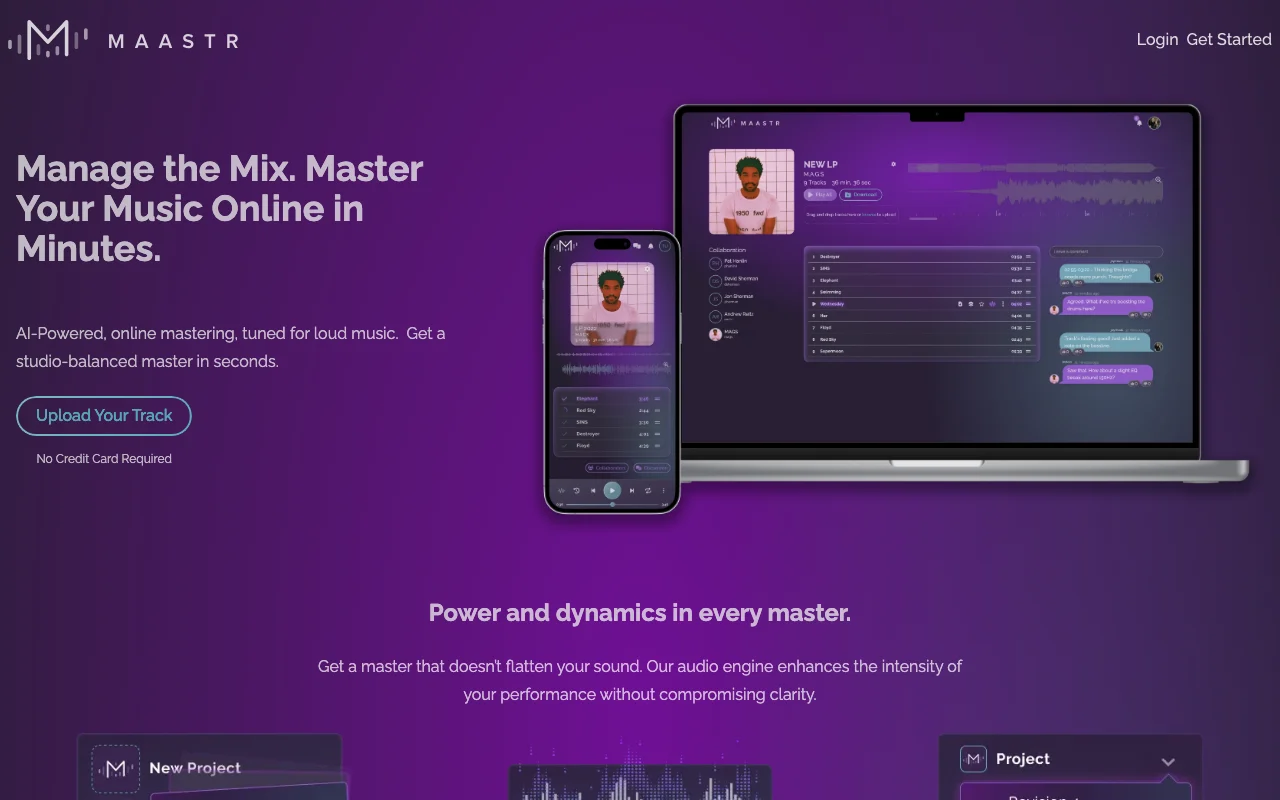
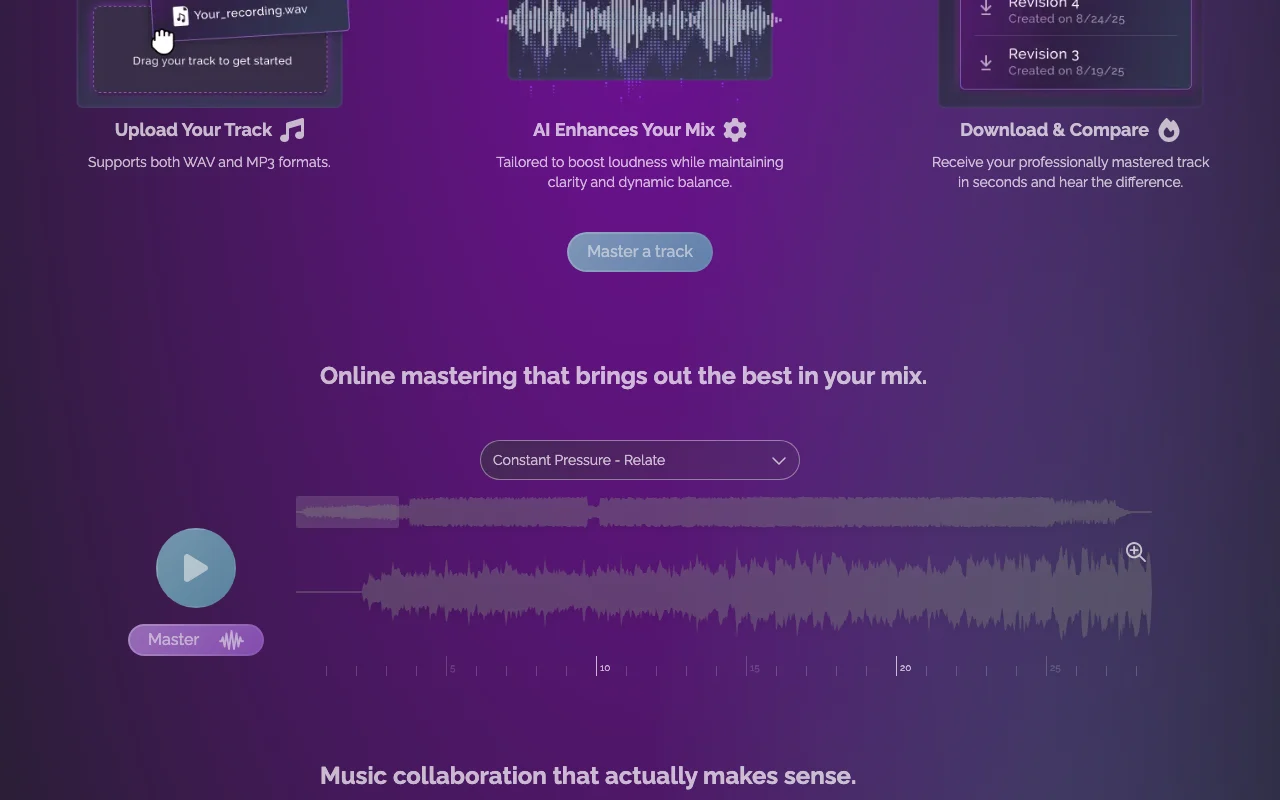
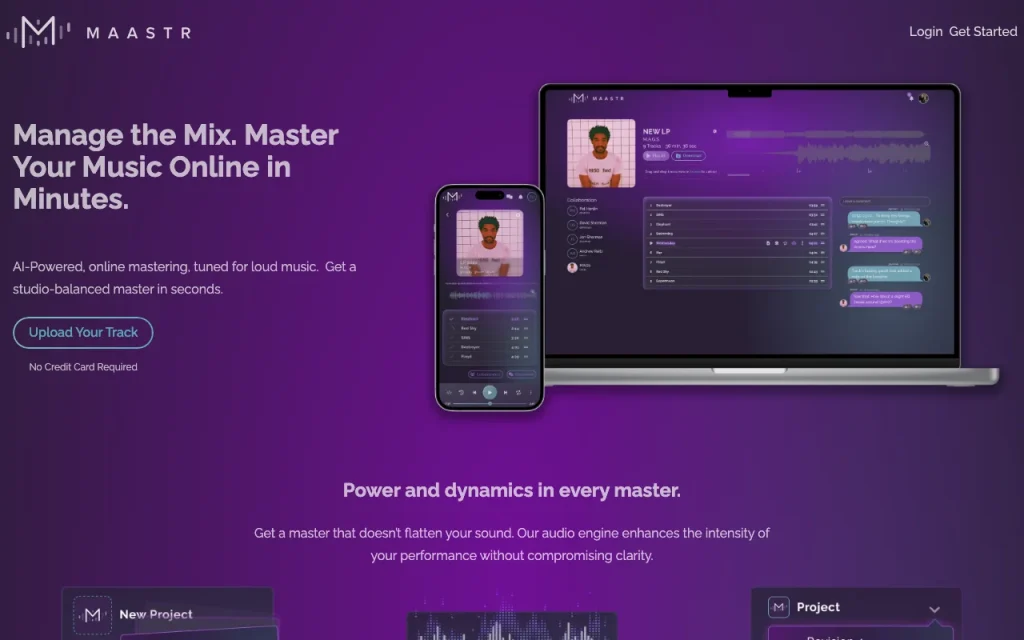
Maastr is a web service that masters uploaded music tracks with an AI engine aimed at loud genres, producing a louder master while keeping dynamics and clarity. Upload a WAV or MP3, get a master, then download and compare. It also offers collaboration features for sharing tracks, managing versions and collecting feedback in one place.

Maastr homepage — screenshot of the audio & voice AI tool, Oct 2, 2026
Maastr's official site: how the product presents itself. maastr.io, captured Oct 2, 2026

What you provide and what you get back

You provide

  • WAV or MP3 tracks

You get back

  • A mastered track to download and compare

Where you can use it

Platforms
web
Account
Required
Formats
WAV, MP3
Tuned for
Loud music
Collaboration
Versions, feedback
Plans
3

Best use cases for Maastr

Scenarios are worked out by our editors from the documentation; the actual result depends on your input and plan.

Mastering demo or release tracks

Who
Independent musicians
You provide
A mix
Expected result
Maastr returns a louder master of the mix that the musician can download.
Plan needed
Home Studio Wiz
Limitation
The engine is tuned for loud genres, and the plan prices could not be confirmed. source (opens in a new tab)

Comparing mastered and original versions

Who
Producers
You provide
Master and original
Expected result
Maastr lets the producer listen to the master and the original side by side before choosing one.
Plan needed
Home Studio Wiz
Limitation
You need both the original mix and the master to compare them. source (opens in a new tab)

Sharing masters with bandmates for notes

Who
Bands
You provide
A shared track
Expected result
Maastr collects the bandmates' notes on the shared track in one place for the next revision.
Plan needed
Home Studio Wiz
Limitation
Each collaborator needs an account to use the sharing features. source (opens in a new tab)

What Maastr does, and where it stops

Maastr homepage — screenshot of the audio & voice AI tool, Oct 2, 2026
Feature overview on the official site. maastr.io, captured Oct 2, 2026

Upload WAV or MP3

Accepts the two most common formats. Musicians can submit a track in a common format without preparing special files.

Access: Not statedLimit: Only WAV and MP3 are stated, and the pages we could read name no other formats. source (opens in a new tab)

AI mastering tuned for loud music

Raises loudness while keeping clarity. Producers of loud styles get a louder master without paying for a human mastering session or plugins.

Access: Not statedLimit: The tuning is aimed at loud genres, per the site. source (opens in a new tab)

Download and compare masters

Lets you hear the master against your mix. Producers can hear the master next to their original mix and decide whether to keep it.

Access: Not statedLimit: The pages we could read do not say how many comparisons or downloads each plan allows. source (opens in a new tab)

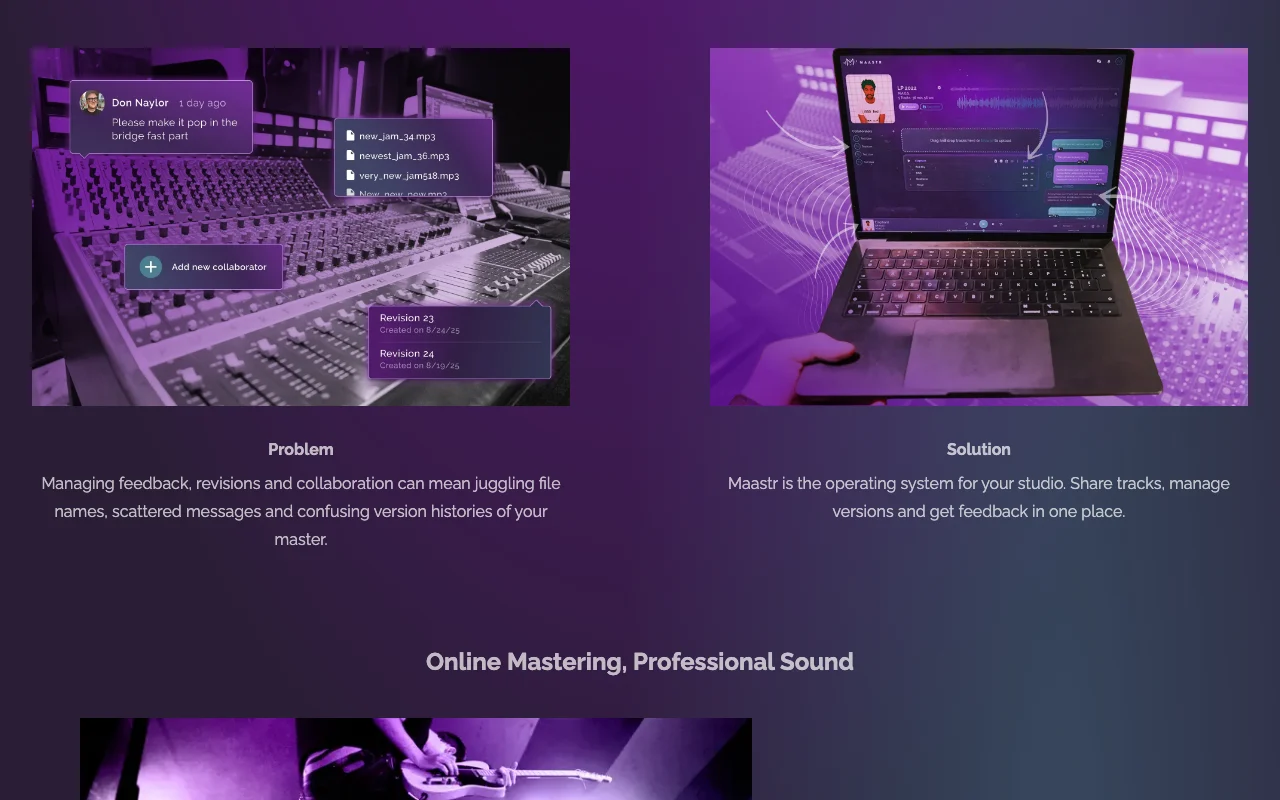
Version management

Keeps revisions and notes together. Bands can keep revisions and notes in one place instead of scattered file names and messages.

Access: Not statedLimit: The pages we could read give little detail on how versions and notes work. source (opens in a new tab)

Maastr: strengths and limits

Where Maastr is strong

  • Accepts WAV and MP3 files WAV and MP3 are the two formats most musicians already export, so you can upload a track without converting it first. documented source (opens in a new tab)
  • Homepage states no credit card is needed to try The homepage says no credit card is needed to try, so you can hear a master of your own track before paying. documented source (opens in a new tab)
  • Built-in sharing and feedback on versions Sharing and feedback on versions are built in, so bandmates can leave notes without passing files around by message. documented source (opens in a new tab)

Limitations to check before paying

  • Pricing not visible on the public pricing page when fetched The public pricing page showed no plans or prices when fetched, so you cannot compare the cost with other mastering services. documented source (opens in a new tab)
  • Requires an account to use An account is required to use the service, so you cannot master a track anonymously. documented source (opens in a new tab)
  • Tuned for loud music per the site The engine is tuned for loud music, so quieter or acoustic styles may not suit its approach. documented source (opens in a new tab)

How to use Maastr for mastering a track online

Set up Maastr

  1. Open maastr.io.
  2. Create an account.
  3. Upload a WAV or MP3.

Example: mastering a track online

  1. Upload.
  2. Wait for the master.
  3. Download and compare.

Review and export the result

  1. A/B listen.
  2. Check clipping.

Privacy, data use and commercial rights

Summarized from the vendor's current policies; this is not legal advice and a vendor's badge is not an independent audit.

How your inputs and outputs are handled

Uploaded audio

Not stated

Not stated

Commercial use and plan restrictions

Not stated

Not stated

Other tools to consider instead of Maastr

"Better suited" is based on documented features and pricing, not on a head-to-head test.

ElevenLabs: better suited to

Suno: better suited to

Alternatives
AlternativeWhen to choose itPricingLimitation
ElevenLabs——Compare
Suno——Compare

Explore Maastr further

Tools and guides near Maastr

Maastr user reviews

No user reviews yet.

Used Maastr? Be the first to share your experience.

Write a review

Reviews are checked by a moderator before they appear. Your email is never published. Plain text only.

Your rating (required)

Show what you made or what went wrong. Images are published only if the review is approved; location data is removed.

    Maastr FAQ

    Which formats?

    WAV and MP3. source (opens in a new tab)

    Free to try?

    The homepage says no credit card is required. source (opens in a new tab)

    Plans?

    Home Studio Wiz, Studio Expert and Industry Pro, prices not shown. source (opens in a new tab)

    Collaboration?

    Share tracks, manage versions and collect feedback. source (opens in a new tab)

    Sources and review methodology

    Official sources and verification dates

    Not verified: Prices; Privacy (404); US availability.

    How we documented and maintain this page

    Every fact about Maastr above comes from the 2 official pages listed here, last compared on Oct 4, 2026; we have not run Maastr ourselves, so it has no editorial score. How we check and re-check pages.

    Article updated Oct 2, 2026; prices checked Oct 4, 2026. Outbound links to vendors are plain links; we do not earn commissions. How we review · Report an error