Research & searchDocumented overviewLast checked Oct 2, 2026

Liminary: Pricing, Features & Best Use Cases

AI research memory that saves sources and surfaces relevant material with source citations.

Who should use Liminary

Choose Liminary if you are a consultant or analyst who wants saved web pages, PDFs and AI chats to be recalled with a source link and checked for gaps. Based on the vendor's documentation, not on a hands-on test.

Best for: Consultants

Also a good fit for

  • Researchers and analysts

Consider another tool if explorer limited to 200 saved documents and 3 composer uses

Or if

  • Explorer chat history limited to 30 days
  • Pro limited to 10,000 sources

Liminary pricing and usage limits

Prices checked Oct 2, 2026 on the official US pricing page. Official pricing ↗ Prices and limits change often.

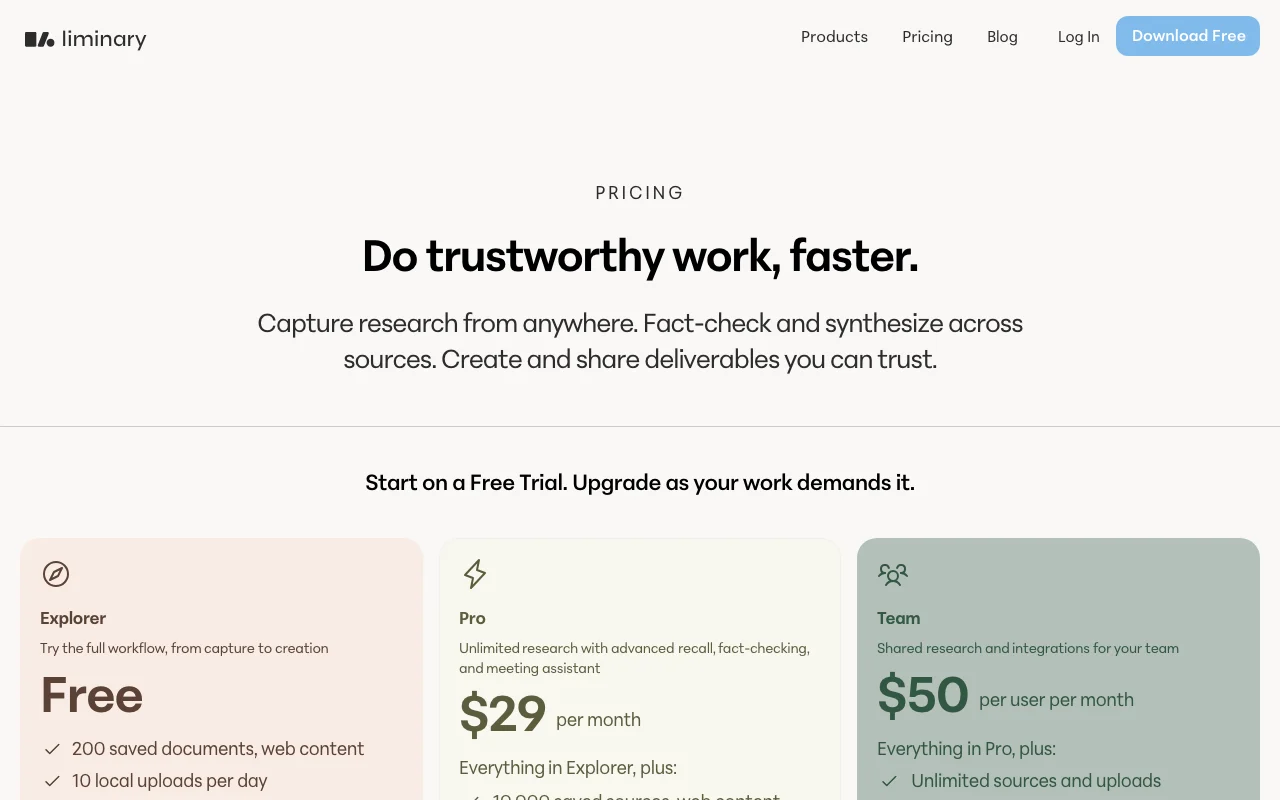
Liminary pricing page with plans and prices — screenshot of the research & search AI tool, Oct 2, 2026
The official Liminary pricing page as we saw it. liminary.io, captured Oct 2, 2026

Free access and trial conditions

Explorer is free.

The pricing page says to start on a Free Trial; no duration is given.

Paid plans: what changes as you upgrade

Explorer web

Free source (opens in a new tab)

For: Trying the workflow

Limits

  • 200 saved documents
  • 10 local uploads per day
1 more
  • 3 composer uses

Includes

  • Basic recall
  • 30 days chat history
1 more
  • Save up to 10 meetings with Magnet

Pro web

$29 source (opens in a new tab)

Monthly

For: Individual professionals

Limits

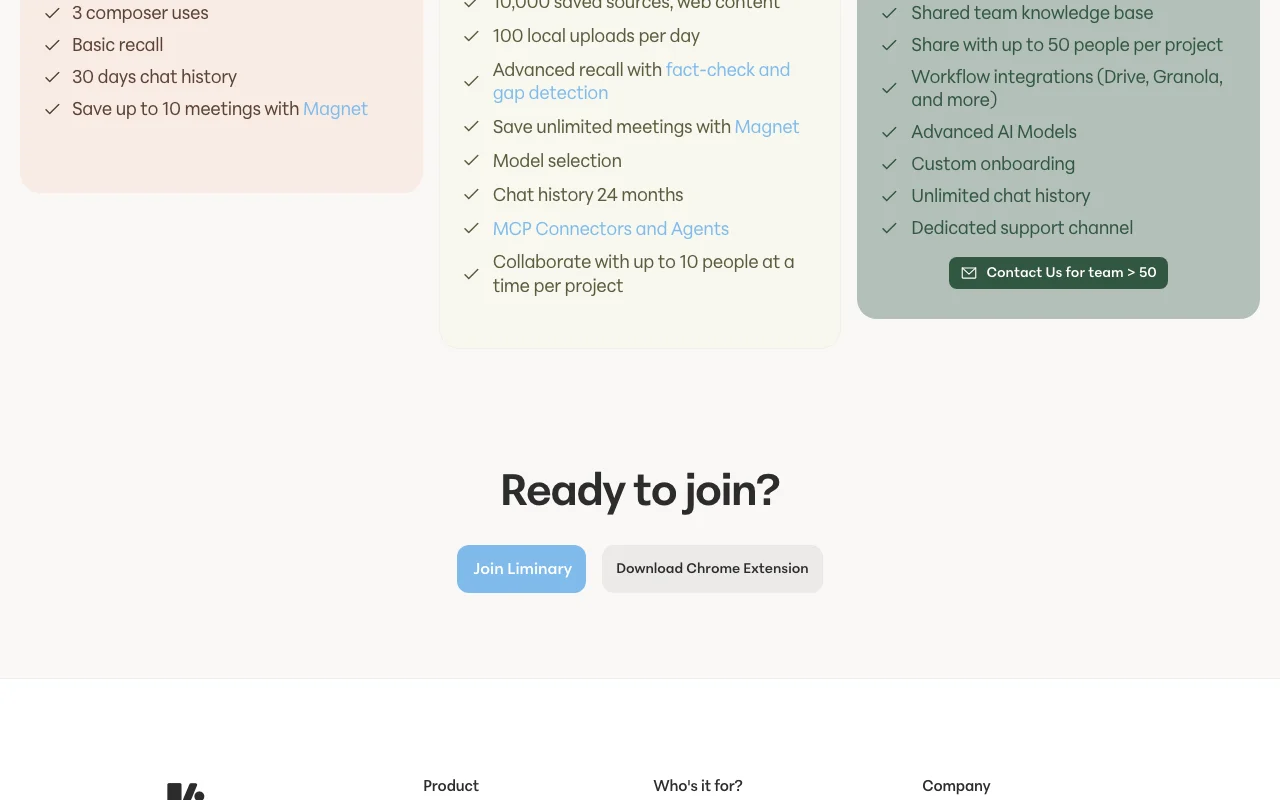
  • 10,000 saved sources
  • 100 local uploads per day
1 more
  • Collaborate with up to 10 people per project

Includes

  • Advanced recall with fact-check and gap detection
  • Model selection
2 more
  • MCP connectors and agents
  • Chat history 24 months

Team web

$50 per user per month source (opens in a new tab)

Monthly

For: Teams sharing research

Limits

  • Unlimited sources and uploads
  • Share with up to 50 people per project

Includes

  • Shared team knowledge base
  • Workflow integrations such as Drive and Granola
2 more
  • Advanced AI models
  • Dedicated support channel

What is Liminary, and how does it work?

Liminary is an AI tool for professionals and small teams to save articles, PDFs, AI chats and videos, annotate them, and recall them later with links back to sources. It includes fact-check and gap detection, watchlists, a meeting assistant called Magnet and a Chrome extension. Explorer is free; Pro and Team are paid.

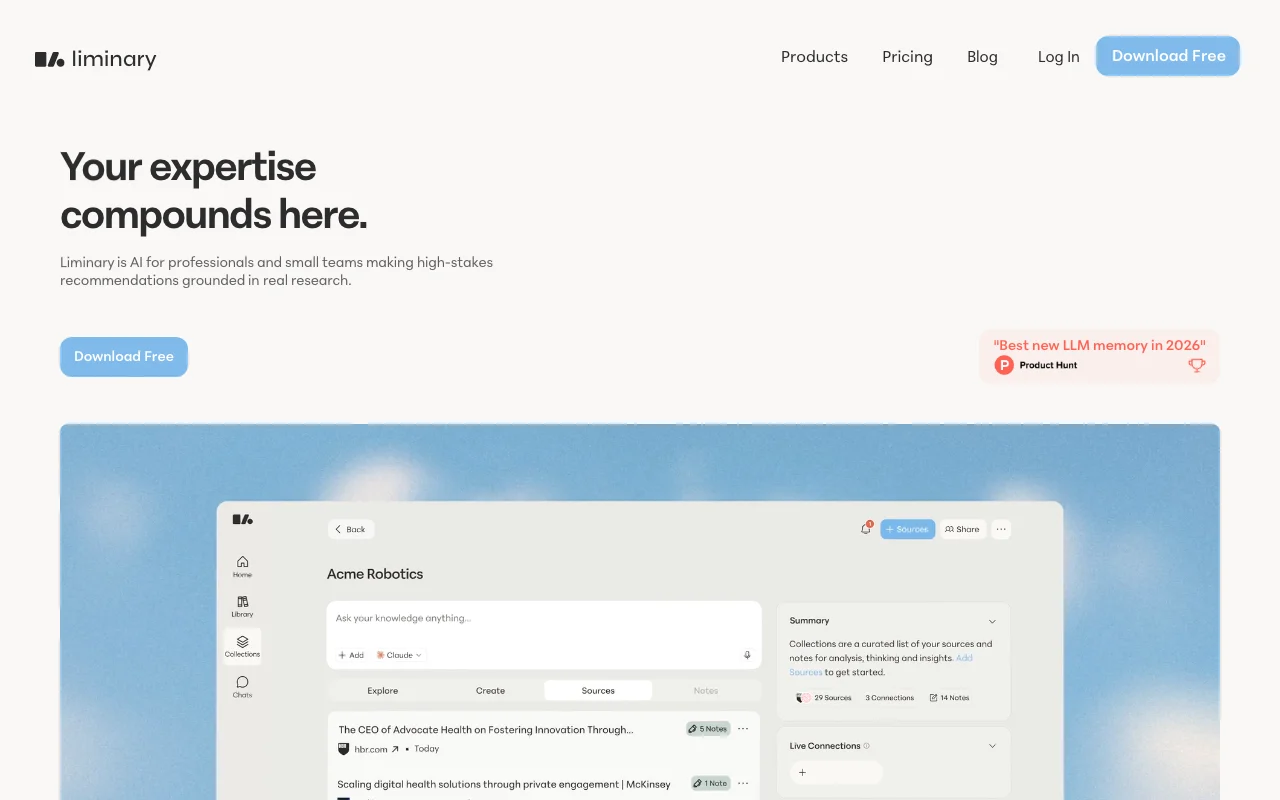
Liminary homepage — screenshot of the research & search AI tool, Oct 2, 2026
Liminary's official site: how the product presents itself. liminary.io, captured Oct 2, 2026

What you provide and what you get back

How Liminary works: what you provide, where it runs and what you get backYOU PROVIDEYour inputWeb pages, articles and PDFs save…AI chat transcripts and videosPersonal notes and local uploadsRESEARCH & SEARCHLiminaryWebfrom $29 (Pro)free tier availableaccount requiredchecked Oct 2, 2026YOU GET BACKThe resultSource-linked answers across save…Fact-check and gap findingsComposed deliverables that can be…input → Liminary → output · from the vendor's own pages, no hands-on test unless stated
What you give Liminary and what comes back, from its documentation

You provide

  • Web pages, articles and PDFs saved with the Chrome extension
  • AI chat transcripts and videos
  • Personal notes and local uploads

You get back

  • Source-linked answers across saved material
  • Fact-check and gap findings
  • Composed deliverables that can be shared

Where you can use it

Platforms
Web
Account
Required
Capture
Chrome extension; Firefox store link on homepage
Content types
Articles, reports, PDFs, AI chats, videos
Meeting assistant
Magnet; 10 meetings on Explorer, unlimited on Pro
Chat history
30 days Explorer, 24 months Pro, unlimited Team
Collaboration
Up to 10 people (Pro), 50 (Team) per project

What people use Liminary for

Scenarios are worked out by our editors from the documentation; the actual result depends on your input and plan.

Consulting research

Who
Strategy and management consultants
You provide
Client research saved while browsing
Expected result
Answers that cite the saved source, shown in one click
Plan needed
Explorer or Pro
Limitation
Explorer is capped at 200 saved documents source (opens in a new tab)

Recalling past work

Who
Researchers and analysts
You provide
Past projects and reports saved in the workspace
Expected result
Earlier relevant work surfaced when a new project starts
Plan needed
Pro
Limitation
Pro is capped at 10,000 saved sources source (opens in a new tab)

Fact-checking claims

Who
Analysts checking drafts
You provide
A draft claim or number plus saved sources
Expected result
Support or gaps identified against saved material
Plan needed
Pro
Limitation
Fact-check and gap detection is listed for Pro and above, not Explorer source (opens in a new tab)

What Liminary does, and where it stops

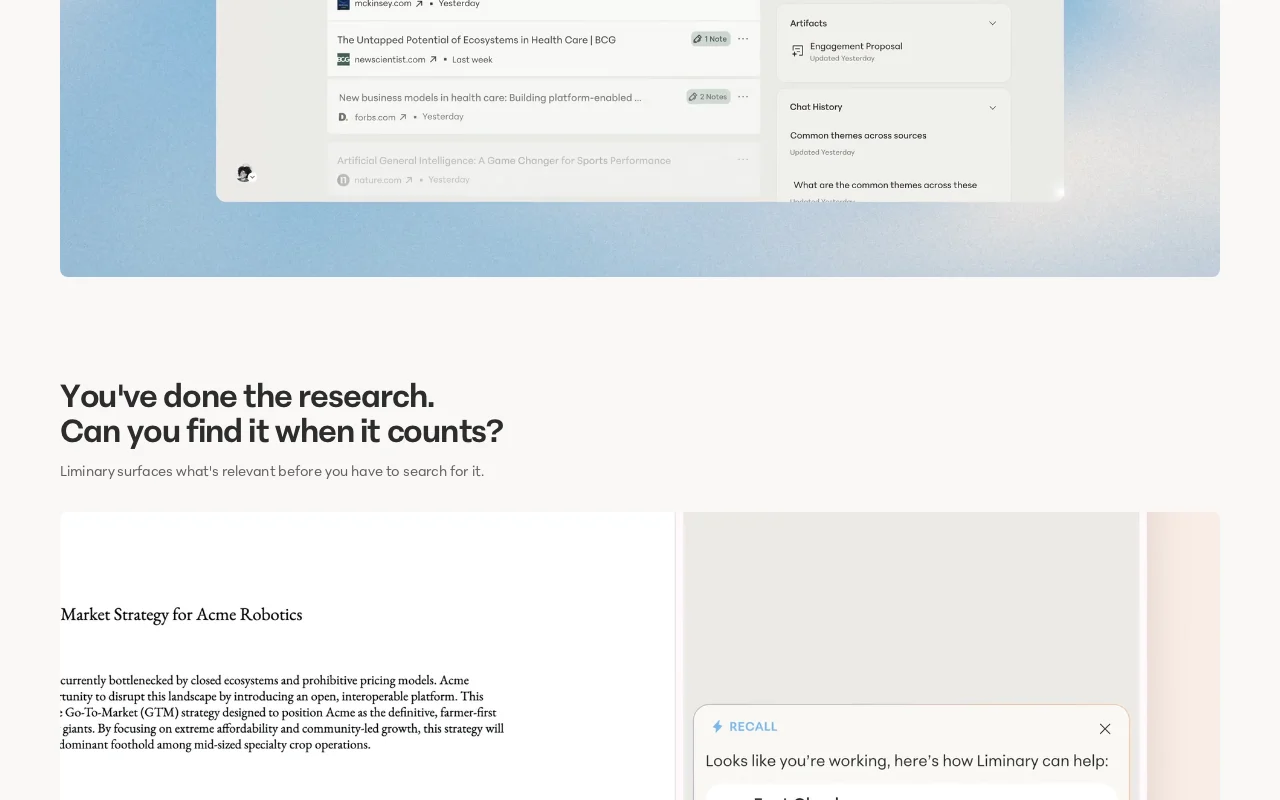
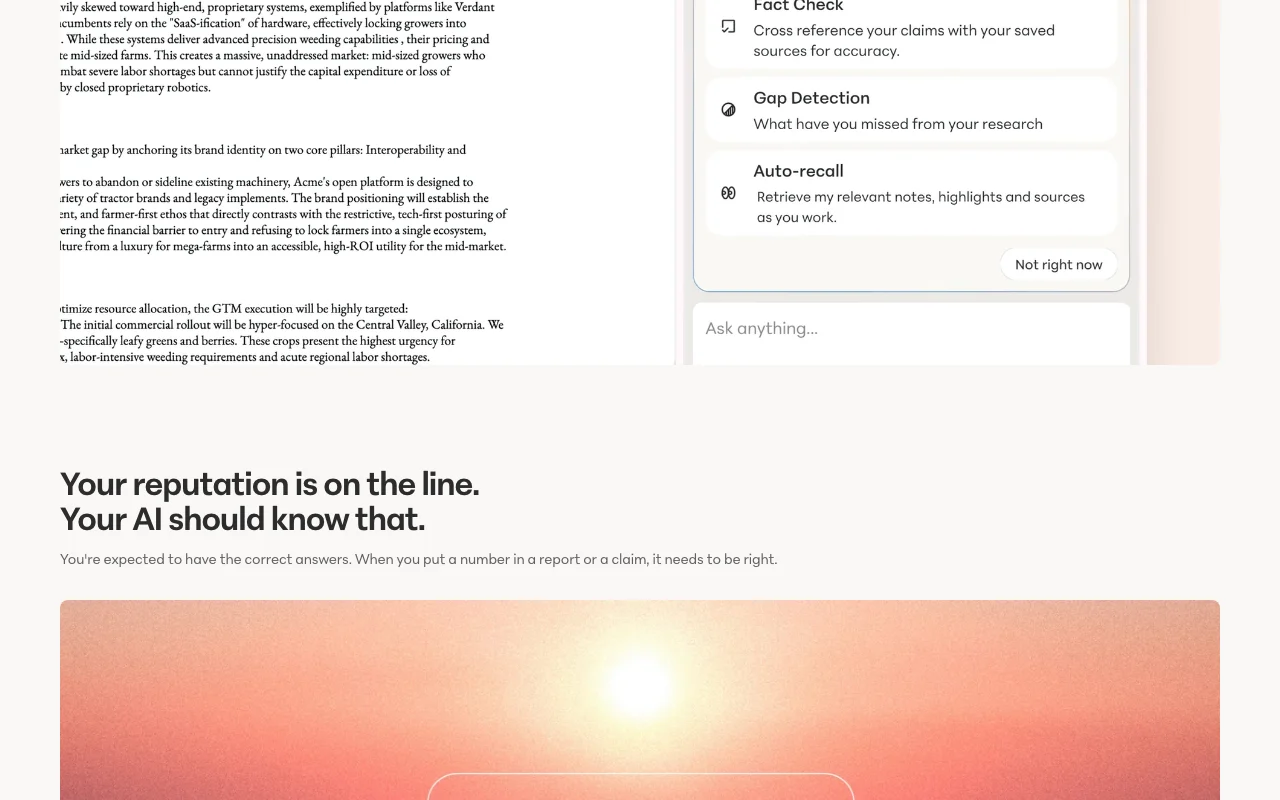
Liminary homepage — screenshot of the research & search AI tool, Oct 2, 2026
Feature overview on the official site. liminary.io, captured Oct 2, 2026

One-click saving of web content

Saves articles, reports, PDFs, AI chats and videos with one click while browsing and lets the user add notes. Keeps research and the reader thinking together.

Access: All plans, with save caps on ExplorerLimit: Free tier stops at 200 saved documents. source (opens in a new tab)

Source-linked recall

Surfaces relevant saved material and answers questions with a link back to the source document or web origin. Lets the user verify an answer without re-searching.

Access: Basic recall on Explorer, advanced recall on ProLimit: Recall covers only what has been saved. source (opens in a new tab)

Fact-check and gap detection

Checks claims against saved sources and points out areas where the research has gaps. Reduces the risk of unsupported numbers in reports.

Access: Pro and TeamLimit: Not available on Explorer. source (opens in a new tab)

Watchlists

Lets the user set a watchlist for a client or project so an agent keeps looking for new information. Saves repeated manual searching.

Access: Described on the homepage; plan availability is not statedLimit: Watchlist limits are not published. source (opens in a new tab)

Liminary pros and cons

Where Liminary is strong

Limitations to check before paying

How to use Liminary for building a searchable research library

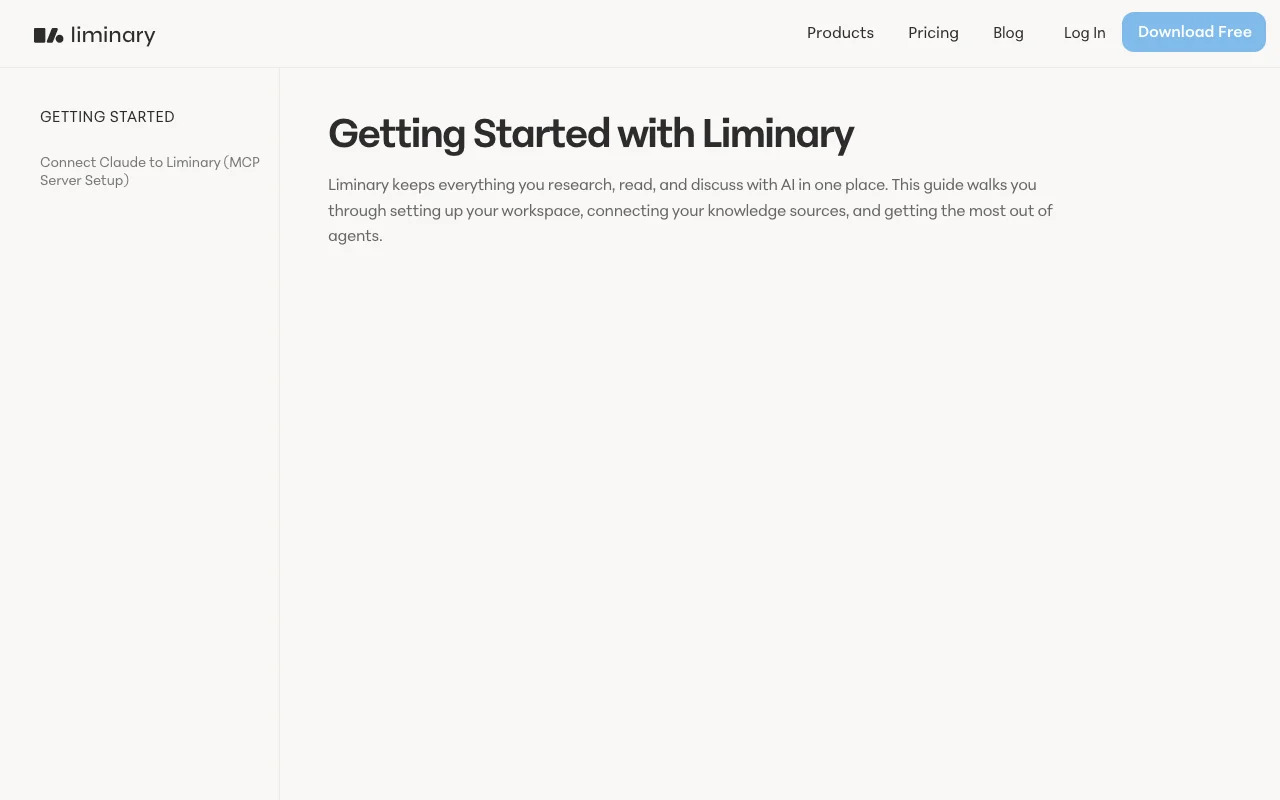
Liminary documentation — screenshot of the research & search AI tool, Oct 2, 2026
Liminary documentation: where the steps below come from. liminary.io, captured Oct 2, 2026

Set up Liminary

  1. Open liminary.io and join with your email.
  2. Install the Chrome extension from the pricing page.
  3. Save a few articles, PDFs or AI chats with one click.
  4. Optionally connect Claude using the MCP setup guide in the docs.

Example: building a searchable research library

  1. Save three reports about a client market while browsing.
  2. Add a short note on each explaining why it matters.
  3. Ask a question that spans all three saved items.
  4. Open the cited source behind each part of the answer.

Review and export the result

  1. Click the linked source and confirm it supports the answer.
  2. Run fact-check on a claim and review any gap it flags.
Example prompt suggested by our editors (not a recorded output of the product)
Which of my saved sources discuss pricing pressure in this market, and where are the gaps in my evidence?

Liminary API

Liminary pricing page with plans and prices — screenshot of the research & search AI tool, Oct 2, 2026
Plan comparison on the official pricing page. liminary.io, captured Oct 2, 2026

API access and separate billing

Liminary has no public API in its official documentation. MCP connectors and agents are listed for Pro; a public API is not described. API documentation ↗

Privacy, data use and commercial rights

Summarized from the vendor's current policies; this is not legal advice and a vendor's badge is not an independent audit.

How your inputs and outputs are handled

Saved content is processed by third-party AI models to answer questions; data is encrypted at rest with AES-256 and in transit with TLS and stored on AWS in the United States.

Vendor states data is never used to train AI models, including by its AI providers.

Account content is permanently deleted within 120 days of account deletion; email and profile are deleted immediately.

Controls for business users

  • Data siloed to workspace
  • Request deletion by email
  • SOC 2 required of service providers

Policies: liminary.io/privacy

Liminary alternatives by need

"Better suited" is based on documented features and pricing, not on a head-to-head test.

Gemini Notebook (formerly NotebookLM): better suited to

Perplexity: better suited to

Notion AI: better suited to

Alternatives
AlternativeWhen to choose itPricingLimitation
Gemini Notebook (formerly NotebookLM)——Compare
Perplexity——Compare
Notion AI——

Explore Liminary further

Tools and guides near Liminary

Liminary user reviews

No user reviews yet.

Used Liminary? Be the first to share your experience.

Write a review

Reviews are checked by a moderator before they appear. Your email is never published. Plain text only.

Your rating (required)

Show what you made or what went wrong. Images are published only if the review is approved; location data is removed.

    Liminary FAQ

    What does the free Liminary Explorer plan include?

    Explorer is free and lists 200 saved documents, 10 local uploads per day, 3 composer uses, basic recall and 30 days of chat history. source (opens in a new tab)

    How much is Liminary Pro per month?

    Liminary Pro is $29 per month and raises the limit to 10,000 saved sources with fact-check and gap detection. source (opens in a new tab)

    Does Liminary use my saved content to train AI models?

    No. Liminary says your data is never used to train AI models, and its privacy policy says the data shared with third-party AI models is not used to train them. source (opens in a new tab)

    Where does Liminary store my data?

    The privacy policy says data is encrypted and stored on AWS infrastructure in the United States. source (opens in a new tab)

    Can Liminary connect to Claude?

    Yes. The docs include a guide for connecting Claude to Liminary through an MCP server, and MCP connectors are listed on Pro. source (opens in a new tab)

    Sources and review methodology

    Official sources and verification dates

    Not verified: Free Trial duration; Annual billing price; Mobile apps; Public API; Retention of saved content while account is active.

    How we documented and maintain this page

    Every fact about Liminary above comes from the 4 official pages listed here, last compared on Oct 2, 2026; we have not run Liminary ourselves, so it has no editorial score. How we check and re-check pages.

    Article updated Oct 2, 2026; prices checked Oct 2, 2026. Outbound links to vendors are plain links; we do not earn commissions. How we review · Report an error