Our take: Innogath fits students and analysts who want cited research reports with branching pages and diagrams and can work within a monthly credit budget.
Main limitation: Usage is credit-based: a deep research report uses roughly 150-200 credits, and the free plan has only basic research depth.
By the AI Tool Atlas editors.
Based on the vendor's official documentation; we have not tested this product hands-on. What “documented overview” means
Who should use Innogath
Innogath fits students and analysts who want cited research reports with branching pages and diagrams and can work within a monthly credit budget. Based on the vendor's documentation, not on a hands-on test.
Best for: Students and independent researchers
Also a good fit for
Analysts and creators who need sourced reports
Consider another tool if usage is credit-limited; a deep research report uses roughly 150-200 credits
Or if
Free plan limited to basic research depth and Markdown export
Desktop app is a PWA, not a separate native installer
Innogath pricing and usage limits
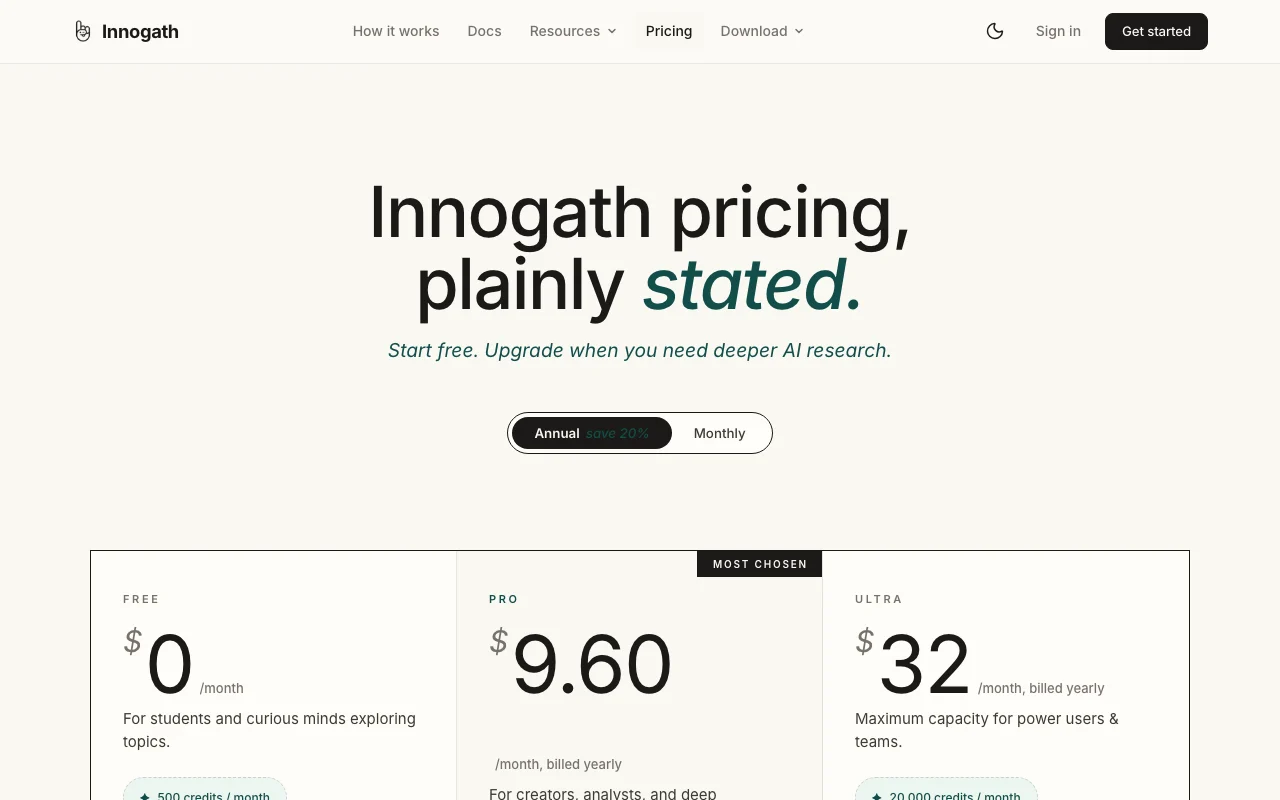
Prices checked Oct 2, 2026 on the official US pricing page. Official pricing ↗ Prices and limits change often.
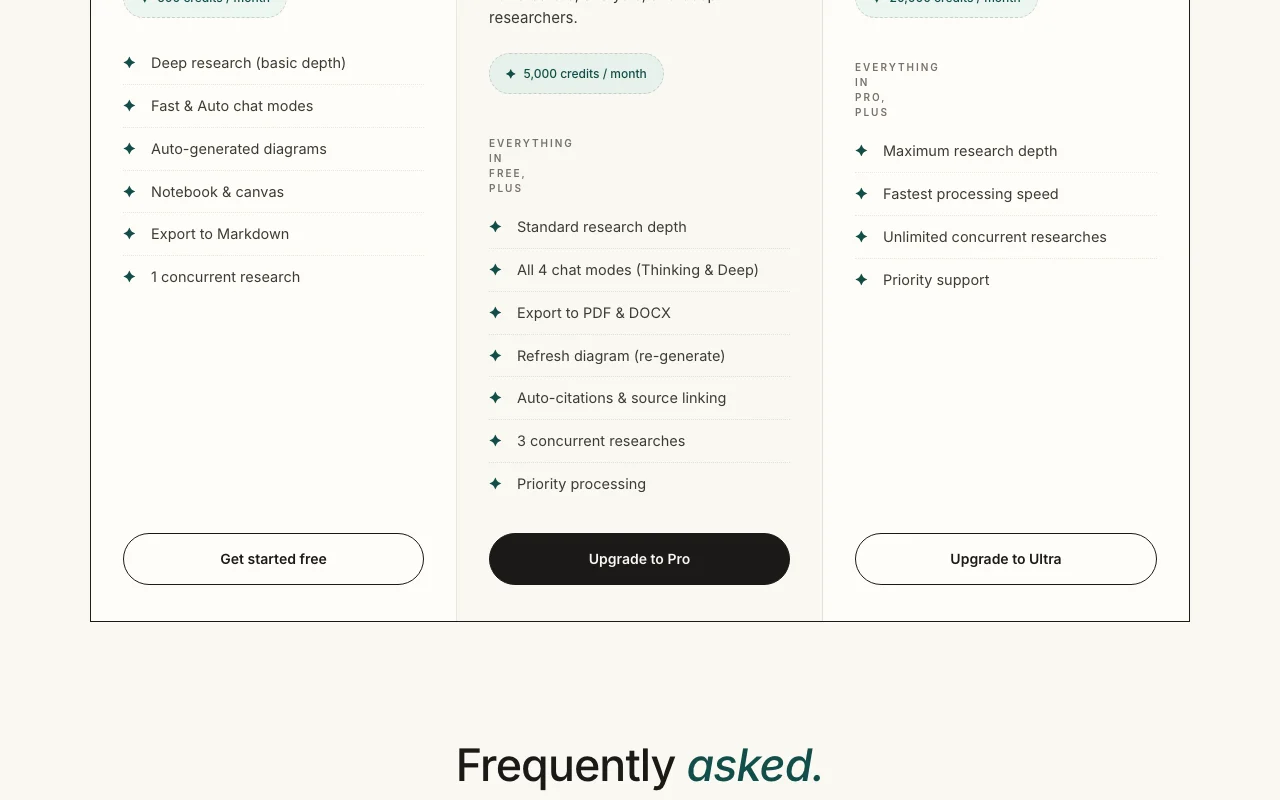
The official Innogath pricing page as we saw it. innogath.com, captured Oct 2, 2026
Free access and trial conditions
Free plan with 500 credits per month, no credit card required.
No separate trial; the Free plan is the way to try it.
Page shows $32/month billed yearly; monthly-billing price not captured in the fetched text.
For: Power users and teams
Limits
20,000 credits per month
Unlimited concurrent researches
Includes
Maximum research depth
Fastest processing
1 more
Priority support
Usage caps, credits and extra costs
Credits reset monthly; when exhausted you cannot generate new research until reset or upgrade.
Payment, tax and invoicing handled by a Merchant of Record.
What is Innogath, and how does it work?
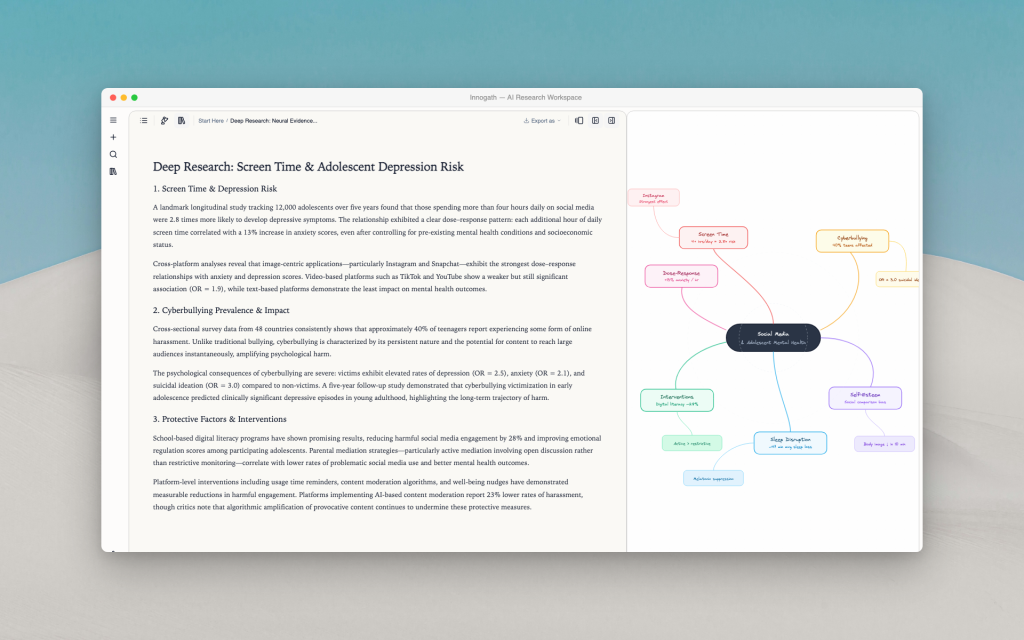
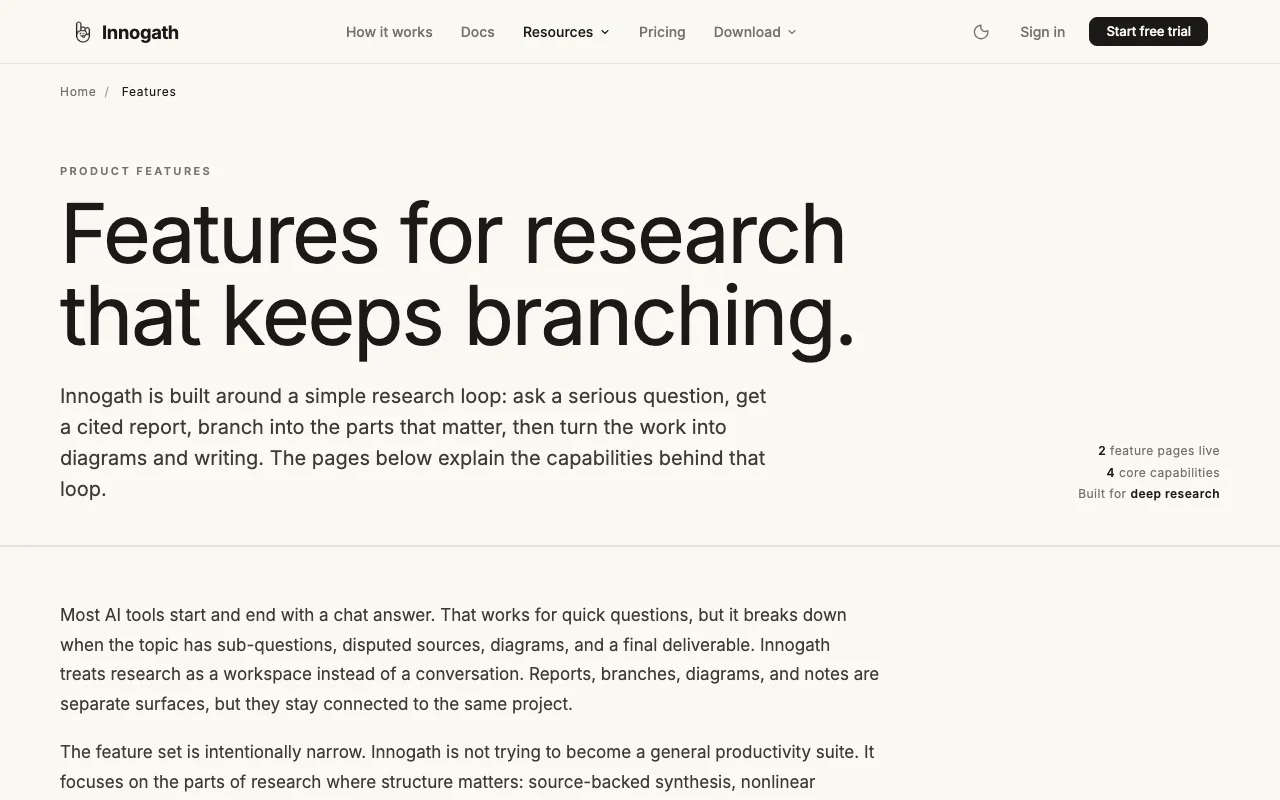
Innogath is an AI research workspace built around a loop: ask a serious question, get a cited report, branch follow-up questions into connected pages, then turn the work into diagrams and writing. Reports, branches, diagrams and notes are separate surfaces kept inside one project.
It runs in the browser and can be installed as a Progressive Web App on macOS 12+ and Windows 10+. Plans are credit-based: Free gives 500 credits a month, Pro 5,000 and Ultra 20,000, with deeper research depth and more concurrent researches on higher tiers.
Innogath's official site: how the product presents itself. innogath.com, captured Oct 2, 2026
What you provide and what you get back
What you give Innogath and what comes back, from its documentation
You provide
Research questions
Prompts and follow-up chat
Uploaded files and notes
You get back
Cited research reports
Branching research pages
Diagrams
Exports in Markdown, PDF or DOCX
Where you can use it
Platforms
Web, Desktop
Account
Required
Credits
500 / 5,000 / 20,000 per month
Exports
Markdown; PDF and DOCX on Pro+
Concurrency
1 / 3 / unlimited researches
Chat modes
Fast, Auto; Thinking and Deep on Pro
Where Innogath is most useful
Scenarios are worked out by our editors from the documentation; the actual result depends on your input and plan.
Free plan with 500 credits a month, no card required You can test the product without a card.documentedsource (opens in a new tab)
Citations and source linking built into reports Readers can verify claims.documentedsource (opens in a new tab)
Installs as a desktop app on Mac and Windows from the browser You can use it on desktop without a separate installer.documentedsource (opens in a new tab)
Limitations to check before paying
Usage is credit-limited; a deep research report uses roughly 150-200 credits Heavy users may run out within a few reports.documentedsource (opens in a new tab)
Free plan limited to basic research depth and Markdown export Casual users get shorter reports and fewer export options.documentedsource (opens in a new tab)
Desktop app is a PWA, not a separate native installer Updates and installation depend on the browser.documentedsource (opens in a new tab)
How to use Innogath for writing a cited research report
Set up Innogath
Open innogath.com and create a free account
Choose the Free plan
Open a new research project
Pick a chat mode such as Deep research
Example: writing a cited research report
Enter a research question
Start a deep research run
Open a branch for a follow-up question
Export the report to Markdown
Review and export the result
Open each cited source link to verify the claim
Check the remaining credit balance after the run
Example prompt suggested by our editors (not a recorded output of the product)
Compare the main approaches to grid-scale battery storage and cite sources for each claim.
Innogath integrations and API
Plan comparison on the official pricing page. innogath.com, captured Oct 2, 2026
Native integrations and export formats
Export: Markdown, PDF, DOCX
API access and separate billing
Innogath has no public API in its official documentation. No API listed on the fetched pages.
Privacy, data use and commercial rights
Summarized from the vendor's current policies; this is not legal advice and a vendor's badge is not an independent audit.
How your inputs and outputs are handled
Prompts, messages, uploaded files, reports and diagrams are stored as user content, treated as confidential per the policy.
Not stated in fetched text.
Not stated in fetched text.
Commercial use and plan restrictions
Not stated.
Not stated.
Controls for business users
Organization may be a separate data controller for shared workspaces
How many credits does an Innogath deep research report use?
A Deep Research report uses about 150-200 credits, a Thinking-mode answer 5-15, and a quick chat message 5-10. source (opens in a new tab)
What does Innogath do when credits run out?
You keep access to existing projects, reports and diagrams but cannot generate new research or chat until credits reset or you upgrade. source (opens in a new tab)
Not verified: Model training use; Data retention; API availability; Homepage and docs content (not fetched).
How we documented and maintain this page
Every fact about Innogath above comes from the 6 official pages listed here, last compared on Oct 2, 2026; we have not run Innogath ourselves, so it has no editorial score. How we check and re-check pages.
Article updated Oct 10, 2026; prices checked Oct 2, 2026. Outbound links to vendors are plain links; we do not earn commissions. How we review · Report an error