
CodingDocumented overviewLast checked Oct 1, 2026

Autoheal: Pricing, Features & Best Use Cases

Enterprise platform running AI agents for incident response, vulnerability remediation and AI coding cost efficiency.

Who Autoheal fits

Autoheal suits enterprise engineering and SRE teams that want governed AI agents for incident response and vulnerability remediation inside their own cloud, with access arranged through a demo. Based on the vendor's documentation, not on a hands-on test.

Best for: Enterprise SRE and DevOps teams

Also a good fit for

  • Regulated organizations needing governed agents

Consider another tool if no public pricing; demo request required

Or if

  • Aimed at enterprise engineering teams
  • Adoption described as a roughly three-week engagement

Autoheal in the news

Headlines from US outlets, selected automatically — not endorsements. Updated Oct 2, 2026

Autoheal pricing and usage limits

Prices checked Oct 1, 2026 on the official US pricing page. Official pricing ↗ Prices and limits change often.

Free access and trial conditions

None stated.

Not stated; demo request is the entry point.

Paid plans: what changes as you upgrade

Enterprise sales

Custom pricing source (opens in a new tab)

Unknown

For: Enterprise SRE and DevOps teams

Includes

  • SaaS, hybrid or air-gapped deployment
  • Per-agent budgets
1 more
  • Audit trail

Usage caps, credits and extra costs

Not stated.

Not stated.

What is Autoheal, and how does it work?

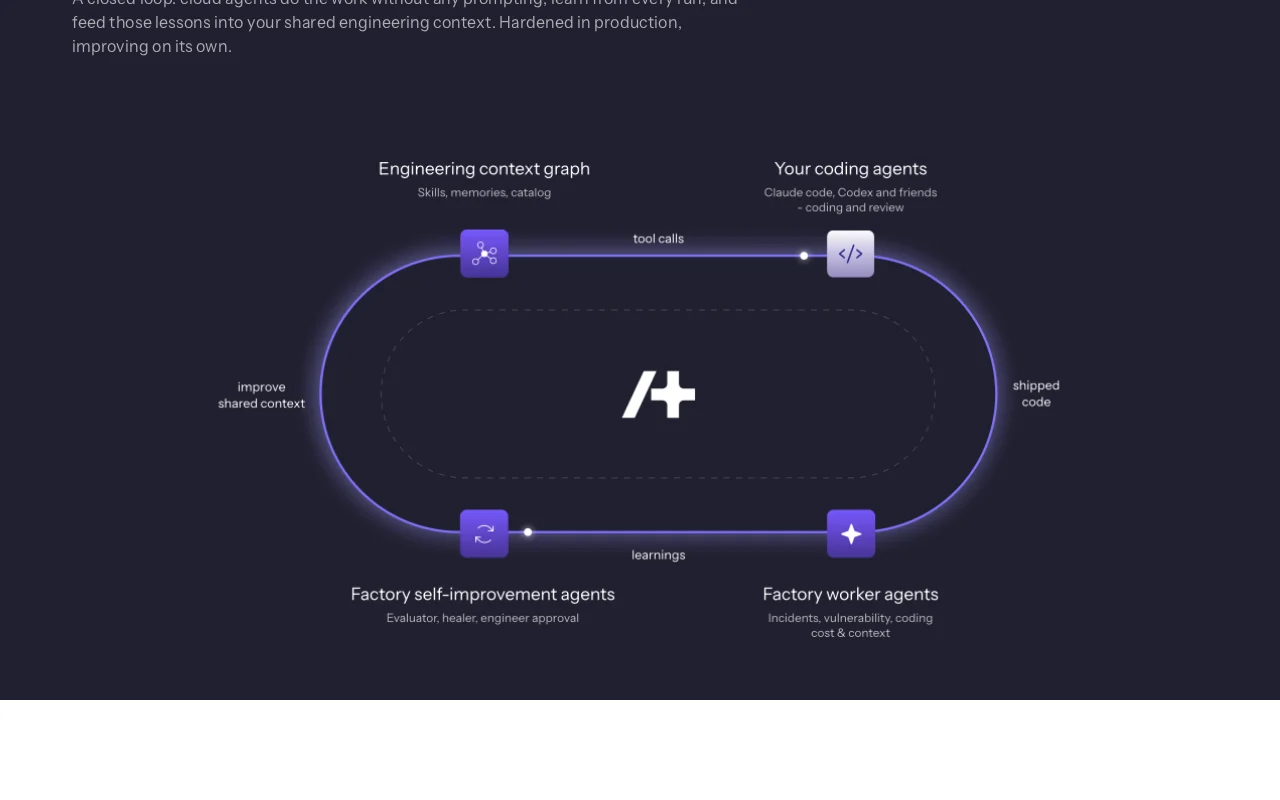
Autoheal describes itself as a self-improving software factory for post-commit engineering work. Agents handle incident response, vulnerability remediation, release readiness and support escalations, running in a governed environment rather than on individual laptops. The site lists SaaS, hybrid and air-gapped deployments, audit trails, per-agent budgets, and SOC 2 Type II and ISO 27001 badges. Access is through a demo request, and docs mention a CLI and API credentials.

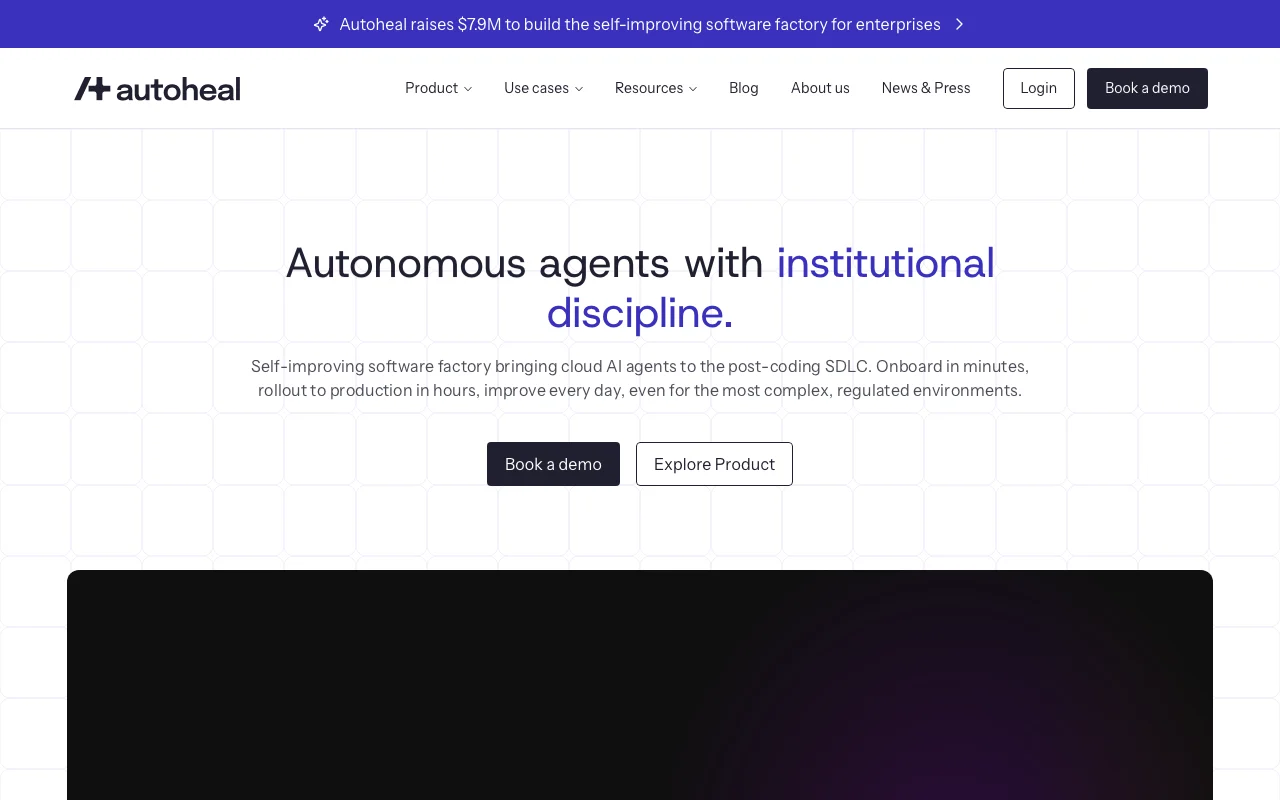
Autoheal homepage — screenshot of the coding AI tool, Oct 1, 2026
Autoheal's official site: how the product presents itself. autoheal.ai, captured Oct 1, 2026

What you provide and what you get back

How Autoheal works: what you provide, where it runs and what you get backYOU PROVIDEYour inputProduction incidents and alertsCode repositories and CVE findingsCustomer support ticketsCODINGAutohealAPIprice not publishedno free tieraccount requiredchecked Oct 1, 2026YOU GET BACKThe resultRoot-cause investigations with ev…Patches for vulnerabilitiesCost reports by team and agentinput → Autoheal → output · from the vendor's own pages, no hands-on test unless stated
What you give Autoheal and what comes back, from its documentation

You provide

  • Production incidents and alerts
  • Code repositories and CVE findings
  • Customer support tickets

You get back

  • Root-cause investigations with evidence
  • Patches for vulnerabilities
  • Cost reports by team and agent

Where you can use it

Platforms
API
Account
Required
Deployment
SaaS, hybrid, air-gapped
Access points
CLI, MCP, Slack, Teams
Governance
Per-agent budgets, approval gates, audit trail
Funding news
Raised $7.9M (homepage banner)

Best use cases for Autoheal

Scenarios are worked out by our editors from the documentation; the actual result depends on your input and plan.
Incident root-cause investigation

Who
SRE and on-call engineers
You provide
Incident signals from tools such as Grafana, Slack and ClickHouse
Expected result
Evidence-backed root cause in minutes instead of hours (vendor claim)
Plan needed
Custom, via demo
Limitation
Results quoted are customer testimonials source (opens in a new tab)

Vulnerability remediation

Who
Security and platform teams
You provide
Open critical CVEs across repositories
Expected result
Vulnerabilities triaged and patched with replayed runs
Plan needed
Custom, via demo
Limitation
Needs repository access and approval gates source (opens in a new tab)

Reducing AI coding spend

Who
Engineering leaders
You provide
AI coding spend across tools
Expected result
Cheaper models, batched calls and tuned caching chosen automatically
Plan needed
Custom, via demo
Limitation
Savings figures are vendor claims source (opens in a new tab)

Autoheal features and their limits

Autoheal homepage — screenshot of the coding AI tool, Oct 1, 2026
Feature overview on the official site. autoheal.ai, captured Oct 1, 2026

Prebuilt agents for SDLC tasks

Ships agents for post-commit tasks such as incidents, vulnerabilities and releases Skips building agents from scratch

Access: Enterprise, via demoLimit: Scope limited to the post-coding lifecycle source (opens in a new tab)

Multi-model routing

Routes each task to the model best suited with cost-optimized defaults Lowers token spend

Access: Platform settingLimit: Available models not listed on fetched pages source (opens in a new tab)

CLI, MCP, Slack and Teams access

Invokes headless cloud agents from CLI, MCP, Slack and Teams Agents work where teams already are

Access: PlatformLimit: Setup details are not public source (opens in a new tab)

Observability by team and agent

Traces cost, latency and accuracy by team and agent Shows which agents earn their cost

Access: PlatformLimit: Dashboards not shown in fetched pages source (opens in a new tab)

Autoheal: strengths and limits

Where Autoheal is strong

Limitations to check before paying

How to use Autoheal for investigating a production incident with an AI agent

Set up Autoheal

  1. Book a demo through the Book a demo button
  2. Agree scope and deployment mode (SaaS, hybrid or air-gapped)
  3. Connect observability, chat and ticketing tools
  4. Set per-agent budgets and approval gates

Example: investigating a production incident with an AI agent

  1. Trigger the incident agent from Slack or the CLI
  2. Point it at the alert and affected service
  3. Review the evidence and proposed root cause
  4. Approve or reject any suggested fix

Review and export the result

  1. Compare the agent's root cause with the on-call engineer's finding
  2. Check cost and latency per run in the observability view
Example prompt suggested by our editors (not a recorded output of the product)
Investigate the latency spike on the checkout service since 14:00 and list the likely root cause with supporting logs.

Autoheal API

API access and separate billing

Autoheal has no public API in its official documentation. Docs mention a CLI and API credentials; docs page returned 404 in the fetch API documentation ↗

Privacy, data use and commercial rights

Summarized from the vendor's current policies; this is not legal advice and a vendor's badge is not an independent audit.

How your inputs and outputs are handled

Agents process incident, code and ticket data inside the customer environment.

Not stated.

Not stated.

Commercial use and plan restrictions

Not stated.

Not stated.

Controls for business users

  • Audit trail
  • Per-agent budgets
  • Approval gates
  • Air-gapped deployment

Autoheal alternatives by need

"Better suited" is based on documented features and pricing, not on a head-to-head test.

GitHub Copilot: better suited to

Cursor: better suited to

Devin Desktop (formerly Windsurf): better suited to

Alternatives
AlternativeWhen to choose itPricingLimitation
GitHub Copilot——Compare
Cursor——Compare
Devin Desktop (formerly Windsurf)——Compare

Explore Autoheal further

If you are looking at Autoheal

Autoheal user reviews

No user reviews yet.

Used Autoheal? Be the first to share your experience.

Write a review

Reviews are checked by a moderator before they appear. Your email is never published. Plain text only.

Your rating (required)

Show what you made or what went wrong. Images are published only if the review is approved; location data is removed.

    Autoheal FAQ

    How much does Autoheal cost?

    No public pricing exists; the site directs you to Book a demo. source (opens in a new tab)

    Where can Autoheal run?

    The site lists SaaS, hybrid and air-gapped deployment, and a customer quote says it runs inside their own cloud. source (opens in a new tab)

    What work do the agents handle?

    Post-commit tasks: incident response, vulnerability remediation, release readiness and support escalations. source (opens in a new tab)

    How do teams call the agents?

    Through a CLI, MCP, Slack or Teams, as headless cloud agents. source (opens in a new tab)

    What security badges does it show?

    SOC 2 Type II and ISO 27001 badges are shown on the site. source (opens in a new tab)

    Sources and review methodology

    Official sources and verification dates

    Not verified: Pricing; Privacy policy; Data retention and training use; US availability; Supported model list.

    How we documented and maintain this page

    Every fact about Autoheal above comes from the 2 official pages listed here, last compared on Oct 1, 2026; we have not run Autoheal ourselves, so it has no editorial score. How we check and re-check pages.

    Article updated Oct 2, 2026; prices checked Oct 1, 2026. Outbound links to vendors are plain links; we do not earn commissions. How we review · Report an error