Productivity & writingDocumented overviewLast checked Sep 29, 2026

AI for Database: Pricing, Features & Best Use Cases

Ask connected databases questions in plain English and get answers, charts, dashboards and scheduled workflows without writing SQL.

Who AI for Database fits

AI for Database fits founders and ops teams who want plain-English answers, dashboards and scheduled workflows on live PostgreSQL, MySQL, MongoDB, SQL Server or Google Sheets data without writing SQL. Based on the vendor's documentation, not on a hands-on test.

Best for: Founders

Also a good fit for

  • Operations teams
  • Product managers

Consider another tool if paid plans only on pricing page; no free plan listed

Or if

  • Usage runs on prepaid credits and pauses at zero balance
  • Requires an account and database connection

AI for Database pricing and usage limits

Prices checked Sep 29, 2026 on the official US pricing page. Official pricing ↗ Prices and limits change often.

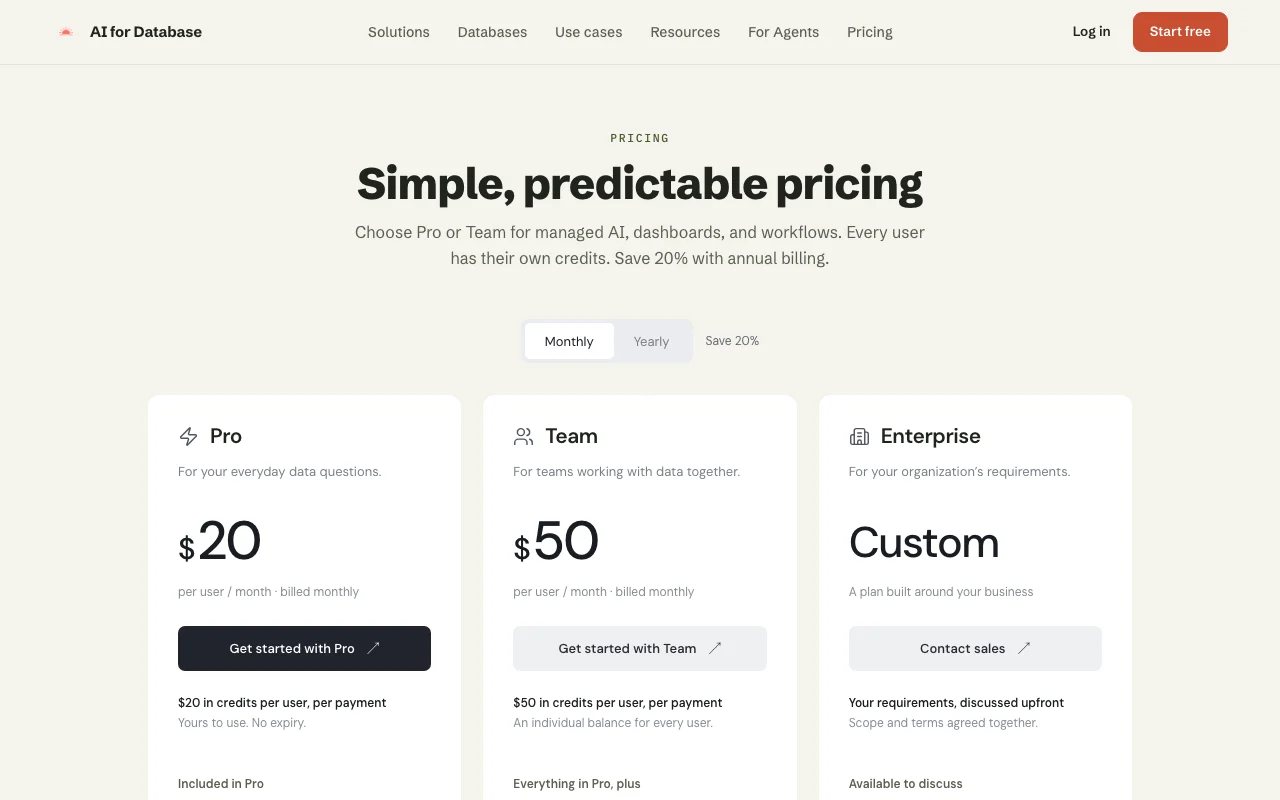
AI for Database pricing page with plans and prices — screenshot of the productivity & writing AI tool, Oct 1, 2026
The official AI for Database pricing page as we saw it. aifordatabase.com, captured Oct 1, 2026

Free access and trial conditions

Account can be created before subscribing; AI usage needs credits

No trial listed

Paid plans: what changes as you upgrade

Pro web

$20/mo per user source (opens in a new tab)

Month

Yearly billing $192 per user (20% off)

For: Individuals with everyday data questions

Limits

  • $20 in credits per user per payment
  • AI usage pauses at zero credits

Includes

  • Plain-English database queries
  • Dashboards
2 more
  • Unlimited workflows
  • Webhooks

Team web

$50/mo per user source (opens in a new tab)

Month

Yearly billing $480 per user

For: Teams working with data together

Limits

  • $50 in credits per user per payment

Includes

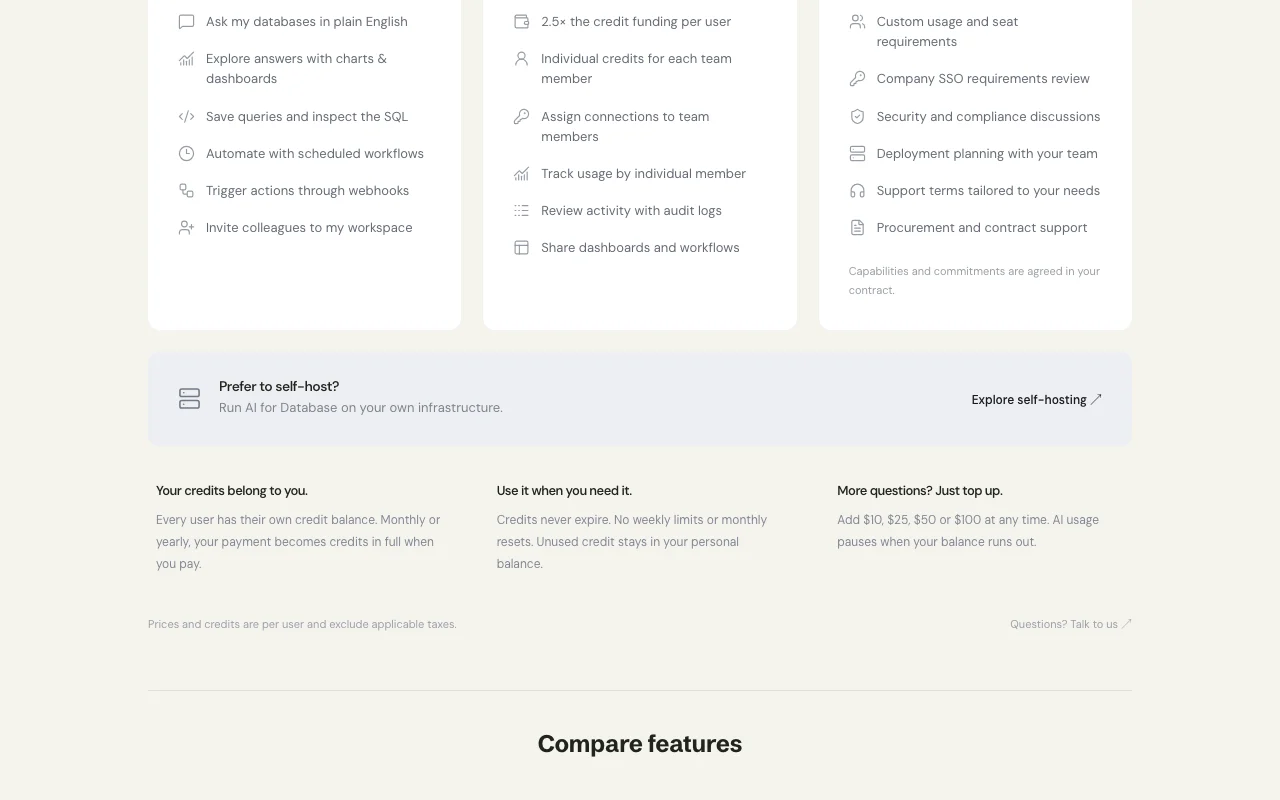
  • Everything in Pro
  • Audit logs
2 more
  • Shared dashboards and workflows
  • Per-user usage tracking

Enterprise web

Custom pricing source (opens in a new tab)

Month

For: Organizations with contract requirements

Includes

  • Custom usage and seats
  • SSO review
1 more
  • Security and compliance discussions

Usage caps, credits and extra costs

Credit top-ups of $10, $25, $50 or $100; self-hosting available separately

Credits exclude taxes; payments processed by Dodo Payments

What is AI for Database, and how does it work?

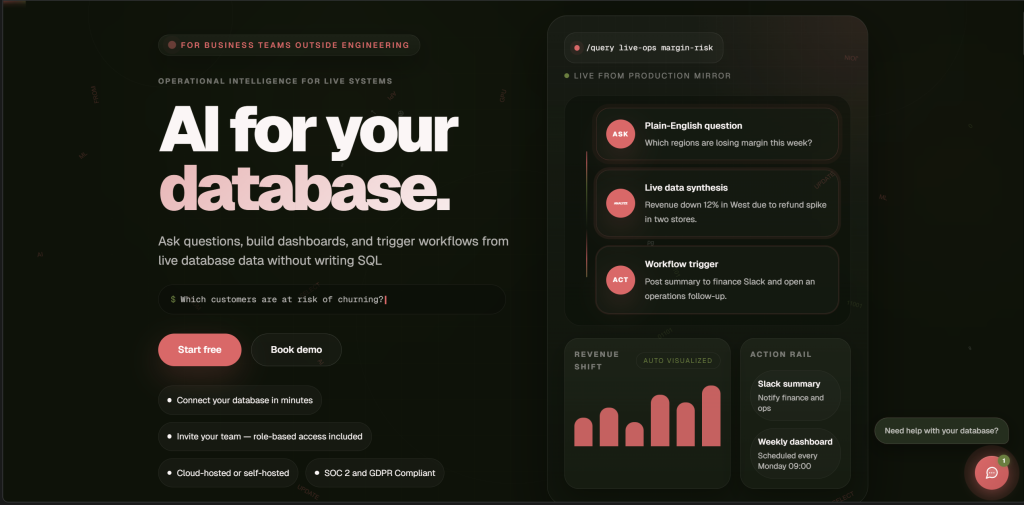
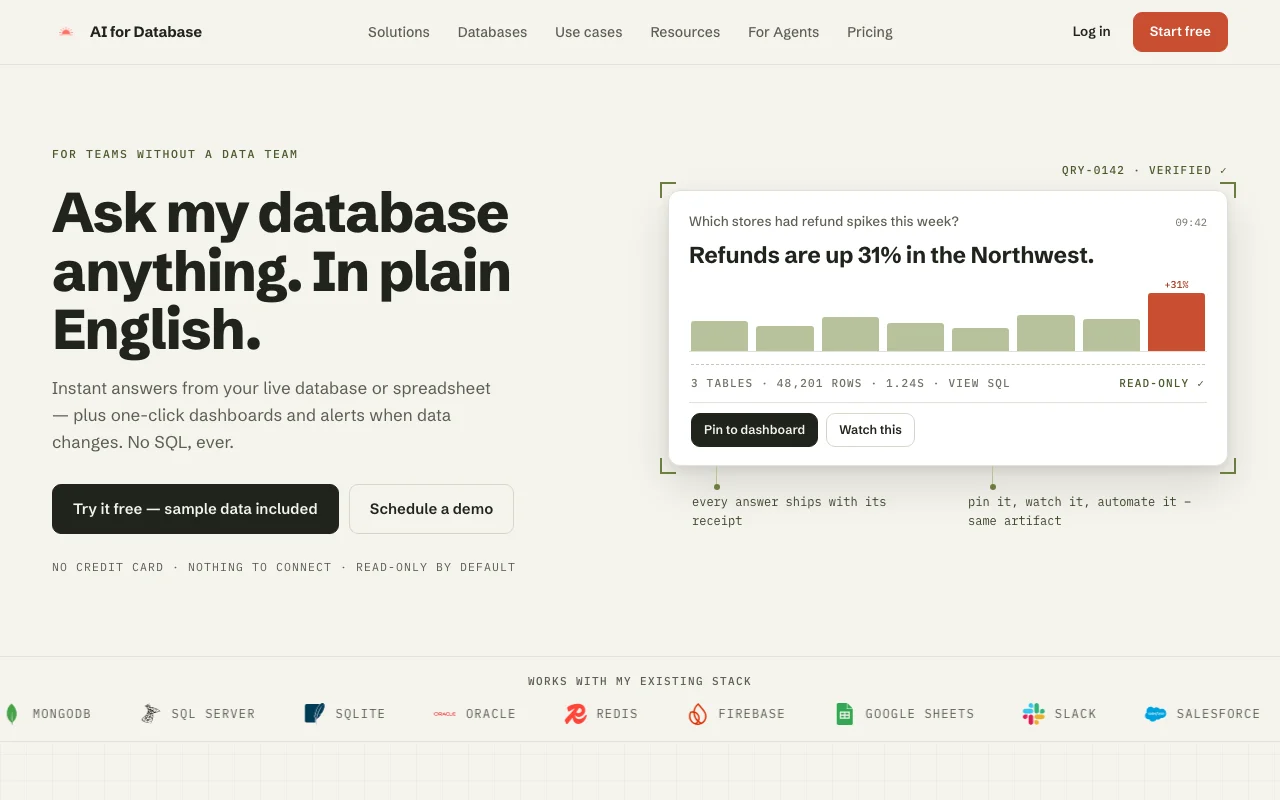
AI for Database connects to PostgreSQL, MySQL, MongoDB, SQL Server and Google Sheets and translates natural-language questions into queries against live data. Results can be saved as dashboards, turned into scheduled workflows and alerts, and triggered through webhooks. A self-hosting option and an API are also listed.

AI for Database homepage — screenshot of the productivity & writing AI tool, Oct 1, 2026
AI for Database's official site: how the product presents itself. aifordatabase.com, captured Oct 1, 2026

What you provide and what you get back

How AI for Database works: what you provide, where it runs and what you get backYOU PROVIDEYour inputPlain-English questionsConnections to PostgreSQL, MySQL,…PRODUCTIVITY & WRITINGAI for DatabaseWeb, APIfrom $20/mo (Pro)free tier availableaccount requiredchecked Sep 29, 2026YOU GET BACKThe resultAnswers and chartsDashboardsScheduled workflows and alertsVisible SQL for saved queriesinput → AI for Database → output · from the vendor's own pages, no hands-on test unless stated
What you give AI for Database and what comes back, from its documentation

You provide

  • Plain-English questions
  • Connections to PostgreSQL, MySQL, MongoDB, SQL Server or Google Sheets

You get back

  • Answers and charts
  • Dashboards
  • Scheduled workflows and alerts
  • Visible SQL for saved queries

Where you can use it

Platforms
Web, API
Account
Required
Data sources
PostgreSQL, MySQL, MongoDB, SQL Server, Google Sheets
Credits
$20 per Pro payment, $50 per Team payment, no expiry
Billing
Monthly or yearly (20% off)

What people use AI for Database for

Scenarios are worked out by our editors from the documentation; the actual result depends on your input and plan.

Ask sales or ops questions of a live database

Who
Founders and product managers who do not write SQL
You provide
Question such as 'signups by week' against a connected database
Expected result
A chart or table with the generated SQL available to inspect
Plan needed
Pro
Limitation
Credits are consumed per question source (opens in a new tab)

Build dashboards and reports

Who
Operations teams sharing metrics
You provide
Saved natural-language queries
Expected result
A dashboard refreshed from live data
Plan needed
Pro; sharing dashboards is Team
Limitation
Dashboard sharing needs Team source (opens in a new tab)

Schedule data-monitoring workflows

Who
Teams tracking thresholds or anomalies
You provide
Query plus schedule or webhook trigger
Expected result
Recurring runs and alerts without manual checks
Plan needed
Pro and Team
Limitation
Usage pauses if credits run out source (opens in a new tab)

Key features and their practical limits

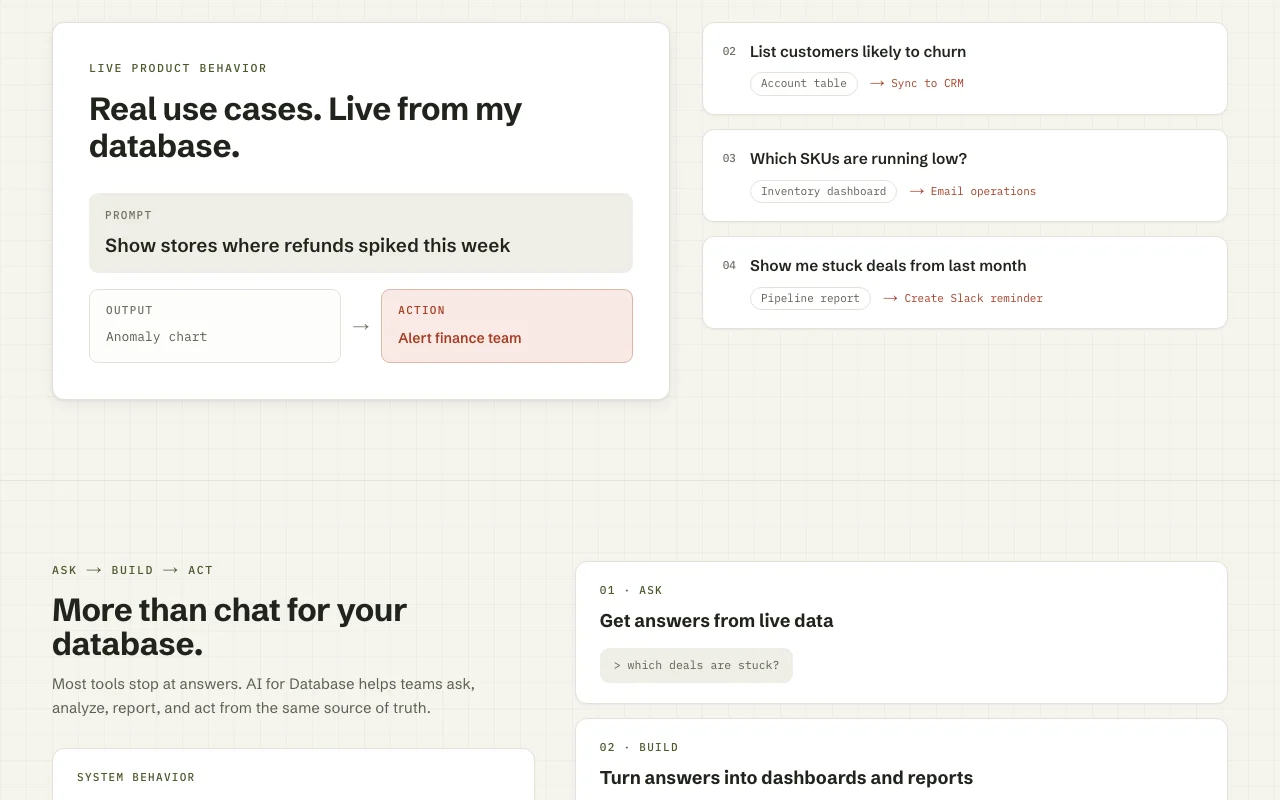
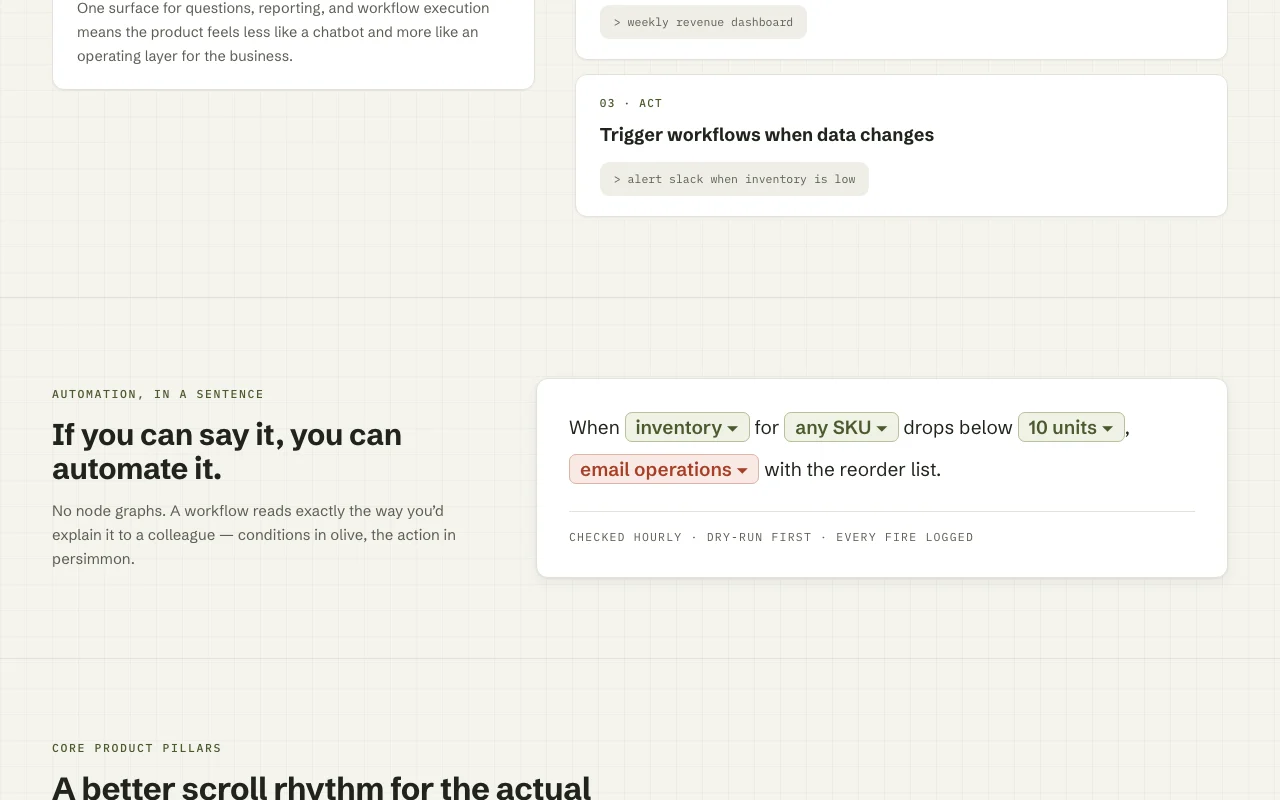
AI for Database homepage — screenshot of the productivity & writing AI tool, Oct 1, 2026
Feature overview on the official site. aifordatabase.com, captured Oct 1, 2026

Natural-language queries

Translates a plain-English question into a database query and runs it on your data Removes the need to know SQL

Access: All plansLimit: Draws on your credit balance source (opens in a new tab)

Dashboard generation

Turns answers into charts and dashboards from your live data Gives a reusable view instead of one-off answers

Access: Pro and TeamLimit: Sharing across users is Team source (opens in a new tab)

Saved queries with inspectable SQL

Stores a question and shows the SQL it produced Lets analysts verify results

Access: Pro and TeamLimit: Review still falls on you source (opens in a new tab)

Scheduled workflows and webhooks

Runs saved logic on a timetable or when a webhook fires Automates recurring checks

Access: Pro and Team; workflows listed as unlimitedLimit: AI steps use credits source (opens in a new tab)

Audit logs and per-user usage tracking

Records activity and credit use per team member Helps admins control spend and access

Access: TeamLimit: Not in Pro source (opens in a new tab)

AI for Database: strengths and limits

Reasons to choose AI for Database

Check before paying for AI for Database

How to use AI for Database for asking a live database questions in plain English

Set up AI for Database

  1. Create an account at aifordatabase.com
  2. Subscribe to Pro or Team (or top up credits) so AI usage is enabled
  3. Add a connection to PostgreSQL, MySQL, MongoDB, SQL Server or Google Sheets
  4. Invite colleagues if you are on Team

Example: asking a live database questions in plain English

  1. Open the connected database
  2. Type a question such as 'How many new customers signed up each week this quarter?'
  3. Review the chart and open the generated SQL
  4. Save the query to a dashboard and attach a weekly schedule

Review and export the result

  1. Read the generated SQL and confirm tables and filters match your intent
  2. Compare one result with a known figure from your own report
Example prompt suggested by our editors (not a recorded output of the product)
Show weekly new signups for the last 12 weeks as a line chart

AI for Database API

AI for Database pricing page with plans and prices — screenshot of the productivity & writing AI tool, Oct 1, 2026
Plan comparison on the official pricing page. aifordatabase.com, captured Oct 1, 2026

API access and separate billing

AI for Database has no public API in its official documentation. API and OpenAPI reference referenced in docs; billing not stated API documentation ↗

Privacy, data use and commercial rights

Summarized from the vendor's current policies; this is not legal advice and a vendor's badge is not an independent audit.

How your inputs and outputs are handled

Questions and query results are processed by managed AI over your connected database

Commercial use and plan restrictions

Audit logs only on Team; SSO/SAML only through Enterprise discussion

Controls for business users

  • Audit logs (Team)
  • Per-user connection assignments
  • Self-hosting option

Best AI for Database alternatives for different needs

"Better suited" is based on documented features and pricing, not on a head-to-head test.

ChatGPT: better suited to

Gemini Notebook (formerly NotebookLM): better suited to

Zapier: better suited to

Alternatives
AlternativeWhen to choose itPricingLimitation
ChatGPT——
Gemini Notebook (formerly NotebookLM)——
Zapier——Compare

Explore AI for Database further

Related to AI for Database

AI for Database user reviews

No user reviews yet.

Used AI for Database? Be the first to share your experience.

Write a review

Reviews are checked by a moderator before they appear. Your email is never published. Plain text only.

Your rating (required)

Show what you made or what went wrong. Images are published only if the review is approved; location data is removed.

    AI for Database FAQ

    How much does AI for Database cost?

    Pro is $20 per user a month and Team $50 per user a month; Enterprise is custom. source (opens in a new tab)

    What happens when my credits run out?

    AI usage pauses until you add credits; top-ups come in $10, $25, $50 and $100 amounts and credits never expire. source (opens in a new tab)

    Does annual billing save money?

    Yes, 20%: $192 per user for Pro or $480 for Team, added as credits upfront. source (opens in a new tab)

    Which databases can it query?

    PostgreSQL, MySQL, MongoDB, SQL Server and Google Sheets. source (opens in a new tab)

    Can I self-host it?

    Yes, self-hosting is offered separately; contact the vendor to discuss your environment. source (opens in a new tab)

    Sources and review methodology

    Official sources and verification dates

    Not verified: Data retention and AI training policy; API pricing; Free trial availability.

    How we documented and maintain this page

    Every fact about AI for Database above comes from the 4 official pages listed here, last compared on Sep 29, 2026; we have not run AI for Database ourselves, so it has no editorial score. How we check and re-check pages.

    Article updated Oct 10, 2026; prices checked Sep 29, 2026. Outbound links to vendors are plain links; we do not earn commissions. How we review · Report an error