Research & searchDocumented overviewLast checked Sep 29, 2026

TubeAnalytics: Pricing, Features & Best Use Cases

YouTube analytics platform showing real CPM and RPM from a connected channel, plus competitor tracking and AI content ideas.

Who should use TubeAnalytics

TubeAnalytics suits YouTube creators and agencies who want real CPM and RPM from an authorized channel, competitor tracking and AI title and idea help, from $19 a month. Based on the vendor's documentation, not on a hands-on test.

Best for: YouTube creators

Also a good fit for

  • Agencies managing several channels

Consider another tool if 7-day trial requires a payment card

Or if

  • Starter covers one channel and 90 days of history
  • Revenue analytics are not in the Starter plan

TubeAnalytics pricing and usage limits

Prices checked Sep 29, 2026 on the official US pricing page. Official pricing ↗ Prices and limits change often.

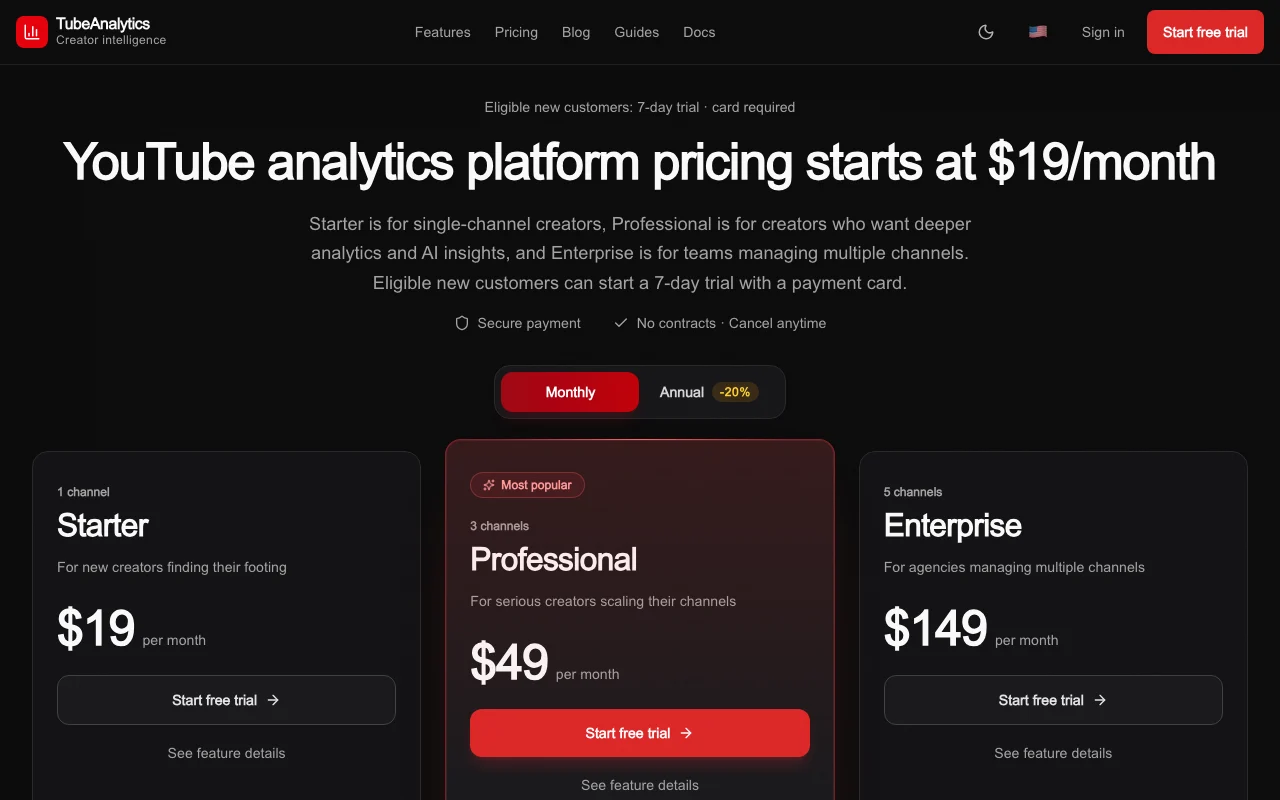
TubeAnalytics pricing page with plans and prices — screenshot of the research & search AI tool, Oct 1, 2026
The official TubeAnalytics pricing page as we saw it. tubeanalytics.net, captured Oct 1, 2026

Free access and trial conditions

No free plan

7-day trial, card required, for eligible new customers

Paid plans: what changes as you upgrade

Starter web

$19/mo source (opens in a new tab)

Month

$15 per month billed annually ($180/year)

For: New single-channel creators

Limits

  • 1 YouTube channel
  • 90-day history
1 more
  • 5 competitors

Includes

  • Core dashboards
  • Email support
1 more
  • 1,000 API calls a month

Professional web

$49/mo source (opens in a new tab)

Month

$39 per month billed annually ($468/year)

For: Creators scaling channels

Limits

  • 3 channels
  • 1 year of history
1 more
  • 10 competitors

Includes

  • AI insights
  • Trend alerts
2 more
  • Priority support
  • 5,000 API calls a month

API included

Enterprise web

$149/mo source (opens in a new tab)

Month

$119 per month billed annually ($1,428/year)

For: Agencies

Limits

  • 5 channels
  • 5 years of history
1 more
  • 20 competitors

Includes

  • White-label reporting
  • API access
1 more
  • 20,000 API calls a month

API included

Usage caps, credits and extra costs

Not stated

Not stated

What is TubeAnalytics, and how does it work?

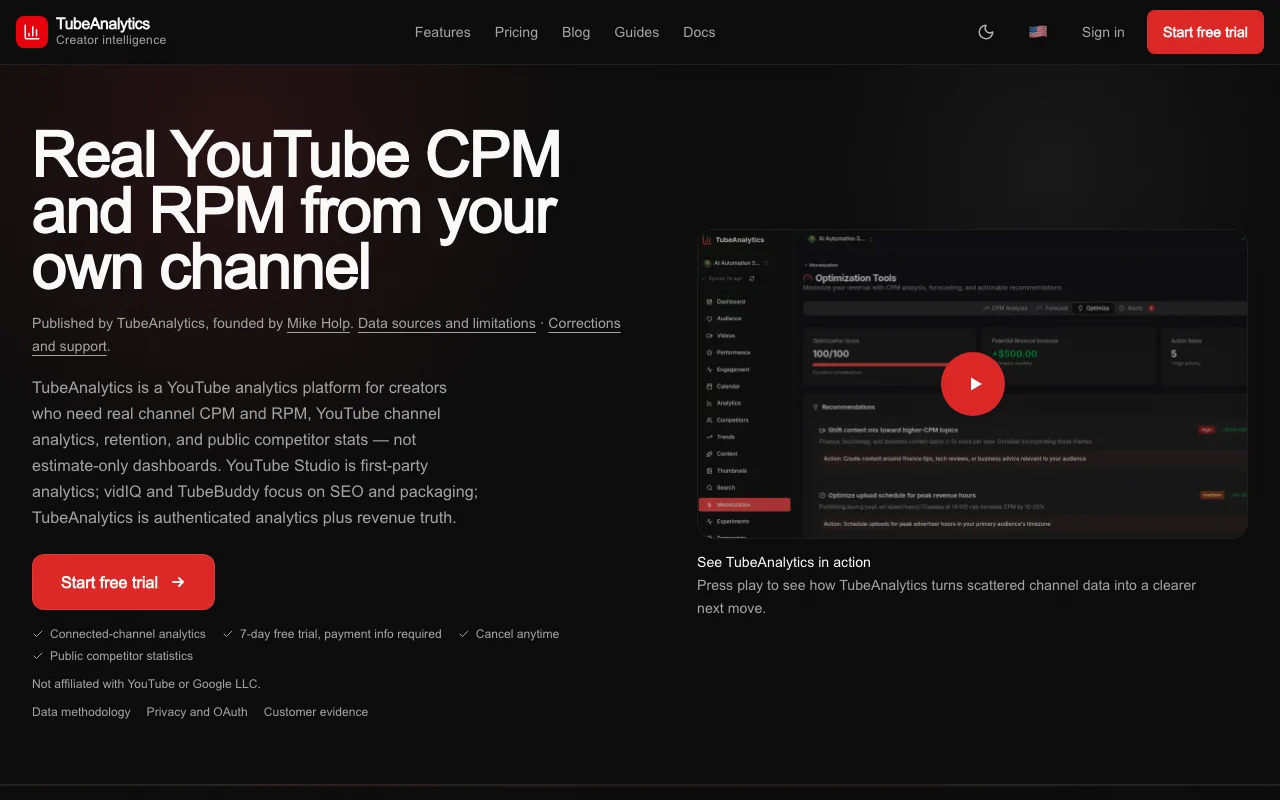
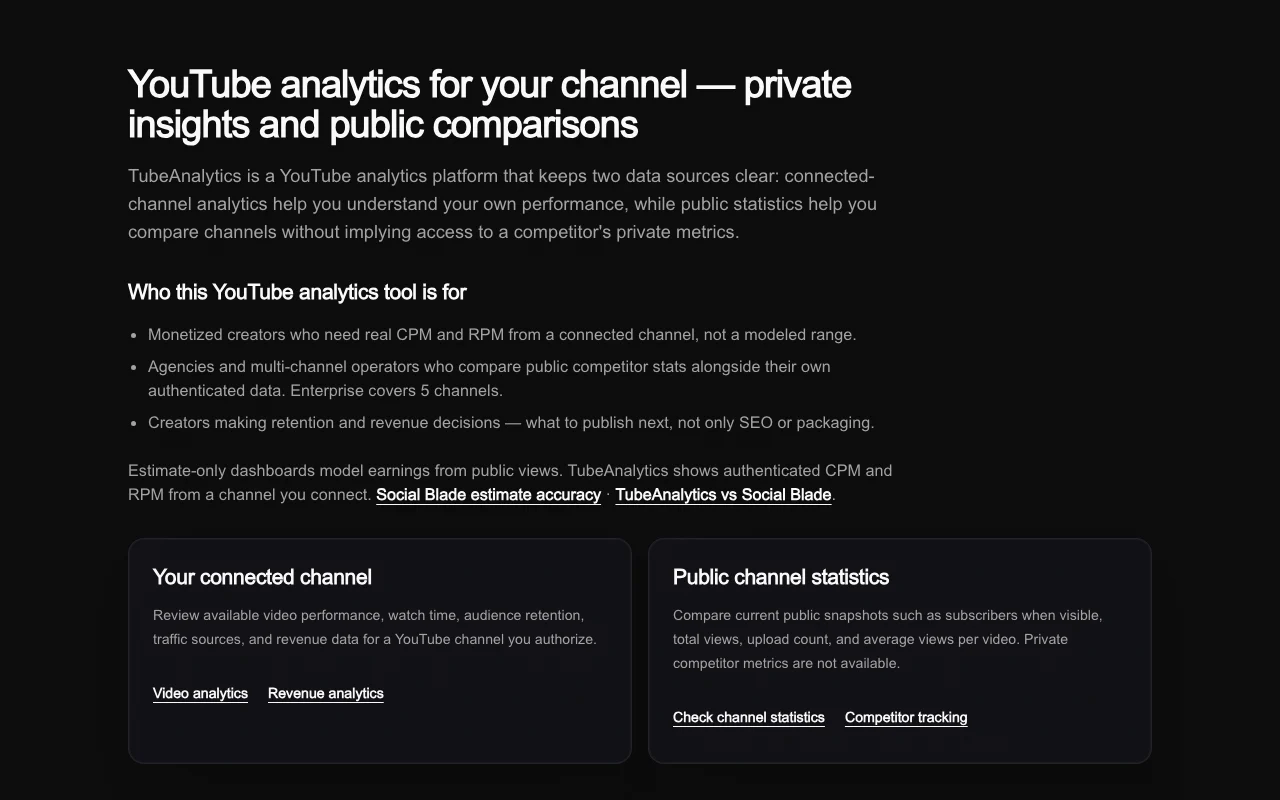
TubeAnalytics is a YouTube analytics platform for creators and agencies. After a channel is connected through authorization, it shows video performance, retention, audience data and revenue figures such as CPM and RPM. It also compares public statistics of other channels, offers trend discovery, AI-generated titles, descriptions and content ideas, and exposes an API with monthly call allowances per plan.

TubeAnalytics homepage — screenshot of the research & search AI tool, Oct 1, 2026
TubeAnalytics's official site: how the product presents itself. tubeanalytics.net, captured Oct 1, 2026

What you provide and what you get back

How TubeAnalytics works: what you provide, where it runs and what you get backYOU PROVIDEYour inputAuthorized YouTube channel connec…Competitor channel URLsNiche keywordsRESEARCH & SEARCHTubeAnalyticsWeb, APIfrom $19/mo (Starter)no free tieraccount requiredchecked Sep 29, 2026YOU GET BACKThe resultVideo, audience and revenue dashb…Competitor comparison chartsAI titles, descriptions and conte…input → TubeAnalytics → output · from the vendor's own pages, no hands-on test unless stated
What you give TubeAnalytics and what comes back, from its documentation

You provide

  • Authorized YouTube channel connection
  • Competitor channel URLs
  • Niche keywords

You get back

  • Video, audience and revenue dashboards
  • Competitor comparison charts
  • AI titles, descriptions and content ideas

Where you can use it

Platforms
Web, API
Account
Required
Channels
1 / 3 / 5
History
90 days / 1 year / 5 years
Competitors
5 / 10 / 20
Exports
PDF, Excel

Where TubeAnalytics is most useful

Scenarios are worked out by our editors from the documentation; the actual result depends on your input and plan.

Track real CPM and RPM for a monetized channel

Who
YouTube creators
You provide
Authorized channel
Expected result
Revenue analytics with CPM and RPM
Plan needed
Professional or Enterprise
Limitation
Not in Starter source (opens in a new tab)

Compare public stats of competitor channels

Who
Creators and agencies
You provide
Competitor channels
Expected result
Comparison charts
Plan needed
Starter tracks 5 competitors
Limitation
Private metrics unavailable source (opens in a new tab)

Find rising topics in a niche

Who
Content strategists
You provide
Niche topic
Expected result
Trending topic list and AI ideas
Plan needed
Starter: 20 trending lookups a day
Limitation
AI ideas capped at 25 on Starter source (opens in a new tab)

Key features and their practical limits

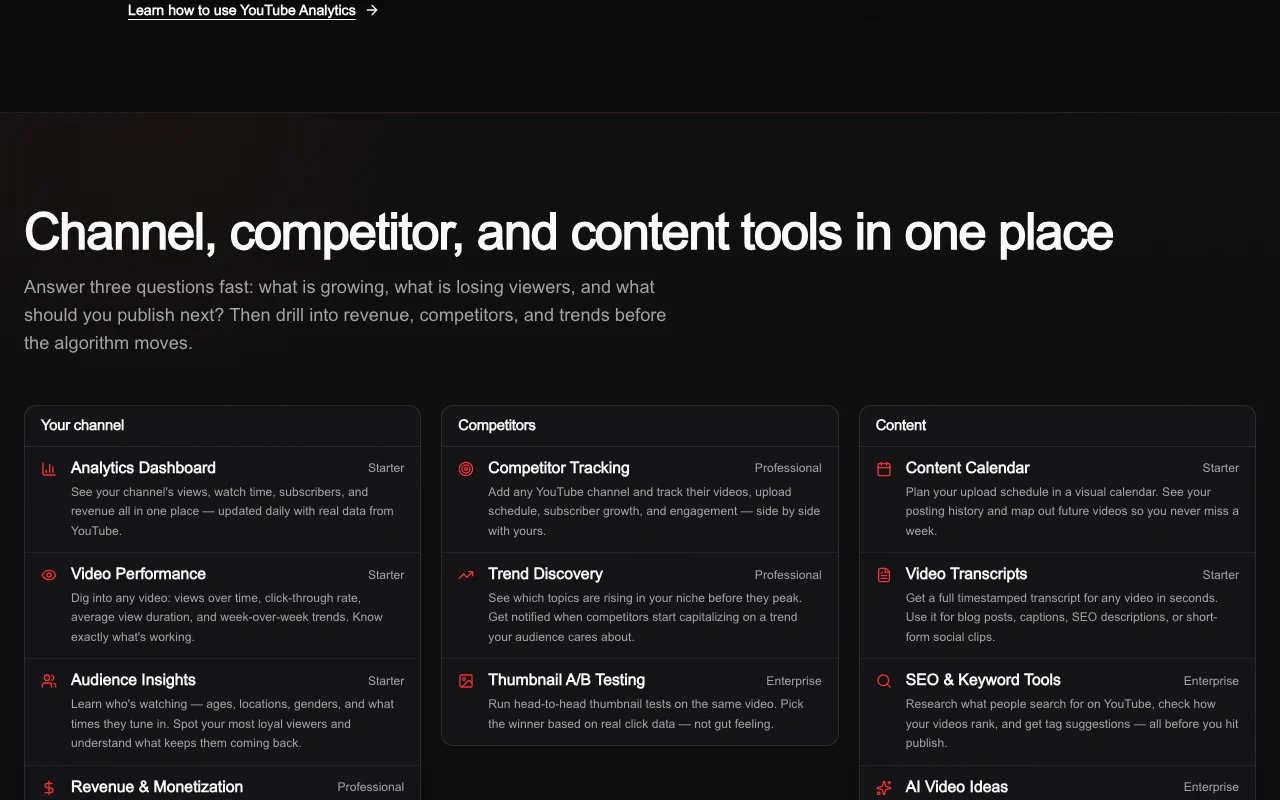
TubeAnalytics homepage — screenshot of the research & search AI tool, Oct 1, 2026
Feature overview on the official site. tubeanalytics.net, captured Oct 1, 2026

Channel and video analytics dashboards

Shows performance, retention and growth for connected channels Guides content decisions

Access: All plansLimit: History 90 days / 1 year / 5 years source (opens in a new tab)

Revenue analytics

Displays real CPM and RPM from the authorized channel Reveals earnings, not estimates

Access: Professional and EnterpriseLimit: Not in Starter source (opens in a new tab)

Competitor tracking

Follows public stats of 5, 10 or 20 competitor channels Benchmarks growth

Access: All plansLimit: Public data only source (opens in a new tab)

AI content ideas and titles

Generates ideas, titles and descriptions Speeds ideation

Access: 25 / 100 / 500 ideas by planLimit: Counts vary by plan source (opens in a new tab)

API access

Provides API calls (1,000 / 5,000 / 20,000 per month) for automation Feeds your own tools

Access: All plans per allowanceLimit: Allowance capped source (opens in a new tab)

Pros, cons and deal-breakers

Where TubeAnalytics is strong

Limitations to check before paying

How to use TubeAnalytics for tracking YouTube channel revenue and competitors

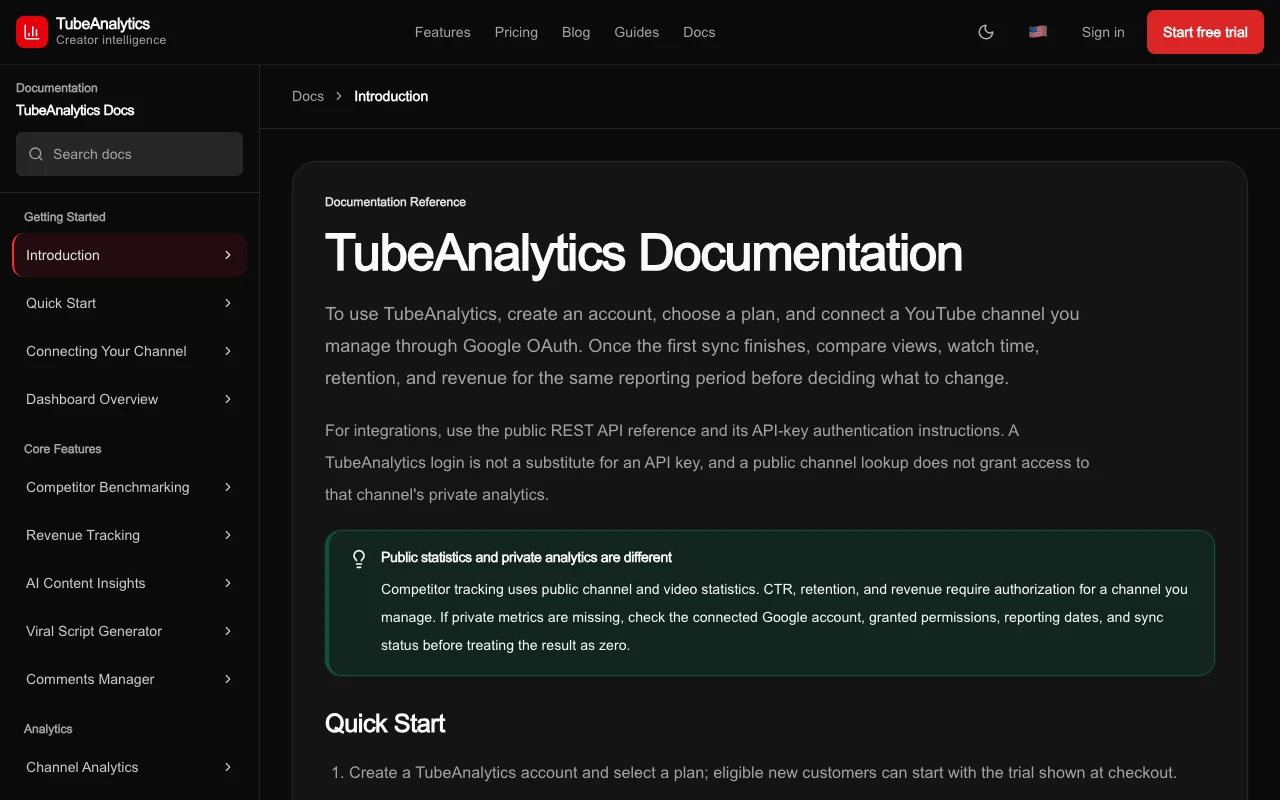
TubeAnalytics documentation — screenshot of the research & search AI tool, Oct 1, 2026
TubeAnalytics documentation: where the steps below come from. tubeanalytics.net, captured Oct 1, 2026

Set up TubeAnalytics

  1. Choose a plan and start the 7-day trial at tubeanalytics.net
  2. Complete checkout with a payment card
  3. Authorize your YouTube channel
  4. Add competitor channels

Example: tracking YouTube channel revenue and competitors

  1. Open revenue analytics for your channel
  2. Read CPM and RPM by video
  3. Add five competitor channels to compare
  4. Generate AI title ideas for your next video

Review and export the result

  1. Compare revenue figures with YouTube Studio
  2. Cancel before day 7 if the plan does not fit

TubeAnalytics integrations and API

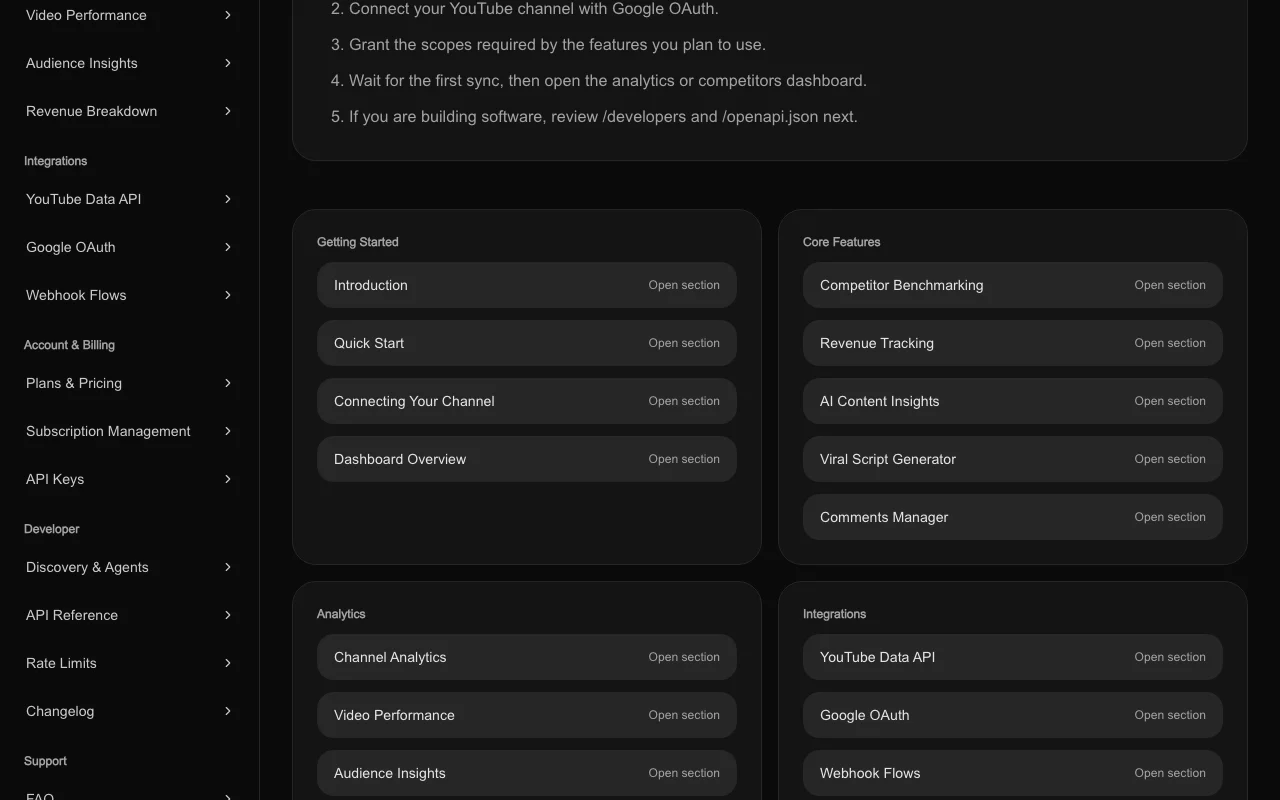
TubeAnalytics documentation — screenshot of the research & search AI tool, Oct 1, 2026
TubeAnalytics documentation (continued). tubeanalytics.net, captured Oct 1, 2026

Native integrations and export formats

Export: PDF, Excel

API access and separate billing

TubeAnalytics has no public API in its official documentation. 1,000 / 5,000 / 20,000 calls per month by plan API documentation ↗

Privacy, data use and commercial rights

Summarized from the vendor's current policies; this is not legal advice and a vendor's badge is not an independent audit.

How your inputs and outputs are handled

Authorized YouTube channel data is read to produce analytics

Commercial use and plan restrictions

Revenue analytics not in Starter

TubeAnalytics alternatives by need

"Better suited" is based on documented features and pricing, not on a head-to-head test.

Perplexity: better suited to

Alternatives
AlternativeWhen to choose itPricingLimitation
Perplexity——Compare

Explore TubeAnalytics further

Tools and guides near TubeAnalytics

TubeAnalytics user reviews

No user reviews yet.

Used TubeAnalytics? Be the first to share your experience.

Write a review

Reviews are checked by a moderator before they appear. Your email is never published. Plain text only.

Your rating (required)

Show what you made or what went wrong. Images are published only if the review is approved; location data is removed.

    TubeAnalytics FAQ

    How much does TubeAnalytics cost?

    Starter is $19 a month, Professional $49 and Enterprise $149; annual billing is $15, $39 and $119 a month. source (opens in a new tab)

    Is there a free trial?

    Eligible new customers get a 7-day trial that requires a payment card. source (opens in a new tab)

    How many channels can I connect?

    1 on Starter, 3 on Professional and 5 on Enterprise. source (opens in a new tab)

    Which plan shows revenue analytics?

    Professional and Enterprise; it is not in Starter. source (opens in a new tab)

    What are the API allowances?

    1,000, 5,000 and 20,000 calls per month by plan. source (opens in a new tab)

    Sources and review methodology

    Official sources and verification dates

    Not verified: Privacy policy (404); Data retention; Docs content.

    How we documented and maintain this page

    Every fact about TubeAnalytics above comes from the 3 official pages listed here, last compared on Sep 29, 2026; we have not run TubeAnalytics ourselves, so it has no editorial score. How we check and re-check pages.

    Article updated Oct 10, 2026; prices checked Sep 29, 2026. Outbound links to vendors are plain links; we do not earn commissions. How we review · Report an error