Our take: AnySearch is a fit for developers building AI agents who need a free, structured web search API reachable through MCP, Skill or REST without wiring up separate sources.
Main limitation: The free tier is capped at 1,000 requests per day and 20 QPS per key, and the higher Search Pro tier is not yet available.
By the AI Tool Atlas editors.
Based on the vendor's official documentation; we have not tested this product hands-on. What “documented overview” means
Who should use AnySearch
AnySearch is a fit for developers building AI agents who need a free, structured web search API reachable through MCP, Skill or REST without wiring up separate sources. Based on the vendor's documentation, not on a hands-on test.
Best for: Developers building AI agents
Also a good fit for
Teams needing search for LLM apps
Consider another tool if free plan limited to 1,000 requests/day and 20 QPS per key
Or if
Search Pro plan is listed as Coming Soon
Enterprise requires contacting sales
AnySearch pricing and usage limits
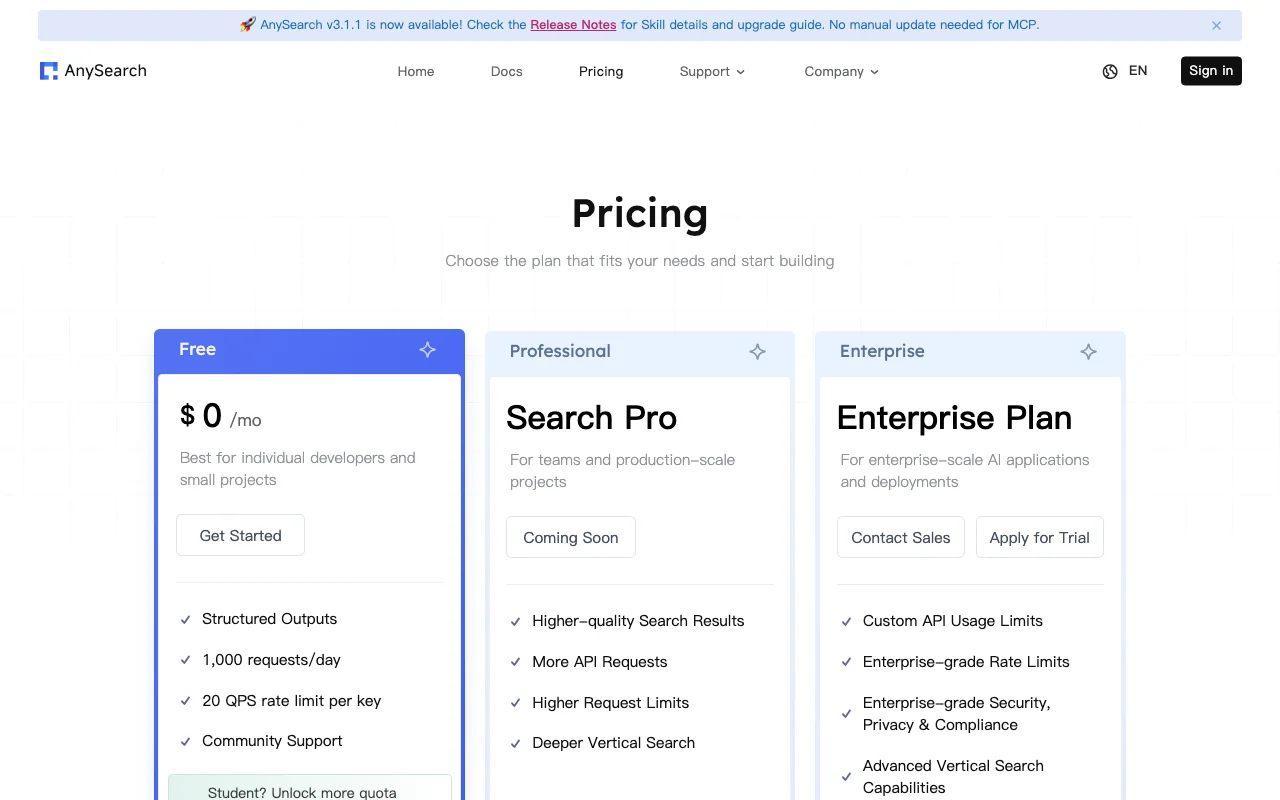
Prices checked Oct 1, 2026 on the official US pricing page. Official pricing ↗ Prices and limits change often.
The official AnySearch pricing page as we saw it. anysearch.com, captured Oct 2, 2026
AnySearch is a search infrastructure for AI agents that routes a query to relevant data sources and returns structured, clean output.
It can be added to agents like Claude Code, Cursor and Codex through MCP, Skill or API. The site states anonymous usage with no tracking or telemetry.
What you provide and what you get back
What you give AnySearch and what comes back, from its documentation
You provide
Natural-language search queries from an agent
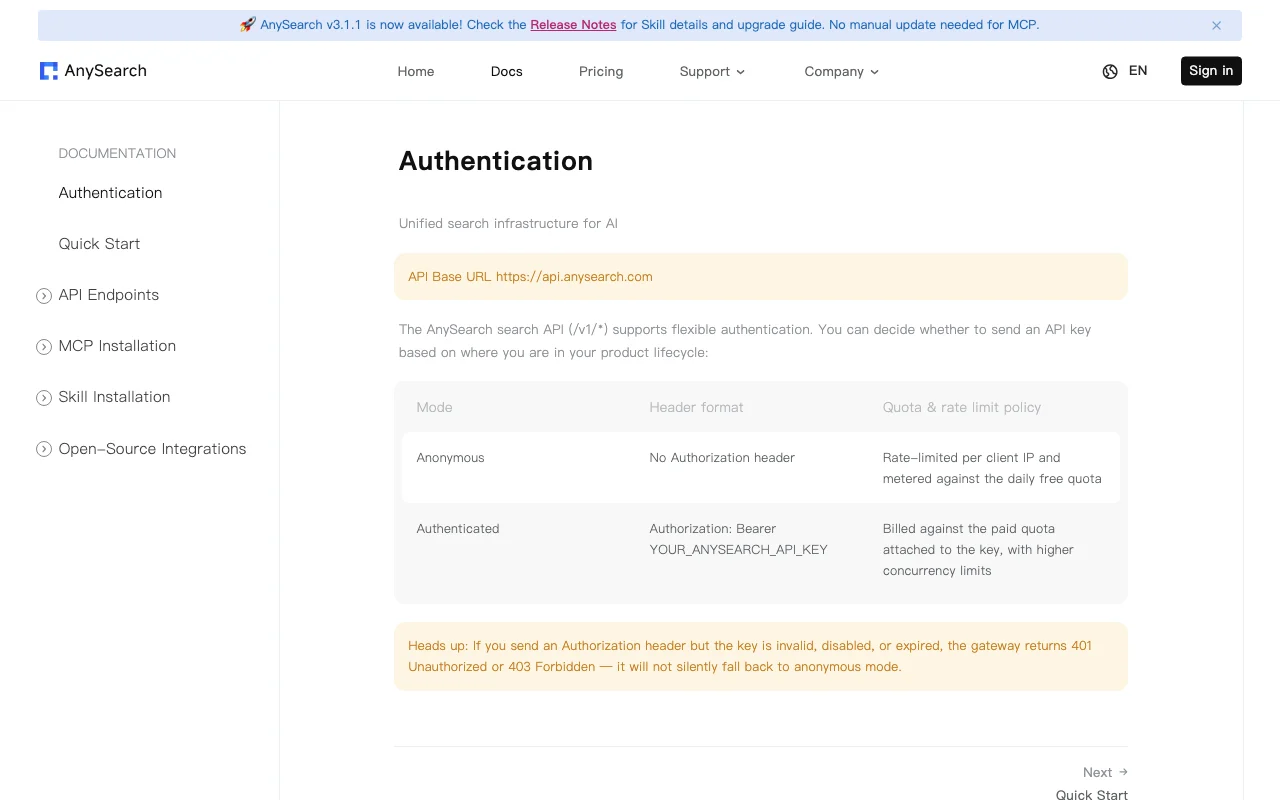
Optional API key in a Bearer header
You get back
Structured markdown results
Quality-scored multi-domain results
Where you can use it
Platforms
API
Account
Not required
Access
MCP, Skill, REST API
Base URL
https://api.anysearch.com
Output
Structured markdown
Free limits
1,000 requests/day, 20 QPS per key
Where AnySearch is most useful
Scenarios are worked out by our editors from the documentation; the actual result depends on your input and plan.
Add web search to AI agents
Who
Agent developers
You provide
A search query from Claude Code, Cursor or another agent via MCP
Offers three integration routes, with an install prompt for agents such as Claude Code, VS Code, Cursor, Codex and Cline. Lets an agent get search without custom code.
Anonymous access described Quick experiments do not require registering a key.documentedsource (opens in a new tab)
Vendor benchmarks show 76.4% accuracy Self-published results on Frames, FreshQA and WebwalkerQA (300 questions) put it ahead of Brave and Parallel, though these are not independent.documentedsource (opens in a new tab)
Limitations to check before paying
Free plan limited to 1,000 requests/day and 20 QPS per key Production loads above 1,000 requests per day need Enterprise today.documentedsource (opens in a new tab)
Search Pro plan is listed as Coming Soon There is currently no self-serve paid upgrade.documentedsource (opens in a new tab)
Enterprise requires contacting sales Large deployments need a sales conversation.documentedsource (opens in a new tab)
API/agent use only It has no end-user interface for people to search directly.documentedsource (opens in a new tab)
Privacy policy page returned 404 Retention and training claims could not be verified from a policy document.documentedsource (opens in a new tab)
How to use AnySearch for adding web search to an AI agent
AnySearch documentation: where the steps below come from. anysearch.com, captured Oct 2, 2026
Set up AnySearch
Open the AnySearch homepage and pick your agent, such as Claude Code, Cursor or VS Code.
Copy the install prompt that points to the MCP install guide and paste it into your agent.
Optionally click Get API Key and add it as a Bearer token for authenticated use.
Restart the agent so it lists the AnySearch tool.
Example: adding web search to an AI agent
Ask your agent a current-events question that needs live data.
Let the agent call AnySearch through MCP.
Read the structured markdown results the agent receives.
Follow up with a vertical question, such as code search.
Review and export the result
Confirm the tool call appears in your agent's log.
Watch for 401 or 403 responses, which mean the API key is invalid or expired.
Track requests against the 1,000 per day limit.
Example prompt suggested by our editors (not a recorded output of the product)
Search for the latest release notes of the Next.js framework and summarize breaking changes.
AnySearch integrations and API
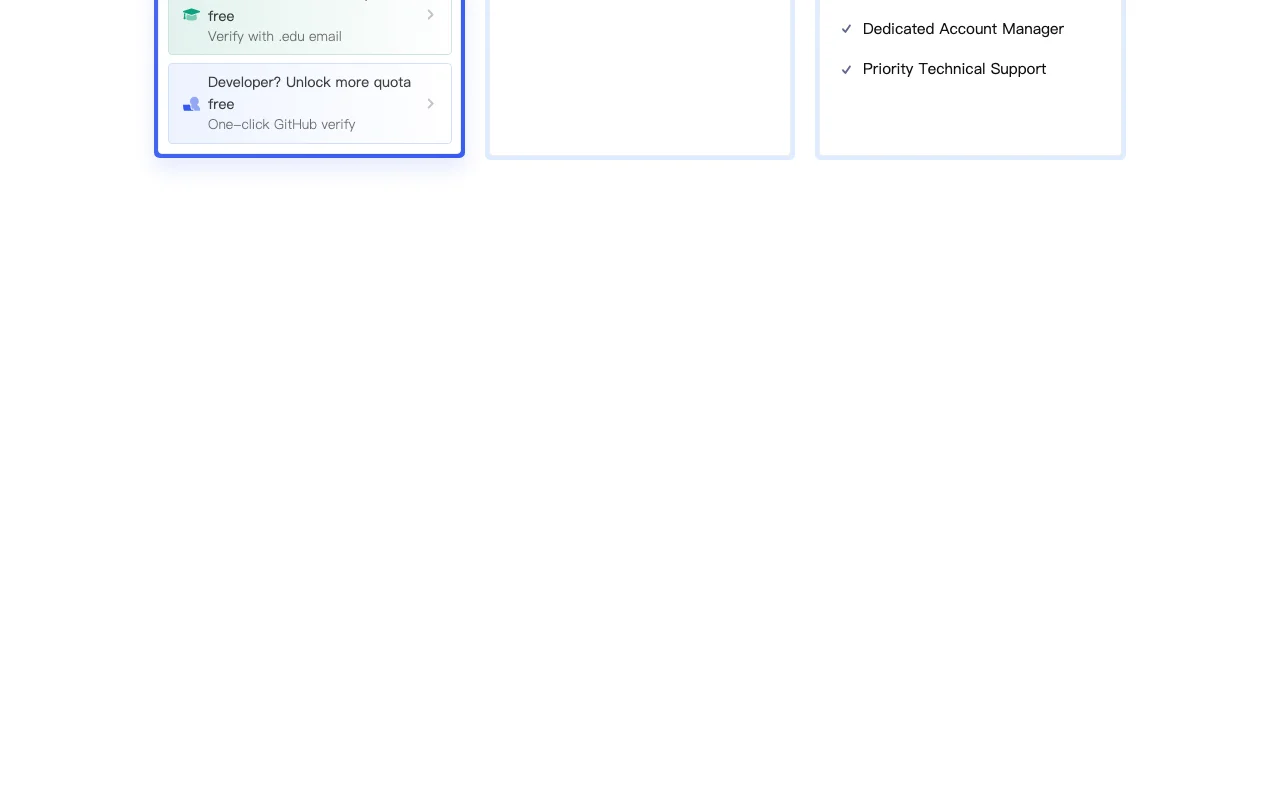
Plan comparison on the official pricing page. anysearch.com, captured Oct 2, 2026
Native integrations and export formats
Export: Markdown
API access and separate billing
AnySearch has no public API in its official documentation. Anonymous calls are rate-limited per IP; authenticated calls use a Bearer key. API documentation ↗
Privacy, data use and commercial rights
Summarized from the vendor's current policies; this is not legal advice and a vendor's badge is not an independent audit.
How your inputs and outputs are handled
The homepage claims anonymous usage, no tracking, no logging and zero telemetry.
Homepage claims zero retention execution; no policy document available.
Controls for business users
Enterprise-grade security, privacy and compliance on Enterprise
AnySearch alternatives by need
"Better suited" is based on documented features and pricing, not on a head-to-head test.
Not yet. Search Pro is marked Coming Soon and Enterprise requires contacting sales. source (opens in a new tab)
How does AnySearch benchmark itself?
It reports 76.4% overall accuracy against Parallel and Brave on 300 questions and 47.8 seconds average latency, using one LLM for all baselines. source (opens in a new tab)
Not verified: Privacy policy (404); Search Pro price and limits; Data retention document; Terms for commercial use.
How we documented and maintain this page
Every fact about AnySearch above comes from the 3 official pages listed here, last compared on Oct 1, 2026; we have not run AnySearch ourselves, so it has no editorial score. How we check and re-check pages.
Article updated Oct 10, 2026; prices checked Oct 1, 2026. Outbound links to vendors are plain links; we do not earn commissions. How we review · Report an error