Our take: askbowtie is a good fit for site owners who already work with an AI agent and want analytics, errors, conversions, search and ads data answerable through MCP at no cost for up to 100,000 events a month.
Main limitation: Beyond 100,000 events per month, or for in-app AI answers (still rolling out), you pay with prepaid credits; the product is early-stage with founding-user terms.
By the AI Tool Atlas editors.
Based on the vendor's official documentation; we have not tested this product hands-on. What “documented overview” means
Is askbowtie right for you?
askbowtie is a good fit for site owners who already work with an AI agent and want analytics, errors, conversions, search and ads data answerable through MCP at no cost for up to 100,000 events a month. Based on the vendor's documentation, not on a hands-on test.
Best for: Developers using AI agents
Also a good fit for
Small site owners
Consider another tool if events beyond 100,000 per month need credits
Or if
In-app AI answers are still rolling out
Requires installing a tracking tag and signing in
askbowtie pricing and usage limits
Prices checked Sep 29, 2026 on the official US pricing page. Official pricing ↗ Prices and limits change often.
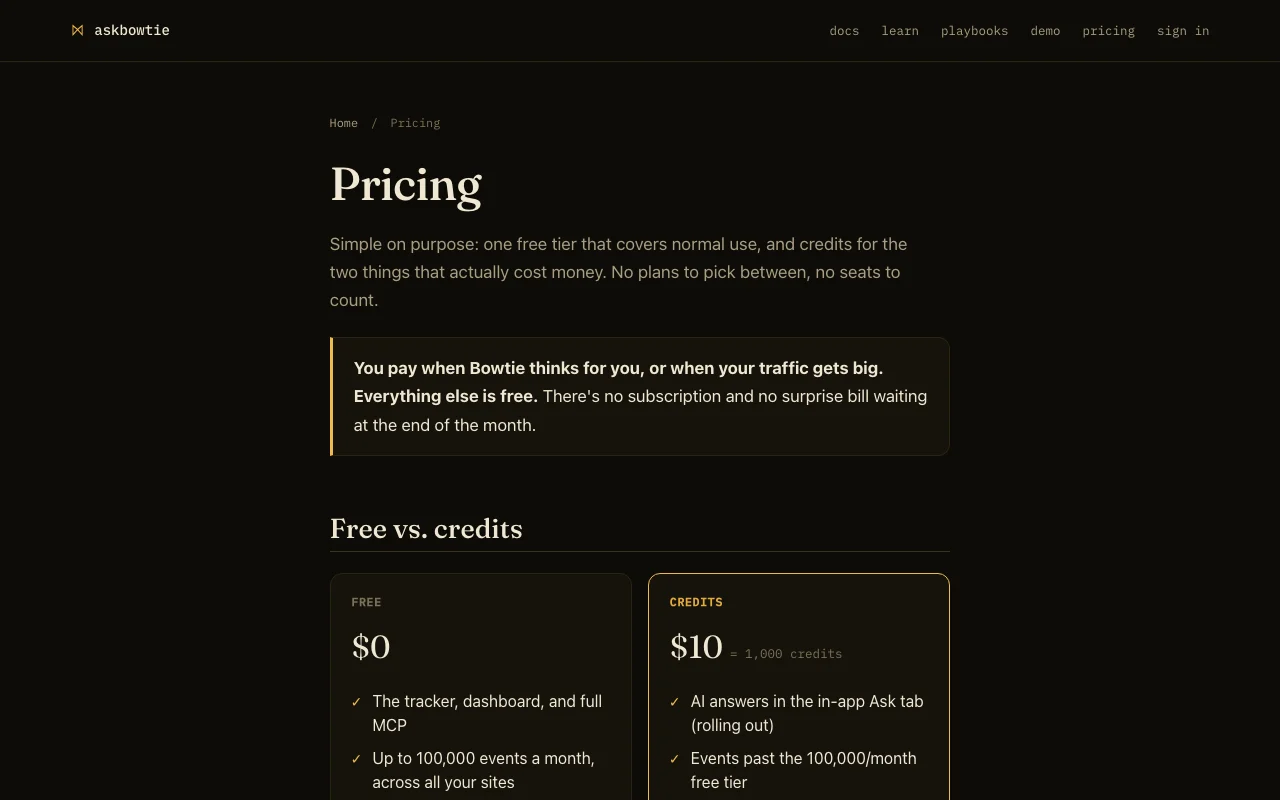
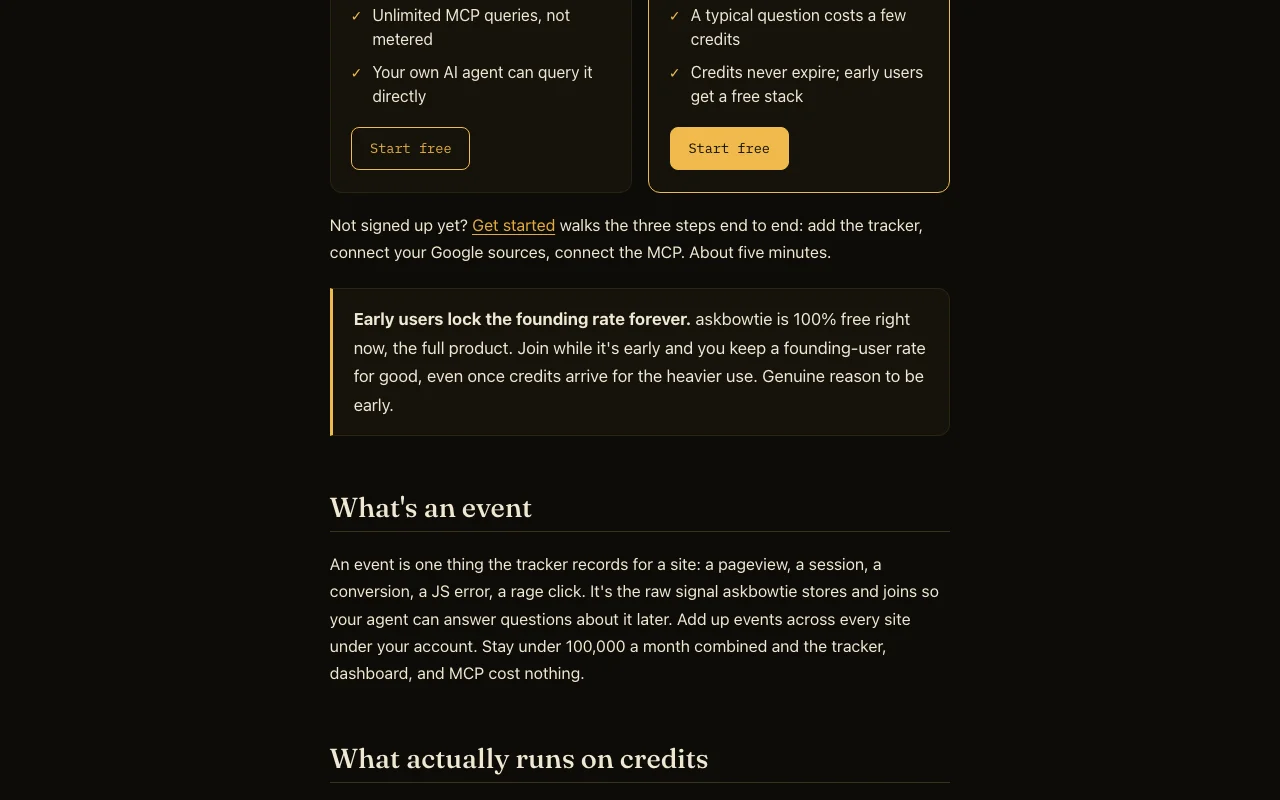
The official askbowtie pricing page as we saw it. askbowtie.com, captured Oct 1, 2026
Free access and trial conditions
Free tier with tracker, dashboard and MCP; the site says the full product is 100% free right now
$10 buys 1,000 credits for AI answers and events past 100,000 per month
Not stated
What is askbowtie, and how does it work?
askbowtie installs a small tracking tag on a site and stores analytics, errors, conversions, search and ads data in one database per site. A user's own AI agent queries it through an MCP.
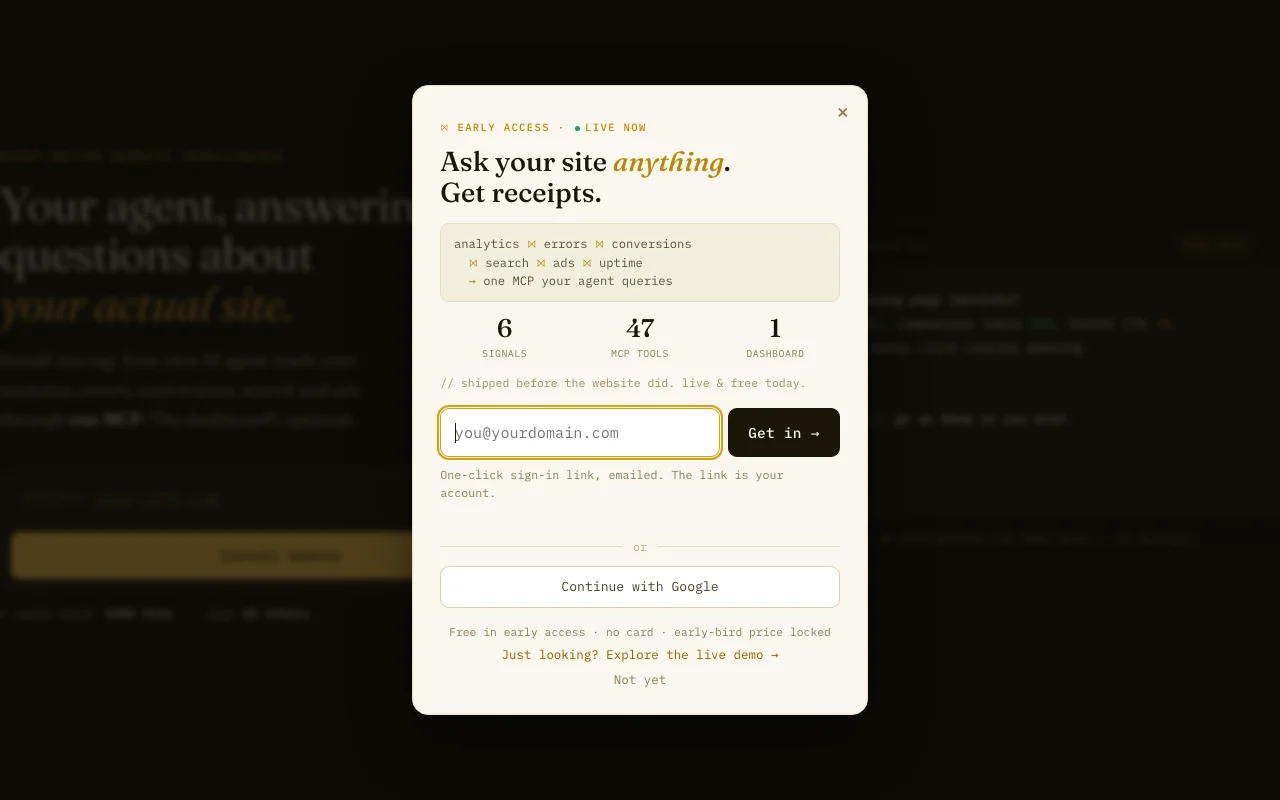
A free tier covers up to 100,000 events per month, with prepaid credits for AI answers and heavier traffic.
askbowtie's official site: how the product presents itself. askbowtie.com, captured Oct 1, 2026
What you provide and what you get back
What you give askbowtie and what comes back, from its documentation
You provide
Pageviews, clicks, forms, errors and Web Vitals from a tracking tag
Google Search Console and Google Ads via OAuth
Custom calls: track, converted, error, guardrail
You get back
Answers from your own AI agent over MCP
Dashboard views of events and errors
Conversion and revenue attribution
Where you can use it
Platforms
Web, API
Account
Required
Free events
100,000 per month across sites
Credit price
$10 = 1,000 credits
Auto-tracked
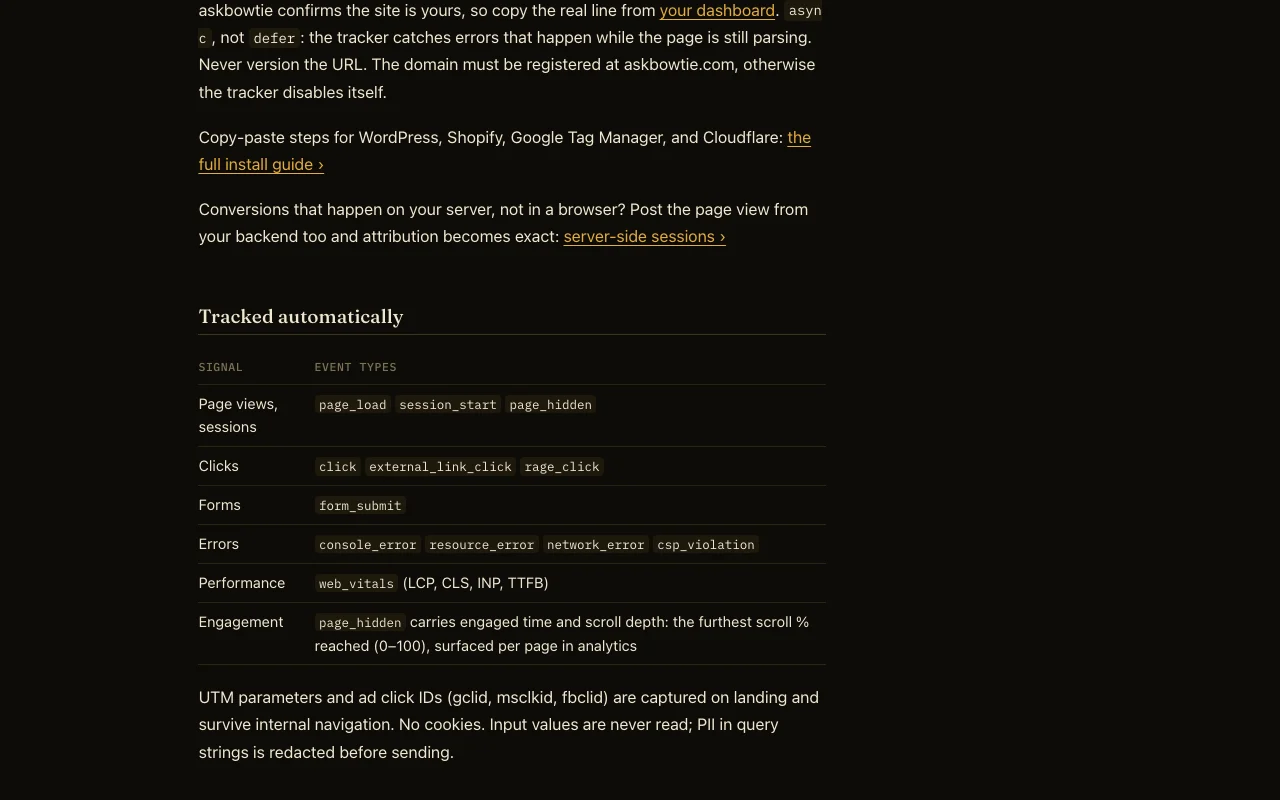
Pageviews, clicks, forms, errors, Web Vitals
Data sources
Site tag, Search Console, Google Ads
Install
WordPress, Shopify, GTM, Cloudflare guides
Best use cases for askbowtie
Scenarios are worked out by our editors from the documentation; the actual result depends on your input and plan.
Asking an AI agent about site traffic
Who
Developers using Claude or Cursor
You provide
The installed tracker plus the MCP connection
Expected result
Plain-language answers about traffic from the site's own database
No cookies by default Fewer consent obligations for the tracker, per the privacy policydocumentedsource (opens in a new tab)
Check before paying for askbowtie
Events beyond 100,000 per month need credits Busy sites must buy credits to keep trackingdocumentedsource (opens in a new tab)
In-app AI answers are still rolling out The Ask tab cannot be relied on yetdocumentedsource (opens in a new tab)
Requires installing a tracking tag and signing in Setup touches your site code and needs an accountdocumentedsource (opens in a new tab)
Currently early-stage with founding-user terms Future rates for non-early users may differdocumentedsource (opens in a new tab)
Event quota is shared across all sites One large site can use up the allowance of the othersdocumentedsource (opens in a new tab)
How to use askbowtie for querying website analytics through an AI agent
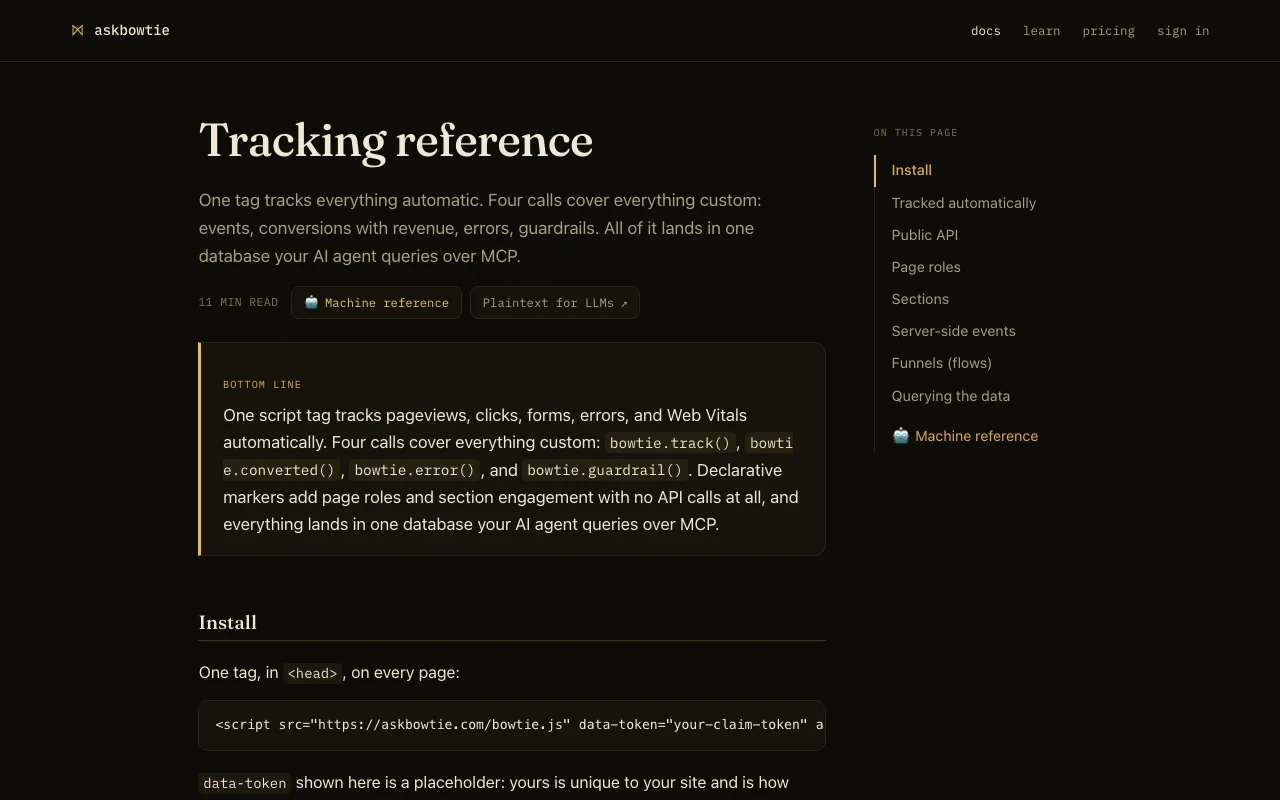
askbowtie documentation: where the steps below come from. askbowtie.com, captured Oct 1, 2026
Set up askbowtie
Sign in with the magic link at /login (no card needed)
Add your domain and paste the one-line async tracker into the head of every page
Connect Google Search Console and Google Ads if you want search and ads data
Add the MCP server to your agent using the token from the dashboard
Example: querying website analytics through an AI agent
Browse your site so pageviews and events arrive
Ask your agent which pages had JS errors this week
Ask which sections lead to conversions
Follow up on one issue with another question
Review and export the result
Confirm events appear in the dashboard after loading a page
Check the event count against the 100,000 monthly free limit
Example prompt suggested by our editors (not a recorded output of the product)
Using askbowtie, which pages threw JavaScript errors in the last 7 days and how many sessions did each affect?
askbowtie API
askbowtie documentation (continued). askbowtie.com, captured Oct 1, 2026
API access and separate billing
An API is available, billing not documented. MCP queries are unmetered on the free tier API documentation ↗
Privacy, data use and commercial rights
Summarized from the vendor's current policies; this is not legal advice and a vendor's badge is not an independent audit.
How your inputs and outputs are handled
Tracker records anonymous page paths, errors and usage; form input values are never captured and click text is scrubbed of emails, phones and card numbers
Site says raw analytics are never shipped to a model provider
Not fully read; export or delete by emailing the vendor
Yes for normal use: up to 100,000 events a month across all sites, with the tracker, dashboard and unlimited MCP queries at $0. source (opens in a new tab)
What are credits for?
$10 buys 1,000 credits for in-app AI answers and for events beyond the free 100,000 per month; credits never expire. source (opens in a new tab)
Does my analytics data go to Anthropic or OpenAI?
No. The site says data lives in a per-site database on its infrastructure and only the answer your agent asked for passes through. source (opens in a new tab)
Does the tracker use cookies?
No cookies by default; a session id is held in localStorage for 30 minutes of activity. source (opens in a new tab)
Can I track several sites?
Yes. Each site gets its own tracker and database, and the 100,000 events and the credit pool are shared across them. source (opens in a new tab)
Not verified: Data retention periods; US availability; Final post-launch pricing.
How we documented and maintain this page
Every fact about askbowtie above comes from the 3 official pages listed here, last compared on Sep 29, 2026; we have not run askbowtie ourselves, so it has no editorial score. How we check and re-check pages.
Article updated Oct 10, 2026; prices checked Sep 29, 2026. Outbound links to vendors are plain links; we do not earn commissions. How we review · Report an error