Research & searchDocumented overviewLast checked Sep 29, 2026

CanIRun.ai: Pricing, Features & Best Use Cases

Detects your GPU or Mac and shows which open AI models can run locally, with VRAM needs, speed estimates and grades.

Who CanIRun.ai fits

Use CanIRun.ai to check, before downloading anything, which open text, coding, image and video models fit your GPU or Mac and how much VRAM each needs. Based on the vendor's documentation, not on a hands-on test.

Best for: Local LLM hobbyists

Also a good fit for

  • Buyers choosing GPUs

Consider another tool if estimates only, not benchmarks on your machine

Or if

  • Playground needs WebGPU browser support
  • Pricing not stated on pages loaded

CanIRun.ai pricing and usage limits

Prices checked Sep 29, 2026 on the official US pricing page. Prices and limits change often.

Free access and trial conditions

No sign-in or paywall seen on the pages loaded; not an explicit free claim.

Not stated.

Paid plans: what changes as you upgrade

Web tool Web

See official pricing source (opens in a new tab)

Unknown

For: Checking local model fit

Limits

  • Pricing not stated on pages loaded

Includes

  • Model grades S to F
  • Device directory
1 more
  • Playground

No API

Usage caps, credits and extra costs

Not stated.

Not stated.

What is CanIRun.ai, and how does it work?

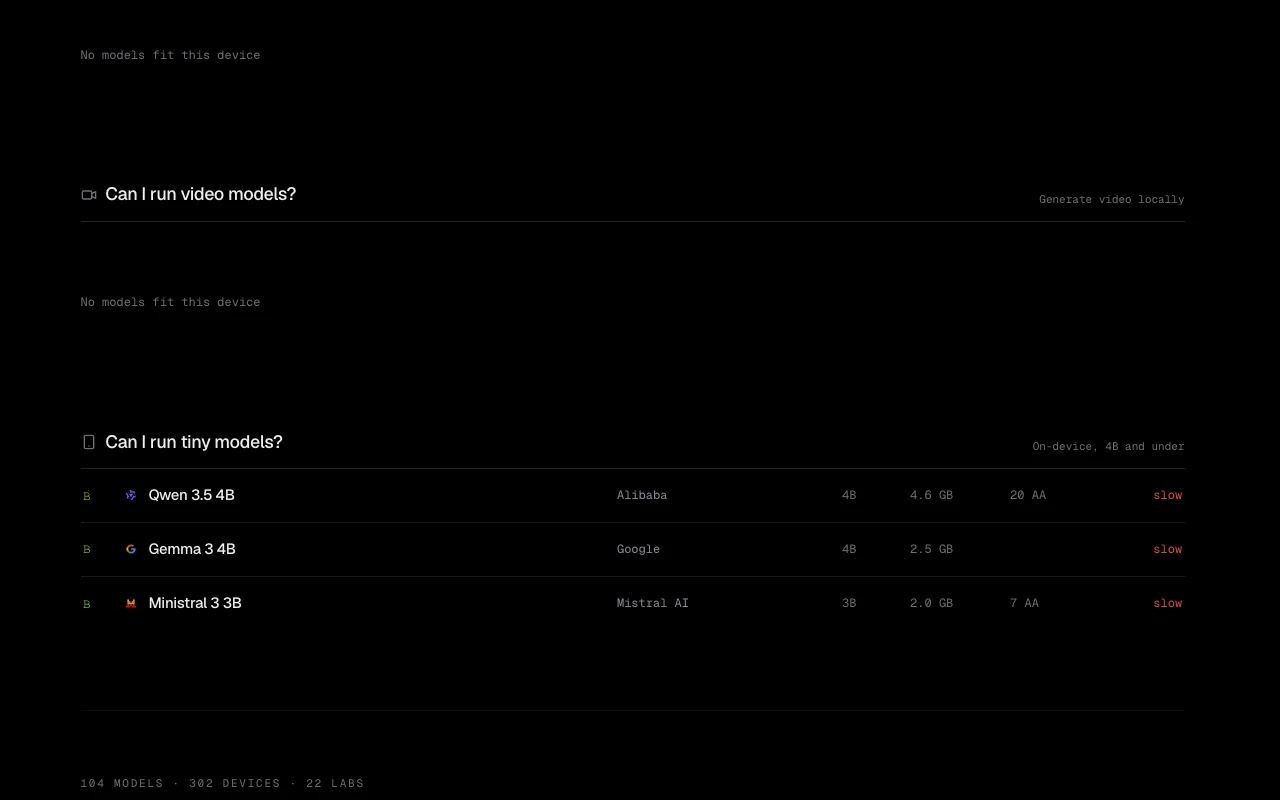
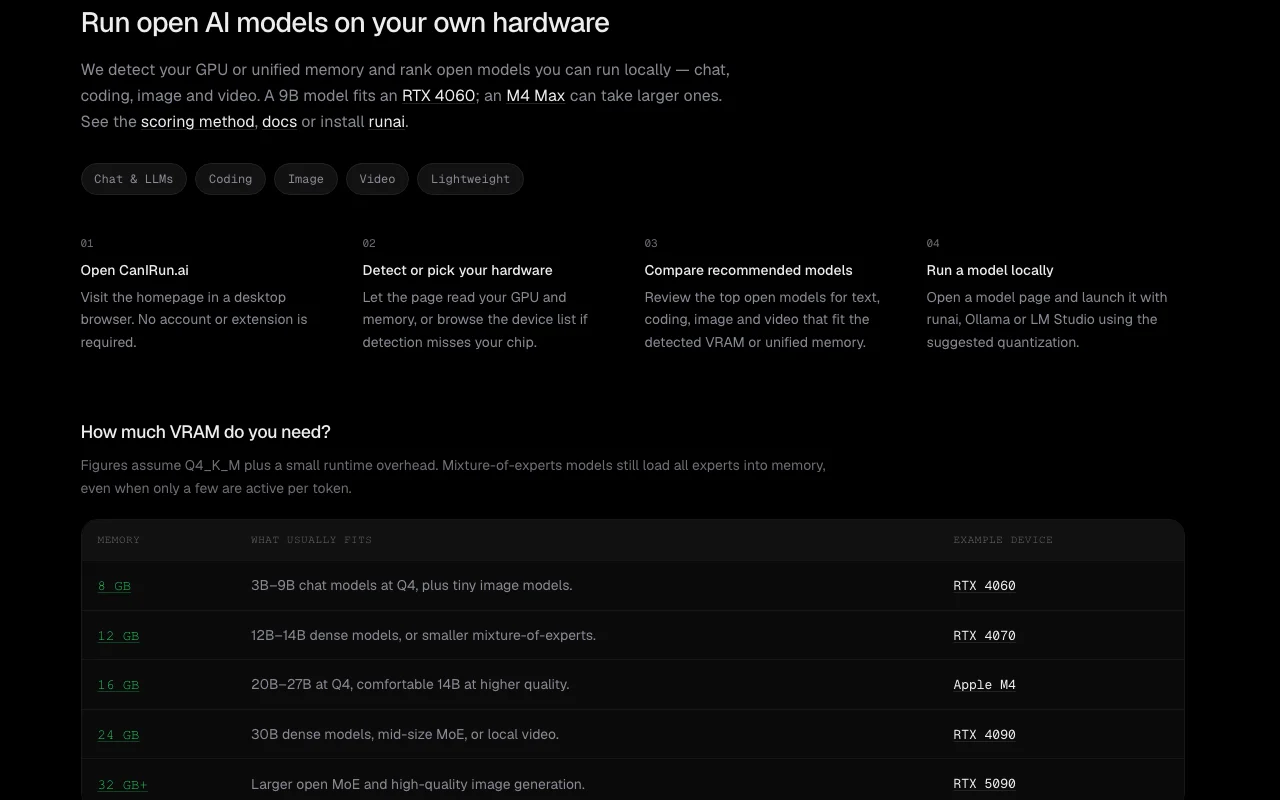
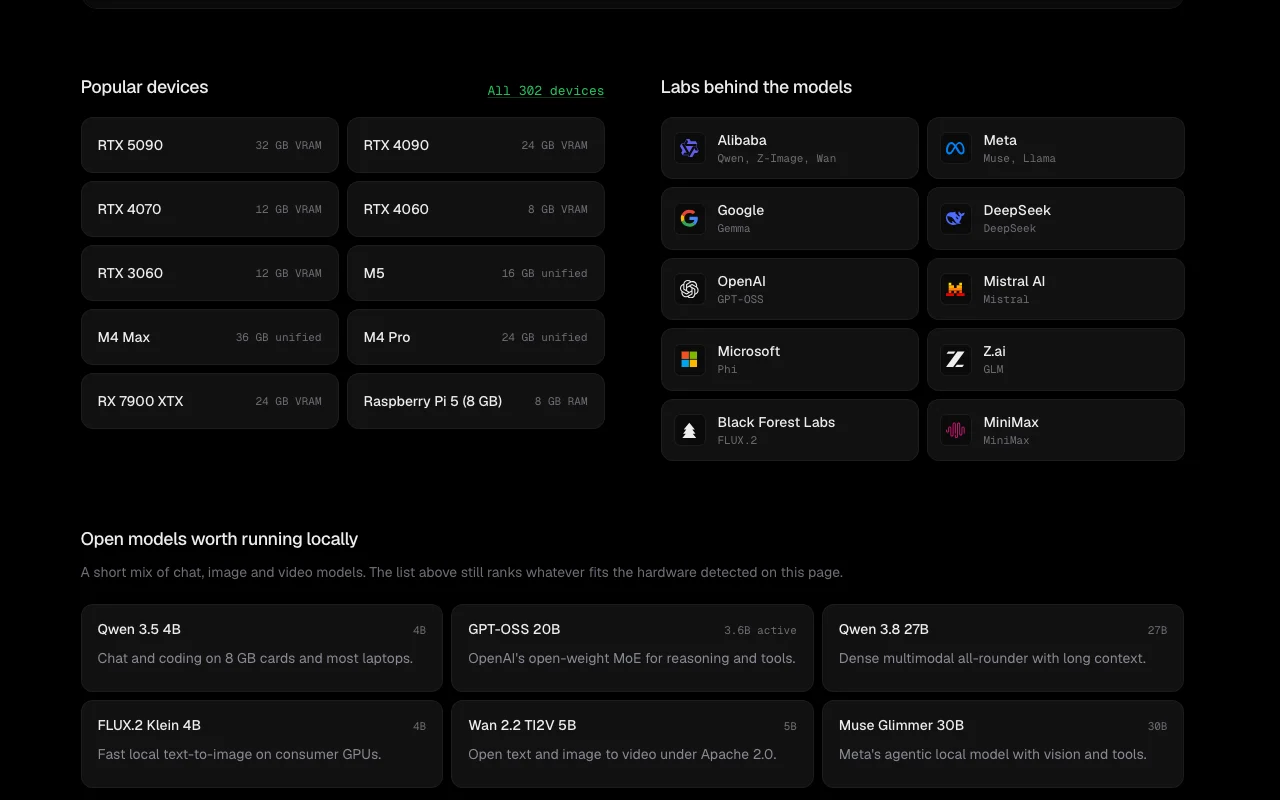
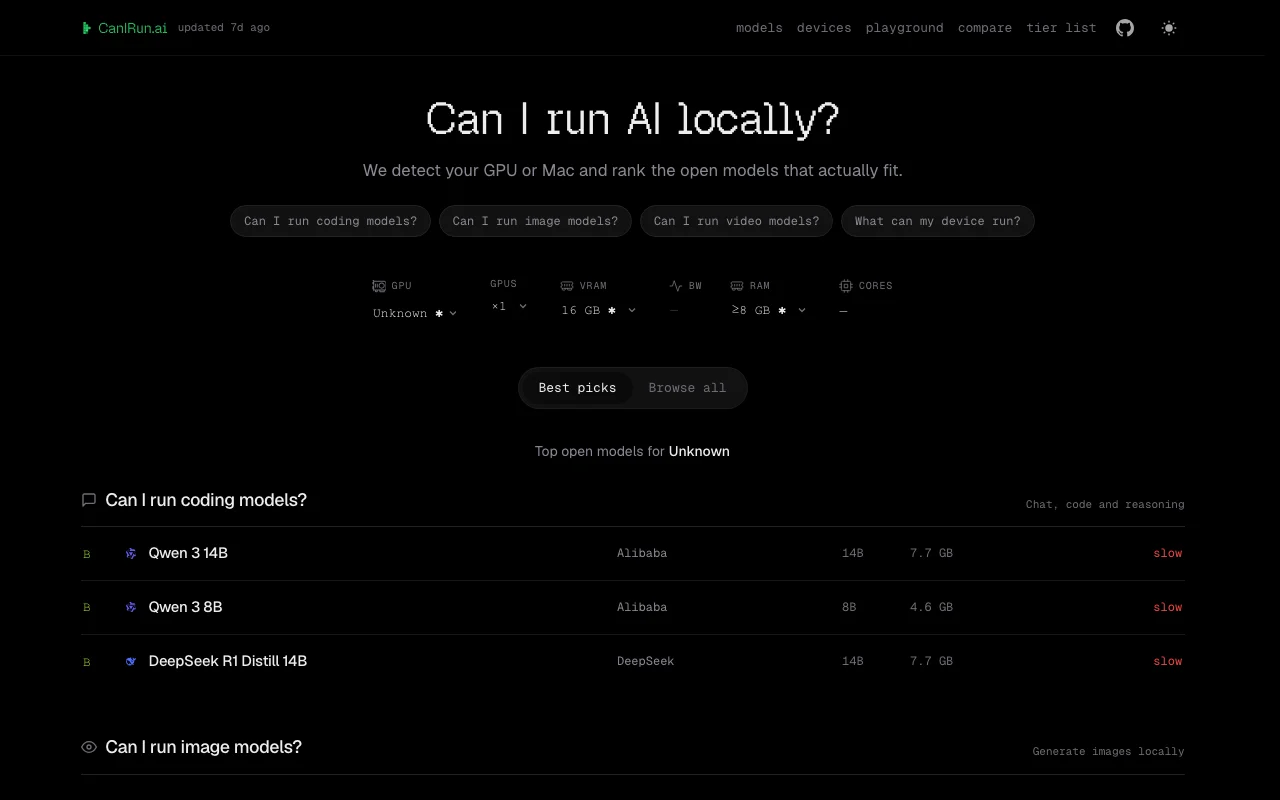
CanIRun.ai is a web tool that detects your GPU or Apple Silicon device and ranks open language, coding, image and video models by whether they fit. It lists VRAM requirements, speed estimates and a letter grade per model. It also has a device directory (about 300 devices), a two-device comparison page, a tier list, and a browser playground that runs models locally with WebGPU.

CanIRun.ai homepage — screenshot of the research & search AI tool, Oct 1, 2026
CanIRun.ai's official site: how the product presents itself. canirun.ai, captured Oct 1, 2026

What you provide and what you get back

How CanIRun.ai works: what you provide, where it runs and what you get backYOU PROVIDEYour inputAuto-detected GPU or Apple Silico…Filters for task, lab and licenseRESEARCH & SEARCHCanIRun.aiWebprice not publishedno free tierchecked Sep 29, 2026YOU GET BACKThe resultPer-model grade from S to FVRAM requirement per quantizationSpeed estimatesinput → CanIRun.ai → output · from the vendor's own pages, no hands-on test unless stated
What you give CanIRun.ai and what comes back, from its documentation

You provide

  • Auto-detected GPU or Apple Silicon device (or a chosen device)
  • Filters for task, lab and license

You get back

  • Per-model grade from S to F
  • VRAM requirement per quantization
  • Speed estimates

Where you can use it

Platforms
Web
Account
Not required
Model types
Text and coding, image, video, lightweight
Quantizations
Q2_K to F16 shown per model
Devices
About 300 GPUs and Macs
Playground
WebGPU, on-device

Best use cases for CanIRun.ai

Scenarios are worked out by our editors from the documentation; the actual result depends on your input and plan.

Checking if a model fits your GPU

Who
Local LLM hobbyists
You provide
The auto-detected GPU and VRAM
Expected result
A graded list showing which models run comfortably, tight or too heavy
Plan needed
Web tool
Limitation
Estimates, not measured benchmarks source (opens in a new tab)

Choosing a device for local AI

Who
Buyers comparing GPUs and Macs
You provide
A device from the directory of about 300 devices
Expected result
Which models each device can run
Plan needed
Web tool
Limitation
Directory may lag new hardware source (opens in a new tab)

Comparing two devices

Who
Buyers deciding between two options
You provide
Two chosen devices
Expected result
A side-by-side view of fit
Plan needed
Web tool
Limitation
Compare page speeds are estimates source (opens in a new tab)

Trying a small model in the browser

Who
Curious users
You provide
A model from the playground
Expected result
Local inference via WebGPU with no API key
Plan needed
Web tool
Limitation
Needs WebGPU browser; model must download first source (opens in a new tab)

CanIRun.ai features and their limits

CanIRun.ai homepage — screenshot of the research & search AI tool, Oct 1, 2026
Feature overview on the official site. canirun.ai, captured Oct 1, 2026

Automatic GPU/Mac detection

Detects your GPU or Apple Silicon and shows VRAM, bandwidth and RAM. Starts the check without manual spec entry.

Access: Web toolLimit: Detection can fail on some browsers, leaving a manual choice source (opens in a new tab)

Model grades S to F

Grades every model from S to F by fit on the chosen device. Shows at a glance what runs comfortably.

Access: Web toolLimit: Grades are estimates source (opens in a new tab)

Filters by task, lab and license

Narrows the model list by task (text, image, video, lightweight), lab and license. Finds models relevant to your use.

Access: Web toolLimit: Coverage limited to listed models source (opens in a new tab)

Device directory of 302 devices

Lists about 300 devices with tier list and compare pages. Helps shopping for hardware.

Access: Web toolLimit: Not live benchmark data source (opens in a new tab)

CanIRun.ai: strengths and limits

Where CanIRun.ai is strong

Limitations to check before paying

How to use CanIRun.ai for checking which local AI models fit your GPU

Set up CanIRun.ai

  1. Open canirun.ai in a recent browser
  2. Let the page detect your GPU or choose a device from the directory
  3. Pick a task: text and coding, image, video or lightweight

Example: checking which local AI models fit your GPU

  1. Read the count of models that fit comfortably
  2. Filter by lab or license
  3. Open a model to see VRAM per quantization
  4. Try a small model in the playground if WebGPU is available

Review and export the result

  1. Compare the VRAM figure with your actual free memory
  2. Run the model in your own runtime and note real speed

Privacy, data use and commercial rights

Summarized from the vendor's current policies; this is not legal advice and a vendor's badge is not an independent audit.

How your inputs and outputs are handled

The page reads your device hardware to estimate fit; playground inference runs on-device.

Not stated.

Not stated.

Commercial use and plan restrictions

Not stated.

None stated.

Explore CanIRun.ai further

Related to CanIRun.ai

CanIRun.ai user reviews

No user reviews yet.

Used CanIRun.ai? Be the first to share your experience.

Write a review

Reviews are checked by a moderator before they appear. Your email is never published. Plain text only.

Your rating (required)

Show what you made or what went wrong. Images are published only if the review is approved; location data is removed.

    CanIRun.ai FAQ

    What does CanIRun.ai check?

    It detects your GPU or Apple Silicon and grades open models from S to F by whether they fit, with VRAM and speed estimates. source (opens in a new tab)

    Which model types does it cover?

    Text and coding, image and video models, plus a lightweight group of 4B-and-under models. source (opens in a new tab)

    Are the speeds measured on my machine?

    No. They are estimates, not benchmarks. source (opens in a new tab)

    What does the playground need?

    A WebGPU-capable browser, and models must be downloaded before running on-device. source (opens in a new tab)

    Can I check a device I do not own?

    Yes. The device directory lists about 300 devices and a compare page sets two side by side. source (opens in a new tab)

    Sources and review methodology

    Official sources and verification dates

    Not verified: Pricing; Privacy and data policy; API.

    How we documented and maintain this page

    Every fact about CanIRun.ai above comes from the 3 official pages listed here, last compared on Sep 29, 2026; we have not run CanIRun.ai ourselves, so it has no editorial score. How we check and re-check pages.

    Article updated Oct 10, 2026; prices checked Sep 29, 2026. Outbound links to vendors are plain links; we do not earn commissions. How we review · Report an error