Audio & voiceDocumented overviewLast checked Oct 2, 2026

Sonura: Pricing, Features & Best Use Cases

AI music tool generating loops, one-shots, FX and full tracks, with a DAW plugin and stem splitting.


Is Sonura right for you?

Choose Sonura Studio if you are a producer who wants AI loops, one-shots and stems inside a browser or DAW plugin and can accept public-domain (CC0) output on the free plan. Based on the vendor's documentation, not on a hands-on test.

Best for: Music producers

Also a good fit for

  • Beginners making beats

Consider another tool if free creations are public domain (CC0) and public by default

Or if

  • Monthly credit caps
  • Priority support only on Pro and Max

Sonura pricing and usage limits

Prices checked Oct 2, 2026 on the official US pricing page. Official pricing ↗ Prices and limits change often.

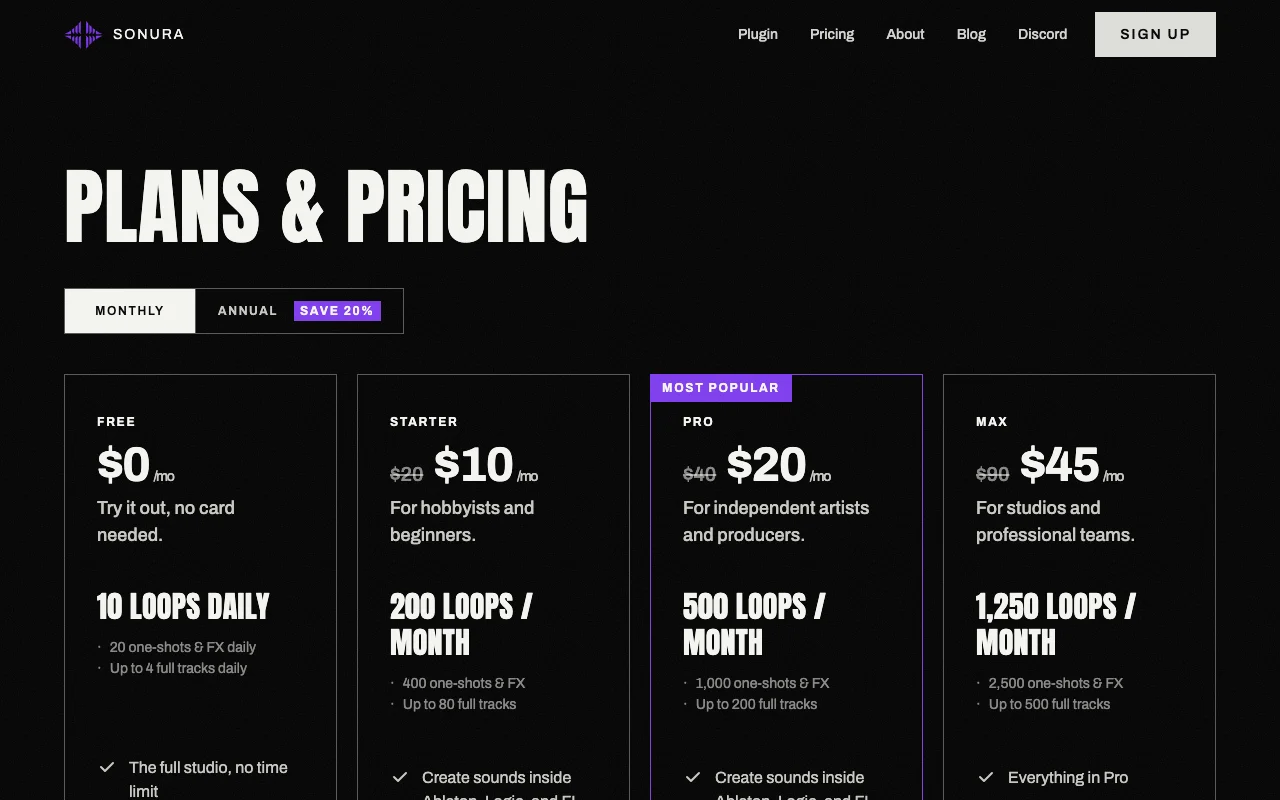
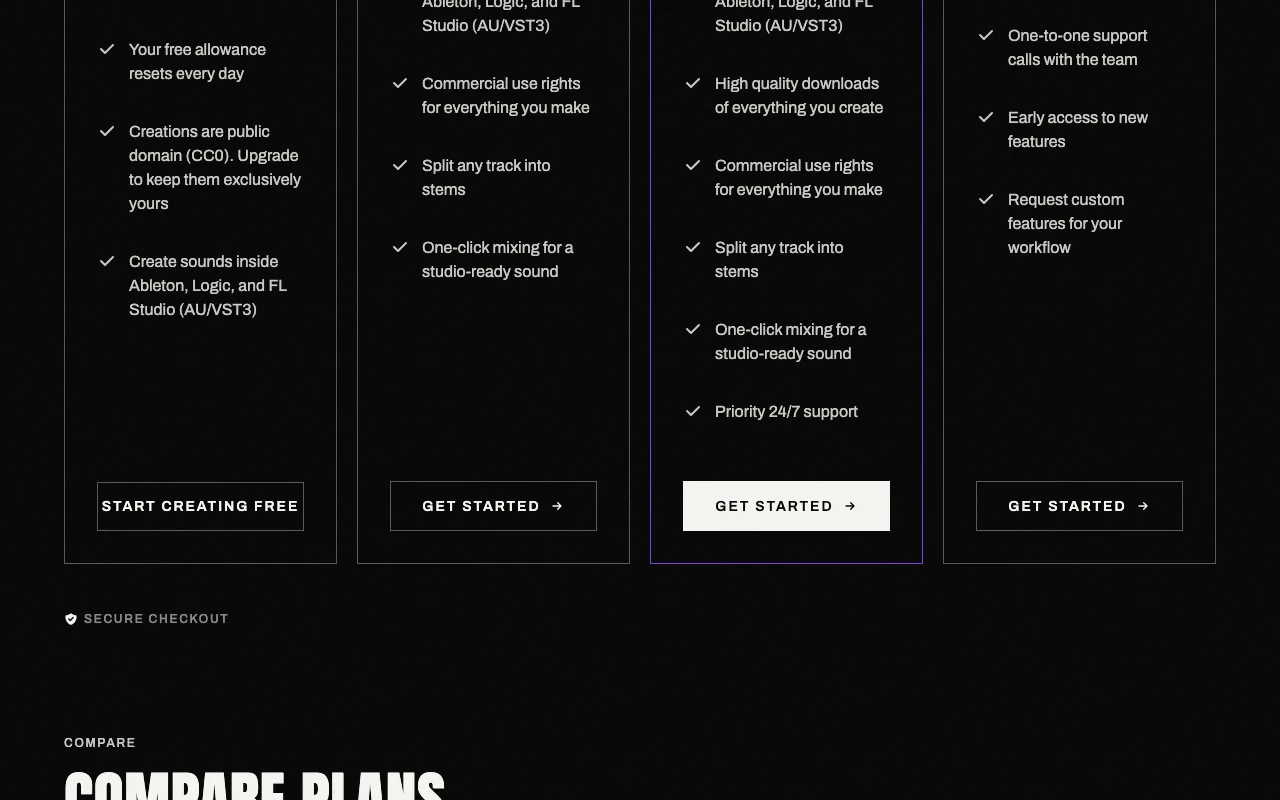
Sonura pricing page with plans and prices — screenshot of the audio & voice AI tool, Oct 2, 2026
The official Sonura pricing page as we saw it. sonurastudio.com, captured Oct 2, 2026

Free access and trial conditions

Free plan with 20 credits plus a daily allowance; no card needed.

Paid plans: what changes as you upgrade

Free web

Free source (opens in a new tab)

For: Trying the studio

Limits

  • 10 loops daily
  • 20 one-shots and FX daily
1 more
  • Up to 4 full tracks daily

Includes

  • Stem export
  • AU/VST3 plugin
1 more
  • Creations are CC0 public domain

Starter web

See official pricing source (opens in a new tab)

Monthly

Page shows a struck-through list price with a Monthly/Annual toggle; the monthly figure is not confirmed, so price is null.

For: Hobbyists

Limits

  • 200 loops per month
  • 400 one-shots and FX
1 more
  • Up to 80 full tracks

Includes

  • Commercial rights
  • Stem splitting
1 more
  • One-click mixing

Pro web

$20 source (opens in a new tab)

Monthly

FAQ states Pro is $20/month with no contracts; list price shown struck through is $40

For: Independent artists and producers

Limits

  • 500 loops per month
  • 1,000 one-shots and FX
1 more
  • Up to 200 full tracks

Includes

  • High quality downloads
  • Commercial rights
1 more
  • Priority 24/7 support

Max web

See official pricing source (opens in a new tab)

Monthly

Page shows a struck-through list price with a Monthly/Annual toggle; the monthly figure is not confirmed, so price is null.

For: Studios and teams

Limits

  • 1,250 loops per month
  • 2,500 one-shots and FX
1 more
  • Up to 500 full tracks

Includes

  • One-to-one support calls
  • Early access
1 more
  • Custom feature requests

What is Sonura, and how does it work?

Sonura generates loops, one-shots and effects, and full tracks, and offers a plugin for Ableton, Logic and FL Studio (AU/VST3). A free tier gives a daily allowance with CC0 output; paid plans add commercial rights, stem splitting and mixing.

Sonura homepage — screenshot of the audio & voice AI tool, Oct 2, 2026
Sonura's official site: how the product presents itself. sonurastudio.com, captured Oct 2, 2026

What you provide and what you get back

How Sonura works: what you provide, where it runs and what you get backYOU PROVIDEYour inputText descriptions of soundsGenre and BPM choicesTracks to split into stemsAUDIO & VOICESonuraWeb, Desktopfrom $20 (Pro)free tier availableaccount requiredchecked Oct 2, 2026YOU GET BACKThe resultLoops, one-shots and FXFull tracksStems for drums, bass, melody, vo…input → Sonura → output · from the vendor's own pages, no hands-on test unless stated
What you give Sonura and what comes back, from its documentation

You provide

  • Text descriptions of sounds
  • Genre and BPM choices
  • Tracks to split into stems

You get back

  • Loops, one-shots and FX
  • Full tracks
  • Stems for drums, bass, melody, vocals and FX

Where you can use it

Platforms
Web, Desktop
Account
Required
Plugin formats
AU, VST3
DAWs
Ableton, Logic, FL Studio
Credits
20 plus daily (Free); 400, 1,000, 2,500 per month (paid)
Commercial rights
CC0 (Free); exclusive (paid)
Download quality
Standard (Free); High quality (paid)

Where Sonura is most useful

Scenarios are worked out by our editors from the documentation; the actual result depends on your input and plan.

Producing loops and samples

Who
Producers building sample libraries
You provide
A prompt with genre and BPM
Expected result
Loops and one-shots to drop into a DAW
Plan needed
Any plan
Limitation
Free output is CC0 and public source (opens in a new tab)

Making full tracks

Who
Songwriters sketching ideas
You provide
A description of a song
Expected result
A full track with stems
Plan needed
Starter and above for exclusive rights
Limitation
Free plan limited to 4 full tracks a day source (opens in a new tab)

Splitting stems

Who
Producers who need parts of a track separated
You provide
An existing track
Expected result
Stems for drums, bass, melody, vocals and FX
Plan needed
Any plan
Limitation
Stem quality is not documented source (opens in a new tab)

Sonura features and their limits

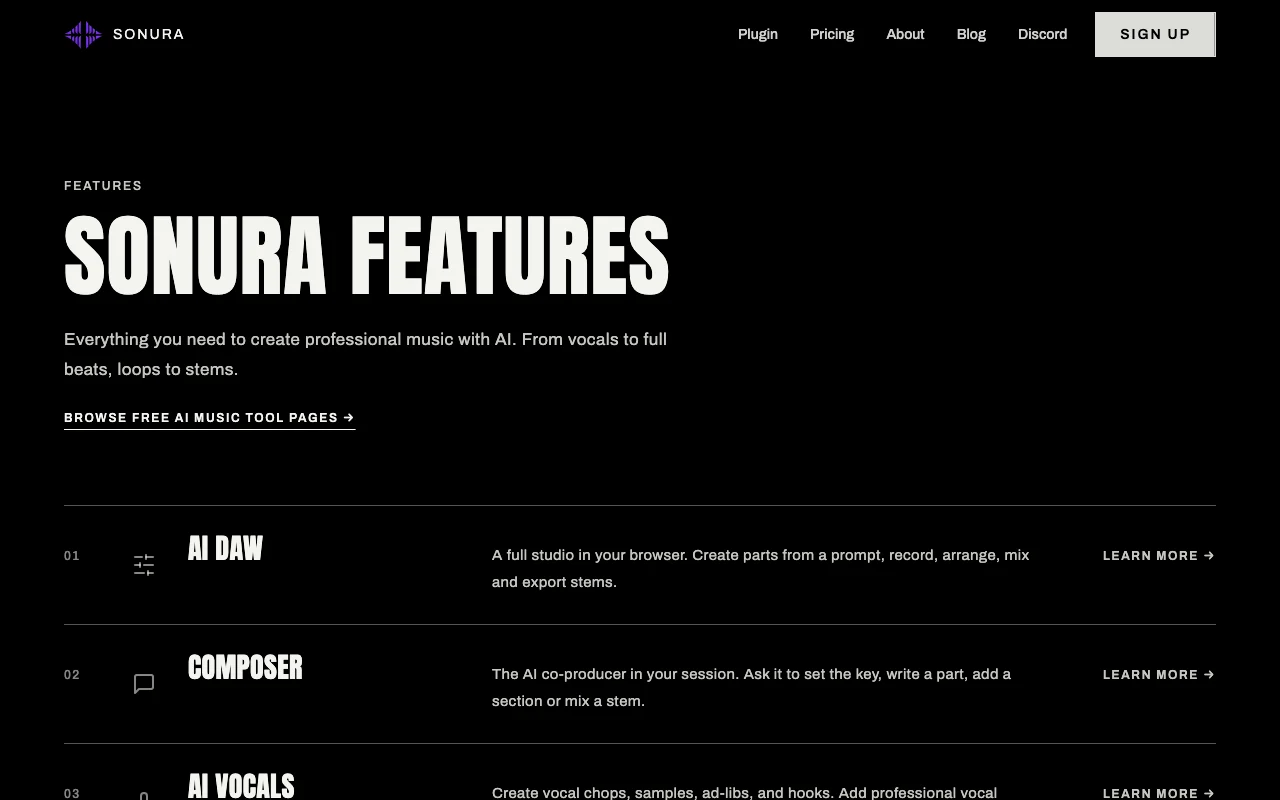
Sonura homepage — screenshot of the audio & voice AI tool, Oct 2, 2026
Feature overview on the official site. sonurastudio.com, captured Oct 2, 2026

Loops, one-shots and FX

Generates loops, one-shots, vocals and FX from a text description. Speeds up sample discovery.

Access: All plans, with daily or monthly quotasLimit: Free plan capped at 10 loops and 20 one-shots a day. source (opens in a new tab)

Full-track generation

Generates complete songs with a longer arrangement. Gives a starting point for a full song.

Access: Up to 4 per day free; 80 to 500 per month paidLimit: Quotas shrink the more credits each song consumes. source (opens in a new tab)

AU/VST3 plugin

Runs inside Ableton, Logic and FL Studio as an AU or VST3 plugin. Lets users create sounds without leaving the project.

Access: All plans per pricing pageLimit: Plugin system requirements are not listed. source (opens in a new tab)

Stem splitting

Splits a track into drums, bass, melody, vocals and FX stems. Lets users take parts straight into a DAW.

Access: Every plan including freeLimit: Stem export is described in the FAQ without format details. source (opens in a new tab)

Pros, cons and deal-breakers

Reasons to choose Sonura

Check before paying for Sonura

  • Free creations are public domain (CC0) and public by default Free output may be reused by anyone, so it is unsuitable for exclusive releases. documented source (opens in a new tab)
  • Monthly credit caps Heavy users run out of credits in a month. documented source (opens in a new tab)
  • Priority support only on Pro and Max Free users get fewer priority options such as 24/7 support. documented source (opens in a new tab)

How to use Sonura for generating loops for a track

Set up Sonura

  1. Open sonurastudio.com and choose Try for free.
  2. Sign up with email; no credit card is needed.
  3. Open the studio in the browser, or get the AU/VST3 plugin.
  4. Choose loops, one-shots or full song.

Example: generating loops for a track

  1. Describe a 140 BPM trap piano loop.
  2. Generate and audition the results.
  3. Download or drag the best one into the DAW.
  4. Split a finished track into stems if needed.

Review and export the result

  1. Play the result against your project tempo.
  2. Check the plan page to confirm the rights that apply to your downloads.
Example prompt suggested by our editors (not a recorded output of the product)
Warm 85 BPM organic flute loop with light room reverb.

Sonura integrations and API

Sonura pricing page with plans and prices — screenshot of the audio & voice AI tool, Oct 2, 2026
Plan comparison on the official pricing page. sonurastudio.com, captured Oct 2, 2026

Native integrations and export formats

Export: Stems, Downloads

API access and separate billing

Sonura has no public API in its official documentation. No API described; docs page returned an error.

Privacy, data use and commercial rights

Summarized from the vendor's current policies; this is not legal advice and a vendor's badge is not an independent audit.

How your inputs and outputs are handled

Collects email, username and password and billing details processed by payment providers; public content is visible to others.

The policy lists analysing usage patterns to improve AI models; whether user content trains models is not stated.

Account data until deletion; private content deleted with the account; usage logs typically 12 months.

Commercial use and plan restrictions

Exclusive commercial rights on paid plans; free creations are CC0.

Free creations are public domain and public by default.

Policies: sonurastudio.com/privacy/

Other tools to consider instead of Sonura

"Better suited" is based on documented features and pricing, not on a head-to-head test.

Suno: better suited to

ElevenLabs: better suited to

Alternatives
AlternativeWhen to choose itPricingLimitation
Suno——Compare
ElevenLabs——Compare

Explore Sonura further

Related to Sonura

Sonura user reviews

No user reviews yet.

Used Sonura? Be the first to share your experience.

Write a review

Reviews are checked by a moderator before they appear. Your email is never published. Plain text only.

Your rating (required)

Show what you made or what went wrong. Images are published only if the review is approved; location data is removed.

    Sonura FAQ

    Are Sonura free creations free to release commercially?

    Yes, free creations go out under CC0 so nothing is owed, but they are public domain rather than exclusively yours. source (opens in a new tab)

    Does Sonura Pro cost $20 per month?

    Yes, the pricing FAQ says Pro is $20/month for 1,000 credits, with no contracts. source (opens in a new tab)

    Is stem export available on Sonura free plan?

    Yes. Stem export is included on every plan, splitting tracks into drums, bass, melody, vocals and FX. source (opens in a new tab)

    Can I cancel Sonura at any time?

    Yes. Plans are month-to-month and can be cancelled from account settings. source (opens in a new tab)

    Which DAWs does the Sonura plugin work in?

    The pricing page lists Ableton, Logic and FL Studio via AU/VST3. source (opens in a new tab)

    Sources and review methodology

    Official sources and verification dates

    Not verified: Starter and Max monthly prices; Annual price mapping; US availability; Docs page unavailable; Whether user content trains models.

    How we documented and maintain this page

    Every fact about Sonura above comes from the 3 official pages listed here, last compared on Oct 2, 2026; we have not run Sonura ourselves, so it has no editorial score. How we check and re-check pages.

    Article updated Oct 2, 2026; prices checked Oct 2, 2026. Outbound links to vendors are plain links; we do not earn commissions. How we review · Report an error